
Ask around and you’ll hear the same story about Buffer: it is clean and cheap to start, then people move on to a list of names. That skips the part that actually matters. Buffer bills per channel, so the plan that felt cheap at three profiles turns into a real invoice at ten, and every profile you add is another line on it.
Its analytics reach only Facebook, Instagram, X, and LinkedIn with no competitor benchmarking, its home screen shows a wall of scheduled cards instead of a clear read on what is working, and a unified inbox with approvals is not something the lower plans give you at all.
We tested 12 Buffer alternatives against those exact pain points, on current pricing and current features. Whether you are an agency owner juggling a growing list of client accounts, a mid-market marketing team that needs real analytics and a shared inbox without an enterprise contract, or a budget-conscious team that got priced out of Buffer’s per-channel model, everything below is built around your actual situation, to help you choose the best alternative to Buffer.
Why Look Beyond Buffer
Buffer earns its fans by being simple. You connect a channel, you queue posts, you move on. The trouble starts when simple runs out of room, and it usually runs out in three places: the bill, the reporting, and the daily view.
Start with the bill. Buffer charges by the channel, so the price is not one number, it is your channel count times a rate. Three profiles feel almost free. Add Instagram, TikTok, a second brand, a client or two, and the same plan quietly turns into a real monthly cost. Nothing about your workflow changed. Your channel list did.
Then the analytics. They cover the basics for the big networks and not much past that, which is fine until a client asks why a campaign worked. One reviewer put the ceiling plainly:
David C.
Meta doesn’t allow Buffer to pull data on some of our channels. This creates some inefficiencies around how we can use the analytics tab. I’d rather be able to check all our analytics in one place.
And the daily view. Buffer’s home screen is a tidy stack of scheduled cards, but it does not surface what needs your attention: what is performing, what stalled, what a teammate is waiting on. You see what is queued, not what is happening. Another reviewer wanted more from it:
None of this makes Buffer a mistake. It makes Buffer a starting tool. The alternatives below exist because teams outgrow the channel-based bill, the shallow reports, or the queue-only dashboard, sometimes all three in the same month.
How We Tested These Buffer Alternatives
We did not rank these tools from memory. Here is exactly how the list was built, and where we drew the line.
Our Testing Protocol
We worked hands-on with each tool where an account allowed it, focusing on the four jobs that actually decide a switch: scheduling and the calendar, analytics and reporting, the inbox and engagement, and team or client approvals. For features behind a sales demo or an enterprise gate, we relied on the vendor’s own live product pages and documentation and said so rather than guessing.
How We Fact-Checked Every Comparison
Every price in this guide was read on the vendor’s own pricing page on September 3, 2026, not copied from another roundup. Every quoted review links straight to the review it came from, so you can read the full context. We did not cite stat-aggregator blogs for numbers, and where a claim could not be traced to a primary source, we left it out.
What We Didn’t Test, and Why
Two things stayed off the bench. First, enterprise-only features that only open up after a sales call, since a demo script is not the same as using the product. Second, exact prices on pages that render figures in the browser or serve a different currency by location. Where a number would not load cleanly, we flagged it for an editor to confirm instead of printing a guess.
Top Buffer Alternatives at a Glance
All 12 tools, side by side. Ratings are the average from the reviews we pulled, prices are the entry paid tier read on each vendor’s page on September 3, 2026, and billing basis is spelled out in each full entry below.
| Ferramenta | Melhor Para | G2 rating | Preço inicial | Free plan / trial | Standout capability |
| Buffer | Simple, standalone scheduling | 4.3/5 | $6 per channel monthly | Free up to 3 channels; 14-day trial | Clean, minimal scheduling with a free plan |
| SocialPilot | Agencies and multi-client teams | 4.5/5 | $30 monthly ($25.50 annual), flat | None; 14-day trial | Client workspaces and white-label reports at a low flat price |
| SocialBee | Content categorization and recycling | 4.7/5 | $29 monthly ($24.17 annual) | None; 14-day trial | Category-based queue that recycles evergreen posts |
| Loomly | Fluxos de trabalho de aprovação de conteúdos | 4.6/5 | $65 monthly ($49 annual) | None; free trial | Structured post approval and version history |
| Zoho Social | Teams already on Zoho | 4.6/5 | Free; paid from ~$15 monthly | Free plan; 15-day trial | Deep tie-in with Zoho CRM and Desk |
| Sprout Social | Enterprise analytics | 4.4/5 | $99 monthly per seat | None; 30-day trial | Cross-network reporting and listening |
| Later | Visual, Instagram-first brands | 4.5/5 | $25 monthly ($18.75 annual) | None; 14-day trial | Visual planner and Link in Bio |
| Hootsuite | Established enterprise features | 4.3/5 | $99 monthly per user | None; 14-day trial | Streams monitoring across 30+ networks |
| Sendible | Agency white-labeling | 4.5/5 | $35 monthly ($30 on annual) | None; 14-day trial | Unlimited users and a white-label dashboard |
| CoSchedule | Unified marketing calendars | 4.4/5 | $39 monthly ($29 annual billingc) | Free Calendar; 14-day trial | One calendar for social plus the rest of marketing |
| Agorapulse | Unified inbox and engagement | 4.5/5 | $99 monthly per user ($79 annual) | None; 30-day trial | Shared social inbox with social ROI reporting |
| ContentStudio | Descoberta e curadoria de conteúdos | 4.6/5 | $29 monthly ($19 annual billing) | None; 7-day trial | Discover feed that surfaces trending content |
| SocialBu | Budget-friendly automation | 4.6/5 | $29 monthly ($22 annual billing) | Free plan; 7-day trial | Rule-based automations at a low price |
The 12 Best Buffer Alternatives, Reviewed in Depth
Twelve tools, the same deep template for each: price, ratings, platforms, a real comparison against Buffer, live tier tables, honest pros and cons, and a cost scenario. Entry order follows the “best for” fit, not a popularity contest.
Flat-price scheduling built for agencies.
Classificação
4.5/5 no G2
Aplicações
Android, aplicação móvel iOS e versão Web.
Plataformas de redes sociais suportadas
Facebook, Instagram, TikTok, X, LinkedIn, Threads, Bluesky, YouTube, Pinterest, and Google Business Profile.
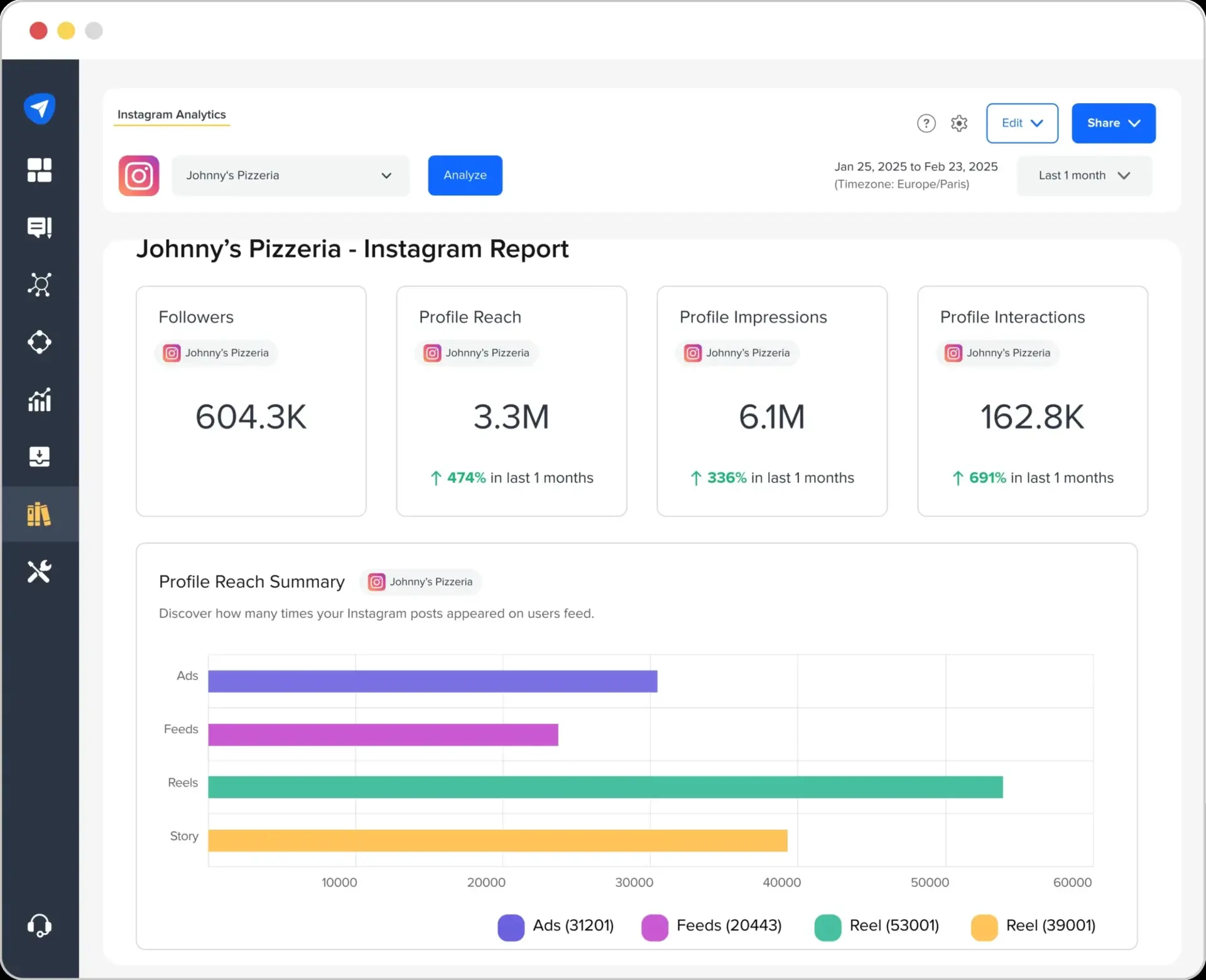
Buffer bills you for every channel; SocialPilot bundles accounts into a flat plan and adds the client tools Buffer leaves out. Where Buffer’s analytics cover the big networks and little else, you get Custom Social Dashboards, Competitor Reports, and White Label Reports with up to 2 years of history. Client workspaces and approval flows mean you can hand a client a review link without sharing a password.
Principais Recursos:
- Bulk scheduling of up to 500 posts from a CSV upload
- Separate client workspaces with approval workflows and role-based access
- White-label PDF reports with your agency’s logo
- Audience, post, hashtag, and competitor analytics
- Unified social inbox for comments, messages, and mentions
- AI Pilot for captions and hashtags, plus a Canva integration
Pricing Tier by Tier
Full tiers are on SocialPilot’s current pricing page.
| Nível | Mensal | Annual | What You Get |
| Essentials | $30/mês | $25.50/month | 7 accounts, 1 user |
| Standard | $50/mês | $42.50/month | 15 accounts, 3 users |
| Premium | $100/month | $85/month | 25 accounts, 6 users, white-label reports |
| Ultimate | $200/mês | $170/month | 50 accounts, unlimited users |
Flat Pricing, the Core Contrast with Buffer
Buffer’s bill is your channel count times a rate, so it climbs with every profile. Here the price is fixed by plan, and adding networks inside your account limit costs nothing extra. Past roughly five channels, the flat model is cheaper and easier to predict.
Client Reporting, Included Where Buffer Stops
Buffer gives basic post stats. This platform adds white-label reports, competitor benchmarking, and client approvals at the Premium tier, which is the layer agencies actually need for client meetings.
Who Should Actually Use This
The strong fit is an agency or multi-client team running 5 to 40-plus accounts that wants client reporting and approvals without enterprise pricing. The weak fit is a solo user posting to two or three channels, who may find Buffer simpler and cheaper. The mobile app is also thinner than the desktop app, so heavy calendar work still happens on a laptop.
A Realistic Scenario
Say you manage 12 channels for four small clients. On Buffer Essentials, which charges $5 monthly for each channel, that is $60 monthly, and the Team tier doubles it. The same 12 channels sit inside one flat plan here: Standard covers 10 accounts at $40 monthly, and the next tier covers up to 20 at $100 monthly. Past a handful of channels, the flat plan wins.
Prós
- A flat price that does not climb every time you add a channel
- Agency features (white-label reports, client approvals, workspaces) at a low tier
- Strong reporting for the money, with competitor benchmarking
Gene A.
It’s easy to use and keeps all my social platforms in one place. It helps reduce the time I spend on marketing.
Contras
- The mobile app is thinner than the desktop app
- Fewer third-party integrations than Hootsuite
- No deep native DM automation, so complex chatbot flows need a paired tool
Company Snapshot: A social media management platform serving 15,000-plus customers worldwide (vendor-stated), built with agency workflows at its core.
What Sets It Apart: Flat, account-based pricing paired with white-label client reporting at a tier where Buffer still only offers basic scheduling.
Category-based posting that recycles content.
Classificação
4.7/5 no G2
Aplicações
Android, aplicação móvel iOS e versão Web.
Plataformas de redes sociais suportadas
Facebook, Instagram, Threads, X, LinkedIn, Pinterest, Google Business Profile, TikTok, YouTube, and Bluesky, plus Universal Posting for Facebook Groups, WhatsApp, Telegram, Mastodon, and Quora.
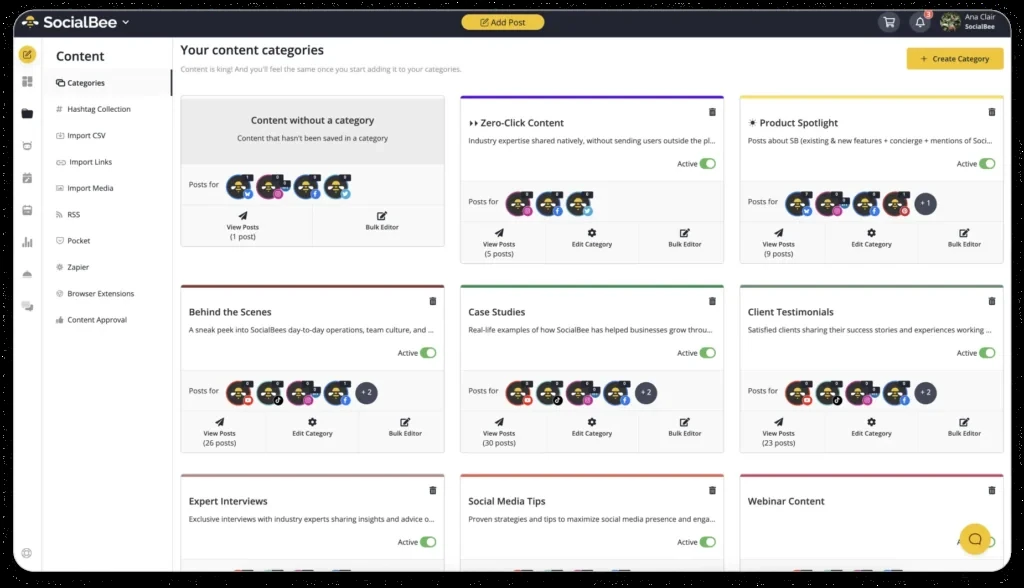
Buffer treats every post as a one-off. SocialBee treats your content as categories, then keeps them cycling. You sort posts into Content categories, set a schedule per category, and the Recycle posts feature reshares your best evergreen content on a loop. Buffer has no equivalent, so on Buffer a quiet content week means an empty feed.
Principais Recursos:
- Category-based queue that keeps a steady content mix
- Evergreen recycling that reshares top posts automatically
- Bulk editor and RSS import for filling the calendar fast
- AI post generation with per-network variations
- Social inbox and Workspaces for multiple brands
- First-comment scheduling and post expiration
Pricing Tier by Tier
Full tiers are on SocialBee’s current pricing page.
| Nível | Mensal | Annual Billing | What You Get |
| Bootstrap | $29/mês | $24.17/month | 1 workspace, 5 accounts |
| Acelerar | $49/mês | $40.83/month | 1 workspace, 10 accounts |
| Profissional | $99/mês | $82.50/month | 5 workspaces, 25 accounts |
| Agência | $179 and up | $149.17 and up | 10 to 25 workspaces |
There is no free plan, but you get a 14-day trial and a 30-day money-back guarantee.
Recycling, the Feature Buffer Lacks
Buffer publishes and forgets. SocialBee’s category recycling reshares proven posts on a set cadence, which keeps a feed active without you rebuilding the queue every week. For evergreen-heavy accounts, that is the whole reason to switch.
Pricing Model, an Honest Comparison
SocialBee’s per-workspace price can beat Buffer for many channels in one brand, but stacking several workspaces adds up. If you run one busy brand, it is cheaper; if you run many separate brands, check the math.
Who Should Actually Use This
The strong fit is a solo marketer or small team publishing a lot of evergreen content across one or two brands. The weak fit is an agency juggling many separate client workspaces, where per-workspace pricing climbs. Expect a short learning curve on the category system.
A Realistic Scenario
Running 10 channels for one brand on Buffer Essentials, at $5 monthly for each channel, is $50 monthly. SocialBee’s Accelerate plan covers 10 accounts in one workspace at $49 monthly, or $40.83 monthly on annual billing, and adds recycling and AI on top. Roughly the same price, more automation.
Prós
- Category recycling few tools at this price match
- Genuinely useful AI content and variation tools
- Universal Posting reaches channels most schedulers skip
Tom
I had used Crowdfire previously, and the difference was immediate and positive.
Contras
- The category system has a learning curve on day one
- Per-workspace pricing adds up across many brands
- Some users report publishing glitches that need watching
Chantel C.
They constantly have glitches in their system abd they are costing social media influencers money.
Company Snapshot: A Romania-founded scheduler known for its category-based content system.
What Sets It Apart: Evergreen recycling organized by content category, which Buffer has no answer for.
For more options, see our Alternativas ao SocialBee guia.
Content calendar with post approval flows.
Classificação
4.6/5 no G2
Aplicações
Android, aplicação móvel iOS e versão Web.
Plataformas de redes sociais suportadas
Facebook, Instagram, LinkedIn, TikTok, YouTube, Pinterest, Google Business Profile, and Threads, plus custom channels.
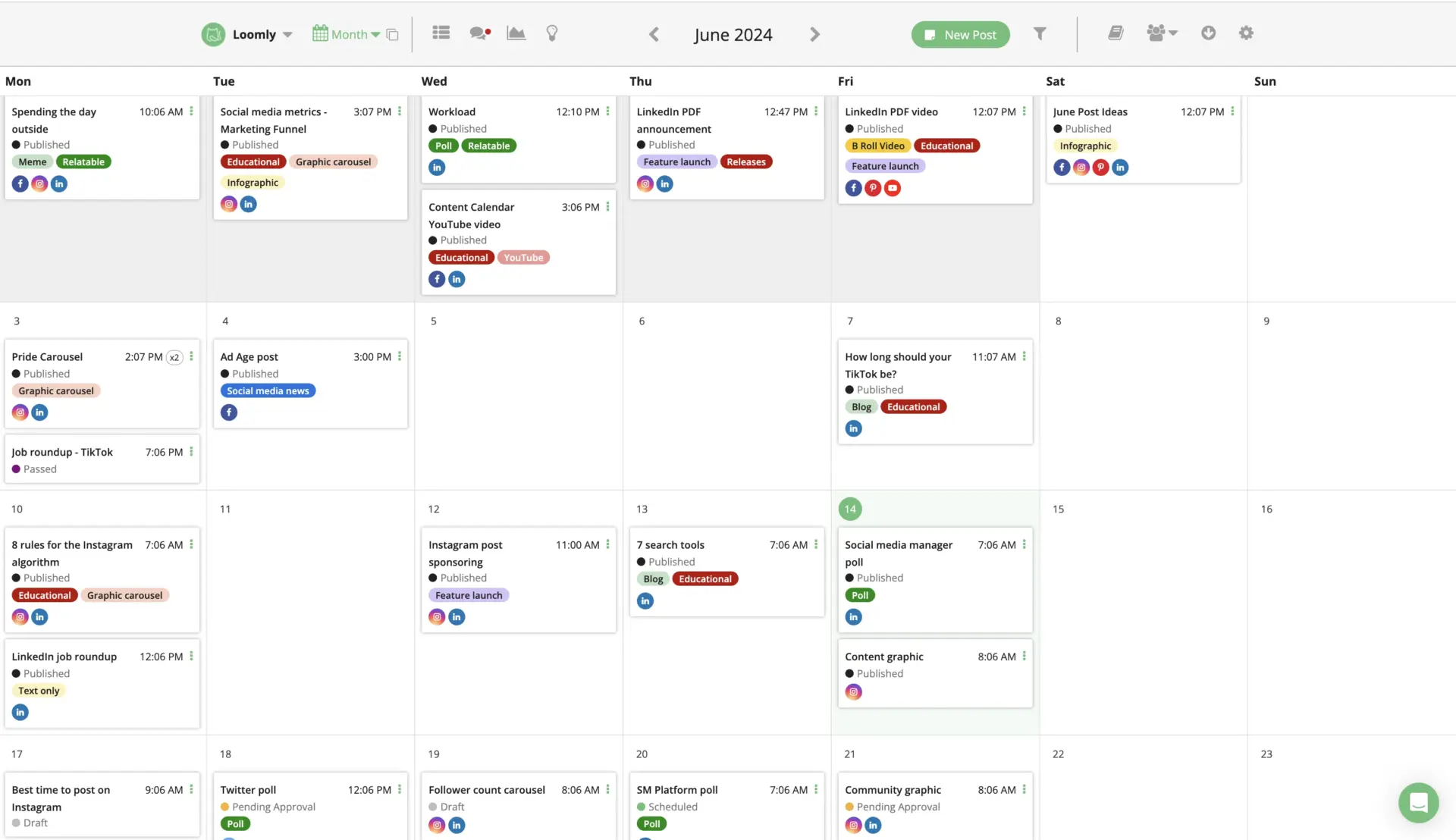
Buffer can hold a post for a quick sign-off. Loomly is built around the review step. You draft in the Post Builder, route each post through a custom Approval workflow with version history, and switch between Calendar View and List View. For a team that lives or dies by client approval, that structure is the draw Buffer cannot match.
Principais Recursos:
- Custom approval workflows with role-based access
- Post version history and real-time commenting
- Post Builder with per-network previews and tips
- Post Ideas and a Hashtag Manager for planning
- Unified inbox for comments, mentions, and messages
- Advanced analytics with PDF and CSV export
Pricing Tier by Tier
Full tiers are on Loomly’s current pricing page.
| Nível | Mensal | Annual Billing | What You Get |
| Arranque | $65/mês | $49/mês | 12 accounts, 3 users |
| Para além | $332/mês | $249/mês | 60 accounts, unlimited users |
| Empresa | Personalizado | Personalizado | 61-plus accounts |
There is a free trial with no card, and a steep gap between Starter and Beyond with nothing in between.
Approval Workflows, Two Tiers Deeper Than Buffer
Buffer’s approval is a single hold-and-release step. Loomly turns approval into a real workflow with versions, comments, and roles, which is what agencies with picky clients need. This is where it clearly beats Buffer.
Pricing Jump, an Honest Comparison
Loomly does not beat Buffer on value at the top. The leap from $49 to $249 monthly on annual billing is jarring, and mid-size teams get stuck paying for accounts they do not use.
Who Should Actually Use This
The strong fit is a small agency or in-house team whose bottleneck is client sign-off, not scheduling, and who fits inside the 12-account Starter plan. The weak fit is a team of medium size that outgrows Starter but cannot justify Beyond.
A Realistic Scenario
For 12 channels in one brand, Buffer Essentials at $5 monthly for each channel is $60 monthly. Loomly Starter covers 12 accounts at $65 monthly, or $49 monthly on annual billing, and adds full approval workflows. Close on price, but you are paying for the sign-off structure.
Prós
- One of the clearest approval flows in this category
- Version history makes client rounds easy to track
- Post Ideas helps when the calendar runs dry
Haris K.
it takes so much of the pain out of the content planning process for our team
Contras
- The jump from Starter to Beyond is steep, with no mid-tier
- Some long-time users find the editor and analytics dated
- Weaker value than flat-priced tools once you scale
Matt P.
the editor is clunky, the media manager doesn’t manage, templates make no sense, its tough to manage content, approval flow is outdated, and the analytics made no sense.
Company Snapshot: A San Francisco-based platform focused on content collaboration and brand success.
What Sets It Apart: A structured, multi-step approval workflow with version history that Buffer cannot match.
For more options, see our Alternativas ao tear guide and the SocialPilot vs Loomly comparison.
Social scheduling wired into Zoho CRM.
Classificação
4.6/5 no G2
Aplicações
Android, aplicação móvel iOS e versão Web.
Plataformas de redes sociais suportadas
Facebook, Instagram, X, LinkedIn, Pinterest, TikTok, YouTube, Google Business Profile, Mastodon, and Bluesky.
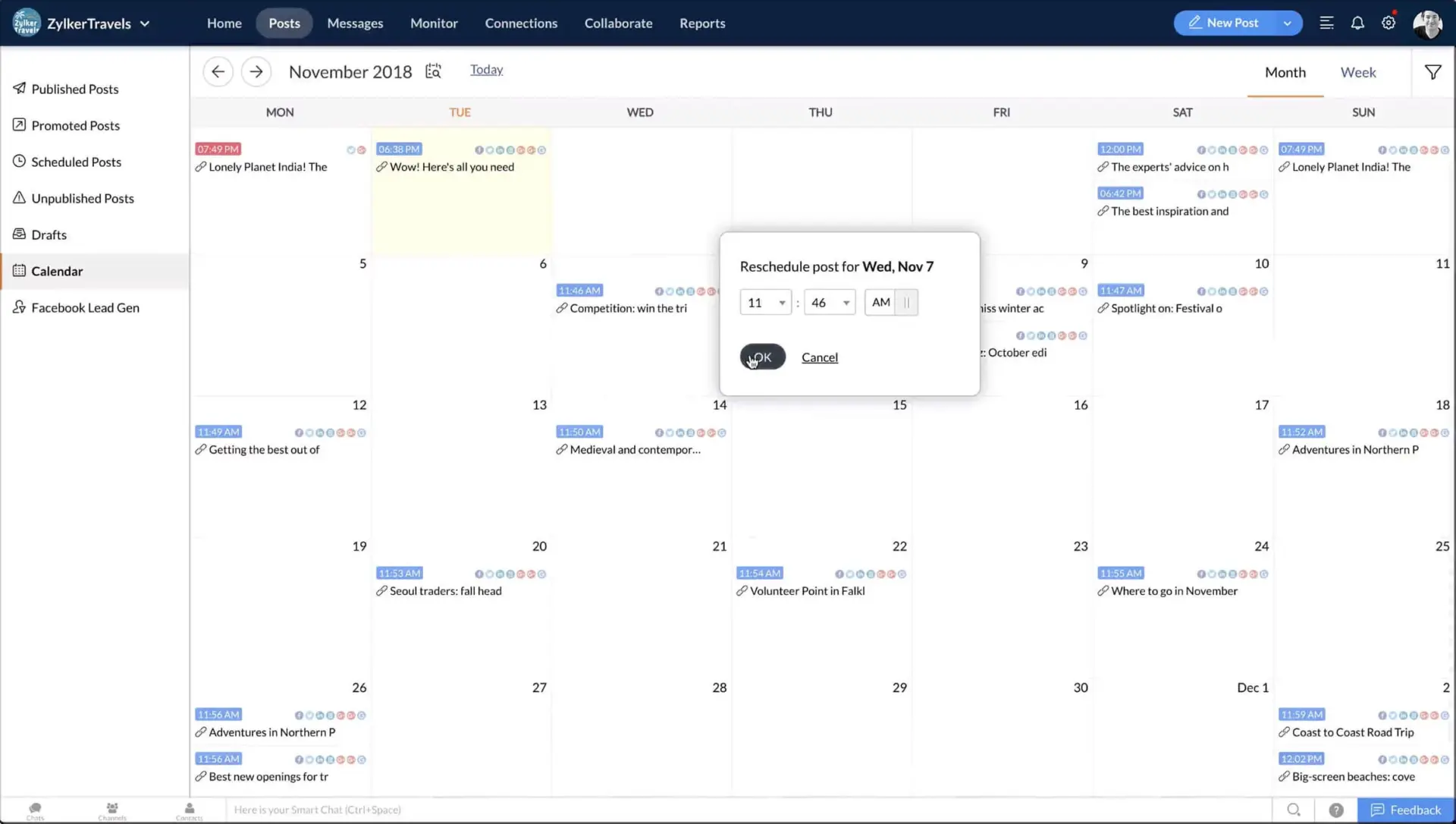
On scheduling alone, Zoho Social matches Buffer and beats it on monitoring. The real reason to pick it is the ecosystem. It plugs into Zoho CRM and Zoho Desk, so a social comment can become a tracked lead or a support ticket, something Buffer never attempts. It also has a genuinely usable free plan, which Buffer matches only at three channels.
Principais Recursos:
- Publishing Calendar and SmartQ send-time predictions
- Listening dashboard with live monitoring columns
- Zoho CRM and Zoho Desk integration for leads and tickets
- zShare browser extension for sharing while you browse
- Roles, permissions, and team discussions
- Custom reports you can schedule
Pricing Tier by Tier
Full tiers are on Zoho Social’s current pricing page.
| Nível | Mensal | Annual Billing | What You Get |
| Grátis | $0/month | $0/month | 1 brand, 6 channels, 1 user |
| Standard | $15/mês | $10/mês | 12 channels, adds YouTube |
| Profissional | $40/month | $30/mês | Adds bulk scheduling and monitoring |
| Premium | $65/mês | $40/month | Adds SmartQ, CRM and Desk, 3 users |
| Agência | $320/month | $230/month | 10 brands, 5 users |
| Agência Plus | $460/month | $330/month | 20 brands |
There is a 15-day free trial, and annual billing brings the cost down by roughly a third.
Connected Data, Where Buffer Is Standalone
Buffer is a scheduler with an exit at the publish button. Zoho Social feeds social conversations into a CRM and helpdesk, so leads and tickets land where your sales and support teams already work. If you run Zoho, that link is the point.
Value Without the Ecosystem, an Honest Comparison
If you do not use other Zoho tools, much of the advantage disappears, and per-brand pricing gets expensive once you manage many separate brands. On its own, it is a solid but not standout Buffer competitor.
Who Should Actually Use This
The strong fit is a small or mid-size business already living in the Zoho suite that wants social tied to sales and support. The weak fit is an agency managing many unrelated brands, where per-brand pricing stacks up fast.
A Realistic Scenario
Six channels for one brand on Buffer Essentials, at $5 monthly for each channel, is $30 monthly with no CRM link. Zoho Social’s Standard plan covers 12 channels for one brand at $15 monthly, or $10 monthly on annual billing, and connects to Zoho CRM. Cheaper and more connected if you already run Zoho.
Prós
- A free plan that is actually usable for one brand
- Strong monitoring and listening for the price
- Deep tie-in with the wider Zoho suite
Felipe F.
It’s easy to use and has a great user interface. I also appreciate the analytics.
Contras
- Most of the value only shows up if you use other Zoho tools
- Reviewers ask for a clearer single-page analytics overview
- Per-brand pricing gets expensive across many brands
“When you schedule multiple platforms on the same post you miss out on some quality checks on things like hyperlinks and the caption limitations for X really needs improving.” (Nkuli N., Verified G2 Review)
Company Snapshot: Part of Zoho, a company with tens of millions of users across its business suite (vendor-stated).
What Sets It Apart: Native links to Zoho CRM and Desk that turn social comments into tracked leads and tickets.
For more options, see our Alternativas ao Zoho Social guide and the SocialPilot vs Zoho Social comparison.
Enterprise analytics and social listening.
Classificação
4.4/5 no G2
Aplicações
Android, aplicação móvel iOS e versão Web.
Plataformas de redes sociais suportadas
X, Facebook, Instagram, LinkedIn, Threads, Pinterest, TikTok, and YouTube.
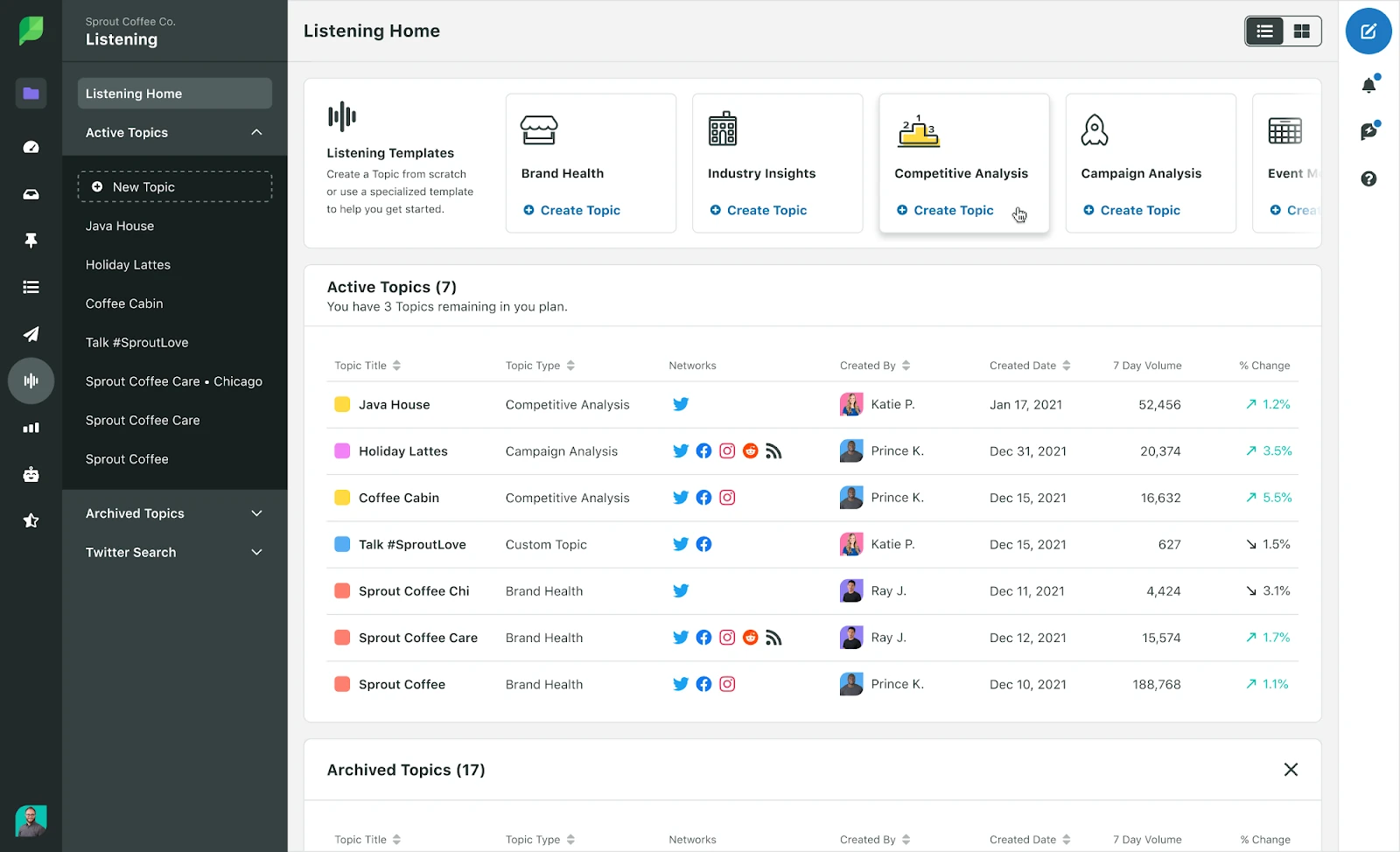
Buffer’s analytics stop where Sprout Social start. The Smart Inbox unifies every message, ViralPost picks optimal send times, and Listener Dashboards run true social listening. Group, Profile, and Post-level reports drop straight into an executive deck. The catch, next to Buffer’s low per-channel cost, is the per-seat price.
Principais Recursos:
- Cross-network reporting at group, profile, and post level
- Social listening with query builder and trend analysis
- Smart Inbox with collision detection for teams
- ViralPost send-time optimization
- Review management across business listings
- Competitor reports for the major networks
Pricing Tier by Tier
Full tiers are on Sprout Social’s current pricing page.
| Nível | Mensal | What You Get |
| Basic SM plan | $99/month/seat | Focused on publishing workflow mainly |
| Standard | $199/month/seat | Billed per seat, core publishing and inbox |
| Profissional | $299/month/seat | Billed per seat, adds competitor reports |
| Avançado | $399/month/seat | Billed per seat, adds automation and listening add-ons |
| Empresa | Personalizado | Tailored, full listening suite |
There is a 30-day free trial and no free plan, and every seat multiplies the bill.
Analytics Depth, Where It Clearly Beats Buffer
Buffer shows basic post stats. Sprout gives cross-network reporting, listening, and competitor benchmarking a data team can build strategy on. If reporting is the reason you are leaving Buffer, this is the ceiling.
Cost, an Honest Comparison
This is the most expensive tool here, and per-seat pricing is unforgiving. A small team pays enterprise money, so if you only need scheduling, Buffer or a flat-priced tool is far cheaper.
Who Should Actually Use This
The strong fit is a larger brand or enterprise with the budget for per-seat pricing and a real need for deep analytics and listening. The weak fit is any small team that mostly schedules, where the price is hard to justify.
A Realistic Scenario
A three-person team managing 10 channels on Buffer Essentials, at $5 monthly for each channel, is $50 monthly. On Sprout Standard, three seats at $199 monthly each is $597 monthly. You are paying for reporting depth, not scheduling.
Prós
- Reporting and listening that hold up at enterprise scale
- Polished, reliable interface teams trust daily
- Strong for cross-team collaboration and approvals
Caroline L.
It’s really nice for scheduling posts and tracking progress and analytics.
Contras
- Per-seat pricing makes it the most expensive option here
- Overkill for teams that mainly schedule
- Small daily-use quirks still show up
Company Snapshot: A publicly traded, US-based enterprise social platform.
What Sets It Apart: Cross-network reporting and listening depth built for enterprise teams, far beyond Buffer’s basics.
For more options, see our Alternativas ao Sprout Social guide and the SocialPilot vs Sprout Social comparison.
Visual, Instagram-first content planner.
Classificação
4.5/5 no G2
Aplicações
Android, aplicação móvel iOS e versão Web.
Plataformas de redes sociais suportadas
Instagram, TikTok, Facebook, LinkedIn, Pinterest, YouTube, and Threads.
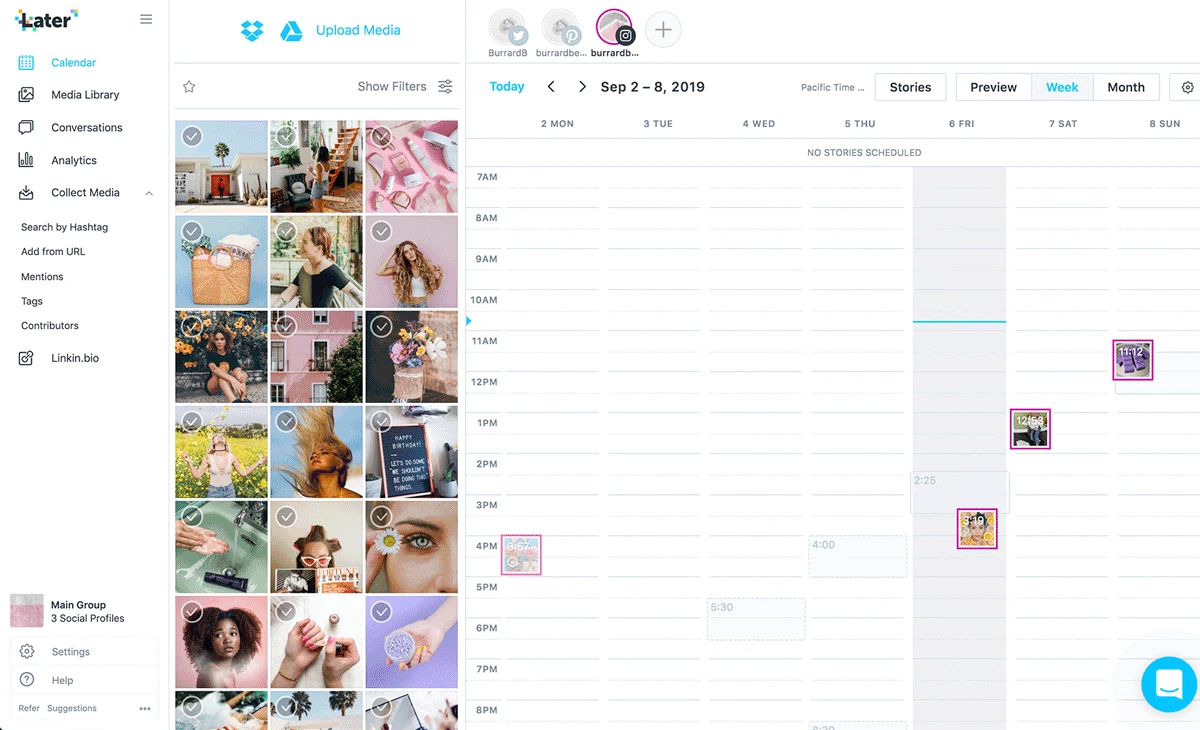
Buffer is text-and-link first; Later is image first. You plan in a drag-and-drop Schedule view, preview your Instagram grid before anything posts, and drive traffic with a built-in Link in Bio page. If your brand is judged on how the feed looks, that grid preview is something Buffer does not offer.
Principais Recursos:
- Calendário de conteúdos visual de arrastar e largar
- Instagram grid preview to plan your feed’s look
- Link in Bio landing page for Instagram and TikTok
- Media library with user-generated content tools
- Best-time-to-post suggestions
- Overview and Audience analytics tabs
Pricing Tier by Tier
Full tiers are on Later’s current pricing page.
| Nível | Mensal | Annual Billing | What You Get |
| Arranque | $25/mês | $18.75/month | 1 social set (8 profiles), 1 user |
| Crescimento | $50/mês | $37.50/month | 2 social sets, 2 users |
| Escala | $110/mês | $82.50/month | 6 social sets, 4 users, unlimited posts |
Later removed its free plan, but there is a 14-day trial.
Visual Planning, Where It Beats Buffer
Buffer schedules posts one by one. Later lets you design the whole Instagram grid before publishing and manage user-generated content, which is exactly what visual brands care about.
Network Coverage, an Honest Comparison
Later is not a full multi-network hub. X scheduling is gone, and the drafting flow handles video better than photos. If you need broad, balanced network coverage, Buffer or a general tool fits better.
Who Should Actually Use This
The strong fit is a creator or visual brand whose growth lives on Instagram and TikTok and who fits inside one or two social sets. The weak fit is a team that needs strong X or broad multi-network posting.
A Realistic Scenario
Eight Instagram and TikTok profiles for one brand on Buffer Essentials, at $5 monthly for each channel, is $40 monthly. Later Starter covers one social set of 8 profiles at $25 monthly, or $18.75 monthly on annual billing, and adds the visual planner. Cheaper, and built for the feed.
Prós
- The clearest visual planner for Instagram feeds
- Link in Bio is built in, not a bolt-on
- Simple enough for a solo creator to run
Contras
- X scheduling is gone, so it is not a full hub
- Photo uploads can be fiddlier than video
- Lighter analytics than the enterprise tools here
Larkin S.
I wish that the drafting process was a little more flexible. For example, it will reduce the size of videos but it really struggles with photos.
Company Snapshot: A visual-first platform that grew up around Instagram scheduling.
What Sets It Apart: A visual grid planner and Link in Bio page that Buffer does not offer.
For more options, see our Alternativas Later guide and the SocialPilot vs Later comparison.
Established all-in-one enterprise suite.
Classificação
4.3/5 no G2
Aplicações
Android, aplicação móvel iOS e versão Web.
Plataformas de redes sociais suportadas
30-plus networks including Facebook, Instagram, TikTok, X, LinkedIn, YouTube, Pinterest, and Threads.
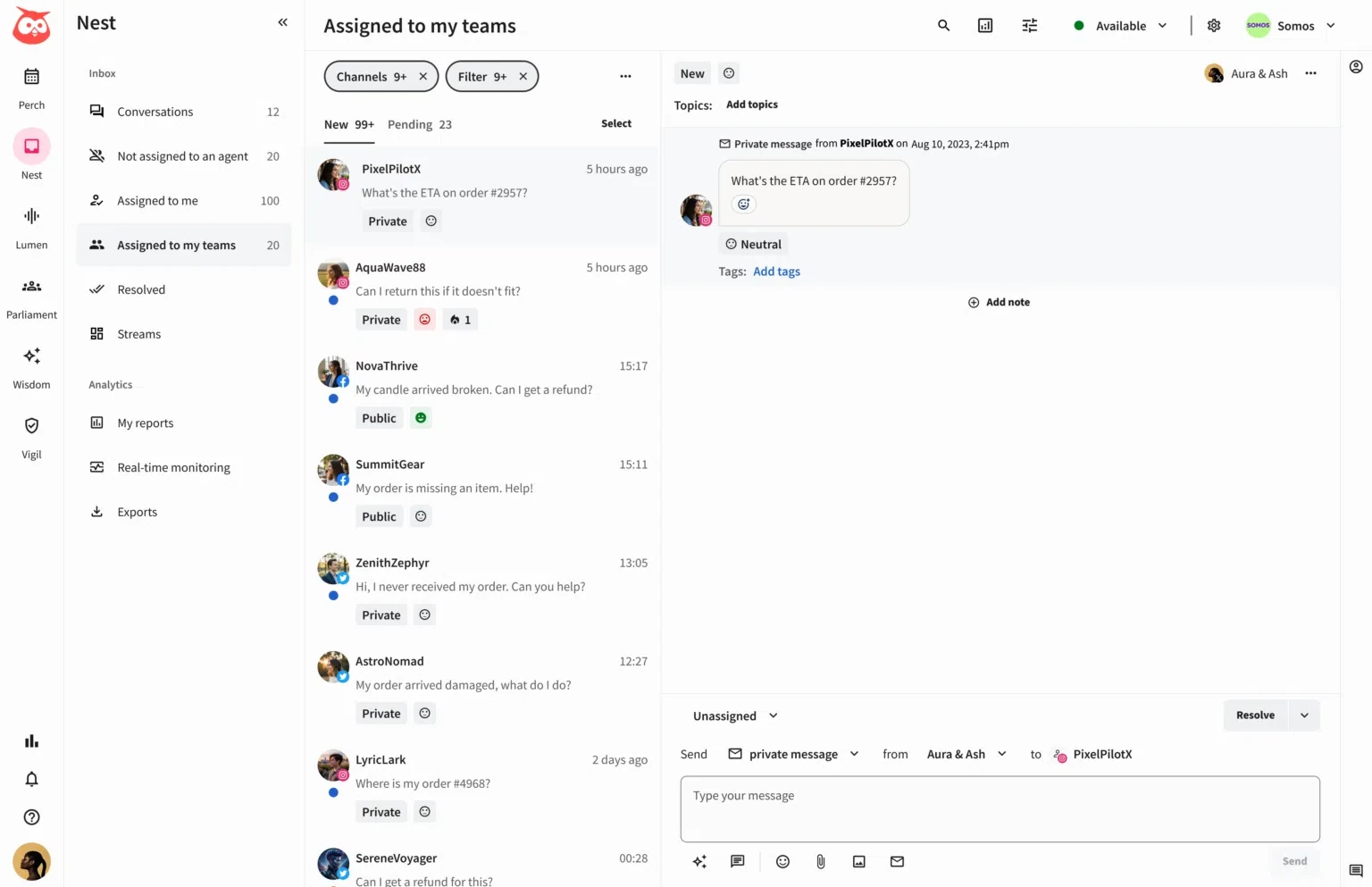
Where Buffer keeps things minimal, Hootsuite gives you a control room. Its signature is Streams, a board of live columns for mentions, comments, and scheduled posts, so you watch several networks at once. You draft in the composer, schedule in the Planner, and OwlyWriter AI drafts captions. Buffer has no live monitoring view like it.
Principais Recursos:
- Streams board for real-time monitoring across networks
- Planner and composer for scheduling and drafting
- Unified Inbox for messages and comments
- OwlyWriter AI for caption and post ideas
- Analytics and social listening dashboards
- Approval workflows and team roles
Pricing Tier by Tier
Full tiers are on Hootsuite’s current pricing page.
| Nível | Mensal | What You Get |
| Standard | $99/month/user | Billed per user, up to 10 accounts |
| Profissional | $199/month/user | Billed per user, unlimited accounts |
| Avançado | $399/month/user | Billed per user, adds automation and listening |
| Empresa | Personalizado | Full suite, dedicated support |
There is a 14-day trial and no free plan, and the per-user model is the catch.
Live Monitoring, Where It Beats Buffer
Buffer barely surfaces what is happening on your channels. Hootsuite’s Streams put mentions, comments, and posts on one live board across 30-plus networks, which is the reason big teams still run it.
Cost and Complexity, Honest Comparison
Hootsuite does not beat Buffer on simplicity or entry price. It is more tool than a small brand needs, and the per-user cost climbs quickly. If you only want a clean scheduler, Buffer is lighter.
Who Should Actually Use This
The strong fit is an established team or enterprise that needs wide network coverage and live monitoring and can absorb per-user pricing. The weak fit is a solo user or tiny team, for whom it is expensive and heavy.
A Realistic Scenario
A two-person team on 10 channels on Buffer Essentials, at $5 monthly for each channel, is $50 monthly. Hootsuite Standard at $99 monthly for each user is $198 monthly for two seats. You pay for monitoring breadth, not scheduling.
Prós
- Streams is still one of the best live monitoring views
- Very wide network coverage in one place
- Mature approval, listening, and analytics tooling
Jomo A.
it’s a media management tool that brings scheduling, content creation, analytics, and social listening all to one place
Contras
- The per-user price climbs fast for a real team
- More tool than a small brand needs
- Interface is dense for newcomers
Company Snapshot: One of the longest-running social tools, covering 30-plus networks (vendor-stated).
What Sets It Apart: The Streams monitoring board, a live multi-network view Buffer has no answer to.
For more options, see our Alternativas ao Hootsuite guide and the SocialPilot vs Hootsuite comparison.
White-label management for agencies.
Classificação
4.5/5 no G2
Aplicações
Android, aplicação móvel iOS e versão Web.
Plataformas de redes sociais suportadas
Instagram, Facebook, LinkedIn, TikTok, Threads, Google Business Profile, X, YouTube, and Pinterest.
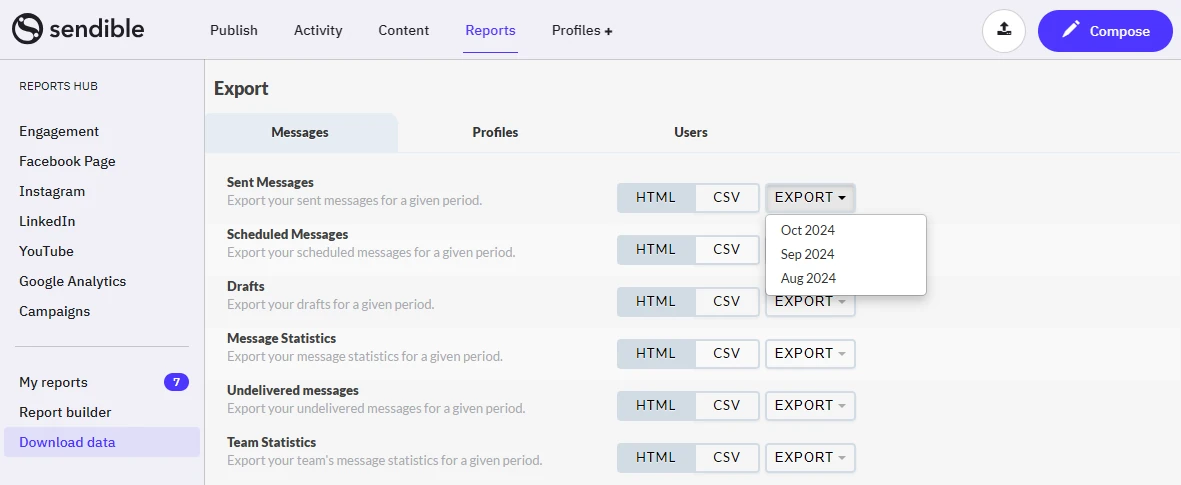
Buffer gives every client the Buffer interface. Sendible lets you hand clients a dashboard with your logo on your own domain. The Priority Inbox centralizes replies, Smart Queues recycle evergreen posts, and every plan includes unlimited users, which is unusual and agency-friendly next to Buffer’s per-channel model.
Principais Recursos:
- White-label dashboard on your own brand and domain
- Unlimited users on every plan
- Priority Inbox for replies across channels
- Smart Queues for evergreen recycling
- Workspaces to separate clients or brands
- Automated, scheduled client reports
Pricing Tier by Tier
Full tiers are on Sendible’s current pricing page.
| Nível | Mensal | Annual Billing | What You Get |
| Núcleo | $35 | $30 | 1 workspace, 6 profiles, unlimited users |
| Mais | $99 | $84 | 3 workspaces, 18 profiles |
| Premium | $199 | $169 | 7 workspaces, 42 profiles |
| Elite | $299 | $254 | 15 workspaces, 90 profiles |
There is a 14-day trial, and full white labeling unlocks on the top tiers.
White-Label Branding, Where It Beats Buffer
Buffer cannot hide that it is Buffer. Sendible lets an agency present the entire platform as its own product on its own domain, which changes how clients see the service. That is the core reason agencies choose it.
Entry Value, an Honest Comparison
The Core plan is competitive, but the best white-label features sit on pricier tiers. If white labeling is the goal, budget for Premium or Elite rather than the entry plan.
Who Should Actually Use This
The strong fit is an agency that resells social management and wants a branded client experience with unlimited seats. The weak fit is a solo user who does not need white labeling and would rather pay less.
A Realistic Scenario
Six client channels on Buffer Essentials, at $6 monthly for each channel, is $36 monthly with the Buffer brand showing. Sendible Core covers 6 profiles at $35 monthly, or about $30/month on annual billing, with unlimited users. Similar price, and the door opens to your own branding later.
Prós
- White-label branding built for reselling to clients
- Unlimited users removes per-seat cost worries
- Solid inbox and reporting for agencies
Ishan S.
it helps me manage social media posting and health education content in more organized way during daily work
Contras
- Full white labeling only unlocks on pricier tiers
- Occasional posts fail and need a manual retry
- Interface can feel busy at first
Rick C.
Once in awhile the post won’t go through and I have to go back and troubleshoot.
Company Snapshot: A UK-based platform built for agencies, with unlimited users on every plan.
What Sets It Apart: A full white-label dashboard on your own domain, which Buffer cannot do.
For more options, see our Alternativas Sendible guide and the SocialPilot vs Sendible comparison.
Unified marketing and social calendar.
Classificação
4.4/5 no G2
Aplicações
Web Version, with limited mobile support.
Plataformas de redes sociais suportadas
Facebook, Instagram, X, LinkedIn, Pinterest, and TikTok.

Buffer shows you a social queue. CoSchedule shows you the whole marketing calendar, with social as one lane. The Marketing Calendar ties posts to blogs, email, and campaigns, ReQueue refills gaps with proven content, and Read-Only Calendars share the plan with clients. Buffer covers social only, so this is a different job.
Principais Recursos:
- One calendar for social plus blogs, email, and campaigns
- ReQueue to auto-refill gaps with proven content
- Best Time Scheduling for send times
- Read-Only Calendars for stakeholders
- AI assistant and headline tools for content teams
- Project and task management alongside posts
Pricing Tier by Tier
Full tiers are on CoSchedule’s current pricing page.
| Nível | Mensal | Annual | What You Get |
| Calendário gratuito | $0 | $0 | Up to 15 posts per profile |
| Calendário social | $39 | $29 | 1 user, 3 profiles |
| Profissional | $59 | $49 | 2 seats, 5 profiles |
| Suite | Personalizado | Personalizado | Starts around $69 monthly, full marketing suite |
Extra profiles are $5 each, and there is a 14-day trial.
Whole-Calendar View, Where It Beats Buffer
Buffer shows only social. CoSchedule puts posts next to blogs, email, and campaigns so a content team plans everything in one place. If a unified calendar is the goal, it wins.
As a Social Tool, an Honest Comparison
As a pure social scheduler, CoSchedule is weaker than the specialists here, and reviewers flag a dated interface and add-on charges. If you only want social, Buffer or a dedicated tool does it better.
Who Should Actually Use This
The strong fit is a content or marketing team that wants social scheduled inside one calendar with the rest of its campaigns. The weak fit is a team that only needs social scheduling and nothing else.
A Realistic Scenario
Three profiles for one brand on Buffer Essentials, at $5 monthly for each channel, is $15 monthly. CoSchedule’s Social Calendar covers 3 profiles at $29 monthly on annual billing and folds them into a full marketing calendar. You pay more for the calendar, not the posting.
Prós
- Ties social into a full marketing calendar
- ReQueue keeps quiet slots filled automatically
- Free calendar tier to start small
Contras
- Some teams find the interface dated
- Add-ons nickel-and-dime advanced features
- Weaker as a pure social tool than the specialists here
Allie C.
Outdated UX, no real support for onboarding, nickels-and-dimes you for advanced features, weak integrations.
Company Snapshot: A US-based marketing calendar company.
What Sets It Apart: One calendar spanning social plus the rest of marketing, where Buffer covers social only.
Engagement-first tool with a strong inbox.
Classificação
4.5/5 no G2
Aplicações
Android, aplicação móvel iOS e versão Web.
Plataformas de redes sociais suportadas
Facebook, Instagram, X, LinkedIn, Pinterest, TikTok, YouTube, Threads, Bluesky, Reddit, and Google Business Profile.
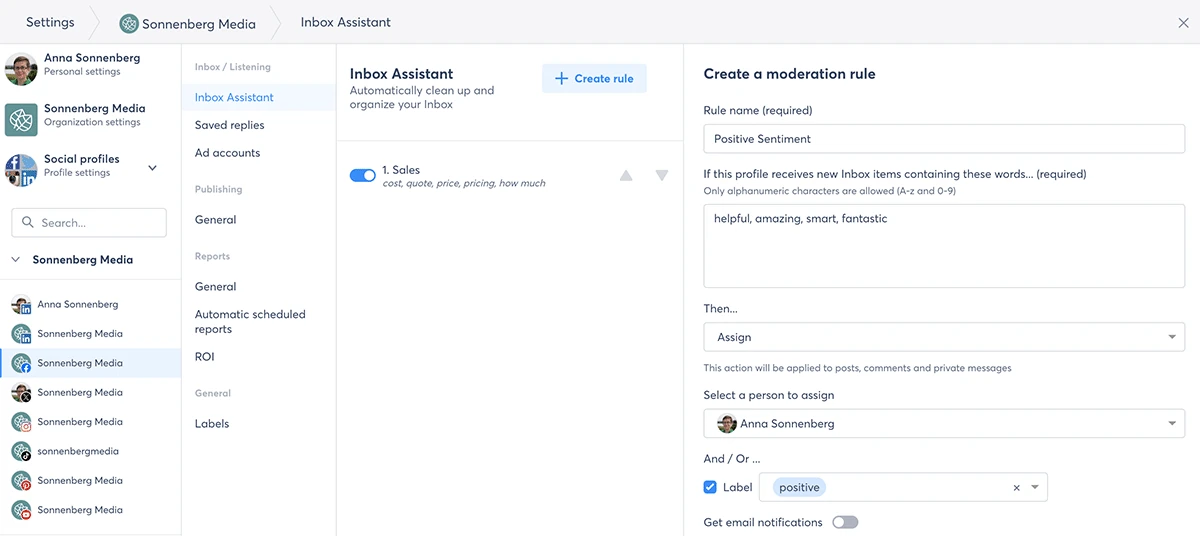
Buffer added an inbox late and kept it light. Agorapulse is built around one. The Social Media Inbox queues every comment and message with assignment and moderation, and the Social Media ROI report ties posts back to revenue, which most schedulers never attempt. For engagement-heavy teams, that inbox is the draw Buffer cannot match.
Principais Recursos:
- Shared social inbox with assignment and moderation
- Social Media ROI reporting tied to revenue
- Shared publishing calendars for teams
- Listening for brand mentions and keywords
- Saved replies and moderation rules
- PulseLink in Bio landing page
Pricing Tier by Tier
Full tiers are on Agorapulse’s current pricing page.
| Nível | Mensal | Annual | What You Get |
| Standard | $99 | $79 | Billed per user, 10 profiles |
| Profissional | $149 | $119 | Billed per user, adds automated inbox rules |
| Avançado | $199 | $149 | Billed per user, adds team and approval tools |
| Personalizado | Personalizado | Personalizado | Unlimited profiles, tailored |
There is a 30-day trial and no advertised free plan now.
Unified Inbox, Where It Beats Buffer
Buffer’s inbox is a light add-on. Agorapulse is designed around a team inbox with assignments, moderation, and ROI reporting on top. If replying at volume is your main job, it wins clearly.
Cost, an Honest Comparison
Per-user pricing adds up for bigger teams, and Buffer is far cheaper for pure scheduling. If you do not need the inbox or ROI reporting, you are overpaying here.
Who Should Actually Use This
The strong fit is a team whose main job is replying at volume and proving engagement ROI, sized so per-user pricing stays reasonable. The weak fit is a solo scheduler who barely touches the inbox.
A Realistic Scenario
A two-person team on 10 channels on Buffer Essentials, at $5 monthly for each channel, is $50 monthly. Agorapulse Standard at $79 monthly for each user on annual billing is $158 monthly for two seats. You pay for the shared inbox and ROI reporting, not the scheduling.
Prós
- One of the best shared inboxes for team engagement
- ROI reporting connects social to business results
- Clean calendar and moderation tools
Alamgir H.
Agorapulse has become the place where we manage pretty much everything related to social media.
Contras
- Per-user pricing adds up for bigger teams
- More than a pure scheduler needs
- Session snags with multiple simultaneous logins
Shellsea H.
Everytime another account user logged in you were bumped off the screen and no previous work was saved.
Company Snapshot: A France-founded engagement platform used by teams worldwide.
What Sets It Apart: A shared inbox with social ROI reporting that ties posts to revenue, unlike Buffer.
For more options, see our Alternativas ao Agorapulse guide and the SocialPilot vs Agorapulse comparison.
Scheduling plus content discovery.
Classificação
4.6/5 no G2
Aplicações
Android, aplicação móvel iOS e versão Web.
Plataformas de redes sociais suportadas
10-plus networks including Facebook, Instagram, X, LinkedIn, YouTube, TikTok, Pinterest, Google Business Profile, Bluesky, and Threads.
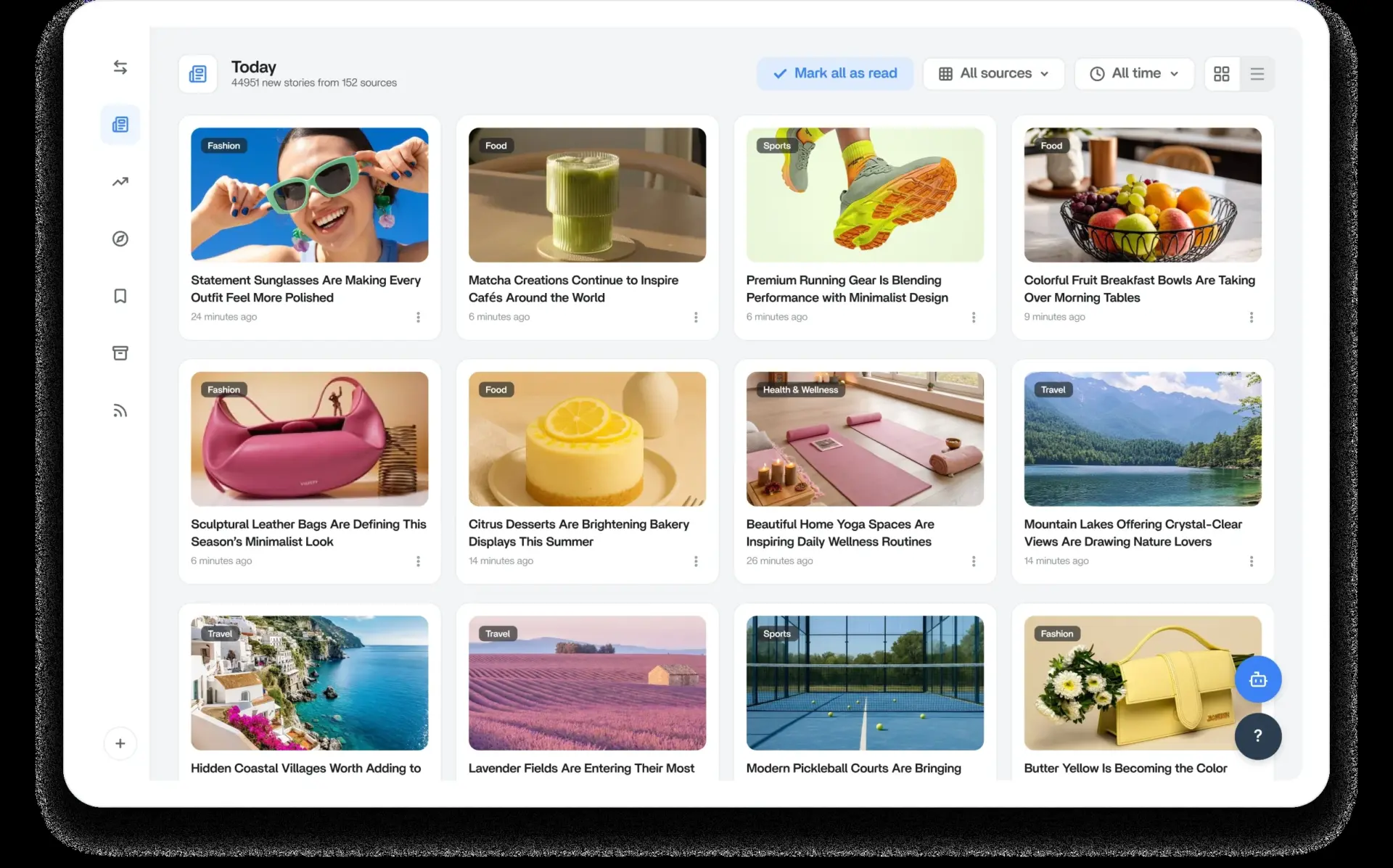
Buffer waits for you to bring the content. ContentStudio helps you find it. The Discover feed surfaces trending articles and posts by topic, the Composer and Planner schedule what you pick, and Analyze tracks the numbers. That discovery engine is something Buffer does not include, and the entry price undercuts Buffer for many channels.
Principais Recursos:
- Discover feed for trending content by topic
- Composer and Planner for scheduling
- Social Inbox for comments and messages
- Content Library for reusable assets
- AI Studio for captions and images
- Analytics and basic social listening
Pricing Tier by Tier
Full tiers are on ContentStudio’s current pricing page.
| Nível | Mensal | Annual | What You Get |
| Standard | $29 | $19 | 5 accounts, 1 workspace, 1 user |
| Avançado | $69 | $49 | 10 accounts, 2 workspaces, 2 users |
| Agency Unlimited | $139 | $99 | 25-plus accounts, unlimited workspaces |
| Empresa | Personalizado | Personalizado | Tailored limits |
There is a 7-day trial with no card.
Content Discovery, Where It Beats Buffer
Buffer has no way to find content. ContentStudio’s Discover feed surfaces trending posts by topic, so curation is part of the tool, not a separate tab. For content-hungry teams, that is the edge.
Analytics and Support, an Honest Comparison
Analytics are lighter than the enterprise tools here, and depth trails the pricier platforms on complex needs. On raw reporting, Sprout or a bigger tool still beats it, though it is well ahead of Buffer.
Who Should Actually Use This
The strong fit is a solo marketer or small team that curates heavily and wants discovery, scheduling, and AI in one low-cost tool. The weak fit is an enterprise that needs deep, audited analytics.
A Realistic Scenario
Five channels for one brand on Buffer Essentials, at $5 monthly for each channel, is $25 monthly with no discovery tools. ContentStudio Standard covers 5 accounts at $19 monthly on annual billing and adds the Discover feed and AI. Cheaper and more capable for curation.
Prós
- Discovery tools that keep the calendar full
- Low entry price for the feature set
- Solid AI content and curation workflow
Elpida H.
After a long search for the right platform to manage content, I finally found the perfect solution for my needs.
Contras
- Analytics are lighter than the enterprise tools here
- The mix of modules can feel busy at first
- Support depth trails the pricier platforms
- On complex reporting, bigger tools pull ahead
“Twitter does not connect directly, but you need to go through the developer workflow and use API keys. Other tools have done that in a better way.” (Jeremy P., Verified G2 Review)
Company Snapshot: A content marketing and social platform built around a discovery engine.
What Sets It Apart: A Discover feed for finding trending content, which Buffer does not include.
Budget scheduling with automation rules.
Classificação
4.6/5 no G2
Aplicações
Android, aplicação móvel iOS e versão Web.
Plataformas de redes sociais suportadas
12 networks including X, Facebook, LinkedIn, Instagram, Google Business Profile, YouTube, Reddit, Pinterest, Mastodon, Threads, TikTok, and Bluesky.
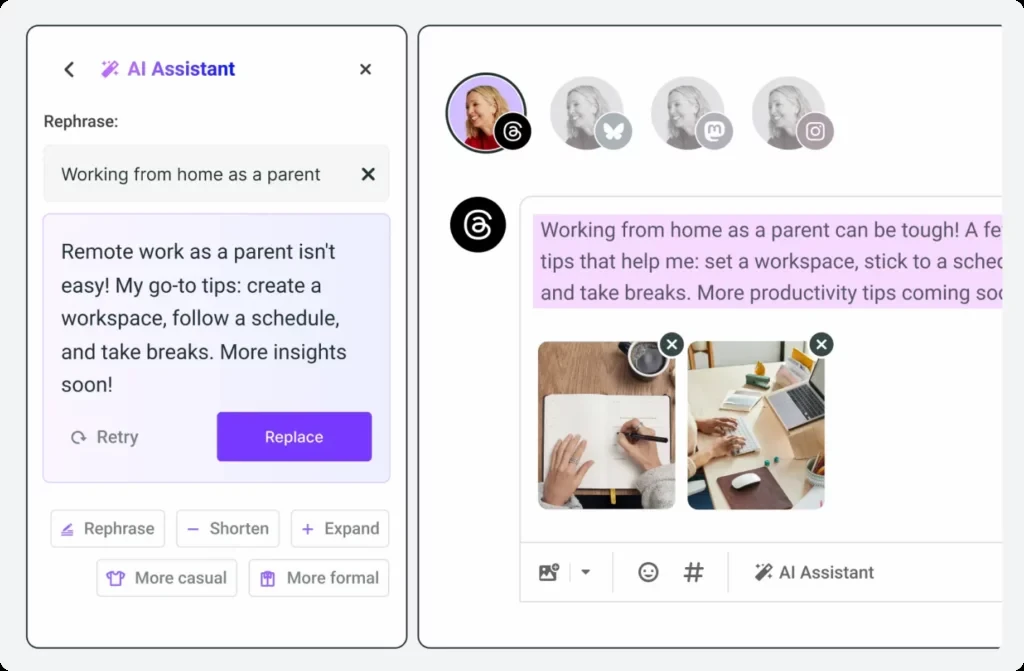
Buffer keeps automation minimal. SocialBu leans into it at a low price. Rules can auto-post from RSS feeds, auto-respond to messages, and fire webhooks, with thousands of executions a month depending on plan. A Social Calendar, Social Inbox, and AI writer round out the basics, and there is a free plan Buffer only matches at three channels.
Principais Recursos:
- Rule-based automations, including RSS auto-posting and auto-replies
- Webhooks for connecting to other tools
- Social Calendar with bulk import and post recycling
- Social Inbox for messages, comments, and reviews
- AI writer with per-network posts
- Free plan for light use
Pricing Tier by Tier
Full tiers are on SocialBu’s current pricing page.
| Nível | Mensal | Annual | What You Get |
| Grátis | $0 | $0 | 3 accounts, 10 lifetime posts |
| Arranque | $29 | $22 | 8 accounts, 750 posts a month |
| Crescimento | $79 | $59 | 20 accounts, 3,000 posts a month |
| Agência | $199 | $149 | 50 accounts, unlimited posts |
There is a 7-day trial.
Automation for the Money, Where It Beats Buffer
Buffer’s automation is thin. SocialBu gives you RSS rules, auto-replies, and webhooks on a plan that undercuts most of this list. For a budget team that wants real automation, it wins on value.
Feature Depth, an Honest Comparison
It is not as feature-rich as the pricier competitors, and lower plans feel limited. If you need deep analytics or polished agency tooling, you will outgrow it.
Who Should Actually Use This
The strong fit is a budget-conscious solo or small team that wants automation rules without mid-market prices. The weak fit is an agency that needs white-label reports and deep analytics.
A Realistic Scenario
Eight channels for one brand on Buffer Essentials, at $5 monthly for each channel, is $40 monthly with little automation. SocialBu Starter covers 8 accounts at $22 monthly on annual billing and adds RSS rules and auto-replies. Cheaper, with automation Buffer does not offer.
Prós
- Real automation rules at a budget price
- Responsive support that users call out
- Free plan and low starter tier
Shaun D.
They’re generally quick to respond to address bugs and problems you’re having with your account.
Contras
- Not as feature-rich as pricier competitors
- Lower plans feel limited
- Publishing can lag at times
Pradyumn G.
some features feel limited on lower plans and occasional delays happen while publishing posts to certain social platforms.
Company Snapshot: A budget-focused automation and scheduling tool.
What Sets It Apart: Rule-based automations, RSS auto-posting, and webhooks at a price below most of the field.
Which Buffer Alternative Should You Choose?
Start from the reason you are leaving Buffer, not from a feature list. Match your reason on the left to the pick on the right.
| Why you are leaving Buffer | The pick, or the stack |
| The per-channel bill got expensive | SocialPilot or SocialBu, both flat-priced so channel count does not drive cost |
| You need client reports and approvals | SocialPilot for white-label reports, Loomly if approval workflow is the priority |
| You need deep analytics and listening | Sprout Social for reporting depth, Hootsuite for wide live monitoring |
| Your brand lives on Instagram and visuals | Later or SocialPilot for the calendar grid preview |
| You resell social under your own brand | Sendible for a full white-label dashboard, SocialPilot for white-label reports at lower cost |
| You want automation and recycling cheaply | SocialBu for rules and webhooks, SocialBee for category recycling |
| You already run the Zoho suite | Zoho Social, for the CRM and Desk tie-in |
| You plan all marketing in one calendar | CoSchedule, social sits next to email and campaigns |
| You reply to messages at high volume | Agorapulse for the shared inbox |
Most teams do not need to replace Buffer with one giant tool. A common setup is one affordable multi-account scheduler (SocialPilot, SocialBee, or SocialBu) for publishing and reports.
Find the Right Buffer Alternative
There is no single best Buffer alternative, only the one that fixes the reason you started looking. If Buffer’s per-channel bill is the problem, a flat-plan tool like SocialPilot, Sendible, or SocialBu keeps the cost steady as you add profiles. If it is shallow analytics, Sprout Social and Agorapulse go much deeper.
If your day is mostly replies, Agorapulse put the inbox first. If you live on one network, Later covers Instagram and if you want to market on Pinterest then try sprout social.
Match the tool to the gap, not to the longest feature list. Start every shortlist with the free trial, connect the accounts you actually manage, and run one real week of posting through it before you commit. That single week tells you more than any comparison table, this one included.
Most teams leaving Buffer want three things Buffer makes you climb tiers for: a shared inbox, client-ready reports, and pricing that does not punish growth. For an agency or multi-client team, that mix is where SocialPilot fits, and you can see how SocialPilot compares against the tools above before you decide.
Perguntas mais frequentes
Is there a free Buffer alternative?
Yes. Zoho Social, SocialBu, and CoSchedule all have a real free plan, not just a trial. Zoho Social's is the most generous, with 1 brand and 6 channels and no credit card. All three beat Buffer's 3-channel free tier if a free plan is why you stay.
How much does Buffer actually cost as you scale?
Buffer bills per channel, so the price is your channel count times the rate. Essentials is $6 monthly per channel, Team is $12. Three channels cost about $18 a month, but ten hit $120 for teams and a 30-profile agency runs $180 to $360. Most tools here charge one flat plan instead.
Which Buffer alternative is best for agencies?
For agencies, SocialPilot and Sendible stand out. Both use flat, account-based pricing instead of Buffer's per-channel model, and both include white-label reports and client approvals. On SocialPilot, 50 accounts and unlimited users cost a flat $170 a month (annual billing), and Sendible gives unlimited users on every plan.
Can you move your Buffer posts to another tool?
Not automatically. Your accounts, drafts, and scheduled queue do not transfer between platforms, so you reconnect each account and rebuild the queue. The shortcut is bulk CSV upload, which SocialPilot, SocialBee, and Hootsuite all support, so you re-import a month of posts in one pass instead of retyping them.
O SocialPilot é melhor do que o Buffer?
For agencies and multi-client teams, yes. The flat plan does not climb with your channel count, and you get white-label reports, client approvals, and competitor analytics Buffer lacks. For a solo user on two or three channels who wants simple scheduling, Buffer is lighter and cheaper. It comes down to your account count.
Sobre o autor