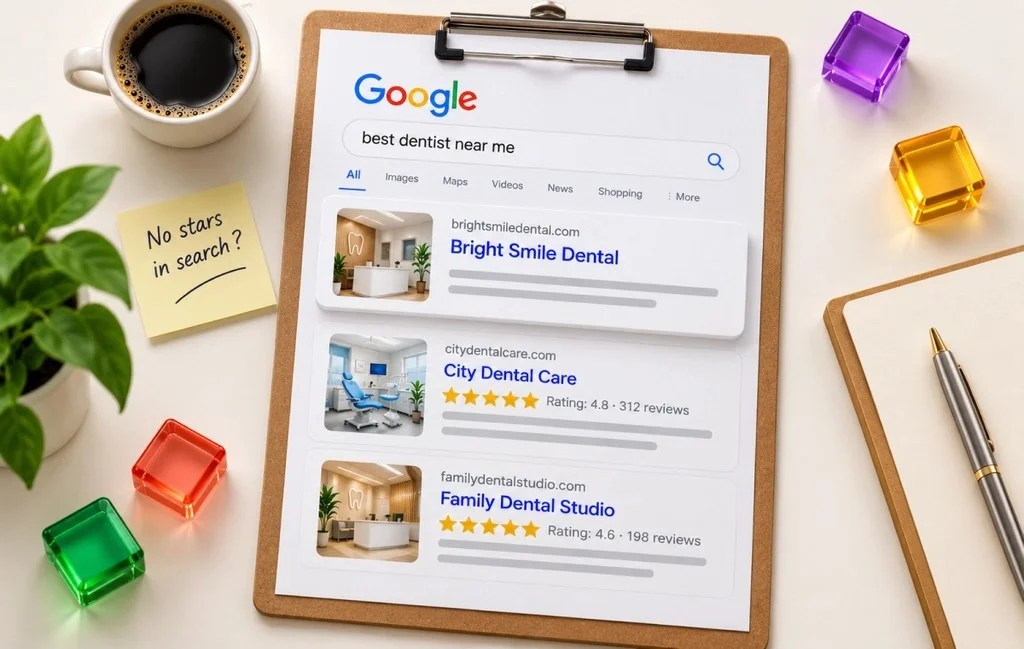
You’ve collected customer reviews, displayed them on your website, and even added review schema.
So why aren't those star ratings appearing next to your website in Google Search?
The problem isn't always with your website or its code. Google has specific rules about which reviews qualify for star ratings in search results.
Sometimes, it's a technical issue, like missing or incorrect schema markup. Other times, your reviews simply aren't eligible, no matter how many changes you make.
In this guide, we'll break down why your website's review stars aren't showing in Google Search, how to identify what's causing the issue, and what you can actually do to fix it.
Which Problem Do You Actually Have?
Before you start changing your review schema, make sure you’re fixing the right problem. A review not showing on your Google Business Profile is different from your website not showing star ratings in Google Search.
1. A Specific Google Business Profile Review Isn't Showing Up
This one has nothing to do with your website. Google checks reviews against its policies before they appear. As per the Google Business Profile Help guidelines, "this process might take a few days, which can delay a review's appearance on your profile".
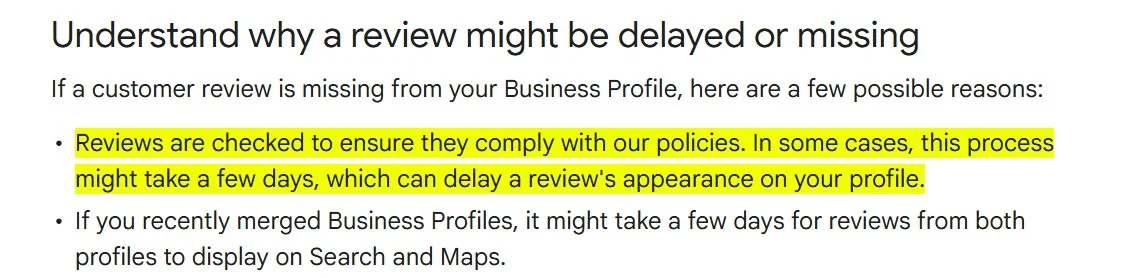
Give it a few days, then follow the steps on that help page.
2. Your Website's Reviews Aren't Generating a Star Snippet in Search
You have reviews on your site and added review code using a plugin or widget, or by hand, but your Google website appearance shows no stars.
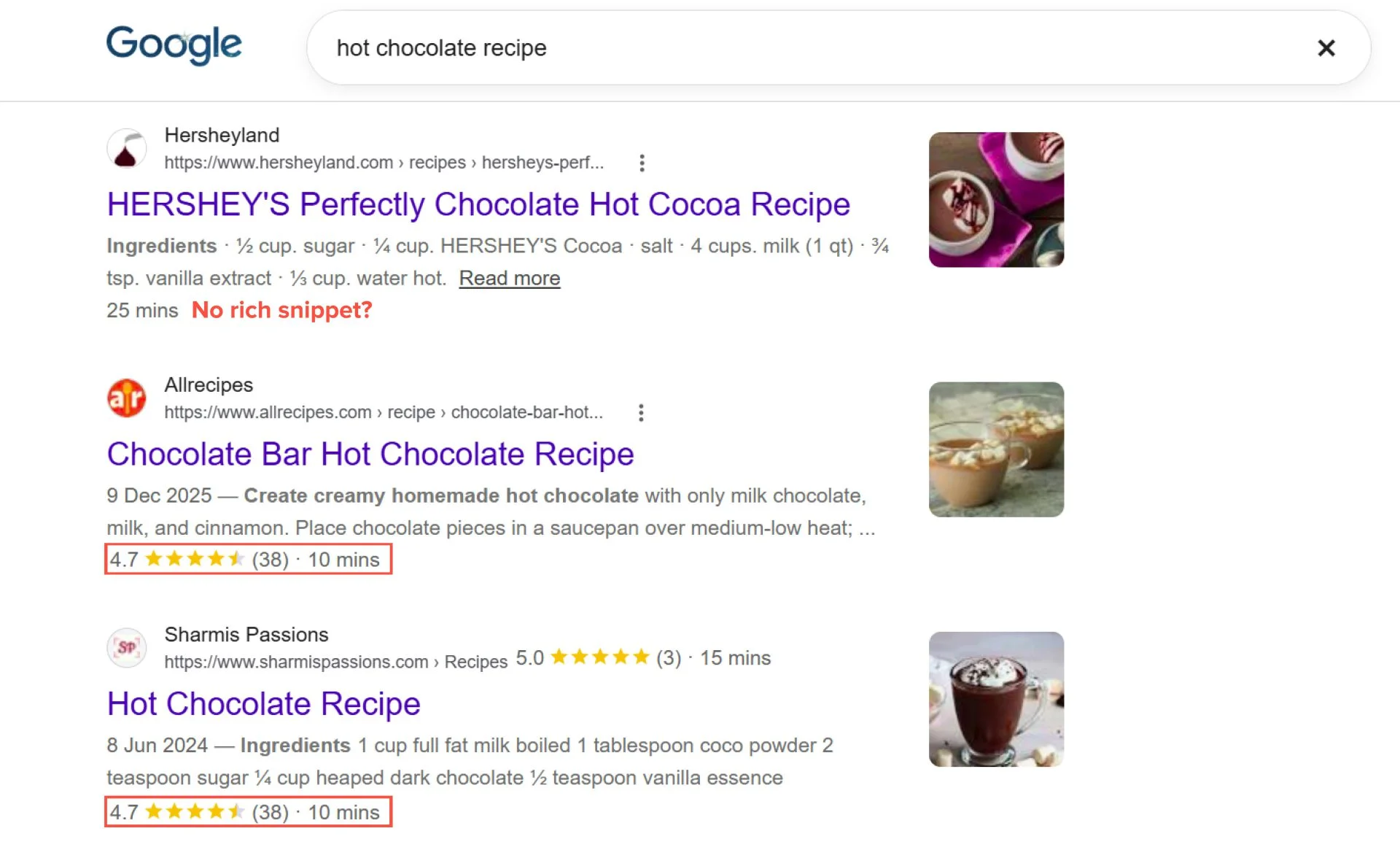
Those stars are called a "review snippet." Even with correct code, Google only says "we may show a rich snippet that includes stars" (Google Search Central). Correct code gives you a chance at showing star ratings on your website, not a promise.
So, if your issue is specifically with star ratings missing from your website’s Google Search result, you need to find out why the rich snippet isn’t showing up.
Why Your Reviews Aren't Showing Star Ratings in Search: The Real Reasons
Google doesn't read the reviews on your page the way people do. It looks for a block of code called "schema markup" that labels them.
This markup contains structured data that tells Google something like "this page has a 4.8 rating from 120 reviews." The two labels for reviews are Review (one review) and AggregateRating (an average of many).
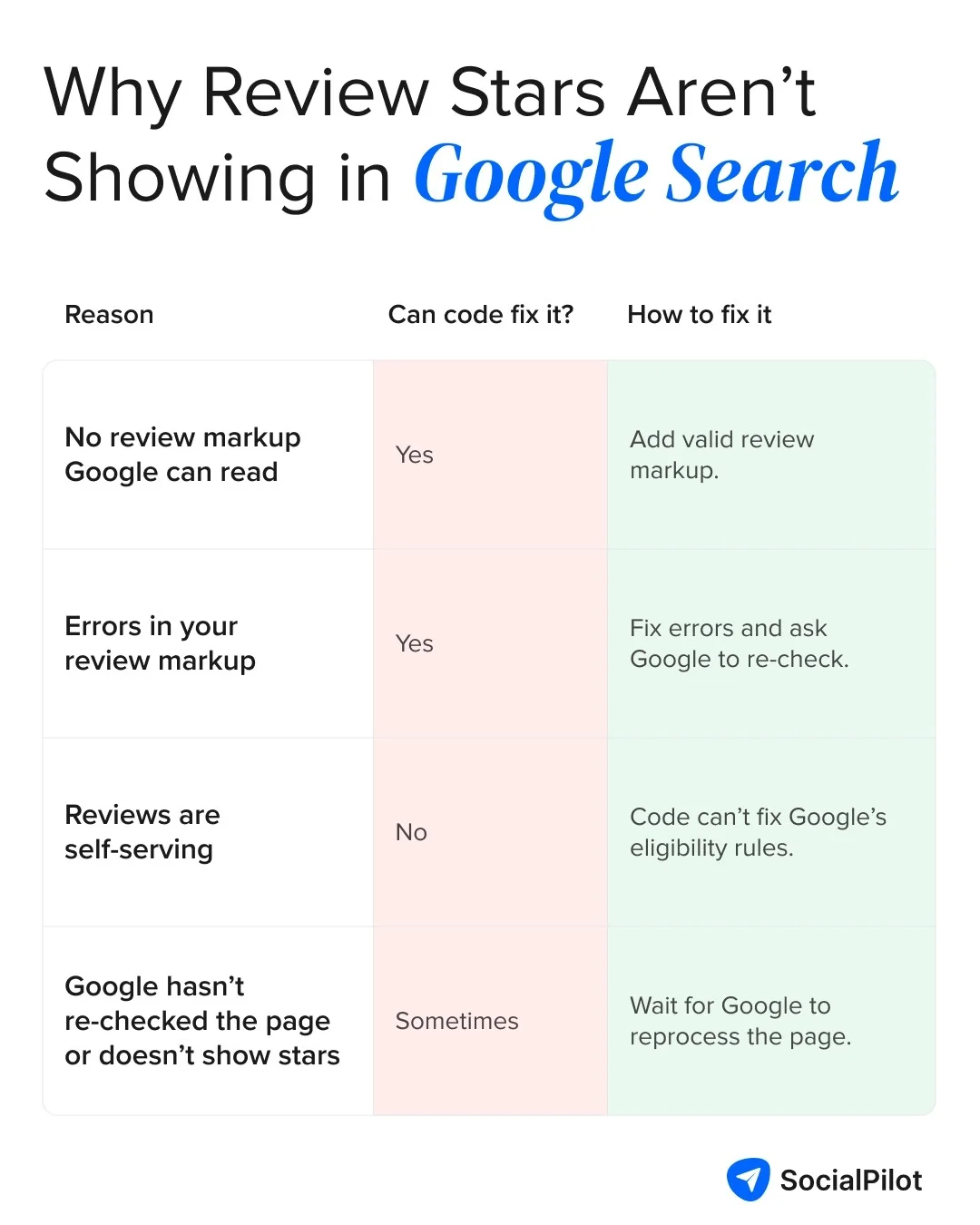
But adding review markup doesn’t automatically guarantee star ratings in search. Google can ignore the markup for several reasons, from technical errors to eligibility issues that code alone can’t solve. The infographic below breaks down the most common reasons and what you can do about each.
You Haven't Added Review or AggregateRating Schema at All
Google can't make stars from review text alone. It needs the schema code. Not every review widget outputs review schema, so check your widget's documentation or run the test below.
The Rich Results Test, covered in the diagnosis section below, shows whether Google can see any review code.
Your Schema Has Errors Google Can't Parse
Review code needs certain required fields, called "properties." If one is missing, Google ignores the code. As per Google Search Central’s review snippet documentation, it requires:
- For a Review: author (a real name, under 100 characters), itemReviewed unless the review is nested inside the item, itemReviewed.name, and reviewRating with a ratingValue
- For an AggregateRating: itemReviewed unless nested, itemReviewed.name, ratingValue, and either ratingCount or reviewCount
In short, Google needs to know who wrote the review, what's being reviewed, and the score. The rating must also be visible on the page, “since users should be able to see that aggregate rating on the page" (Google Search Central).
Here’s what that looks like in practice. In this example, every required property is filled in, so you can compare it with the code on your own page:
{ "@context": "https://schema.org", "@type": "Restaurant", "name": "Dave's Steak House", "url": "https://www.example.com/restaurant-locations/manhattan", "review": { "@type": "Review", "reviewRating": { "@type": "Rating", "ratingValue": 4, "bestRating": 5 }, "author": { "@type": "Person", "name": "Lillian Ruiz" } }}
</script>
Google Considers Your Reviews "Self-Serving"
"If the entity that's being reviewed controls the reviews about itself, their pages that use LocalBusiness or any other type of Organization structured data are ineligible for star review feature." (Google Search Central)
If you use a review plugin, check what code it adds. A Reddit commenter in r/SEO explained why a plugin can't get around this rule:
"Google's been ignoring self-serving reviews for ages. If your plugin is stamping the same LocalBusiness/Organisation review schema on every page, it won't trigger stars. Stars in organic are mostly for products and a few specific types, not your own business reviews on your own site."
It's Simply a Matter of Time or Crawl Priority
Sometimes Google just hasn't caught up. It finds changes by "crawling," or revisiting your pages, and "it may take several days after publishing a page for Google to find and crawl it" (Google Search Central).
After you fix an error in Search Console, "Validation can take two weeks or more, depending on crawl frequency" (Search Console Help).
Once you’ve ruled out missing or invalid schema, there’s a bigger issue to consider: Google may simply consider your reviews ineligible for star ratings in Search. That’s where its self-serving reviews rule comes in.
Google's Self-Serving Reviews Rule, Explained
Google’s restriction isn’t about whether your reviews are genuine or whether your schema is technically correct. It’s about who controls the reviews being marked up.
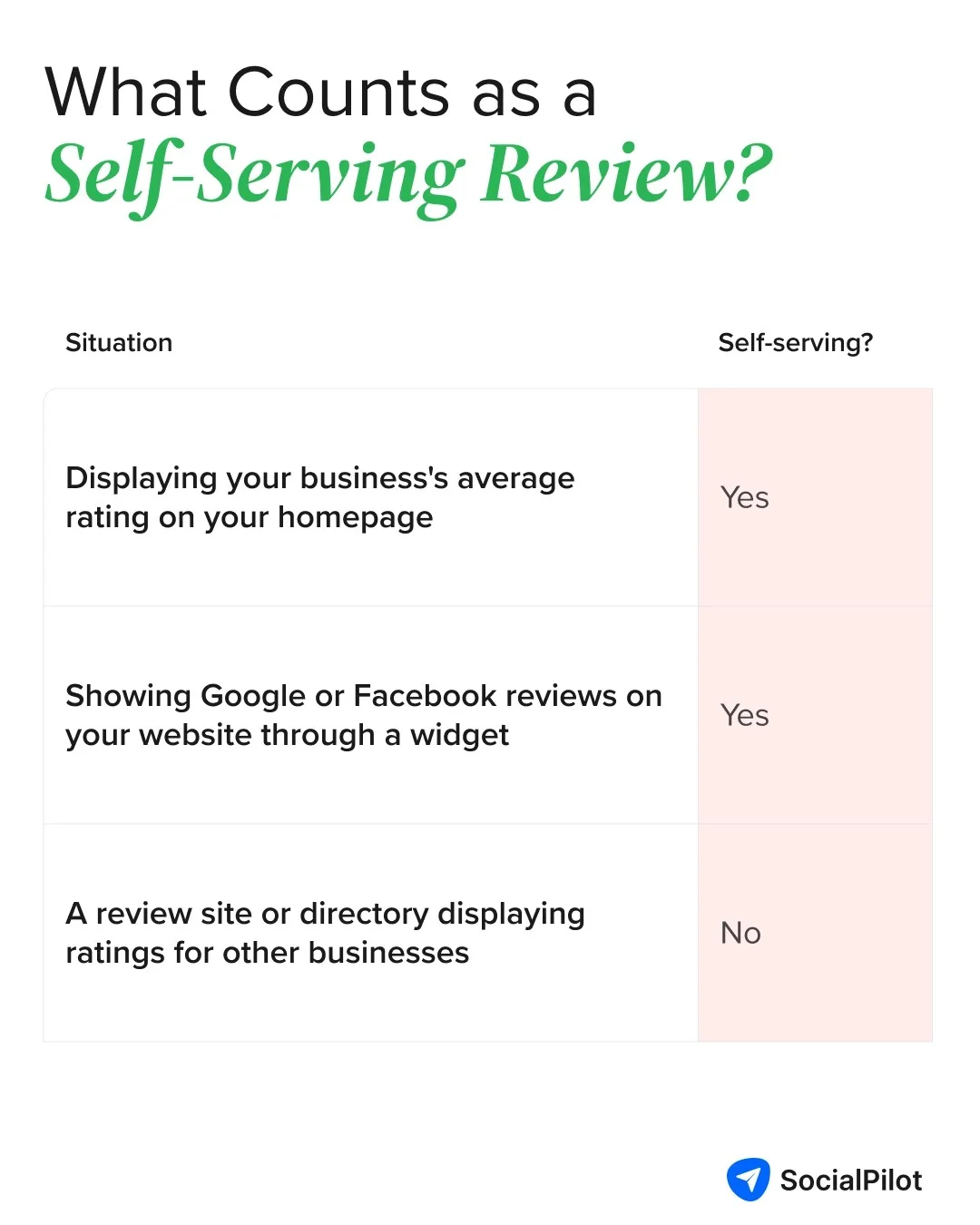
If the reviews are about your own business and fall under Google’s definition of self-serving reviews, the page may not be eligible for star ratings in Search.
What Counts as "Self-Serving"
According to a Google Search Central Blog, Google defines a review as “self-serving” when a review about an entity is published on that same entity’s website. This can happen either through review markup added directly to the website or through an embedded third-party review widget.
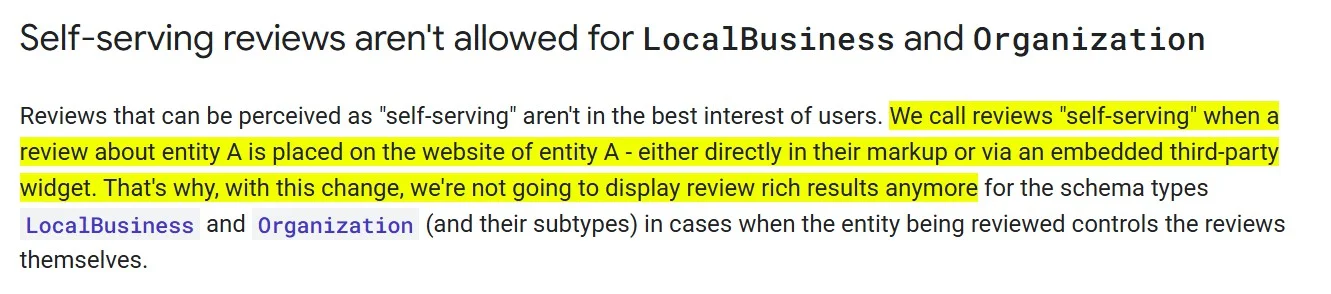
"Entity A" just means any business. To check your case, ask two questions: are these reviews about my business, and are they on my own website? If both answers are yes, they're self-serving, even if every reviewer was a real customer.
Why Google Added This Rule in 2019
Google announced the rule on September 16, 2019, in "Making Review Rich Results more helpful," and updated the post on September 18, 2019 (Google Search Central Blog). So older advice promising stars on your homepage describes how Google worked before then.
Google's main reason was that "Reviews that can be perceived as "self-serving" aren't in the best interest of users."
Before the rule, a business "could add review markup about themselves to their home page or another page and often cause a review snippet to show for that page."
What This Means Specifically for LocalBusiness and Organization Schema
The rule also covers "subtypes," the more specific versions of LocalBusiness and Organization (Google Search Central Blog). Dentist and Restaurant, for example, are both types of LocalBusiness. So switching to a more specific label won't get around it.
- Your site shows reviews of your own business: no code fix will bring stars back, so you can stop working on the code.
- Your site reviews other businesses, like a directory: you can still get stars. Google allows these ratings "only for sites that capture reviews about other local businesses" and other organizations (Google Search Central).
- You're tempted to relabel your business as a "Product": don't. Google won't show stars for code that "is not representative of the main content of the page, or is potentially misleading" (Google Search Central).
If your reviews fall under the self-serving rule, changing the markup won’t make them eligible for star ratings. But not every review falls under that rule. Some review types and schema still qualify.
What Still Qualifies for Star Rich Snippets
The restriction mainly affects self-serving reviews, but that doesn’t mean review stars are off the table altogether. Google still supports review rich snippets for certain eligible content types and third-party reviews.
Product, Recipe, Book, Event, Software App, and Other Eligible Types
Google's review snippet documentation on Google Search Central lists 17 types that can show review stars:
| Types that can show stars | Restriction |
| Book, Course, CreativeWorkSeason, CreativeWorkSeries, Episode, Event, Game, HowTo, MediaObject, Movie, MusicPlaylist, MusicRecording, Product, Recipe, SoftwareApplication | None listed |
| LocalBusiness, Organization | Only for sites that collect reviews about other businesses or organizations |
If you sell products, this matters most. Customer ratings of a product on that product's own page count as Product ratings, which the self-serving rule doesn't cover. So your product pages can still earn stars.
Third-Party Review Platforms That Cover Your Business
Review sites that rate other businesses keep their stars. Google confirmed that "Sites that gather reviews can show up with review snippets (for their reviews of other organizations) in search results" (Google Search Central Blog).
So when someone searches your business name, your homepage may show no stars, but your listing on a review site like Yelp or Tripadvisor can. It's worth keeping those profiles active and well reviewed.
Getting Reviews to Show on Your Google Business Profile Instead
When people search your business name, your Google Business Profile usually shows your star rating, and the self-serving rule doesn't apply to it. Those stars come from reviews customers leave on your profile, so there's no code involved. The hard part is remembering to ask every customer.
So rather than chasing stars where Google doesn’t allow them, put that effort into your Business Profile, where the rating does show. The challenge is getting enough customers to leave reviews consistently.
A tool like SocialPilot Reviews can help by turning review requests into a repeatable process, with email and SMS campaigns, QR codes for in-store customers, and a shared inbox for replying to Google reviews. SocialPilot Reviews’ pricing start free for one location, so you can use the core workflow without adding another cost upfront.
If your reviews are eligible, it’s time to check what’s happening with your site’s markup and how Google is reading it. A few simple checks can help pinpoint the issue.
How to Diagnose Your Specific Situation
These three checks tell you which of the four reasons applies to you. They use two free Google tools, and each check rules out a reason before the next.
Test Your Markup With Google's Rich Results Test
Enter the page with your reviews into Google's Rich Results Test, which shows what review code Google can find. Look for two things:
- Does it find "Review snippets"? If not, Google can't see any review code (reason 1).
- Does it show critical errors? If yes, your code has mistakes (reason 2). Fix those first. Non-critical warnings can wait, since fixing them "isn't necessary to be eligible for rich results" (Google Search Central).
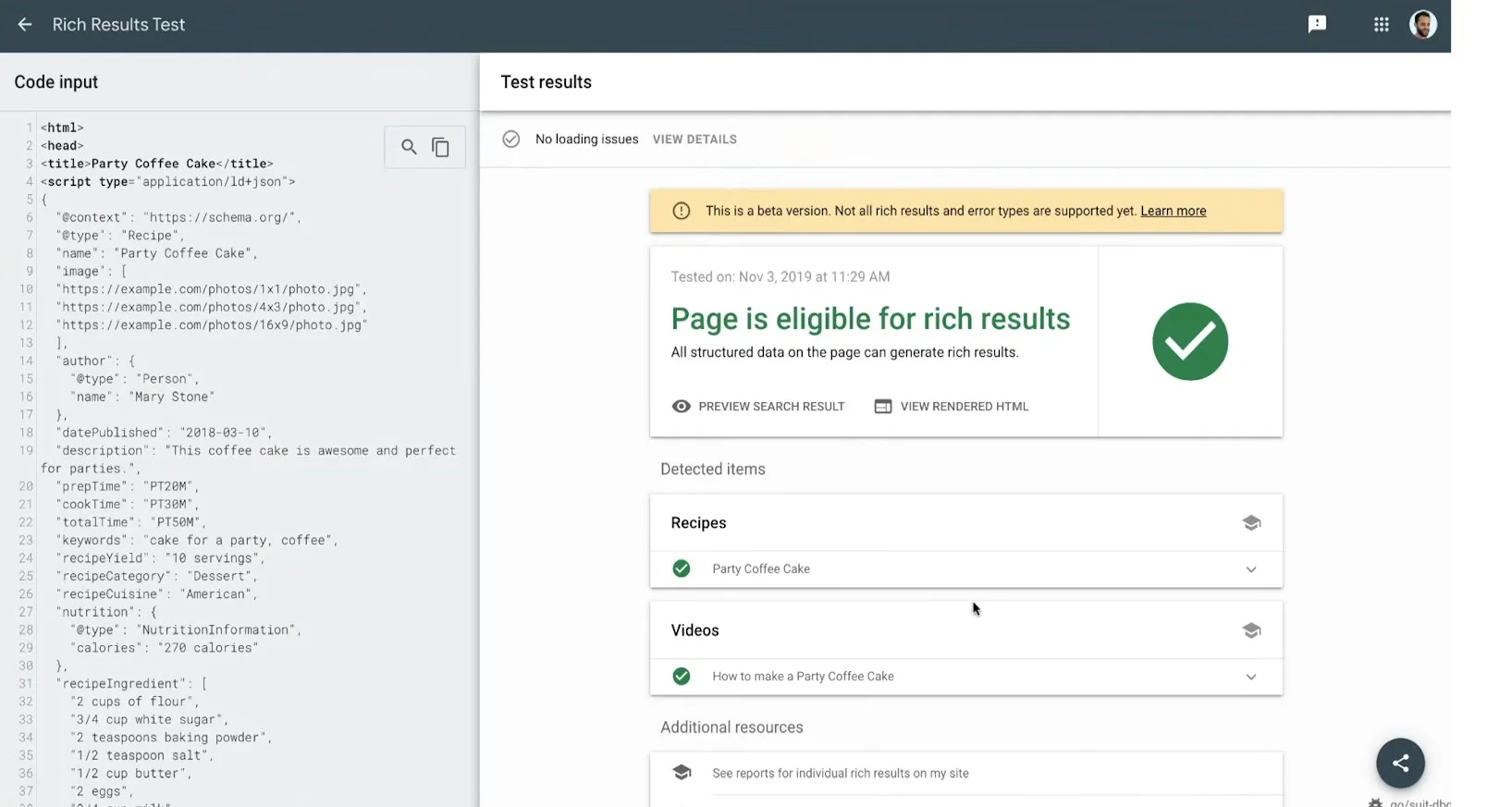
A clean result doesn't clear you, though. The test checks how the code is written, not whether it follows Google's rules.
Google Search Central’s review snippet documentation notes a rule problem "may not be a syntax issue, and so the Rich Results Test won't be able to identify these issues". The self-serving rule is that kind of problem, which is why check three exists.
Check the Rich Results Report in Search Console
Search Console shows how Google sees your whole site. Under Enhancements, look for a Review snippets report. Google only creates it when it "finds valid markup in your property" (Search Console Help), so no report means no working review code anywhere on your site.
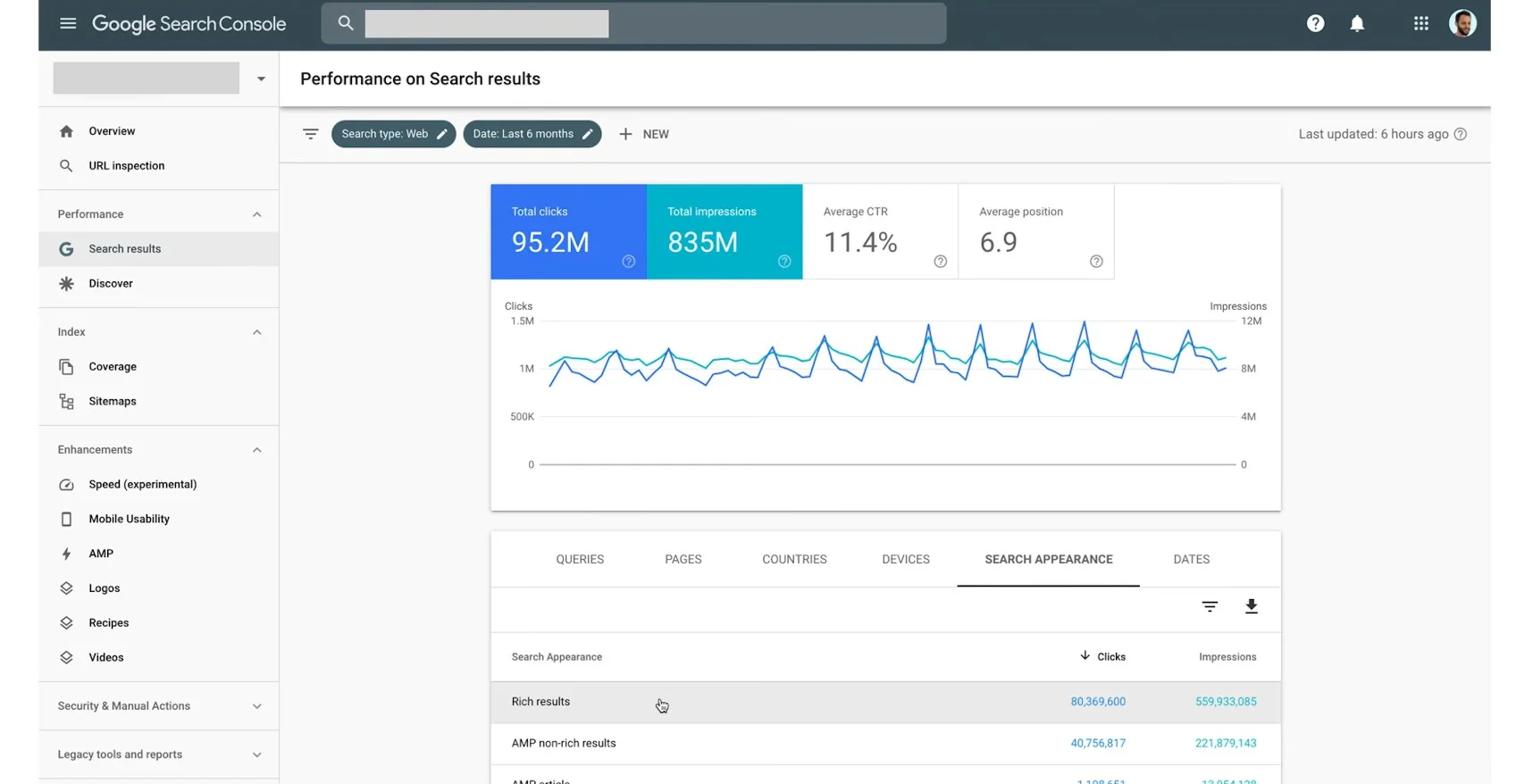
If it lists invalid items, fix those pages and click Validate fix, then allow two weeks or more (Search Console Help). If everything is valid and you still have no stars, move to check three.
Confirm Whether You're Using LocalBusiness or Organization Schema
In the Rich Results Test, open the review item it found and see what the rating is attached to. If it's LocalBusiness, Organization, or a subtype like Dentist, ask: does that business own this website?
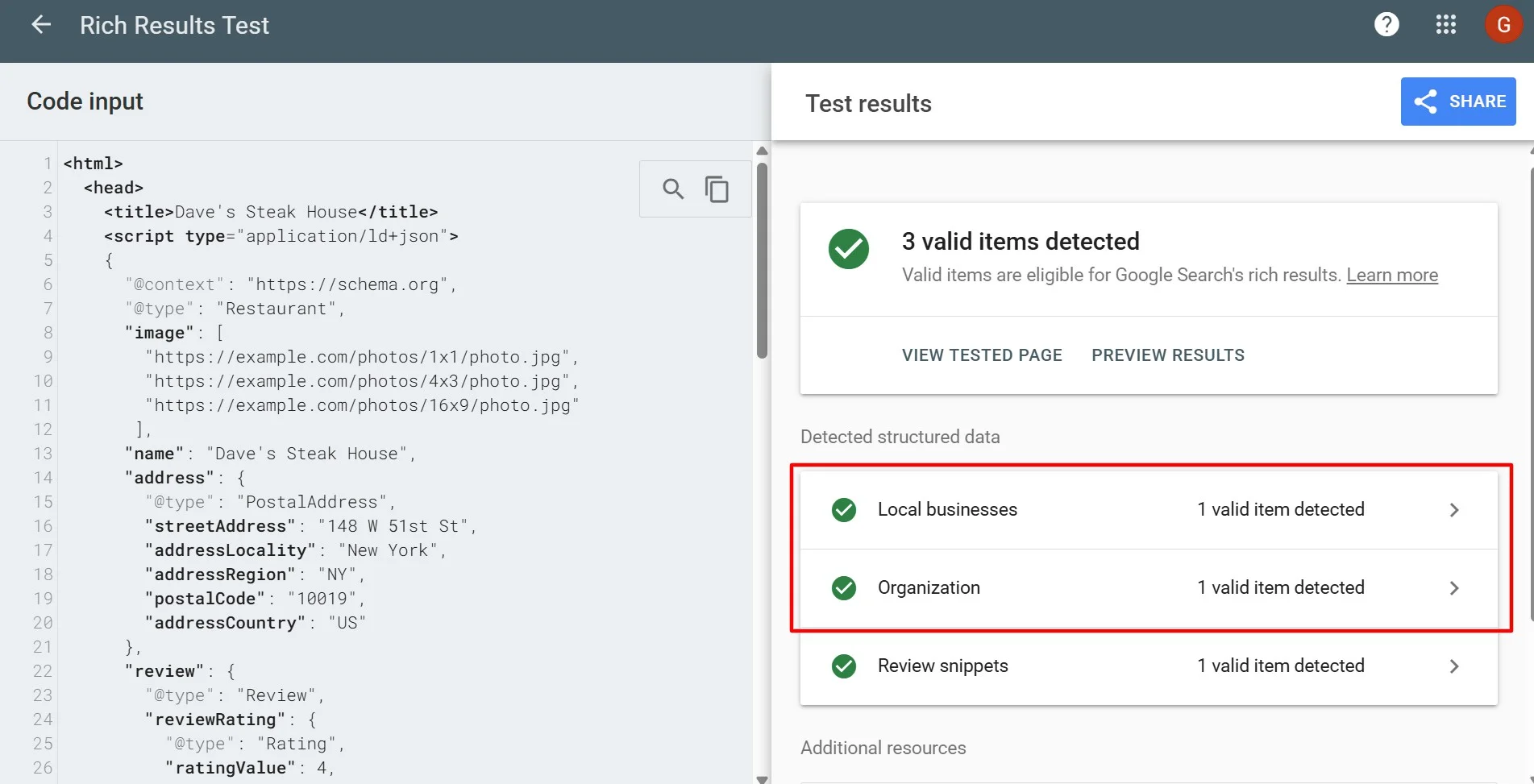
If yes, your reviews are self-serving and the page is ineligible for the star review feature, even with no errors. If not, as on a directory site, keep fixing errors.
These checks should help you narrow down whether the issue is with your markup, Google’s eligibility rules, or simply timing. Before making changes, though, watch out for a few common mistakes that can make things more confusing, or make the problem worse.
Common Mistakes That Make It Worse
When Google star ratings don’t appear, it’s easy to start changing things that don’t need changing. Some common fixes can create more confusion or work against what Google actually requires.
Assuming You Need to Remove Existing Reviews
You don't. Google says: "No, you don't need to remove them. Google Search just won't display review snippets for those pages anymore." You won't be penalized either: "You won't get a manual action just for this" (Google Search Central Blog). A "manual action" is a penalty Google applies for breaking its rules. Real reviews still help visitors decide, so leave them up.
Embedding a Third-Party Widget and Expecting It to Count
It feels like reviews stored on Google or Facebook shouldn't count as yours, but Google sees it differently. Google says, "Embedding a third-party widget is seen as controlling the process of linking reviews" (Google Search Central Blog). Copying them into your own code doesn't work either: "Don't aggregate reviews or ratings from other websites" (Google Search Central).
Buying or Incentivizing Reviews Without Disclosure
This one can hurt you. In July 2026, Google added a rule: "Don't include fake or undisclosed incentivized reviews on your page or in your structured data markup" (Google Search Central). That covers any review you rewarded with money, discounts or free products when the review doesn't say so.
Final Thoughts on Getting Your Review Stars to Show in Google
If your website's reviews aren't showing star ratings in Google Search, don't jump straight into changing your code. First, figure out what's actually causing the issue.
If it's missing or incorrect schema markup, you can fix it. But if your reviews fall under Google's self-serving review rules, no amount of technical changes will make those stars appear.
That doesn't mean you need to remove reviews from your website. People can still read what your customers have to say before deciding whether to choose your business.
You can also focus on collecting genuine reviews on your Google Business Profile, where your ratings can appear directly in Google Search and Maps.
So, rather than spending time trying to get stars where Google doesn't allow them, focus on making your customer reviews visible where they can actually help people make a decision.