
That’s where third-party LinkedIn analytics tools come in. But not every tool solves the same problem. Some are built specifically for LinkedIn, while others include LinkedIn as part of a broader social media management and reporting suite.
We’ve compared 12 LinkedIn analytics tools across the features that matter most, including analytics depth, reporting, competitor tracking, pricing, user feedback, and ideal use cases. Whether you’re a creator, marketer, or agency, this guide will help you find the right fit—and avoid paying for capabilities you won’t use.
Key Factors in Choosing the Right LinkedIn Analytics Tool
Before the list, it helps to know exactly where native analytics stop, because that’s what you’re paying a third-party tool to fix:
- Company Pages show visitors, followers, and post performance, but only about the last 12 months, and only for your own Page.
- Personal profiles show post impressions, profile views, and follower trends again, no history beyond the recent window.
- What’s missing everywhere: competitor Pages, side-by-side benchmarks, multi-client rollups, white-label reports, and scheduled delivery.
With that gap in mind, three decisions do most of the work.
LinkedIn-Only Depth vs. Broad-Suite Breadth
This is the fork almost every buyer faces and almost no roundup names out loud.
A LinkedIn only tool (Taplio is the clearest example) goes deep on one thing: growing and measuring a LinkedIn presence, usually a personal profile. You get LinkedIn-specific benchmarks, post-level insight, and content help tuned to how the feed actually behaves.
A broad suite (SocialPilot, Hootsuite, Sprout Social) treats LinkedIn as one network among many. You measure LinkedIn next to Instagram, Facebook, X, and the rest, in one dashboard, usually with white-label reports on top.
Ask one question: is LinkedIn the whole job, or one channel in a bigger job? A creator building a personal brand wants depth. A brand or agency running five networks wants breadth. Both are valid, buying the wrong one is what stings. If you’re still shaping the bigger picture, start with building a complete LinkedIn marketing strategy and let that decide the tool.
Company Page Analytics vs. Personal Profile Analytics
These are two different data sets, and not every tool covers both.
- Company Page analytics – follower demographics, Page visitors, post reach, and increasingly competitor Pages. This is what brands and agencies report on.
- Personal profile (creator) analytics – post impressions, profile views, follower growth, and posting-time insight for an individual. This is what founders and creators track.
Taplio lives on the personal-profile side. Most suites started on the Company Page side and now cover both. Match the tool to who’s actually posting, a founder’s profile and a brand’s Page are not the same measurement problem.
Agency Needs: Multi-Client Reporting and White-Labeling
Most general roundups quietly skip this, then point agencies to a separate “for agencies” post. If you run more than one client’s LinkedIn, you have needs a solo tool never addresses:
- Separate reporting per client, not one merged view
- White-label reports that carry your brand, not the tool’s
- Scheduled report delivery so clients get numbers without asking
- Role and access control so a client sees their data and nothing else
Tools built for this include SocialPilot, AgencyAnalytics, Social Status, Two Minute Reports, and Sprout Social. If you’re already managing multiple clients’ social accounts, this is the factor that should outrank price. A cheaper tool that can’t separate clients isn’t cheaper, it’s a rebuild waiting to happen.
Each tool’s Coverage row reads the same way:
Full
Partial or add-on
Nicht verfügbar
1. SocialPilot
The multi-client suite that puts agency-grade LinkedIn reporting inside the tool you publish from.
Coverage
- Analytik
- Benchmarking
- Berichterstattung
- Listening
- Multi-account
- Veröffentlichung
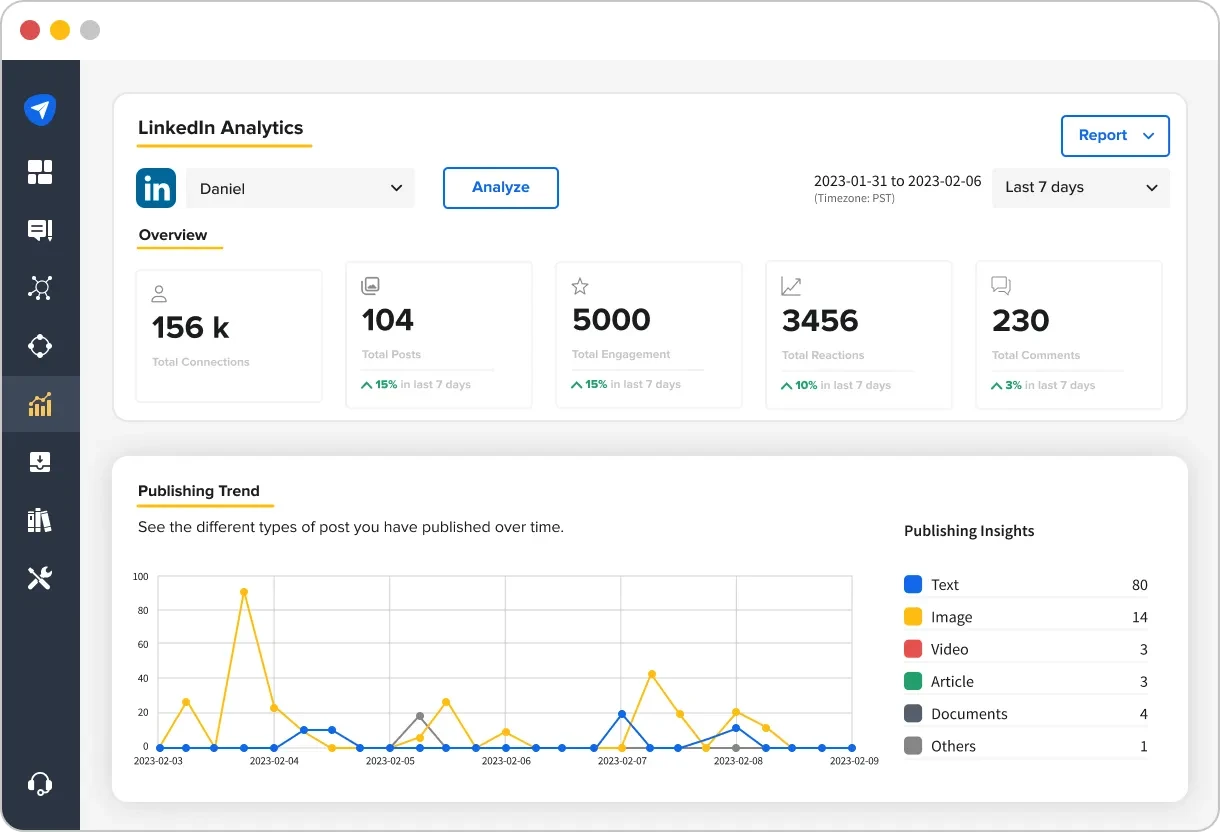
What it actually looks like: SocialPilot opens on a single dashboard showing reach, engagement, follower growth, audience demographics, and best time to post across every connected LinkedIn Page and profile, next to your other nine networks. The reporting layer goes deeper than most all-in-ones: a custom report builder with resizable metric blocks, reusable templates, white-labeling in your own colors and logo, and reports that send automatically on a set date.
On Capterra, JoAnn J. says the analytics tab “is easy to read and allows me to see which days and times my followers are most engaged,” the kind of at-a-glance read that makes a scheduled client report almost automatic.
SocialPilot’s edge is putting agency-grade reporting inside the same tool you schedule from, so one client’s report can lead with LinkedIn while another leads with Instagram. The trade sits on the research side: it reports on the accounts you manage, not competitors you don’t.
Starting at $30/month, SocialPilot’s pricing is structured around client and account volume, making it accessible for agencies at the point they’re scaling rather than only at enterprise scale.
| Ultimate | Premium | Standard | Essentials |
$170.00/Monat$200
Jährliche Abrechnung (15% sparen)
|
$85.00/Monat$100
Jährliche Abrechnung (15% sparen)
|
$42.50/Monat$50
Jährliche Abrechnung (15% sparen)
|
$25.50/Monat$30
Jährliche Abrechnung (15% sparen)
|
|
Social-Media-Management optimieren
|
|||
What running SocialPilot standalone requires: very little on the management side, it publishes, engages, and reports in one place. The gap is listening and competitor benchmarking on LinkedIn: for those you’d add a specialist like Socialinsider or Brandwatch.
2. Taplio
The LinkedIn-only tool built to grow a personal profile.
Coverage
- Analytik
- Benchmarking
- Berichterstattung
- Listening
- Multi-account
- Veröffentlichung
What it actually looks like: Because it does one platform, Taplio goes deeper on the personal-profile side than most suites bother to. You see which posts drove impressions and followers, how engagement trends week to week, and how your numbers compare to a benchmark of tens of thousands of LinkedIn posts. AI post writing, a content-inspiration feed, and best-time-to-post sit right next to the analytics.
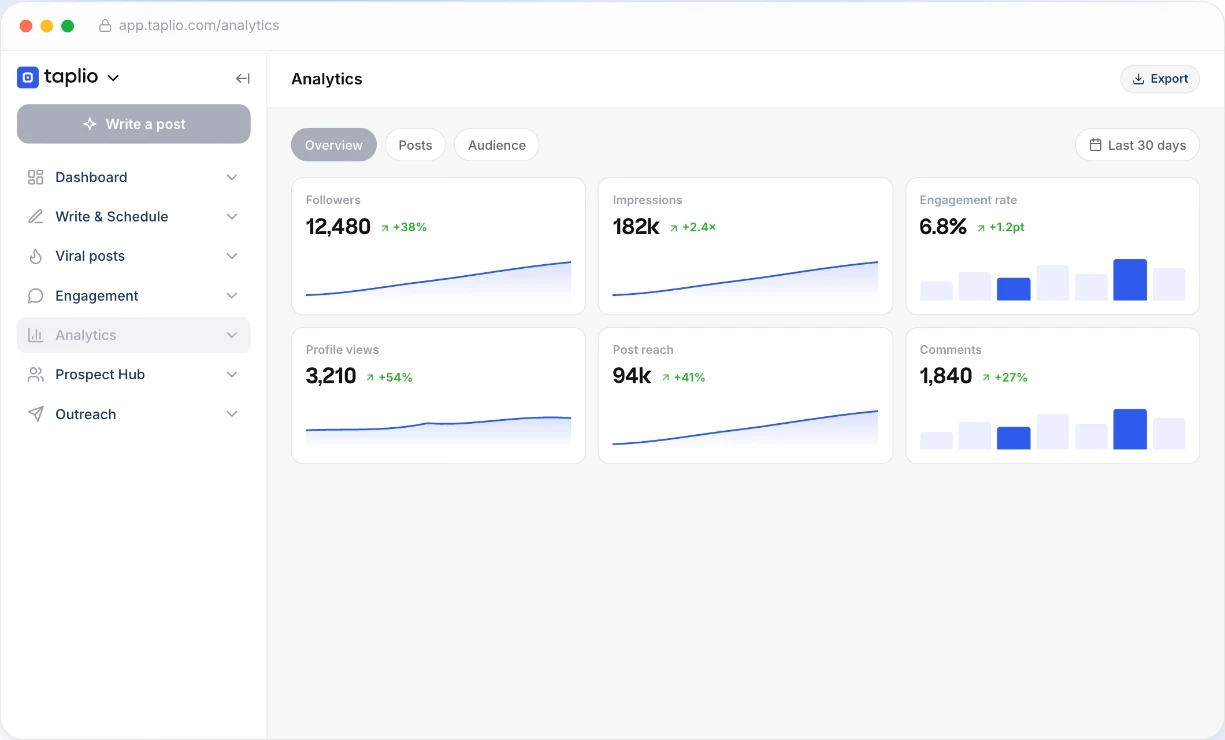
On Capterra, Pawel M., a CEO in education management, praises Taplio as “laser-focused on LinkedIn” mit “really good people tagging… and some useful AI suggestions,” but adds that it’s “quite expensive, and some of its features don’t seem that helpful in retrospect.”
Taplio wins for the individual creator who wants measurement and creation in one tab. What it isn’t is a team or brand tool, there’s no Company Page reporting, no client workspaces, and no white-labeling.
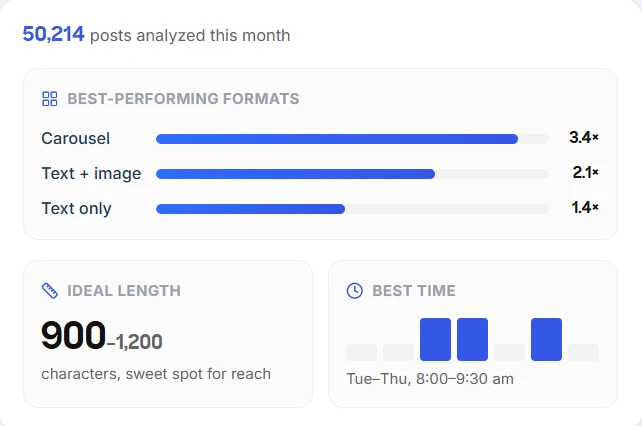
Taplio’s paid plans are Starter at $39/month, Growth at $69/month, and Pro at $199/month, dropping to about $32, $49, and $149 on annual billing, with a 7-day trial.
What running Taplio standalone requires: a different tool entirely the moment LinkedIn becomes a brand channel. Its benchmark compares you to an aggregate, not to named competitors, and it only touches LinkedIn.
3. Brandwatch
The enterprise listening platform that watches everything said around your brand.
Coverage
- Analytik
- Benchmarking
- Berichterstattung
- Listening
- Multi-account
- Veröffentlichung
What it actually looks like: Brandwatch’s strength isn’t your own Page; it’s the conversation around it. It tracks mentions, sentiment, and share of voice across LinkedIn and millions of other sources, benchmarks you against competitors, and flags spikes before they become a problem. This is a listening and research platform first, a reporting tool second.
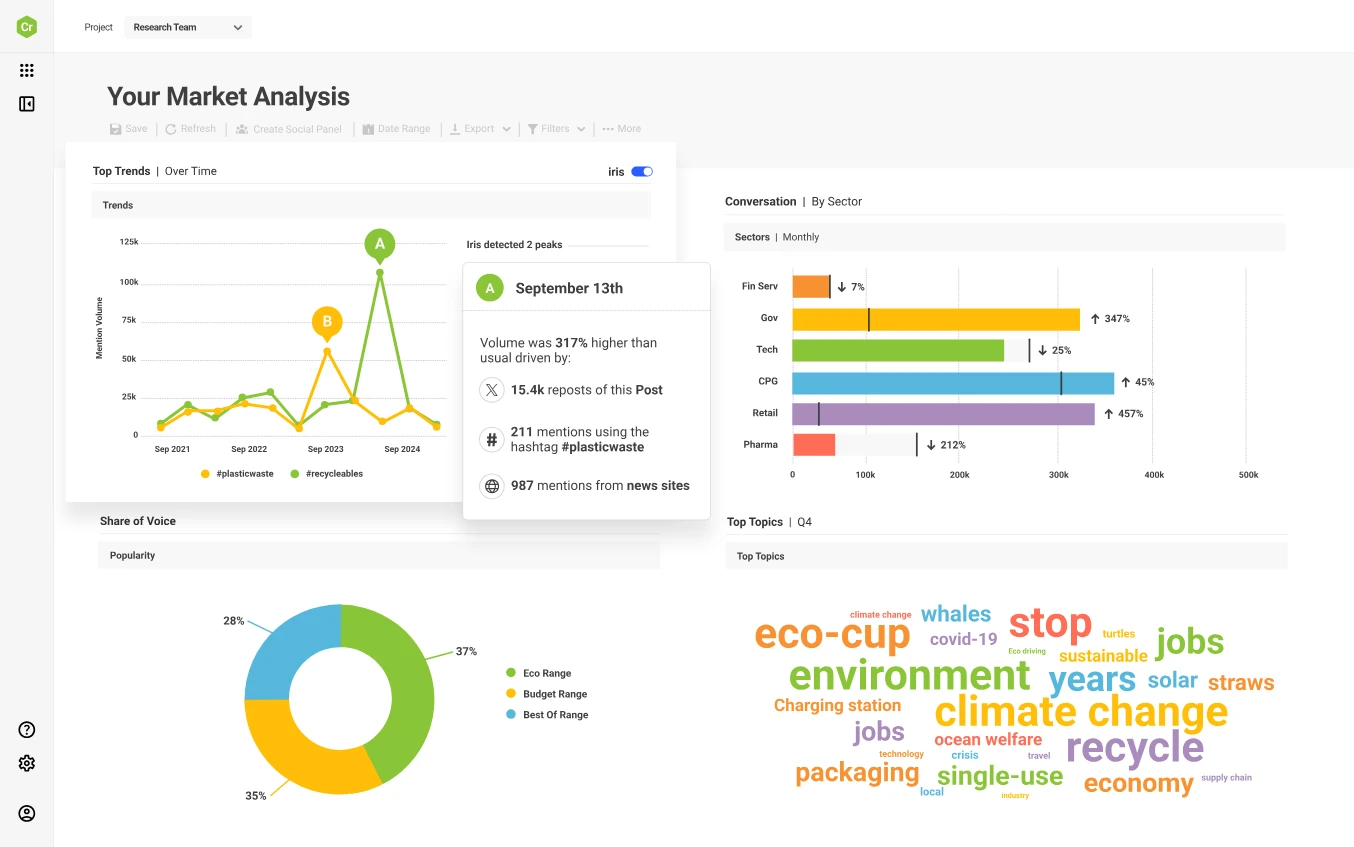
On Capterra, Matisse D., in communications, says Brandwatch “brings analytics and reporting together in one place… genuinely easy to use,” then names the downside: “the cost. Brandwatch sits at the premium end of the market.”
It’s the tool enterprises buy when understanding market conversation matters more than reporting their own posts. For a small team that just wants Page metrics, it’s far more than the job needs.

Brandwatch’s plans are custom quote only, no public pricing. Third-party estimates start around $800–$1,500/month for smaller teams and climb into five figures for enterprise, on annual contracts.
What running Brandwatch standalone requires: a scheduler, since it doesn’t publish, and a real budget, there’s no self-serve entry plan, and setup runs through sales.
4. Socialinsider
The analytics specialist built around competitor benchmarking.
Coverage
- Analytik
- Benchmarking
- Berichterstattung
- Listening
- Multi-account
- Veröffentlichung
What it actually looks like: Socialinsider takes a competitor- and benchmark-focused approach to LinkedIn analytics. It lets you compare your LinkedIn Page with competitors and industry benchmarks, while tracking follower and engagement trends and breaking down performance by content type, including videos, images, documents, and carousels. You can also create customizable, white-label reports. Industry benchmarks show whether your engagement rate is above or below similar Pages, turning raw numbers into actionable context
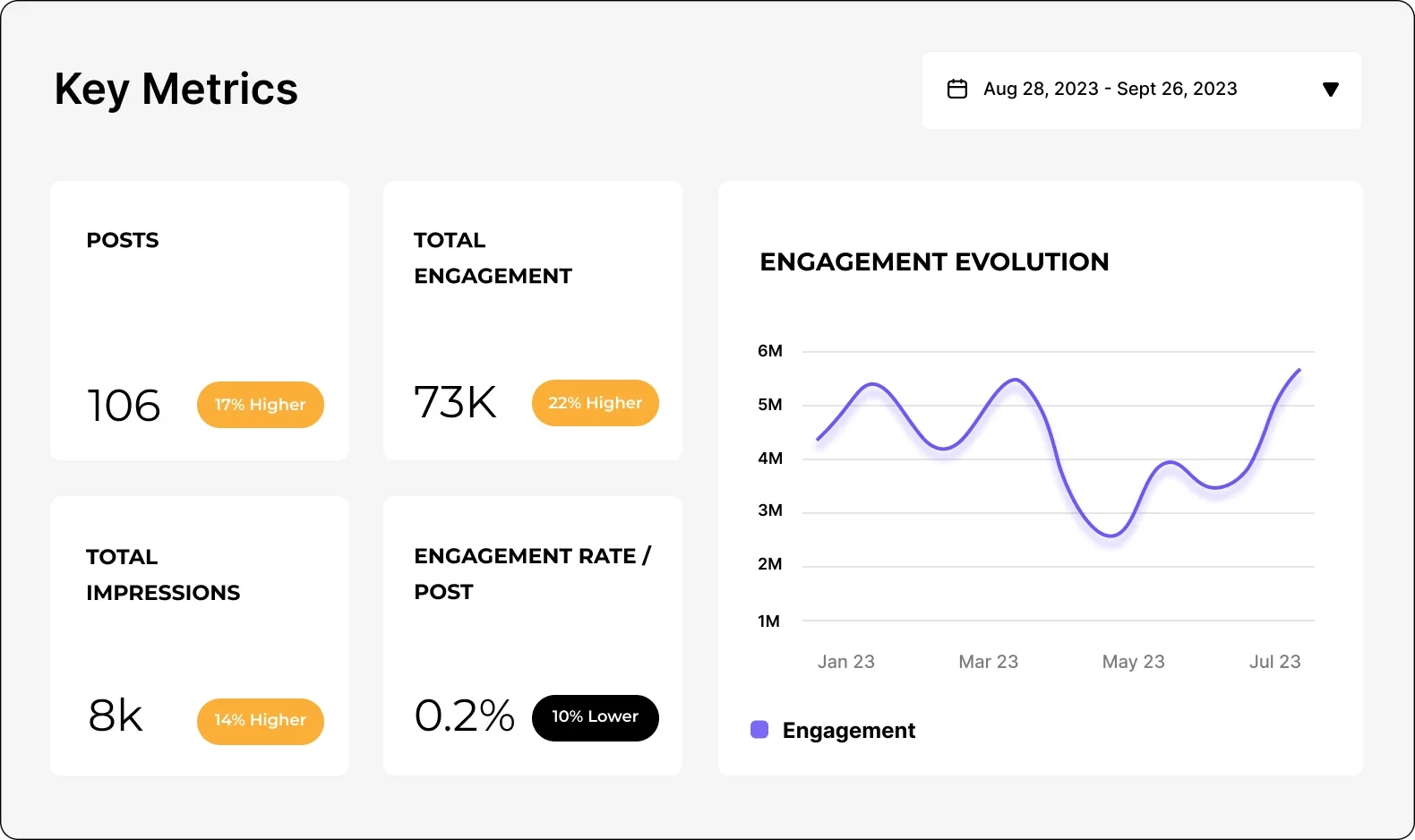
On Capterra, Cosmin F. says the benchmarking “works great after the initial setup,” though for his team that setup “took a while because it was a large project,” powerful once configured, a genuine ramp for a big account.
It’s the natural partner to a scheduler for a brand or agency that wants to know how it stacks up, not just how it did. The catch is there’s no publishing at all.
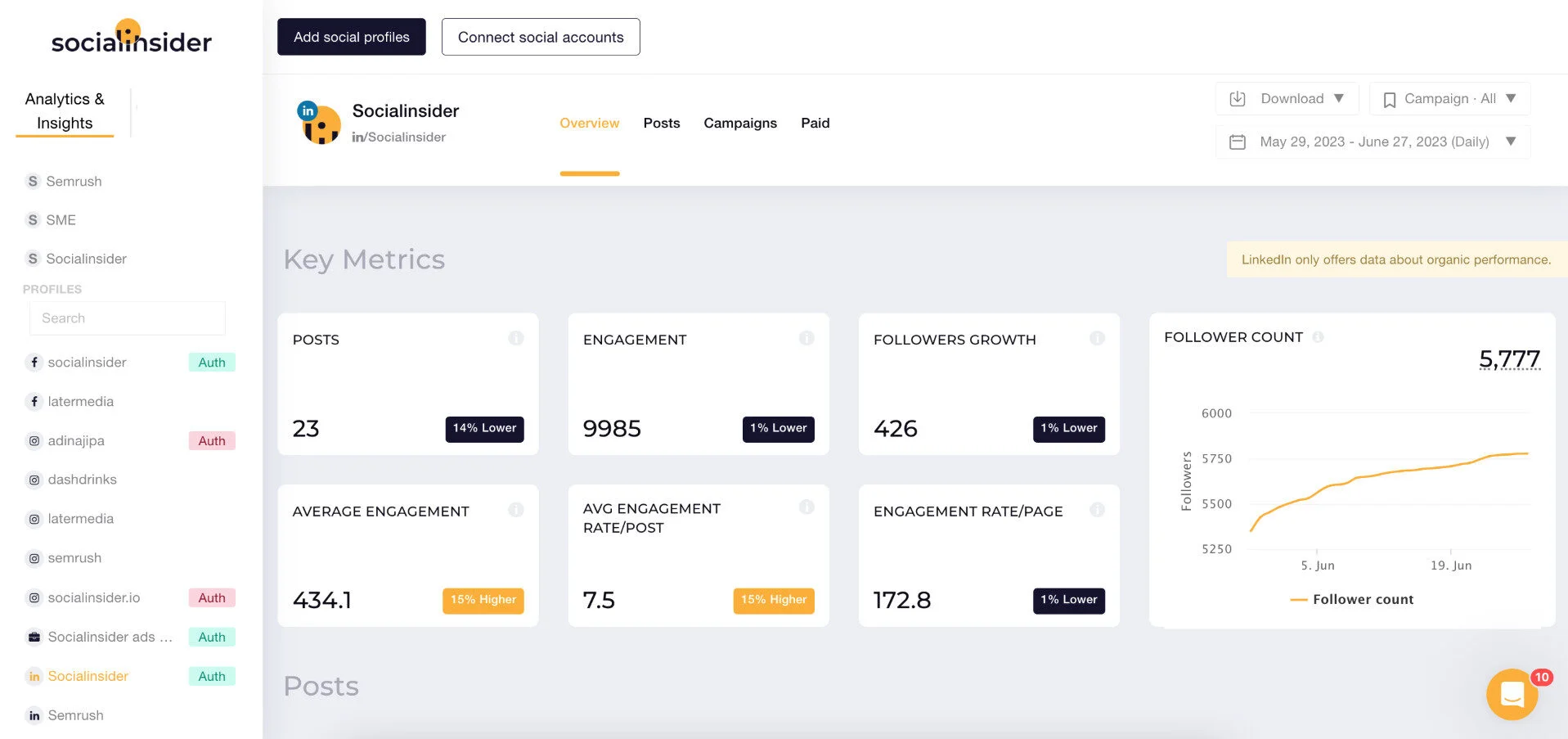
Socialinsider’s paid plans start around $99/month billed monthly (about $83 on the annual Adapt plan), with Optimize plan at $149, Predict at $239, and custom Enterprise.
What running Socialinsider standalone requires: a separate publishing tool, it’s analytics-only. Solo creators tracking one profile will also find it heavier than they need.
5. Sprout Social
The analytics and listening heavyweight of the full-suite field.
Coverage
- Analytik
- Benchmarking
- Berichterstattung
- Listening
- Multi-account
- Veröffentlichung
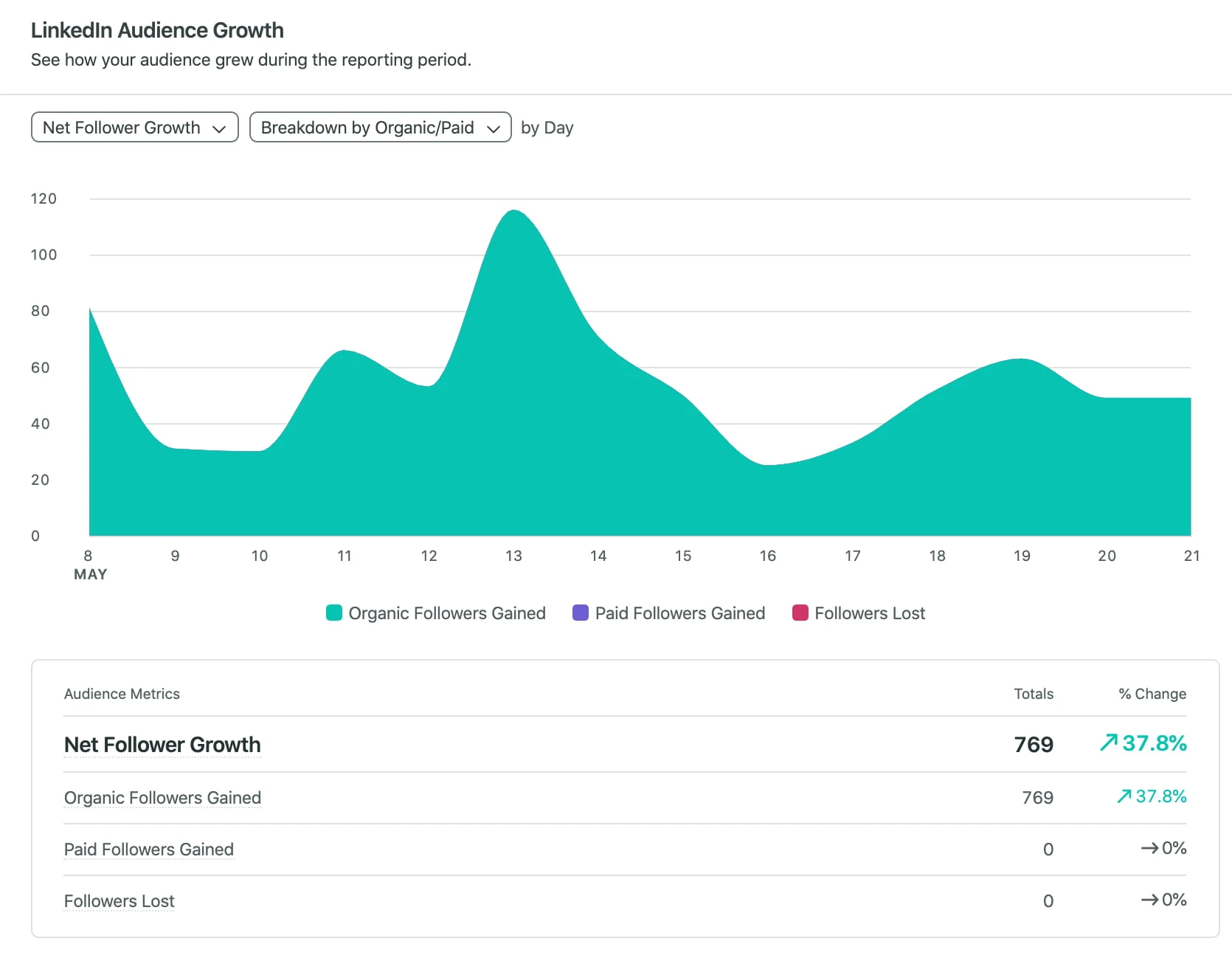
What it actually looks like: Sprout Social opens on a polished, report-first dashboard, with a Smart Inbox that pulls messages, mentions, and reviews from every connected profile into one queue. Report building is close to drag-and-drop, and listening and sentiment live in their own module on the higher tiers.
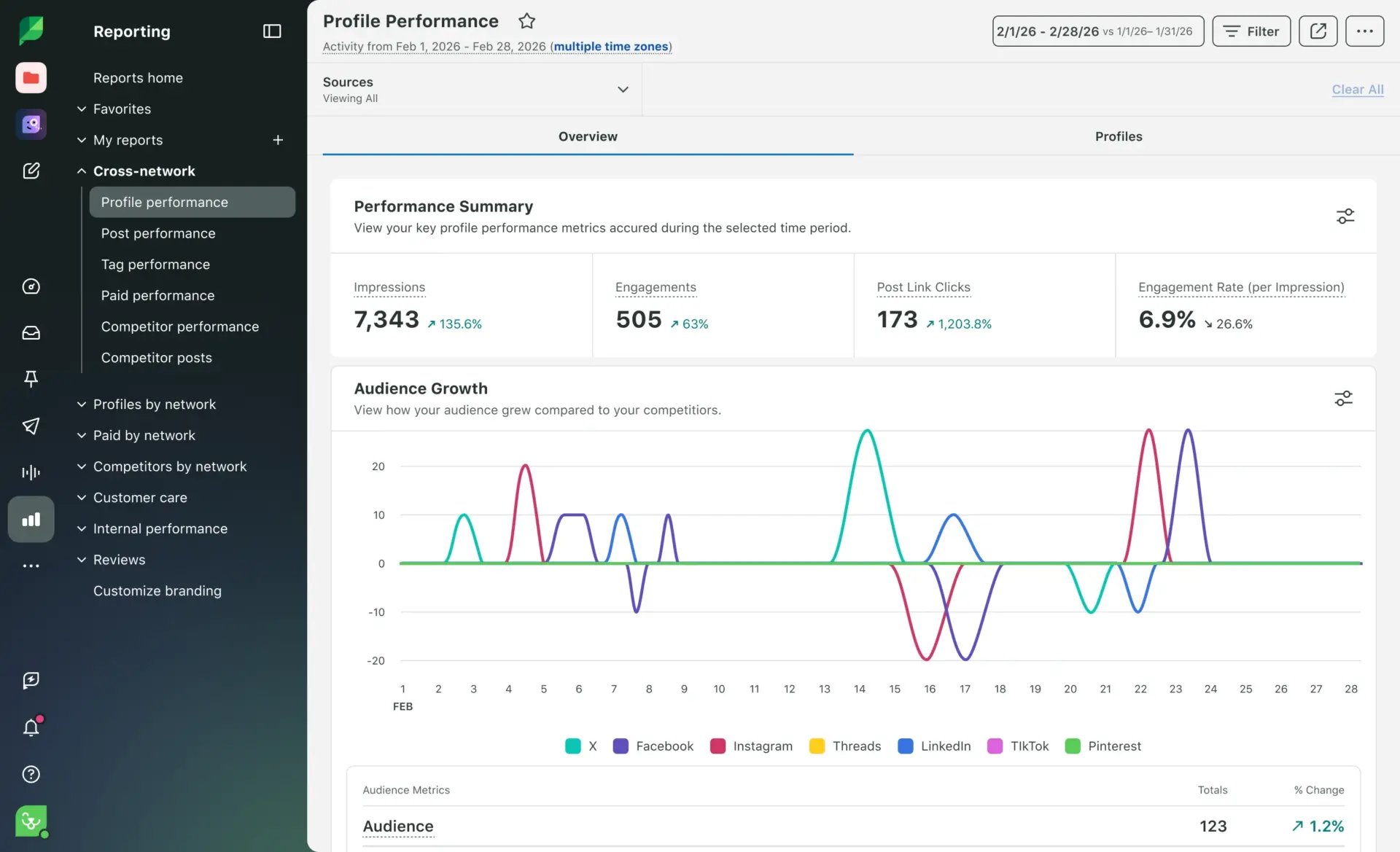
On Capterra, Zach P., a marketing coordinator, says “the reporting tools are top tier and it is incredibly simple to generate visually appealing reports,” then adds the catch: “it can get quite expensive if you require several user licenses.”
Sprout has the deepest analytics here and the only genuinely strong native listening among the mainstream suites, which is why enterprises pick it. The trade is cost and rigidity: everything is priced per seat, so teams scale expensively, and full sentiment and listening sit behind the top tier.
Sprout Social’s paid plans start at $199/seat/month on the Standard plan, with Professional at $299 and Advanced at $399 per seat/month. Professional plan includes the platform’s listening capabilities.
What running Sprout standalone requires: very little on coverage, since it does all six jobs to some degree and handles listening in-house. Content creation is still light, so a design app like Canva remains useful. The real question is whether the per-seat bill fits your headcount.
6. Two Minute Reports
The cheap connector layer that pipes LinkedIn data into Looker Studio and Sheets.
Coverage
- Analytik
- Benchmarking
- Berichterstattung
- Listening
- Multi-account
- Veröffentlichung
What it actually looks like: Two Minutes Reports tool doesn’t have its own analytics screen. Instead it feeds LinkedIn Pages and Ads data into the tools you already report in, Looker Studio, Google Sheets, so you build a client dashboard once and refresh it automatically, with dozens of other marketing sources alongside. Pick a template, map your LinkedIn Page, and the numbers update on the schedule you set, so a client dashboard never goes stale between reporting cycles.
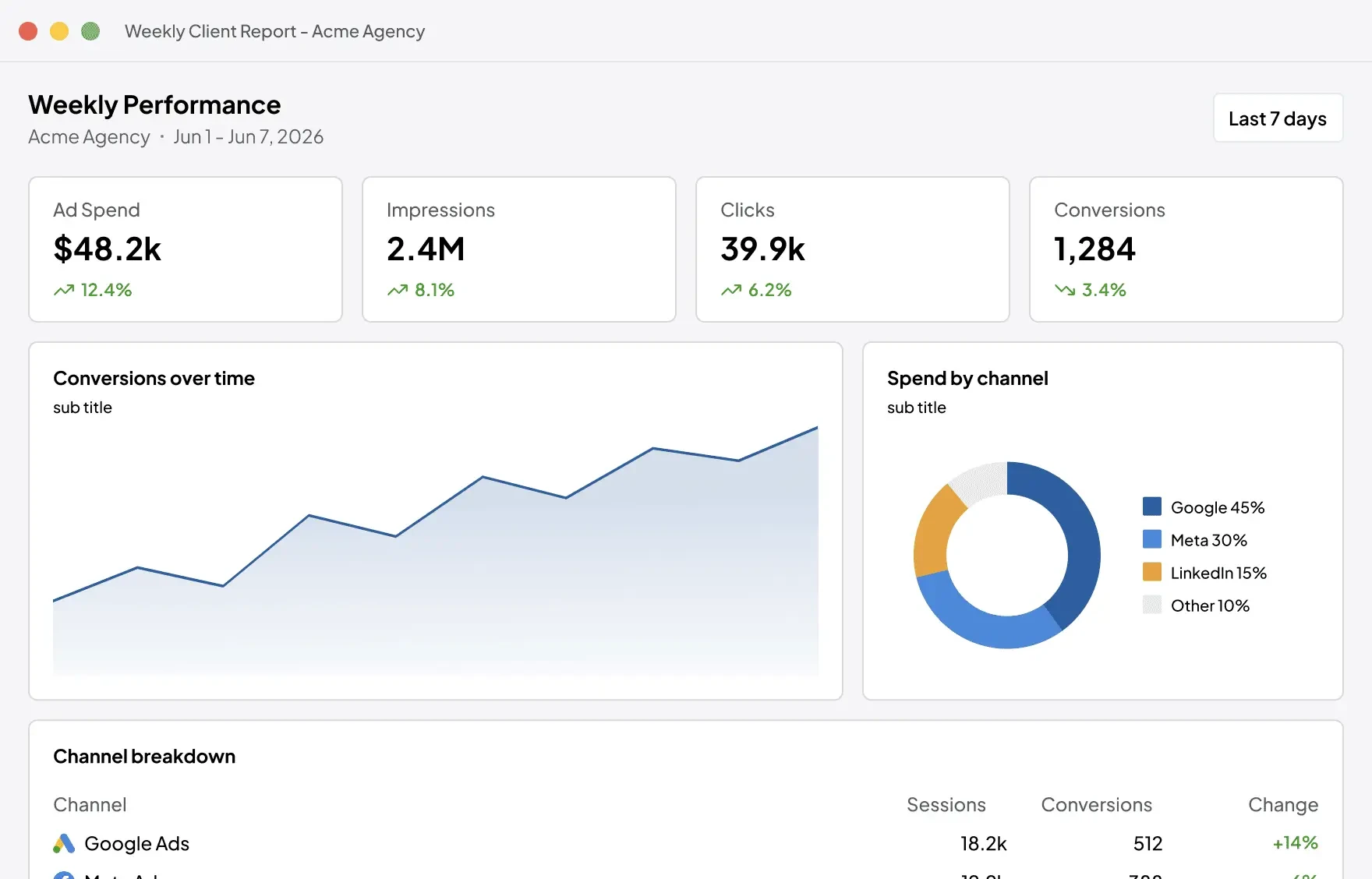
On Capterra, Matt L., a managing director in marketing, says “once it’s set up, it just works and provides extremely useful insights,” but flags the ramp: connecting a new source “was a little painful… took maybe 5 hours out of my day.”
For an agency that lives in Looker Studio, it’s the cheapest way to get LinkedIn data flowing in. For anyone who wants a ready-made dashboard out of the box, it’s the wrong shape.
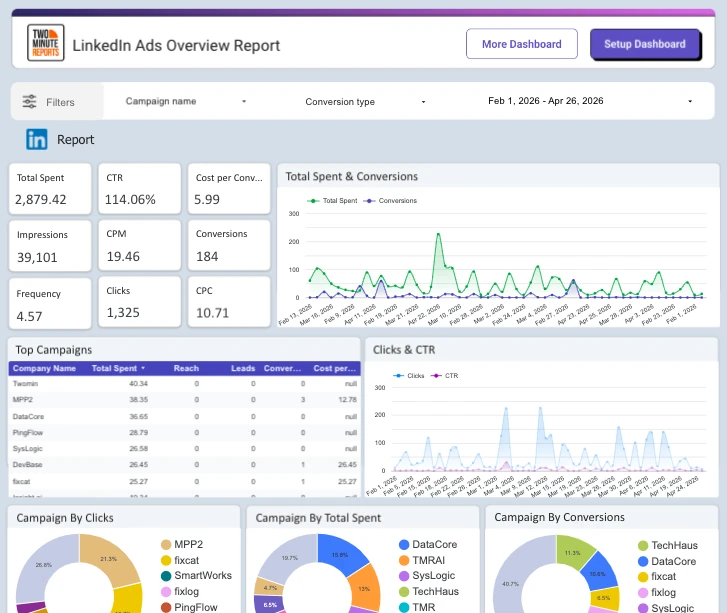
Two Minute Reports’ paid plans start at $97/month for Lite and scale with the number of connectors and accounts.
What running Two Minute Reports standalone requires: the dashboard itself, you bring Looker Studio or Sheets. There’s no publishing, listening, or engagement.
7. Hootsuite
The long-established all-in-one built on breadth.
Coverage
- Analytik
- Benchmarking
- Berichterstattung
- Listening
- Multi-account
- Veröffentlichung
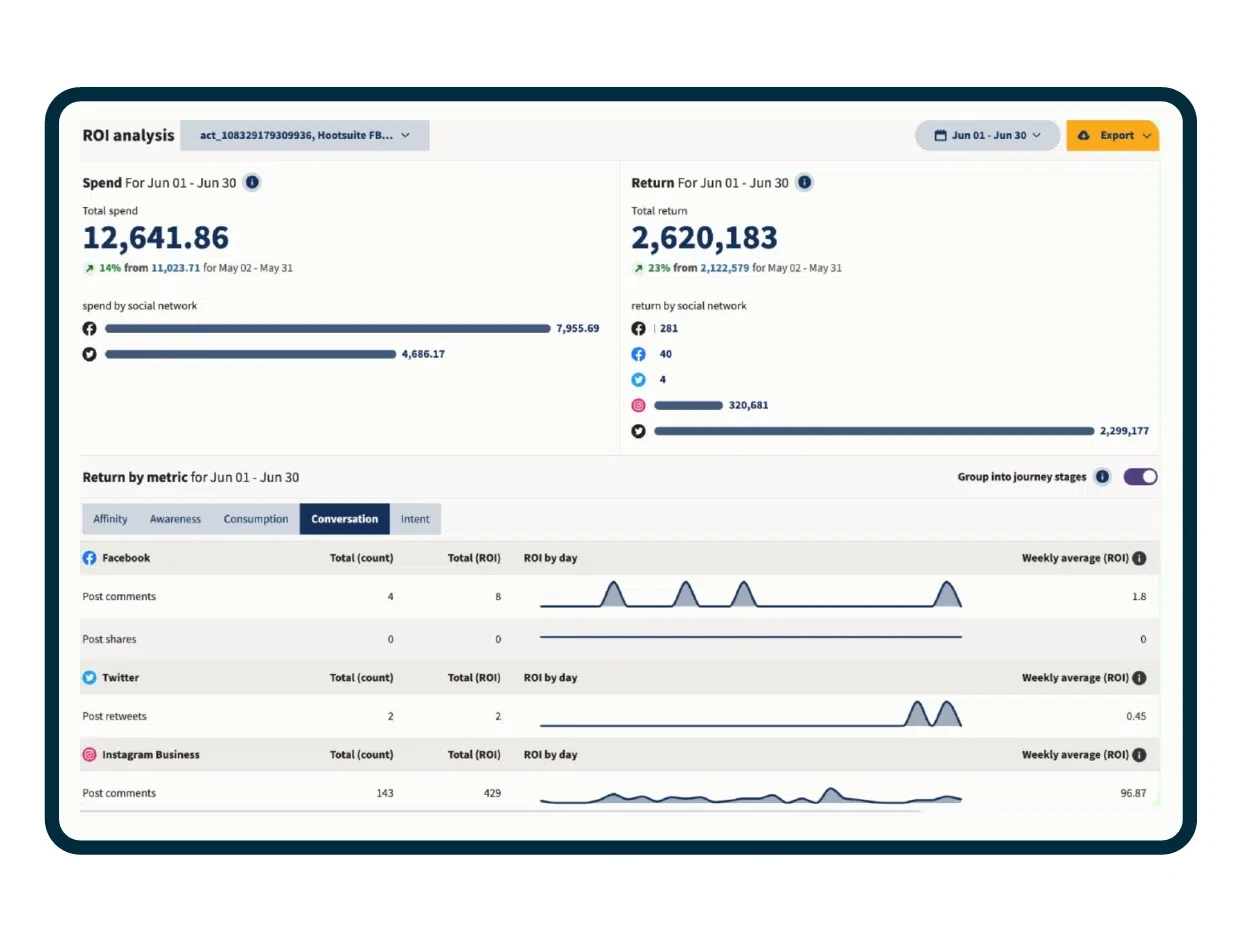
What it actually looks like: Hootsuite’s LinkedIn analytics cover the expected ground, Page and profile performance, best-time-to-post, paid alongside organic, and exportable reports. Its selling point is breadth: a long list of networks and years of integrations. Listening and deeper competitor data sit on higher tiers or as add-ons.
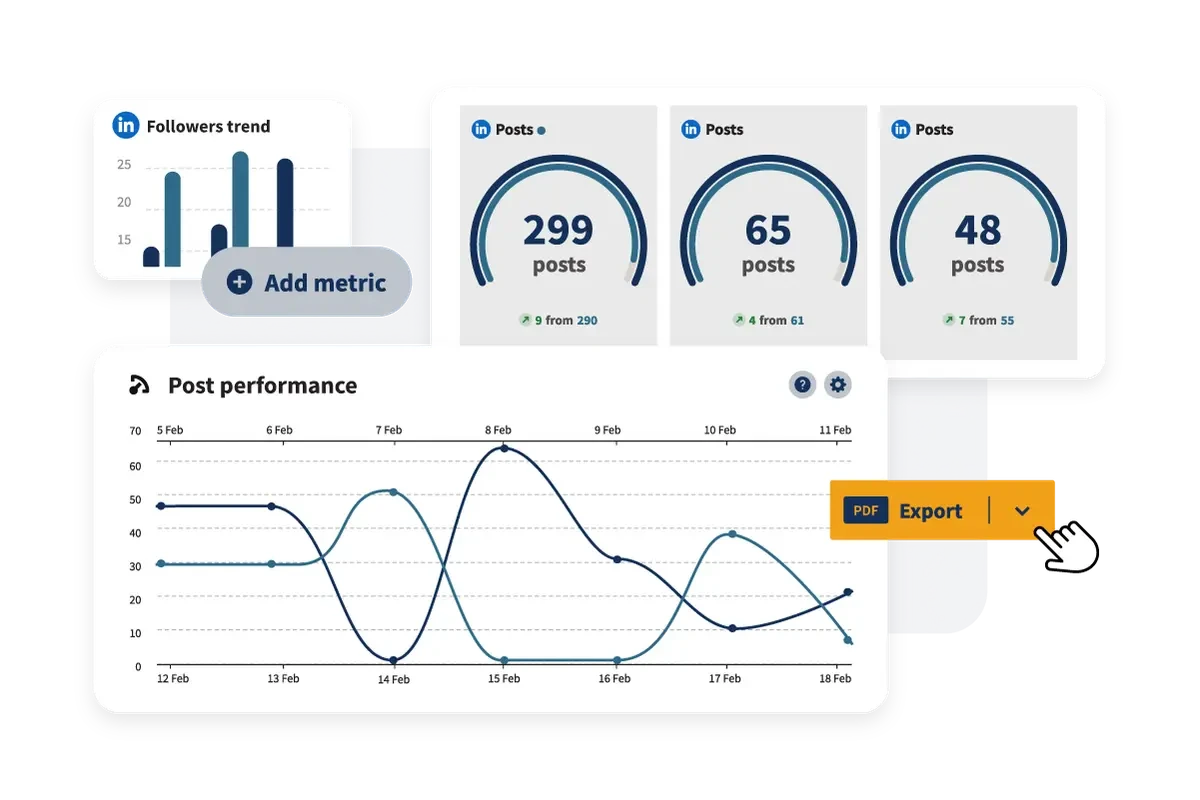
On Capterra, Taylor S., a students director, calls the “integration across practically all platforms… a great one-stop shop,” while noting the interface “is not the most easy to use/user-intuitive for new users.”
You pick Hootsuite for coverage and a known name. You pay for it with per-seat pricing that’s high for what you get on LinkedIn specifically, and there’s no true agency white-label reporting.
Hootsuite’s paid plans start at $99/seat/month (Standard, billed annually), with Professional at $199, Advanced at $399, and custom Enterprise.
What running Hootsuite standalone requires: little on coverage, but small teams on a budget can get the same LinkedIn basics for less, and agencies that need white-label client reports will look elsewhere.
8. Keyhole
An analytics tool focused on hashtag and campaign tracking, plus influencer analytics, across LinkedIn and other networks.
Coverage
- Analytik
- Benchmarking
- Berichterstattung
- Listening
- Multi-account
- Veröffentlichung
What it actually looks like: Keyhole’s niche is campaigns, not steady-state Page reporting. Run a branded hashtag or a time-boxed push and you get reach, engagement, top contributors, and share-of-voice against competitor hashtags in real time, plus influencer analytics. You can watch your campaign hashtag against a rival’s side by side, then export the whole run as a shareable report when it wraps.
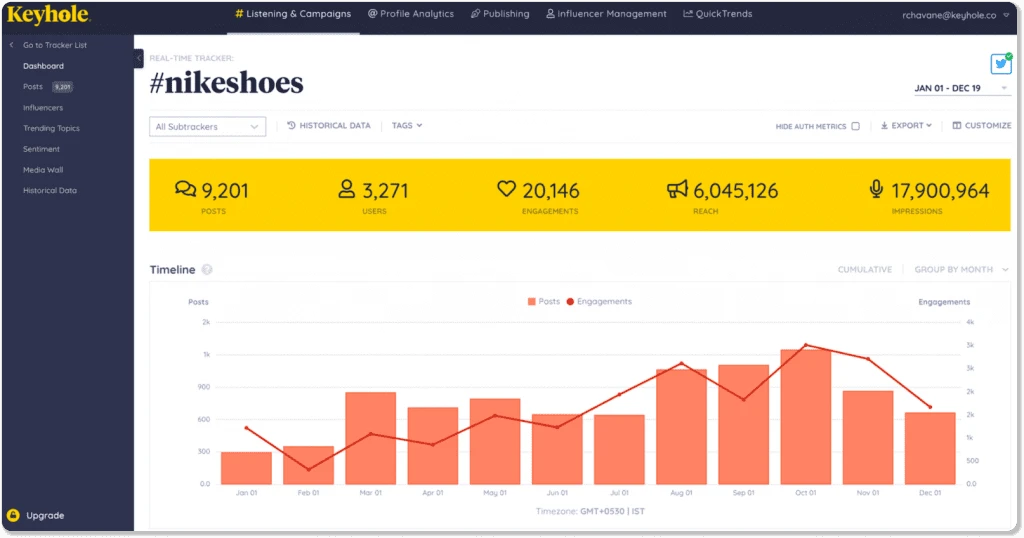
On Capterra, a head of sales in computer software says Keyhole “gives me very good results for hashtag and keyword tracking unlike some other solutions we tried,” but adds that “the price is a bit steep.”
It’s the tool you switch on for the weeks a campaign is live, not an always-on dashboard. For deep Company Page or profile reporting, its strengths sit elsewhere.
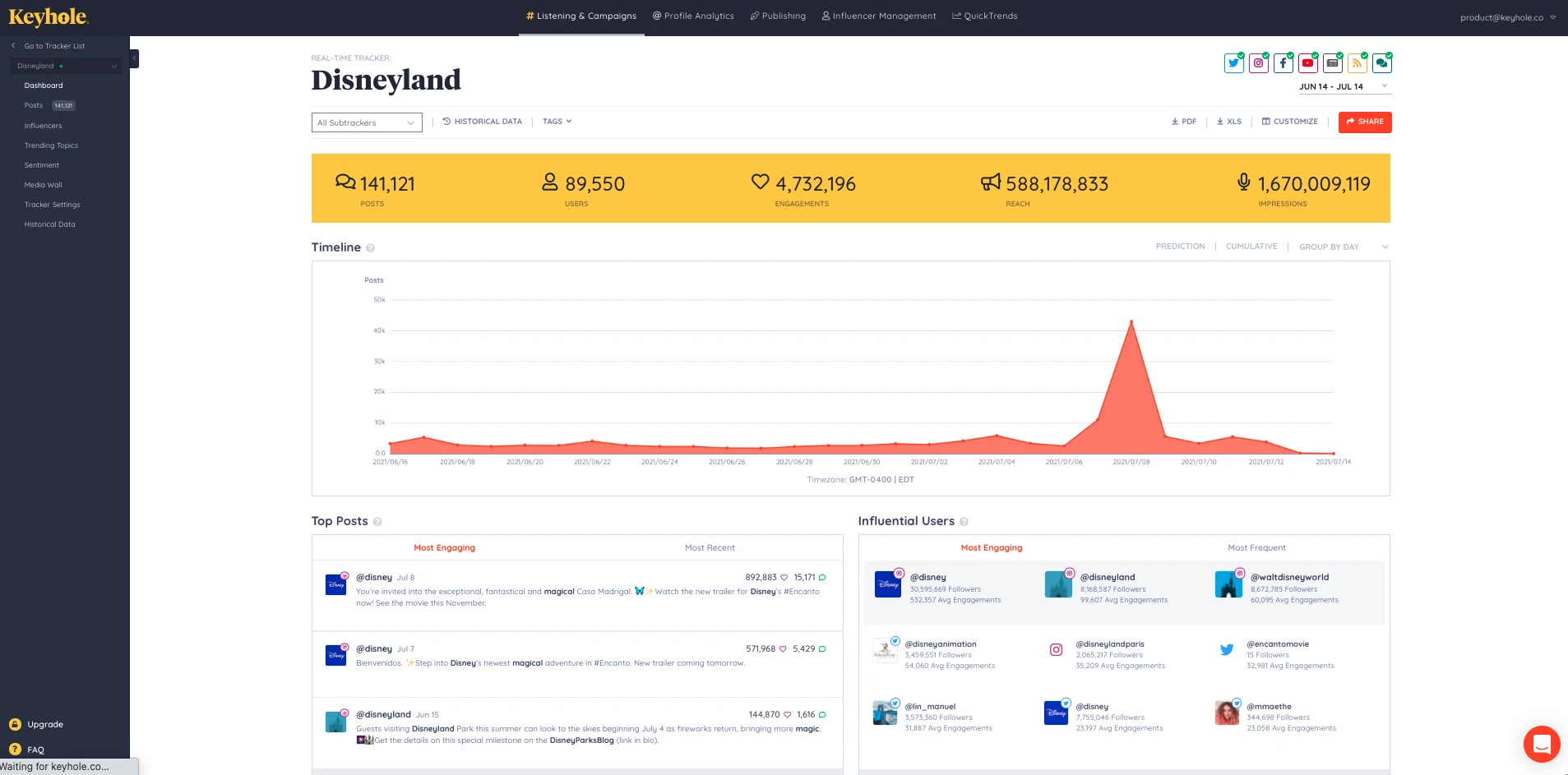
Keyhole does not currently display pricing on its public pricing page, so the exact plan costs are not publicly available.
What running Keyhole standalone requires: a publishing tool, since it doesn’t post, and a different tool if your priority is Company Page or profile reporting rather than hashtags and campaigns.
9. Agency Analytics
The multi-client reporting platform where LinkedIn is one of 80+ sources.
Coverage
- Analytik
- Benchmarking
- Berichterstattung
- Listening
- Multi-account
- Veröffentlichung
What it actually looks like: LinkedIn drops into a client dashboard next to SEO, ads, and web analytics, built with a drag-and-drop editor, white-label branding, a custom domain, and an optional live client login. Reports schedule and send themselves, and each client gets their own login and branded view, so one account’s numbers never bleed into another’s.
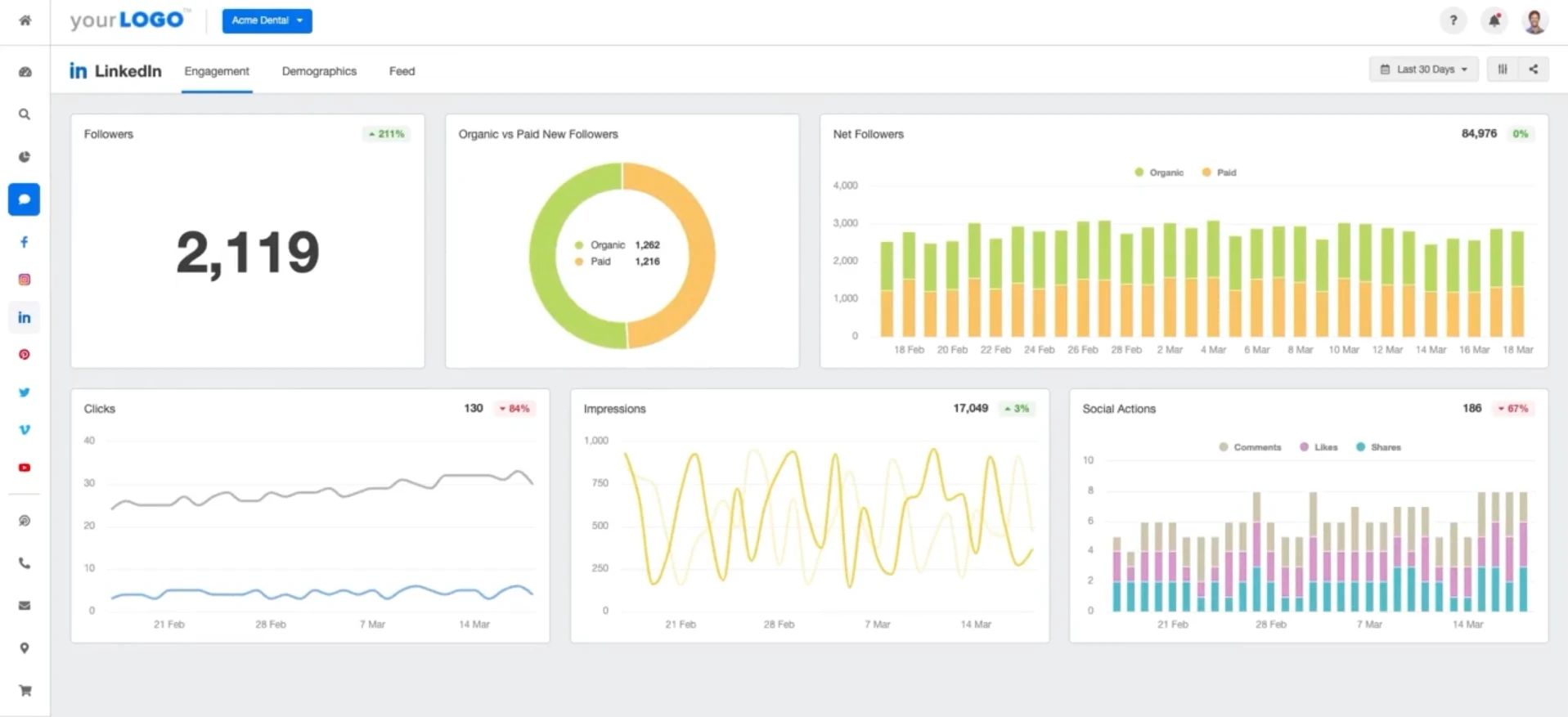
On Capterra, Feraud O., an agency owner, says the live dashboards mean “we can show them real time stats in a easy to view way,” cutting down check-in calls, though other reviewers note the builder’s “limited capacity when it came to configuring report dimensions.”
It earns its keep pulling LinkedIn in with every other channel a client cares about. For a single brand’s LinkedIn, the per-client model is more structure and cost than you need.
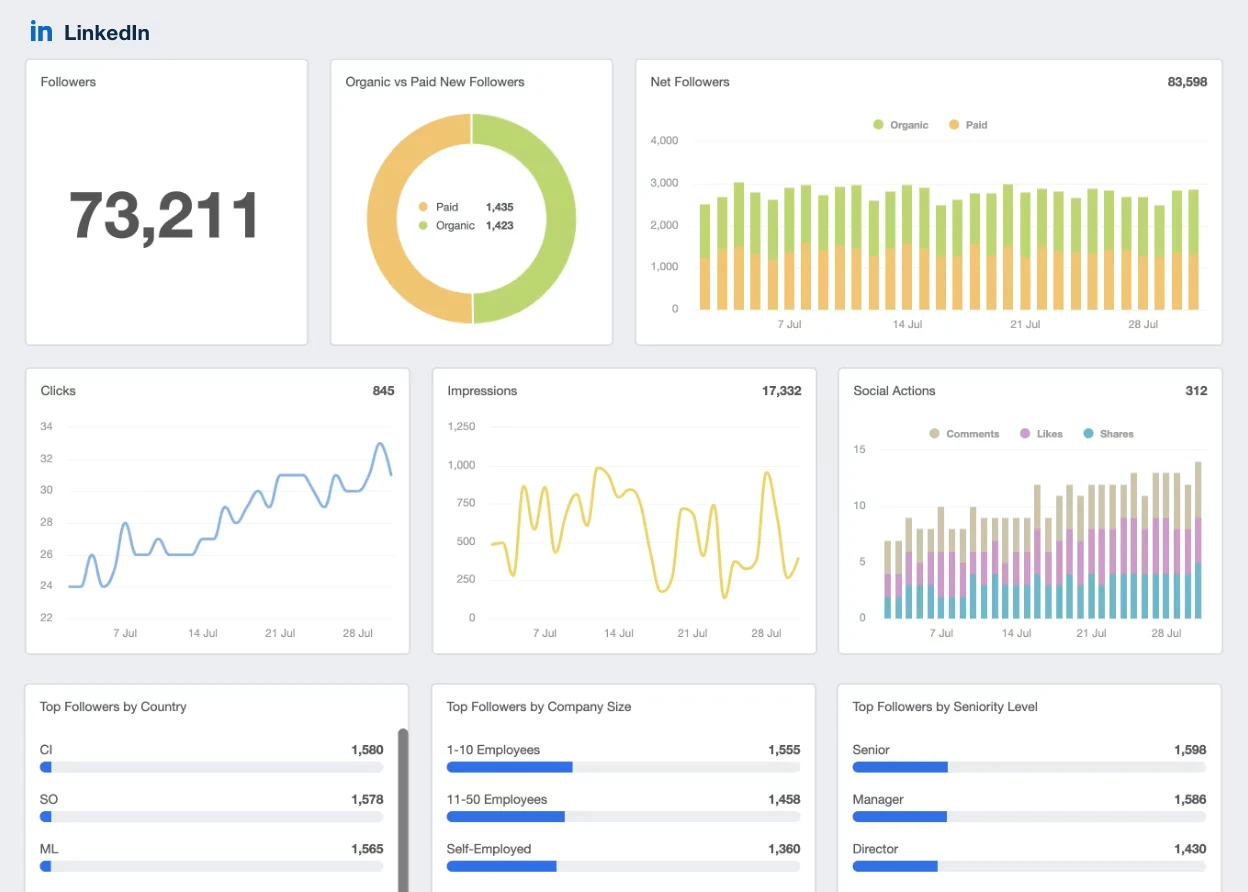
AgencyAnalytics’ pricing starts at $25/month for 5 client accounts on the Freelancer plan, with a 14-day free trial. Add-ons include AI Tracker at $25/month for 250 credits and Rank Tracker at $50/month for 500 keywords. Annual billing is also available at a discount.
What running AgenturAnalytics standalone requires: a publishing tool, it’s reporting-focused, with no LinkedIn posting.
10. Brand24
A social listening and mention-monitoring tool that tracks LinkedIn and the wider web, with sentiment and competitor tracking.
Coverage
- Analytik
- Benchmarking
- Berichterstattung
- Listening
- Multi-account
- Veröffentlichung
What it actually looks like: Brand24 is Brandwatch’s more affordable cousin. It watches for mentions of your brand, product, or keywords across LinkedIn and the web, scores sentiment, tracks share of voice, and alerts you when volume spikes, with AI insights and topic analysis on top.
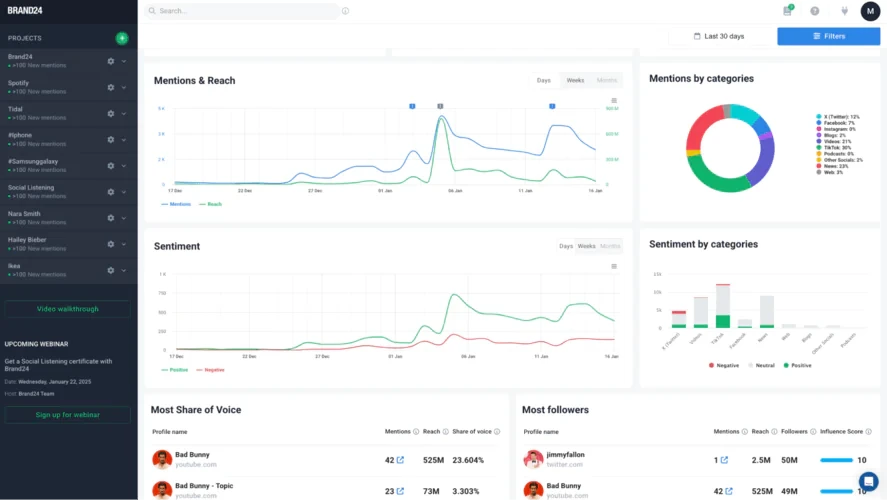
On Capterra, Darla B., a marketing coordinator, says it “covers all social media and all sources on the web… really great and easy to use,” but calls it “pretty pricy,” with a free cap of “only 100 [mentions]… I reach my max by the end of the first week of the month.”
It answers “what’s being said about us,” not “how did my posts do.” If you need owned-Page metrics, it isn’t built for that.
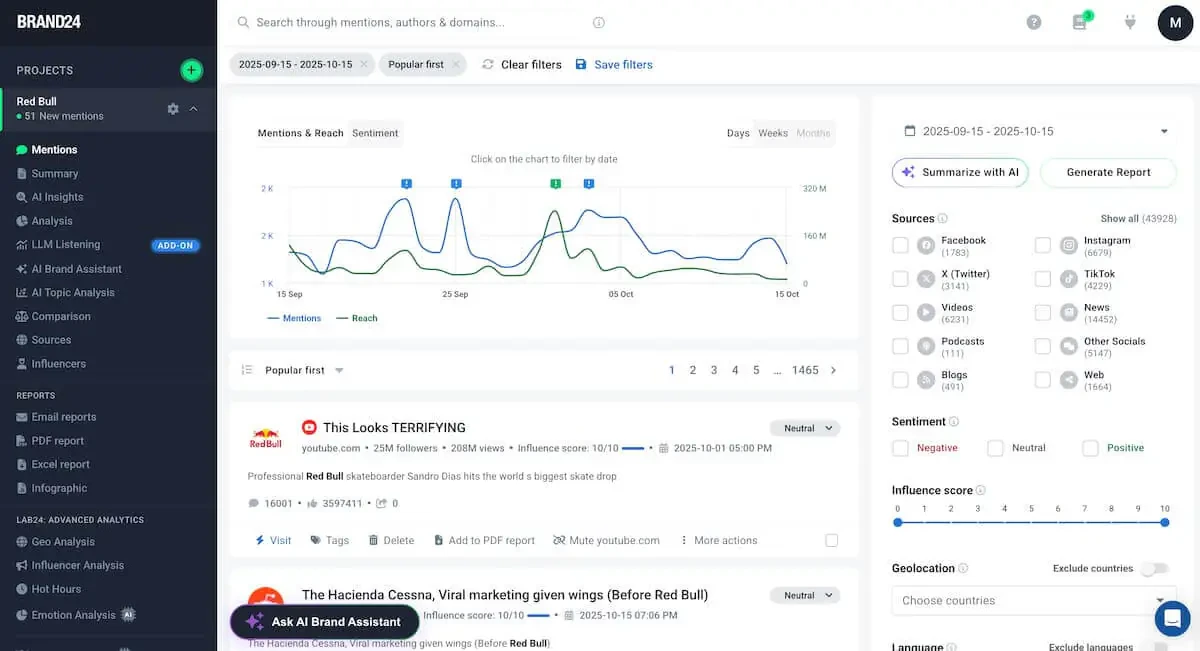
Brand24’s paid plans are Individual at $249/month, Team at $349/month, and Pro at $499/month, up to Enterprise from around $1,499/month, usually shown on annual billing, with a 14-day trial.
What running Brand24 standalone requires: a separate tool for your own Page performance and a scheduler, it neither reports owned metrics deeply nor publishes.
11. Social Status
An affordable, automated analytics-reporting tool that covers LinkedIn Pages and profiles alongside other networks.
Coverage
- Analytik
- Benchmarking
- Berichterstattung
- Listening
- Multi-account
- Veröffentlichung
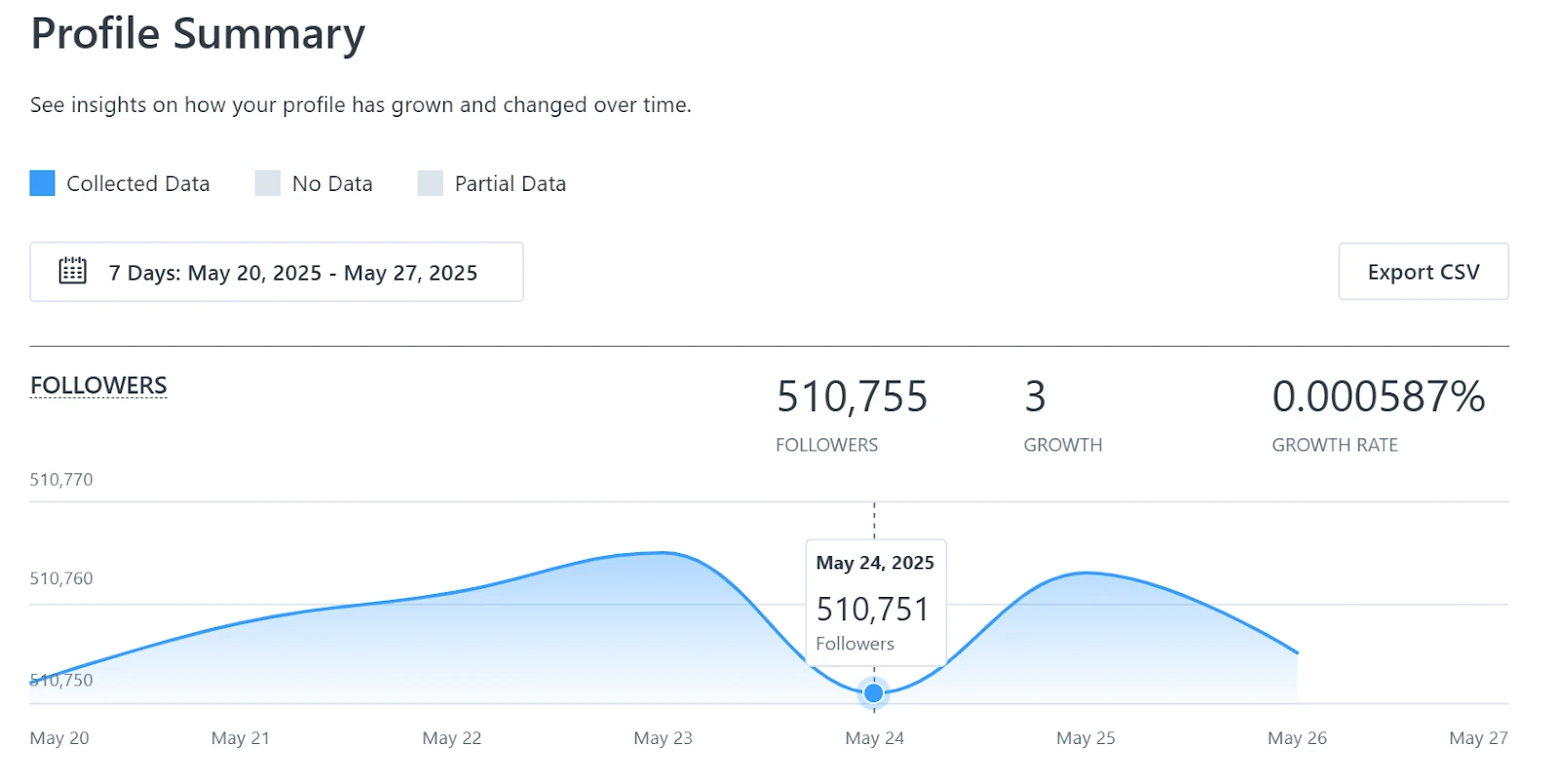
What it actually looks like: Social Status splits analytics into four report types – profile, competitor, ads, and influencer, so you pick the lens you need. Reports export to CSV, PDF, PowerPoint, and Google Slides, you can tag posts and group campaigns, and a free-forever plan lets you try before you buy. Because each report type is its own view, you can hand a client a clean competitor snapshot without the ad or influencer data they didn’t ask for.
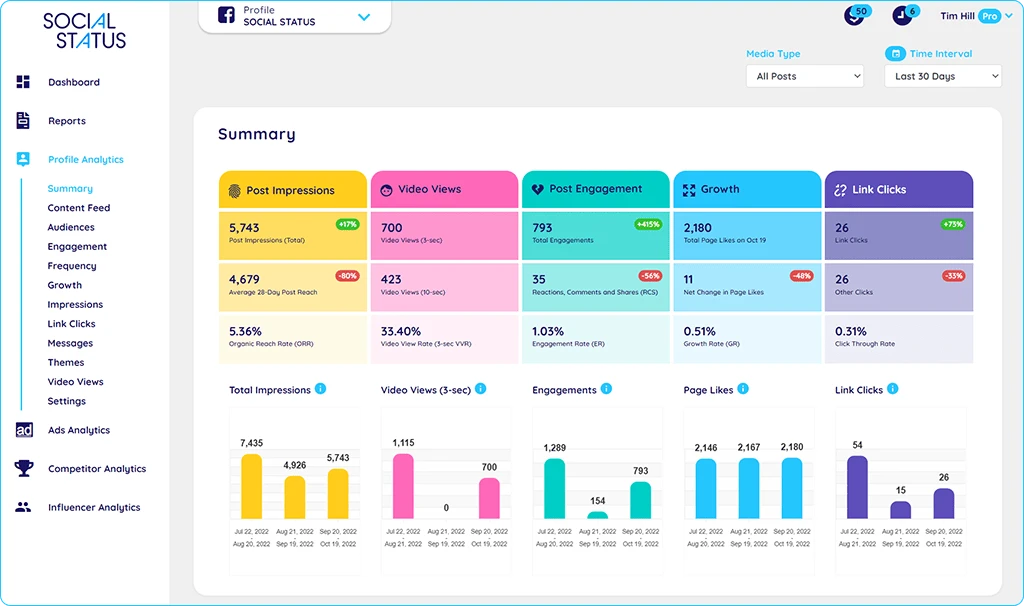
It’s a strong pick when reporting is the whole need and budget is tight. It doesn’t publish, schedule, or engage.
Social Status’ paid plans include a free-forever tier (for small businesses only), with paid plans from around $9/month (Micro for small teams) up to roughly $1499/month, plus a free trial.
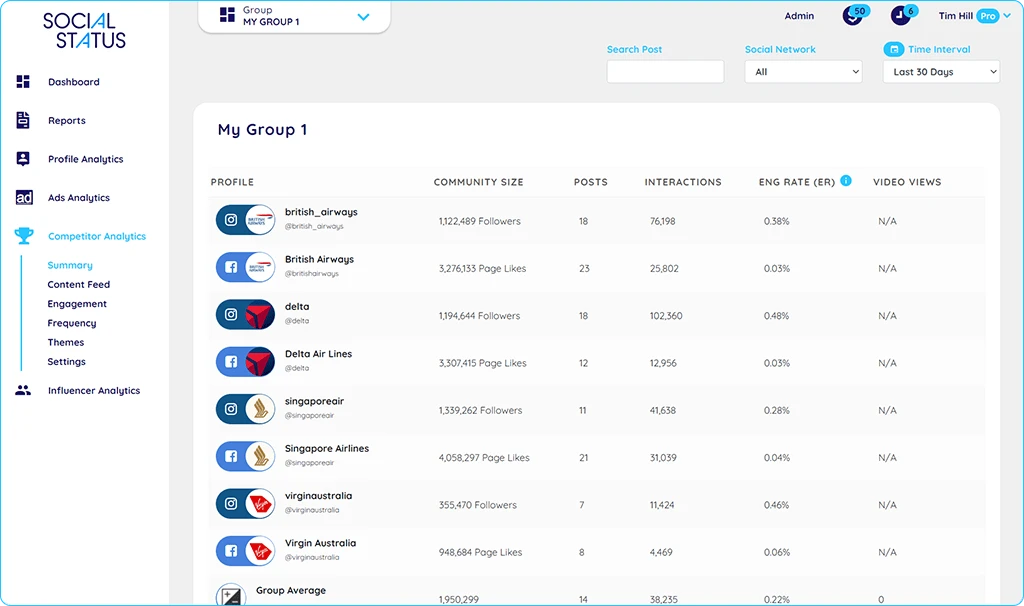
What running Social Status standalone requires: a scheduler for posting, it’s reporting-only. Solo creators may never need more than the free or Micro tier.
12. Später
A scheduling-first platform, strong on visual content, that now includes LinkedIn publishing and analytics.
Coverage
- Analytik
- Benchmarking
- Berichterstattung
- Listening
- Multi-account
- Veröffentlichung
What it actually looks like: Later grew up on Instagram, and its visual calendar and link-in-bio tools are the heart of it. LinkedIn support is real but lighter: schedule posts and see basic performance, best-time-to-post, and follower trends, with AI caption help alongside. For a team already planning Instagram and TikTok in Later, folding LinkedIn into the same calendar avoids paying for a second scheduling tool.
On Capterra, Hanna O., a multimedia manager, likes that “Later’s calendar layout… makes it easy to see what you have scheduled when,” but finds “the interface… pretty cluttered and a bit overwhelming to navigate on a desktop.”
It fits a creator or small brand treating LinkedIn as one of several visual-led channels. If LinkedIn is your main channel and you need deep reporting, it’ll feel thin.
Later’s paid plans are Starter at $25/month, Growth at $50/month, and Scale at $110/month, about 25% off billed annually, with a 14 days free trial.
What running Later standalone requires: a dedicated analytics or benchmarking tool if LinkedIn reporting matters, since its analytics are light and there’s no white-label.
LinkedIn Analytics Tools at a Glance (Comparison Table)
Twelve tools won’t fit one screen without turning into noise, so this table lines up the four that best represent the choice you’re actually making. Each leads a different path: SocialPilot for agencies that want white-label reporting built into the tool they publish from, Sprout Social for enterprise teams that need the deepest reporting, Taplio for creators growing a personal profile, and Socialinsider for anyone whose main job is benchmarking against competitors.
The feature rows use the same key as each tool’s Coverage box: ● full · ◑ partial · ○ none
| Merkmal | SocialPilot | Sprout Social | Taplio | Socialinsider |
| Am besten für | Agencies & small-to-mid teams | Mid-market & enterprise teams | Individual creators & founders | Benchmarking on a budget |
| Startpreis | $30/mo | $199/seat/mo | $39/mo | ~$99/mo |
| LinkedIn scope | Company Page + profile | Company Page + Premium Analytics | Personal profile only | Company Page + competitors |
| Company Page analytics |  |
|
 |
|
| Personal profile analytics | |
|
|
|
| Benchmarking der Wettbewerber | |
|
 |
|
| White-label reports | |
|
|
|
| Automated / scheduled reports | |
|
|
|
| Scheduling & publishing | |
|
|
|
| Free option | 14-Tage-Testversion | 30-day trial | 7-day trial | Kostenloser Versuch |
How We Tested and Curated This List
We judged each tool on what matters for LinkedIn analytics, depth of Page and profile insights, competitor benchmarking, reporting and white-label exports, and how well it scales and held every one to the same honesty standard, our own included. That’s why SocialPilot’s missing competitor benchmarking and social listening is named plainly in its write-up and the comparison table; a list where the publisher’s own product has no downside is an ad, not a comparison.
Every review quote is a real user review with the reviewer’s name linked to the source.
Pricing moves fast, so treat the figures here as starting points and confirm them on each vendor’s own page before buying.
Start With the Job, Then Pick the Tool
The best LinkedIn analytics tool isn’t the one with the longest feature list. It’s the one that fits the job you actually need done, whether that’s Company Page reporting, personal-profile analytics, competitor benchmarking, or multi-client white-label reporting.
Once you define the job, the shortlist gets much smaller. Creators focused on a personal profile need deeper individual analytics, while brands typically need Company Page insights, content performance, and competitor benchmarks. Agencies managing multiple clients need multi-account reporting, automation, and white-labeling without juggling multiple logins or stitching spreadsheets together.
Use the comparison table above to match your reporting needs with the tools that cover them best. And if LinkedIn is just one part of a broader social media workflow, consider a platform that brings publishing, analytics, and reporting together. You can explore SocialPilot’s plans and pricing to find the right fit for the number of accounts you manage.
Häufig gestellte Fragen
Do I actually need a third-party tool, or is LinkedIn's own analytics enough?
Honestly? If you run one Company Page and post now and then, LinkedIn's built-in analytics are fine - reach, engagement, followers, and demographics, all free. You start needing something more the moment you're juggling several accounts, reporting to clients, comparing against competitors, or trying to look back further than a year. That's the line.
How far back does LinkedIn's own analytics actually go?
About 12 months, and that catches a lot of people off guard. LinkedIn keeps roughly a year of Page and post data, then the older numbers quietly drop off unless you exported them first. If you care about year-over-year trends or want a permanent record, that limit alone is usually what pushes people toward a third-party tool that stores the history for you.
Is there a genuinely free LinkedIn analytics tool?
A few. LinkedIn's native analytics cost nothing, and Social Status has a free-forever plan that covers LinkedIn. Most of the paid tools here: SocialPilot, Sprout, Socialinsider, give you a free trial rather than a free tier, which is plenty to test them. Just know the deeper reporting and competitor data almost always sit behind a paywall.
Can I track my competitors' LinkedIn Pages?
Not with LinkedIn's own tools, and not with every tool on this list, LinkedIn only shows you your own accounts. For real competitor benchmarking you want something built for it, like Socialinsider, Sprout Social, or Brandwatch. A broad scheduler such as SocialPilot reports on your accounts only, so pair it with a benchmarking tool if watching rivals is the goal.
What's the best LinkedIn analytics tool for an agency?
For agencies the deciding factors aren't the metrics, they're clean per-client separation and white-label reports. SocialPilot and Sprout Social do both inside a full suite; AgencyAnalytics and Social Status are strong if you only need reporting and not publishing. Start from how many clients you manage and whether you also schedule, then pick the tier that matches.
How do I see analytics for my personal profile, not just a Company Page?
Open any of your posts and hit "View analytics," or check the "Post impressions" and "Profile viewers" panels on your own profile that's where LinkedIn shows creators impressions, engagement, and follower trends. For tracking a personal profile properly over time, a tool like Taplio is built for individual creators rather than brand Pages.
Über den Autor