
You can publish great content on Bluesky every week and still feel invisible.
That’s because most brands bring the same playbook they use on LinkedIn, X, or Instagram — grow followers, post consistently, and hope the algorithm rewards them. Bluesky doesn’t work that way.
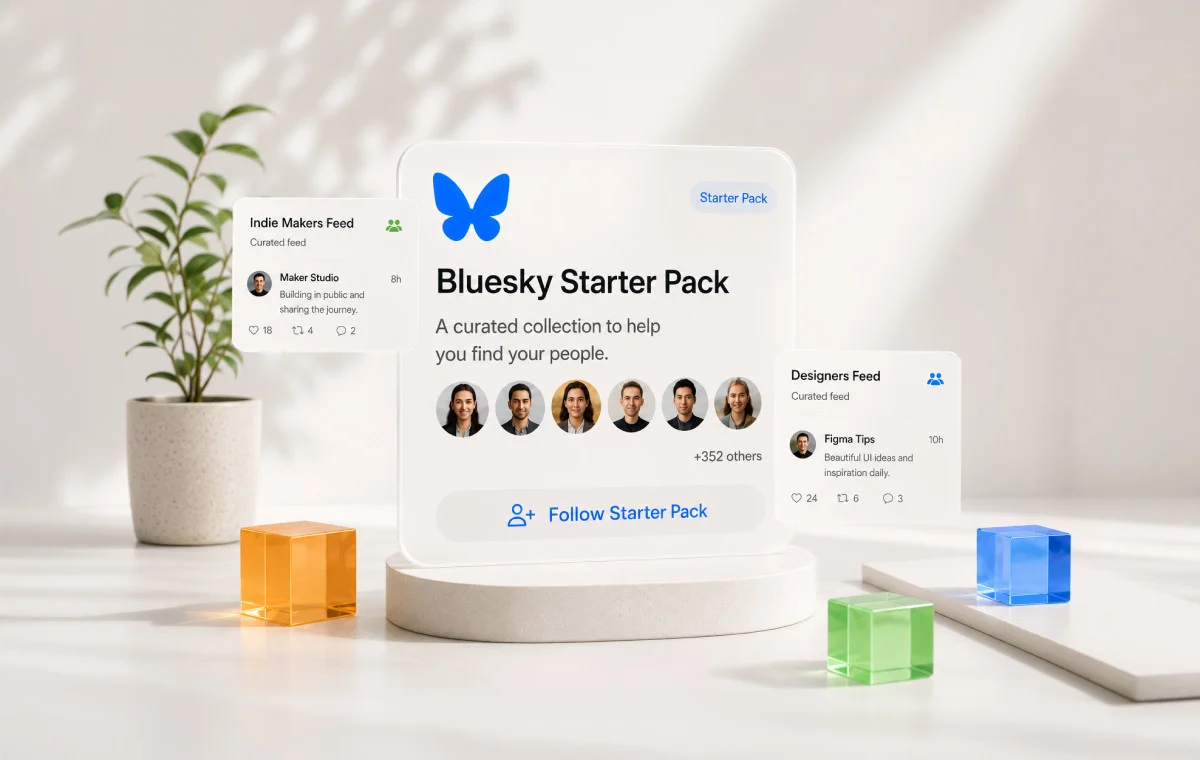
On Bluesky, followers are only one part of the equation. Discovery happens through custom feeds, while Starter Packs help new users instantly find the right people and conversations to follow. Together, they shape how communities form, how content gets discovered, and whether your posts keep reaching people long after they’re published.
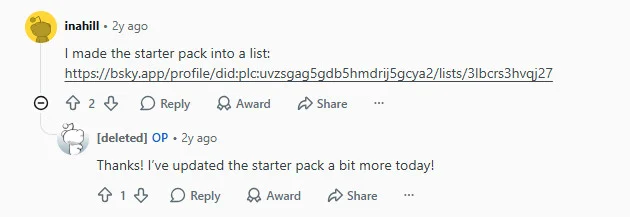
Many brands miss this completely. They create a Starter Pack once, never update it, or ignore custom feeds entirely. The result is predictable: good content with very little visibility. And there are subreddits discussing starter packs for building community on Bluesky:
The good news is that building a thriving Bluesky community is much simpler once you understand how these two features work together. Instead of chasing followers alone, you’ll build a system that helps the right people discover your content, join your community, and keep coming back.
What Bluesky Custom Feeds Actually Are (And Why They Are Not Optional)
A custom feed is a filtered stream of posts on a single topic that anyone can build and anyone can follow. Think of it as a channel for a subject, not a person.
The reason this matters starts with how Bluesky is built. It runs on the Authenticated Transfer (AT) Protocol, an open standard where your content is not locked to one company’s ranking algorithm. The protocol separates the feed that shows content from the servers that store it, so feeds, search, and moderation can each come from independent builders. Users pick the feeds they want, the way you pick a search engine. That is how the AT Protocol describes itself.
For your strategy, that means one thing:
There is no single “algorithm” to crack. There are many feeds, each with its own rules, and your job is to land in the ones your audience reads.
How a custom feed is actually made:
- A feed generator subscribes to the AT Protocol firehose, the live stream of every public post on the network
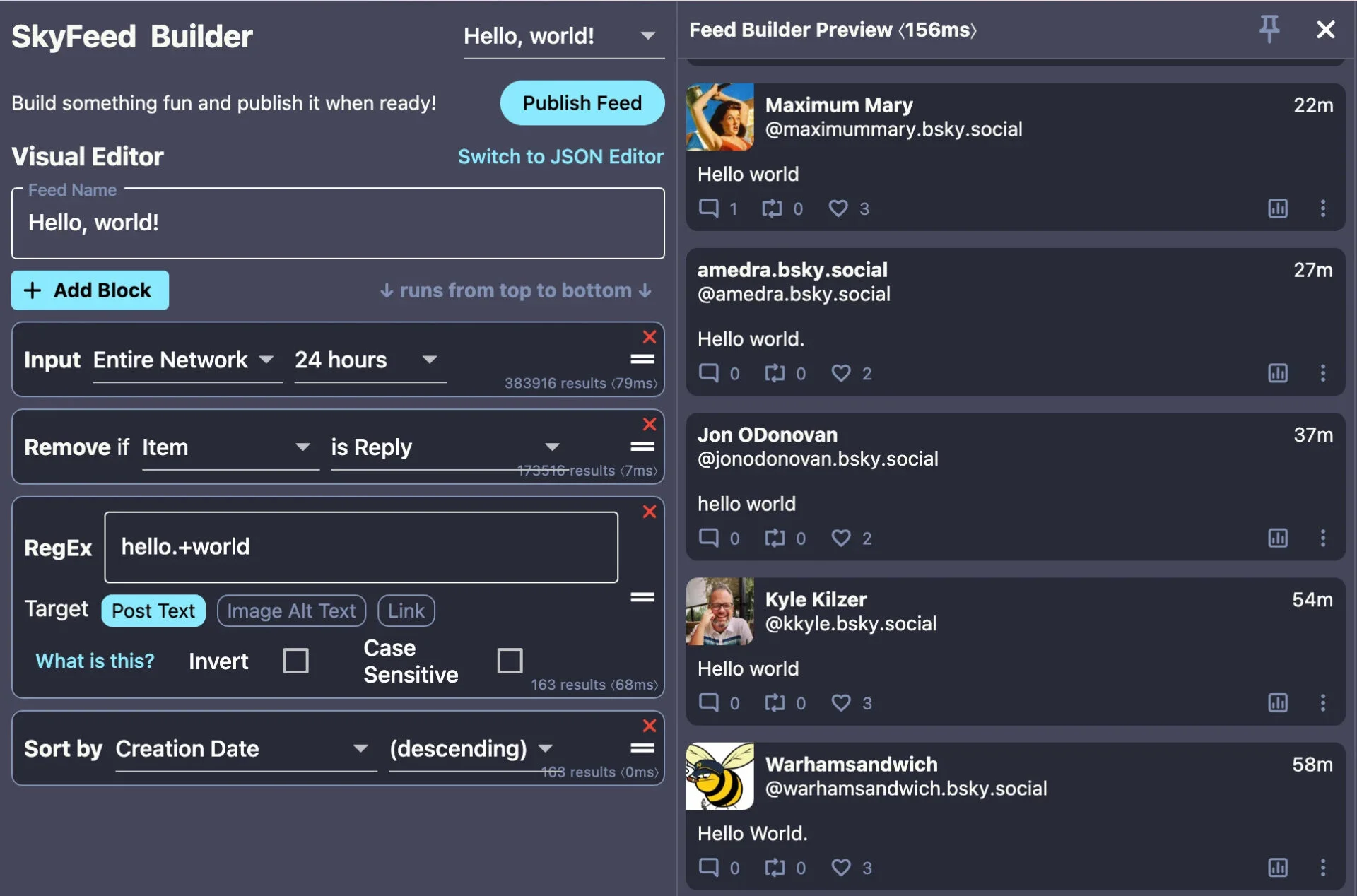
- It filters that stream by rules like keyword, hashtag, language, or engagement
- It returns a list of matching posts, and the Bluesky app displays them
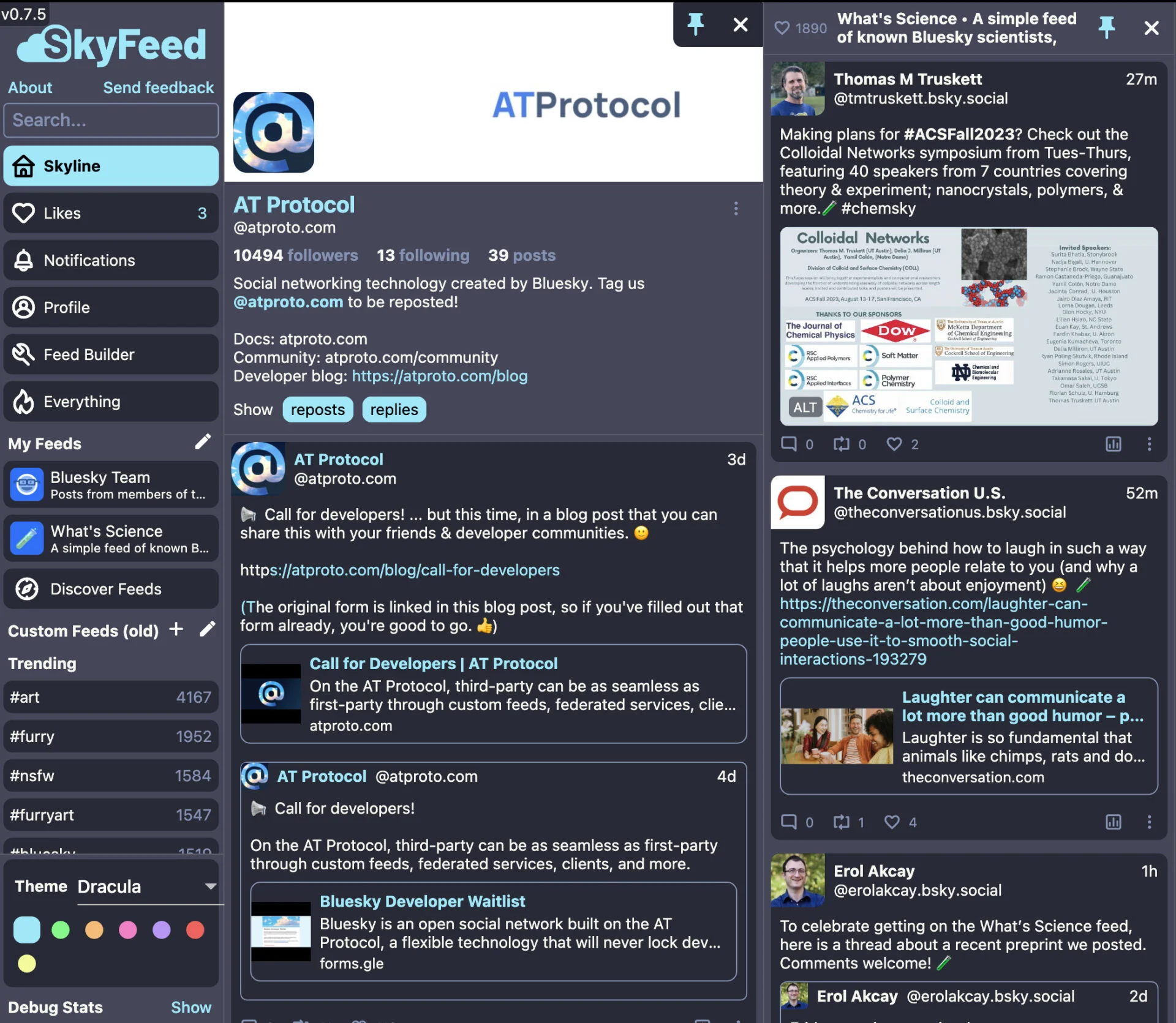
Feed generators are hosted independently and need no permission from Bluesky to run.
Custom feed vs. the timeline vs. X List
These three get confused constantly. They are not the same thing.
| Item | What it is | What it does for your brand |
| Default timeline (Discover) | Bluesky’s own ranked feed | Little you can control directly |
| Custom feed | A public topic stream anyone can follow | Your real discovery channel |
| Twitter/X List | A private list of accounts you chose to read | Helps only you, no one discovers you |
A Twitter/X List is a reading tool for you. A custom feed is a public discovery channel that pulls in posts by rule, and other people subscribe to it. That is why feeds, not follows, drive reach here.
Do you need to build your own feed?
For most brands, no. You have two paths:
- Earn your way into feeds other people already run. This is where nearly everyone should start. It costs nothing but attention to how you write.
- Build and host your own feed. Worth it only if you have developer help.
We cover both below. Either way, the first move is to understand that feeds are your distribution, not a personalization toggle. This is the foundation for everything else in your Bluesky marketing strategy.
How to Build a Bluesky Community with Custom Feeds and Starter Packs
Here is the fix. It is a system, not a tactic, and it has two tiers that solve two different problems.
- Tier 1, the Starter Pack, handles onboarding. It gets the right people in the door and following the right accounts and feeds on day one.
- Tier 2, custom feeds, handle retention. They keep surfacing your content to those people after the first-day excitement fades.
Do only Tier 1 and your new followers drift off. Do only Tier 2 and your feed has no front door. You need both.
The data behind why Starter Packs work
Starter Packs are unusually good at the hardest problem a young network has: getting new users past the empty-room stage.
A peer-reviewed 2025 study of Bluesky, run by researchers at Lancaster University, TU Darmstadt, and City St George’s, University of London, analyzed 25 million users and 335,000+ Starter Packs across the platform’s entire early lifecycle. It found that packs generated 308.57 million unique follow connections, or 19.95% of all follow relationships on the entire network. One feature drove nearly a fifth of every follow on the platform.
The effect got even stronger when it mattered most. During peak migration waves, Starter Packs drove up to 43% of all new follows, and 20% to 40% of daily follow actions came from a single click on a pack. And this came from a small slice of the network: only 6.25% of users were ever in a Starter Pack. A tiny mechanism, outsized results.
The payoff for accounts inside a pack is just as concrete. Compared to similar accounts left out, members gained:
- 85% more followers after four weeks
- 70% more likes on their posts by the fourth week
- 60% more posts — they didn’t just get seen, they stayed active
Being in the right pack is not a vanity placement. It compounds, which is one reason Starter Packs helped push Bluesky past 40 million users.
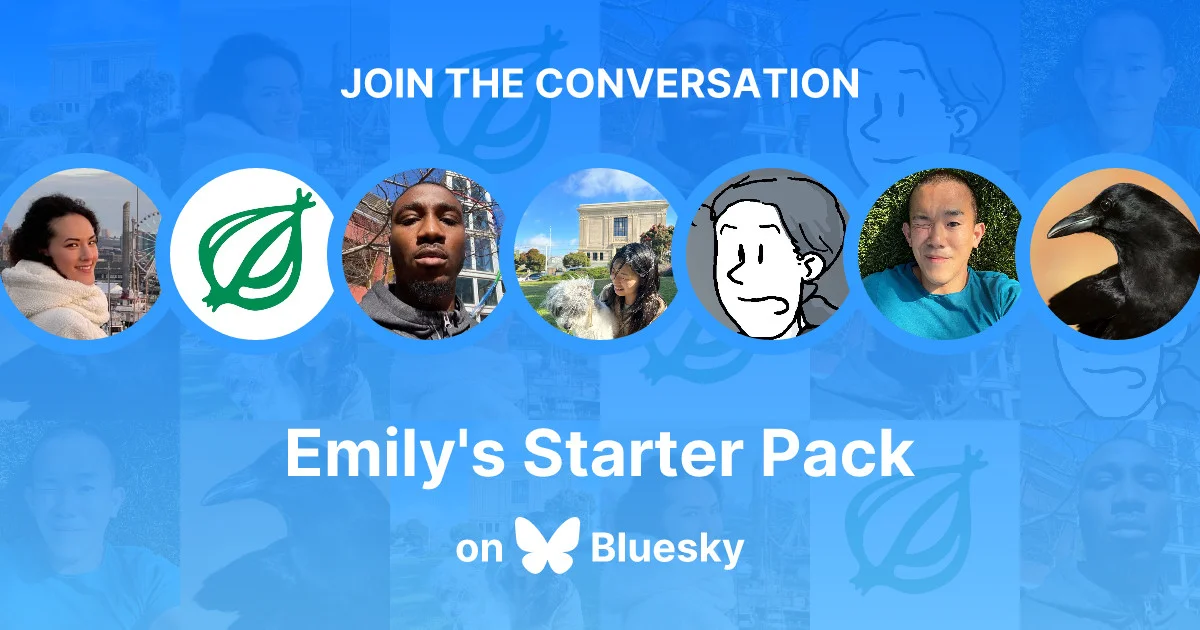
Tier 1: Build a Starter Pack as a real front door
Do not build a staff list. Build the pack a newcomer to your niche wishes existed: the voices worth following to understand your corner of Bluesky, plus the feeds that keep that topic flowing.
Here is the exact process:
Step 1: Open your Bluesky profile and go to the Starter Packs section.
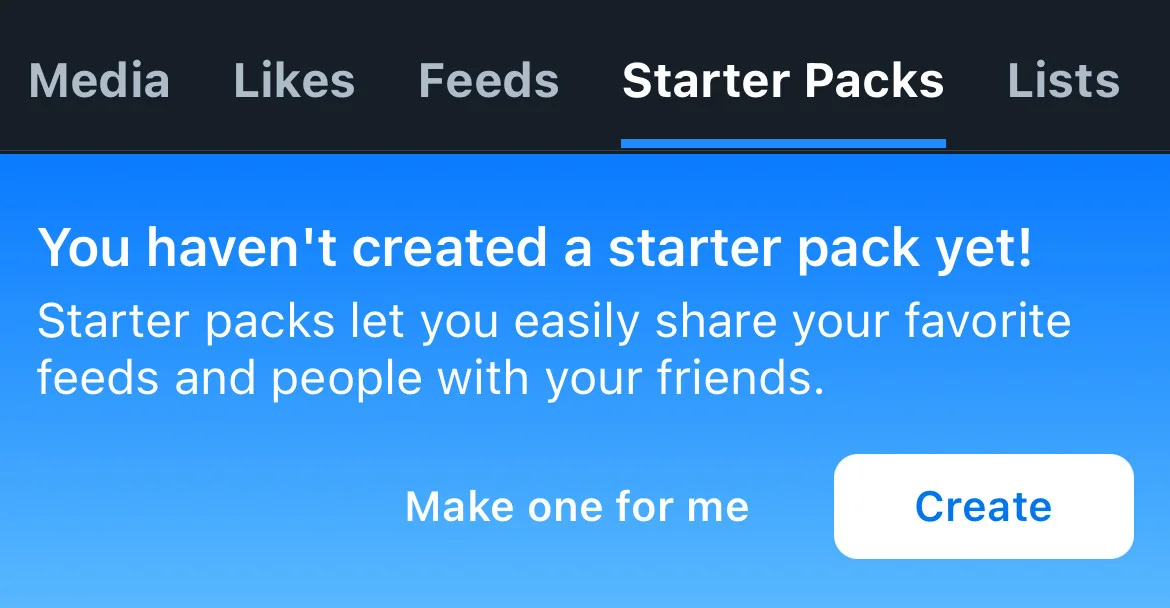
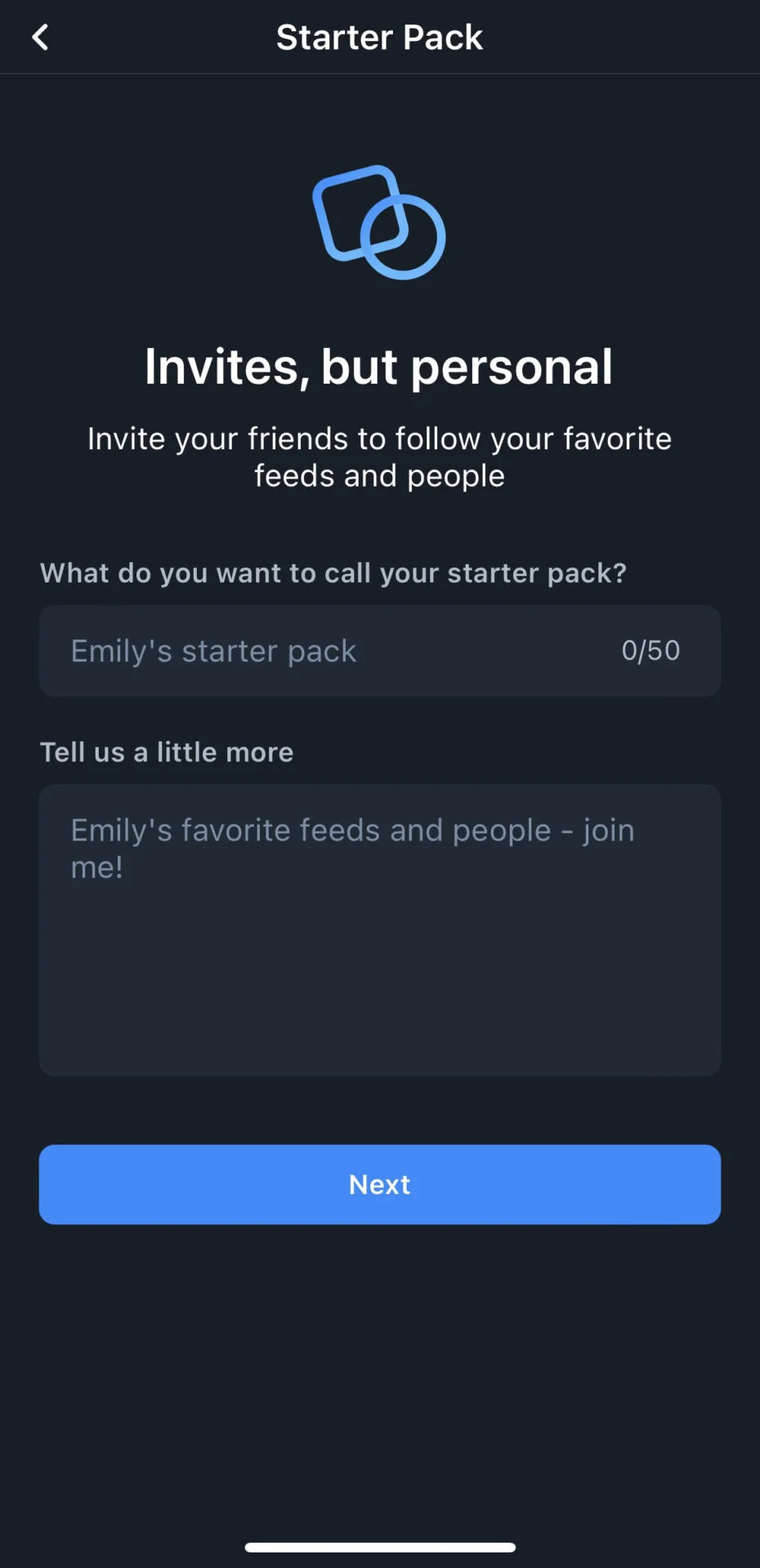
Step 2: Create a new pack and name it for the topic, not your brand. “People rethinking B2B marketing” beats “Acme Corp Team.”
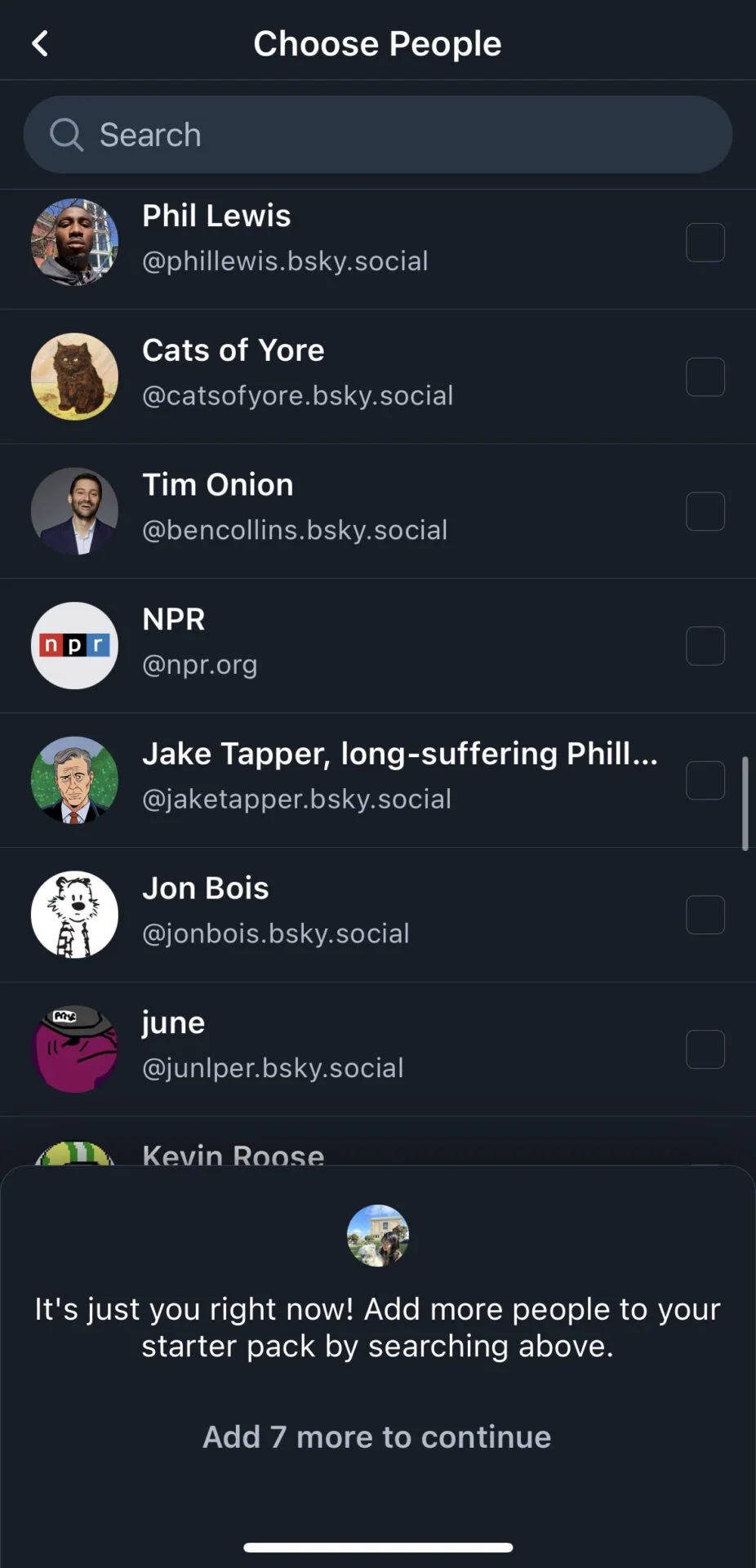
Step 3: Add accounts. You can include up to 150, but aim for a focused 20 to 50 genuinely useful voices, including yours.
Step 4: Add up to 3 custom feeds on the same topic, so members land in living streams, not just a static list.
Step 5: Save and share the link everywhere you already have reach: your other bios, your newsletter, your email signature. You can invite anyone, even people who do not have a Bluesky account yet.
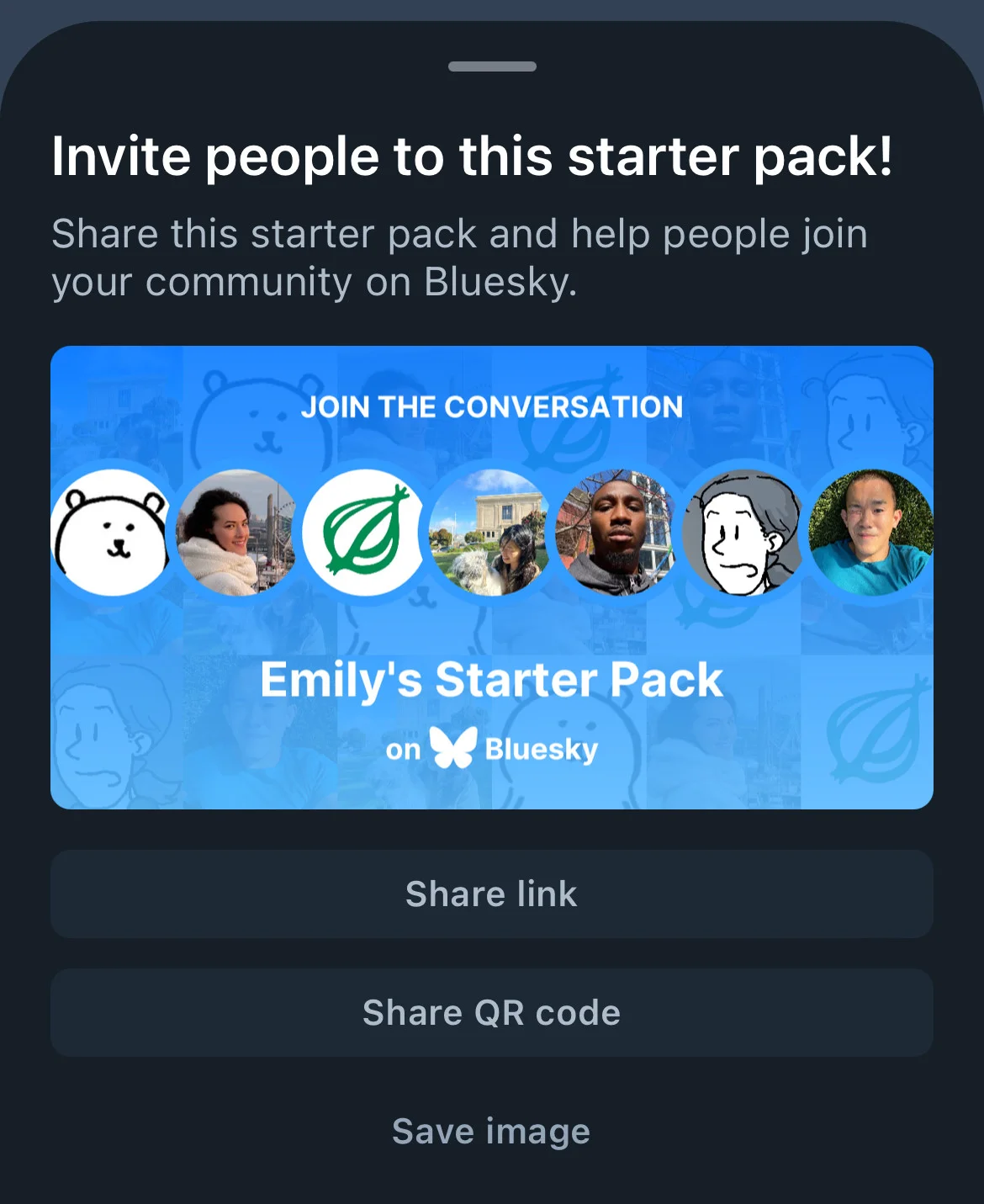
Two facts make this worth the effort:
- Anyone can create a Starter Pack, you can run more than one, and each holds up to 150 accounts and 3 feeds.
- When someone joins through a pack, their Following and Discover feeds are auto-pinned, so they land in a populated experience instead of an empty timeline they abandon.
Tier 2: Custom feeds as the retention engine
A Starter Pack gets someone in the door once. It does not bring them back. Custom feeds do.
Once someone follows a topic feed you contribute to, they see your relevant posts every time they open it, without having to remember your handle. That is retention: ongoing, low-effort rediscovery.
This only works if fresh content keeps flowing into the feed. Plan Bluesky the way you plan any other channel, in advance, on a content calendar so the stream never goes quiet. Scheduling Bluesky natively, rather than posting by hand, is what keeps that cadence steady week after week.
Here is how the pieces fit together:
| Feature | What it is | Strategic use | Limitation |
| Custom Feed | A filtered topic stream from a feed generator | Tier 2 retention: ongoing discovery | You must earn inclusion or host your own |
| Starter Pack | A shareable list of up to 150 accounts and 3 feeds | Tier 1 onboarding: bring people in | One-time entry; no native attribution data |
| AT Protocol Firehose | The live stream of every public post | What feeds read and filter | Raw until a generator applies rules |
Why Posting on Bluesky Feels Like Shouting into a Void
The silence is not a content problem. It is a distribution problem, and it usually comes down to three mistakes.
Mistake 1: Counting followers as reach
Your follower count is not your reach on Bluesky. Feeds are.
A post reaches people who see a feed it landed in. If your post matches no active feed, it sits in front of the handful of followers scrolling their Following tab at that exact minute. You can have thousands of followers and still be invisible, because followers are not a distribution system here.
Mistake 2: Treating a Starter Pack like a contact card
Most brands build a Starter Pack as “here is our CEO and three colleagues,” then stop.
That is not what the feature is for. A Starter Pack is a one-click onboarding funnel that can hold up to 150 accounts and 3 custom feeds. New people use it to join and instantly fill an empty timeline. As a staff list, it does nothing for community. As a curated front door, it is your single strongest growth tool.
Mistake 3: No workflow, so no consistency
If your scheduler does not post to Bluesky, you post by hand. That means you post inconsistently, and Bluesky becomes the channel you skip when the week gets full.
Community platforms punish inconsistency harder than broadcast platforms do. A community that stops seeing you assumes you left.
Put the three together and the void makes sense. You are measuring the wrong number, skipping the real front door, and posting on a cadence that breaks the moment you get busy.
Getting Your Content into Bluesky Custom Feeds
Now the mechanics of getting seen. A topic feed generator watches the firehose and grabs posts that match its rules, usually keywords, hashtags, language, or an engagement threshold. It returns a list of post IDs, and the app fills in the posts. That whole pipeline is documented in the AT Protocol feed guide.
What that means for how you write is direct: If a feed scans for a keyword or hashtag and your post does not contain it, your post is invisible to that feed, no matter how good it is.
Tailor your copy to match feed rules. Include the specific keywords and hashtags that relevant feeds filter for (like #PixelArt #NaturePhotography). Instead of keyword stuffing, you are intentionally speaking the language the system is programmed to find.
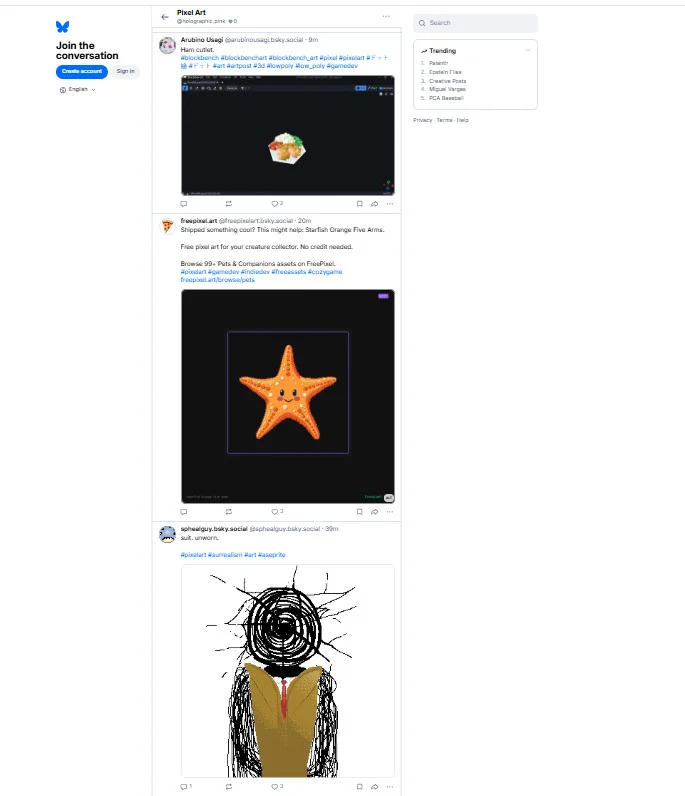
Earning inclusion in feeds you do not own
This is the whole first path, and it is where most brands should live:
- Find the active feeds in your niche
- Learn what each one filters for
- Write posts that genuinely fit them
You get pulled in automatically, no permission needed, because the generator matches rules against the firehose, not relationships.
When to build your own feed
Building your own is worth it only with developer help. A quick comparison:
| Approach | Best for | What it costs |
| Earn inclusion in existing feeds | Almost every brand | Time and attention to how you write |
| Build your own feed generator | Brands with developer resources | Engineering time plus hosting |
If you do build, the official AT Protocol starter kits come in TypeScript, Python, or Ruby, and the feed runs on your own server. There is also a lower-barrier, in-app option to create a feed with basic filtering and no code, which is enough for many brands.
One honest warning: a working feed can quietly fail to show up in the app’s Discover Feeds section. Real builders have hit this, from feeds that respond correctly but never appear under Discover to long-standing requests to make feed discovery easier to find. Building the feed is not the finish line. You still have to promote it and pin it into your Starter Pack.
What decentralization means for you (in practice)
Because the AT Protocol lets anyone run infrastructure, communities can build their own homes. Blacksky is the clearest example: a community-run feed and moderation project that operates independently of Bluesky’s own infrastructure, exactly what the protocol’s third-party design allows.
The upside: no single company can shut down a feed you rely on. The tradeoff: discovery is fragmented, so promotion is always on you.
Managing Bluesky Community Building in Your Multi-Channel Workflow
None of this survives a real week unless it fits your existing workflow. You are running Bluesky alongside four or five other channels, and it will be the first thing to slip.
Give it a small, fixed place
Bluesky does not need daily brand broadcasts. It needs a steady, community-shaped cadence:
- A few genuinely useful posts a week that match the feeds you are targeting
- Real replies, not just publishing
- One row in the same content calendar as everything else, not a separate chore
Measure the right proxies
There is a real measurement gap on Bluesky. As of mid-2026, the platform doesn’t provide native analytics for feed subscriber counts or Starter Pack attribution. You can’t see exactly how many followers came from a Starter Pack or how many people subscribe to a custom feed.
Instead of chasing metrics that don’t exist, focus on the signals that do.
| What you cannot see natively | What to track instead |
| Starter Pack attribution | Follower growth rate, week over week |
| Feed subscriber counts | Engagement rate per post, not raw likes |
| A single ROI dashboard | Reply sentiment and link clicks |
Engagement rate is the number to watch. On a smaller but highly active network, a post can earn more real replies than the same post on a platform ten times the size, so track the rate rather than the raw follower count. Where your other tooling gives you post-level data, use it: pulling Bluesky into the same analytics view as your other channels shows which posts actually earned replies and clicks.
Keep the cadence from breaking
Consistency is what quietly kills most brand Bluesky efforts. When it lives outside your normal workflow, it becomes the channel you drop under pressure.
The fix is to run it in the same system as everything else. Scheduling Bluesky alongside your other platforms, so it publishes on time without manual posting, removes the one variable that breaks community: showing up. That is exactly the gap SocialPilot’s Bluesky scheduling fills.
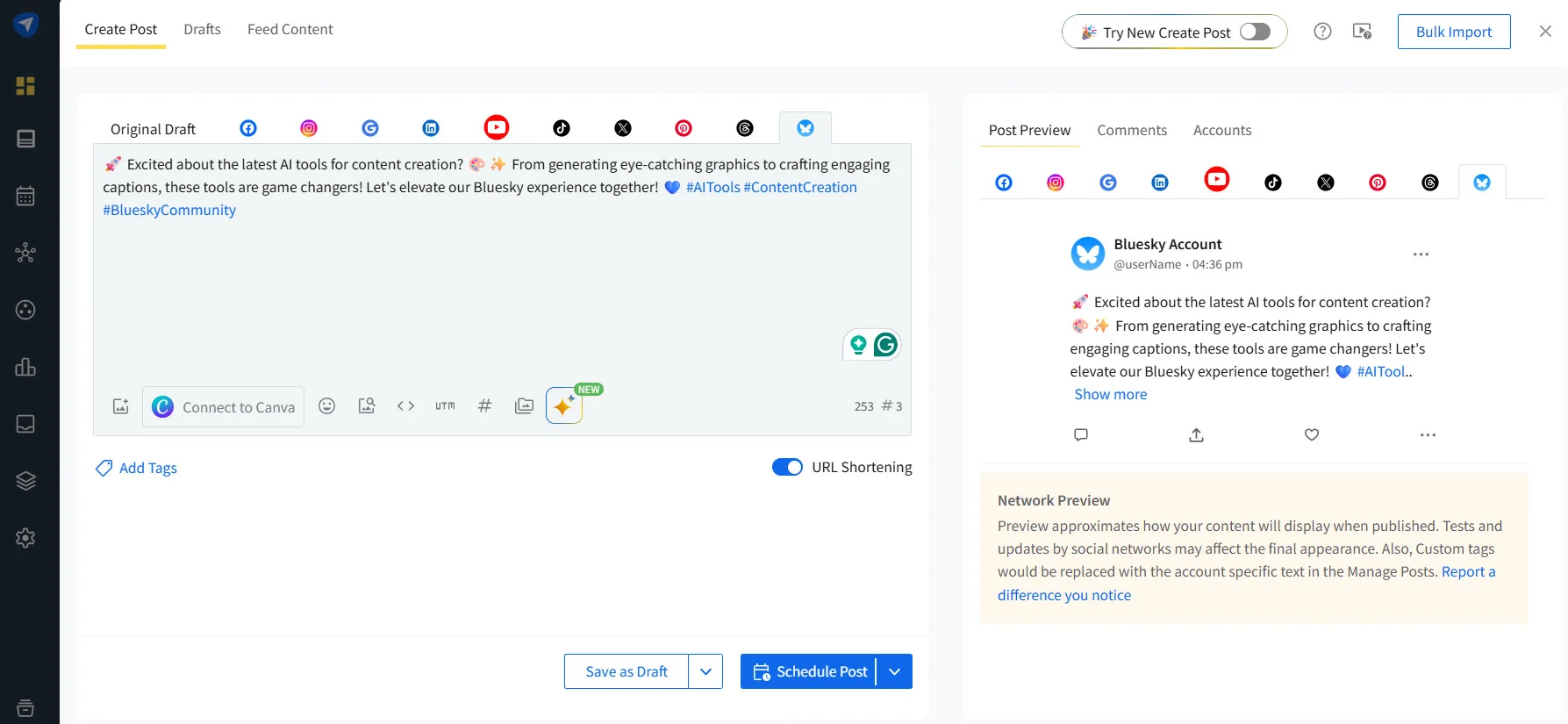
To be clear, no tool manages your feeds or Starter Packs for you. What the right tool removes is the manual-posting tax that makes the whole system collapse in a busy week.
Bringing It Together
Growing on Bluesky isn’t about getting more followers. It’s about making your content easier to discover and giving people a reason to stay engaged.
Starter Packs bring the right people in. Custom feeds keep your content in front of them. Together, they create a repeatable community-building system instead of relying on one-off posts.
The only thing left is consistency. Publish regularly, engage with your community, and make Bluesky part of your existing content workflow. SocialPilot helps by letting you schedule Bluesky posts alongside your other social channels, so staying active becomes automatic, not another task to remember.
Ready to make Bluesky part of your regular publishing workflow? Start your free trial and schedule Bluesky alongside your other social channels, all from one place.


 Join 55,000+ social media managers


