
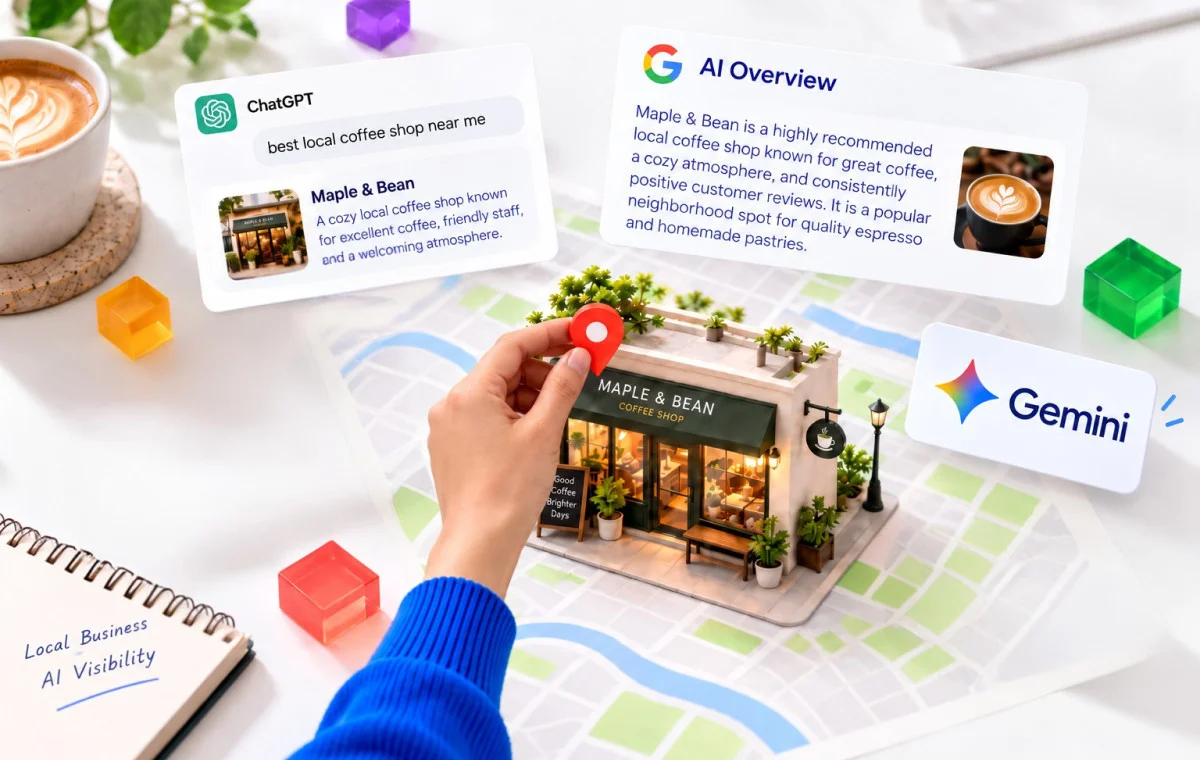
You asked ChatGPT to recommend the best business in your town for a service you offer. You expected your business to show up, but it recommended a competitor across town instead.
It’s frustrating, especially when you know your customers are happy with your service. So why is AI recommending someone else?
AI visibility for local businesses is about how often and how accurate tools like ChatGPT, Gemini, and Google’s AI Overviews mention your business when people search for your services. This is also known as generative engine optimization (GEO).
There’s no guaranteed way to get recommended, but you can improve your chances with genuine customer reviews, accurate business information, and helpful website content.
This guide covers what influences a local business’s AI visibility, what you can do about it, and how to check whether AI assistants recommend your business.
What AI Visibility Means for a Local Business (and What Nobody Can Guarantee)
AI visibility refers to how often AI tools mention your business when potential customers search for the products or services you offer.
For example, a parent might ask ChatGPT to recommend the best dentist for kids nearby. If ChatGPT lists your practice with the correct address and hours, your business is visible for that query. If it recommends three other dentists instead, your practice misses that opportunity.
For a local business, AI visibility comes down to three things:
- Being mentioned: The AI tool includes your business in its answer.
- Being described accurately: It gets your services, location, hours, and reputation right.
- Being easy to contact: Customers can find your website, business listing, or phone number to take the next step.
In a 2026 survey for Yelp, 57% of 2,202 US adults said they use AI tools to find local businesses at least once a month. Yet most advice on showing up in AI answers is still guesswork.
Some experts say schema markup (a hidden code that labels facts like your address and hours) is the secret to getting named by AI tools. Others claim an AI tool won’t recommend you below a minimum star rating. Nobody can point to where that rule comes from.
How AI Assistants Decide Which Local Businesses to Recommend
No AI tool says how it picks a local business, but Google and OpenAI say where their tools look.
Google may split a customer’s question into several smaller searches (Google Search Central), Gemini pulls public information from Google Maps (Gemini App Help), and ChatGPT uses its own program to find websites for its answers (Overview of OpenAI Crawlers).
Whichever tool your customer uses, it builds the answer from what it finds about you and your rivals online: your reviews, your listings, your website and what other sites say about you.
AI Search Optimization Myths vs. What Google Has Confirmed
Google states that “There are no additional requirements to appear in AI Overviews or AI Mode, nor other special optimizations necessary.” (Google Search Central)
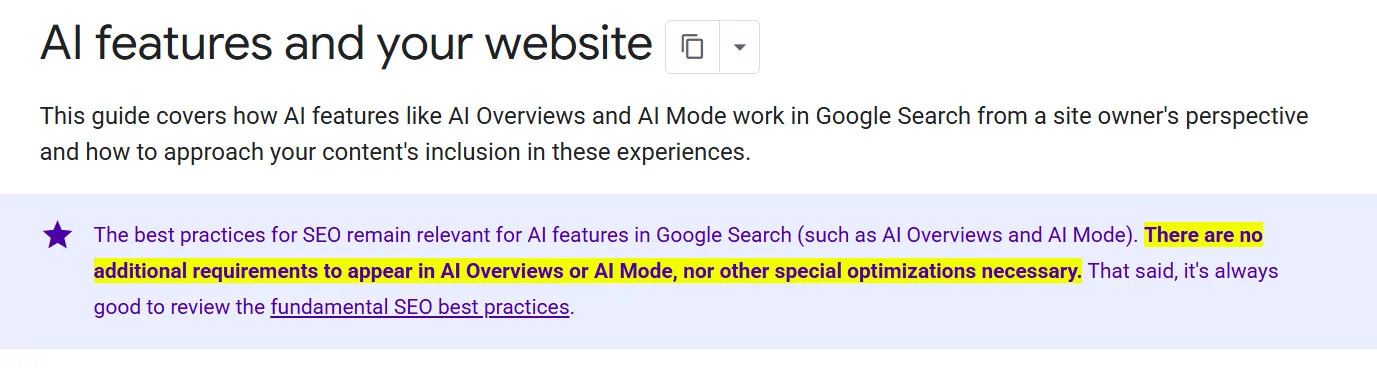
In plain words, you don’t need any special trick or extra setup to show up in Google’s AI answers. If your page can show up in a normal Google search, it can show up in an AI Overview too.
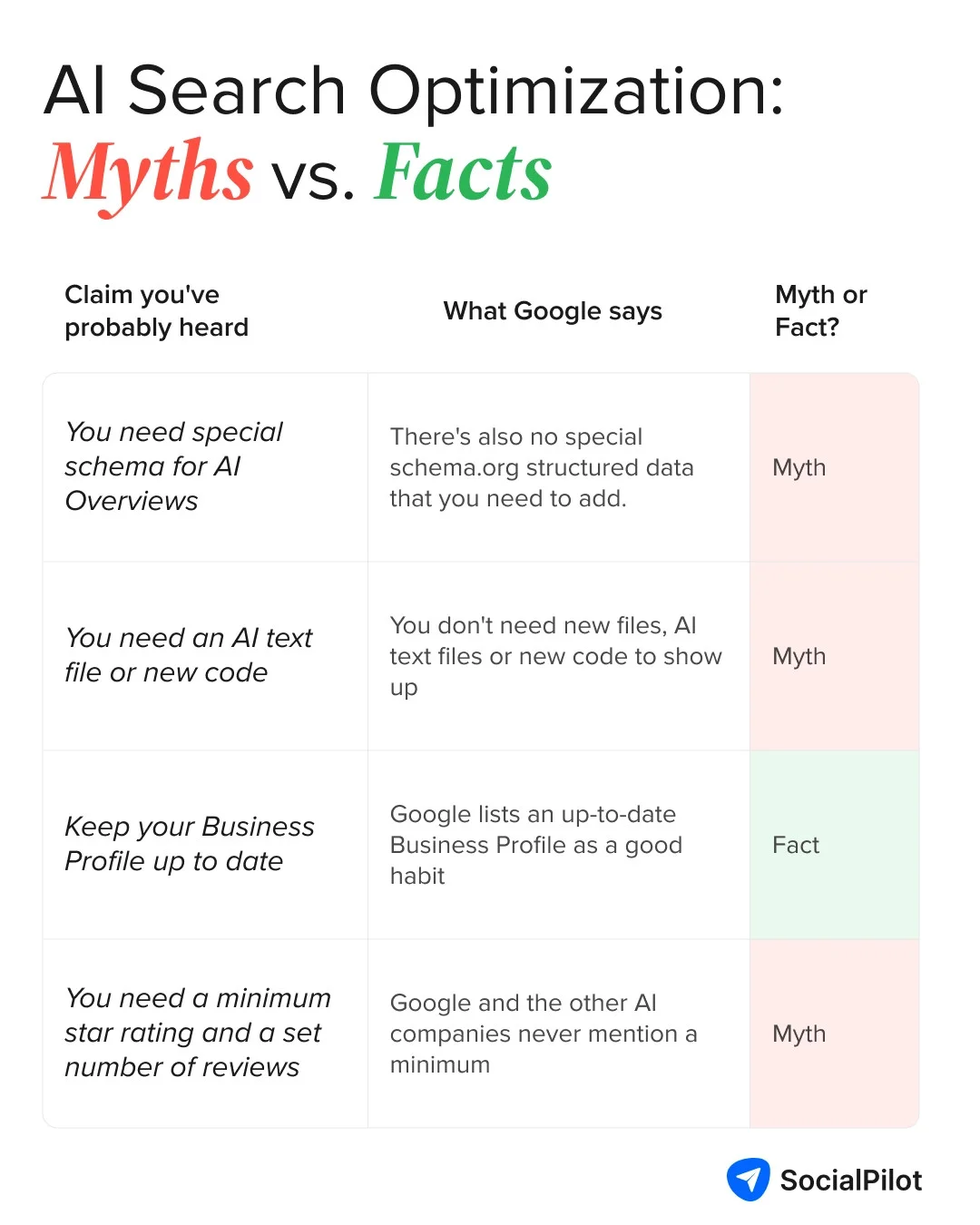
That matters because a lot of advice online, and plenty of people selling AI services, say otherwise. Here’s how four common claims hold up against what Google actually says.
Why Most Local Businesses Never Get Mentioned
An AI response usually names just a handful of businesses, so most places get left out. A 2026 arXiv study conducted in Bali shows how many. It asked ChatGPT, Claude, Gemini and Perplexity 96 customer-style questions over a week, then checked which of the 4,776 cafes, restaurants and bars got named across 2,208 answers.
| Businesses in the arXiv study | Never recommended by any of the four AI tools |
| All cafes, restaurants and bars | 85.6% |
| Well-known places with 50 or more ratings | 72.6% |
So why did the AI tools skip most of them? The study compared the places that got named with the ones that didn’t. Four things raised a place’s chances of being recommended:
- More reviews: Places with more reviews were named more often.
- Its own website: Places with a website did better than places without one.
- Prices listed online: Places that showed their prices were named more often.
- Mentions on other websites: Places that other sites wrote about did better.
Put simply, many businesses are overlooked by AI tools due to limited or inconsistent online information. A Reddit discussion on r/AISearchOptimizers highlights how a clear, consistent digital footprint and strong brand positioning can improve AI visibility:
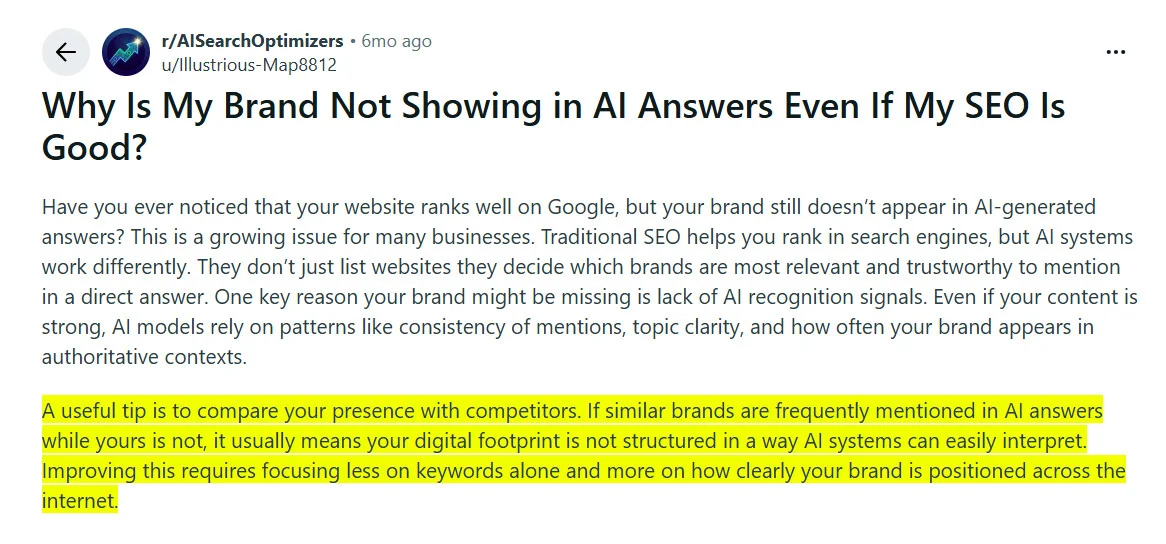
You can’t control when an AI tool recommends you, but you can improve what it knows about you. Reviews are a good place to start, since they tell customers and AI tools about your services and reputation.
Reviews: The AI Visibility Lever You Control Most
Reviews matter for AI visibility in two ways. They’re part of what AI tools read when deciding which businesses to name, and they often show up inside the answer itself.
A Reddit comment by u/copyranker on r/localseo highlighted the importance of customer reviews in improving a local business’ visibility on Google Gemini and Google AI Overviews:
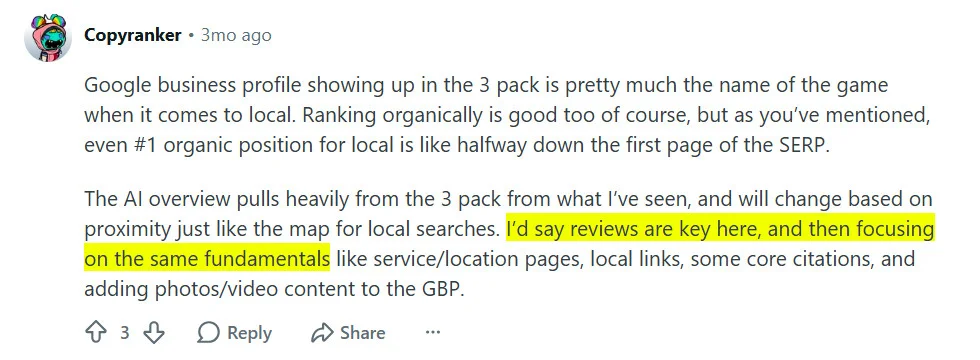
What no AI tool has said is how much reviews count when it picks a business. So treat reviews as one of the strongest things you can influence, not a sure route into AI answers.
1. Rating and Volume: What the Data Does and Does Not Show
Should you chase more reviews or a higher star rating? No AI company has said which matters more, so the 2026 arXiv study is the best clue so far.
| What the arXiv study found | What it means for you |
| Places with more reviews were named more often | Keep new reviews coming in every week |
| Star rating didn't predict which places got recommended | Don't chase a magic star rating |
| A higher rating predicted which place got named first | Your rating counts once AI tools name you |
Your star rating clearly matters to the customer reading the answer. An older Harvard Business School study found each extra Yelp star meant a 5% to 9% change in revenue for independent restaurants.
Your star rating sits right next to your name on Google, so it’s worth knowing how Google star ratings work.
2. Recency and Response Rate
New reviews and good replies both affect whether customers pick you. Four studies show how.
- A 2024 restaurant study found recent ratings mattered more to people searching nearby than to trip planners.
- A 2022 food delivery study found a recent bad review put people off ordering more than an old bad review.
- Hotel research in Harvard Business Review found hotels that started replying got 12% more reviews and 0.12 more stars on average.
- A 2018 hotel study found replies to bad reviews that mention the guest’s specific problem helped later reviews. Replies to good reviews seemed to lower later ratings, more so when the reply was personal.
Tip: Keep new reviews coming, and spend most of your reply time on bad ones. Name the customer's problem and what you're doing to fix the problem. For good reviews, a short thank-you with no sales pitch is enough.
Google’s review help page explains why replies matter: “When you reply to their reviews, you show them that you value their feedback.”
A Reddit user on r/localseo shared how fresh Google reviews have helped the local businesses gain better AI visibility:
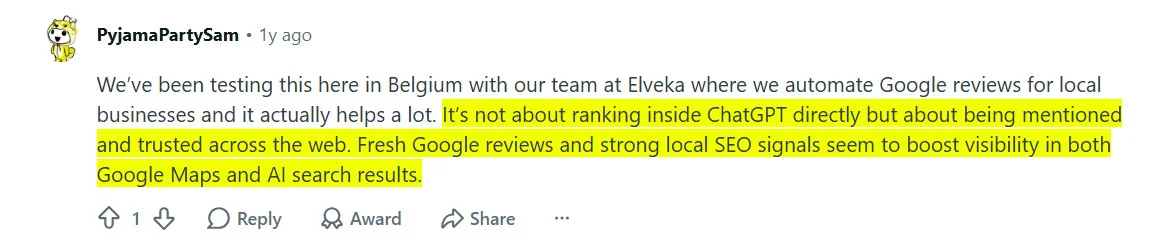
If your reviews are spread across multiple platforms like Google, Facebook and Yelp, it’s easy to miss some. Putting them all in one review management platform shows you which ones still need a reply.
3. What Your Reviews Say About Your Services
Customers rarely ask an AI tool for “a plumber.” They ask for an emergency plumber open on Sunday, or a dentist who’s good with nervous kids.
Details like Sunday hours live in the words of your reviews. No AI company has said its tool matches review words to customer questions, so matching review words is not proven.
People do read AI summaries, though. Pew Research Center found 60% of US adults read the AI summaries at the top of search results. Google Maps also now shows review summaries written by Gemini, which may be the first thing a customer reads about you.
4. Where to Collect Reviews Beyond Google
Collect Google reviews first, since Google reviews feed Search, Maps and the Gemini app. Beyond Google, nobody knows exactly which review sites each AI tool reads.
As per Yelp’s ChatGPT integration announcement, ChatGPT now shows Yelp reviews, ratings, photos and business details right inside ChatGPT chats:
“This builds on our existing content integration, which provides ChatGPT users with reliable local recommendations by surfacing Yelp’s trusted reviews, ratings, photos, and business details directly within the chat experience.”
After Google, pick the one or two review sites your customers already use. Try Yelp or Tripadvisor for a restaurant, Zillow for a real estate agent, or Facebook for most service firms.
5. Making Review Collection and Response Repeatable
A burst of reviews after a slow month looks old within a season.
- Pick one moment to ask. When the job is done, the invoice is paid or the customer checks out.
- Ask within a day. Send one short message with a direct link. Google’s review generation tips note “you can ask customers to visit a Google link or scan a QR code.”
- Send one reminder, then stop.
- Ask all customers. Google’s policy says you can’t ask only happy customers.
- Reply to bad reviews first. Name the customer’s problem in each reply. Keep thank-yous for good reviews short.
- Look for repeat complaints once a month. Fix the problems customers keep mentioning.
If remembering to ask is where you get stuck, a review generation platform can send review requests by email or SMS when you add a customer.
Reviews give AI platforms real customer experiences to draw on, but they’re only part of the picture. Your website, business listings, and other online sources also help AI understand your business.
The Other Foundations Every AI Platform Draws On
Your listings, mentions on other sites and your website tell an AI tool who you are, where you are and what you do. If your listings and website are missing details or don’t match, an AI tool can’t be sure your reviews belong to your business.
Accurate Business Data Across Google, Apple, and Directories
When an AI tool finds details that don’t match, it has to guess which one is right. It is important to keep your NAP consistent across your online presence, including your website and business listings.
Citations and Third-Party Mentions
AI tools lean on what other websites say about you, which is why location citations are important.
A 2025 University of Toronto study found AI search strongly favors other trusted sites over a brand’s own pages. So try to get mentioned by the local paper, your chamber of commerce, a supplier’s “where to buy” page and neighborhood “best of” lists.
Website Content AI Can Quote
Put plain facts on your website so AI tools have something to quote. Google’s AI features guidance says “Making sure that important content is available in textual form”. For a local business, that means:
- One page per main service, saying what it is, who it’s for and the area you cover
- Hours, service area and contact details as text, not only inside an image
- Prices or starting prices, if you can share them
- A short FAQ answering the questions customers ask on the phone
These pages also help a customer browsing at 11 p.m. decide to call you in the morning.
Reviews, accurate listings, and useful website content all help AI platforms build a clearer picture of your business. The next step is understanding how to put these pieces together so ChatGPT is more likely to recommend you when customers search for businesses like yours.
How to Get Your Business Recommended by ChatGPT
You can’t guarantee a ChatGPT recommendation, but you can make your business easier to find and understand. Here’s what you can do to improve your chances.
How ChatGPT Finds and Recommends Local Businesses
ChatGPT reads websites with a program called OAI-SearchBot. OpenAI’s help page on OAI-SearchBot sets one rule you can check:
“Sites that are opted out of OAI-SearchBot will not be shown in ChatGPT search answers, though can still appear as navigational links.”
So if your website blocks OAI-SearchBot, ChatGPT search won’t show your site in its answers. OpenAI’s article on searching the web with ChatGPT adds that ChatGPT can use a person’s rough location for local results and sends searches to other search providers.
That means a customer in your town and someone two states away can get different ChatGPT answers. Anyone selling you a formula for getting named by ChatGPT is guessing.
What Appears to Influence Its Recommendations
OpenAI doesn’t say how ChatGPT picks businesses to name. The only thing it confirms is access. If your site blocks OAI-SearchBot, the program ChatGPT uses to find websites, your site won’t show in ChatGPT’s search answers (OpenAI help page).
What to Do Differently to Rank in ChatGPT Search
Two steps are specific to ChatGPT.
- Check your robots.txt. This small file on your website tells programs like OAI-SearchBot what they may read. Open yoursite.com/robots.txt and make sure no “Disallow” rule sits under “User-agent: OAI-SearchBot”. Also ask your web person whether your hosting or security service blocks OAI-SearchBot.
- Add your town to your test prompts. ChatGPT results can depend on rough location, so adding your town shows what a nearby customer sees.
Keeping your website accessible and business information accurate can improve your chances of appearing in ChatGPT recommendations. Google AI Overviews work differently.
How to Appear in Google AI Overviews
Google AI Overviews can help potential customers discover your business directly in search results. You don’t need special AI-specific optimizations to appear, but your website must meet Google’s existing Search requirements.
What Google Says You Need (Nothing Special)
If your page shows up in normal Google search with a short preview under it, the page can be a link in an AI Overview. Google’s help pages on AI features add:
“There are no additional technical requirements.”
To check, search Google for one of your service pages and look for that short preview.
Many local searches won’t show an AI Overview at all, since Google only shows one when it adds something to normal results.
How Business Profile Information Fits In
Your Business Profile shapes where you show up in local Search and Maps. Google’s Business Profile help page says local results are mainly based on three things, relevance, distance, and popularity. It also warns, “There’s no way to request or pay for a better local ranking on Google.”
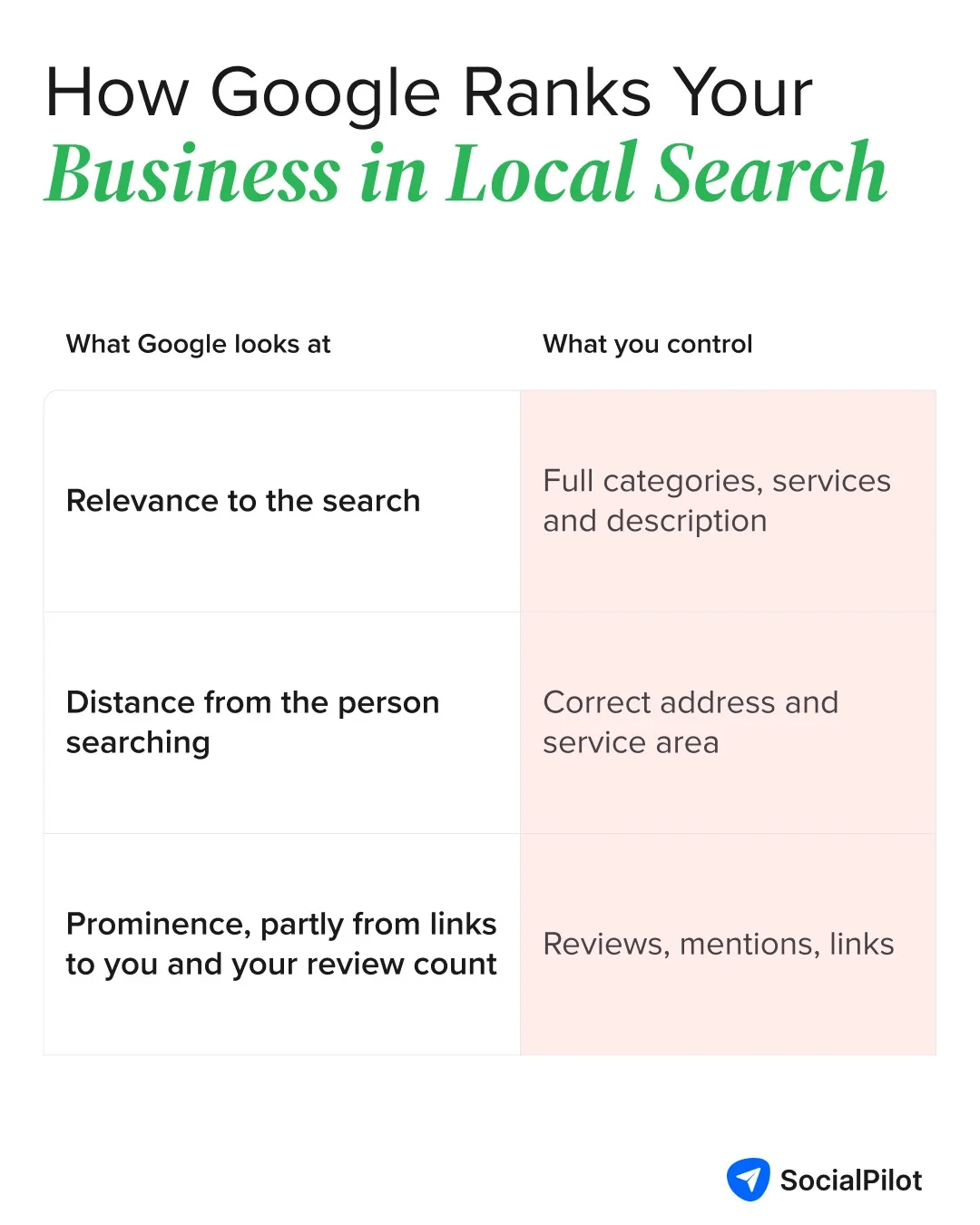
Google hasn’t said any of these three affect AI Overviews.
Gemini: A Separate Product From AI Overviews
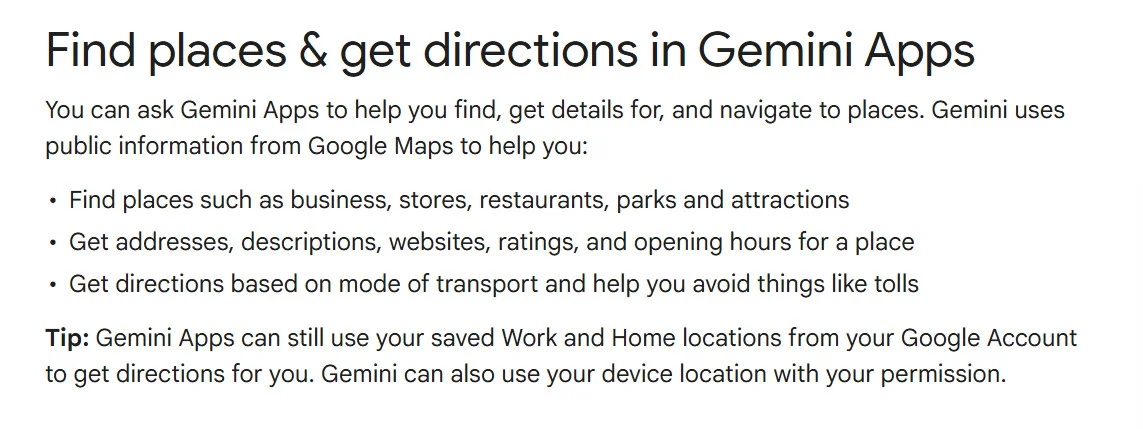
Gemini, Google’s AI chat app, is separate from AI Overviews in Google Search, so Google’s AI Overview rules don’t automatically apply to it.
Gemini’s help page says “Gemini uses public information from Google Maps” to find places. So your Business Profile and its ratings feed straight into Gemini’s answers.
Tracking AI Overview Visibility in Search Console
Use Search Console, Google’s free tool, to see which searches bring people to your website. There’s no separate AI report, but Google says AI Overview results are counted in your normal traffic in the Performance report.
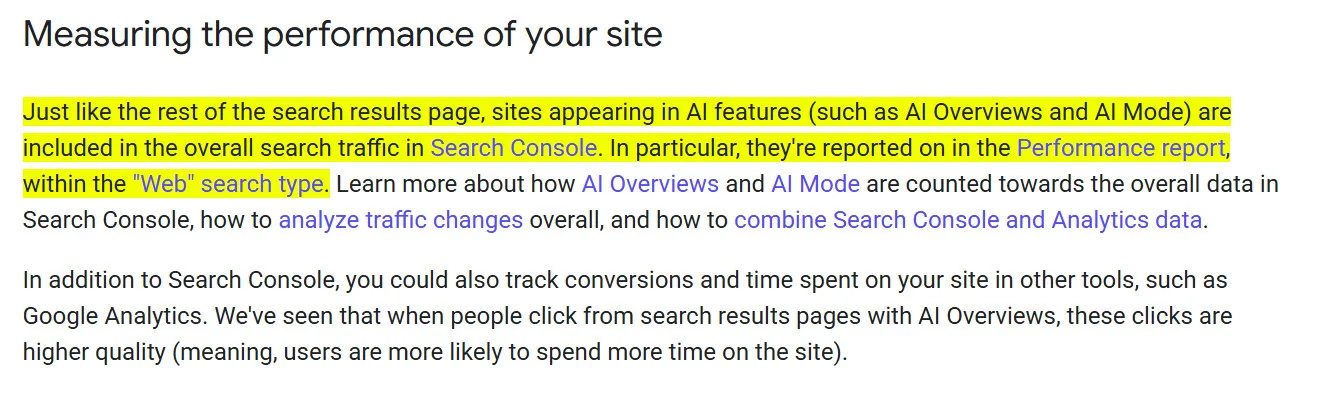
If your site shows up more often but clicks don’t rise, check those searches on Google yourself. An AI Overview may sit above your listing.
Accurate business information, a well-maintained Google Business Profile, and useful website content can support your visibility in Google Search.
But Google isn’t the only platform worth focusing on. Other AI assistants also help customers discover local businesses, each using different sources of information.
Other AI Assistants Worth Knowing About
Perplexity, Claude, and Microsoft Copilot each have their own ways of finding and displaying business information. Understanding how these platforms access your website and business details can help you identify what to check and where to improve your visibility.
Perplexity
Make sure your robots.txt doesn’t block “User-agent: PerplexityBot”. Perplexity’s help page says PerplexityBot finds and links websites in Perplexity’s search results, and isn’t used to train AI models.
Claude
Keep “User-agent: Claude-SearchBot” allowed in your robots.txt. Anthropic’s help center says Claude-SearchBot improves Claude’s search results, and warns that blocking it “may reduce your site’s visibility and accuracy in user search results.”
Microsoft Copilot
Bing’s AI Performance report shows how your site appears in Copilot, Bing’s AI summaries and some partner apps. To see it, verify your website in Bing Webmaster Tools. Claiming your Bing Places listing separately keeps your address, hours and contact details current for Bing’s AI answers.
How to Test Whether AI Assistants Recommend Your Business
You can check whether AI tools name your business in about an hour. You need a spreadsheet and a few prompts, the questions people type into an AI tool.
Build a Prompt Set Customers Would Actually Use
Write 8 to 12 prompts a real customer might type, using the types below with your own service and town.
| Prompt type | Example |
| Service plus town | "Best HVAC company in Springfield" |
| Problem first | "My furnace is making a banging noise, who can fix it today in Springfield?" |
| Specific need | "Dentist in Springfield that's good with anxious kids" |
| Comparison | "Is [competitor] or [your business] better for a roof repair?" |
| Your name | "What do people say about [your business]?" |
Don’t skip the comparison and your-name prompts. They show how an AI tool describes you next to a rival and whether it has your details right.
Run It Across Platforms and Log the Results
Run your prompts in ChatGPT, Google, Gemini and any other AI tool your customers use. Google says “AI Mode and AI Overviews may use different models and techniques, so the set of responses and links they show will vary”, so start a fresh chat each time and run each prompt twice.
Log each result in a spreadsheet with columns like these. The two rows are made-up examples.
| Date | Platform | Prompt | Named? | Competitors named | Sources shown | Anything wrong? |
| Oct 12 | ChatGPT | Best HVAC company in Springfield | No | Smith Heating, Ace Air | Ace Air website, local "best of" list | |
| Oct 12 | Gemini | Best HVAC company in Springfield | Yes, 3rd | Smith Heating | Google Maps | Old Saturday hours |
The “Sources shown” column matters most. If an AI tool names a rival and points to a local list you’re not on, add that list to your to-do list.
Track Changes Over Time
Repeat the test monthly, with the same prompts on roughly the same date, to see if your changes work.
- Look for trends: Being named in two of 12 prompts, then four, then five, is real progress.
- Fix errors first: Wrong hours in an AI answer usually trace back to a listing you can fix today.
- Check the platforms’ own numbers: Look at Search Console and, for Copilot, Bing’s AI Performance report.
Your 30-Day Starter Plan
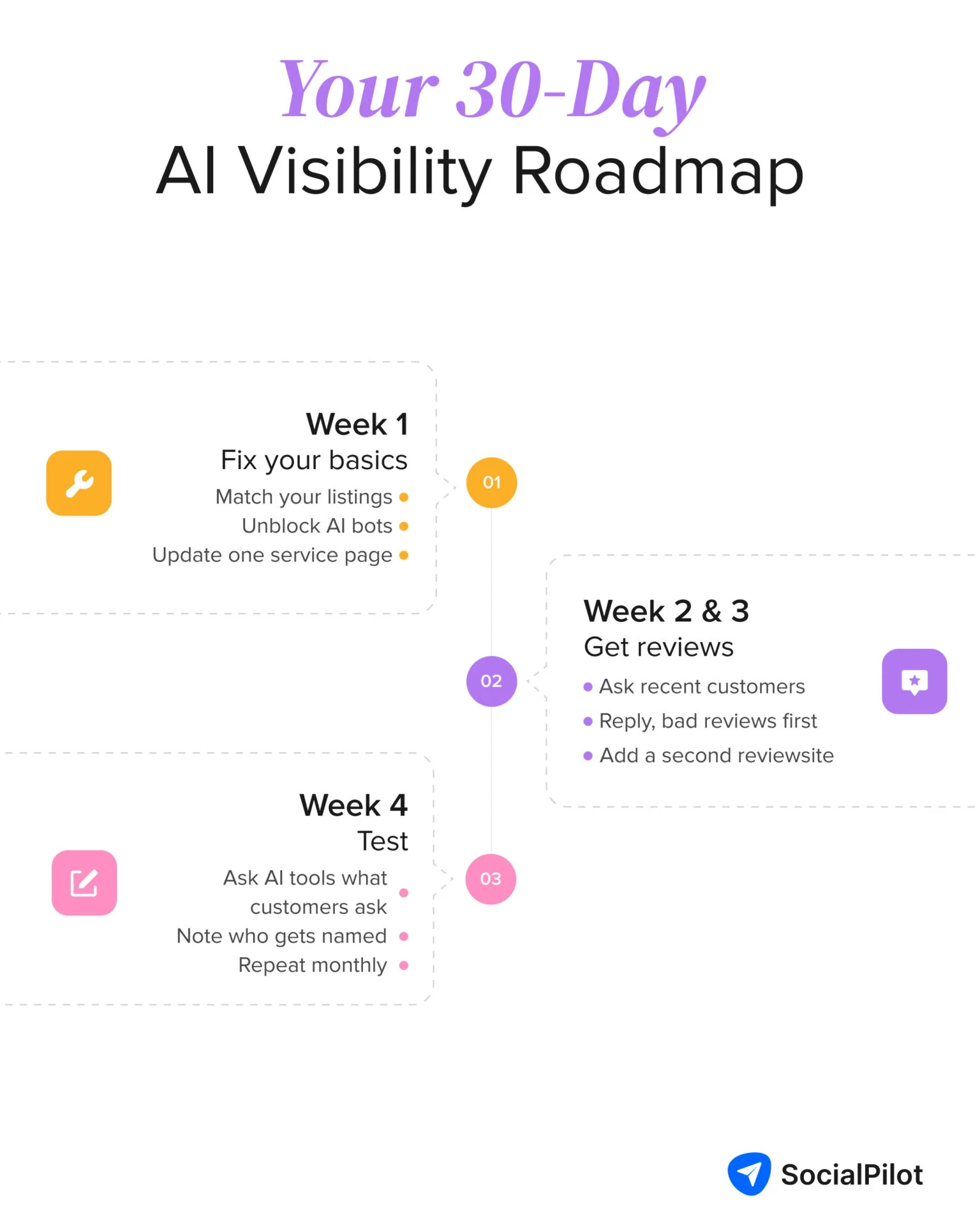
Work through these steps over four weeks. The order is a suggestion, not a promise of results.
Week 1: Fix Your Foundations
- Claim or check your Google Business Profile, Apple Business and Bing Places listings. Then make Facebook and your top directory match them.
- Ask your web person to check that your robots.txt file doesn’t block OAI-SearchBot, PerplexityBot or Claude-SearchBot.
- Fix one service page so it says what you do, where and for whom, in plain text.
Weeks 2 and 3: Build Review Momentum
- Pick one moment to ask for reviews, then send requests to customers from the last 60 days.
- Reply to each unanswered review, starting with the oldest bad ones.
- Include a second review site relevant to your industry when requesting reviews.
Week 4: Baseline and Test Your Visibility
- Run 8 to 12 customer-style prompts twice on each AI tool and log the results.
- Turn your “Sources shown” column into next month’s list of places to get mentioned.
- Set a monthly reminder to run the prompts again.
After 30 days you’ll have cleaner listings, fresher reviews, a clearer website and a log that shows whether your changes are working.
Final Thoughts: Gaining Better AI Visibility As a Local Business
AI tools don’t recommend local businesses out of nowhere. They tend to pick up on businesses that have a solid online presence, with plenty of customer reviews, accurate business listings, a useful website and mentions on other sites. There’s no guarantee you’ll show up in an AI answer, but you can do a lot to improve your chances.
The challenge is keeping up with it all. When you’re busy running a business, asking customers for reviews and replying to each one can easily get pushed aside.
You don’t need to do everything at once. Start by asking customers for reviews and replying to the ones you receive.
Once a month, try the prompt test mentioned in this article to see if AI tools are starting to mention your business. It’s a simple way to keep track of your progress.


