
Most teams shopping for social media tools end up paying for a full suite when they needed one feature or stitching together five apps when one would have done the job. The tools were never a problem. Buying by category was, picking “a social media tool” instead of the specific job in front of you.
This 2026 guide maps the six jobs behind “social media tools” scheduling, team collaboration, analytics, social listening, content creation, and multi-account management and shows which ones your team actually needs. We tested 18 social media management tools on real accounts over a 30-day window and marked every one against the same six jobs, so you can match your team to the right tool instead of the biggest name.
Full disclosure: We make SocialPilot, and it is one of the 18 tools. So, every tool here gets the same treatment, the same coverage marks and the same honest note on what it can’t do, and where it loses to a rival, we say so by name. The most useful thing we can do is help you build the right setup, not the one that mentions us the most.
The Six Jobs Behind “Social Media Tools”
When someone says they need a social media tool, they usually mean one specific job. The trouble is the market sells all six jobs under one label, so it is easy to pay for a suite when you needed one feature, or stitch together five apps when one would have done it.
Here are the six jobs. Every tool in this guide is measured against all six, using the same notation throughout:
Programmation et publication
Planning posts, queuing them, and having them go live on time across several networks. This is the core job most people mean when they say “social media tool.” Bulk uploads, a visual calendar, per-network customization, and reliable auto-posting live here. If a scheduled post silently fails, nothing else the tool does matters.
Team Collaboration and Client Approvals
Getting a post from draft to approved without living in email. Approval workflows, role permissions, internal comments, and a client-facing review step. This job is what separates a tool built for one person from a tool built for a team or an agency handling outside clients.
Analyses et rapports
Turning post performance into something you can act on, and into something you can show a client or a boss. Native dashboards, exportable reports, white-label options, and metrics that go past likes into reach, engagement rate, and conversions.
Social Listening and Monitoring
Tracking what people say about a brand, a competitor, or a topic across the open social web, not just replies in your own inbox. Keyword and mention tracking, sentiment, and share-of-voice benchmarking. This is the job most all-in-one platforms cover the least, which is why dedicated listening tools exist.
Création de contenu
Making the actual posts, graphics, short videos, and captions. Templates, brand kits, AI image and copy generation, and a library of assets. Most management platforms have a light built-in editor; serious creation still happens in a dedicated design tool.
Multi-Account and Client Management
Running many accounts or many clients without the wires crossing. Separate workspaces, per-client dashboards, white-label reporting, and clean permission boundaries. This is the job agencies feel most, and the one solo operators can safely ignore.
Which Jobs Does Your Team Actually Need?
You do not need a tool for all six jobs. You need a tool for the jobs your team does every week. Here is how the six jobs map to four common team types.
| Type d'équipe | Programmation | Collaboration | Analyse | Listening | Création de contenu | Multi-account |
| Solo creator / freelancer | Essentiel | En option | Nice to have | Skip | Essentiel | Skip |
| In-house SMB team | Essentiel | Essentiel | Essentiel | Nice to have | Essentiel | Skip |
| Small agency (up to ~10 clients) | Essentiel | Essentiel | Essentiel | Nice to have | Essentiel | Essentiel |
| Larger agency / enterprise | Essentiel | Essentiel | Essentiel | Essentiel | Essentiel | Essentiel |
How to Read the Matrix
Find your row. Anything marked Essentiel is a job you should not compromise on, so it should drive your choice. Nice to have means pay for it only if it is bundled or cheap. Skip means do not let a sales page talk you into it.
A solo creator posting to three accounts does not need client approval workflows or share-of-voice benchmarking. An agency running twenty clients needs clean account separation more than it needs the prettiest post editor. Read across your own row before you read a single tool review, and the shortlist mostly builds itself.
The Common Mistake: Buying for a Job You Don’t Have
The most expensive mistake is buying a full enterprise suite for the two jobs you actually do. The second most expensive is the opposite: gluing together five single-purpose apps when one mid-tier platform would have covered four of your jobs for less than the sum of the parts.
Both come from the same error, shopping by tool category instead of by the job in front of you. A team that posts, collaborates, reports, and runs a few client accounts needs one full-suite platform, not a scheduler plus a separate analytics tool plus a separate approval app. A team that only needs to schedule and design needs a scheduler and a design app, and should not pay enterprise listening prices for features it will never open. Start from your row in the matrix, not from a category name.
Quick Comparison: The Full-Suite Platforms at a Glance
Here is one representative tool from each of the five categories, side by side – one tool per column, so you can see at a glance how the categories differ before the full breakdowns below. Each does its own job well and leans on the others for the rest, which is exactly why most teams end up with a small stack rather than one tool.
| Attribut | SocialPilot | SocialBee | Metricool | Canva | Brand24 |
| Catégorie | Full-suite platform | Scheduling specialist | Analyses et rapports | Création de contenu | Écoute sociale |
| Programmation |  |
|
|
 |
 |
| Collaboration | |
|
|
|
|
| Analyse | |
|
|
|
|
| Listening | |
|
|
|
|
| Multi-account | |
|
|
|
|
| Création de contenu | |
|
|
|
|
| Prix de départ | $30/mois | $29/mo | $25/mo | $18/mo | $199/mois |
| Idéal pour | Multi-client agencies | Evergreen recycling | Low-cost all-in-one | Fast, easy design | Affordable monitoring |
Covered
a real, native feature the tool does well
Partiel
present but limited, an add-on, or a higher-tier unlock
Not covered
you would need a second tool for this job
What This Table Does and Doesn’t Show
The table shows whether a job is covered, not how heavily you will use it. Two tools can both show Full on analytics and still differ hugely in depth, a dedicated analytics tool goes far deeper than a full-suite platform’s built-in reporting. The mark says “present and solid,” not “identical.” Read the per-tool sections for depth.
It also does not price your actual stack. Per-seat and per-user tools (Sprout, Hootsuite, Agorapulse) start cheap for one person and climb fast for a team, while flat-account tools (SocialPilot, Zoho’s agency tiers) hold steadier as you add seats. The starting price is a doorway, not a quote. Run your own team size and account count through each vendor’s calculator before you commit.
Where SocialPilot Fits, and Where It Doesn’t
SocialPilot covers five of the six jobs (scheduling, collaboration, analytics, multi-account management, and, partly, content creation) and it does not do native social listening. If tracking brand or competitor mentions across the open web is your main job, you will pair it with a dedicated listening tool like Brand24 or Mention. Its full write-up sits with everyone else’s below, held to the same standard.
SocialPilot is a full-suite management platform built for agencies and SMB teams running multiple accounts. Against the six jobs, it covers five natively:
- Programmation et publication
 Bulk scheduling, a visual calendar, per-network customization, and reliable auto-posting across the major networks.
 - Team Collaboration and Client Approvals Approval workflows, roles, and a client-facing approval step, including approval on the go.
- Analyses et rapports Native analytics with white-label, downloadable reports, which matters for agencies reporting to clients.
- Multi-Account and Client Management Separate client workspaces and white-label dashboards, which is the job SocialPilot is genuinely built around.
- Création de contenu A built-in editor and AI assistant handle everyday posts, but this is a partial mark, not a full one. For real design work you will still open Canva or Adobe Express.
SocialPilot doesn’t offer native social listening. If tracking brand mentions, competitor conversations, or share of voice across the web is a priority, pair it with a dedicated tool such as Brand24 or Mention.
SocialPilot is strongest for scheduling, collaboration, reporting, and multi-client management. It isn’t a social listening or advanced design tool and you may need specialist tools for those jobs.
Full-Suite Management Platforms
These seven aim to cover most of the six jobs in one place. They are where teams that post, collaborate, report, and manage several accounts should start, because one platform covering four jobs usually beats four apps stitched together. The at-a-glance coverage table for all seven is in the Quick Comparison section above.
The multi-client management platform we make, priced well below the enterprise suites.
Coverage
- Programmation
- Collaboration
- Analyse
- Listening
- Multi-account
- Création de contenu
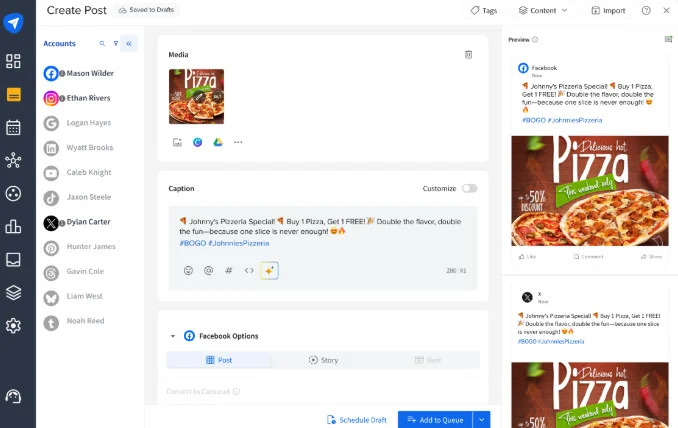
What it actually looks like: You work out of a content calendar with a client and account switcher in the corner, so one agency login moves between client workspaces without logging out. Bulk scheduling runs from a CSV or the composer, and the client-facing side is a shareable approval link where clients see their calendar, leave comments, and approve or send back a post without an account of their own.
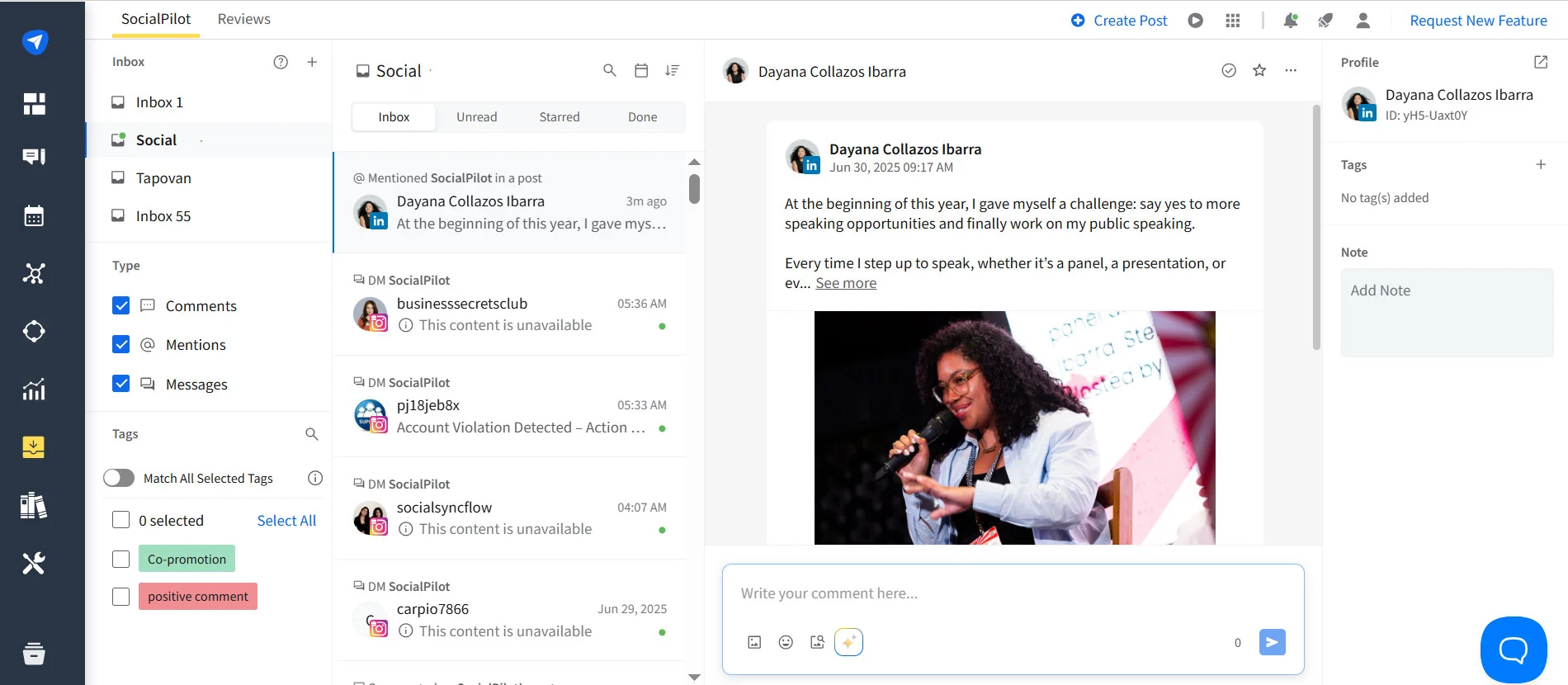
“It’s excellent value, provides great analytics, bulk scheduling, flexible schedules.” Jess W., Marketing Manager, Capterra.
SocialPilot is built around running many client accounts at a price-to-account ratio nothing else here matches, 25 accounts on Premium for $85/mo annual. It is the tool on this page we make, so per the deal at the top, here is the honest ceiling: its analytics are shallower than Sprout Social’s, it has no native Stories scheduling, and Capterra reviewers report the occasional silent bulk-schedule failure where a post fails without notifying you.
The listening layer: SocialPilot does not do native social listening. Agencies that need to track brand mentions or competitor chatter typically run SocialPilot for scheduling and reporting and pair it with a dedicated listening tool like Brand24 or Mention, a common and practical setup with no workflow overlap.
Starting at $30/month, SocialPilot’s pricing is structured around client and account volume, making it accessible for agencies at the point they’re scaling rather than only at enterprise scale.
| Ultimate | Premium | Standard | Essentials |
$170.00/mois$200
Facturation annuelle (Économisez 15 %)
|
$85.00/mois$100
Facturation annuelle (Économisez 15 %)
|
$42.50/mois$50
Facturation annuelle (Économisez 15 %)
|
$25.50/mois$30
Facturation annuelle (Économisez 15 %)
|
|
Simplifiez la gestion des réseaux sociaux
|
|||
The analytics and listening heavyweight of the full-suite field.
Coverage
- Programmation
- Collaboration
- Analyse
- Listening
- Multi-Account
- Création de contenu
What it actually looks like: Sprout opens on a polished, report-first dashboard, with a Smart Inbox that pulls messages, mentions, and reviews from every connected profile into one queue. Report building is close to drag-and-drop and listening and sentiment live in their own module on the higher tiers.
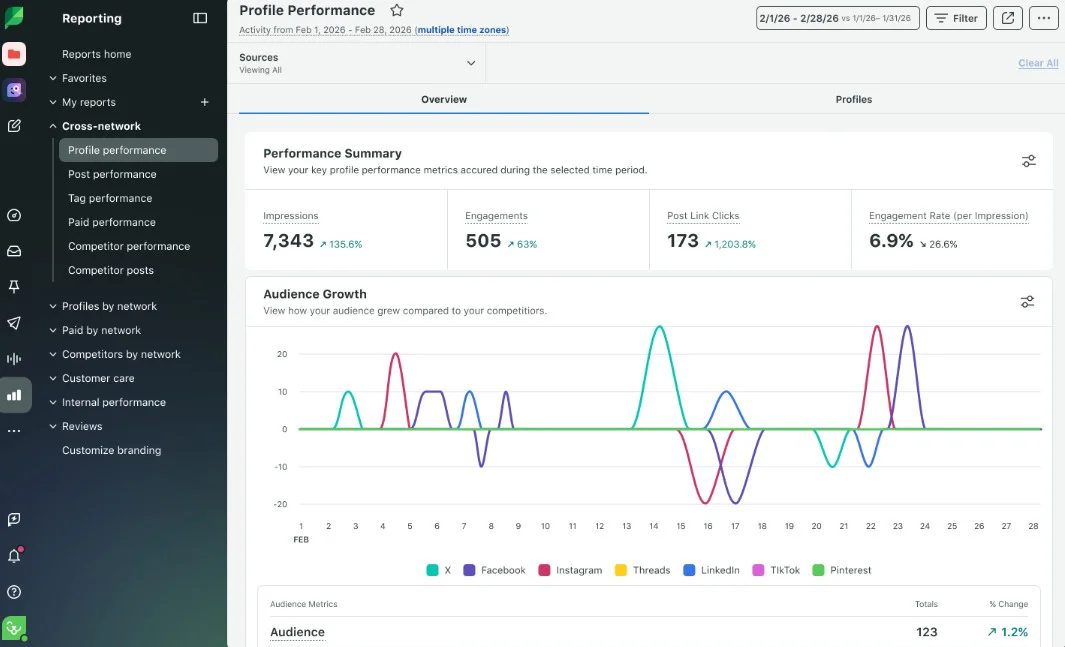
On Capterra, Zach P., a marketing coordinator, says “the reporting tools are top tier and it is incredibly simple to generate visually appealing reports,” then adds the catch: “it can get quite expensive if you require several user licenses.”
Sprout has the deepest analytics here and the only genuinely strong native listening among the mainstream suites, which is why enterprises pick it. The trade is cost and rigidity: everything is priced per seat, so teams scale expensively, and full sentiment and listening sit behind the top tier.
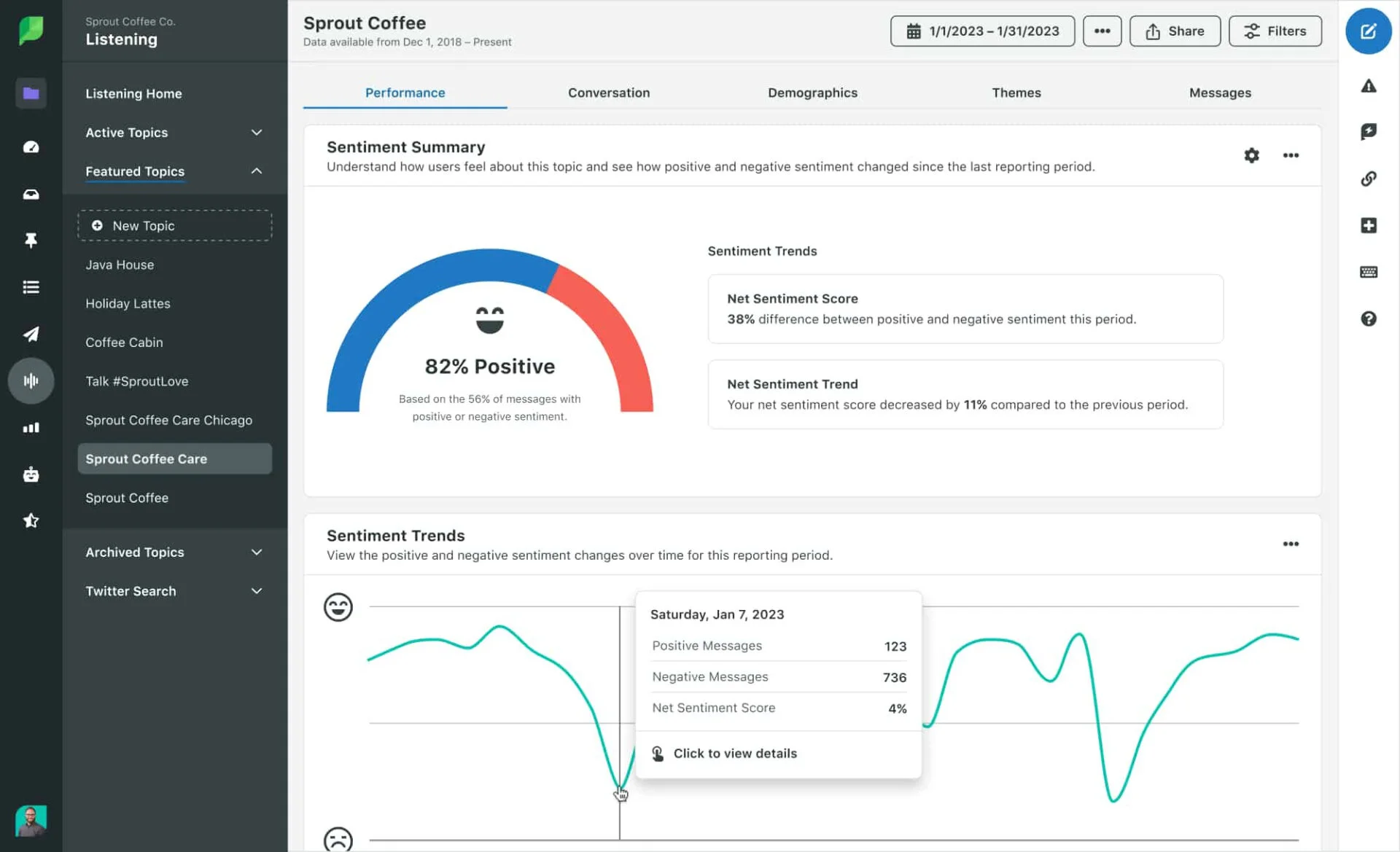
Sprout Social’s paid plans start at $99/seat/month on the new Essentials tier and climb steeply from there, since everything is per seat and full listening lands on the $399/seat Advanced tier.
What running Sprout standalone requires: very little on coverage, since it does all six jobs to some degree and handles listening in-house. Content creation is still light, so a design app like Canva remains useful. The real question is whether the per-seat bill fits your headcount.
The simplest, cheapest on-ramp, with a free plan that is actually usable.
Coverage
- Programmation
- Collaboration
- Analyse
- Listening
- Multi-Account
- Création de contenu
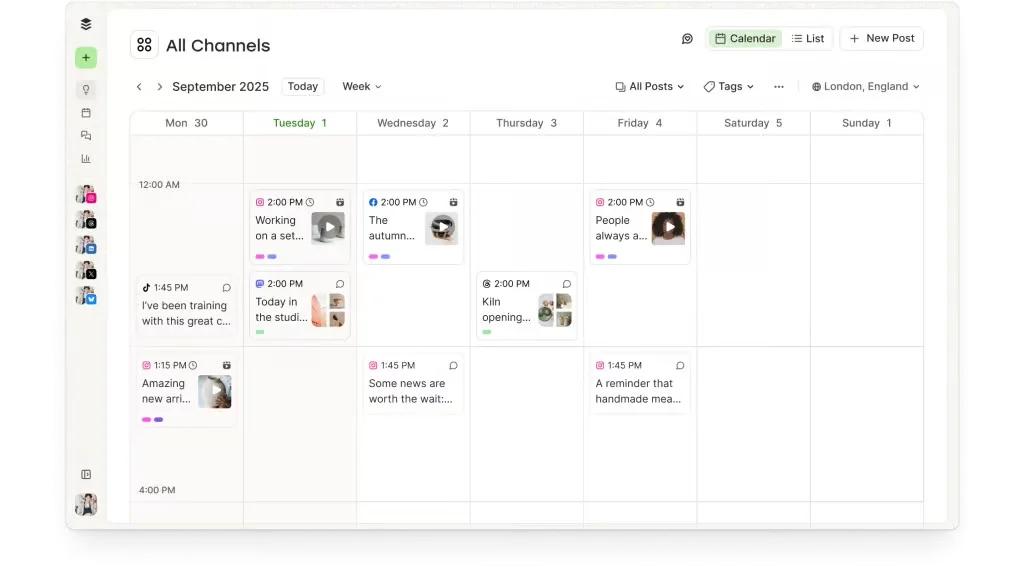
What it actually looks like: Buffer keeps publishing simple with a clean composer and channel-based scheduling. Its rebuilt Perspectives launched in July 2026 and is available on all plans, with performance metrics, top posts, and weekly takeaways. The Free plan is limited to recent data, up to 30 days with custom date ranges and data exports reserved for paid plans
On Capterra, Void D., a freelance artist, calls it a “very easy to use interface,” but names the core limit: “One queue works fine if you only post a single type of content, but having to manually schedule or re-organize the schedule if you have multiple post types (images, video, text, etc) gets really tedious.”
Buffer is the friendliest place to start posting, and the free plan plus free Insights make it a real option at zero cost. The limits show up as you grow, in a per-channel bill that climbs past ten channels and the absence of any white-label or client-management layer.
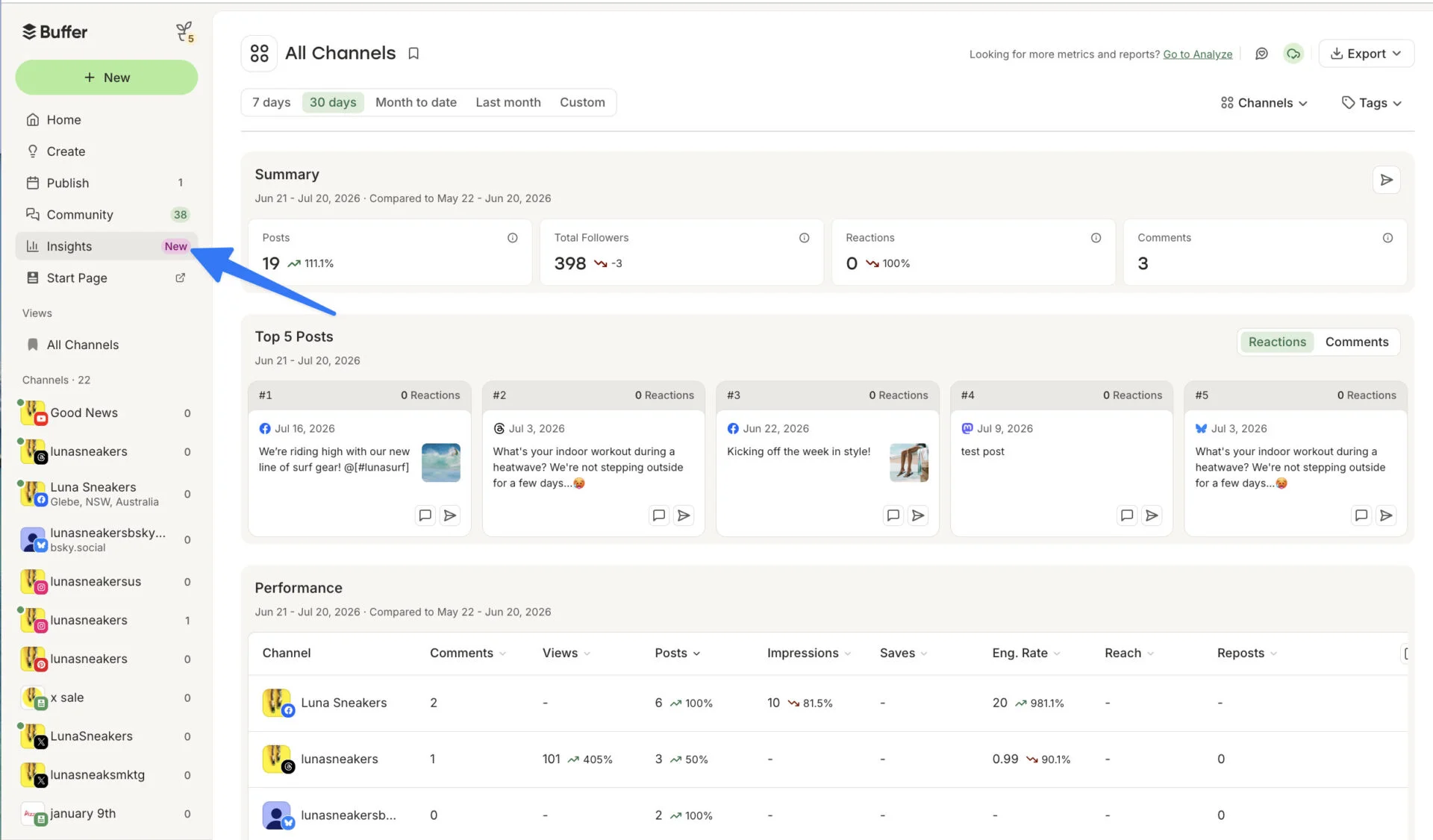
Buffer is free for 3 channels, and paid plans start at $6/month per channel, so the bill grows with the number of channels rather than the number of users.
What running Buffer standalone requires: it covers scheduling and now analytics well, and collaboration on the Team plan, but there is no listening and no true client-management layer. Pair it with Canva for design and a listening tool if mentions matter.
Coverage
- Programmation
- Collaboration
- Analyse
- Listening
- Multi-Account
- Création de contenu
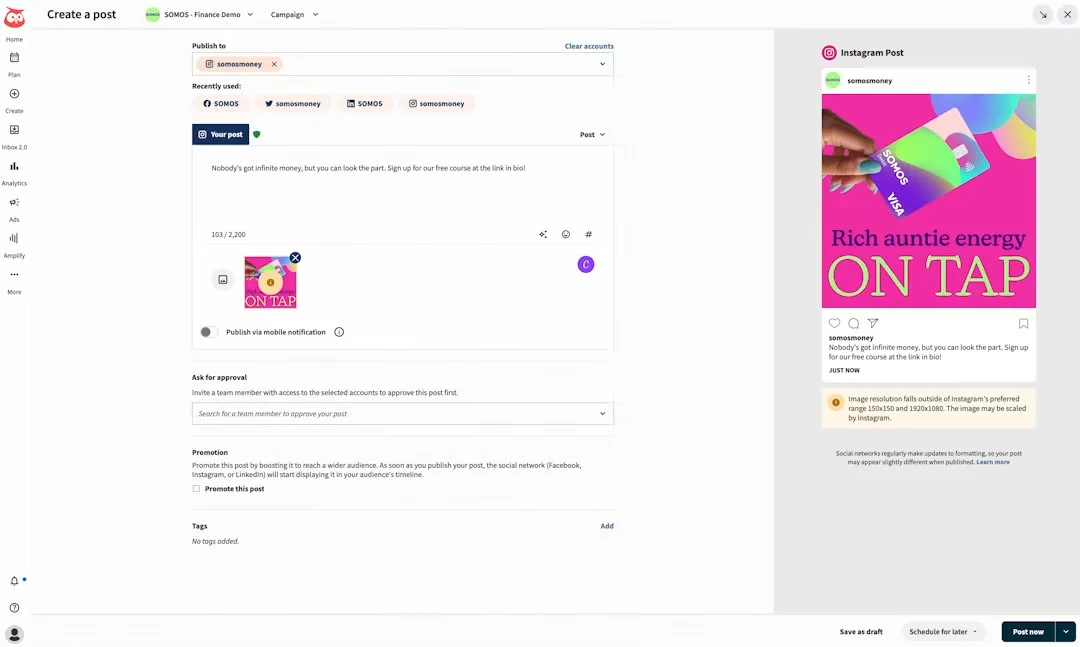
What it actually looks like: Since the June 2026 relaunch, Hootsuite presents as one platform, its publishing, engagement, analytics, and listening modules tied together by Wisdom, an AI agent that drafts content and answers questions with cited data. The scheduling calendar and column-based streams keep their familiar feel; the breadth is the point, and so is the density.
On Capterra, Taylor S., a students director, calls the “integration across practically all platforms… a great one-stop shop,” while noting the interface “is not the most easy to use/user-intuitive for new users.”
Hootsuite has the broadest platform and integration coverage here and now a capable AI agent across the suite. The recurring catch is cost: per-user pricing makes teams expensive fast, and it is hard to justify the entry plan if all you need is a scheduler.
Hootsuite’s paid plans start at $99/user/month and run to $399/user on Advanced, priced per user, so a team’s bill adds up quickly.
What running Hootsuite standalone requires: almost nothing on coverage, since it folds listening into Social OS rather than a bolt-on, and only content creation stays light. If it’s on your shortlist, the full SocialPilot vs. Hootsuite breakdown compares them tier by tier.
Coverage
- Programmation
- Collaboration
- Analyse
- Listening
- Multi-Account
- Création de contenu
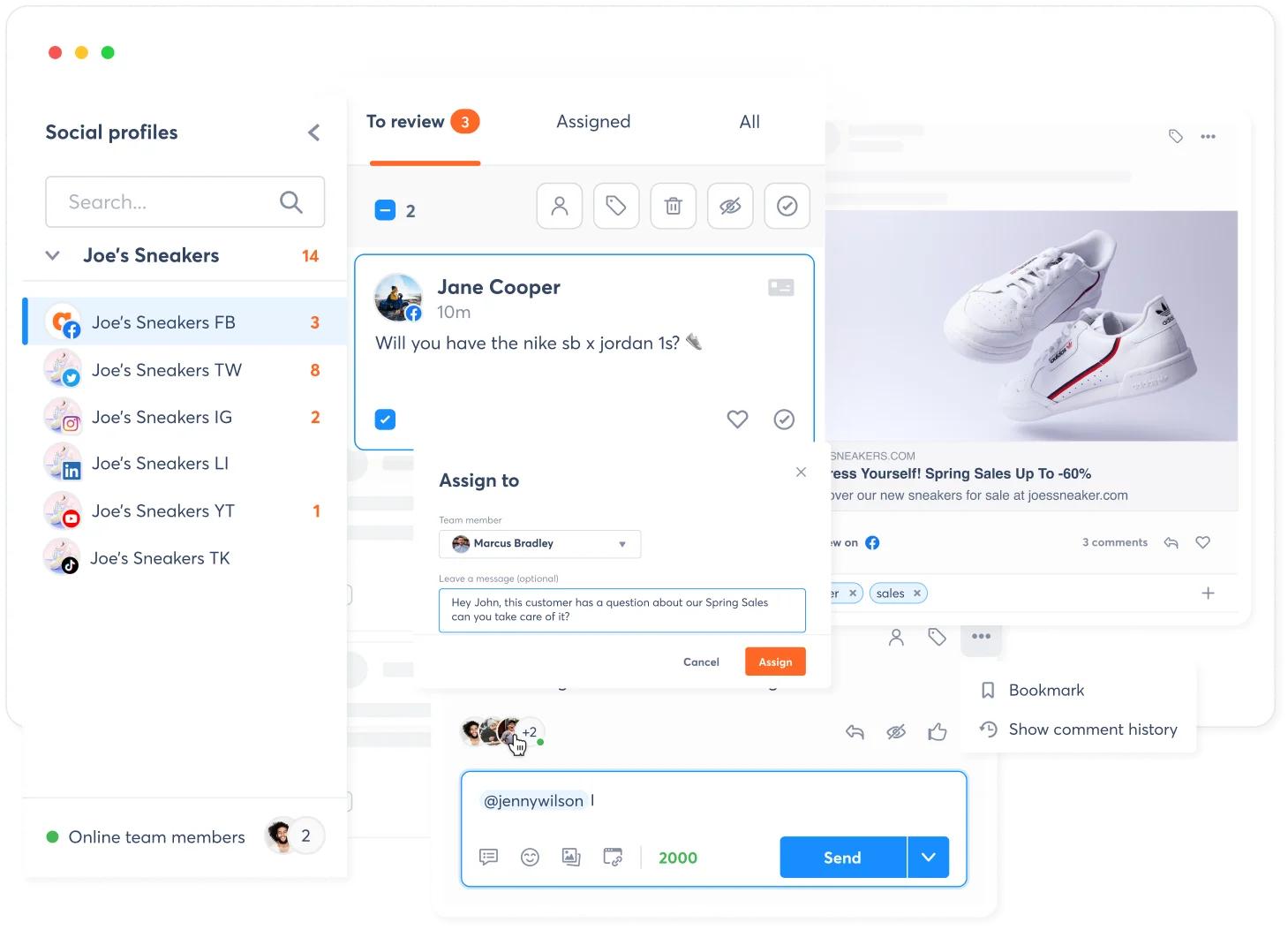
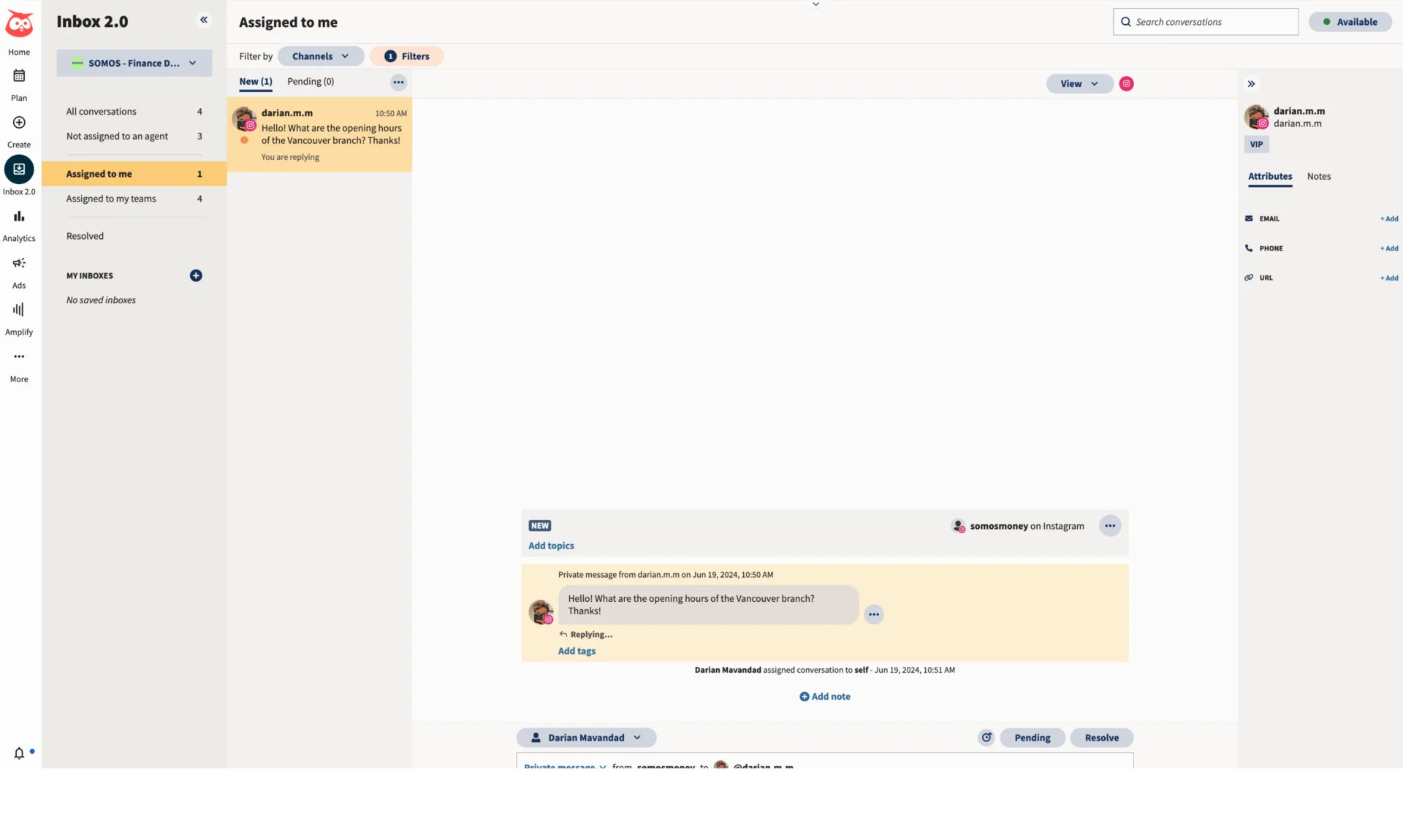
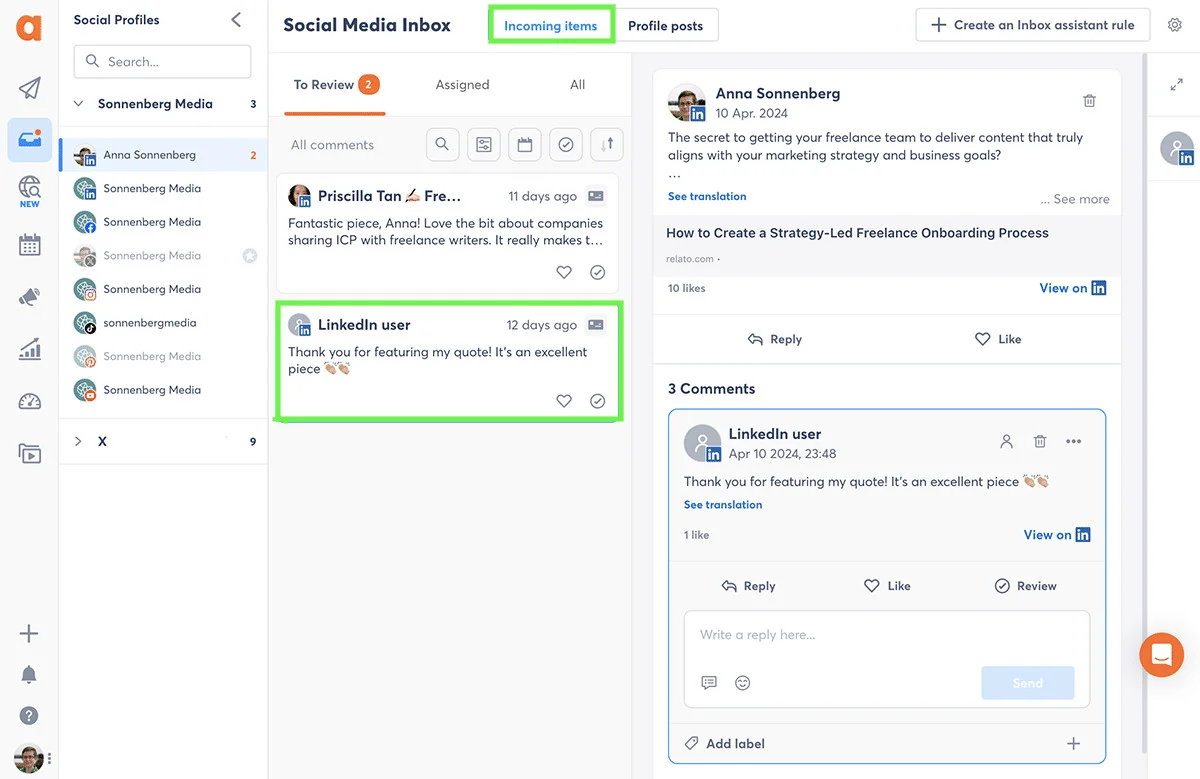
What it actually looks like: The center of Agorapulse is a unified inbox with saved replies and automated moderation rules, built for teams that live in comments and DMs. In 2026 it added Competitor Listening with a Share-of-Voice view across the major networks, and Report Studio, a drag-and-drop custom report builder on the higher tiers.
On Capterra, Sari G., a marketing director, rates the “Inbox and social monitoring features [as] excellent,” but flags the pricing: the “free analytic tools are very limited” and a proper year-in-review needs “Power Reports which nearly doubles the price.”
For community-led teams, Agorapulse has the best inbox and moderation here, and the new listening genuinely strengthens its competitive story. The friction is that per-user pricing adds up and the deepest listening and multi-step approvals are gated to the top tiers.
Prix d'Agorapulse starts at $79/user/month on annual billing and is priced per user, with the deepest listening and benchmarking reserved for the $149 Advanced tier.
What running Agorapulse standalone requires: it covers scheduling, analytics, multi-account, and now listening properly on Advanced. Collaboration is lighter below the top plan and content creation is basic, so a design app still belongs in the stack.
Coverage
- Programmation
- Collaboration
- Analyse
- Listening
- Multi-Account
- Création de contenu
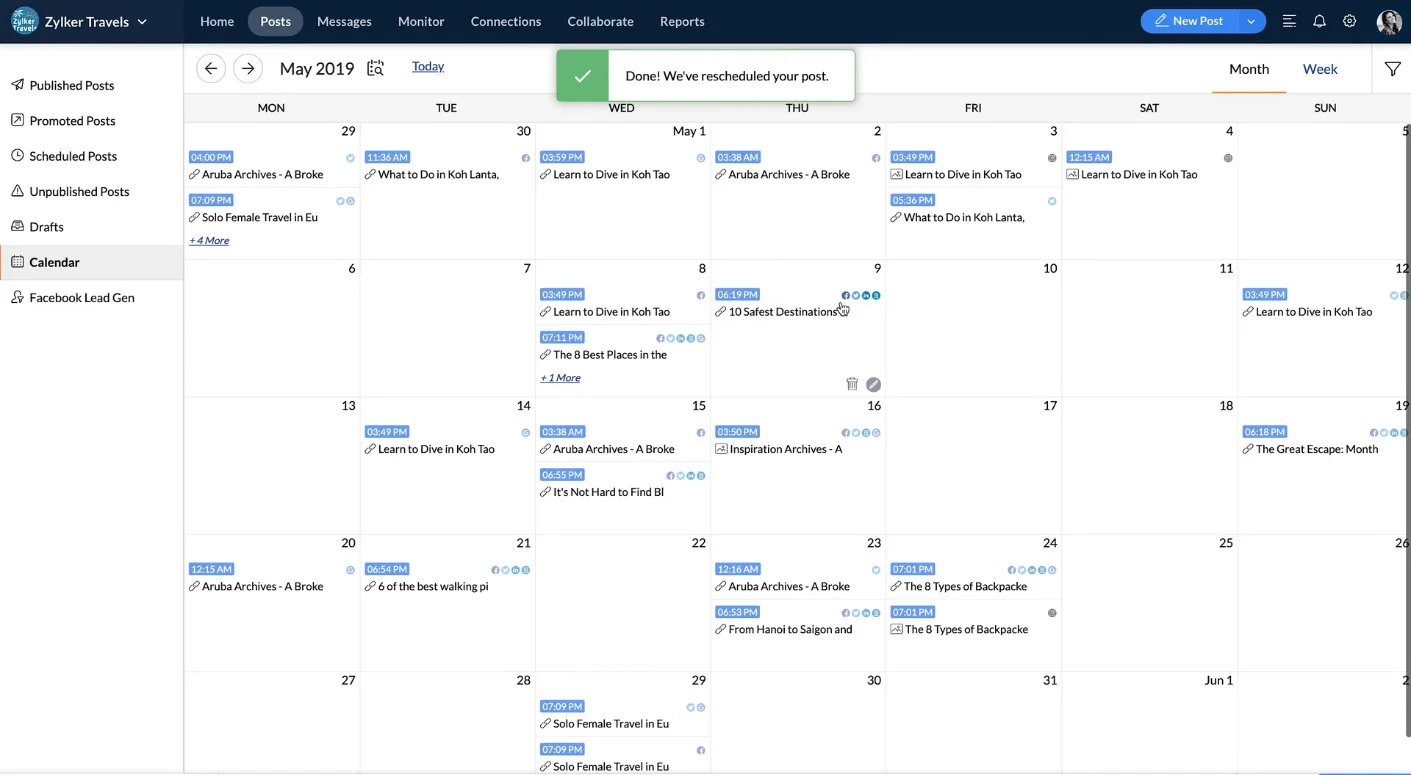
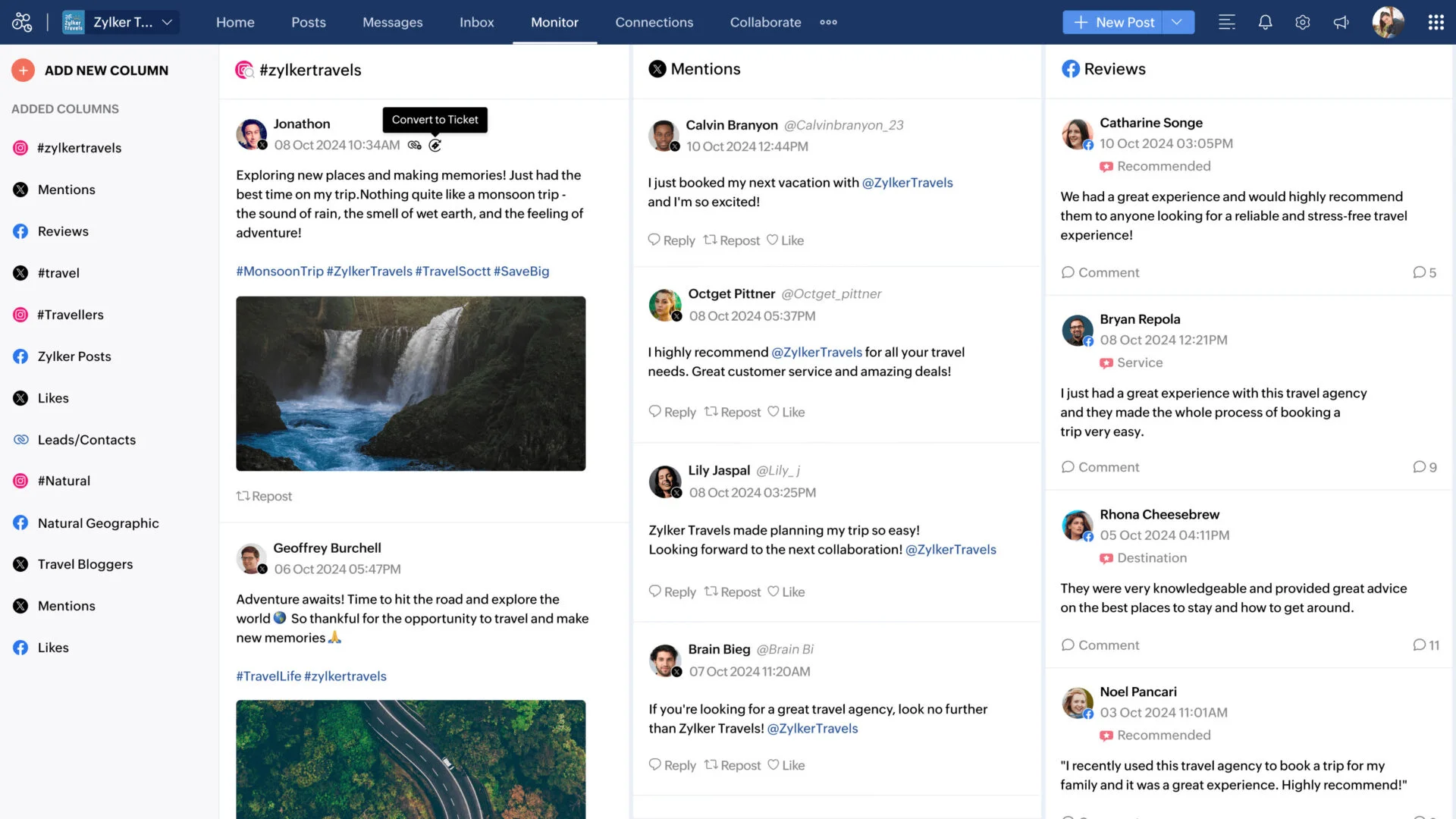
What it actually looks like: Zoho Social runs on a clean content calendar with SmartQ optimal-time scheduling and a Monitor tab of live listening columns. It supports the broadest channel list here, with TikTok, WhatsApp, Telegram, Bluesky, and Threads all added in 2026, and slots into the wider Zoho ecosystem if you already use its CRM or help desk.
On Capterra, a verified reviewer and creative director likes that the “dashboard… is clean, intuitive, and gives a quick overview,” but warns the “initial setup can feel a bit overwhelming for new users because of the number of options and settings.”
Standard and Professional are single-brand and single-user, YouTube was pushed out of the entry Standard plan, and WhatsApp and Telegram now require Premium or above. Listening and analytics are shallower than specialist tools, so it is a value entry point rather than a power tool.
Zoho Social has a genuine free tier and paid plans that starts at $15/month, the lowest real entry point here, though the cheapest plans cover a single brand and user.
What running Zoho Social standalone requires: it covers scheduling, collaboration, analytics, and multi-account on the Agency tiers, with listening and content creation both light. An SMB can run on it plus a design app; an agency should check the per-brand and per-seat caps first.
Coverage
- Programmation
- Collaboration
- Analyse
- Listening
- Multi-Account
- Création de contenu
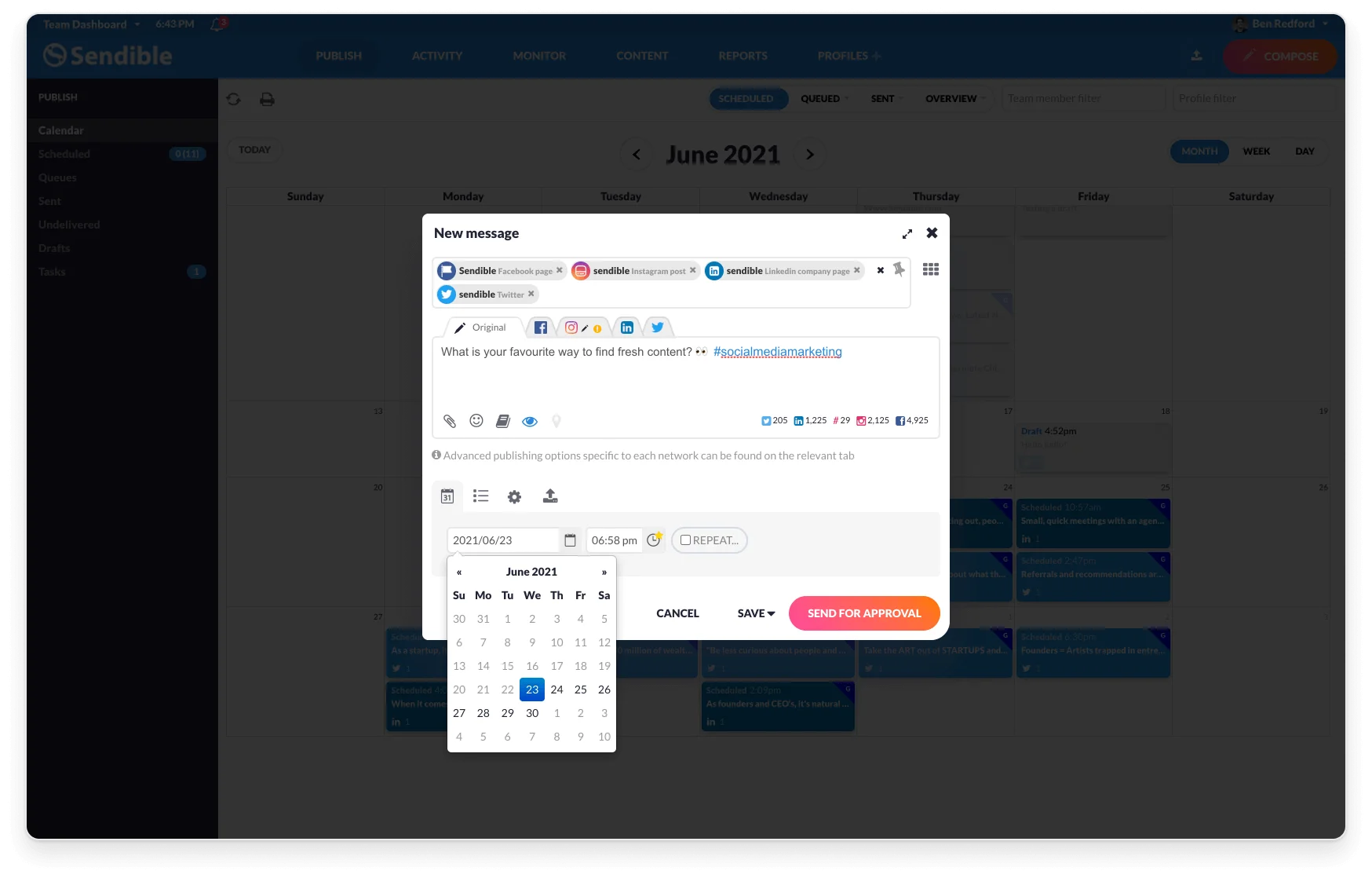
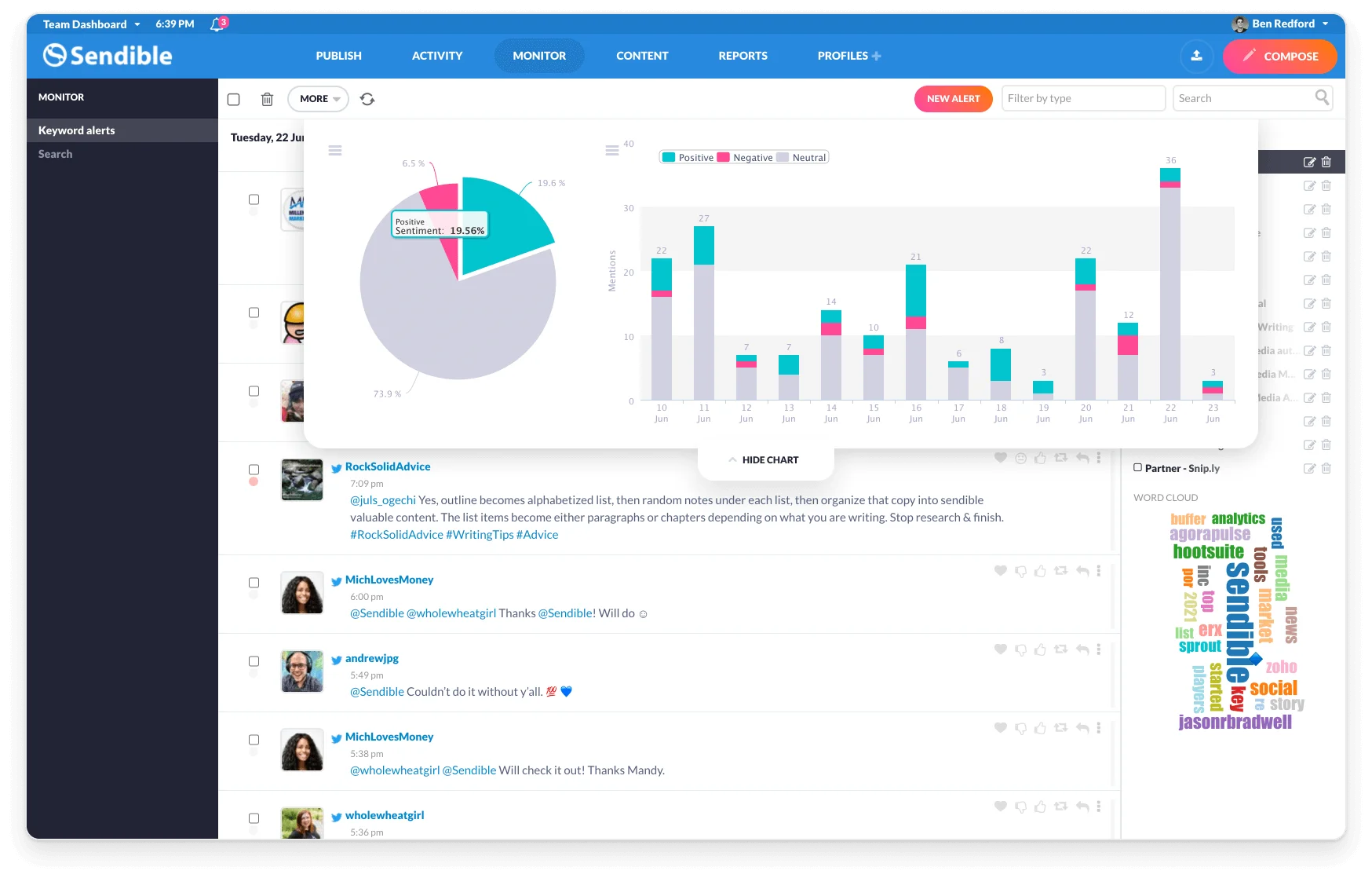
What it actually looks like: Sendible is organized around Workspaces, each holding six social profiles, with a priority inbox, a compose box that previews each network, and white-label dashboards and reports as the agency-facing centerpiece. Billing scales by workspace rather than by seat, so every plan includes unlimited users.
On Capterra, Mysty S., a founder, praises the “realistic pricing and ease of use,” then names the weak spot: “the reporting could be stepped up a bit… a little bit limiting for my taste, so I use an ancillary reporting software.”
Workspaces cap at six profiles each, so the seventh client is a tier decision rather than a checkbox; reviews report recurring LinkedIn publishing-reliability issues; and reporting is the weakest link versus peers.
Tarification de l'envoi starts around $35/month and, unusually, includes unlimited users on every plan, since you pay by workspace of six profiles rather than by seat.
What running Sendible standalone requires: it covers scheduling, collaboration, and multi-account well, with analytics and listening both light. Agencies whose priority is seats and white-label can run on it plus a design app; teams that need deep analytics will feel the reporting gap.
Scheduling Specialists Social Media Tools
These three do one job better than the full-suite platforms: they schedule. If posting on time across a handful of accounts is the job you came for, and you do not need deep client reporting, a specialist often costs less and feels lighter than a suite.
| Outil | Programmation | Collaboration | Analyse | Listening | Multi-Account | Création de contenu | Prix de départ |
| SocialBee | |
|
|
|
|
|
$29/mo |
| Later | |
|
|
|
|
|
$25/mo |
| Loomly | |
|
|
|
|
|
$65/mo |
Coverage
- Programmation
- Collaboration
- Analyse
- Listening
- Multi-Account
- Création de contenu
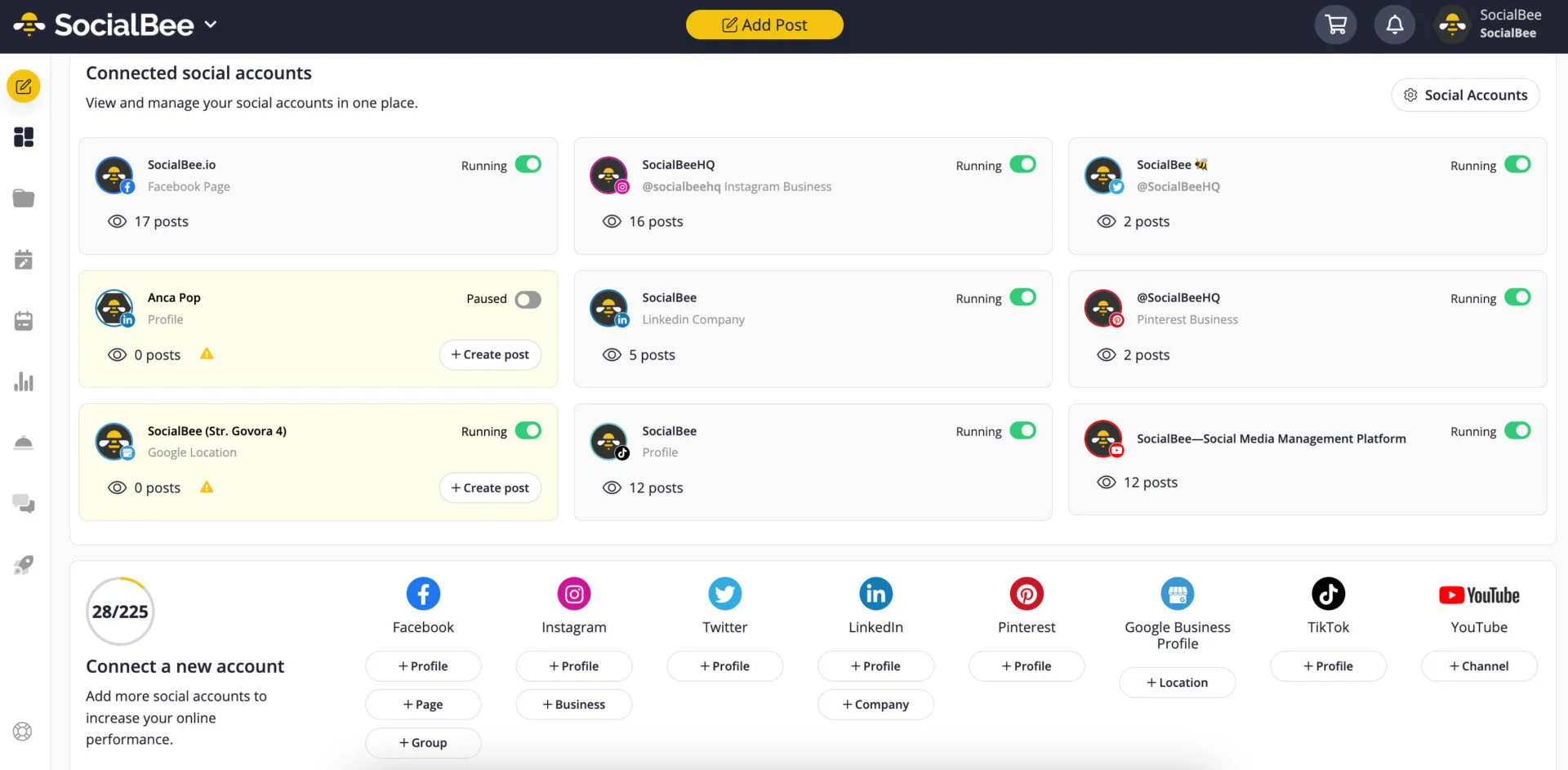
What it actually looks like: SocialBee is built around content categories: you sort posts into buckets, set a posting pattern per bucket, and it recycles them on a loop so your queue refills itself. Around that sit a CSV importer, an AI post generator, a Canva integration, and a Social Inbox that pulls comments, mentions, and DMs into one view.
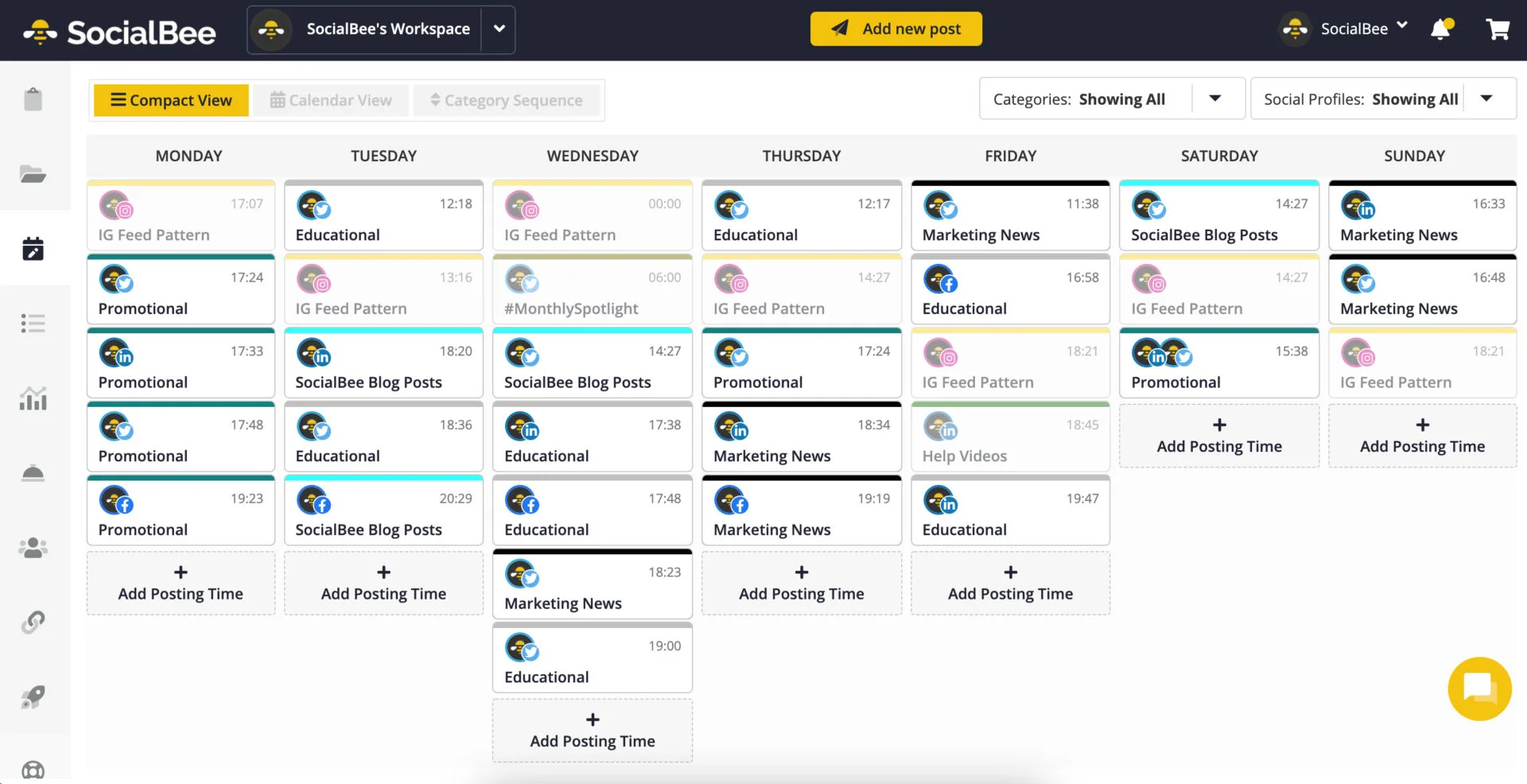
On Capterra, Julie S., an owner, loves that “it has content categories [when] many other schedulers don’t,” but describes the composer slowing down once she adds a photo, link, and tags until it feels “like we are back in the 90s on dial up.” That split shows in the ratings, 4.8/5 on G2 against 3.5/5 on Trustpilot.
For an evergreen or repurposing strategy, SocialBee’s category system is the best on this page. The rough edges are real: the interface overwhelms a first-timer, the mobile app is weaker than the web app, and a two-day API outage in July 2026 briefly took down its Zapier and Make integrations.
SocialBee’s plans start at $29/month/user for maximum 5 profiles and scale by profile count into agency tiers, with a 14-day trial and no permanent free plan.
What running SocialBee standalone requires: it covers scheduling, collaboration, and multi-account well. Its Social Inbox handles engagement but is not true listening, so pair it with a listening tool for mention tracking, and with Canva for serious design.
Coverage
- Programmation
- Collaboration
- Analyse
- Listening
- Multi-Account
- Création de contenu
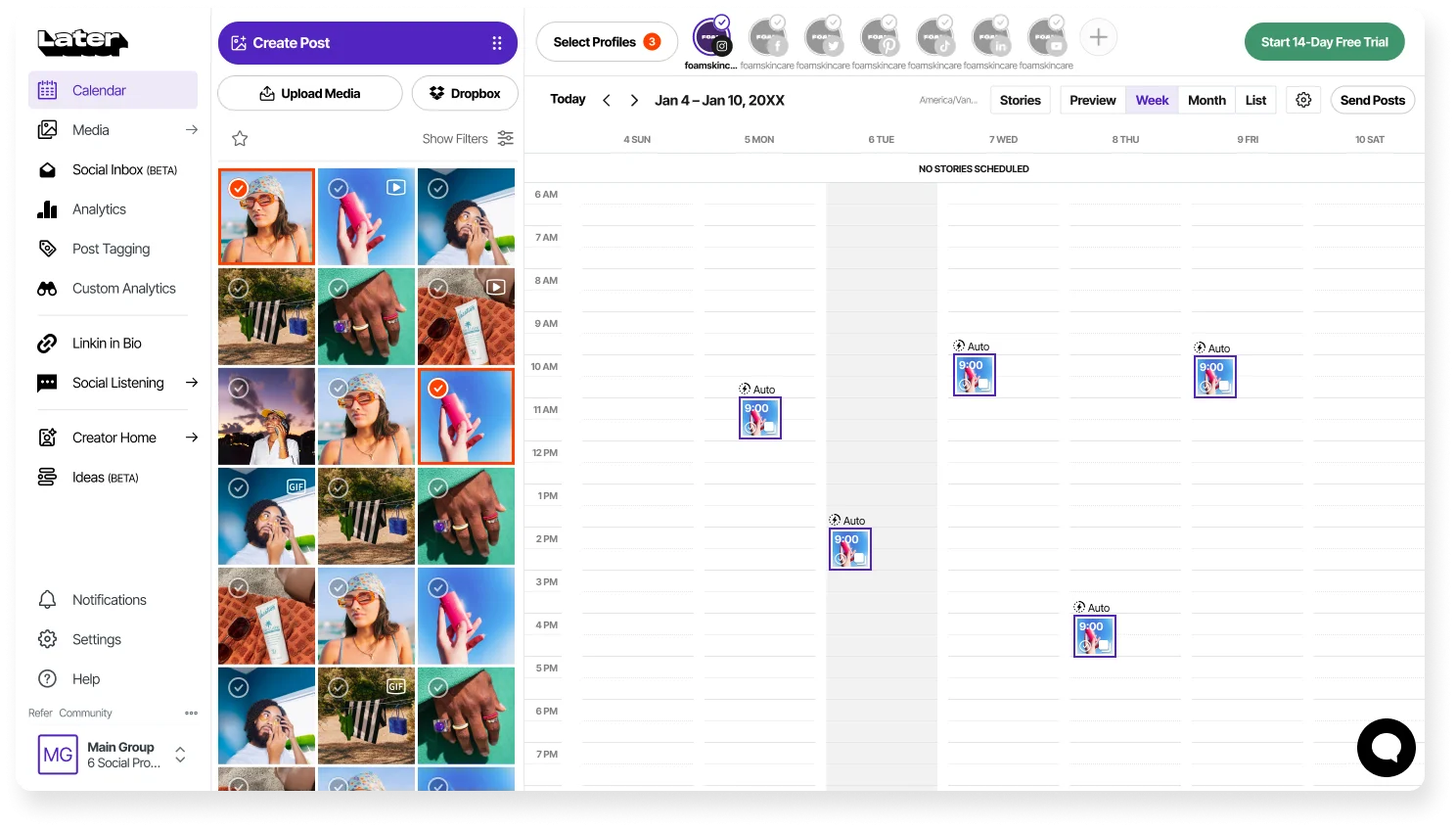
What it actually looks like: Later is the most visual scheduler here. You drag media from a library onto a calendar and preview exactly how your Instagram grid will look before anything goes live, with a Link in Bio page tied to the same posts. In 2026 the product leaned hard into creator and influencer marketing, so its framing now centers on campaigns and measurable creator ROI.
On Capterra, Hanna O., a multimedia manager, likes the “calendar layout [that] makes it easy to see… what you have scheduled when,” but finds the “interface… pretty cluttered and a bit overwhelming to navigate on a desktop,” especially for a multi-image carousel.
For a visual-first brand, Later’s grid planning and clean calendar are the easiest to learn on this page. The constraints are specific: the entry plan caps you at about one post a day per profile, there are no built-in AI writing tools as rivals add them, and there is no social listening.
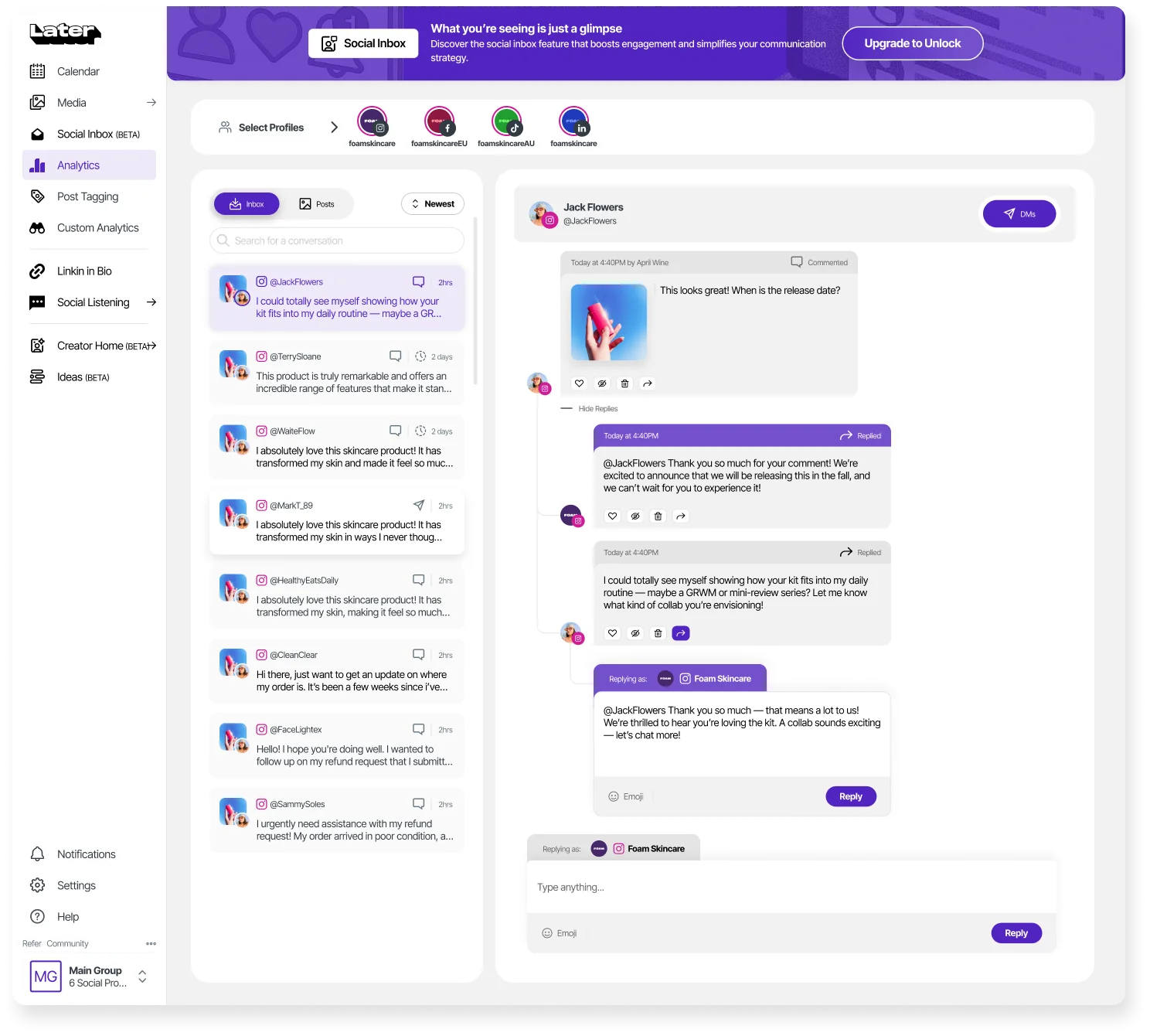
Tarification ultérieure starts at $25/month for a single social set, though that entry plan caps you at roughly one post a day per profile.
What running Later standalone requires: it covers scheduling and multi-account publishing and reports well, but content creation is light with no AI writing, and there is no listening. A brand on Later still wants Canva for design and a separate tool for mention tracking.
Coverage
- Programmation
- Collaboration
- Analyse
- Listening
- Multi-Account
- Création de contenu
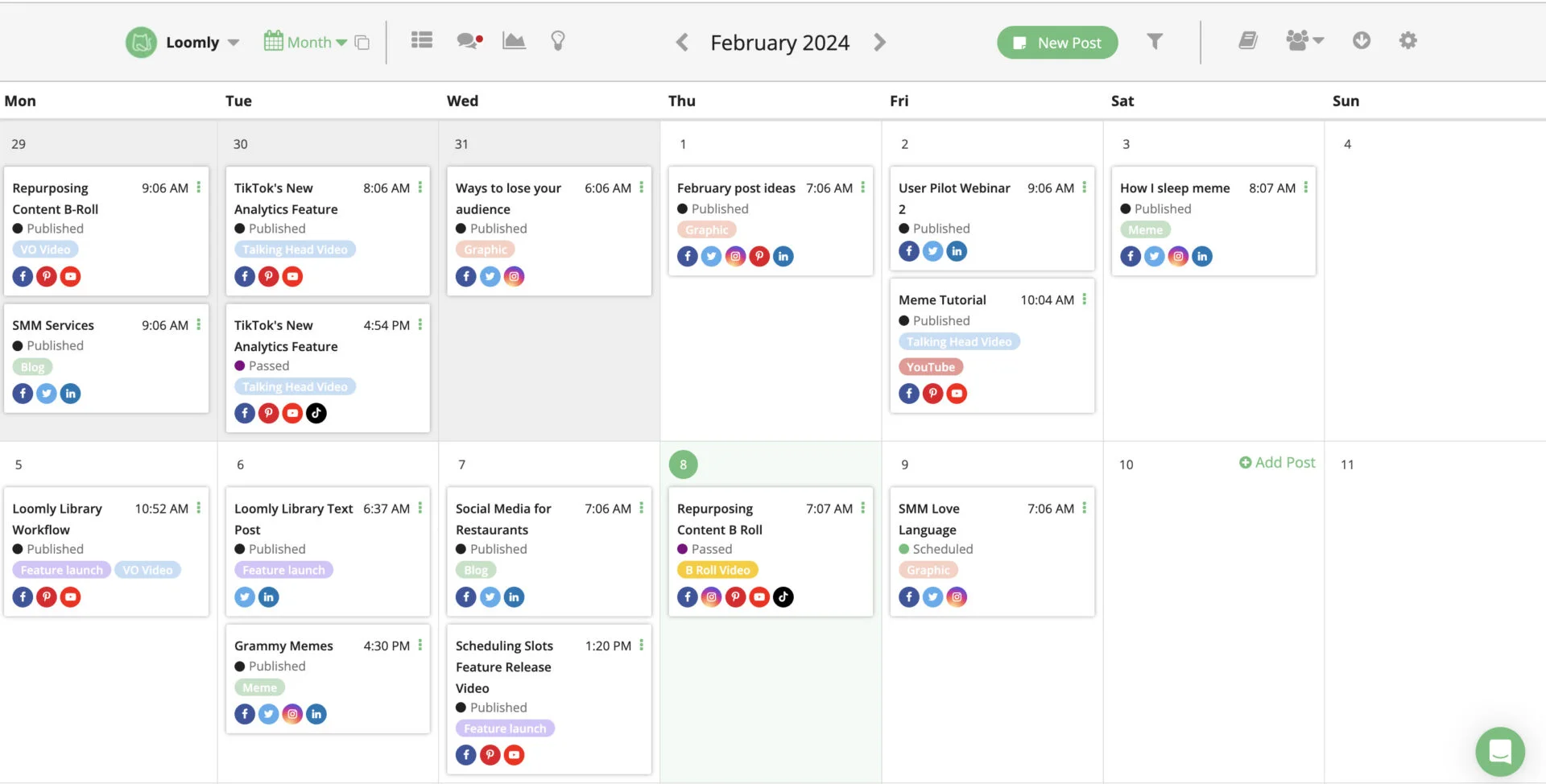
What it actually looks like: Loomly is an editorial calendar with a multi-step approval flow at its core. A post moves through comments, versioning, and sign-off, with per-network previews and mockups so approvers see exactly what will publish before they click approve. Plan-based pricing means the mid tier and up include unlimited users.
On Capterra, Stephanie T., a digital content consultant, loves the “calendar view where I could see everything I had planned out in one easy-to-see view,” but notes that “occasionally, a post would fail to publish without explanation” yet Loomly scores 4.6/5 on G2 against just 1.7/5 on Trustpilot, a gap driven almost entirely by publishing failures.
If posts die in a client’s inbox waiting for sign-off, Loomly’s approval workflow is the clearest fix on this page. The downsides match that review split: recurring reports of posts failing to publish, shallow analytics, and listening capped at a few queries a month.
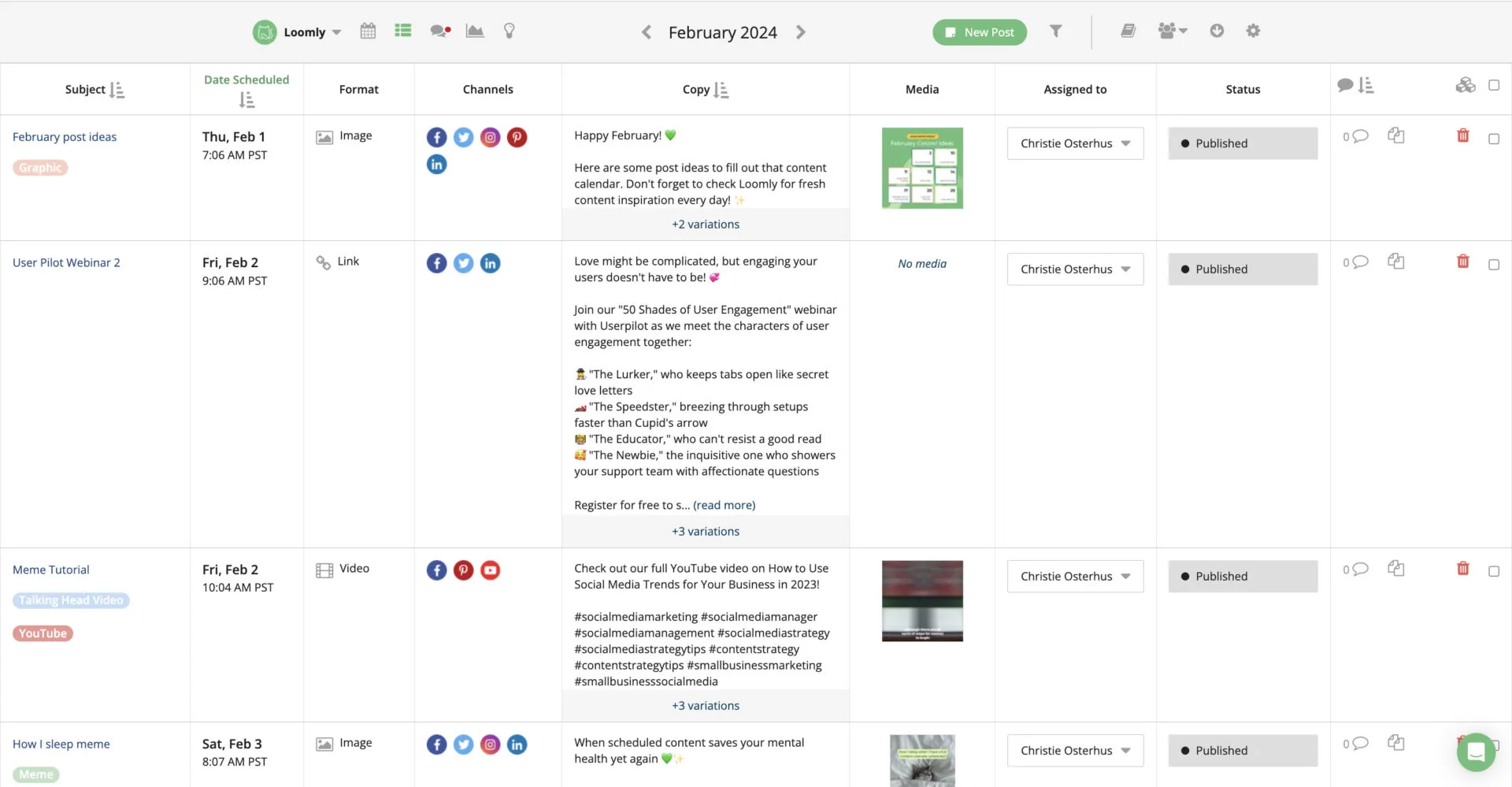
Loomly paid plans starts at $65/month on monthly billing and jumps sharply to $332/month for the next tier, so there is little middle ground.
What running Loomly standalone requires: it is strong on scheduling and approvals and covers multi-account, but analytics and listening are both light and content creation leans on its AI generator rather than real design. Pair it with Canva and, if listening matters, a dedicated monitoring tool.
Analytics and Reporting Social Media Tools
These three do not publish your posts. They turn performance into insight and into reports you can hand to a client or a boss. Pair them with a scheduler. If you want more options here, we keep our full social media analytics tools roundup for the analytics-specific search.
| Outil | Programmation | Collaboration | Analyse | Listening | Multi-Account | Création de contenu | Prix de départ |
| Rival IQ | |
|
|
|
|
|
$239/mo |
| Socialinsider | |
|
|
|
|
|
$99/mo |
| Metricool | |
|
|
|
|
|
$25/mo |
Coverage
- Programmation
- Collaboration
- Analyse
- Listening
- Multi-Account
- Création de contenu
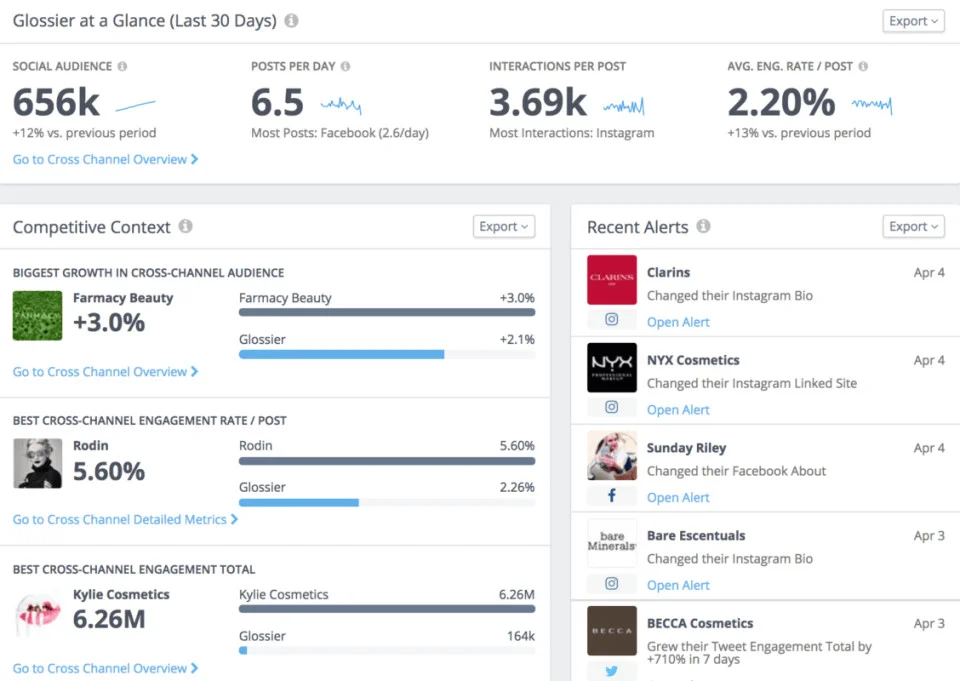
What it actually looks like: Rival IQ is a benchmarking dashboard. You define a landscape of competitor accounts and it scores your performance against them across the major networks, with readable landscape reports and automated email alerts when a rival makes a move. It does not schedule or publish anything.
On Capterra, Brendan B., an athletics communications coordinator, calls a “snapshot of our competition across the league… invaluable,” while flagging the “lack of an archive for data prior to your subscription” and search that “could be improved to locate specific posts.”
For competitive intelligence it is the strongest tool here, with a clean interface and genuinely useful alerts. The scope is the catch: there is no historical data before your subscription starts, post-level search is limited, and it does not publish, create, or manage client workspaces.
Rival IQ pricing starts at $239/month, a floor that puts it out of reach for most small businesses and signals who it is really for.
What running Rival IQ standalone requires: a lot, since it covers analytics and partial listening only. Scheduling, creation, and client management all need other tools, so it is a specialist you add to a stack, never the stack itself.
Coverage
- Programmation
- Collaboration
- Analyse
- Listening
- Multi-Account
- Création de contenu
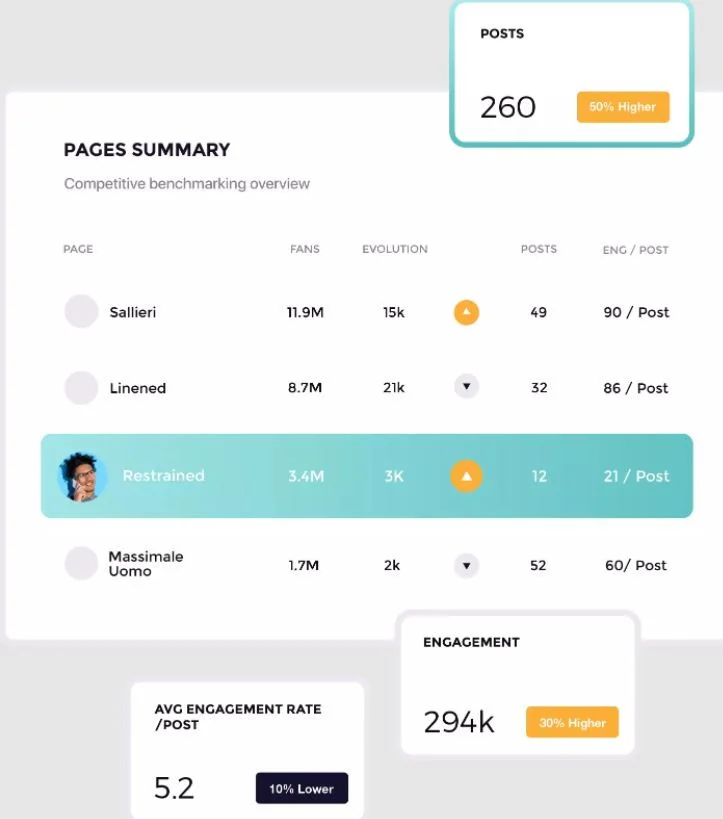
What it actually looks like: Socialinsider is a cross-network analytics and benchmarking workspace built for reporting. You connect profiles, and it produces automated dashboards and exportable reports, with unlimited exports on every tier. In 2026 it renamed its tiers and added an MCP connector, so you can pull your data into AI tools and query it there.
On Capterra, George E., a CTO, says he “saved a lot of time because before using this tool, [he] had to look at each profile every day,” though he notes that “because of the time-zone, sometimes when I… need to talk to someone on the support, I have to wait.”
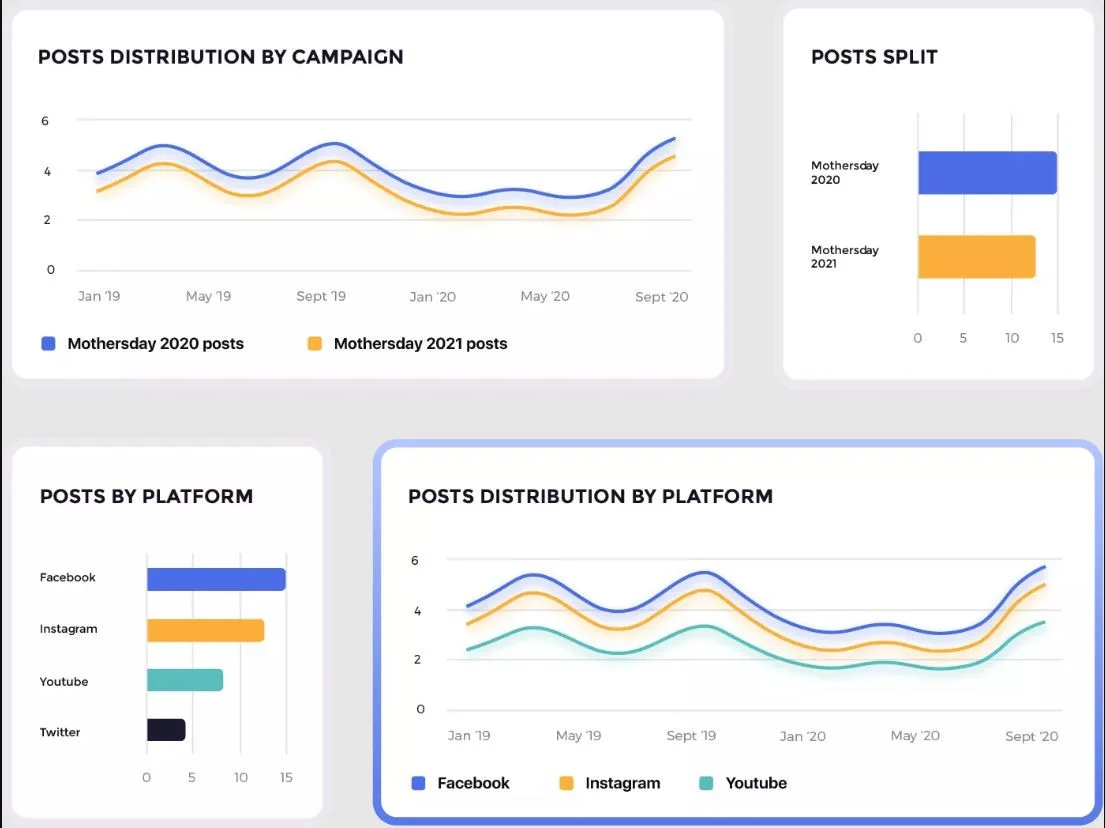
The analytics themselves are in-depth and accurate. The friction is operational: a confusing credit-and-replacement system where deleting an account does not immediately free a slot, pricing that feels high for smaller businesses, and a learning curve for first-timers.
Socialinsider pricing starts at $99/month and scales by profile count and history window, with reporting exports included on every tier.
What running Socialinsider standalone requires: it covers analytics with light collaboration and multi-account. Scheduling, creation, and true open-web listening are not covered, so it lives alongside a scheduler and a design tool as the reporting layer of an agency stack.
Coverage
- Programmation
- Collaboration
- Analyse
- Listening
- Multi-Account
- Création de contenu
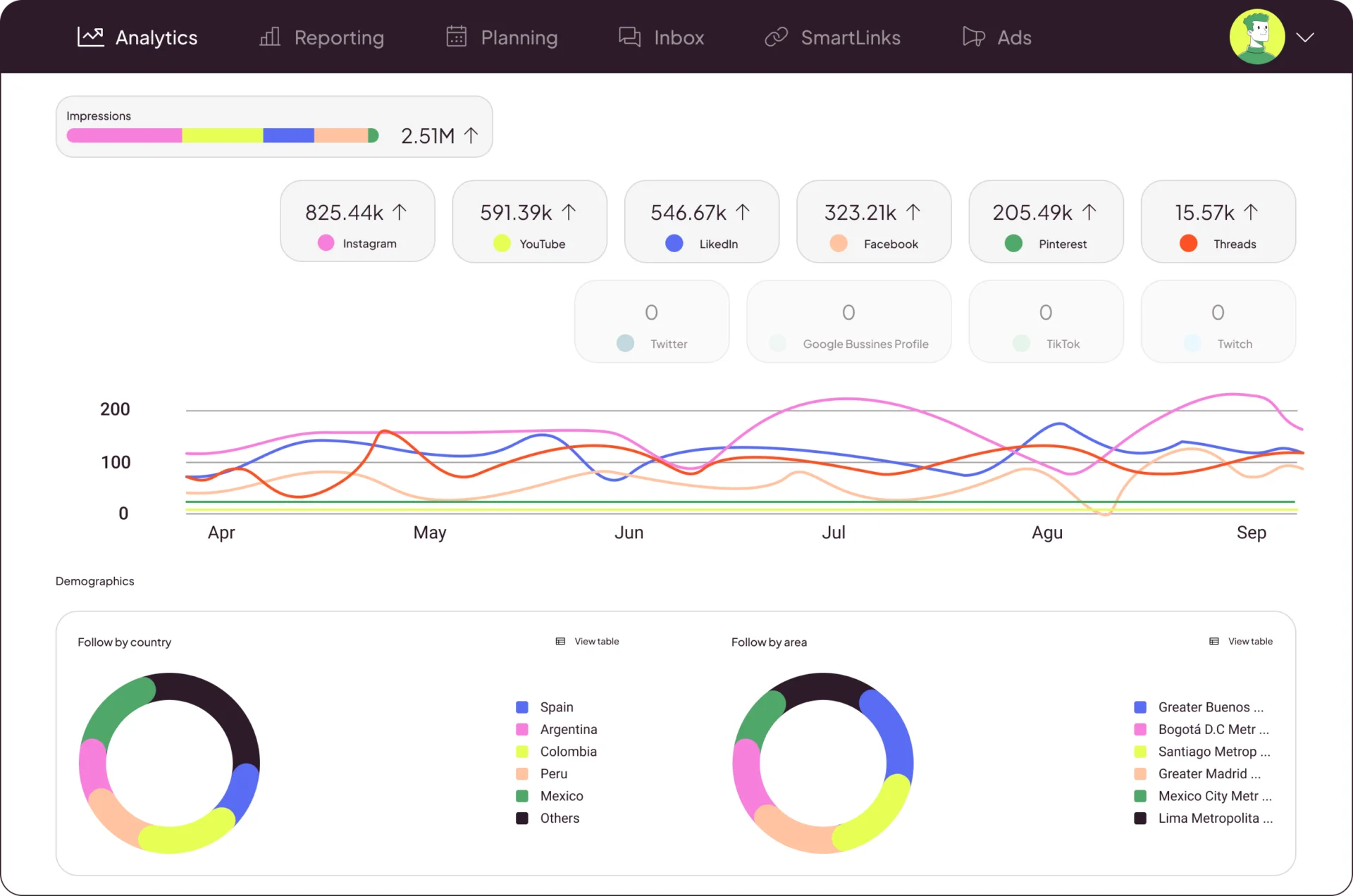
What it actually looks like: Metricool started as analytics but now shows a full planning calendar, a unified reporting section with Campaign Dashboards and a Looker Studio connector, Metricool Studio for content creation, and even Google Ads tracking, all under one affordable roof with a real free tier. It also moved early on AI, adding an MCP integration so you can drive analytics and scheduling from tools like Claude and ChatGPT.
On Capterra, one reviewer likes the ease of scheduling, down to the option to “schedule the first comment too,” but dislikes that “you need to pay if you wish to connect your LinkedIn page,” one of several channels billed as an add-on.
For an SMB it is the strongest value here and can be most of a stack on its own. The catches are in the billing detail: X/Twitter costs extra on every plan, the free tier excludes both X and LinkedIn, and some newer features are free only “for a limited time” before becoming paid add-ons.
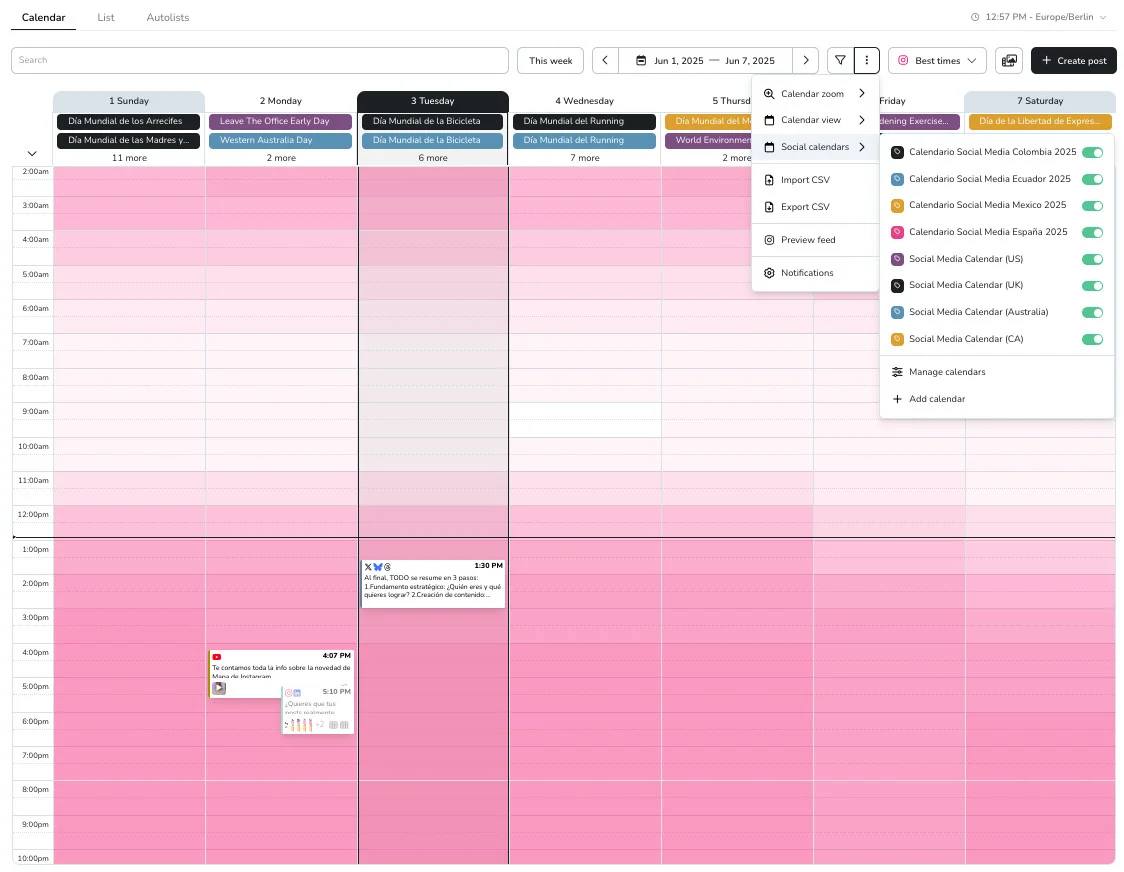
Metricool paid plans start around $25/month and also offer free tier, scaling by the number of brands, which makes it one of the best-value options here.
What running Metricool standalone requires: less than most tools in this section, since it covers scheduling, analytics, and multi-account, with lighter listening and content creation. A small team can genuinely run on it plus a design app; the thing to watch is add-on creep rather than a coverage gap.
Content Creation Tools for Social Media
Neither of these publishes or reports. They make the posts. Every stack needs one, because no management platform designs as well as a dedicated design tool. Both have real free tiers.
| Outil | Programmation | Collaboration | Analyse | Listening | Multi-Account | Création de contenu | Prix de départ |
| Canva | |
|
|
|
|
|
$18/month |
| Adobe Express | |
|
|
|
|
|
Free / $11.99/month |
Coverage
- Programmation
- Collaboration
- Analyse
- Listening
- Multi-Account
- Création de contenu
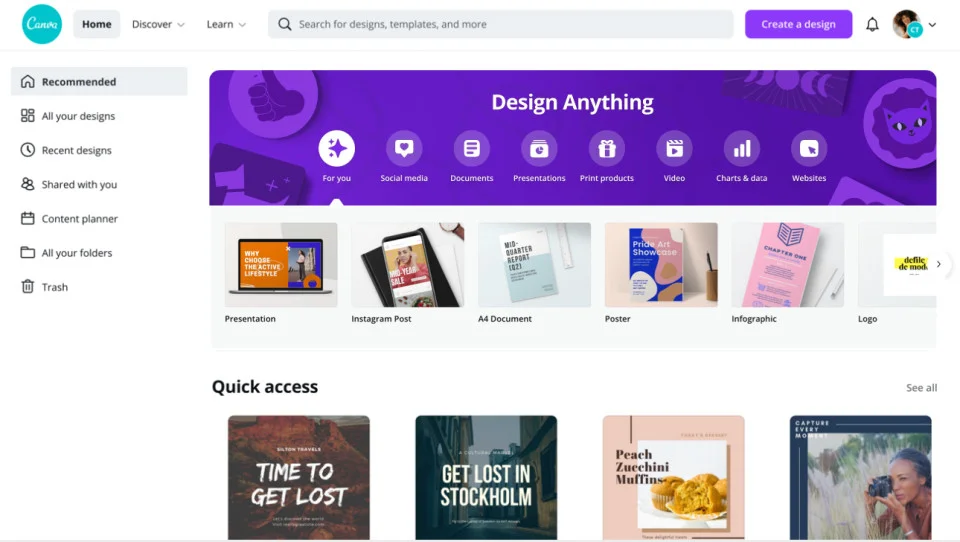
What it actually looks like: Canva is a drag-and-drop editor sitting on the largest template library in the category. You search a template, drop in text and images, and lean on brand kits and a limited Content Planner for scheduling on paid tiers. In 2026 it folded its generative tools into Magic Studio and Canva AI, for text-to-design, image generation, and charts, and made the Affinity pro-design suite free.
On Capterra, Samuel B., a graphic designer, calls it “incredibly easy to use with a wide range of templates,” but notes “some of the best features are only available with the Pro subscription,” and that “larger projects can become a bit slow.”
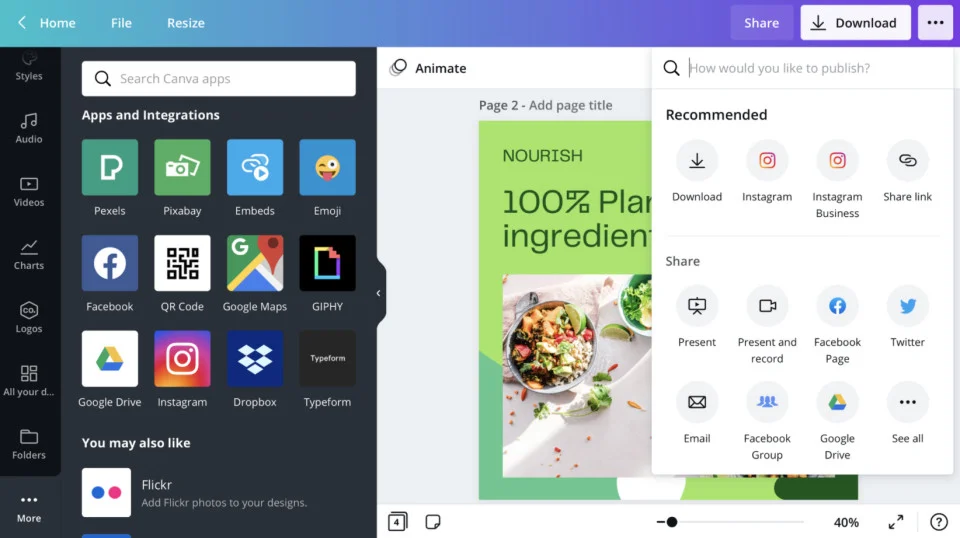
It has the easiest learning curve here and a free tier that is genuinely usable for real work. The knocks are steady price creep on Pro, a 2025 video-editor redesign widely called clunky, and the fact that the best AI features are behind paid tiers. It is a design tool, not a management platform.
Canva is free to start, but paid plans start with Pro around $18/month and Business at $25/user/month for brand kits and team controls.
What running Canva standalone requires: it covers content creation and offers light scheduling and collaboration that suit a solo creator but not an agency. It is the design half of a stack, paired with a real scheduler for everything else.
Coverage
- Programmation
- Collaboration
- Analyse
- Listening
- Multi-Account
- Création de contenu
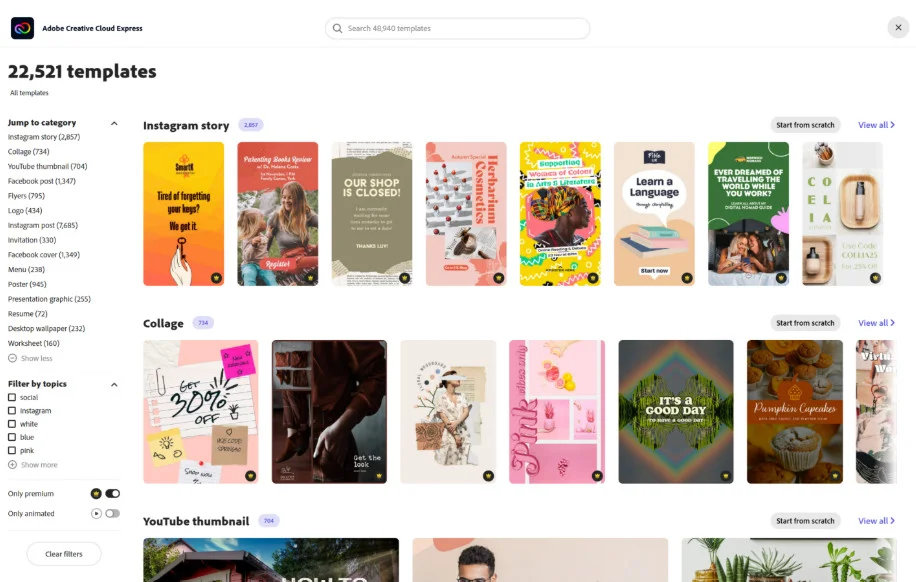
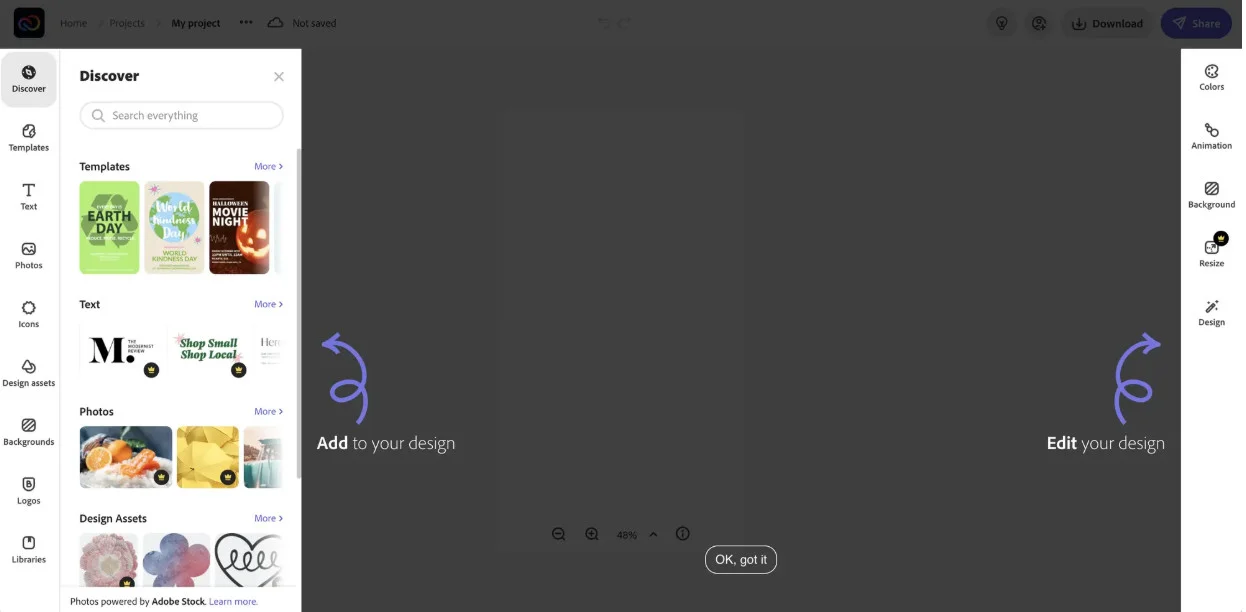
What it actually looks like: Adobe Express is a lighter editor built on Firefly generative AI and the wider Adobe stack, with 200M+ Adobe Stock assets and 30,000+ fonts on Premium, brand-kit sync across Creative Cloud, and a basic built-in social scheduler. Crucially, it round-trips native Photoshop and Illustrator files without flattening them.
On Capterra, Anna M., an owner and designer, likes the “simple intuitive tool… ideal for social media content,” but found it “super slow and quite basic for [a] professional designer,” even crashing on mobile.
Its real edge over Canva is legal and ecosystem: Firefly is trained only on licensed and public-domain content and carries commercial indemnification on Enterprise, and Adobe shops keep their assets intact. The trade-offs are that it is a lite tool missing full Creative Cloud power, reviewers report it runs slow, and its template ecosystem is smaller than Canva’s.
Adobe Express is free to start, paid plans start with $10.99/month for individual, and for business at $11.99/month; it comes bundled at no extra cost for anyone already on a Creative Cloud plan.
What running Adobe Express standalone requires: it covers content creation with a basic built-in scheduler; analytics, listening, and client management are not covered. Like Canva, it is a design tool that pairs with a scheduler, chosen specifically when Firefly’s commercial safety or Adobe file compatibility is the deciding factor.
Social Listening Tools for Social Media
This is the job the full-suite platforms cover the least, and the reason dedicated listening tools exist. If tracking brand mentions, competitor chatter, and sentiment across the open web is Essential in your matrix row, you add one of these to your stack.
| Outil | Programmation | Collaboration | Analyse | Listening | Multi-Account | Création de contenu | Prix de départ |
| Brand24 | |
|
|
|
|
|
$199/mo (annual) |
| Mention | |
|
|
|
|
|
~$599/mo |
| Brandwatch | |
|
|
|
|
|
Custom (no public price) |
Coverage
- Programmation
- Collaboration
- Analyse
- Listening
- Multi-Account
- Création de contenu
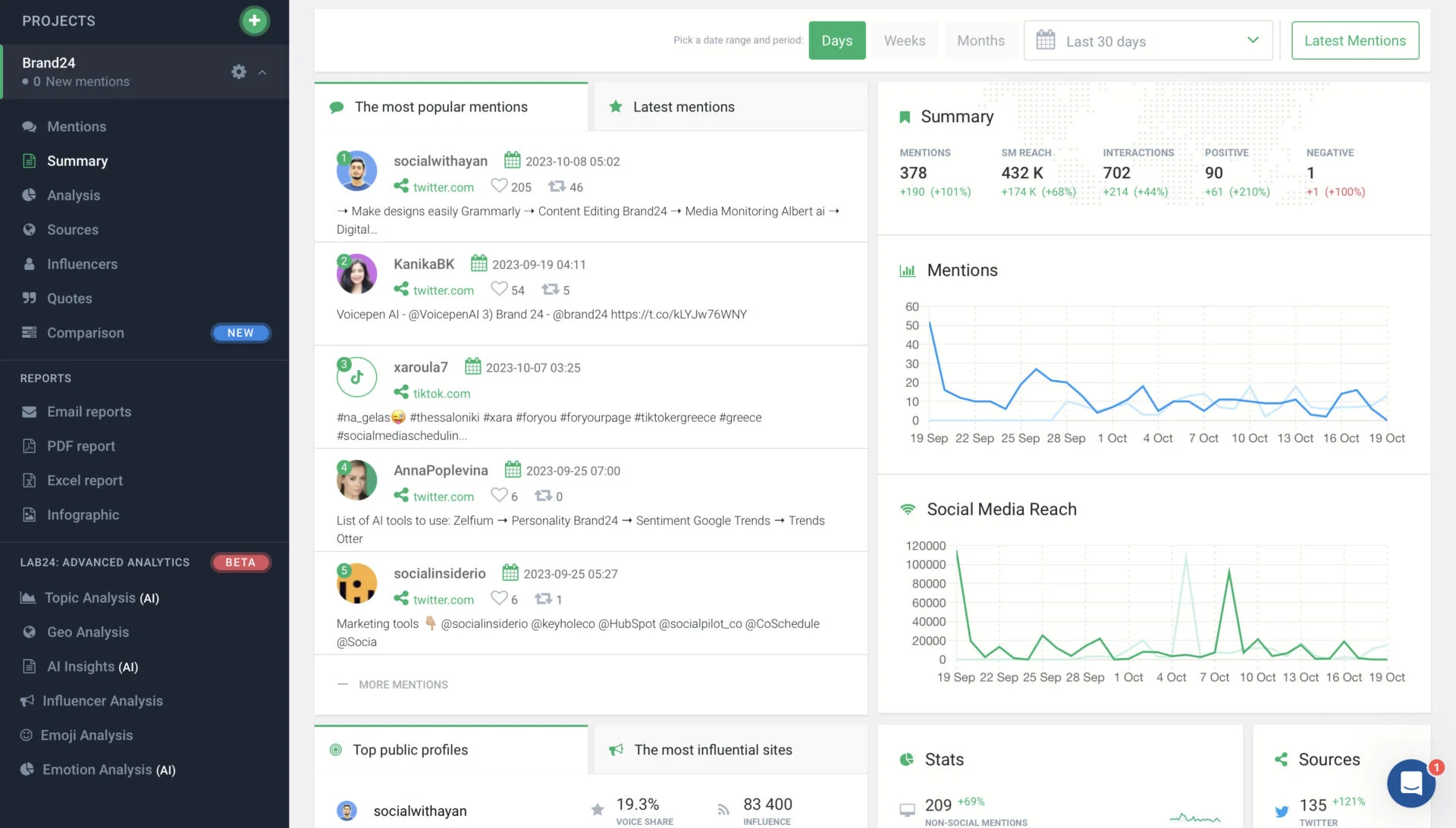
What it actually looks like: You set up a project around a keyword, and Brand24 fills a live mentions feed from across social and the open web, scoring sentiment and reach, flagging influential voices, and rolling it into shareable PDF and infographic reports. Unlike most of the category, it publishes its prices and does not add overage charges.
On Capterra, Mariana P., an account manager, likes that there are “no lock in contracts,” but flags weak filtering: without richer operators her “search come[s] up with a lot of junk and then I have to filter relevant results.”
It is the affordable, transparent option next to enterprise listening tools, with unlimited users from the Team tier and an AI Brand Assistant on the higher plans. The limits are honest ones: those filters can let noise through, and historical depth is shallower than Brandwatch-class tools.
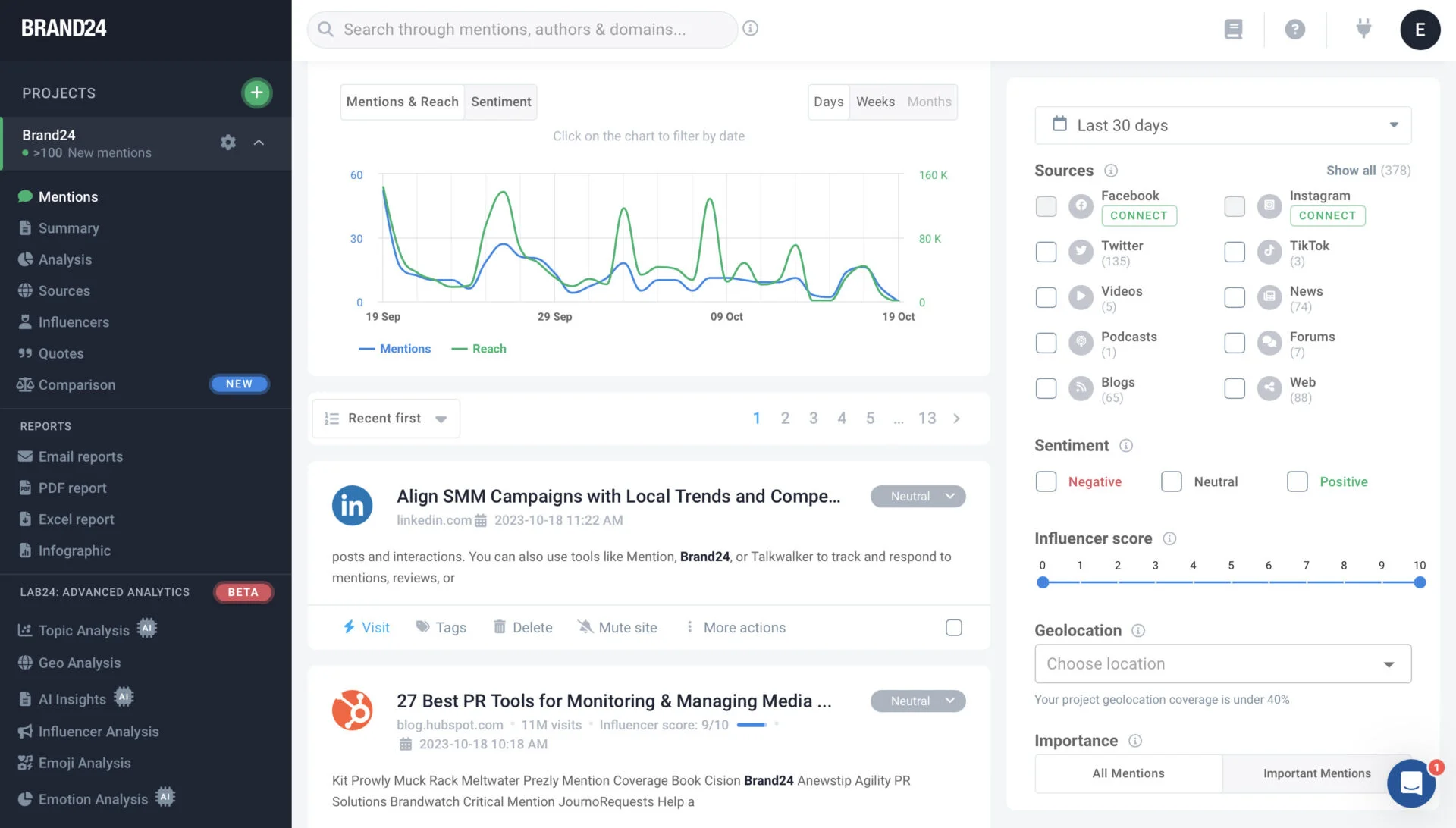
Brand24 pricing starts at $199/month on annual billing and, unusually for listening tools, publishes every price with no surprise overage charges.
What running Brand24 standalone requires: it covers listening and reputation analytics, with light collaboration and multi-account. It does not publish or create, so it is a bolt-on to a management platform, the one we point SocialPilot users to for the listening gap.
Coverage
- Programmation
- Collaboration
- Analyse
- Listening
- Multi-Account
- Création de contenu
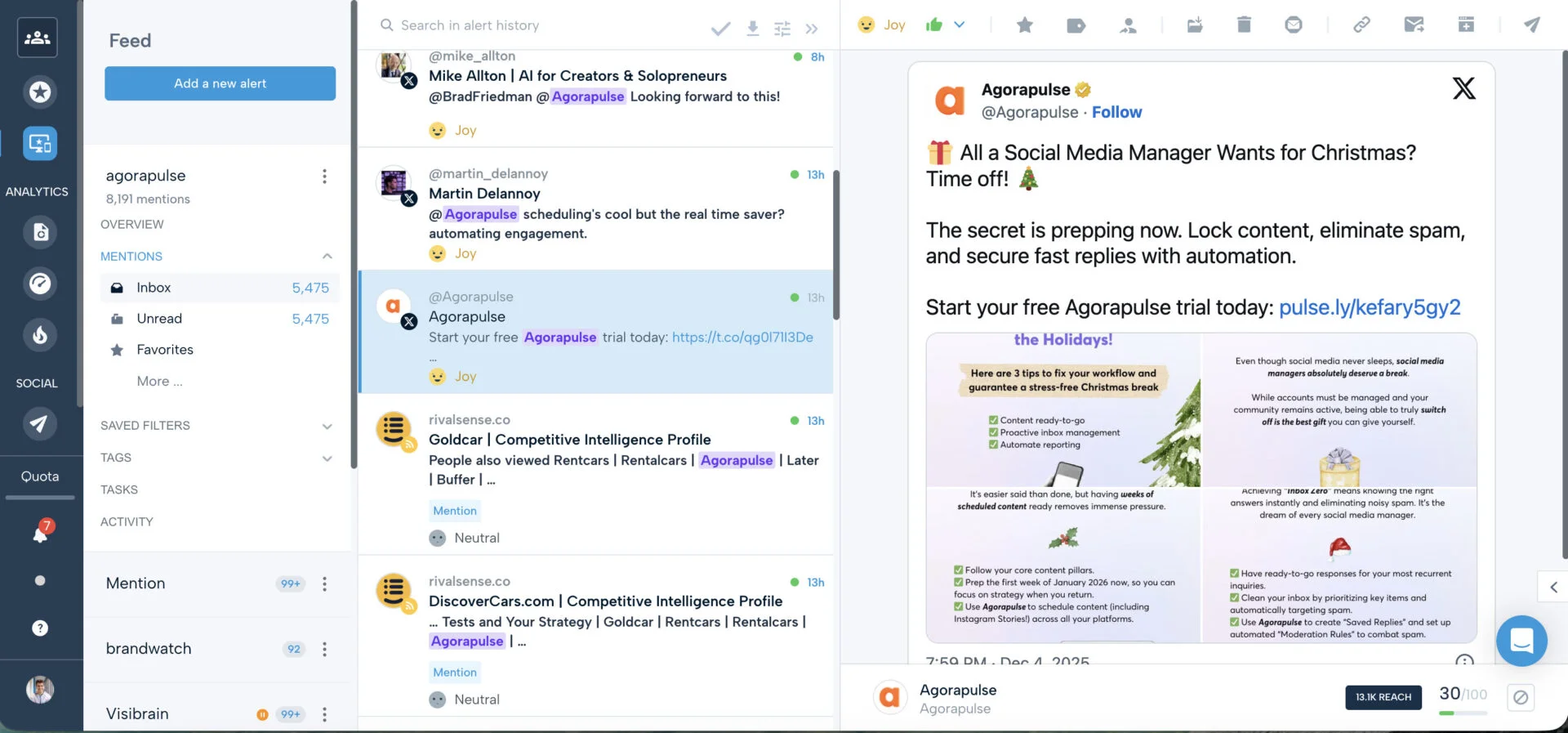
What it actually looks like: Mention is a real-time web and social monitoring tool. You build alerts with Boolean-style queries and watch a live feed of mentions with sentiment and competitive benchmarking.
Reviewers value the monitoring itself. On Capterra, Darla B., a marketing coordinator, says it “covers all social media and all sources on the web… really great and easy to use,” but calls it “pretty pricy,” with a free cap of “only 100 [mentions]… I reach my max by the end of the first week of the month.”
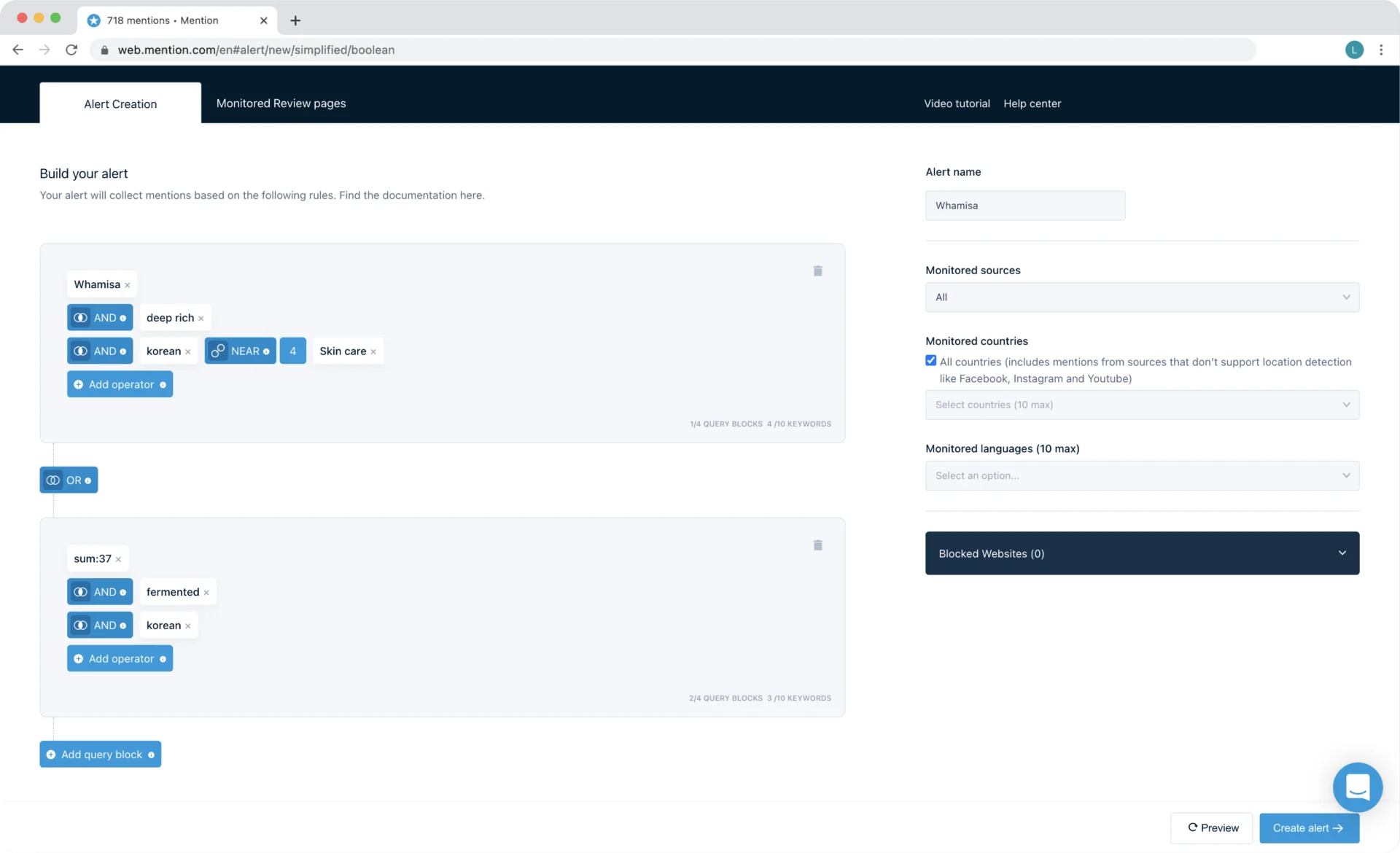
For a larger organization it offers enterprise-grade coverage and a dedicated account manager. Know the trade before you shortlist it on an old price: publishing was retired in January 2026, so you now need a separate tool to post, and a 90-day renewal-notice window locks you in.
Mention now sells a single enterprise Company plan at roughly $599/month, billed annually, after retiring its old sub-$50 self-serve tiers. For small businesses, the Individual plan is available at $249/month with monthly billing.
What running Mention standalone requires: it covers listening with solid analytics, but since publishing was retired there is no scheduling, creation, or client-workspace layer. It sits alongside a full scheduler in the stack.
Coverage
- Programmation
- Collaboration
- Analyse
- Listening
- Multi-Account
- Création de contenu
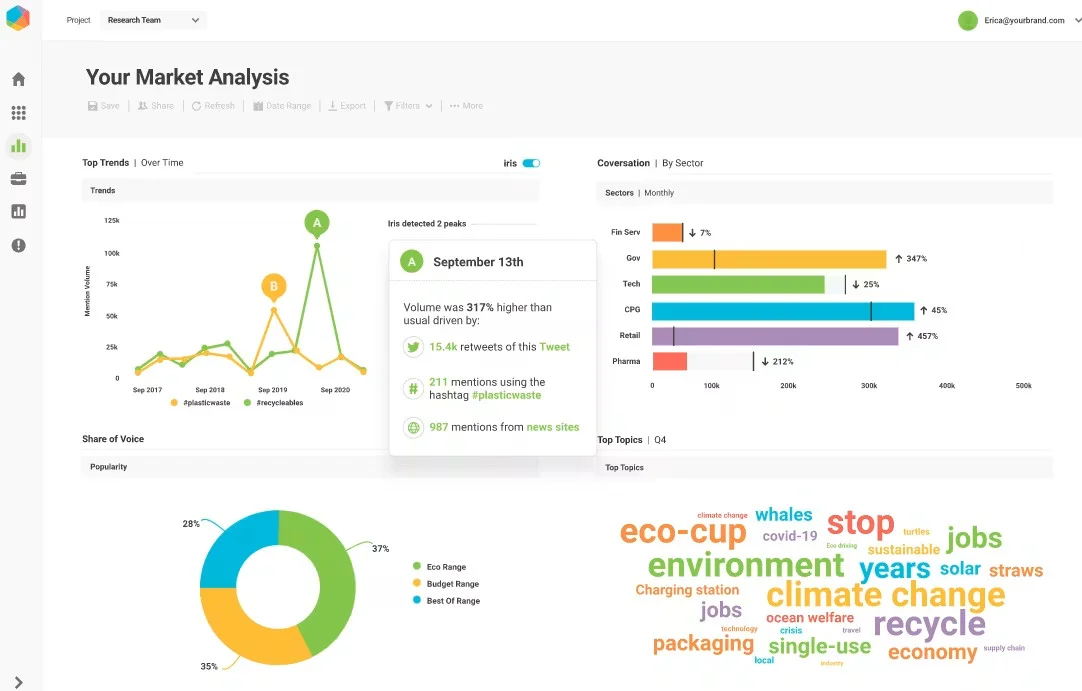
What it actually looks like: Brandwatch reaches further than anything else here, across Threads, TikTok, YouTube, LinkedIn, and tens of thousands of podcasts with transcript analysis, and layers Iris AI on top so you can query all of it in plain language and get AI dashboards that write their own narrative summaries. It is a full suite, with publishing and analytics modules beyond listening.
On Capterra, Matisse D., in communications, says it “brings analytics and reporting together in one place… genuinely easy to use,” while naming the obvious downside: “the cost. Brandwatch sits at the premium end of the market.”
For enterprises with research budget, it has the deepest data coverage in the category by a clear margin. The downsides are structural: there is no public pricing at all, and it is overkill with a steep learning curve for most SMB use cases.
Brandwatch publishes no pricing at all; every plan is quote-only through a sales demo, which is a real barrier if you just want to compare and budget.
What running Brandwatch standalone requires: unusually for a listening entry, little, since it covers listening, analytics, scheduling, collaboration, and multi-account, with lighter content creation. It is less a bolt-on than an enterprise platform in its own right, which is exactly why it is priced and sold like one.
How to Choose the Right Stack for Your Team
The right stack starts with your team’s biggest gap, not the number of tools you can add. Choose one core platform, then add only the tools that fill specific needs.
Start With One Job, Not a Category
Pick the single job you cannot do well right now. That is your anchor tool. Buy the best fit for that one job at your price, then add only what your matrix row marks Essential and your anchor tool does not already cover. Most teams over-buy because they shop the category (“I need a social media tool”) instead of the job (“I need reliable scheduling across eight client accounts and a report I can white-label”).
Stack Combinations That Actually Work
You rarely need more than two or three tools. A management platform usually covers four jobs; you add a design app, and sometimes a listening tool. Here are combinations that hold up in practice. (Prices are re-verified below in each tool’s section, treat these as the shape of a stack, not a final quote.)
| Type d'équipe | Anchor tool (jobs 1, 2, 3, 6) | Add for content | Add for listening |
| Créateur solo | One scheduling specialist or entry-tier suite | Canva Gratuit | Skip |
| In-house SMB team | One full-suite platform, mid tier | Canva Pro | Optional: Mention entry tier |
| Petite agence | One full-suite platform with white-label | Canva Pro or Adobe Express | Brand24 or Mention |
| Larger agency | Full-suite platform, top tier | Adobe Express + Canva Teams | Dedicated listening (Brandwatch / Agorapulse add-on) |
The pattern is the same every time: one platform for the connected jobs, one design app because no platform designs as well as a design tool, and a listening tool only if listening is Essential in your row.
How We Tested These 18 Social Media Tools
What We Actually Did
We started from a list of more than 30 tools and tested them on real, live accounts over a 30-day window, not from spec sheets alone. We scheduled real posts, ran them through approval steps, pulled real reports, and pushed each tool on the specific job it claims to be best at. We then narrowed to the 18 that earn a place, each because it is the best in its category, the strongest value at its price, or the clearest answer to one specific job.
Every tool was scored the same way, on five things:
- Publishing reliability: do scheduled posts actually go live, on time, without silent failures.
- Feature-to-price ratio: how much real capability you get for the money at each tier.
- Adéquation aux équipes et aux agences : client separation, approval flow, white-label reporting.
- Analytics quality: whether the data is actionable or just vanity metrics.
- AI usefulness: real time saved versus a marketing checkbox.
For reputation and recurring complaints we read verified reviews on G2, Capterra, Product Hunt, and Trustpilot, and we quote a real, named reviewer for each tool below rather than paraphrasing.
What We Couldn’t Verify
We are direct about the limits of this test.
- Pricing moves. Every price on this page was re-checked against the vendor’s own live pricing page in August 2026. Even so, vendors restructure tiers often, we watched two major vendors change pricing mid-research, so confirm the current figure on the vendor’s site before you buy.
- Enterprise and custom pricing. Some tools (Brandwatch, and the top tiers of several suites) publish no public price. Where a tool hides its pricing, we say so and treat it as a real downside, not a neutral fact.
- Feature depth on plans we did not run. We tested representative tiers, not every plan of every tool. Where a job’s coverage depends on a tier we did not personally run, we mark it from the vendor’s own documentation and flag it as such rather than claiming hands-on proof.
The Right Stack Is the Smallest One That Works
The best social media tool isn’t the one with the most features. It’s the one that covers the jobs your team actually does every week, without adding coordination overhead between apps you have to keep in sync by hand. Read your row in the matrix, pick the one job you can’t do well right now, and let that choose your anchor tool.
Most teams need two or three tools, not one of everything: a platform for the connected jobs, a design app because no platform designs as well as a dedicated one, and a listening tool only if tracking mentions is essential. Over-buying an enterprise suite for the two jobs you actually do, and gluing five single-purpose apps together, are the same mistake, shopping by category instead of by the job in front of you.
SocialPilot fits a specific picture, not every one: agencies and SMB teams that need scheduling, client approvals, analytics, and multi-account management in one place, and that pair it with a listening tool like Brand24 or Mention when they need one.
If that sounds like your setup, map your six jobs first, then check SocialPilot’s plans and pricing to see where a connected platform would replace what you’re piecing together by hand. If listening or serious design is your main job, one of the specialists above is the better place to start and that is the honest answer, even from the company that makes one of these tools.
Questions fréquemment posées
What are the best social media tools?
The best tool depends on what you need most. For agencies and SMBs, SocialPilot, Sprout Social, and Hootsuite cover scheduling, approvals, reporting, and multi-account management. SocialBee, Later, and Loomly focus on scheduling, while Rival IQ and Socialinsider specialize in analytics. Canva and Adobe Express handle design, and Brand24, Mention, and Brandwatch focus on social listening. Choose one core platform, then add specialists only where needed.
What social media AI tools are worth using?
The best AI tools save time on real tasks. SocialPilot’s AI Pilot helps with captions and content ideas, while its MCP connects social media workflows with AI assistants. Hootsuite, Metricool, Buffer, and Canva also offer AI for analytics, reporting, drafting, and design. Choose tools that make your existing workflow faster.
What's the best social media tool for agencies?
Agencies need clean client separation, approval workflows, and white-label reporting above all else. SocialPilot and Sendible both lead on agency economics, flat or unlimited-user pricing with white-label output, while Sprout Social wins if deep analytics matter more than cost.
How many social media tools does a small team actually need?
Usually two or three. One full-suite platform covers scheduling, collaboration, analytics, and multi-account in a single place that is four of the six jobs. Add a design tool like Canva, because no management platform designs as well as a dedicated one. Add a listening tool only if tracking mentions is essential to your work. Most small teams over-buy by stacking single-purpose apps a mid-tier platform would have replaced.
What's the best social media tool for small businesses?
For a small business, the best tool balances price against the four core jobs. SocialPilot and Buffer are strong, affordable anchors for scheduling and reporting. Zoho Social is the cheapest full-suite entry and adds broad channel support. Metricool is a good fit if you want analytics and scheduling together with a free tier to start. Add Canva for design, and you have a complete small-business stack for well under $50 a month.
What's the difference between a scheduling tool and a social listening tool?
A scheduling tool plans and posts your own content, it is about output. A social listening tool tracks what other people say about your brand, your competitors, or a topic across social and the wider web, it is about input. Schedulers ask "what should we post and when." Listening tools ask "what is being said, and how do people feel about it." Most teams need both, but they are different jobs, which is why one tool rarely does both well.
Do I need a separate analytics tool if my scheduler already includes analytics?
Often not. If your scheduler's built-in analytics answer your questions, reach, engagement, top posts, a client-ready report, you do not need a second tool. You add a dedicated analytics tool like Rival IQ or Socialinsider when you need something schedulers rarely do well: competitive benchmarking against rival accounts, deep historical trends, or highly customized client reports. Buy the specialist for the specific gap, not as a reflex.
A propos de l'auteur