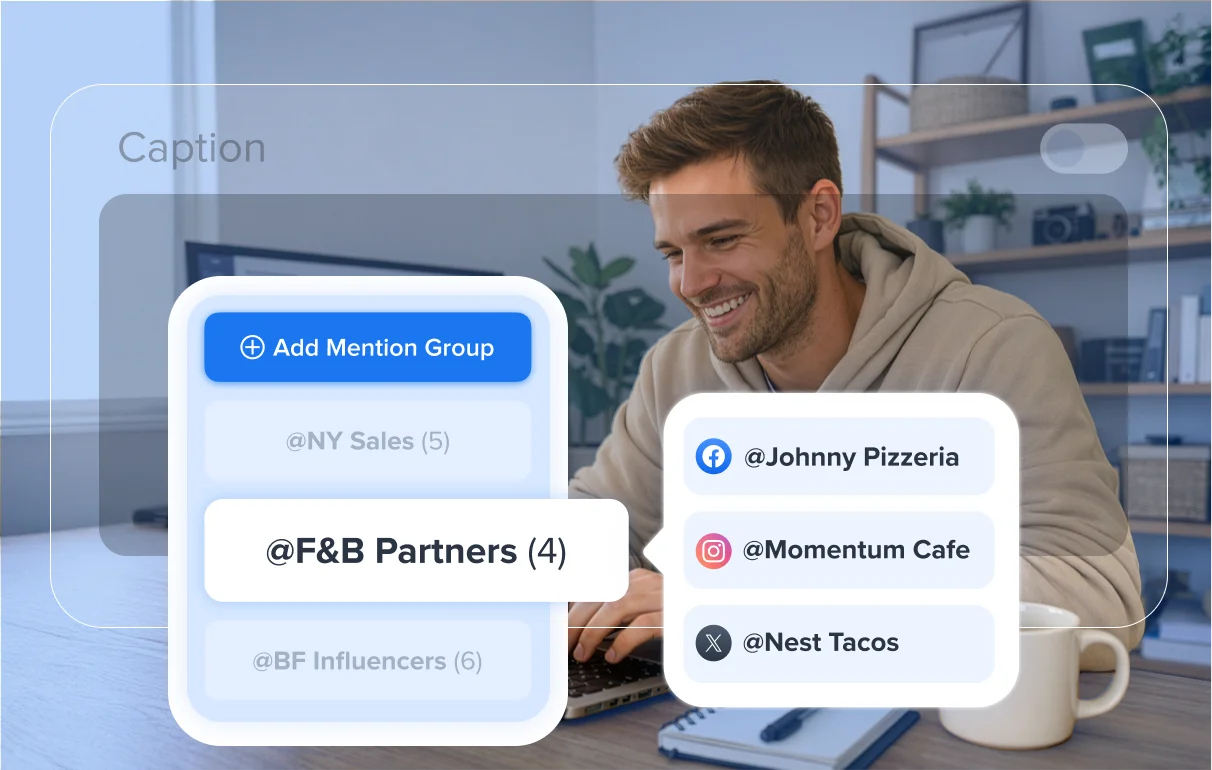
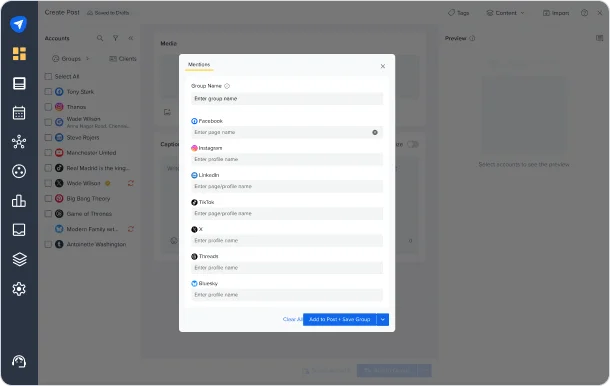
Add and save Mention Groups once, then reuse them across posts to reach the right people every time without manual effort.
Campaigns often require mentioning the same partners, clients, or collaborators across multiple posts. With Mention Groups, you can save groups of accounts once and instantly reuse them when creating posts, making publishing faster and expanding reach.
What You Can Do
- Save Mention Groups once and reuse them across multiple campaign posts.
- Mention the right people consistently without manually selecting handles.
- Speed up repeat posting by eliminating repetitive mention setup.
- Reduce errors and missed mentions across high-volume campaigns.
- Keep campaign posts aligned and publishing workflows smooth.
How Saved Mention Groups Work Across Teams
Saved Mention Groups are shared across your team to support smooth collaboration:
- When an Owner, Admin, Manager, or Content Scheduler creates a Saved Mention Group, it becomes visible to all other team members.
- In Manage Mention Groups, the ‘Created By’ column helps you identify who created each group.
- Client users have their own private Saved Mention Groups. Groups created by a Client user are visible only to that user.
- Content Schedulers can use Saved Mention Groups but do not have permission to delete them.
Turn Consistent Mentions Into Greater Reach
By reusing Saved Mention Groups, every campaign post goes out with the right mentions, helping you stay consistent, reduce manual work, and maximize visibility across posts.
Saved Mention Groups are now available in the Create Post screen. Start using them today to streamline campaign publishing and maximize reach without extra effort.
If you need help getting started, check out our help documentation or reach out to our support team.