

Three people approved the post. None of them approved the same version.
That’s the part that’s hard to explain, not to the client, but to yourself. Nobody was careless. The Slack thread said “all good” at 11 AM. The email said “approved” at 2 PM. The post that went live at 6 PM came from a Google Doc saved three weeks earlier, pulled by someone who didn’t know there had been two rounds of revisions since.
The client’s question isn’t “why did this happen.” It’s “which version did you think we approved?” That question has no good answer when your approval trail lives across four different tools.
We’ve seen this break client relationships at agencies managing five clients and at agencies managing fifty. The size doesn’t change the failure mode. The infrastructure does.
On r/SocialMediaManagers, one manager described their approval process honestly:
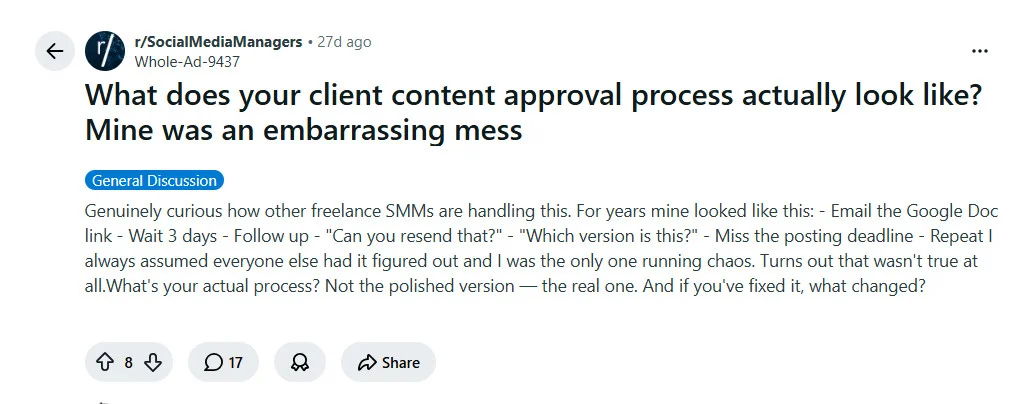
Every agency that has stopped having this problem traces the fix back to the same decision: they stopped treating “approved” as a conversation and started treating it as a system state.
Here’s exactly what that shift looks like, and why it’s the only thing that actually holds.
The “Version Drift” Effect
A post doesn’t arrive with multiple competing versions. It starts as one draft and splits quietly, across tools, across conversations that nobody connected to each other.
The fracture point is almost always the same. It’s not the revision itself; it’s the moment a revision splits off from the main file and lands in someone’s hands as their version.
Here’s the sequence:
- A copywriter creates a draft in Google Docs and shares the link in Slack.
- A colleague leaves a comment on the doc. The client sends separate feedback to the account manager via email.
- The account manager makes the client’s edits on a downloaded copy saved locally two weeks earlier.
- The copywriter, seeing the Slack message but not the email thread, uploads a revised version to the scheduling tool.
- A third team member, working from the original shared doc link, publishes what they believe is the current draft.
Nobody in that sequence made a mistake. Everyone worked from the version they had access to. The problem is that three versions existed in three places simultaneously, with no system to declare which one was authoritative.
It’s not an isolated experience. On r/SocialMediaManagers, the same frustration surfaces across threads:
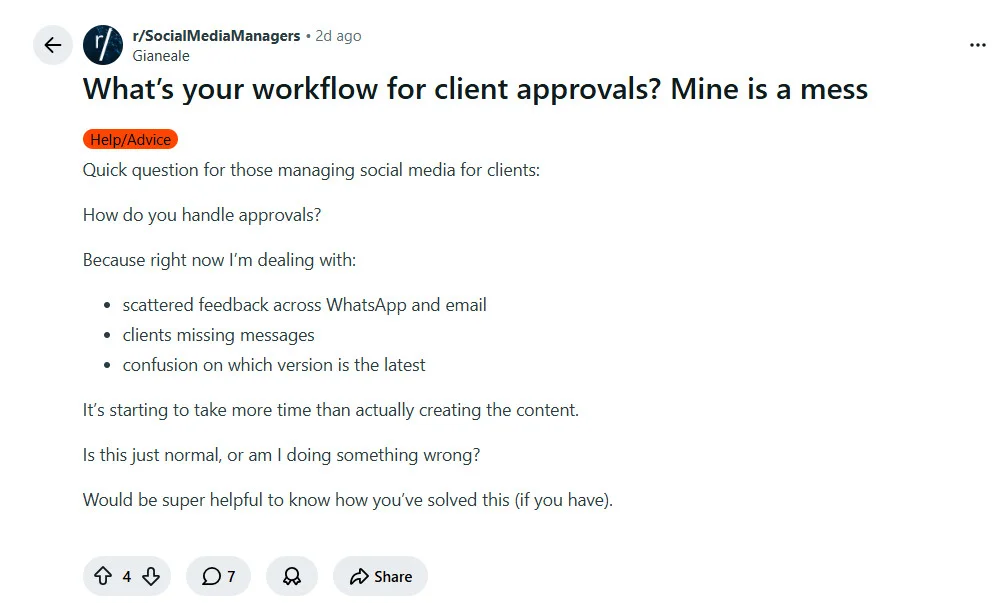
The agencies we work with that have traced a client loss back to this moment almost never say it was one person’s fault. They say it was a process that had no way to hold a final.
And the reason those processes couldn’t hold a final has nothing to do with team discipline.
Why External Tools Can’t Hold a “Final Version”
The tools most agencies use for content work, Google Docs, Slack, email, WhatsApp, were built for communication and file sharing. None of them were built to manage state.
State management is the difference between “this is where the file lives” and “this version was approved at 3:47pm Tuesday and nothing supersedes it.” Google Docs can hold seventeen drafts with full revision history. It cannot tell you which one the client actually signed off on.
| Tool | What It Does Well | What It Cannot Do |
| Google Docs | Store and share a draft | Lock an approved version; record who approved it and when |
| Slack | Pass feedback quickly | Create a traceable approval record tied to a specific version |
| Capture client revisions | Connect those revisions to the correct file in the scheduler | |
| Get a fast “looks good” | Record that “looks good” referred to version 3, not version 2 |
Each tool does its job. The failure is structural: none of them share state. There is no moment in any of them where “this version is the one” becomes an official, visible, locked fact.
This is the infrastructure problem at the core of why agencies stall at 15 clients: approval conversations scatter across disconnected channels until no one can trace which confirmation belongs to which post, or which post belongs to which version.
The fix isn’t a better version of any of these tools. It’s a different kind of system entirely.
What “Single Source of Truth” Actually Means
Single source of truth sounds like a file management tip. It isn’t.
A shared Google Drive folder is one place. Fifteen versions of the same caption in one folder are still fifteen versions, with no way to know which is current or confirmed.
What separates the agencies that never have version conflicts from those that do isn’t communication discipline or careful file naming. We know exactly what it is, because we built SocialPilot around it: one system where approval states are locked, not implied.
The workflow looks like this:
Draft → In Review → Client Approved → Scheduled
Each of those is a real status, not a folder name, not a Slack thumbs-up, not an email marked “all good.” When a post reaches “Client Approved,” the previous draft doesn’t compete with it. The system holds the approved state. Nobody tracks which file to publish from. The platform already knows.
The team’s question changes: not “which version is final?” but “what’s the status on the Q3 product post?”
A locked approval state means the ambiguity doesn’t exist. There is one version. It has a timestamp. It has a name on it.
That system is what SocialPilot is built to be for agencies.
The agencies we work with that have eliminated version conflicts completely share one thing: every draft, comment, revision, and approval state lives in one place. There’s no external document to drift from. No parallel file. No Slack thread to cross-reference before publishing.
Each client has a contained workspace inside SocialPilot. Content moves through a defined approval flow: draft, review, approval, scheduled.
At every stage, every team member is looking at the same version, in the same place, with the same status visible. The account manager doesn’t need to ask which PDF the client annotated. The publisher doesn’t need to search for the latest draft. The platform holds it.
This two-minute walkthrough shows exactly how the approval flow runs inside SocialPilot, from draft to client sign-off.
Here’s what that means against the old workflow:
| Old Workflow | SocialPilot Workflow |
| Draft in Google Docs, link shared in Slack | Draft created directly in SocialPilot’s content calendar |
| Client feedback via email or WhatsApp | Client reviews and comments inside SocialPilot’s approval portal |
| Revisions made on a local downloaded copy | Edits made on one version; history tracked inside the platform |
| “Final” version unclear; publisher picks from what’s available | Post status shows approved, by whom, at what time |
| Version conflict discovered after publishing | Conflict structurally impossible: only one approved version can be scheduled |
This is where account managers running eight or more clients recover the most time. Not from scheduling faster, but from eliminating the coordination overhead of tracking approval state across tools that don’t talk to each other. When approval lives inside the platform, that overhead disappears.
Is Your Workflow Version-Proof?
Run this against your current setup. More than two “no” answers means version confusion is either already happening or one missed message away.
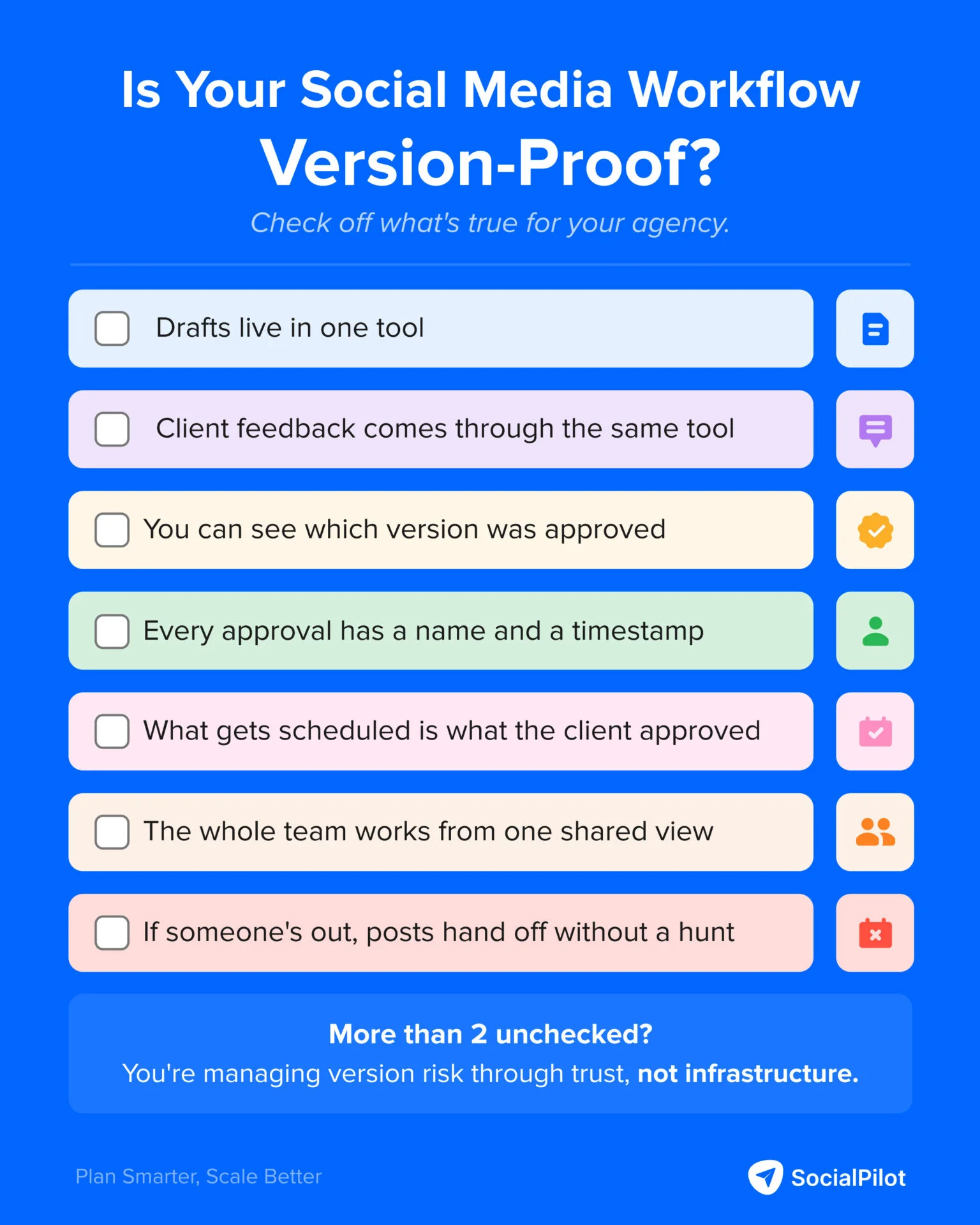
Seven “yes” answers means your draft workflow is structurally sound. Fewer than five means you’re managing version risk through trust instead of infrastructure.
The Only Version That Counts
The client doesn’t see the process. They see the post.
When the wrong version goes live, the conversation that follows isn’t about the copy. It’s about whether your agency has a system that holds under pressure. Most clients will give you one opportunity to answer that question correctly.
The agencies that never have this conversation didn’t get lucky. They made approval structural: one platform, one version, one status visible to every person on the team at the same time.
So, the question isn’t whether you can afford to build that system. It’s what happens to the client relationships you currently have while you keep running without it.



 Join 55,000+ social media managers


