
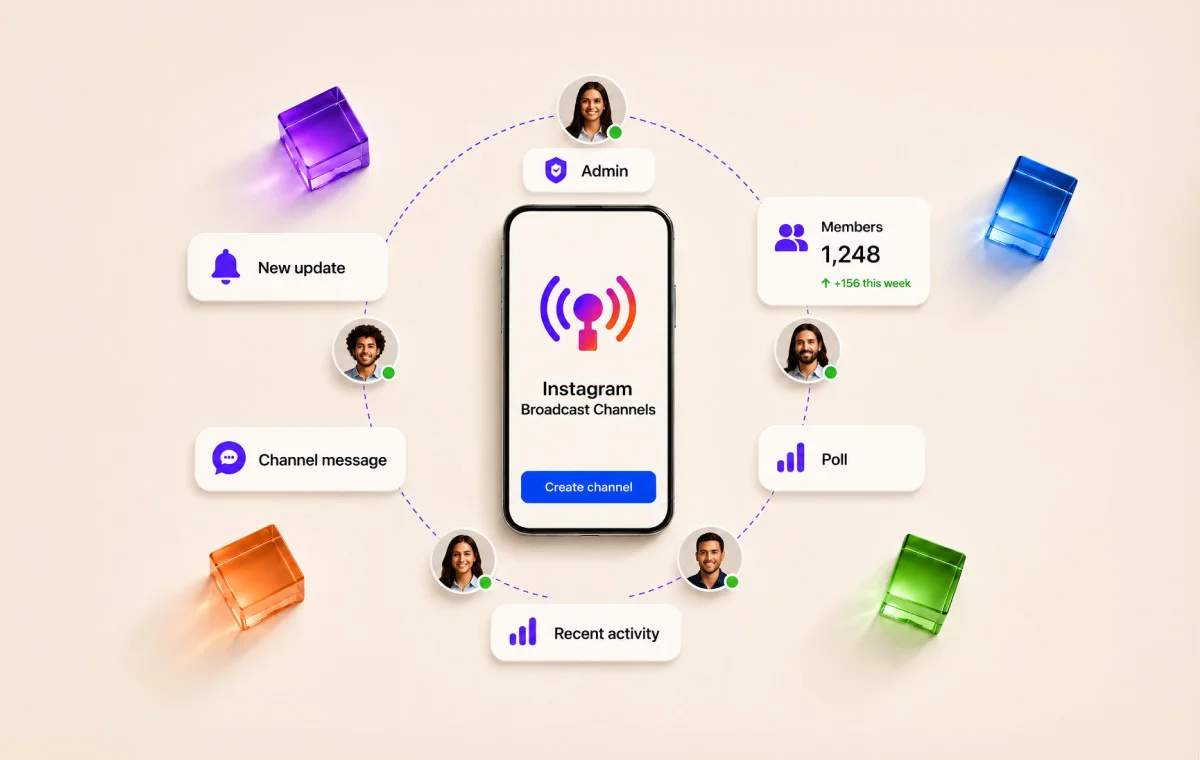
You sent the first broadcast. A few hundred people joined. For about a week, it felt great.
Then it went quiet.
The messages kept going out. The reactions kept shrinking. And somewhere around week two, you stopped opening the channel yourself.
If that sounds familiar, you are not doing it wrong on your own. Instagram broadcast channels for brands are easy to start and easy to abandon, partly because your audience is already worn down by them.
A real Instagram user said it plainly on Threads:
One user on Reddit says, “invited you to join their broadcast channel – this sh*t needs to go immediately.”
When the people you’re broadcasting to are quietly switching the invites off, a channel going quiet isn’t a mystery. It’s the default outcome unless you give them a reason to stay.
So, a quiet channel isn’t a sign you failed. It’s what happens without a plan, and the plan is fixable.
Here is what this article does differently. Instead of another feature list, it treats lasting as the whole point:
- Why brand channels die around week two
- The simple system that keeps the right followers engaged
- How to make it work even at a small size
What Instagram Broadcast Channels Actually Are (& Who Can Create One)
An Instagram broadcast channel is a one-to-many message space inside the DM tab: you post, and everyone who subscribed sees it. Think of it as a public group chat where only you hold the mic.
Here is what subscribers can and can’t do:
- Can: react with emojis, vote in your polls, and (if you turn replies on) respond in a thread
- Cannot: message the whole group or start their own posts
Here is the part most people still get wrong.
As of 2026, any Instagram public account, Creator or Business with more than 1000 followers, can create a broadcast channel, and the old 10,000-follower minimum has been removed in supported regions (Instagram Help Center).
If you have a Professional account and don’t see the option, it is almost always one of two things:
- You are on an older app version, or
- You are in a staged-rollout region
Not a follower shortage. That “you need 10k” myth is the single most common reason small brands assume this feature isn’t for them. It is for you.
Here is how the channel compares to the other tools you already use:
| Format | Who sees it | Can followers respond? | Does it disappear? | Best use case |
| Broadcast channel | Followers who opt in | React and vote in polls (replies optional, in-thread) | No, messages persist until you delete | An opt-in insider community at scale |
| Close Friends | A hand-picked list you control | Yes, they reply like normal Stories and DMs | Yes, Stories vanish in 24 hours | Personal, curated sharing to a small circle |
| Stories | Anyone, or your Close Friends | Reactions, poll and question stickers | Yes, 24 hours | Daily reach and top-of-funnel visibility |
| DM groups | Everyone in the group | Yes, full two-way chat | No, but capped and chaotic at scale | Small-group coordination |
| Email newsletter | Subscribers who gave an address | Reply to your inbox | No, lives in the inbox | Long-form, owned, off-platform reach |
Setting one up takes a few minutes:
- Step 1: Open your Instagram inbox and tap the compose icon.
- Step 2: Choose “Create broadcast channel.”
- Step 3: Name it around a clear promise, not just your brand name.
- Step 4: Set who can join (all followers) and whether replies are on.
- Step 5: Send your first message. Followers get a one-time invite.
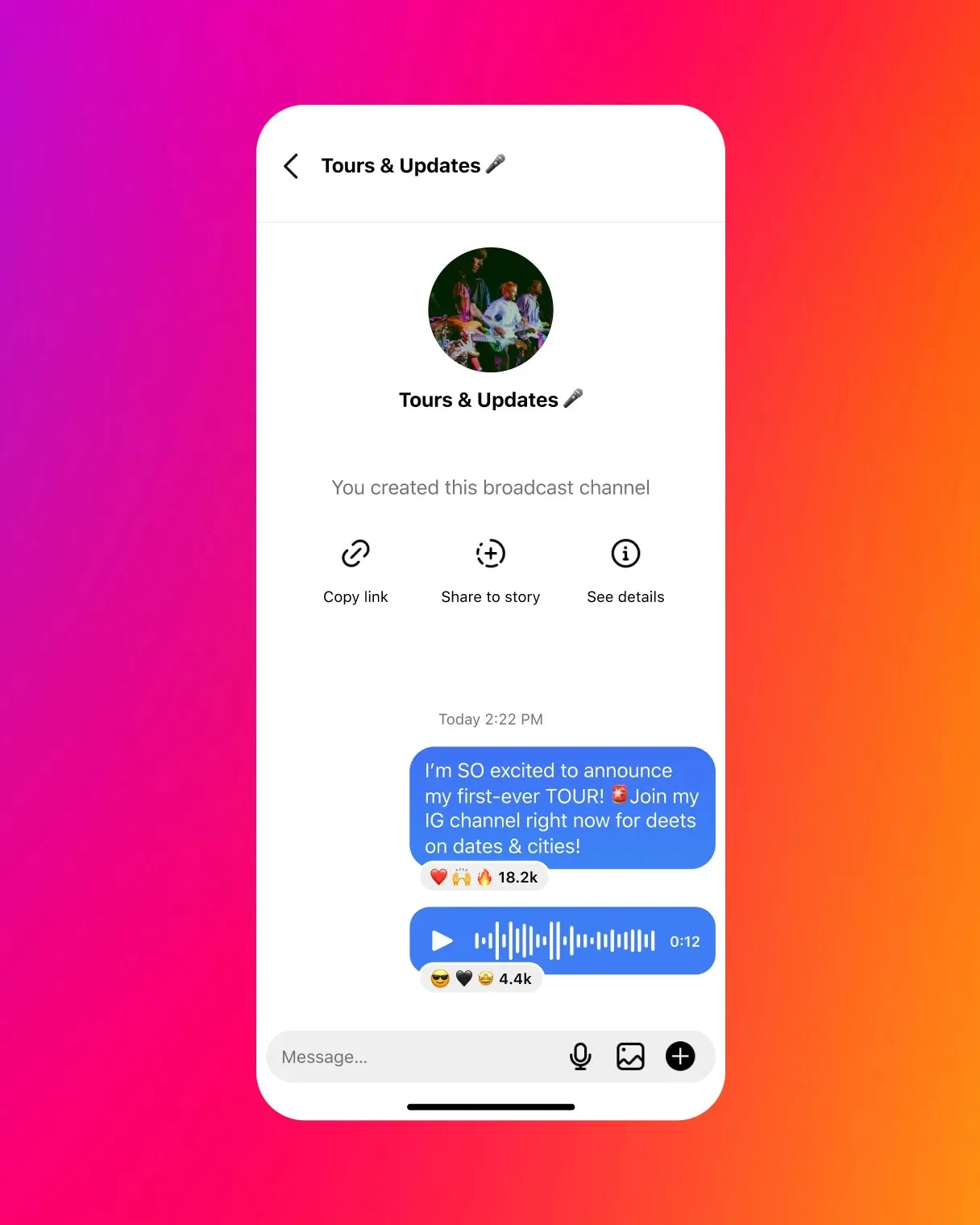
One team note: you can add collaborators or moderators (up to 4 excluding you) who can post to the channel. That matters if a small team or an agency co-runs it.
Why does a channel message land differently than a feed post? Simple:
- A feed post competes with everything the algorithm ranks. It can get buried.
- A channel message drops into the DM tab, the place people open on purpose.
A message that gets seen beats a feed post that gets buried. That is also why over-posting there feels more intrusive. For the wider picture of how brands now treat Instagram messages for business, the DM tab has quietly become a real marketing surface, not just a support inbox.
Why Most Brand Broadcast Channels Get Muted
Most brand channels don’t die because the idea is bad. They die for three avoidable reasons: the channel turns into a second feed, the invites feel like spam, and the people who joined quietly mute it.
Meanwhile the subscriber count sits there looking healthy, even as the number of people actually reading each message keeps falling.
Here are the four traps, one at a time.
1. The week-two pattern. Launch day brings a spike. Everyone who cares joins at once, and reactions look great. By the second week, the novelty is gone. If every message is just a link to your latest post, there is no reason to keep the notification on.
2. The announcement-feed trap. The fastest way to kill a channel is to reshare your Stories and feed posts with a “be the first to know” label.
- That is not exclusivity. It is a repost list.
- If a subscriber can see the same thing by scrolling your grid, the channel gives them nothing new.
3. The muted-subscriber problem. A muted subscriber still counts toward your total but never sees a word you send.
- Your headline number (“1,200 subscribers”) can hold steady.
- Your real reach, the people who open a message, collapses.
So, track message views, not just the subscriber count, if you want to get more engagement on Instagram that actually means something.
4. Notification fatigue. Your audience is genuinely tired of channel pings. There are hundreds of videos and articles explaining how to turn broadcast channel notifications or invites off because many users feel overwhelmed by them.
Every extra low-value message pushes one more person to mute. As creator-economy exec Brendan Gahan puts it:
A channel that only broadcasts gets muted.
The Exclusivity Proposition: Designing a Channel Worth Subscribing To
Before you post anything, answer one sentence: what do subscribers get here that they can’t get anywhere else, and why is it worth a permanent notification?
That sentence is your exclusivity proposition. A channel without one is just louder feed.
The test is simple:
- If a subscriber could get the same value from your grid, Stories, or email list, the channel has no reason to exist.
- The value has to be something the channel is uniquely good at: earlier, more personal, more interactive, or more insider than anything public.
Here is what that looks like for two very different brands.
A B2C product or lifestyle brand might promise:
Early access, a real vote, and direct access. None of that lives on the public feed.
A B2B or service brand might promise:
Speed, tools, and priority. The things a busy client actually values.
Now fill in your own before you launch:
| Sentence stem | Your answer (examples) |
| Members get… | early access / a monthly vote / a template / direct answers |
| …that they can’t get from… | the feed, Stories, or email |
| …because the channel is uniquely… | earlier / more personal / more interactive |
There is also a simple rule for what belongs where:
- Public feed content is built to be found by strangers. If a post is designed to win new followers, it belongs on the feed.
- Channel content is built to reward people who already raised their hand. If a post rewards existing fans, it belongs in the channel.
When you plan your Instagram content, decide the home for each idea up front so the channel never becomes a dumping ground for feed leftovers.
How to Grow Real Subscribers, Not Just Opt-Ins
You grow a channel the same way you earn any opt-in: give people a specific reason to join, then remind them more than once. A single “link in bio” post won’t do it, because most followers miss any single post you publish.
The golden rule: lead with the incentive, not the feature.
- Do: “Join for early access to Friday’s drop and a member-only code”
- Don’t: “I started a broadcast channel”
People opt in for the reward, not the format.
A 5-frame Stories invite sequence that works:
- The hook. Name the one thing members get (“Our next drop goes to the channel 24 hours early”).
- The proof. Show a peek of that exclusive thing (a sneak photo, a blurred code).
- The ask. “Tap to join, it’s free, and you can mute anytime.” Respect the fatigue up front.
- The link. Drop the channel link sticker straight to the join screen.
- The follow-up. A day later: “40 of you joined yesterday, here’s what you missed.”
How to Turn on Replies
- Open your broadcast channel and tap the channel name at the top.
- Select Channel controls.
- Turn on Allow members to reply to messages.
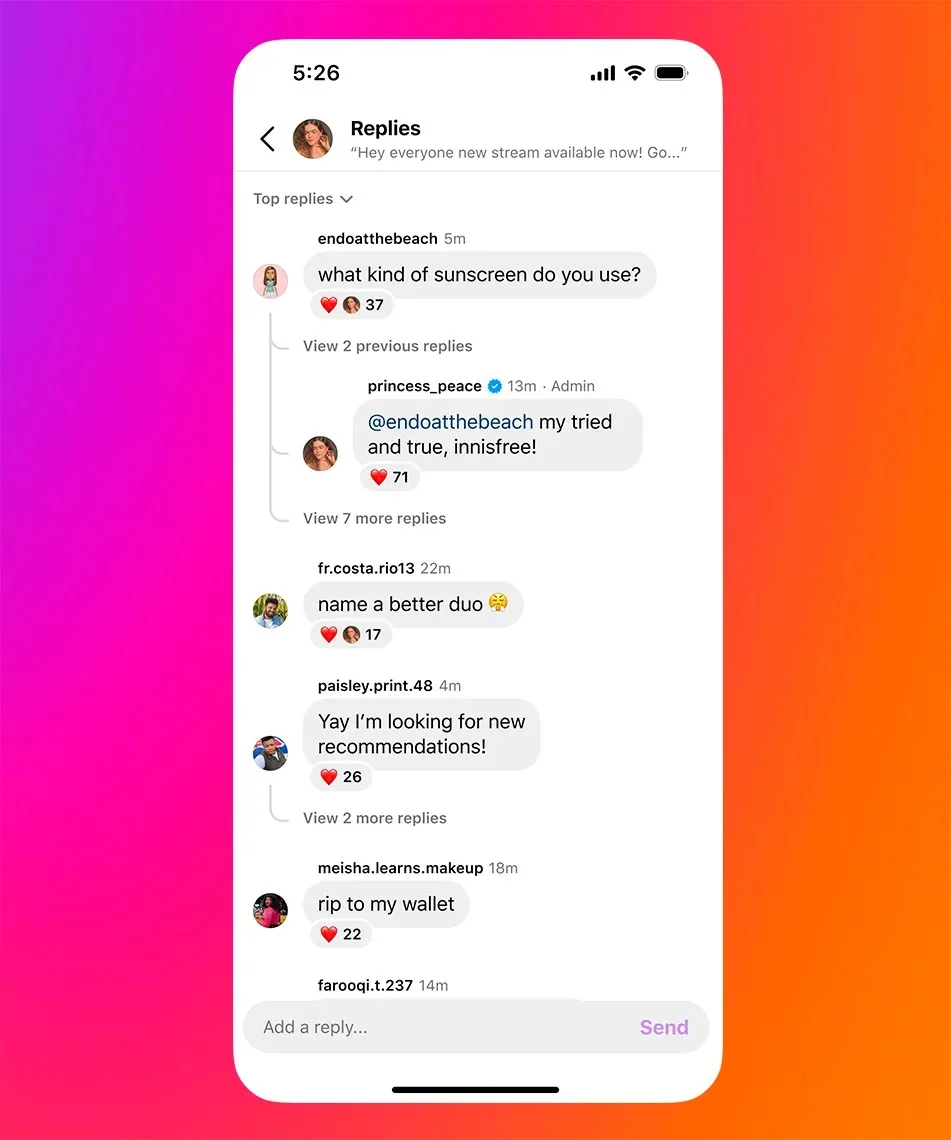
Once enabled, members can reply to your broadcasts in a thread, and you’ll receive those replies in your Instagram Direct Messages.
For more formats that earn taps, these Instagram Story ideas double nicely as invite frames.
Invite your most-engaged followers first. Start with the people who already reply to your Stories and comment on your posts, not your whole list at once.
- A smaller group who actually care keeps the channel feeling alive.
- Their reactions tell you what’s landing.
Fold the invite into your ongoing Instagram growth tactics instead of treating it as a one-time announcement.
If your account is small, don’t wait for a crowd. With 2,000 followers, you can personally recruit 20 to 50 founding subscribers. DM the people who engage most and invite them by name.
A channel of 40 real fans who vote and react is worth more than 400 who muted on day one.
One honest limit worth planning around. You can’t schedule messages into the channel itself. Broadcast channel messages must be published manually in the Instagram app. But you can line up the feed posts and Stories that point to it, so the invite goes out on a set rhythm instead of whenever you remember. A scheduler like SocialPilot handles that surrounding promotion.
And keep watching the right number:
- Subscriber count is vanity.
- Message view rate is the truth.
Ten new opt-ins mean nothing if your view rate drops the same week.
The Content Rhythm That Makes an Instagram Community Last
Post to your broadcast channel 2 to 3 times a week, not daily. That is often enough to stay a habit, but rare enough that each message still feels worth the notification.
The two failure modes:
- Daily posting is the fastest route to mutes.
- Once a week and people forget they joined.
The logic is about attention, not volume. A channel message interrupts someone in the place they check on purpose, so it has to earn the interruption every time. Two or three genuinely useful messages beat seven forgettable ones.
For the wider view on frequency across your whole account, this guide on how often to post pairs well with a lighter channel cadence.
Your first 30 days can look like this:
| Week | Message 1 | Message 2 | Message 3 (optional) |
| Week 1 | Welcome, what members get, one quick poll | Behind-the-scenes peek | First member-only perk (code or early look) |
| Week 2 | “You decide” poll (product, content, or feature vote) | Exclusive tip or template | (rest) |
| Week 3 | Early access to a drop or announcement | Ask-me-anything prompt (replies on) | Round-up of member answers |
| Week 4 | Member-only offer | Progress or behind-the-scenes update | Poll: what do you want more of? |
Build around three or four content pillars so you never face a blank screen:
- Exclusive access (drops, codes)
- Behind the scenes (a peek fans don’t get elsewhere)
- A two-way prompt (poll or question)
- Insider value (a tip or template)
Then rotate them.
The first seven days decide retention. A new subscriber should hit a short welcome sequence:
- One message that says what the channel is and what they’ll get.
- One that hands them a quick win (a code, a template, a tip).
- One that asks for a vote, so they act instead of lurking.
People who react in week one tend to stay.
When it goes quiet, re-engage with one honest message, not five needy ones. A single “we went quiet, here’s what’s next, vote on which you want first” poll gives silent members a reason to tap again. If that gets no response, prune and refocus rather than posting into the void.
What Lasting Broadcast Channels Actually Post (Real Brand Examples)
The brands that keep channels alive treat them as a feedback loop and a reward, not a broadcast horn. Here is what four real brands actually do, all reported by Marketing Brew, and what you can copy at any size.
- Shake Shack (around 4,000 members) runs its channel as a feedback loop for its product and innovation team, testing ideas with its most engaged fans. Its social director, Amanda Tedesco, is candid that it’s early: “This is very much a test. We’re still kind of in that place.”
- Cava’s “Tzatziki Town Hall” (around 2,400 members) crowdsources content, asking members to weigh in on things like bowl builds and chip flavors, so the audience helps shape the conversation.
- Tony’s Chocolonely uses its channel to gather feedback that goes straight to decision-makers. As Abby Davison put it: “It was a great place to get that feedback, and that’s something that we’re bringing to the product and innovation team.”
- 818 Spirits consolidated the scattered “when does this drop, where do I get this” superfan DMs into one place, turning repetitive questions into a single community space.
Notice the pattern. None of these is a channel of reposts. Each gives members either:
- A job (vote, weigh in, ask), or
- A reward (first access).
At your size, copy one move: run a monthly vote that genuinely changes something, or make the channel the first place a drop or answer appears.
A 200-person channel that votes on your next product does more for you than a 2,000-person channel that only receives announcements.
How to Measure an Instagram Broadcast Channel When the Analytics Are Thin
Instagram gives you almost nothing here: no dashboard, just a subscriber count and a per-message view count. So you measure by hand, and you measure the few numbers that map to a business outcome.
This is the exact pain the pros name. Amanda Tedesco of Shake Shack told Marketing Brew it’s “very manual to go through and see our top-performing posts,” and that holds true for a channel of any size.
Four numbers worth tracking, each tied to something real:
| Metric | How to get it | What it tells you |
| Subscriber count | Native, top of the channel | Your reach ceiling and net growth |
| Message view rate | Views on a message ÷ subscribers | Real reach, and whether people are muting |
| Poll participation rate | Votes ÷ subscribers | How engaged members are, not just present |
| Subscriber growth rate | New subs this week vs last (WoW or MoM) | Whether your promotion is still working |
Which one matters most?
- Message view rate is the one to protect. If it slides week over week while subscribers hold steady, people are muting. That is your signal to post less and better.
- Poll participation is your early warning for a community that’s drifting.
Keep a simple weekly tracker:
| Week | Subscribers | Avg message views | View rate | Poll votes | Notes |
How to use it:
- Fill one row a week.
- Read it monthly for the trend, not daily (week-to-week noise will mislead you).
Capture weekly, judge monthly.
The one thing manual tracking can’t tell you is whether the channel lifts your wider account. That’s a reporting problem: you need to see follower growth and engagement on your overall Instagram before and after channel pushes. A tool like SocialPilot tracks that account-level analytics and turns it into a shareable report.
To be clear about the limit: it reports your overall Instagram performance and the halo effect. It does not read in-channel reaction or poll rates, so keep the manual tracker for those.
Running Broadcast Channels for Clients: The Agency Playbook
If you run channels for clients, the job is not “post more.” It is designing a different exclusivity proposition per client and setting expectations you can actually hit.
Two things to accept up front:
- What works for a fashion brand will flop for a B2B client.
- Promising fast subscriber numbers will burn you.
Two client types, side by side:
| Fashion / lifestyle e-commerce | B2B / professional services | |
| Exclusivity type | Early access to drops, member codes | Insider takes, templates, priority access |
| Content format | Sneak photos, drop alerts, style votes | Short analysis, tools, event invites |
| Cadence | 2 to 3x a week, tied to drops | About 2x a week, tied to the news cycle |
| KPI the client cares about | Sales from member codes, sell-through | Qualified leads, event signups, retention |
The operational reality you have to explain: No third-party tool can schedule messages into a broadcast channel, because Instagram blocks API access to channel content. Someone has to post live, in-app, so build that into the retainer.
What you can systematize is everything around the channel:
- Plan and schedule each client’s feed posts and Stories that drive joins
- Route them through approval
- Report on the account-level halo
That surrounding workflow (client workspaces, approvals, and white-label reporting) is where an agency stays efficient across a roster.
What to promise, and what not to:
- Promise a durable, engaged core of the client’s best customers, and a feedback channel that informs the business.
- Don’t promise big subscriber counts fast, or in-channel analytics that don’t exist.
Give it 60 to 90 days before you judge engagement. A channel needs a few content cycles before the rhythm and the payoff show up.
How to Keep Your Channel from Drifting Over Time
Even a healthy broadcast channel needs regular check-ins. If you stop paying attention, engagement can slowly decline without you noticing.
Watch for these early warning signs:
- Message view rate falling three weeks straight
- Poll votes trending toward zero
- You personally dreading the next post (if you’re bored, they are too)
Run a 30-minute audit once a quarter:
- Pull your weekly tracker and look at the view-rate trend.
- List which message types got the most reactions.
- Cut the pillar that consistently underperforms.
- Rewrite your exclusivity proposition if it has gone stale.
Then decide whether it’s time to grow or refine your channel.
- Expand if engagement stays high and members want more. Invite more of your most engaged followers.
- Refine if engagement is slipping. Focus on making the content more exclusive instead of posting more often.
Growing subscriber numbers means little if most members have muted your notifications.
Build a Channel People Want to Stay In
Growing your subscriber count means little if people stop opening your messages. A smaller, engaged community will always outperform a larger one that has muted your notifications.
A channel with 300 active members, a clear exclusivity promise, and two or three valuable updates each week can deliver better results than a 3,000-member channel that goes quiet after launch. Consistency and genuine value are what keeps people subscribed.
While Instagram requires broadcast channel messages to be posted live, you can still plan and schedule everything around them – feed posts, Stories, and promotional content that drive new subscribers. Managing that surrounding content with SocialPilot helps you maintain a consistent promotion rhythm, even during your busiest weeks.


 Join 55,000+ social media managers


