
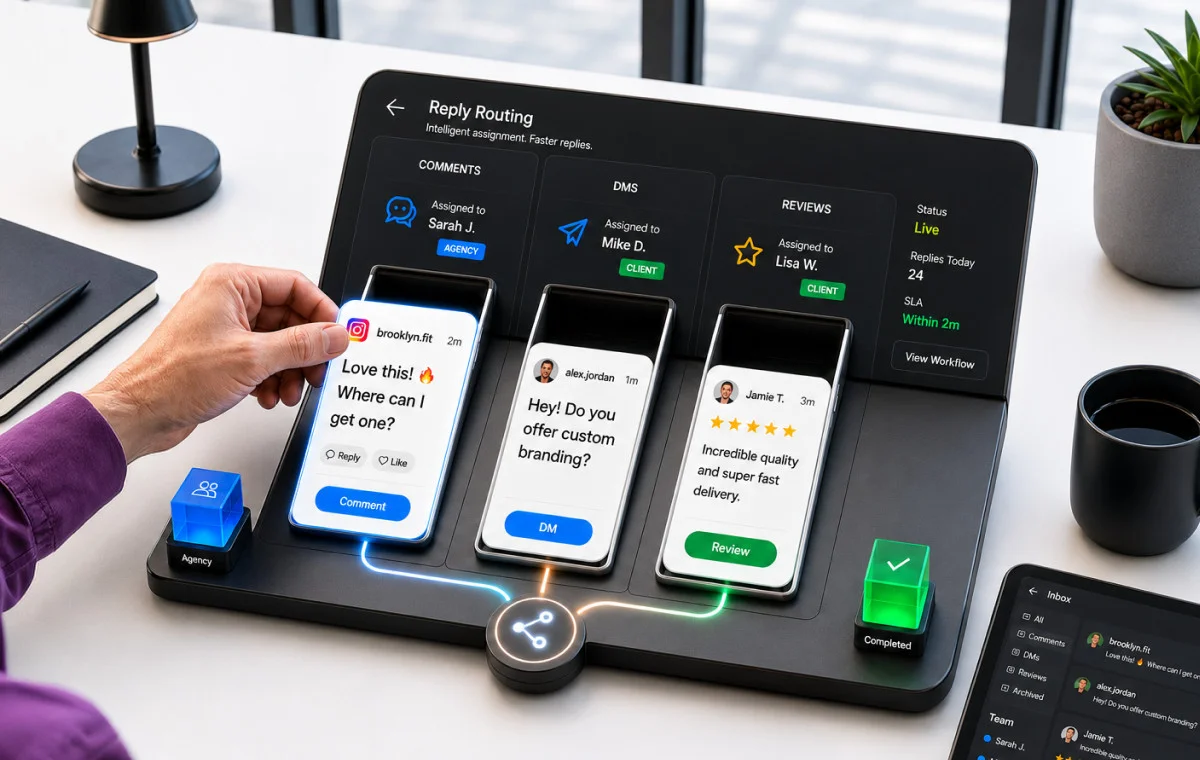
It usually becomes obvious around week three.
A customer comments on a brand’s post: “Hey, do you offer this in blue?” No one replies. A few days later, someone else adds: “Yeah, I’ve noticed they never reply to their comments either.” Now, that exchange is visible to every potential customer who sees the post.
The agency thought the client was watching their inbox. The client thought the agency was handling everything, since most people see “social media management” that way. No one wrote down who was responsible, so no one was really at fault. Still, the comment went unanswered for eight days, leaving a permanent record.
According to Business of Comments Reports by Respondology, 97% of brand social media comments go unanswered, which includes purchase-intent questions, complaints, and messages from genuine fans.
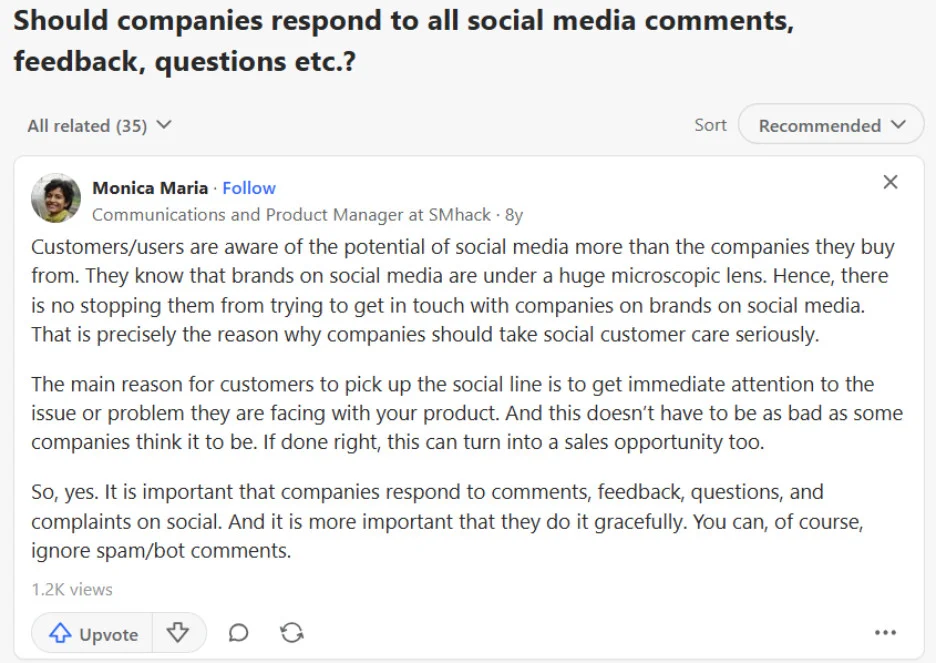
Handled well, these interactions can become major sales opportunities for brands, as highlighted in this Quora thread.
Most brands know social media engagement matters, but these numbers persist because no one actually decided who should reply to comments.
This article shows you how to solve this before it becomes a problem: decide who handles each area, set deadlines, and write it down so you don’t have to revisit the issue.
What a Day Without a Reply System Actually Looks Like
Think about a typical onboarding call with a new client. You discuss the content calendar, approval steps, and brand voice. At some point, someone says, “we’ll keep an eye on the inbox,” and everyone agrees, since it sounds reasonable.
But just watching something isn’t the same as taking ownership.
This Quora thread poses the question that most agency owners and social media managers have in mind: “In managing clients’ social media accounts, who responds to the comments on those posts?” The thread has no single definitive answer, because the answer depends entirely on whether the two parties ever agreed on it.
This kind of situation often leads to a frustrated customer posting their complaint on Facebook, and both the agency and client end up on a call trying to figure out who’s responsible.
The real problem is simple: if everyone owns the inbox, no one really does. There’s no clear owner, no set response time, and no plan for what to do if something needs to be escalated.
No one meant to do anything wrong; there just wasn’t a system in place from the start.
The Real Impact of Unanswered Comments, DMs, and Reviews
Unanswered messages aren’t just a customer experience issue. They also hurt revenue, reputation, and search visibility all at once.
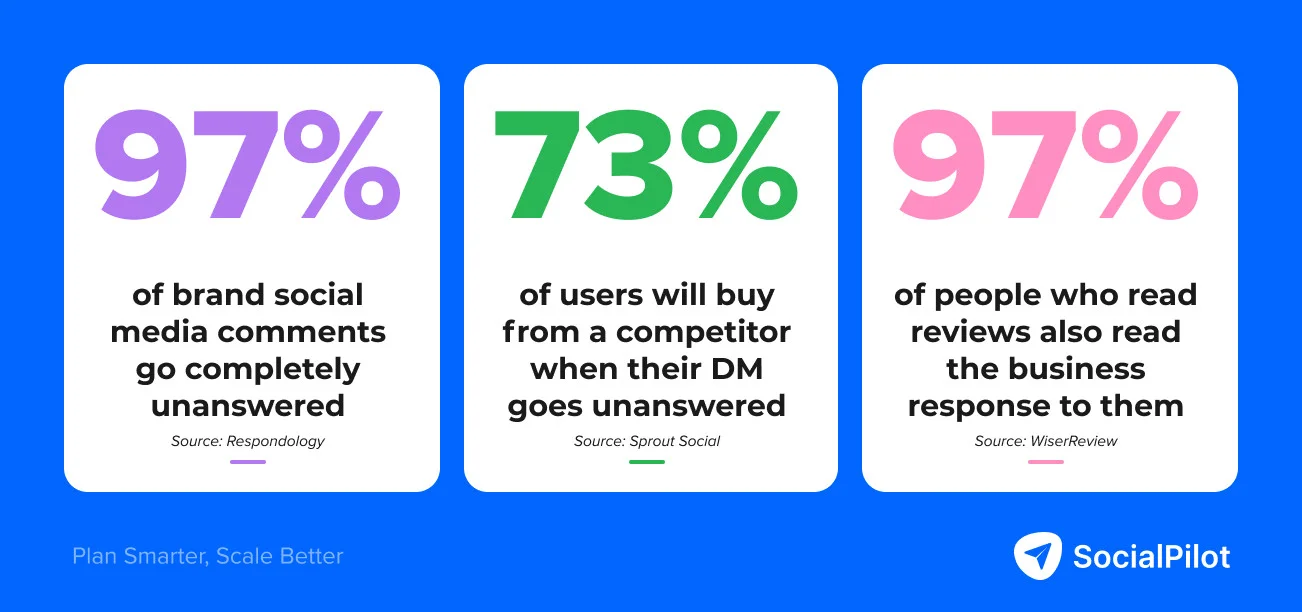
Recent social media statistics 2026 show that 73% of social media users who don’t get a reply will buy from a competitor instead. When someone sends a DM, they usually have a specific question and are close to buying. Ignoring their message doesn’t just frustrate them – it sends a warm lead to whoever replies first.
Comments can cause different problems. If someone asks, “Do you deliver to my area?” and no one replies for three days, everyone who sees the post notices. Potential customers see these unanswered comments and judge how attentive the business is. Sometimes, other users join in, turning one ignored comment into a bigger issue.
Reviews are the most lasting problem because they stay for longer on your business profile, unlike comments. WiserReview’s stats show that 97% of people who read reviews also read the business’s response. If there’s no response, people notice.
Additionally, ReplyOnTheFly’s analysis found that responding to a negative review within four hours, you’re three times more likely to see the reviewer update their rating. Most businesses miss this chance because no one replies.
This isn’t about agencies or clients being careless. It happens because no one decided who should watch each area, which is really a workflow issue.
Most agencies and clients lump comments, DMs, and reviews together as “engagement” and assume someone is handling it. But each one needs a different kind of response, has its own urgency, and often requires input from different people.
Here is how the three surfaces differ from an operational standpoint:
| Surface | Visibility | Response urgency | Who typically needs to own it |
| Comments | Public, visible to anyone viewing the post | 24 to 48 hours | Agency, using approved brand voice |
| DMs | Private, only the sender can see it | Within 4 hours | Client, because product knowledge is required |
| Reviews | Permanent, indexed on Google | Within 24 hours | Split: agency drafts, client approves |
Comments are public conversations in the brand’s voice. The agency is usually best suited to handle these because they know the tone, messaging, and how to keep things on-brand without needing the client for every reply.
DMs usually need product or operational knowledge that the agency doesn’t have. Questions about stock, orders, service areas, or pricing need answers from someone inside the business.
According to BrightLocal’s 2024 Local Consumer Review Survey, 93% of consumers expect businesses to respond to their reviews — and businesses that reply to all reviews are nearly twice as likely to earn a customer’s trust as those that don’t respond at all. While 24 hours might work for comments, DMs from ready-to-buy customers need a fast reply from the client, not the agency.
Reviews need a split approach. The agency knows how to use the brand voice and respond diplomatically, but the client has the facts. If only one side handles reviews, responses can end up too corporate or missing details.
This rarely gets sorted out during onboarding because most onboarding focuses on content delivery, which is easy to track. Engagement response is invisible until something goes wrong. No one reports on the 14 missed DMs or flags the old review. The problem only shows up when a frustrated client calls.
What Usually Gets Tried First (and Why It Keeps Failing)
Most agencies and clients try the same three approaches before realizing none of them really solves the problem.
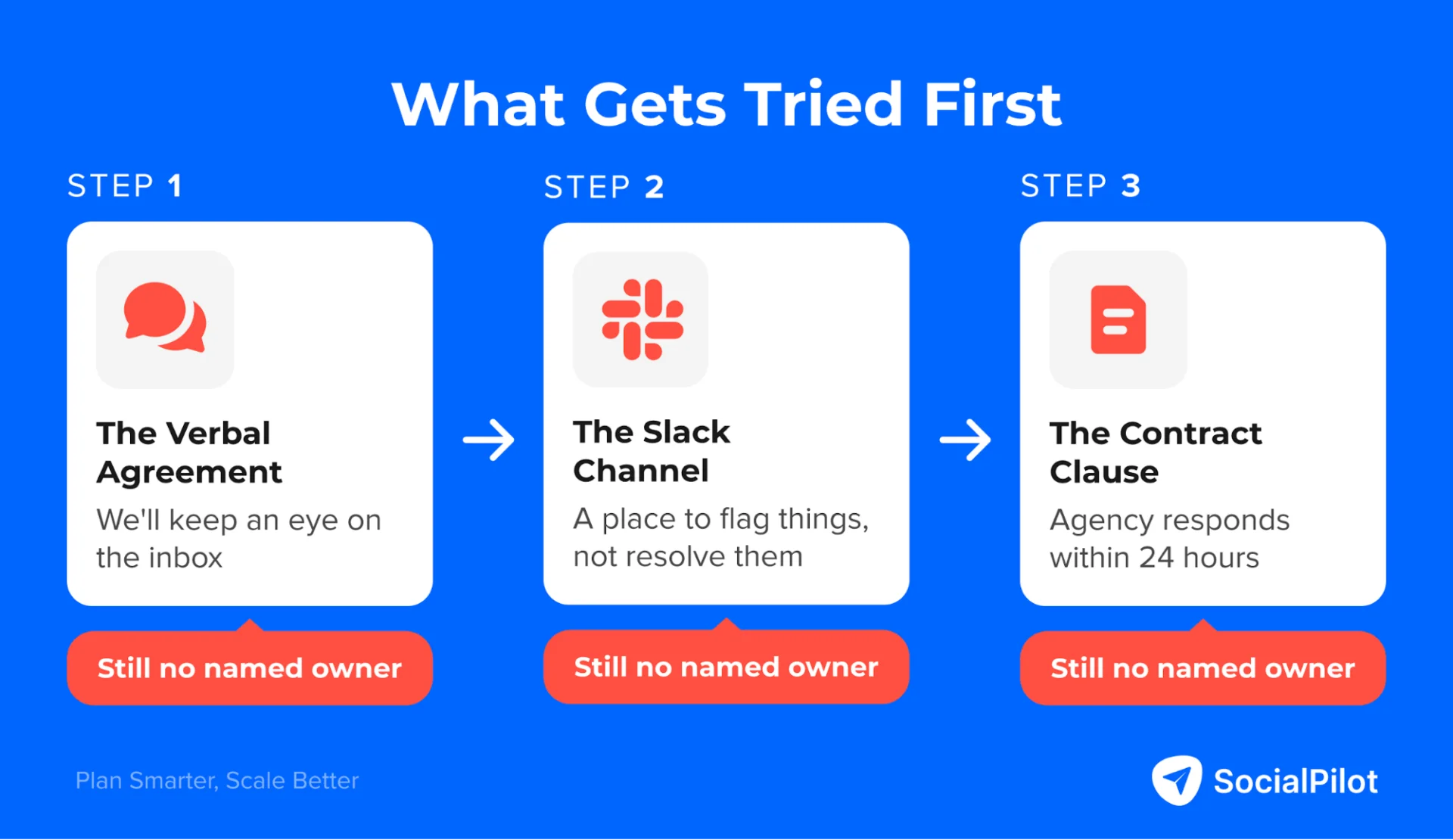
The first is a verbal agreement. Someone says, “We’ll handle community management” or “just flag anything urgent.” It sounds clear at the time, but “community management” and “urgent” mean different things to different people. Eventually, both sides realize they had different expectations.
The second is a shared Slack channel where either side can flag comments or DMs. This is better than a verbal agreement because there’s a place to put things, but it still doesn’t assign ownership. The channel just becomes a way to pass responsibility instead of solving it.
The third is a contract clause, like “Agency will respond to all social media engagement within 24 hours.” This sounds specific, but it doesn’t say which areas it covers, which platforms, or what to do if a response needs product or pricing info. Clients think it covers everything, agencies mean only content comments, and the gap only shows up when there’s a problem.
All three approaches have the same flaw: they talk about handling engagement but don’t actually assign a clear owner for each type of interaction.
How to Build the Ownership Map
You can fix this in about 20 minutes before your first post goes live, and it will prevent any future “I thought you were handling that” confusion.
Before you start, sit down with the client and review each platform you’ll manage. For each, note four things: which area you’re talking about, who owns the response, the response time, and when to escalate to the other side. Here’s a template you can adapt:
| Platform | Surface | Owner | Response window | When to escalate |
| Comments, general questions | Agency | 24 hours | If the complaint is escalating, loop in the client | |
| Comments about products or pricing | Client | 4 hours | If it becomes a complaint, agency drafts the reply | |
| DMs | Client | 4 hours | If there is a PR risk, agency takes the lead | |
| Comments | Agency | 24 hours | N/A | |
| DMs | Client | 4 hours | N/A | |
| Google Business | Positive reviews | Agency | 48 hours | N/A |
| Google Business | Negative reviews | Agency drafts, client approves | 24 hours | N/A |
| Comments | Agency | 48 hours | N/A | |
| DMs | Client | 24 hours | N/A |
The owners and response times should match your real agreement and what both sides can actually handle.
Once the table is done, add it to the onboarding document as a section called “Reply Ownership: who handles what, on which platform, and by when.” The client signs off during onboarding, and the agency can refer to it if questions come up later. This way, you settle responsibility before any issues arise.
Read this guide on client onboarding for more such tips and tricks.
How to Make this Ownership System Work Without Ongoing Check-ins
Step one is deciding who owns what. Step two is making sure the right person actually sees what they’re responsible for, which is where most handoff systems break down.
What really keeps the system working day-to-day is role-based inbox access.
SocialPilot’s role-based access is built around exactly this need. Agencies can assign one of four roles to anyone in the workspace, and each role determines what that person can see, manage, and act on:
| Role | Assigned to | What they can access |
| Owner | Agency owner | Full access to all accounts, inboxes, settings, and team management |
| Admin | Senior agency team member | Can create and manage inboxes, assign team members, and access all client accounts |
| Manager | Agency team member handling a specific client | Can manage inboxes and respond to comments and DMs for assigned accounts |
| Client | The client themselves | Access only to the inboxes and platforms you choose to share with them, such as their Google Business review inbox or Instagram DMs |
This setup can be made in SocialPilot’s social media inbox; once done it lets the client access their Google Business reviews and DMs, while agencies handle general comments that don’t need specific business info.
This process makes sure all comments get replies and every DM is answered consistently. When algorithms notice this activity, your content reach grows, as a user pointed out in a Reddit thread.

Setting up the ownership system correctly is what makes this consistency possible.
Stop Waiting for Week Three
Every agency has faced the week-three call: the client is frustrated, the agency is defensive, and both sides are trying to figure out how a good partnership turned into a blame game over a few missed comments.
But you can prevent this situation with one conversation at the start, a finished ownership table in the onboarding document, and role-based access set up in your tool.
SocialPilot makes it easy to set this up from day one. Assign the right roles, set up the right inboxes, and the system works without anyone needing to chase others.





 Join 55,000+ social media managers


