
You’ve probably spent months dialing in your clients’ content strategies. Nailed the tone of voice, figured out the posting cadence, and built out the content calendar. The whole nine yards.
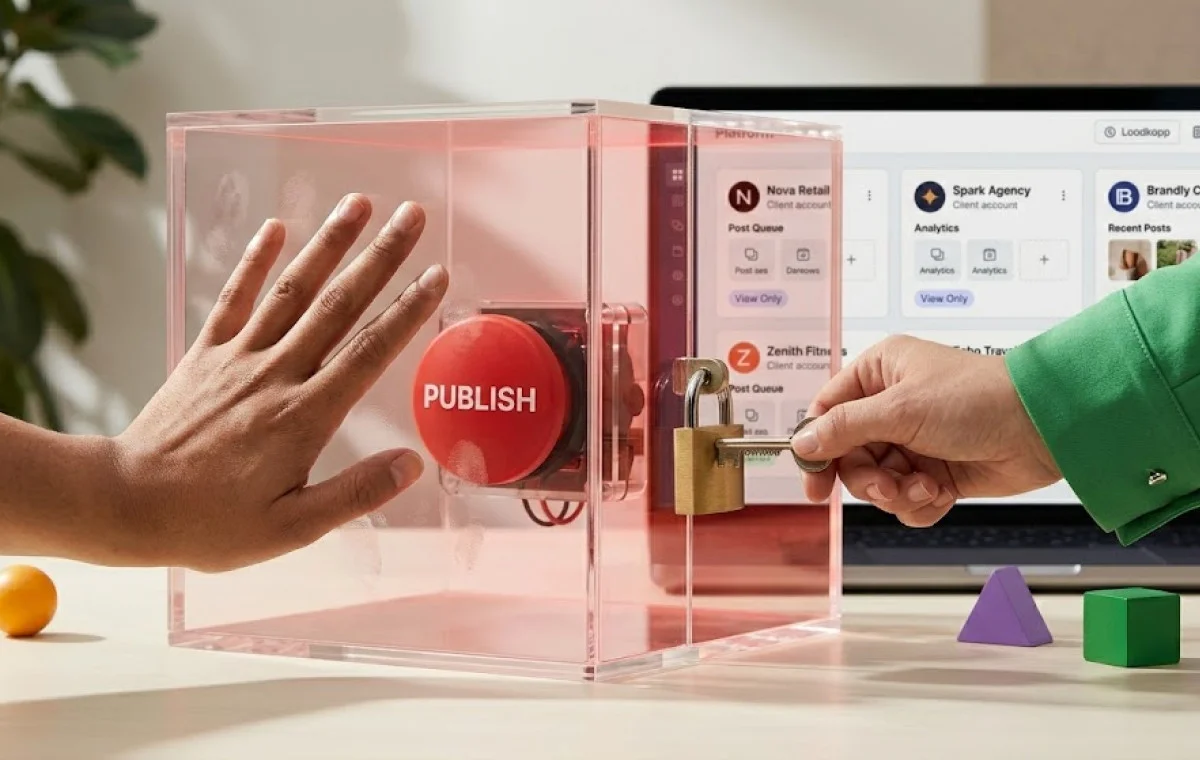
But here is something that probably never crossed your mind: who in your team currently has the right to publish on client accounts?
At SocialPilot, we’ve worked with 15,000+ agencies, while all of them are dead focused on growing their client base; they rarely sit down to think about their access controls and eventually hand the keys to someone who shouldn’t have them.
What happens next is almost always expensive.
Imagine you’re on a call with a healthcare client – one you spent four months pitching – and they’re reading back a caption that went live on their LinkedIn at 7:43 a.m.
It’s got square brackets in it. A placeholder that says [ADD STAT HERE]. An internal note sitting right there, visible to all 47,000 of their followers.
One of your newest remote freelancer sitting in Africa, scheduled this post thinking it was approved.
Because you gave him all them the same publishing rights that you have.
No gate between their draft and that LinkedIn page. Nothing.
By end of week, that client’s gone.
This is Not a Creativity Issue, It’s an Operational Negligence
This thread hit r/socialmedia and got hundreds of responses – most of them from people saying “oh god, I’ve done this too”:
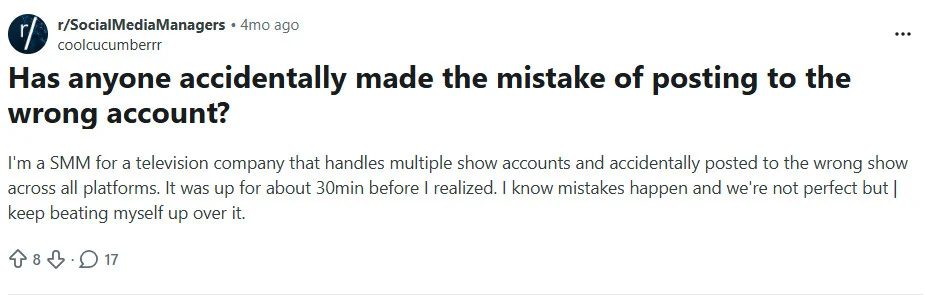
The comments were full of solidarity, where several people shared similar experiences.
And honestly? They’re right. This kind of mistake is common. Painfully, common.
But common doesn’t mean cheap.
According to Symantec 2011 Social Media Protection Flash Poll (Global Results) the average cost of social media incidents per enterprise over 12 months is $4,292,897. [Symantec, 2011]
Here is the breakdown of how much they risk losing:
- Stock price reduction: $1,038,401
- Legal proceedings: $650,361
- Direct costs: $641,993
- Reputational harm: $638,496
- Lost revenue: $619,360
These are not some hypothetical numbers, it’s a research.
But it’s not just the client’s loss.
When it’s your team’s access, your tool, your junior hire who hit publish – you don’t watch from the sidelines. You’re the one holding the keys. You’re the one the client calls first.
Weber Shandwick’s State of Corporate Reputation study found that 63% of a company’s market value is tied directly to its reputation and 76% of reputation-damaging crises are actually preventable. [Weber Shandwick, 2020]
For agencies, one high-profile mistake on a client’s account doesn’t just lose you that client. It shows up in reference checks. It becomes the reason the next prospect doesn’t sign.
The legal exposure is real too. Large enterprise clients now routinely require marketing agencies to carry professional liability (E&O) coverage of up to $10 million before they’ll sign. [Media Business Insurance, 2024]
This is specifically because they’ve already priced in the risk of an agency’s mistake hurting them financially.
How Lack of Structural Guardrails Can Bury Your Agency
Most agencies don’t actually have a system between “team member does something” and “content goes live.” What they have instead are verbal instructions.
- “Always check with me first.”
- “Don’t post without approval.”
- “Run it by the client before you schedule anything.”
But is this enough?
No, it’s not. Verbal instructions aren’t a system. They hold up fine when the team is two people, the workload is light, and everyone’s in the same time zone. They fall apart the second someone’s new, working under a deadline, or confused about who approved what.
And it’s not always an innocent mistake, some disgruntled hire or a departing freelancer can walk out with your client’s credentials, content assets, or account access.
We went through discussion threads on r/SocialMediaManagers, where some founders and social media managers expressed their fear of data and material leaks.

And this concern is real, whether it’s a careless mistake or a deliberate act, the fallout is expensive:
- Contract termination
- Misuse of client credentials
- Defamation claims and civil litigations
- Breach of contract
- Client-side financial recovery claims
We have heard many such horror stories and would never wish the same for you.
So, Should Founders Keep All Access to Themselves? No
Founders often look for ways to prevent such situations, and we also came across some threads on r/Agency, where they asked for ways to keep their data safe, especially from remote contractors.
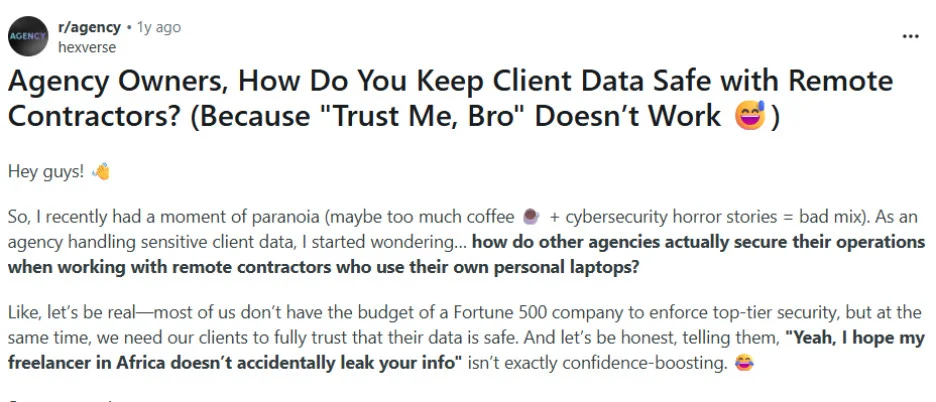
But the first instinctive response to all of this is pretty predictable: I’ll just keep control of everything myself. Pull back the access, make sure nothing goes live without the founder’s eyes on it, stay the last line of defense.
This feels like a safe play. It’s not.
As the client roster grows, you spend more and more of your week functioning as a human approval queue – reviewing every caption, checking every scheduled post, signing off every piece of content before it touches a client account.
Here’s what that looks like at scale:
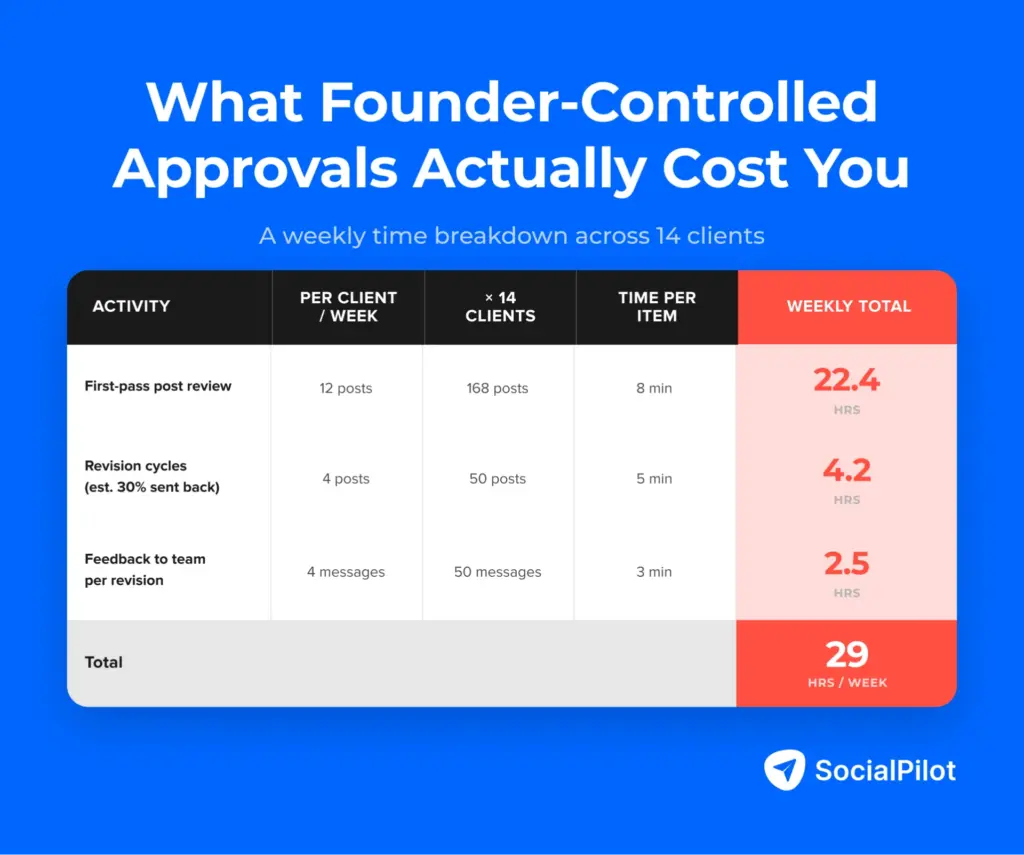
At 14 clients, you spend 29 hours weekly just reviewing, flagging, and cycling through drafts – because there’s no structural gate.
While you do the reviews, your junior hires sit idle waiting on sign-off, and the senior staff can’t move without you.
Every new client you add doesn’t just bring in revenue – it adds another 2+ hours to your weekly approval queue. So, if this is your current reality at 14 clients, how do you think you will operate at 40?
Delegation paralysis doesn’t protect your clients. It just shifts the risk from a junior hire making a mistake to a burned-out founder missing one.
The answer isn’t who controls access. It’s how access is structured so the right people can act, the wrong people can’t, and nothing slips through without a gate.
This Four-Layer Firewall is What You Need
You would not need any elaborate security setup or an expensive overhaul to fix this.
Just four simple changes on how your team accesses client accounts. It will just take you one afternoon to set this whole thing up, and it will hold forever.
1. Stop handing out platform credentials
Your contractors and junior staff should never have the actual Instagram, Facebook, or LinkedIn login. All work must be done using a social media management tool where you connect all your client accounts. This way, no password leak is possible.
This Quora thread talks about best practices for handing over passwords for social media management:
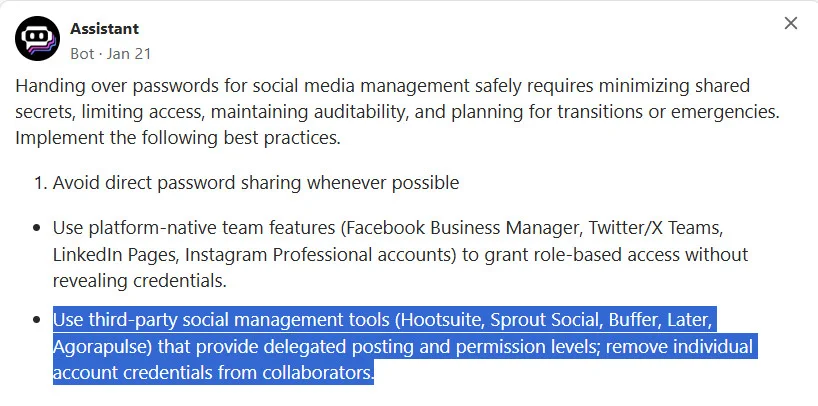
Whenever someone leaves, you simply remove them from the tool and their access is gone from everywhere instantly.
2. Ensure that NOTHING goes live without clearance.
Make sure your agency has a clear approval process, this is what an approval chain looks like:
Content Creator → Copy Editor → Designer → Social Media Manager → Account Manager → Client → Admin (Content Scheduler)
At each of these stages, the content either moves forward or goes back to the creator for revisions. The gate is no longer optional or by-passable.
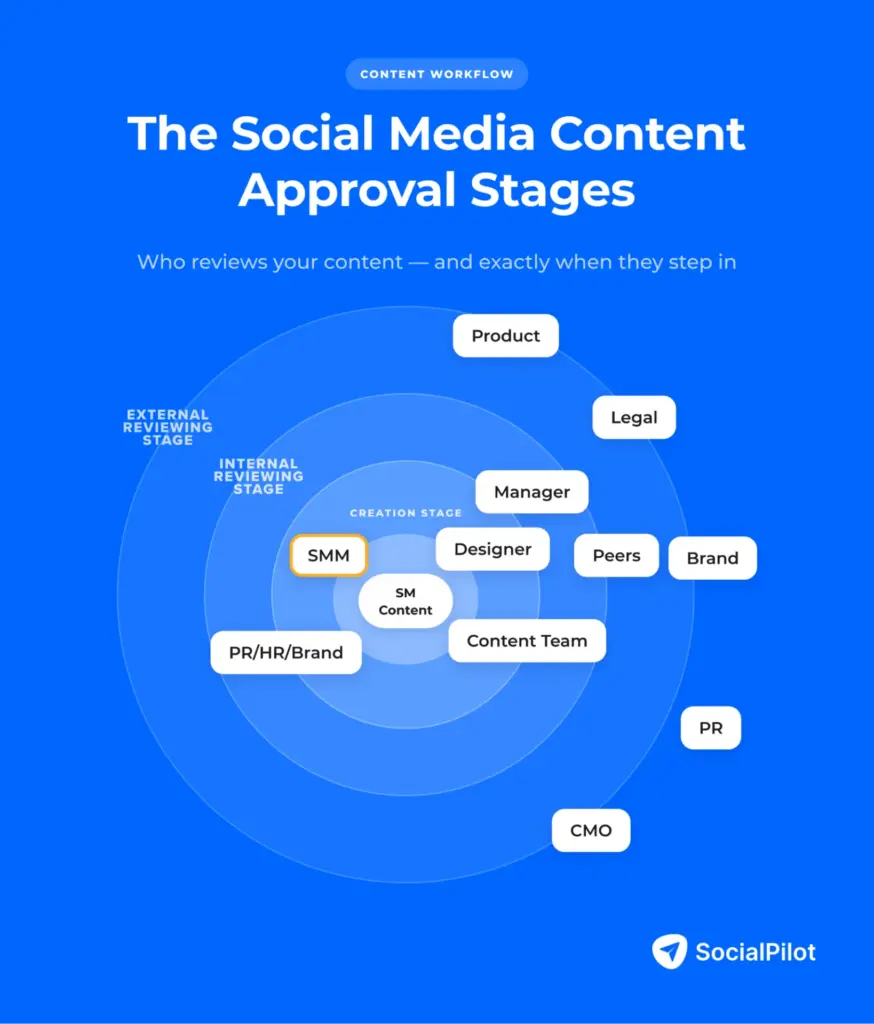
Also, using social media tools can make this entire approval process structural rather than optional. A Content Creator’s account literally has no publishing permission. Based on your workflow, these tools help you enforce what each role is technically allowed to do inside the platform. This helps you ensure that every content piece goes through a proper clearance process.
3. Every client gets their own workspace
A workspace is a fully contained environment where Client A has zero visibility into Client B assets and vice versa. When you create separate workspaces for every client with a social media tool, each one has their own content library, drafts, approval chain, and connected accounts.
Also, you can set up a workplace in minutes, name it after your client, connect all their accounts and assign access to only the team members working on that account.
4. Turn on activity logs and actually look at them
When every action – like drafting, approving, scheduling and publishing gets timestamped and logged; it changes how your team behaves. You will no longer hear things like “we’re not sure who posted that,” because you can pull an entire paper trail in under 30 seconds.
Social media tools log every action against the team member who took it – so if a post went live without clearance, you know exactly who moved it and when.
While it’s possible for every agency to manually implement this four-layer firewall, using a tool for the same will save you 29 precious hours every week. Social media tools can speed things up and make this entire process more efficient.
These tools cover all four layers from a single dashboard – your team drafts, reviews, and publishes without ever touching a raw platform login. Role assignments and approval gates are built into the workflow itself; client environments stay isolated from each other; and every action is logged automatically.
The table below compares how the major platforms stack up on the five things that actually matter for workspace security:
| Feature | Buffer | Later | Hootsuite | Sprout Social | SocialPilot |
| Role-based permissions | Limited (2 roles) | Limited | Yes | Yes | Yes |
| Mandatory approval workflows | No | No | Yes | Yes | Yes |
| Separate client workspaces | No | No | Yes | Yes | Yes |
| Activity logs / audit trail | No | No | Yes | Yes | Yes |
| Contractor access via tool (no raw credentials) | Partial | Partial | Yes | Yes | Yes |
SocialPilot, Hootsuite and Sprout Social – all three cover the bases. The difference comes down to who they were actually built for. Hootsuite and Sprout Social are enterprise tools priced at $99/user/month and $249/user/month (when billed annually) respectively.
These tools also have a steep learning curve and per-seat pricing model that can go up with every new client or team member you add.
So, if you are a growing agency – say, 14 clients, and a team of six, SocialPilot can offer you the same features at a flat rate of $170/month for unlimited users. It has all the firewall features that we talked about – like the role structures, approval workflows, and client workspaces can all be configured in an afternoon.
Putting It All Together
So, if you are an agency where everyone in your team has the same publishing rights – the founder, the senior manager, the junior hire who joined last month, and the freelancer three time zones away, this is your wake-up call.
It’s time you create guardrails to protect your client’s accounts.
Also, giving your team a verbal instruction like “check with me first,” – can never really be enforced under the deadline pressure.
So, it’s better to use an inhouse social media management tool that uses an approval gate that no-one can easily bypass. This will help you create a system that sustains while your agency scales.
Sources and Citations:
- Symantec — 2011 Social Media Protection Flash Poll: Global Results https://www.slideshare.net/symantec/symantec-2011-social-media-protection-flash-poll-global-results
- The State of Corporate Reputation in 2020: Everything Matters Now By Weber Shandwick, in partnership with KRC Research, 2020 https://webershandwick.com/news/the-state-of-corporate-reputation-in-2020-everything-matters-now
- Professional Liability (E&O) Insurance for Marketing Agencies https://www.insureon.com/media-business-insurance/professional-liability
- Reddit — r/socialmedia: “Has anyone accidentally made the mistake of posting to the wrong account?”
- Reddit — r/SocialMediaManagers: Data and material leak concerns
- Reddit — r/agency: “Agency Owners, How Do You Keep Client Data Safe with Remote Contractors?”





 Join 55,000+ social media managers


