

You line up a week of TikToks on Friday afternoon. On Tuesday your phone buzzes. Open the app, find the video, post it yourself.
That is not scheduling. It is a reminder with extra steps, and several tools sold as TikTok schedulers work exactly this way without saying so on the pricing page. One of them advertises the opposite as a selling point, promising posts that go live “without the hassle of receiving a push notification from the app.” That tells you how common the other behaviour is.
It is the sharpest divide in this category, and almost no roundup mentions it.
It is also only one of four jobs people buy a TikTok tool for. Getting that choice wrong is how you end up paying $199 a month for competitor benchmarking when what you needed was a free video editor.
We started with eighteen tools. Six of them no longer work: domains gone, products absorbed, one now redirecting to a page that sells followers. All six still appear on lists published this year.
Twelve tools, four jobs, every price read off each tool’s own page. We make SocialPilot and it is one of the twelve, marked on the same axes as everyone else.
Why You Need Dedicated Tools for TikTok Success
Every tool here touches TikTok. That is the floor, not a reason to choose one. What separates them is which of four jobs they do.
Direct TikTok Publishing
Whether the tool posts to TikTok by itself, or sends a notification telling you to finish the job manually.
Both get sold as “TikTok scheduling,” and the difference only shows up once you are relying on it. This job also covers what quietly breaks auto-publishing even on the tools that have it: carousels, video length caps, and whether more than one person can touch the calendar without sharing a password.
Video Editing and Captions
Trimming, vertical export, captions, effects. The work before anything gets scheduled.
Almost no scheduler edits, and almost no editor schedules. That split is why most people run two tools.
TikTok Analytics Depth
What you get beyond the 365 days TikTok already gives you: competitor benchmarking, several accounts in one view, data that outlives the window, and a report with your logo on it.
This is where the money goes, and where marketing copy and documentation disagree most.
Découverte du créateur
Finding TikTok creators, checking their audience is real, briefing them, tracking what they sold, paying them.
A different category that gets mixed into these lists as though it were a scheduling feature. If this is not your job, skip a third of this page.
Which Jobs Do You Actually Need?
You need tools for the jobs you do every month, not all four.
| Your situation | Publication | Editing | Analyse | Discovery |
| Solo creator, one account | Nice to have | Essentiel | Skip | Skip |
| Founder or personal brand | Nice to have | Essentiel | En option | Skip |
| In-house team, one brand | Essentiel | En option | Essentiel | En option |
| Agency, several clients | Essentiel | En option | Essentiel | En option |
| Brand running creator campaigns | En option | Skip | En option | Essentiel |
Essentiel means you hit a wall inside a month without it.
En option means it pays off at a certain volume.
Nice to have saves time you may not be short of.
Skip means it does not apply to you yet.
Read your row, then read only the sections matching your Essential columns.
The Mistake This Page Exists to Prevent
The expensive version is buying a $199 analytics platform when you needed a free editor. The subtler one runs the other way: paying for a second subscription because your scheduler felt thin, when the tier above already covered the gap.
Both come from shopping by category instead of by job. There is a third mistake and it costs the most: assuming a tool still does what the last article you read said it did. Six of our eighteen did not.
TikTok Tools at a Glance
| Outil | Idéal pour | Publication | Editing | Analyse | Discovery | Entry price |
| SocialPilot | Agencies and teams on several accounts |  |
 |
|
|
$25.50/mo |
| Social Champ | A free plan that publishes properly | |
|
 |
|
Free, then $4/profile/mo |
| Loomly | Trimming and scheduling in one place | |
|
|
|
$49/mois |
| Iconosquare | Scheduling with analytics attached | |
|
|
|
Free, then €15/mo |
| CapCut | Free editing that posts to TikTok | |
|
|
|
Free, then $9.99/mo |
| Vimeo | High-quality hosting, and TikTok ads | |
|
|
|
Free, then $12/seat/mo |
| InShot | Quick mobile edits on a lifetime licence | |
|
|
|
Free, then $4.99/mo |
| Socialinsider | TikTok competitor benchmarking | |
|
|
|
$82/mo |
| Sprout Social | Enterprise reporting and a shared inbox | |
|
|
|
$79/seat/mo |
| GRIN | Creator programs, now with a free tier | |
|
|
|
Free, then $200/mo |
| Lame sociale | A free look at any account’s growth | |
|
|
|
Gratuit |
| Upfluence | Creator search tied to e-commerce | |
|
|
|
Quote only |
Full
is a real native feature done well.
Partiel
is limited, an add-on, a higher-tier unlock, or something the documentation contradicts.
Aucun
means you need a second tool.
What This Table Doesn't Show
Of the seven tools that touch TikTok publishing, only three post everything by themselves, and a fourth, Loomly, posts single videos within spec. Two of the three dedicated editors reach TikTok, and neither can schedule.
Read the Discovery column for the second surprise. Sprout Social’s creator discovery is a separate product, bought separately. It is in none of the four plans above.
What the marks cannot show is billing basis, and it moves the answer more than features do. Sprout Social and Vimeo sell per seat. Social Champ sells per profile and per plan on the same page. GRIN meters usage credits. SocialPilot, Loomly, Iconosquare and Socialinsider bill flat. Upfluence will not tell you until you book a call.
Scheduling and Management Tools for TikTok
These four run your calendar. TikTok is one channel among several, which is the point if you are not only on TikTok.
1. SocialPilot
Flat-priced publishing, client approvals and white-label TikTok reporting for teams running more than one account.
Coverage
- Publication
- Editing
- Analyse
- Discovery
What it actually looks like: SocialPilot holds every connected account in one calendar, filtered by client, with TikTok beside Instagram, Facebook, LinkedIn, YouTube, Pinterest, Threads and Google Business Profile. Direct Publishing is the default in the TikTok composer, with a Mobile Reminder toggle if you would rather finish by hand. TikTok carousels hold up to 35 images, and bulk scheduling takes a CSV of up to 500 posts from Premium.
Sur Capterra, Harsh L., a software developer in computer software, rates it four stars: “Its user-friendly interface and powerful scheduling tools make social media management effortless and efficient. It’s affordable pricing and strong analytics are perfect for my business.” His criticism is short and fair: “Limited advanced features compared with other competitors.”
The editing gap is worth answering. There is no video editor here, by design: cutting happens in CapCut or InShot, both free, and the finished file comes back to the calendar. If your bottleneck is the edit rather than the schedule, buy the editor first and come back to this page later.
It is rated 4.4 on Capterra across 375 reviews and 4,5 sur G2 across 848.
Pricing is flat per plan, and that is the argument. Essentials is $30 a month, or $25.50/month when billed annually, for 7 accounts and 1 user. Standard is $50 or $42.50 for 15 accounts, 3 users, analytics and the social inbox. Premium is $100 or $85 for 25 accounts, 6 users, bulk scheduling, client approvals and white-label reports. Ultimate is $200 or $170 for 50 accounts and unlimited users. Extra accounts are $4 a month and extra users $5. There is a 14-day trial with no card and no free plan.
Analytique TikTok holds two years of history per account, with competitor reports and exports carrying your own branding.
Nothing here is charged per seat, so a third person on the team costs nothing extra, where the same three people are $597 a month on Sprout Social, because it is sold per seat.
| Ultimate | Premium | Standard | Essentials |
$170.00/mois$200
Facturation annuelle (Économisez 15 %)
|
$85.00/mois$100
Facturation annuelle (Économisez 15 %)
|
$42.50/mois$50
Facturation annuelle (Économisez 15 %)
|
$25.50/mois$30
Facturation annuelle (Économisez 15 %)
|
|
Simplifiez la gestion des réseaux sociaux
|
|||
2. Social Champ
The only tool here with a free plan that publishes to TikTok without touching your phone.
Coverage
- Publication
- Editing
- Analyse
- Discovery
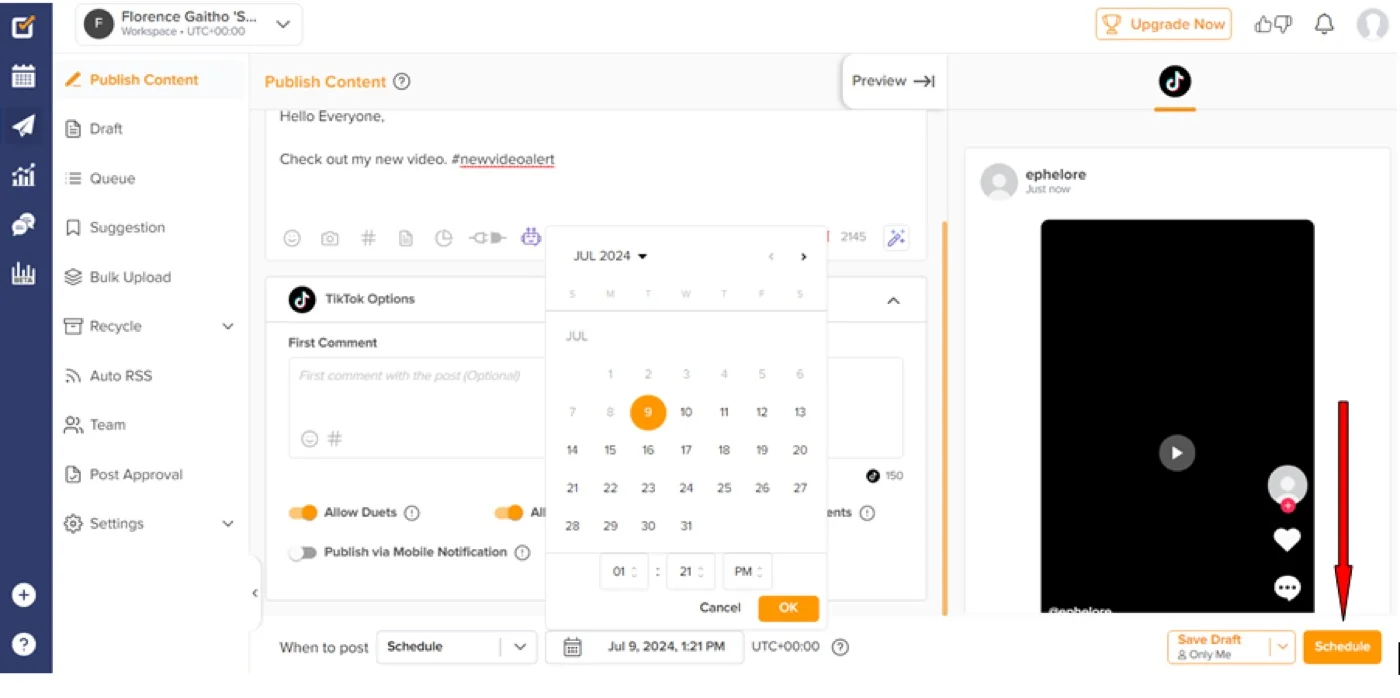
What it actually looks like: Social Champ connects TikTok over OAuth and gets out of the way. Its help centre is unusually direct: Direct Posting “lets users post a video on TikTok at a scheduled time without the hassle of receiving a push notification from the app.” You can schedule three years ahead and bulk upload 300 videos. Photo posts get music assigned automatically.
Sur Capterra, Seth C., a marketing director in writing and editing, rates it five stars for “ease of use, superior handling of video content like stories/reels, easy calendaring and scheduling of content, and most importantly: service, service, and service.” His con names the trade-off: “the price is a bit steeper than other similar tools I’ve used in the past.”
The thing to check before you buy is what the analytics cover. They carry a competitor tab and export white-labelled PDF, PPT and CSV, but Social Champ never publishes which TikTok metrics you get. Its help centre names Instagram personal accounts, LinkedIn profiles and X as unsupported. TikTok is not on that list, but the list exists.
It is rated 4.5 on Capterra across 71 reviews and 4,4 sur G2 across 32.
Pricing runs two models on one page. The pay-as-you-go plans cost nothing by themselves and charge for each profile you add: Starter at $5 a month per account, or $4 annually, falling to $1 and $0.50 once you pass 40 accounts. Growth runs $9 and $8. Flat plans run Standard at $29 or $23.20 for 6 accounts, Professional at $59 or $47.20 for 12, Agency at $149 or $119.20 for 30. The free plan is real: 15 scheduled posts, 3 accounts, 1 user. A trial exists on paid plans but the page never says how long it runs.
What running Social Champ standalone requires: an editor, and a trial spent confirming its TikTok reporting. Note the brand moved from socialchamp.io to socialchamp.com, so older links redirect.
3. Loomly
The only scheduler here with a real video editor built in, and the one whose auto-publishing has conditions.
Coverage
- Publication
- Editing
- Analyse
- Discovery
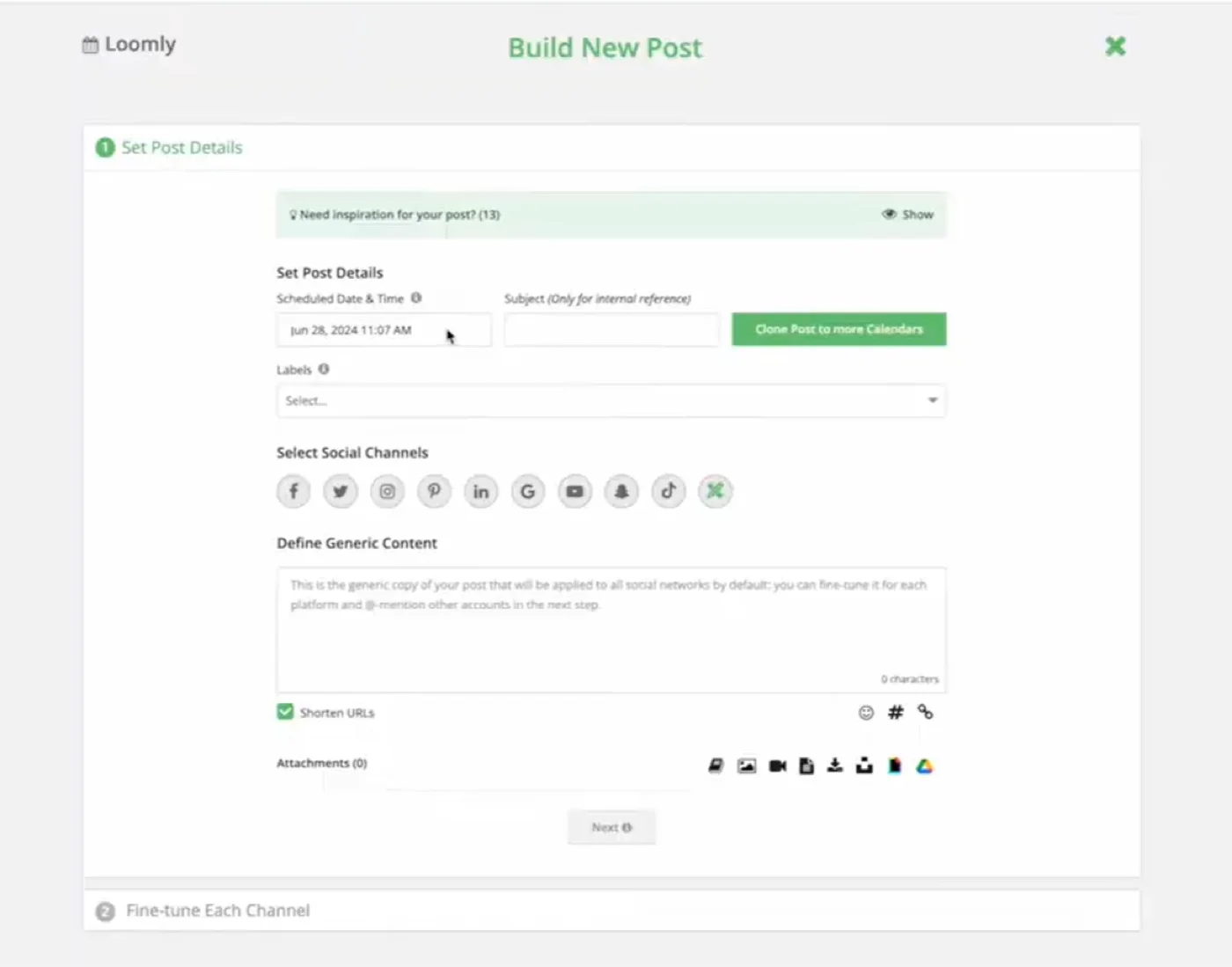
What it actually looks like: Loomly walks a post through drafting, approval and publishing with a visible state at each step. Loomly Studio trims, crops, filters and splits video, built for the job it suits: cutting a long YouTube video into a TikTok. A real editor inside a real calendar is rare.
Sur Capterra, Jolinda A., a founder in marketing and advertising, rates it one star: “Started great – predatory pricing and poor communication have turned it sour.” She used to like “how visual and simple the planning and posting process were.” Then: “Loomly raised my yearly price by 996% ($300/yr to $2988/yr) and only gave around 30 days notice for the price change. They did not allow me to export my content.”
That $2,988 exactly matches Loomly’s Beyond tier annual price today, so the complaint checks out against Loomly’s live numbers.
The thing to check before you buy is which posts actually auto-publish. Loomly’s documentation allows it for single videos within spec: 3 seconds to 5 minutes, 23 to 60 FPS, under 1 GB. Anything outside that, and every multi-image post, falls back to a phone notification. Its marketing page says “Auto-publish TikToks and jump on trends quickly,” true only for the narrow case.
It is rated 4.7 on Capterra across 509 reviews and 4,6 sur G2 across 1,794. Both predate the repricing.
Pricing is flat per plan. Starter is $65 a month, or $49 billed annually at $588 a year, for 12 accounts and 3 users. Beyond is $332 or $249 at $2,988 a year for 60 accounts. Enterprise is quote only. There is a 15-day trial with no card and no free plan. Our Ventilation des prix de Loomly works through where that jump lands.
What running Loomly standalone requires: somewhere else to report from. No TikTok metric list, no retention figure and no competitor benchmarking are published anywhere. Our Alternatives Loomly roundup covers the flat-priced options.
4. Iconosquare
Analytics-first scheduling, priced in euros, with a TikTok caption limit that will catch you out.
Coverage
- Publication
- Editing
- Analyse
- Discovery
What it actually looks like: Iconosquare is a content calendar with analytics built in rather than bolted on, covering Instagram, Facebook, X, LinkedIn and TikTok. Scheduling, saved captions and hashtags, an AI caption generator, thumbnail selection and cross-posting sit in one place. Reporting is the strength; the Custom tier adds white-label reports and API access.

Sur Capterra, Benoit W., a CDO covering APAC, MEA and LATAM in electronic manufacturing, rates it five stars: “Its intuitive interface and powerful analytics capabilities allow us to monitor over 100 social media accounts across regions with precision and ease.” His cons are specific: “Platform Connectivity Issues: Need to reconnect to the different accounts again and again. Notification Overload.”
The thing to check before you buy is the caption limit. TikTok captions cap at 150 characters here against 2,200 on most tools on this page, which rewrites how you draft. The marketing pages also claim carousel support the help centre contradicts, so confirm it during the trial rather than planning around it.
It is rated 4.4 on Capterra across 69 reviews and 4,5 sur G2 across about 135. Its Capterra value-for-money sub-score of 4.1 is the lowest in this group.
Iconosquare prices in euros rather than dollars, and only publishes the annual cycle. Starter from €15 a month covers 3 profiles, 1 user and 30 posts a month. Launch from €33 a month covers 4 profiles and 100 posts. Scale from €69 a month covers 4 profiles, 3 users and unlimited posts. Custom from €119 a month adds white-label reporting and API access. The free plan gives 2 profiles, 10 posts per profile a month and 1 month of history. The trial is 14 days, no card.
What running Iconosquare standalone requires: an editor, and tolerance for the caption limit. If a third-party site quotes a plan called “Excel,” ignore it. That tier is gone from Iconosquare’s own page.
Video Editing Tools for TikTok
These three make the video. Two can get it onto TikTok. None can schedule it.
5. CapCut
The default TikTok editor, free for most real work, with licensing terms that deserve ten minutes.
Coverage
- Publication
- Editing
- Analyse
- Discovery
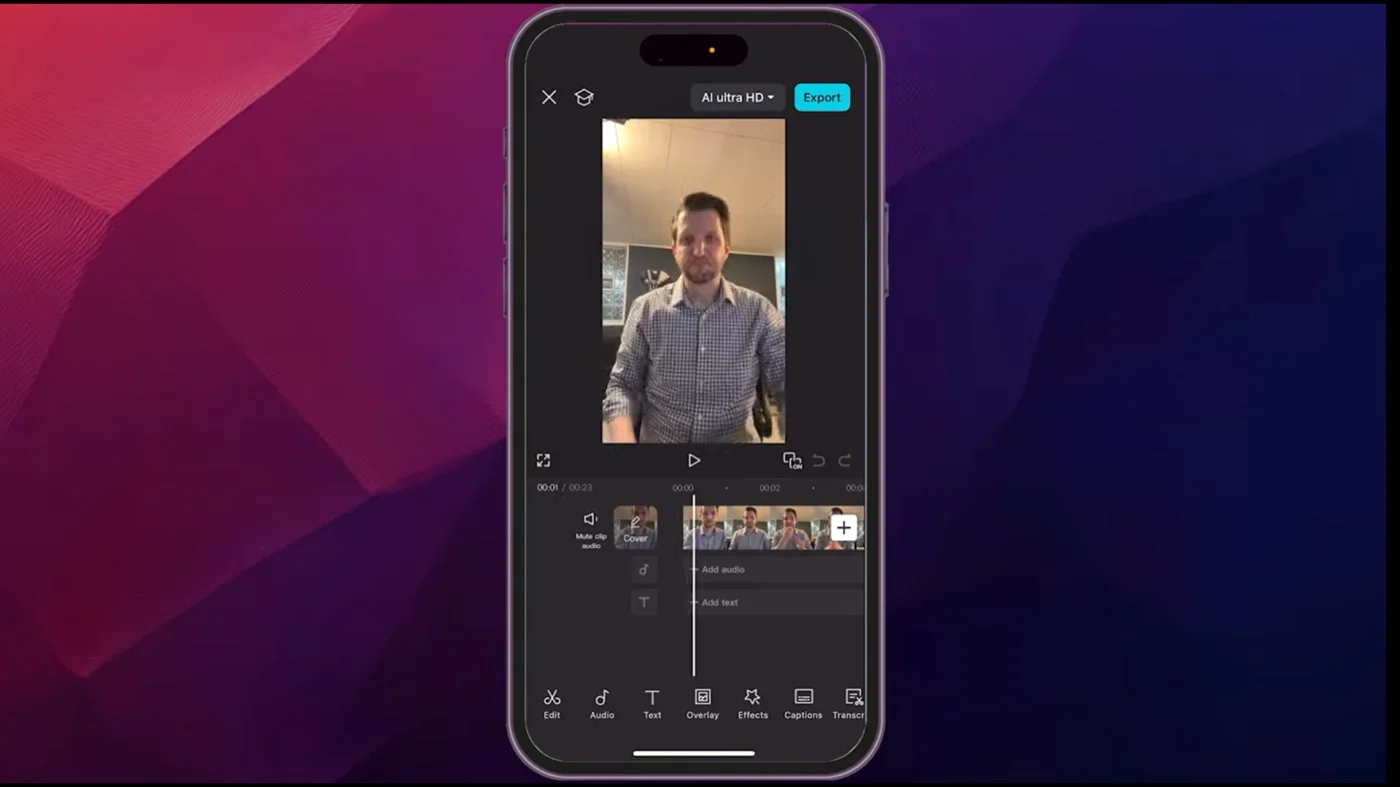
What it actually looks like: CapCut is a timeline editor doing far more than its price suggests. Auto-captions transcribe and sync to audio. Chroma key, keyframe animation, speed control from 0.1x to 100x with ramping, background removal and motion tracking are all there, and export reaches 4K at 60fps. A TikTok icon shares straight to your organic account, letting you set title, permissions and audience first.
On the App Store, a reviewer posting as Izzyehh rates it three stars, granting the free app has “many options to choose for your edits” while reporting persistent storage problems and calling pricing “pretty high.”
The thing to check before you buy is the licence, because it bites after publication. CapCut’s Materials License Agreement says that if your video mixes commercial and non-commercial assets, “you can only use such content for the personal and non-commercial use.” One non-commercial sticker makes the whole video non-commercial. Its music is licensed only “within CapCut, TikTok and TikTok for Business,” so a CapCut-scored video is cleared for TikTok, not for YouTube or a paid ad.
On watermarks, its help centre is clearer than the usual shorthand: edit manually and your free export is clean. Templates, premium effects and the auto-generated outro are what trigger one.
It is rated 4.6 on the App Store across 1.1 million ratings. There is no meaningful G2 or Capterra listing for consumer CapCut, so treat any business-software score you see with suspicion.
Pricing is the weakest-documented here, because CapCut publishes no price table on its website and says rates “can vary depending on your region, device, and available promotions.” The one place it does publish figures is its App Store listing, which names a Standard monthly subscription at $9.99, a Pro monthly at $19.99 and a yearly at $89.99.
What running CapCut standalone requires: a scheduler, since it publishes now or not at all. There is no delayed posting and no draft queue, which is exactly the gap the schedulers above fill.
6. Vimeo
Excellent hosting with a light editor, and a TikTok integration that does not do what most people assume.
Coverage
- Publication
- Editing
- Analyse
- Discovery
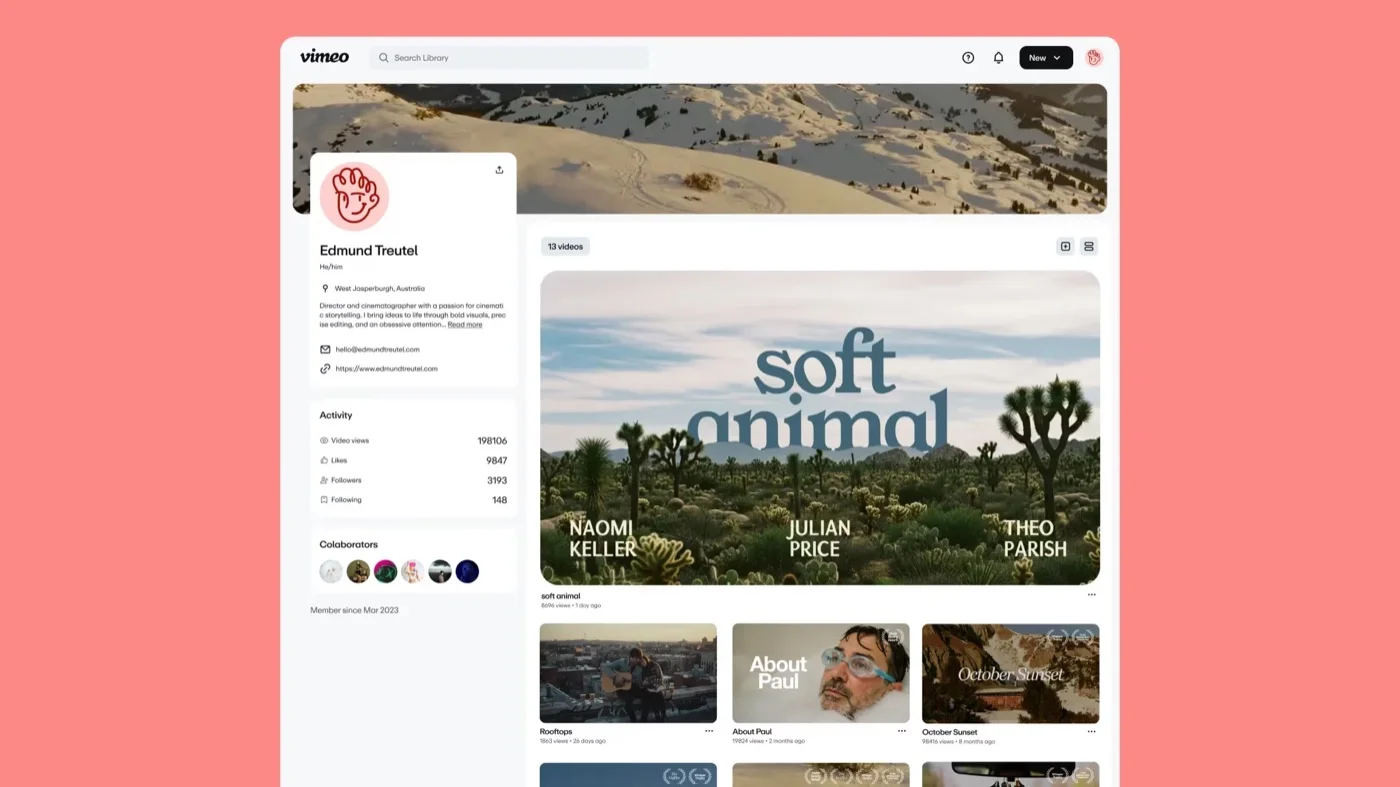
What it actually looks like: Vimeo gives you a browser-based timeline, auto-generated captions, subtitle translations, and text-based editing that deletes “the ‘ums,’ ‘uhs,’ and awkward pauses” from the transcript. Aspect ratio changes to any format, with 9×16 templates built for TikTok. What it is best at is hosting video at high bitrate with minimal compression.
Sur Capterra, Bruno M., a marketing executive in automotive, rates it five stars, praising “excellent options for higher bitrate and less aggressive compression than similar products.” Then, in the same review, he names the thing that decides this entry: “lack of a Recommendation Engine and Algorithmic Distribution. Simply put, if someone wants to host a video on it, they need to promote it and drive traffic to it themselves.” A happy customer explaining, unprompted, why this is not a TikTok growth tool.
The thing to check before you buy is where the TikTok integration actually posts. Per Vimeo’s own help centre, it publishes to TikTok’s ad manager, not an organic profile. You connect a TikTok for Business account, select an advertiser ID, and the video lands under Assets > Videos. Videos run 5 to 60 seconds, under 500 MB. If you do not run TikTok ads, this integration does nothing for you.
It is rated 4.6 on Capterra across more than 1,000 reviews and 4,3 sur G2 across more than 700. Its Capterra value-for-money sub-score is 4.2, its lowest.
Pricing is per seat, which changes the comparison. Starter is $12 per seat billed annually at $144 a year, or $20 month to month. Standard is $25 or $41 with 5 seats, Advanced $75 or $125 with 10. The free plan gives 1 GB of storage. Monthly billing costs roughly 65% more than annual on every tier.
What running Vimeo standalone requires: everything TikTok-specific. No organic posting, no scheduling, no trends or sounds, and its analytics measure video played on Vimeo rather than performance on TikTok.
7. InShot
The cheapest real editor here, with a lifetime license, and the only one that cannot reach TikTok at all.
Coverage
- Publication
- Editing
- Analyse
- Discovery
What it actually looks like: InShot is a mobile editor built for this format. Chroma key, keyframe animation, speed control with ramping, AI auto-captions, text to speech, stabilisation and a large library of effects, transitions and filters. Export reaches 4K at 60fps. It runs on iOS and iPadOS, and on macOS 13 or later with Apple Silicon, which runs the iOS app rather than a desktop build.

Sur Capterra, Sabbir A., a CEO in online media, rates it five stars: “It’s an easy-to-use, feature-packed video editor perfect for social media content.” His cons are precise: “InShot Pro is great, but it lacks multi-layer editing and advanced tools like masking.” Eunice O. in digital marketing adds the free-tier catch: “The watermark on the free version can be a bit annoying, and some effects like caption are only available with the paid plan.”
The thing to check before you buy is the price itself, because the number in circulation is wrong. InShot publishes no prices on its own website, which is how the error spread. Its App Store listing is the source of record: Pro Monthly $4.99, Yearly $19.99, Lifetime $49.99 as a one-time purchase. That $49.99 one-time figure is almost certainly what became a “$49.50 per month” badge elsewhere. Separately, “Remove ads” is a $3.99 one-time purchase and is not the subscription either.
At $49.99 once, the lifetime licence costs less than three months of CapCut Pro.
It is rated 4.8 on the App Store across 2.5 million ratings, the largest review base on this page. Its Capterra listing is titled “Inshot Pro Apk” and carries 4.6 across 102 reviews. Its G2 listing has six reviews and has been unclaimed over a year, so ignore it.
What running InShot standalone requires: a scheduler and a phone. It exports to your camera roll and you upload through TikTok yourself. The free tier watermarks unconditionally, unlike CapCut’s, and captions are paid.
Third-Party Analytics Tools for TikTok
These two exist to measure. Neither edits, and only one publishes. Look here only if comparing yourself to named competitors is the job you cannot do today, and if you measure more networks than TikTok, our broader social media analytics tools roundup applies the same test across all of them.
8. Socialinsider
The tool that does the one thing TikTok’s own analytics never will, and the one Sprout Social does not do either.
Coverage
- Publication
- Editing
- Analyse
- Discovery
What it actually looks like: You nominate TikTok profiles with Socialinsider, including ones you do not own, and it benchmarks you against them. Metrics run to engagement rate, follower growth, posting cadence, video views, average watch time and completion rate. It counts saves inside engagement, which TikTok does not surface natively. Reports export to PDF, PPT, XLS and CSV, unlimited on every plan.
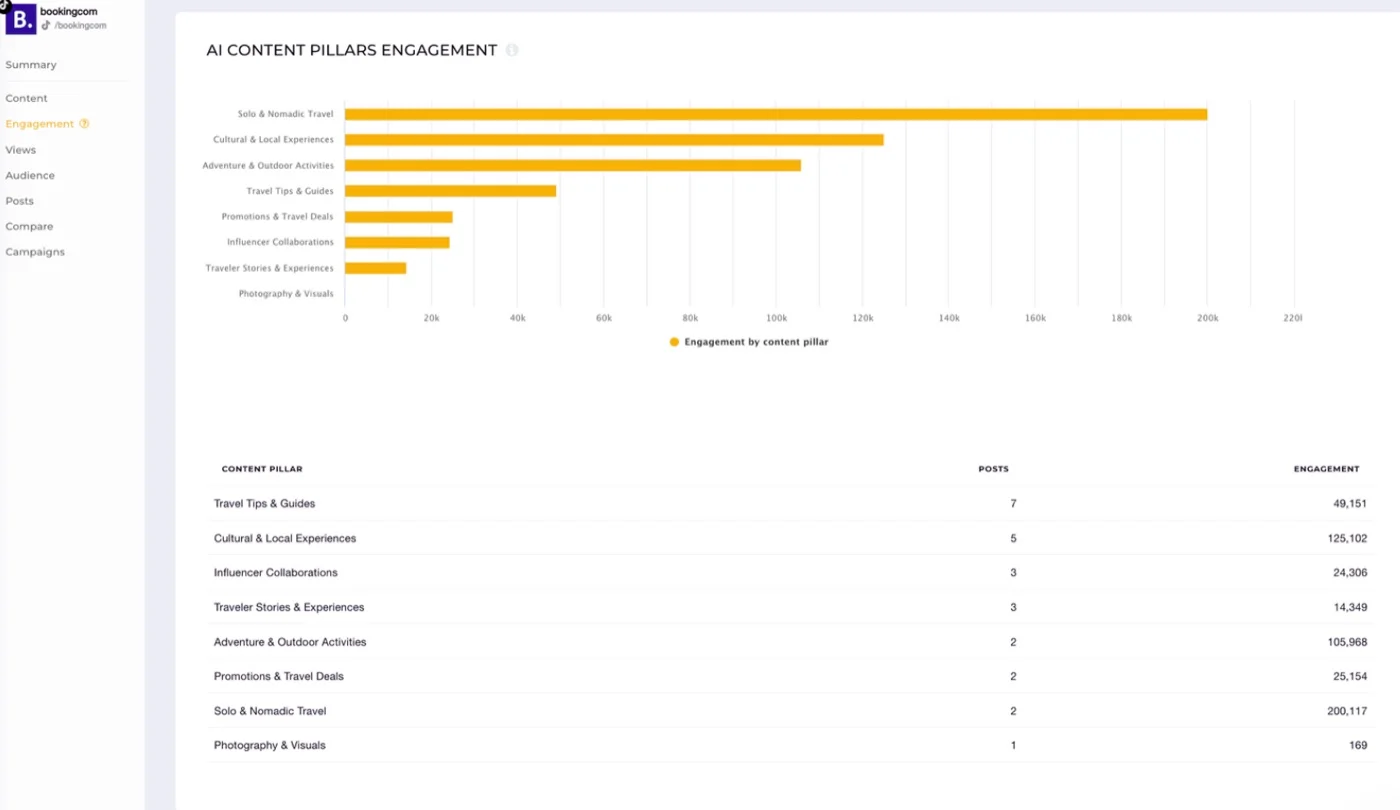
Sur Capterra, a verified web analyst rated it three stars in June 2022, praising that “it shows info about social media profiles – yours and your competition” while calling it “messy, its metrics are not clear, you can’t configure dashboards.” That predates the custom dashboards shipped in 2025, so read it as history. Its Capterra score of 4.9 rests on 18 reviews all dated 2020 to 2022, so the honest figure is its G2 rating: 4.7 across 140 or more.
The thing to check before you buy is what the API does not return. Its help centre states that only organic content comes through, so paid posts and live video are invisible, and only public TikTok profiles can be tracked.
Son own blog also criticises TikTok native for capping history at one year, while its entry plan gives you three months. Only the $199 tier matches what TikTok gives you free. You are not buying more history. You are buying competitor data and a report you can send.
Pricing is flat per plan. Adapt is $82 a month for 20 accounts, 1 seat and 3 months of history. Optimize is $124 for 30 accounts, 2 seats and 6 months. Predict is $199 for 40 accounts, 5 seats and 12 months. API access and a Looker Studio connector are $100 a month each on top. The trial is 14 days, no card, no free plan.
What running Socialinsider standalone requires: a publishing tool, because it does not post, and no editor or creator discovery. If your TikTok strategy includes paid, it will not see it.
9. Sprout Social
The deepest reporting on this page, sold per seat, and it does not benchmark your TikTok competitors.
Coverage
- Publication
- Editing
- Analyse
- Discovery
What it actually looks like: Sprout Social is a report-first workspace polished enough to send to an executive unedited. The TikTok Profiles Report carries Overview, Demographics and Profiles tabs, the last comparing aggregate metrics across all your TikTok accounts at once. Publishing is genuine: schedule video and photo posts, use Optimal Send Times, route everything through approval workflows. The Smart Inbox pulls TikTok comments in alongside every other network.
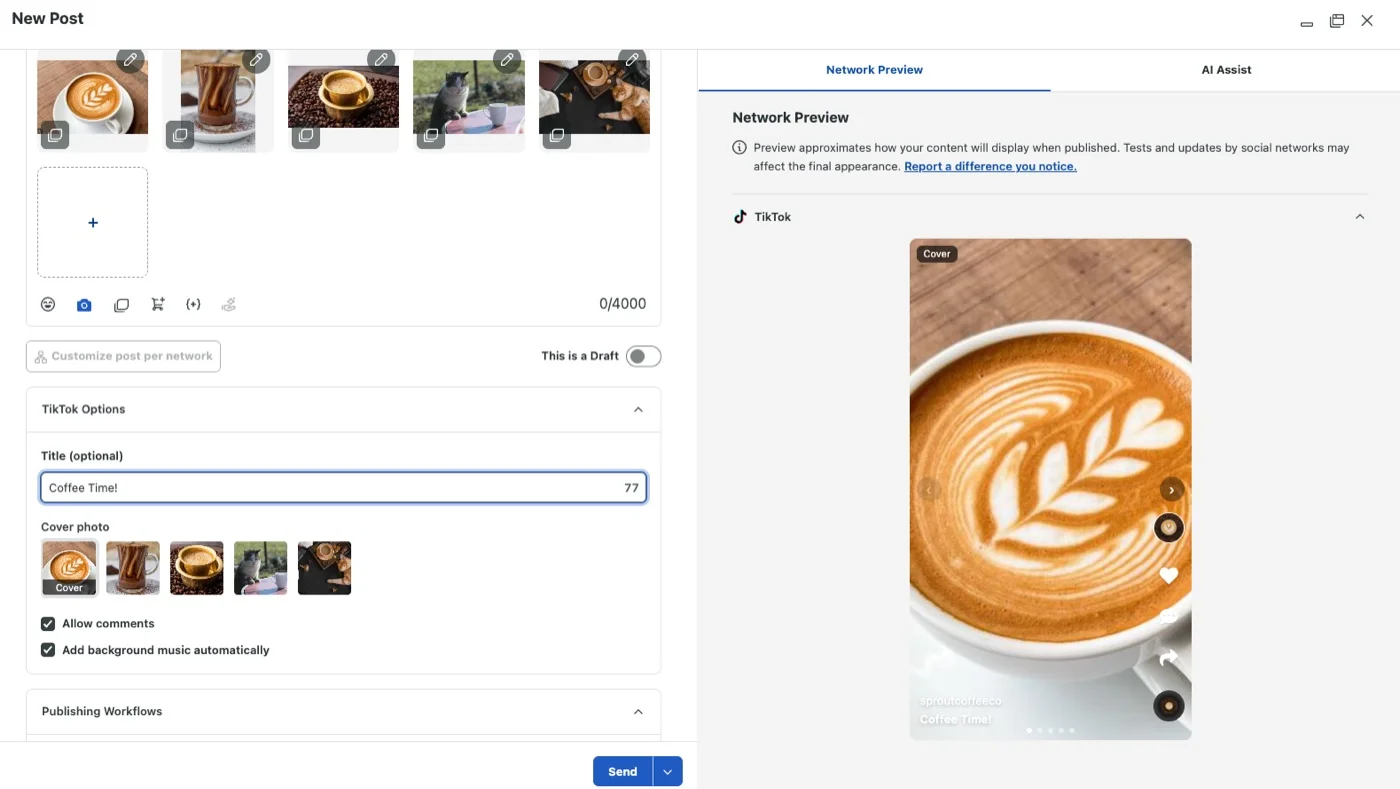
Sur Capterra, Zach W., an enterprise account manager in marketing and advertising, rates it five stars: “The best part for me was having all my social accounts in one place.” His con is the one everybody arrives at: “The price was the hardest part. It works good but it gets expensive fast.”
The thing to check before you buy is whether it does the job you are buying it for. Sprout’s Competitor Performance Report covers Facebook, Instagram and X. TikTok is not in it. Sprout’s own guidance says you “need to manually review competitor profiles on TikTok itself.” At $199 to $399 per seat, that is worth knowing. Socialinsider, at $82, does it automatically.
Retention is the best here, with the caveat in the same sentence: its help centre promises lifetime data from the day you connect, then adds 60 days of backfill and a 24-hour delay.
It is rated 4.4 on Capterra across 608 reviews and 4,4 sur G2 across 7,422. Its Capterra value-for-money sub-score is 3.9, the only one below 4.
Pricing is per seat, billed annually. Essentials is $79 per seat, or $99 month to month, capped at 5 profiles. Standard is $199, also capped at 5. Professional is $299 with unlimited profiles, Advanced $399. A three-person team on Standard is $597 a month, not $199, and our Ventilation des prix de Sprout Social runs that out tier by tier. Standard caps at the same 5 profiles as Essentials, so teams with more accounts jump a tier for the count rather than the features.
What running Sprout Social standalone requires: headcount discipline and a second budget line, since custom reports sit in a paid add-on and creator discovery is a separate product. Our Alternatives à Sprout Social roundup covers cheaper routes to similar reporting.
Influencer Marketing Tools for TikTok
A different product category. None of these posts to TikTok, and none edits video. If you do not run creator campaigns, skip ahead.
10. GRIN
Full-stack creator program management that stopped being enterprise-only in January 2026.
Coverage
- Publication
- Editing
- Analyse
- Discovery
What it actually looks like: GRIN searches an index it puts at over 190 million creators across Instagram, TikTok and YouTube. Around it sits everything a creator program needs: a fake influencer tool, audience lookalikes, a browser extension showing creator metrics while you browse TikTok, outreach, two-sided contracting, product seeding, an escrow wallet paying through Stripe, and Shopify in one click. GMV attribution runs on affiliate links with no take rate.
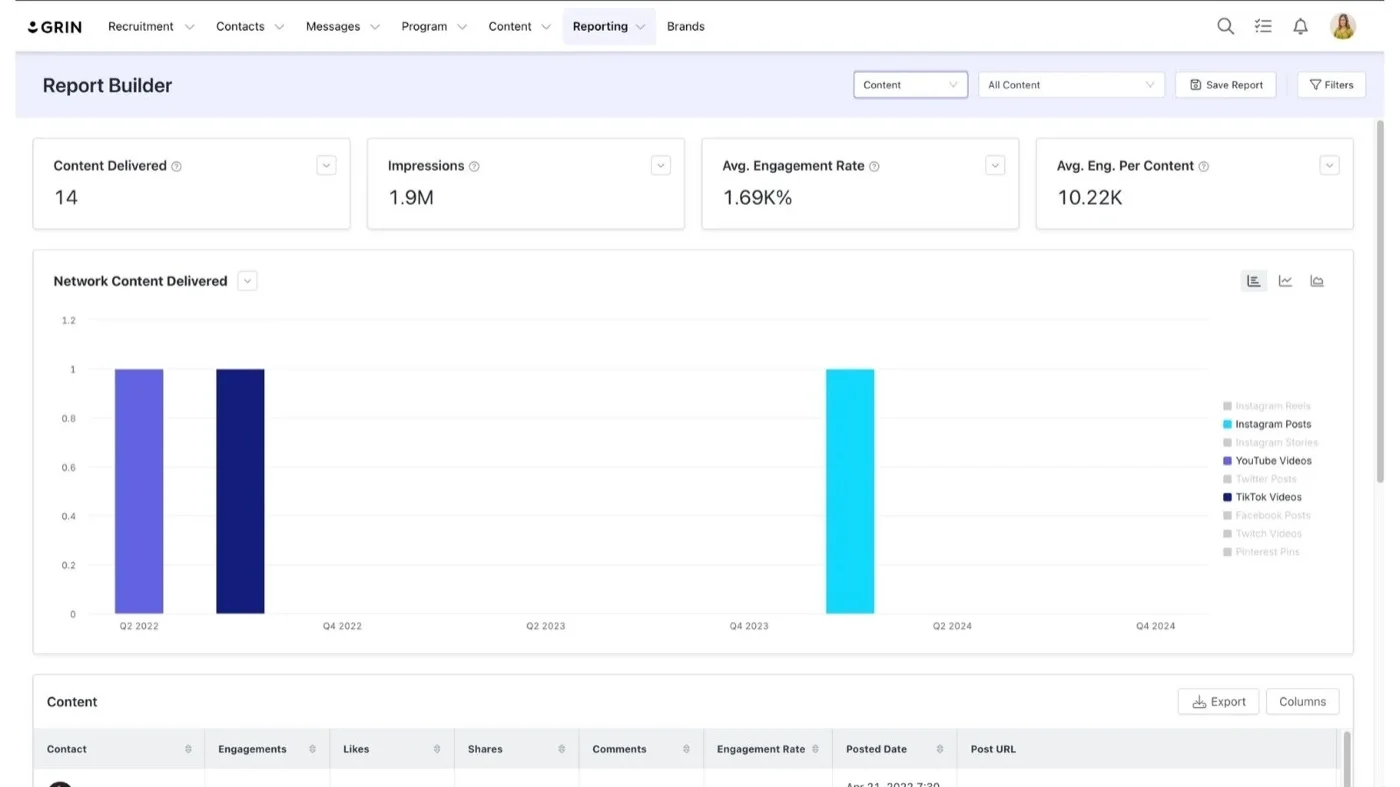
Sur Capterra, Lydia L., a project manager of ambassadors and affiliates, rates it four stars while naming the weak spot: “The reporting features of GRIN have room for improvement. The way they calculate some metrics I do not necessarily agree with.” A five-star reviewer on the same page, valeria C., had one request: “One suggestion would be to add YouTube and TikTok chrome extension.” Hers is the only review in GRIN’s readable Capterra pool that mentions TikTok at all, which tells you where its centre of gravity sits.
The thing to check before you buy is how the meter works, because the model changed in January 2026 and most roundups still say quote-only. GRIN now publishes self-serve tiers: Free at $0 with 200 monthly credits, Starter at $200 with 2,000, Growth at $500 with 7,500, Scale at $1,000 with 20,000, Complete at $1,500 with 30,000. Billing meters usage credits rather than seats, in GRIN’s own words, “you pay for the work Gia does, not per seat.” Everything is month to month, overage runs $0.10 per credit under a cap you set, and the free plan is permanent and doubles as the trial.
It is rated 4.7 on Capterra across 147 reviews and 4,5 sur G2 across 483.
What running GRIN standalone requires: everything on the publishing and content side. It does not post to TikTok, does not edit video, and its analytics are campaign-level rather than TikTok-native. Reporting is the most-flagged weakness in its own reviews.
11. Social Blade
A free, public stats lookup for any TikTok account, including ones you do not own.
Coverage
- Publication
- Editing
- Analyse
- Discovery
What it actually looks like: Type any public TikTok handle into Lame sociale and get followers, likes and uploads with rank positions, engagement rate, a letter grade, daily growth charts and a realtime follower counter. It tracks over 1.8 million TikTok creators and has covered the platform since 2020. Paid tiers unlock three years of daily history and Excel export, and a separate credit-based Business API reaches back ten years.
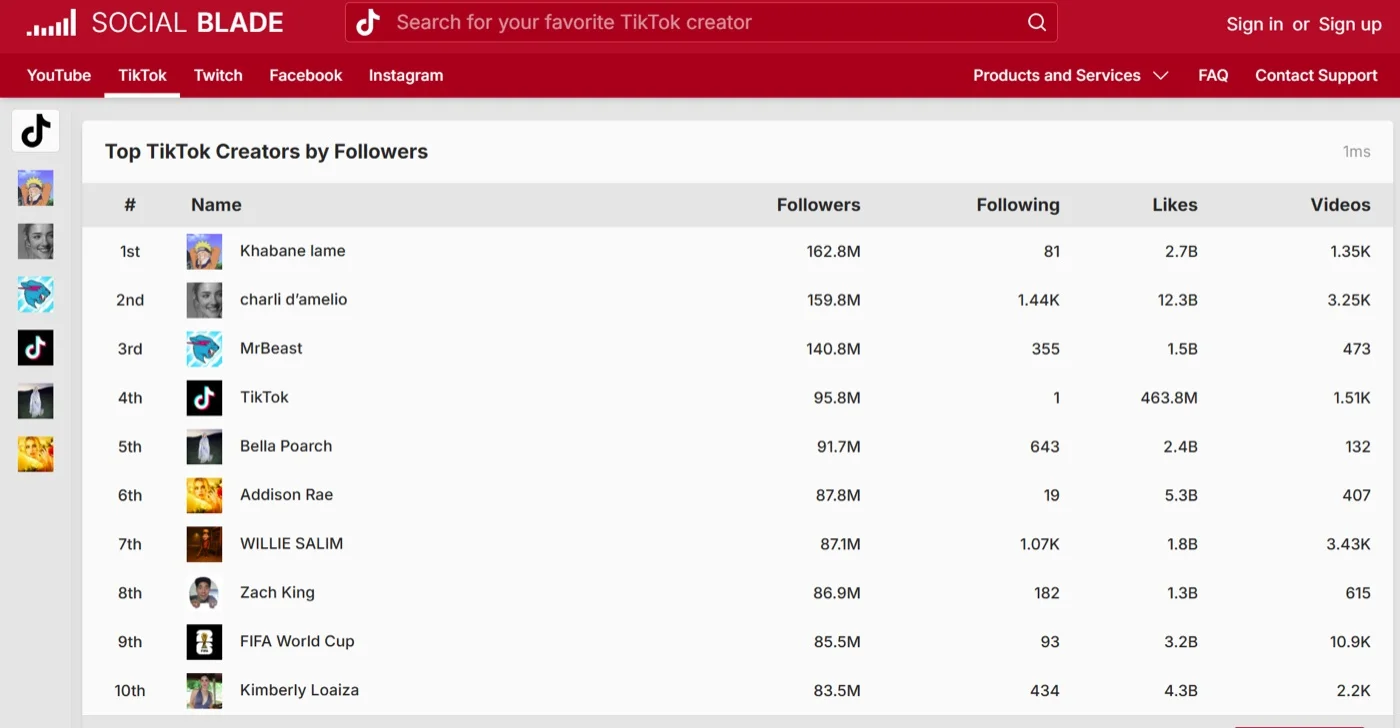
Sur Capterra, David V., a lead developer in IT services, rates it five stars in August 2026: “Social Blade gave us quick and powerful insights into competing channels, specifically for youtube. It’s extremely easy to use.” The same review names both limits: “You get a log [sic] from Social Blade even just using the free tier, but there are some powerful insights that are hidden behind the paywall. The UI is a bit crowded and overwhelming on desktop too.”
The thing to check before you buy is whether you are buying the right category at all. Social Blade is a read-only statistics site, not an influencer marketing platform. No audience filtering, no authenticity scoring, no outreach, no contracts, no payments, no campaign concept. It is what you open for thirty seconds before opening a real platform, and nothing else here does that free.
Its review base is thin, 4.5 on Capterra across 10 reviews and 4,2 sur G2 across 15, which is what you would expect of a free consumer site. Do not read those as comparable to GRIN’s 483. The free tier, Bronze, needs no account, and the paid personal tiers are Silver, Gold and Platinum.
What running Social Blade standalone requires: everything else. Its own reviewers note the data does not update fast enough for live tracking, and accounts hiding their numbers produce unreliable figures.
12. Upfluence
Deep creator search tied to e-commerce revenue, and the one tool here that still will not tell you what it costs.
Coverage
- Publication
- Editing
- Analyse
- Discovery
What it actually looks like: Upfluence searches a database it puts at 14 million or more creators across Instagram, TikTok, YouTube, Twitch, Pinterest and X, with more than 20 filters covering follower count, engagement rate, age, gender, location and audience demographics. Jaice, its AI search agent, runs overnight scans and groups results by theme. Audience checks flag fake followers, Upfluence Pay handles worldwide payments, and it connects to Shopify, WooCommerce, Magento and Amazon.
Sur Capterra, Daniel P., a marketing strategist in media production, rates it four stars under “Upfluence is not bad, but it’s not great.” He likes that “Upfluence has a good UI management system, and it’s rather easy to see the mass variety of users and influencers to select from.” Then the limitation, in October 2025: “Upfluence lacks depth in its search, it was rather hard for me to find the right kind of influencer without going through lists and lists of influencers.”
The thing to check before you buy is that you cannot check the price. Pricing is quote only and firm about it: the FAQ says it is “custom-quoted based on the modules you select (Find, Scale, or Autopilot), your team size, and your program volume.” Every plan is a fixed platform fee, the minimum contract is 12 months, and even the trial is sales-gated: “We set up your free trial after an initial call.”
One warning. Upfluence’s pricing page displays figures like $384k, $250k and $165k. Those are customer case-study results, not prices. Any roundup quoting a dollar figure for Upfluence has very likely scraped one of them.
It is rated 4,6 sur G2 across 140 reviews and 4.4 on Capterra across 44. Its free TikTok audit and follower count tools work without a contract, which is a reasonable way to test the data first.
What running Upfluence standalone requires: a sales call before you can budget, a twelve-month commitment, and separate tools for publishing and content. Its own pages give two database sizes, 14 million and 12 million, so treat the figure as approximate.
Where TikTok's Own Native Analytics Already Has You Covered
Before paying anything, know what you already have. It is more than most articles admit.
What Native TikTok Analytics Actually Shows
Analytics lives in TikTok Studio, in the app or on the web. Roundups telling you to “switch to a Pro account” are years out of date.
There are five tabs, not the four most lists report:
Overview: post views, profile views, likes, comments, shares and estimated rewards, plus traffic source and the search queries that led people to your content.
Contenu : your top ten posts, ranked by views, likes, new viewers and new followers, each openable for retention rate and traffic sources.
Viewers: the tab almost everyone forgets. Unique and returning viewers, inferred gender, age and location, when your audience is active, and which creators your viewers also watch.
Followers: demographics and consumption habits broken down by hour and day.
LIVE: LIVE count, views, total time, new viewers, new followers and Diamonds collected.
Ranges run to the last 7, 28, 60 or 365 days, or a custom report, and you can download up to 365 days at a time. Worth knowing that TikTok’s two surfaces disagree here: the Web Business Suite lists nothing beyond 60 days, so which figure you have seen depends on which door you came in through.
Why It's Not Enough for Serious Growth
Three limits, in the order people hit them. None is the history cap you were told about.
One account, no comparison. Nothing in any tab looks at an account you do not own. “Your audience also follows” names creators your viewers watch and gives you no numbers on them. If your job involves saying where you sit against three named competitors, native analytics cannot start that sentence.
One login, no team. No seats, roles or permissions. If a colleague posts for the brand, you are sharing a password.
Screens, not deliverables. No report builder, no branded export, no scheduled reporting. Nothing here is something a client accepts as a report.
Two genuinely short windows are worth knowing, because they are the ones you would use weekly. “Most active times” only covers the last 7 days. The LIVE tab caps at 28.
One more thing worth reading carefully. TikTok says its own viewer demographics are “based on predictive models rather than confirmed user data.” Its own numbers are estimates.
When a Third-Party Tool Is Still Worth It
Hit any of those three limits and it is time to pay. Until then, stay free.
The honest test: if you run one account, post manually, and nobody asks for a report, TikTok Studio plus a free editor covers you. The moment there are two accounts, two people, or one client, all three limits arrive at once.
For the analytics job specifically, our TikTok analytics tools guide goes deeper on that one question.
TikTok Tools Other Roundups Still Recommend That No Longer Work
These six appear on lists published this year, priced and described as though you can sign up today. You cannot.
| Outil | What actually happened |
| Pentos | Gone. Its website no longer exists at all, while Capterra and GetApp still display pricing tiers for it. |
| Analisa.io | The site answers, but nothing is behind it. Every page returns a server error instead of the product. |
| TikTokHashtags | Rebranded to Hashtag Radar. Not a casualty, but the name every roundup still uses does not exist any more. |
We checked Exolyt, Popsters, Hootsuite, Tokfluence, Quintly et Kalodata too. All six are alive and all six were left out, because a dead-tools list that pads itself is worth nothing.
The pattern will repeat. Where a tool’s homepage and its pricing page disagree, believe the pricing page.
Why Your Tool's Numbers Won't Match the TikTok App
This catches most people in the first week and comparison pages never mention it. Your new tool will show different figures from TikTok Studio. Not a bug, and knowing why saves an argument with a client.
The app has about fifteen metrics. The API has four. TikTok’s Display API documentation lists every field a third-party integration can retrieve about a video. The engagement numbers are like_count, comment_count, share_count and view_count. That is all of them.
Everything else in TikTok Studio is absent: retention rate, average watch time, finish rate, traffic source, search queries, unique and returning viewers, demographics, most active times, profile views and every LIVE metric. A dashboard showing you watch time is either using a different paid surface or estimating.
Your tool’s history starts when you connect it. The API walks backwards through your catalogue at 20 videos per request, but only returns each video’s current counts. No endpoint returns views on a given day. A tool connected today can list your old posts and cannot reconstruct how they performed.
The deep research API is closed to you. TikTok’s Research API FAQ asks “I am a creator, advertiser, or commercial user. Am I eligible for access to the Research Tools?” and answers, in one word, “No.” Any tool implying it holds rich TikTok data is not getting it there.
Definitions differ. TikTok publishes a precise definition of a video view for advertisers: times a video started to play, replays excluded. It publishes no equivalent for organic post views. Two tools measuring the same post will reasonably disagree.
Even the thumbnails expire. Cover image links carry a six-hour time to live, which is why images go blank in third-party dashboards and exported reports.
Pick one source as your reporting truth and stay with it. Comparing this month’s tool figure against last month’s in-app figure produces a trend that does not exist.
The Free TikTok Tools Actually Worth Using
Seven options here are genuinely free rather than trial-limited.
TikTok Studio analytics. Free with any account. Five tabs, ranges to 365 days, per-video retention and finish rate, a 365-day download. One account, one login, no report.
Centre de création TikTok, now part of TikTok One. Free, and the best source of market-level trend data: top ads, trending hashtags, trending sounds, keyword insights. TikTok reorganised it, so most deep links in older roundups now redirect or 404. Start at the hub rather than a bookmark.
CapCut’s free tier. Full manual editing with clean, watermark-free exports as long as you avoid templates, premium assets and the auto-generated outro.
Socialinsider’s free tools. A TikTok account audit and an engagement-rate calculator, neither requiring signup.
GRIN’s free plan. 200 monthly credits against a 190-million creator index, no card.
Social Champ’s free plan. 15 scheduled posts across 3 accounts, 1 user, with the same auto-publishing the paid tiers get.
Social Blade’s public stats. Any TikTok account’s followers, growth curve and rank, no account needed.
One category to avoid. Searches for free TikTok tools surface a large volume of follower and engagement sellers dressed as growth tools. TikTok’s Community Guidelines prohibit them in plain language, banning the trade of “services that artificially increase engagement, such as followers or likes” and stating that automation tools designed to bypass its systems “can result in content removal, account bans, or other enforcement.”
This is not theoretical. TokUpgrade, in the table above, was a recommended growth tool and now redirects straight to a page selling followers. That is the shape of the trap.
How to Choose the Right TikTok Tool for Your Needs
Match the Tool to the Job, Not the Platform
Name the single job you cannot do right now and let it pick the tool.
Cutting a video you are proud of points at CapCut or InShot, and both are free to start.
Posting to several accounts on a schedule without touching your phone points at a scheduler, and the thing to check is whether it auto-publishes carousels or only single videos.
Showing a client where they sit against three named rivals points at Socialinsider, and nothing else here does it automatically.
Finding and paying TikTok creators points at GRIN or Upfluence, and GRIN’s free tier means testing costs nothing.
Everything else is a second purchase you probably do not need yet.
Budget and Team Size
Then check how you are billed, because it moves the answer more than features do.
Per-seat pricing looks cheap for one person and expensive for four. Per-profile inverts it. Usage credits invert it again. Run your real headcount through the arithmetic before comparing entry prices, because entry prices are quoted for a team of one.
The clearest illustration: three people on Sprout Social Standard is $597 a month. The same three on SocialPilot Premium, billed annually, is $85 total. Sprout does more, so that is a trade rather than a verdict. But the gap is not a feature gap. It is a billing-model gap, and it compounds every month.
Most people need two tools, not one: a free editor and a paid scheduler. Add a third only when a job forces it.
Running more than TikTok? The same four-job test works next door, and we have run it for Outils Instagram and across every network at once. If creator campaigns rather than calendars are your job, our TikTok marketing tools guide goes deeper on that side.
How We Analyze and Select These Tools
What We Actually Tested
Every price, tier, cap and trial length here was read off each tool’s own pricing page. Where a tool publishes none, we say so instead of repeating a figure from elsewhere. That matters: InShot and CapCut publish no prices on their websites, which is how a one-time $49.99 purchase started circulating as a “$49.50 per month” subscription.
Every capability claim comes from the tool’s own help centre rather than its marketing page, and where the two disagreed we took the documentation. Every quoted review is real, verbatim and attributed, with its review count beside it. We also checked that each tool still operates, by DNS lookup and a live HTTP request. Six came off the list.
What We Couldn't Independently Verify
Three things, stated plainly.
We did not run twelve paid trials side by side. This is a pricing, capability and positioning comparison built from each tool’s own documentation and published reviews, not a hands-on bake-off.
Social Blade does not publish its paid tier prices anywhere we could read them, so this page names its tiers and not its figures. Third-party sites quote numbers for it; we left them out, because an unchecked price is worse than no price.
Socialinsider’s public reviews thin out after 2022, so the one quoted in its entry carries its date rather than passing as current.
So, Which One Actually Earns Its Place?
Here is the part worth sitting with.
TikTok already gives you a full year of your own data, five tabs deep, for free, on a screen a lot of people never open. So before you spend anything, go and look at what you already have.
Then buy the thing it cannot do.
For most people that is not analytics at all. It is the hour a week lost to posting by hand, the client who wants a report with their name on it, and the second person who needs access without being handed a password. Those three problems arrive together, and they arrive the moment TikTok stops being a side project.
That is the point where a scheduler stops being a nice idea and starts paying for itself. If it is also the point you are at, SocialPilot handles all three inside one flat plan rather than selling them back to you as add-ons, and you can see whether it fits before deciding anything. Commencez votre essai gratuit de 14 jours dès aujourd'hui, no card required.
Questions fréquemment posées
What are the best TikTok tools?
There is no single best, because the category splits by job. SocialPilot from $25.50 a month for publishing, approvals and branded reports. CapCut, free, for editing. Socialinsider from $82 for competitor benchmarking. GRIN, free to start, for creators. Anyone naming one winner is not asking what you need it for.
What are the four main types of TikTok tools?
Scheduling tools publish your content and run the calendar. Editing tools cut, caption and export the video. Analytics tools add competitor benchmarking and client-ready reports. Influencer tools find, brief and pay creators. Most tools do one of these well. Almost none does two.
What are the best free TikTok tools?
TikTok Studio's analytics, free with any account. TikTok Creative Center for trending sounds and hashtags. CapCut's free tier, which exports clean if you skip templates. Socialinsider's free TikTok audit. GRIN's free plan for creator search. Avoid anything selling followers or views: TikTok's guidelines ban them, and enforcement includes account bans.
Does TikTok have its own analytics tool?
Yes, and further than the 60 days you may have read about, which comes from the Web Business Suite. TikTok Studio holds up to 365 days across five tabs. What it will not do is cover a second account, allow a second login, or produce a client-ready report.
Is TrendTok worth it for TikTok growth?
It is real and actively maintained, rated 4.79 across roughly 66,000 App Store ratings. But it is an iPhone-only trend and sound finder, not analytics, despite the name. No Android or web version, and no reporting on your own account. Useful for finding sounds. Not a replacement for TikTok Studio.
What's the best TikTok tool for agencies?
Look for the three things most tools charge extra for: separate client workspaces, an approval step before publishing, and reports carrying your logo. SocialPilot includes all three from Premium at $85 a month billed annually, flat rather than per seat, where three people cost $597 on Sprout Social.
A propos de l'auteur