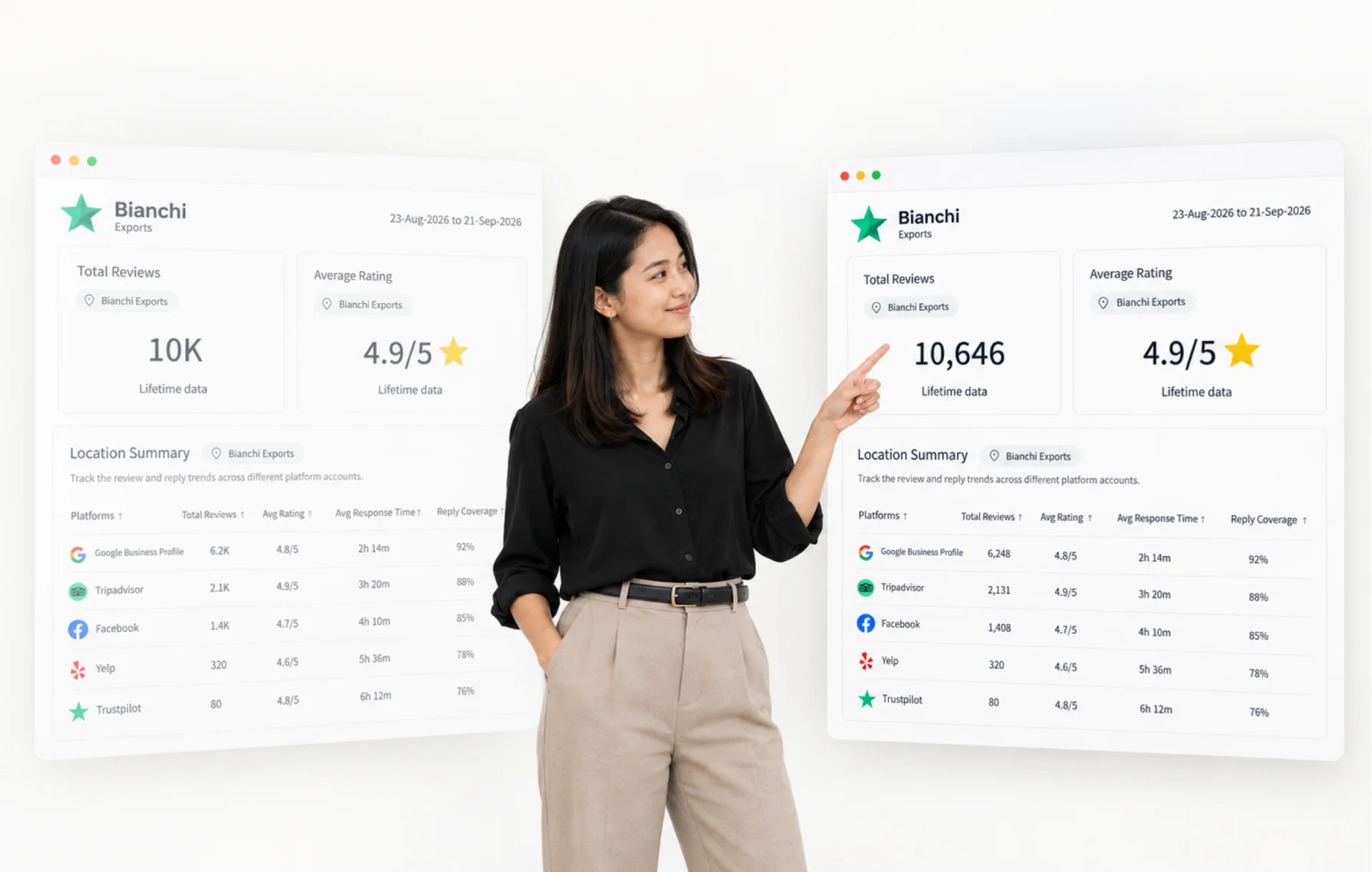
See the complete figures behind every Review Report to recognize performance changes earlier and explain results clearly to strengthen your reputation faster.
Abbreviated values such as 1.2K or 3.4M keep large datasets easy to scan. They can also conceal smaller movements that matter when reviewing performance.
Full Numbers displays the complete value behind supported metrics whenever a report requires closer analysis.
See the Difference Behind Every Figure
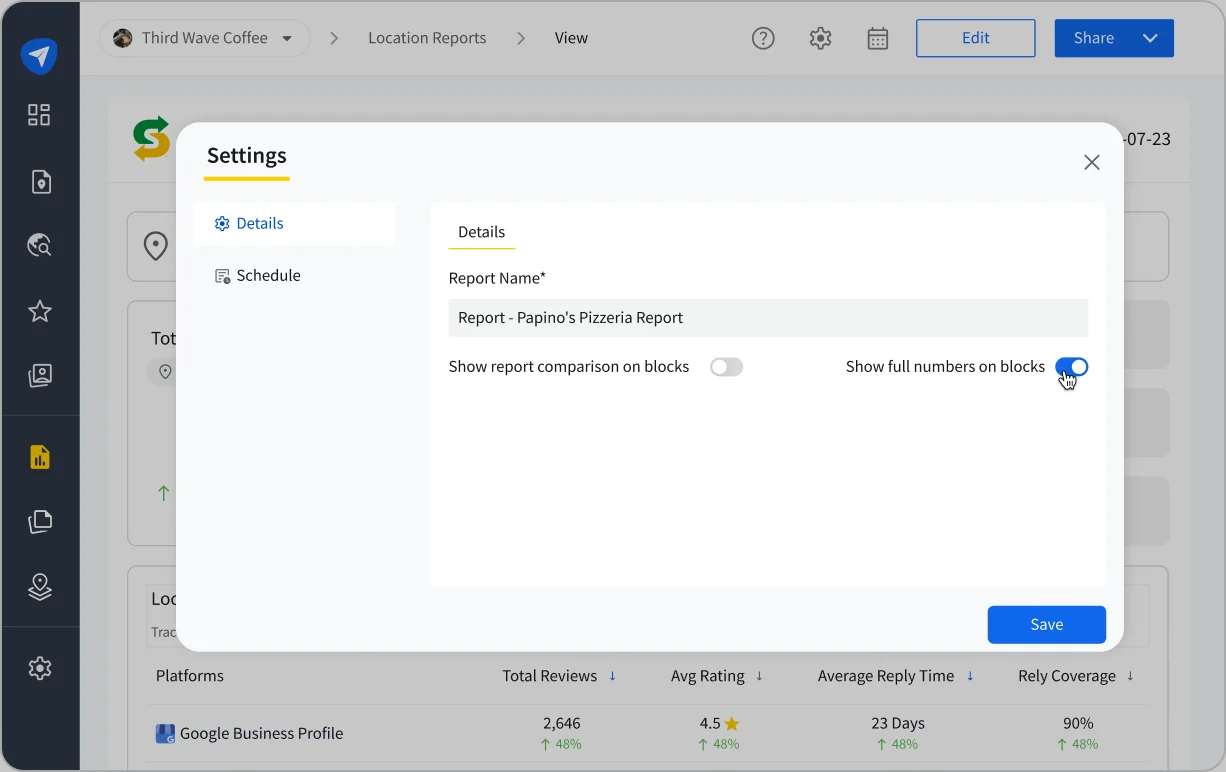
Full Numbers works across Platform, Location, and Custom Reports. Enable it from settings to change how figures appear throughout the selected report.
- See Complete Figures Throughout the Report
Display numbers up to nine digits across metric cards, graphs, and tables. - Set the Format Per Report
Keep one report abbreviated while using Full Numbers in another based on the level of detail required. - Return to the Same View
Preserve the selected format across sessions until the report setting is changed.
The abbreviated format remains the default, keeping the current reporting experience unchanged until Full Numbers is enabled.
Give Every Decision More Context
Businesses can compare close performance movements across locations or platforms before deciding where attention is needed. Agencies can use the same level of detail to explain results during client conversations.
The selected format also carries into PDF exports, keeping shared figures consistent with the report on screen. This supports internal reviews, team discussions, or client reporting without changing how the underlying metrics are calculated.
Turn Clearer Reporting Into Focused Action
Complete figures make smaller performance movements easier to recognize, explain, and prioritize.
Act on them sooner to strengthen your reputation faster. Enable Full Numbers from settings whenever a report needs greater detail.
For more details, check out the help documentation or reach out to the support team.