
Whether you are an agency owner juggling a growing list of client accounts, a mid-market marketing team that needs real analytics and listening depth without an enterprise contract, or a budget-conscious team that got priced out of Sprout’s per-seat model, everything below is built around your actual situation, to help you choose the best alternative to Sprout Social.
Why Look Beyond Sprout Social
The math behind the Sprout Social's price complaint is simple once you see it. It’s Essentials tier starts at $79 per seat per month, and that’s before you get a consolidated inbox or keyword monitoring feature, both of which require the $199-per-seat Standard tier. A five-person team on Standard pays for five full seats even when only two of them touch the platform daily, and the bill climbs with every hire regardless of how much of it that person actually uses.
Real Sprout customers have said as much directly. Here’s how one G2 reviewer described the seat-pricing problem:
Erin L.
Pricing is also a little steep, especially when it comes to adding just a single additional seat.
Price isn’t the only friction point. Reporting depth is gated by plan tier too, and that shows up in review threads almost as often as the pricing complaints. Here’s how another reviewer put it:
Hannah R.
There’s limitations to the periods of time that you can compare depending on the plan that you have.
A third, more specific complaint centers on native-platform gaps. One reviewer put it plainly:
Kasey F.
I wish I could use trending audio from Instagram directly from Sprout Social. Anytime I want to make content with a trending audio from Meta, I have to do it natively in the app itself and can’t use Sprout.
None of this makes Sprout a bad product on its own merits. Its listening module ranked #1 in G2’s Winter 2026 Grid Report for Social Media Listening Tools, and it’s genuinely strong for teams that need deep sentiment tracking. It just means a whole market of alternatives has grown around three specific pain points, per-seat cost, tier-gated reporting, and native-platform gaps, and on all three fronts, several of the tools below now do better for a specific kind of team.
How We Tested These Sprout Social Alternatives
Below is exactly what we did hands-on, what counts as verified research rather than direct testing, and where we chose to draw the line.
Our Testing Protocol
We spent two weeks hands-on with all 10 tools, using SocialPilot’s own internal test accounts rather than a client’s live profiles.
- Signed up for each tool’s free trial or free plan, connecting the same two test accounts across all 10 for a fair comparison.
- Scheduled 7 posts per tool over a full week to see the actual publishing flow in action.
- Ran at least one post through whatever approval or collaboration step the tool offered.
- Cleared a batch of 10 test comments and DMs through each tool’s inbox, where one existed, and timed how long it took.
- Compared what each analytics dashboard reported, once posts had been live a few days, against the platform’s own native numbers for those same posts.
- Hands-on tested anything genuinely distinctive a tool shipped: a CRM lead flow, a listening-first dashboard, an AI-agent integration.
How We Fact-Checked Every Comparison
- Cross-checked every claim against the vendor’s current feature and pricing pages, and against Sprout Social’s equivalent.
- Pulled tier prices, seat and profile limits, and feature gates fresh from each vendor’s live pricing page.
- Sourced every customer quote from a real, attributed review, linked to where it lives.
- Verified each section against the tool’s own pages, never an unnamed source.
What We Didn’t Test, and Why
- Enterprise features locked behind a custom sales quote, dedicated onboarding, SSO/SAML setup, or custom API limits, since those require a signed contract. Where a vendor makes a specific, checkable claim about that tier, we cite it directly as vendor-stated.
- Paid ad management or ad-boosting, a genuinely separate evaluation.
- Reliability over months of daily use.
- SocialHose’s full listening depth beyond a standard trial window, since crisis-detection and high-frequency search are built to prove their value over weeks, not days.
Alternativas ao Sprout Social em resumo
The tools people ask us about most, side by side. All 10 get the full write-up further down.
| Ferramenta | Melhor Para | G2 Rating | Preço inicial | Plano gratuito | Caixa de entrada | Fluxo de trabalho de aprovação | White Label |
|---|---|---|---|---|---|---|---|
| SocialPilot | Agencies and budget-conscious SMBs | 4.5 | $30/mês | Apenas a título experimental | Sim | Sim | Sim |
| Hootsuite | Enterprise teams needing broad governance | 4.3 | $99/seat/mo | Não | Sim | Yes (Advanced+) | Não |
| Agorapulse | Genuinely unified inbox | 4.5 | $79/mo annual | No (30-day trial) | Yes, strongest | Yes (Professional+) | Yes, every paid plan |
| Zoho Social | CRM-connected small teams | 4.6 | $15/mo | Sim | Básico | Não | Não |
| Metricool | Analytics-first teams on a real free tier | 4.5 | $20/mo | Sim | No unified inbox | Yes (Advanced) | Yes (Custom) |
| Sendible | Agencies needing white-label workspaces | 4.5 | $30/mo annual | No (14-day trial) | Sim | Sim | Yes (Elite+) |
| Statusbrew | Agencies, franchises, multi-location teams | 4.8 | $69/mo annual | Não | Sim | Yes (Premium+) | Yes (Agency) |
| Buffer | Solopreneurs and lean teams | 4.3 | $6/channel/mo | Sim | Yes (Community) | Yes (Team) | Não |
| Later | Visual, Instagram-first marketing | 4.5 | $25/mo | No (Starter caps posting) | Yes (Growth+) | Yes (Scale) | Not offered |
| SocialHose | Deep social listening only, not full-suite | N/A (Capterra 4.8, 4 reviews) | $149/mo | No (trial) | N/A, listening tool | N/A | Não |
A few patterns stand out right away. SocialPilot is the only tool here that combines a unified inbox, approval workflows, and white label client tools on its Premium plan at $85 a month flat – the same three capabilities that cost $299 per seat on Sprout’s Professional tier. Agorapulse and Statusbrew each bundle at least two of those three at a price still lower than Sprout’s Standard seat. If your real problem is that Sprout’s deepest reporting and listening features, that come as a seperate add-on, Metricool and SocialHose both can provide you with similar capabilities at a fraction of the cost. And if CRM-connected workflows matter more to you than social features alone, Zoho Social is built around exactly that.
The 10 Best Sprout Social Alternatives, Reviewed in Depth
Here’s the full breakdown of each tool, starting with the tool most agencies ask us about first: our own.
1. SocialPilot
$25.50 per month (Essentials tier, billed annually)
Classificação
4,5 no G2 e 4,4 no Capterra
Aplicações
Android, aplicação móvel iOS e versão Web.
Plataformas de redes sociais suportadas
Facebook, Instagram, TikTok, X, LinkedIn, Threads, Bluesky, YouTube, Pinterest, Google Business Profile
SocialPilot‘s Essentials tier starts at $25.50 a month and covers 7 accounts on a single flat plan, not a per-seat one, while Sprout Social’s Essentials tier starts at $79 per seat per month and still doesn’t include a consolidated inbox.
Caraterísticas principais
- Bulk scheduling of up to 500 posts per batch through CSV import, with per-post tagging and First Comment scheduling
- A unified social inbox with AI-assisted reply drafting
- Custom analytics and reporting across every connected account
- A white label dashboard, with branded reports at Premium and full custom-domain branding at Ultimate
- A content library plus holiday-calendar content suggestions
- The AI-Pilot content assistant and dedicated TikTok analytics
- Um MCP server that lets AI agents like Claude and ChatGPT draft, schedule, and publish posts directly, with account groups and approval workflows built in for agencies
Pricing Model, Per-Seat vs. Flat-Rate
Sprout Social charges $79 to $399 per seat per month, and the consolidated inbox and collaboration tools don’t unlock until the $199-per-seat Standard tier. SocialPilot’s plans scale by account and user count, not by seat, so a fourth person on a Standard plan doesn’t move the bill the way it would on Sprout.
| Nível | Mensal | Annual | What You Get |
| Essentials | $30/mês | $25.50/mo | 7 accounts, 1 user, 500 AI credits |
| Standard | $50/mo | $42.50/mo | 15 accounts, 3 users, 1,000 AI credits |
| Premium | $100/mo | $85/mo | 25 accounts, 6 users, 5000 AI credits, white-label reports |
| Ultimate | $200/mo | $170/mo | 50 accounts, unlimited users |
See SocialPilot’s current pricing and plans for the exact breakdown at each level.
Reporting Depth, an Honest Comparison
Sprout’s own reporting is genuinely deep, though its Premium Analytics is a separate add-on rather than part of any plan tier, and how far back you can compare these two tools depends on your tier. SocialPilot’s custom analytics and reporting are available across every connected account starting at Standard, without a separate comparison-period gate. It’s not a like-for-like swap for Sprout’s most advanced sentiment reporting, but for a team that mainly needs consistent, unrestricted performance history, it closes a specific gap Sprout customers have named directly.
Who Should Actually Use This
SocialPilot is built around the agency workflow specifically: managing a growing roster of client accounts without a cost curve that punishes growth. It’s the stronger fit for a boutique agency or freelance social manager juggling 10 to 30 client profiles across a handful of networks each, and a weaker fit for a single in-house brand team that only needs three or four accounts, where the flat-plan minimums buy more capacity than they’d use.
A Realistic Scenario
A 3-person agency manages 15 client accounts, two networks per client on average, for 30 connected profiles total. On Sprout Social’s Standard tier, that’s 3 seats at $199 per seat per month, or $597 a month before any add-ons. On SocialPilot’s Ultimate plan, that same 3-person team can manage upto 50 accounts and provide access to unlimited users for $170 a month flat, and the bill doesn’t move if an additional staffer needs occasional access to check a client’s calendar.
Prós
- Bulk scheduling publishes up to 500 posts in one pass, with no glitches or delays in our test runs.
- The clearest, most concise interface of any agency-tier tool on this list, with a genuinely short learning curve.
- The white label dashboard lets an agency hand a client their own branded view instead of a shared login.
James H.
SocialPilot makes it easy to plan, draft, and schedule posts across all our social channels in one central dashboard.
Contras
- No native way to run or boost paid social ads directly from the platform
- Competitor analysis isn’t available at every tier, it’s a step up from the entry plan
- Deep sentiment-level listening isn’t part of the platform the way it is on Sprout’s higher tiers
Katie F.
It’s pretty bare bones basic compared to some of the bigger competitors in the industry. It hasn’t really evolved much since we started using it a few years ago.
2. Hootsuite
$99 per seat per month (Standard tier, billed annually)
Classificação
4.3 on G2 (7,827 reviews) & 4.4 on Capterra
Aplicações
Android, aplicação móvel iOS e versão Web.
Plataformas de redes sociais suportadas
Facebook, Instagram, X, LinkedIn, TikTok, YouTube, Threads, WhatsApp, and Pinterest.
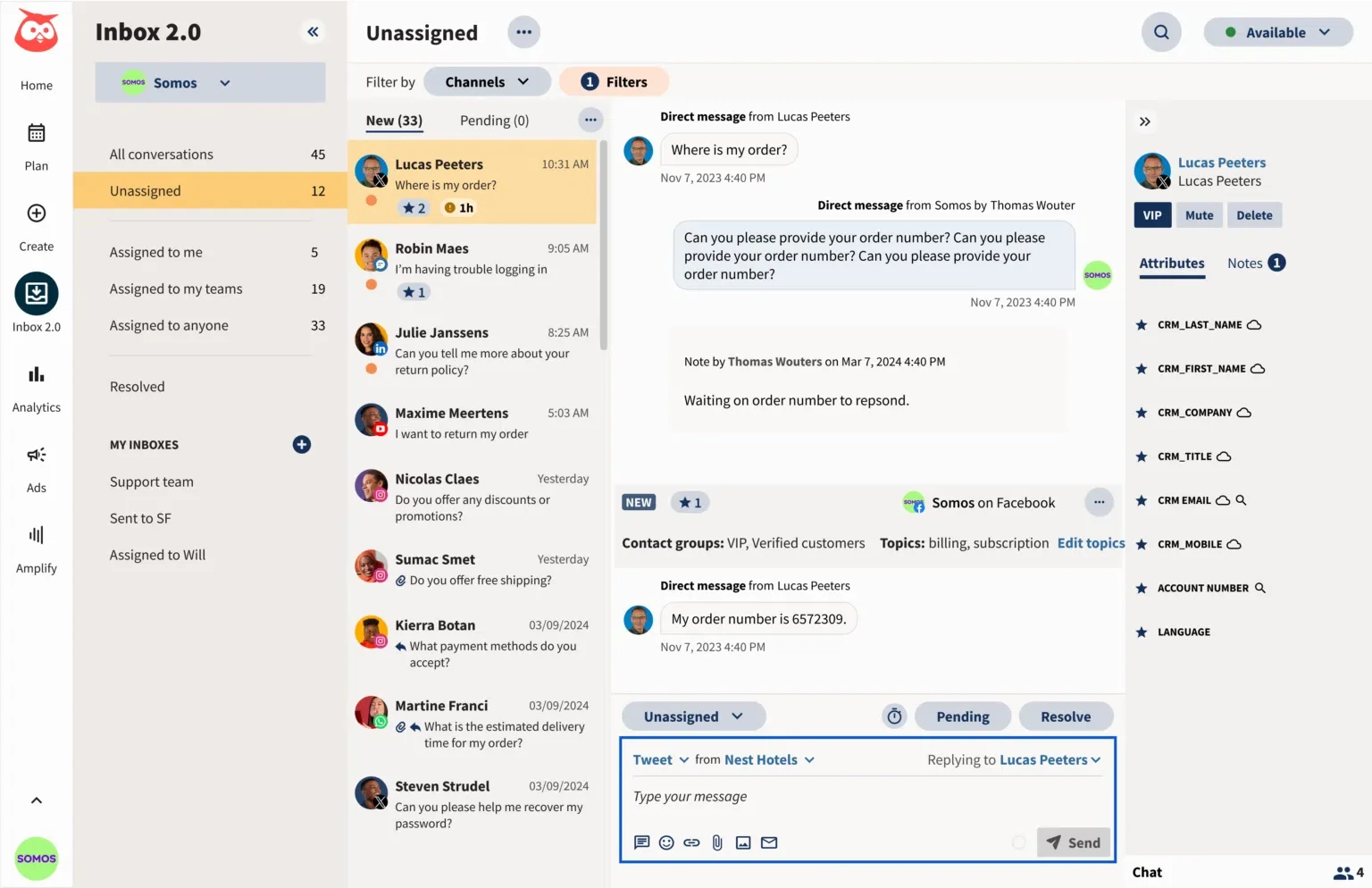
Hootsuite is one of the most established names in social media management, built for teams that want publishing, analytics, and listening under one roof, the same territory Sprout Social occupies. Compare the two directly, though, and the real difference shows up in where listening sits in the pricing.
Caraterísticas principais
- Unlimited social account management from the Professional tier up
- OwlyWriter AI for caption drafting and content repurposing
- Brand monitoring and keyword tracking built into every plan
- 90-day trend forecasting and custom reports at Professional
- Team approvals and message routing at Advanced
- A partner integration with Upfluence for influencer marketing
Pricing, Tier by Tier
| Nível | Mensal | Annual | What You Get |
| Standard | $149/seat | $99/seat | 10 accounts, unlimited scheduling, brand monitoring |
| Profissional | $299/seat | $199/seat | Unlimited accounts, 90-day trend forecasting, custom reports |
| Avançado | $499/seat | $399/seat | Team approvals, message routing, performance measurement |
| Empresa | Personalizado | Personalizado | Advanced listening (Talkwalker), SSO, compliance |
Listening, Still Gated Behind Enterprise
Sprout’s Listening add-on can be layered onto its $199-a-month Standard plan and up, priced separately rather than bundled into any tier. Hootsuite’s basic brand monitoring is included from Standard, but its more advanced listening tool, Talkwalker, sits behind a custom-quoted Enterprise contract, the same gating pattern that makes Sprout’s per-seat pricing frustrating in the first place. If listening depth at a predictable price is the reason you’re leaving Sprout, Hootsuite doesn’t fully solve that either.
Per-Seat Pricing, a Shared Problem
Hootsuite bills $99 to $399 per seat per month, the same per-seat structure that makes Sprout expensive to scale. A five-person team on Standard pays for five seats regardless of how much each person actually uses the platform, mirroring the exact math that pushes people to look at alternatives in the first place. Hootsuite is a genuine upgrade on breadth and governance tooling, but it does not fix the seat-based cost curve.
Who Should Actually Use This
Hootsuite is the stronger fit for enterprise teams that need broad platform governance, compliance controls, and a large integration ecosystem (monday.com, Wrike, Notion) alongside social management. It’s a weaker fit for a team specifically trying to escape per-seat pricing, since Hootsuite uses the same model Sprout does.
For more options built around enterprise governance, see our Hootsuite alternatives guide.
A Realistic Scenario
An enterprise marketing org needs SSO, compliance documentation, and a workflow tool integration alongside social scheduling for a 12-person distributed team. Hootsuite’s Enterprise tier bundles all of that under one custom contract with a single procurement conversation, the kind of governance checklist a growing team eventually has to satisfy regardless of which scheduling tool sits underneath it.
Prós
- The broadest ecosystem of over 100 integrations, more than any other tool on this list.
- Named G2’s top marketing software product for 2026, an independent signal of real customer satisfaction at scale
- Unlimited account management from Professional up removes a scaling constraint smaller competitors still have
Nathan I.
I like that Hootsuite’s interface is simple to use and doesn’t require a tech background to understand. It’s very intuitive and easy to navigate.
Contras
- Per-seat pricing creates the same cost-scaling problem that pushes teams away from Sprout in the first place
- Advanced listening (Talkwalker) requires a custom Enterprise contract, not a named price
- No free plan; the lowest published tier still starts at $99 per seat per month
Oleksiy M.
Hootsuite can feel expensive for smaller teams, especially when advanced analytics, additional users, or broader functionality are needed.
3. Agorapulse
$79 per month, billed annually
Classificação
4,5 no G2 e 4,6 no Capterra
Aplicações
Android, aplicação móvel iOS e versão Web.
Plataformas de redes sociais suportadas
Facebook, Instagram, LinkedIn, X, TikTok, YouTube, Google Business Profile, Threads, Bluesky, and Pinterest.
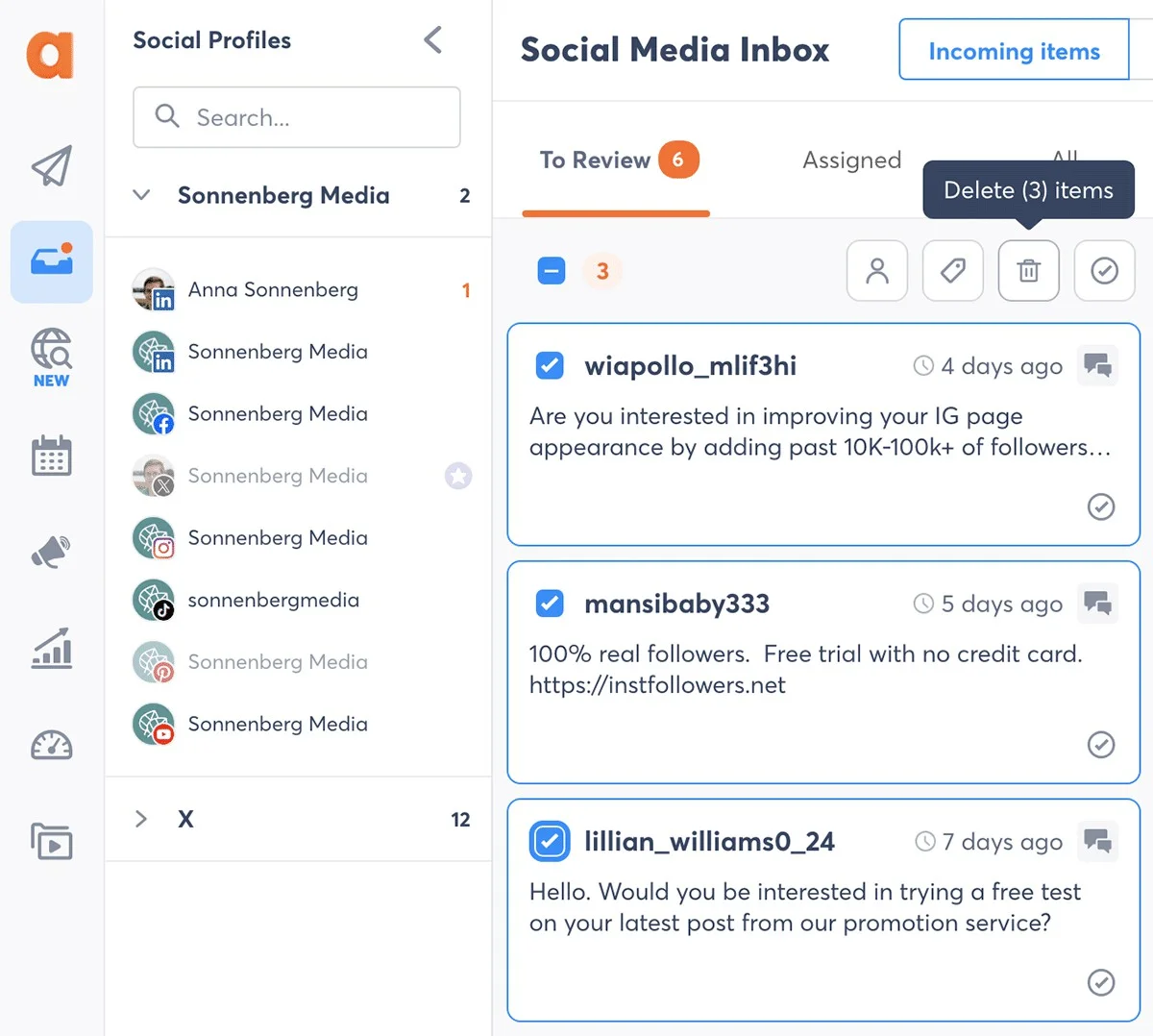
Sprout’s consolidated inbox doesn’t unlock until the $199-per-seat Standard tier. Agorapulse gives you a unified inbox on its $79-a-month Standard plan, and every paid plan comes with white label reports built in at no extra cost. If your team spends more time answering messages than posting new content, Agorapulse is the stronger fit between the two.
Caraterísticas principais
- A unified social inbox across 9 networks, including ad comments
- Bulk CSV publishing plus queue-based autopilot re-scheduling
- The Agorapulse AI writing assistant, plus early-access Archie for content production
- Social listening across Facebook, Instagram, X, and Reddit, with up to 24 months of history
- PulseLink in Bio with UTM tracking feeding a Google Analytics-connected ROI report
Pricing, Tier by Tier
| Nível | Mensal | Annual | What You Get |
| Standard | $99/mo | $79/mo | 10 social profiles, unified inbox, publishing |
| Profissional | $149/mo | $119/mo | Adds approval workflows and white label reporting |
| Avançado | $199/mo | $149/mo | Adds deeper listening and automation rules |
| Personalizado | Custom-quoted | Custom-quoted | Dedicated Customer Success Manager, sub-30-minute support SLA |
See this Agorapulse’s pricing guide to see exactly what unlocks at each tier.
Social Inbox and Listening, Bundled Lower
Sprout’s listening add-on is genuinely strong, but it’s priced separately on top of it’s per-seat Standard, Professional or Advanced plans. Agorapulse’s listening covers Facebook, Instagram, X, and Reddit and is included in its Advanced tier, priced at $149 a month annually, well under a single Sprout seat. It’s a narrower set of monitored networks than Sprout’s full listening suite, but for a team whose real need is tracking sentiment on the two or three networks that matter most, it’s a meaningfully cheaper way to get there.
Client Approval Workflows, Two Tiers Earlier
Sprout’s message approval workflows start at Professional, $299 per seat per month. Agorapulse includes approval workflows and white label reporting together starting at Professional, $119 a month annually, for the whole team rather than per seat. That gap, a flat $119 versus $299 for a single person, is the single biggest reason agencies managing outside clients bring up Agorapulse specifically.
Who Should Actually Use This
Agorapulse is the better pick if your team spends most of its day answering comments, DMs, reviews, and mentions rather than mainly posting. If your audience talks to you a lot and that’s what eats up your team’s time, Agorapulse’s inbox will help more than a tool built primarily for scheduling and reporting.
If Agorapulse’s inbox isn’t quite the fit, our Agorapulse alternatives guide covers more inbox-first options.
A Realistic Scenario
A 5-person brand team gets about 200 comments, DMs, and mentions a day across Facebook, Instagram, and X, more when they launch something new. On Sprout, handling that volume well requires Professional-tier message tagging to route comments efficiently, three seats at $299 each. On Agorapulse, the same 5-person team gets a unified inbox on the Standard plan for $79 a month total, not per person.
Prós
- The inbox unifies comments, DMs, mentions, and reviews from every connected platform into one filterable stream
- White label reporting is included on every paid plan, not gated to a higher tier the way Sprout gates its deepest reporting
- Reporting is genuinely easy to read without a training pass
Tatiana D.
I like how the inbox system is set up in Agorapulse. It’s easy to track what has been replied to and what still needs attention, which helps me to stay organized.
Contras
- Listening covers 4 networks (Facebook, Instagram, X, Reddit), narrower than Sprout’s full listening suite
- There’s no free plan, new users only get a 30-day trial
- Customer service response quality varies by reviewer account, even with published SLA targets
Danielle W.
The customer service could use a lot of improvement. Their knowledge base varies widely.
4. Zoho Social
$15 per month (Standard tier, $10/mo billed annually)
Classificação
4,6 no G2 e 4,7 no Capterra
Aplicações
Android, aplicação móvel iOS e versão Web.
Plataformas de redes sociais suportadas
Facebook, Instagram, LinkedIn, X, and Google Business Profile on every plan, including Free. YouTube, Pinterest, TikTok, Threads, Bluesky, and Mastodon start at the Standard plan. WhatsApp Business and Telegram Business start at Premium.
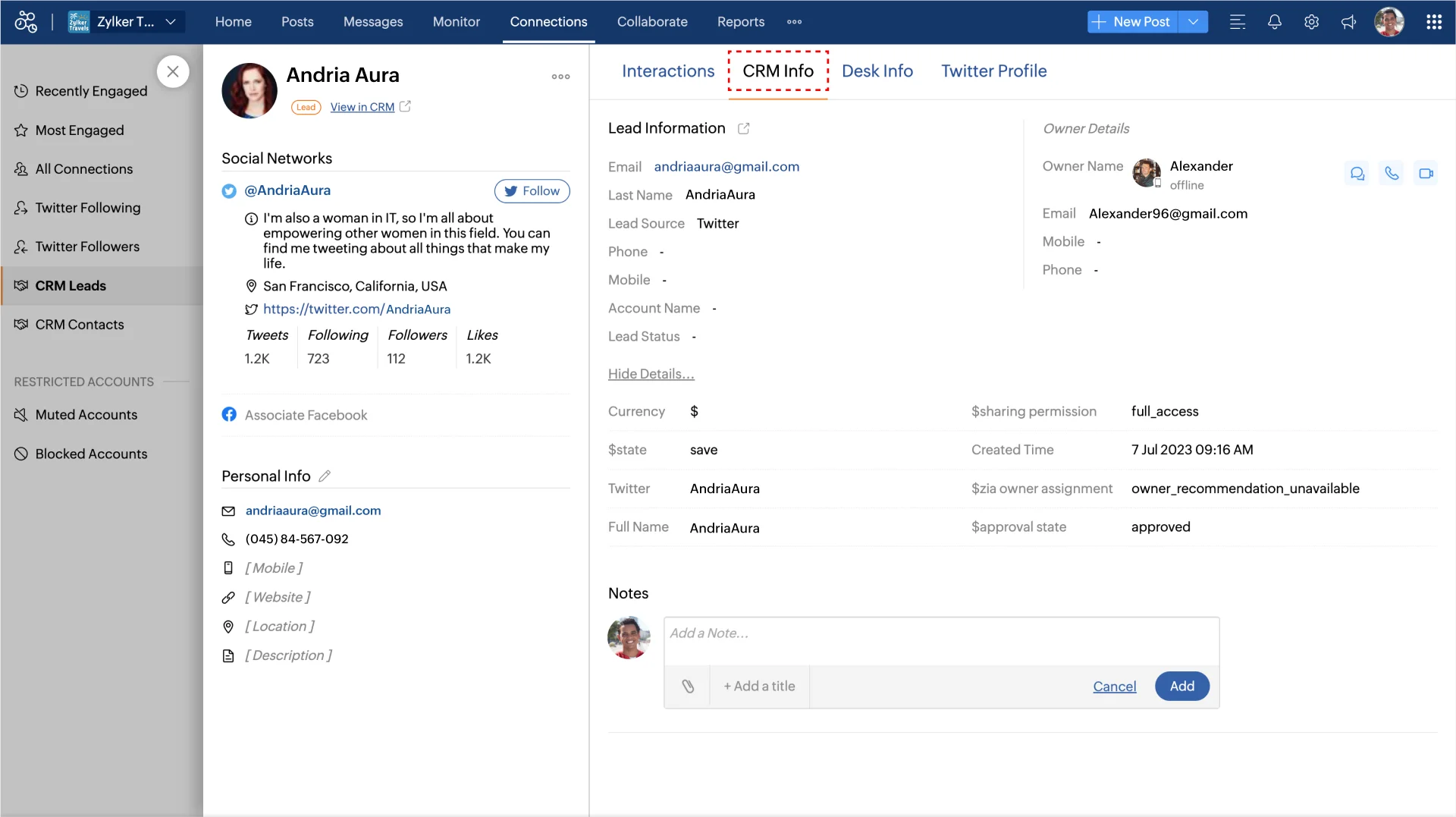
Comparar Zoho Social to Sprout Social and the price gap, roughly $15 a month against Sprout’s $79-per-seat entry point, is the widest of any tool on this list.
Caraterísticas principais
- The Zia AI Assistant, built on OpenAI’s models, for drafting and repurposing content
- SmartQ best-time-to-post prediction, from Premium up
- Engagement spike detection and automatic CRM lead creation from comments, tying social activity directly into Zoho’s own CRM
- Zoho Social MCP, letting AI agents like Claude and Cursor draft, schedule, publish, and monitor posts through exposed tools
- A genuine free plan: 1 brand, 6 channels, 1 user, and 5 AI credits a month, no card required
Pricing, Tier by Tier
| Nível | Mensal | Annual | What You Get |
| Grátis | $0 | $0 | 1 brand, 6 channels, 1 user, 5 AI credits |
| Standard | $15/mo | $10/mo | 12 channels, 40 AI credits, adds YouTube |
| Profissional | $40/mo | $30/mês | Adds bulk scheduling, Bitly integration, monitoring |
| Premium | $65/mo | $40/mo | Adds SmartQ, CRM/Desk integration, 3 users |
| Agência | $320/mo | $230/mo | 10 brands, 5 users |
| Agência Plus | $460/mo | $330/mo | 20 brands |
Learn more about every pricing plan in this Zoho Social’s pricing guide before you sign up.
Where the CRM Connection Actually Helps
Sprout treats social media as its own separate product line. Zoho Social doesn’t, because the same company also makes Zoho CRM and Zoho Desk. If your sales or support team already uses Zoho, a comment automatically turning into a tracked lead is a real time-saver nothing else on this list offers natively. If you don’t already use Zoho, that advantage disappears, and you’re evaluating it purely as a scheduling and engagement tool instead.
Pricing Gap, the Widest on This List
Sprout’s Essentials tier starts at $79 per seat per month. Zoho Social’s Premium tier, with CRM integration and 3 users, costs $65 a month, less than Sprout’s single Essentials seat, and its Standard tier starts at just $15 a month.
Who Should Actually Use This
Zoho Social works best for small to mid-sized teams already using Zoho CRM or Zoho Desk, since the automatic lead tracking makes up for it being a less specialized social tool overall. It’s also a solid pick for a budget-conscious small business that wants a real free plan to start with, not just a trial.
It’s a weaker choice for an agency managing many different client brands, since per-brand pricing on the Agency plans adds up faster than SocialPilot’s or Statusbrew’s flat, per-seat structures. Such agencies can see our Zoho Social alternatives guide for more CRM-adjacent picks.
A Realistic Scenario
A small business’s support team gets a complaint as a comment on their Facebook Page. With Zoho Social, that comment can turn into a lead or a support ticket inside Zoho CRM or Zoho Desk automatically, so the support team handles it in the system they already use. On Sprout, that same comment sits in the Smart Inbox until someone manually routes it elsewhere.
Prós
- A real free plan with no credit card needed to start
- Built-in CRM and Desk integration turns comments into tracked sales and support activity automatically
- Zoho Social MCP is a forward-thinking feature that lets AI tools draft and schedule posts directly
“I like that Zoho Social isn’t very expensive compared to other solutions. It’s easy to use and has a great user interface. I also appreciate the analytics tools.”
Contras
- Reporting and analytics aren’t as customizable as more specialized tools on this list
- No sentiment-level listening the way Sprout or SocialHose offer
- The tool can feel tied to the wider Zoho Suite, which gets in the way if you’re only using Zoho Social on its own
Orlando B.
I don’t like that in a Zoho One CRM where we find Zoho Social, it only allows you to manage 1 account and channel. It should allow more than one. If it’s a tool for agencies to use, the price is too high to add more.
5. Metricool
Free (1 brand); Starter tier from $20/mo
Classificação
4.5 on G2 (98 reviews) & 4.4 on Capterra (97 reviews)
Aplicações
Android, aplicação móvel iOS e versão Web.
Plataformas de redes sociais suportadas
Instagram, Facebook, TikTok, LinkedIn, YouTube, X, Pinterest, Threads, Bluesky, Google Business Profile, and Twitch.
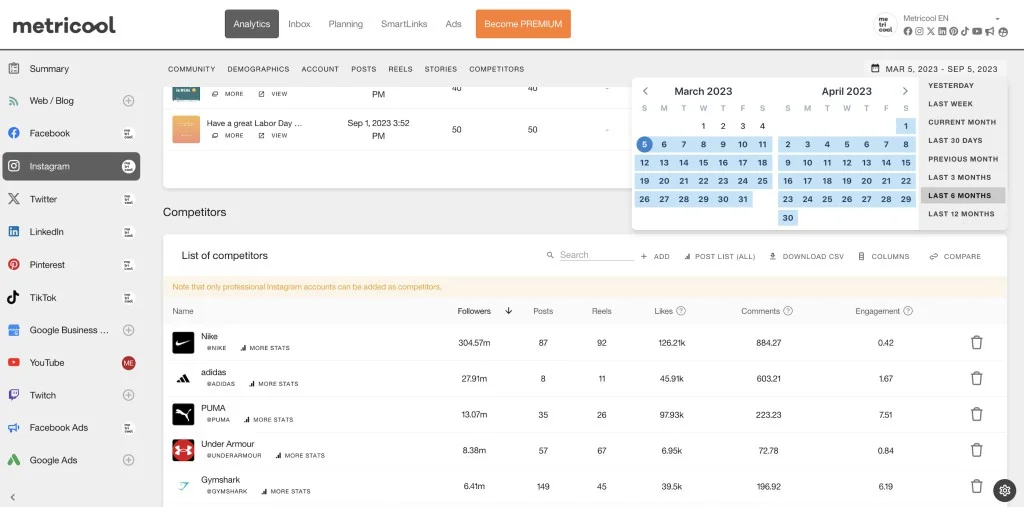
Sprout doesn’t offer a free plan at all, only a 30-day trial. Metricool‘s free plan covers 1 brand with real scheduling, 5 competitor profiles tracked, and 30 days of analytics history, no card required.
Caraterísticas principais
- A unified content calendar with cross-channel analytics on one dashboard
- Competitor tracking, up to 100 competitor profiles on the Starter tier
- Looker Studio and Metricool API access on the Advanced tier
- An AI social media assistant included even on the free plan
- Role management and a post-approval system from Advanced up
- Twitch analytics, something none of the other 9 tools on this list track
Pricing, Tier by Tier
| Nível | Preço | What You Get |
| Grátis | $0 | 1 brand, 20 posts/mo, 5 competitor profiles, 30-day analytics |
| Arranque | From $20/mo | Up to 10 brands, unlimited publishing, 100 competitor profiles |
| Avançado | From $53/mo | Up to 50 brands, team/client management, post approvals, Looker Studio |
| Personalizado | Contact sales | White label, dedicated account manager |
Pricing on Starter and Advanced scales with the number of brands connected; see our Guia de preços Metricool para saber mais.
Analytics Depth Without the Enterprise Price
Sprout’s Premium Analytics and Listening are separate add-ons available above the 3 pricing plans, not bundled into any specific tier. Metricool’s Advanced tier, which adds team and client management, role permissions, a post-approval system, and full Twitter/X analytics, runs from $53 a month at 15 brands up to $159 a month at 50 brands, not per seat. For a team whose main complaint about Sprout is that real reporting depth costs too much, Metricool’s ceiling is still well under a single higher-tier Sprout seat.
A Genuine Free Plan, Something Sprout Has Never Offered
Sprout has never had a free tier, only a time-limited trial. Metricool’s free plan isn’t time-boxed. It’s a permanent option for a single brand, which makes it a real fallback for a solo operator or a very small team that wants to keep using a proper analytics tool without committing to a paid plan first.
Who Should Actually Use This
Metricool is the stronger fit for a team whose primary complaint about Sprout is reporting and competitor-benchmarking depth relative to cost, not inbox volume or approval chains. It has no unified social inbox, so a team that spends most of its time on engagement rather than analysis will find Agorapulse or SocialPilot a better match. You can also check our Metricool alternatives guide for more analytics-first tools.
A Realistic Scenario
A 6-person marketing team tracks performance across 15 client brands and needs role-based access so junior staff can draft while managers approve. On Metricool’s Advanced tier, that setup costs $53 a month for the brand-count tier that fits 15 brands, with post-approval and Looker Studio reporting included. The same reporting depth on Sprout would require its Premium Analytics add-on layered on top of a seat for every team member who touches it.
Prós
- Analytics depth reviewers consistently call out as the platform’s strongest feature, on par with tools costing far more
- The free plan is permanent, not a trial, a real option Sprout doesn’t offer at all
- Twitch analytics is a genuine differentiator nothing else on this list tracks
Robyn-Lee S.
I really value the analytics feature in Metricool because it informs me about the times when my audience is most likely to be online, providing helpful percentages. This aspect of the software impresses me, and I find the analytics overall to be fantastic.
Contras
- No unified social inbox, a real gap against Sprout’s Smart Inbox and most other tools on this list
- Client-facing report templates are limited compared to more polished, presentation-ready competitors
- Pricing scales with brand count, which can be harder to predict than a flat per-seat or per-account model
Moritz U.
Metricool has real pain points when it comes to producing polished client deliverables for our broadcast projects. The exported report templates are very limited for presentation purposes.
6. Sendible
$30 per month, billed annually (Core tier, $35/mo month-to-month)
Classificação
4,5 no G2 e 4,6 no Capterra
Aplicações
Android, aplicação móvel iOS e versão Web.
Plataformas de redes sociais suportadas
Facebook, Instagram, LinkedIn, X, Google Business Profile, YouTube, WordPress, and TikTok.
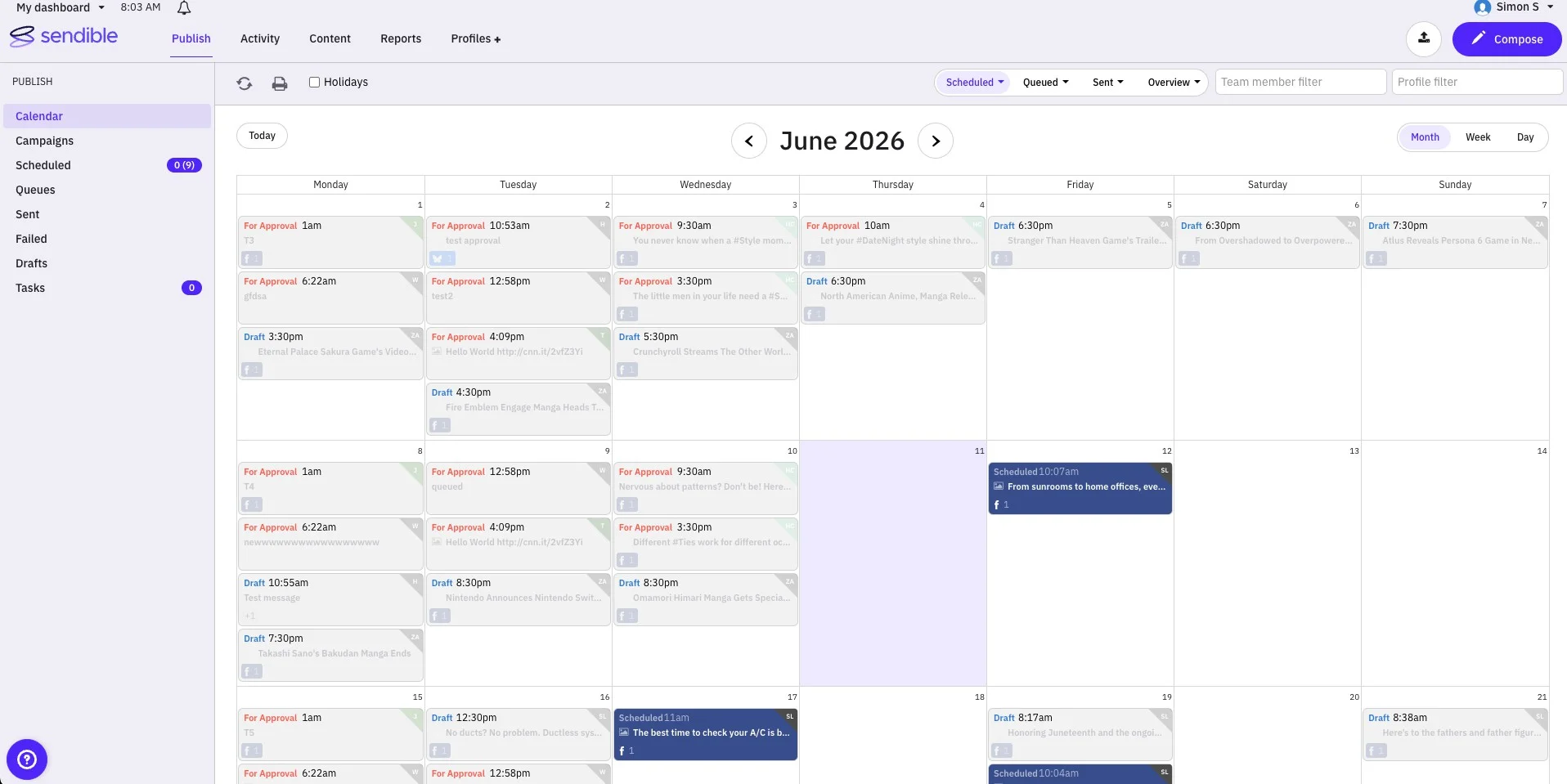
Sprout’s Standard tier costs $199 per seat and includes a single workspace per seat. Sendible‘s Core tier costs $30 a month for one workspace with unlimited users, and each higher tier adds more workspaces rather than more per-seat cost.
Caraterísticas principais
- Unlimited users on every plan, a structural difference from Sprout’s per-seat billing
- Multi-workspace client management, from 1 workspace at Core up to 15 at Elite
- Bulk content scheduling with a shared team calendar
- Direct WordPress publishing, something not offered on Sprout or most tools on this list
- White label branding at the Elite tier and above
Pricing, Tier by Tier
| Nível | Mensal | Annual | What You Get |
| Núcleo | $35/mo | $30/mês | 1 workspace, 6 profiles, unlimited users |
| Mais | $99/mo | $84/mo | 3 workspaces, 18 profiles |
| Premium | $199/mo | $169/mo | 7 workspaces, 42 profiles |
| Elite | $299/mês | $254/mo | 15 workspaces, 90 profiles, white label |
| Empresa | $750/mo (reported) | $638/mo (reported) | 50 workspaces, 300 profiles, dedicated account manager. |
You can dive into this Preços enviáveis blog to learn more about the features unlocked in each of these 5 pricing tiers.
White-Label Workspaces for Agencies
Sprout charges per seat regardless of how many client brands one person manages. Sendible instead charges per workspace, with unlimited users included on every tier. An agency with 6 team members managing 10 client brands pays for workspace capacity, not headcount, which changes the math substantially versus a Sprout deployment where every one of those 6 people needs their own paid seat.
Client Workspace Scaling, Not Per-Seat
Moving from Sendible’s Plus tier to Premium to Elite adds profile and workspace capacity without adding a per-person cost. For an agency evaluating Sprout specifically because per-seat pricing punished a growing headcount, this is a structurally different pricing model, not just a lower number on the same model.
Who Should Actually Use This
Sendible is the strongest fit for an agency managing several distinct client brands that wants white label branding and workspace-level organization without paying per team member. It’s a weaker fit for a single in-house brand team, where the workspace-based tiers buy more organizational structure than a single-brand team needs.
O nosso Sendible alternatives guide has more workspace-based options for agencies
A Realistic Scenario
An agency with 6 staff manages 10 client brands, roughly 2 platforms per client. On Sprout, that’s at minimum 6 seats at whatever tier includes the features the team needs, easily close to $1,200 a month, if you use their Standard plan. On Sendible’s Premium tier, the same agency gets 42 profiles and unlimited users for $169 a month, with room to grow into Elite for white label branding as the roster expands.
Prós
- Unlimited users on every plan removes the per-seat cost penalty that makes Sprout expensive for growing teams
- Multi-workspace structure keeps client accounts cleanly separated without extra per-client licensing
- Direct WordPress publishing is a real, checkable feature none of Sprout’s own tiers include
Karen S.
It’s easy to manage multiple social media accounts on Sendible. It’s easy for several members of the team to access what they need.
Contras
- No sentiment-level social listening the way Sprout, Agorapulse, or SocialHose offer
- White label branding doesn’t unlock until Elite, a higher tier than where Agorapulse or Statusbrew include it
- Third-party network connections, particularly LinkedIn, have reported reliability issues in review threads
Ashley H.
We’ve experienced recurring issues with LinkedIn integration. Posts don’t always publish as scheduled, and at times the connection between Sendible and LinkedIn drops.
7. StatusBrew
$69 per month, billed annually (Lite tier, $89/mo month-to-month)
Classificação
4,8 no G2 e 4,8 no Capterra
Aplicações
Android, aplicação móvel iOS e versão Web.
Plataformas de redes sociais suportadas
Facebook, Instagram, Threads, LinkedIn, X, Google Business Profile, Pinterest, Reddit, and YouTube.

Statusbrew bundles approval workflows, listening, and white label agency reports into one flat price per account, instead of charging per seat the way Sprout does.
Caraterísticas principais
- Bulk scheduling with a shareable calendar and a structured approval workflow, from Premium up
- An AI-powered Engage Inbox with rule-based auto-hiding of trolls and bots
- Social and web listening across 5 networks plus blogs and news
- Widget Builder reporting, with 270-plus named metrics across 20-plus channels and 18 months of backfill
- BrewLink in Bio for tracking conversions
Pricing, Tier by Tier
| Nível | Mensal | Annual | What You Get |
| Leve | $89/mo | $69/mês | 1 user, 5 profiles, bulk scheduling |
| Standard | $179/mês | $129/mo | 3 users, 10 profiles, team collaboration |
| Premium | $299/mês | $229/mo | 6 users, 15 profiles, approval workflow unlocks |
| Empresa | Personalizado | Personalizado | Unlimited users and profiles |
| Agência | From $49/mo per client | From $49/mo per client | Per-client pricing for agencies |
Reporting Depth, 270-Plus Named Metrics
Sprout’s reporting is strong but its comparison windows are tier-gated, the exact complaint Hannah R.’s review raised earlier. Statusbrew’s Widget Builder reports on more than 270 named metrics with 18 months of backfill included (vendor-stated), a specific, checkable number most competitors, including Sprout, don’t publish in the same level of detail.
Pricing Structure, Per-Seat vs. Flat-Rate
A six-person team gets approval workflows on Statusbrew’s flat Premium plan for $229 a month. The same six-person team on Sprout’s Professional tier, where message approval workflows unlock, pays $299 per seat, or $1,794 a month, nearly 8 times more for the same underlying capability.
Who Should Actually Use This
Statusbrew is built for businesses managing many locations or client brands at once: franchises with dozens of local pages, agencies juggling several clients, and larger companies that need compliance paperwork for procurement. A small business with just one location will find a simpler, cheaper tool elsewhere on this list.
A Realistic Scenario
A franchise with 25 locations needs each store to post its own local deals while head office keeps an eye on everything and pulls combined reports. Statusbrew’s Widget Builder can pull over 270 metrics from all 25 pages into one report, so nobody at head office has to manually stitch together 25 separate dashboards. Its per-client Agency pricing also means the cost grows with the number of locations, not with how many head office staff need a login.
Prós
- Over 270 named reporting metrics is a real, checkable number, while most competitors, including Sprout, just describe their reporting as “comprehensive”
- Rules that auto-hide trolls and bots worked well in our test account from day one
- One of the highest G2 and Capterra scores of any tool on this list, well above Sprout’s own 4.4 average
Qque S.
Initially, I was using two different solutions for social media management, monitoring, and analytics. StatusBrew solved that problem at a fraction of the cost. It’s feature-rich.
Contras
- You can’t post Instagram Stories directly, they have to go out through the Instagram app itself, a limit set by Instagram, not Statusbrew
- Initial setup and report personalization has a real learning curve for average users
- Facebook Group posting has no API support, so it has to be done manually
Aakriti J.
In my NGO work, I often need to add trending audio to Instagram Stories, but unfortunately, with Statusbrew, I can’t do that directly if the story is scheduled.
8. Buffer
Free (3 channels); Essentials tier from $6/channel/mo ($5/channel/mo billed annually)
Classificação
4.3 on G2 & 4.5 on Capterra
Aplicações
Android, aplicação móvel iOS e versão Web.
Plataformas de redes sociais suportadas
Facebook, Instagram, LinkedIn, X, YouTube, Pinterest, Google Business Profile, Shopify, Threads, Mastodon e TikTok.
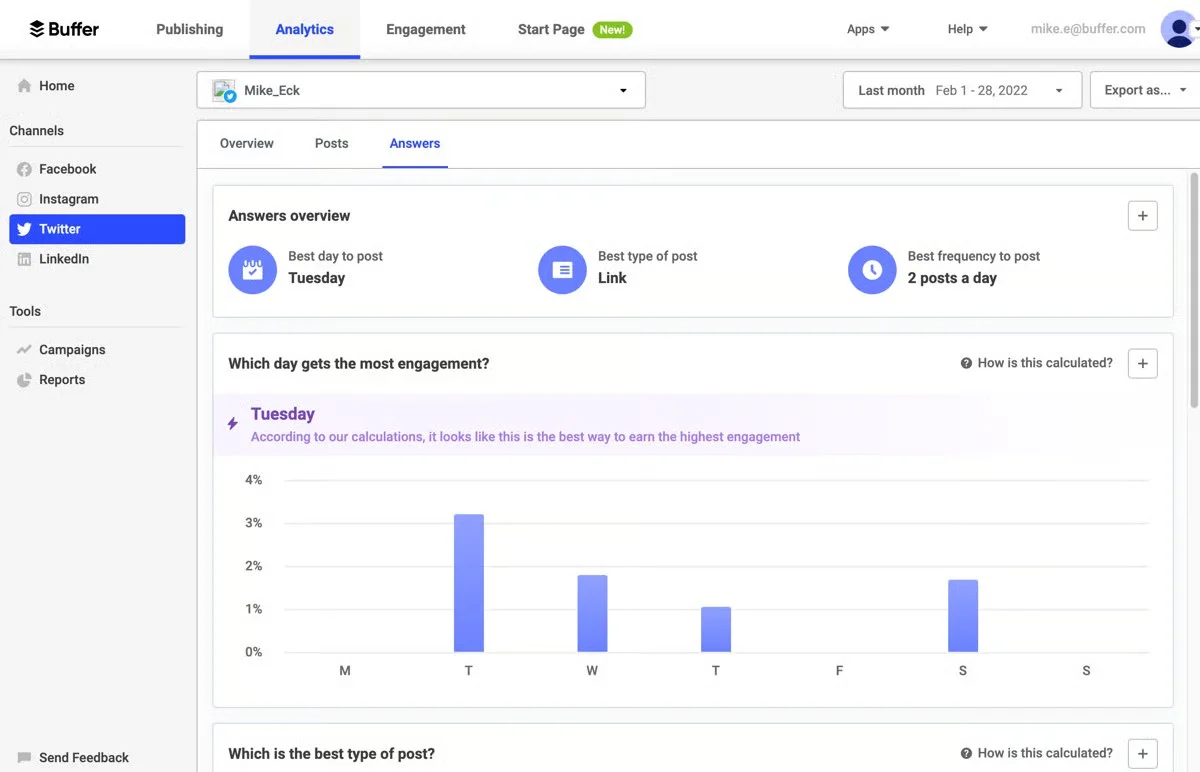
Sprout doesn’t offer a free plan. Buffer‘s free plan and its unified inbox, called Community, aren’t held back for a higher tier at all, which is unusual at this price point.
Caraterísticas principais
- Multi-platform publishing across 11 networks, including Bluesky and Mastodon
- An AI Assistant for drafting and repurposing content, free and unlimited on every plan
- Buffer Insights: an All Channels report, Weekly Takeaways, and channel-specific reports
- Buffer Community, an engagement tool with Comment Score and saved replies, included on every plan
- Start Page, a link-in-bio tool with shoppable links and click analytics
Pricing, Tier by Tier
| Nível | Mensal | Annual | What You Get |
| Grátis | $0 | $0 | 3 channels, 10 posts/channel, AI Assistant, Community inbox |
| Essentials | $6/channel/mo | $5/channel/mo | Unlimited posts and ideas, advanced analytics, hashtag manager |
| Equipa | $12/channel/mo | $10/channel/mo | Unlimited team members, content approval workflows |
See Buffer’s full pricing plans for a closer look at how each tier stacks up.
Analytics and Reporting, a Correction Worth Stating
On raw reporting depth, Sprout is the more complete product, with sentiment tagging, sustained listening, and named report templates across 9-plus networks. Buffer’s real advantage isn’t depth, it’s that its core reporting, called Insights, is free on every tier including Free, where Sprout has no free tier at all. Recommending Buffer purely on “better analytics” overstates the case. The honest pitch is that Buffer’s reporting is good enough for most small teams, and none of it sits behind a paywall.
Pricing Model, Per-Channel vs. Per-Seat
Sprout charges per seat regardless of channel count. Buffer charges per channel regardless of team size, unlimited team members are included even on the $10/channel/mo Team plan. That reverses which variable drives your bill: a small team running many channels pays more on Buffer, while a larger team running few channels pays far less than an equivalent Sprout deployment.
Who Should Actually Use This
Buffer is the strongest fit for solopreneurs, individual creators, and lean teams running a handful of channels who want core publishing, engagement, and analytics without paying for any of it, and who don’t need heavier agency features like white label reporting or client-approval chains.
It’s a weaker fit past roughly 10 to 15 channels, where per-channel pricing starts costing more than a flat-rate competitor at comparable depth. Agencies falling under this category, can check out our guide on Buffer alternatives.
A Realistic Scenario
A solo content creator runs four channels, Instagram, X, LinkedIn, and a Facebook Page, and needs scheduling, a shared inbox for replies, and basic performance reporting. On Buffer’s Free plan, all of that is available at $0 as long as the creator stays inside the platform’s other free-tier limits. The same four-channel setup on Sprout requires at least one paid seat starting at $79 a month, with no inbox included until Standard at $199.
Prós
- The only tool on this list with a full engagement suite, AI assistant, and core analytics included on a genuinely free plan
- The fastest onboarding of any tool we tested, a new user is scheduling within minutes
- Start Page is a real, no-extra-cost link-in-bio option that Sprout doesn’t offer at all
Tricia H.
It has a smooth UX compared to other scheduling tools I’ve used in the past. That’s my first and most important checklist item.
Contras
- No sentiment-level listening or competitor benchmarking, a real gap against Sprout’s higher tiers
- Free and lower tiers cap connected channels tightly
- Reporting can feel too simplistic for complex, multi-post-type content calendars
Shishu Raj P.
It doesn’t offer robust tools for social listening (monitoring brand mentions across the web) or a unified inbox for quickly managing all comments and replies.
9. Mais tarde
$25 per month (Starter tier, $18.75/mo billed annually)
Classificação
4,5 no G2 e 4,4 no Capterra
Aplicações
Android, aplicação móvel iOS e versão Web.
Plataformas de redes sociais suportadas
Facebook, Instagram, LinkedIn, X, YouTube, Pinterest e TikTok.
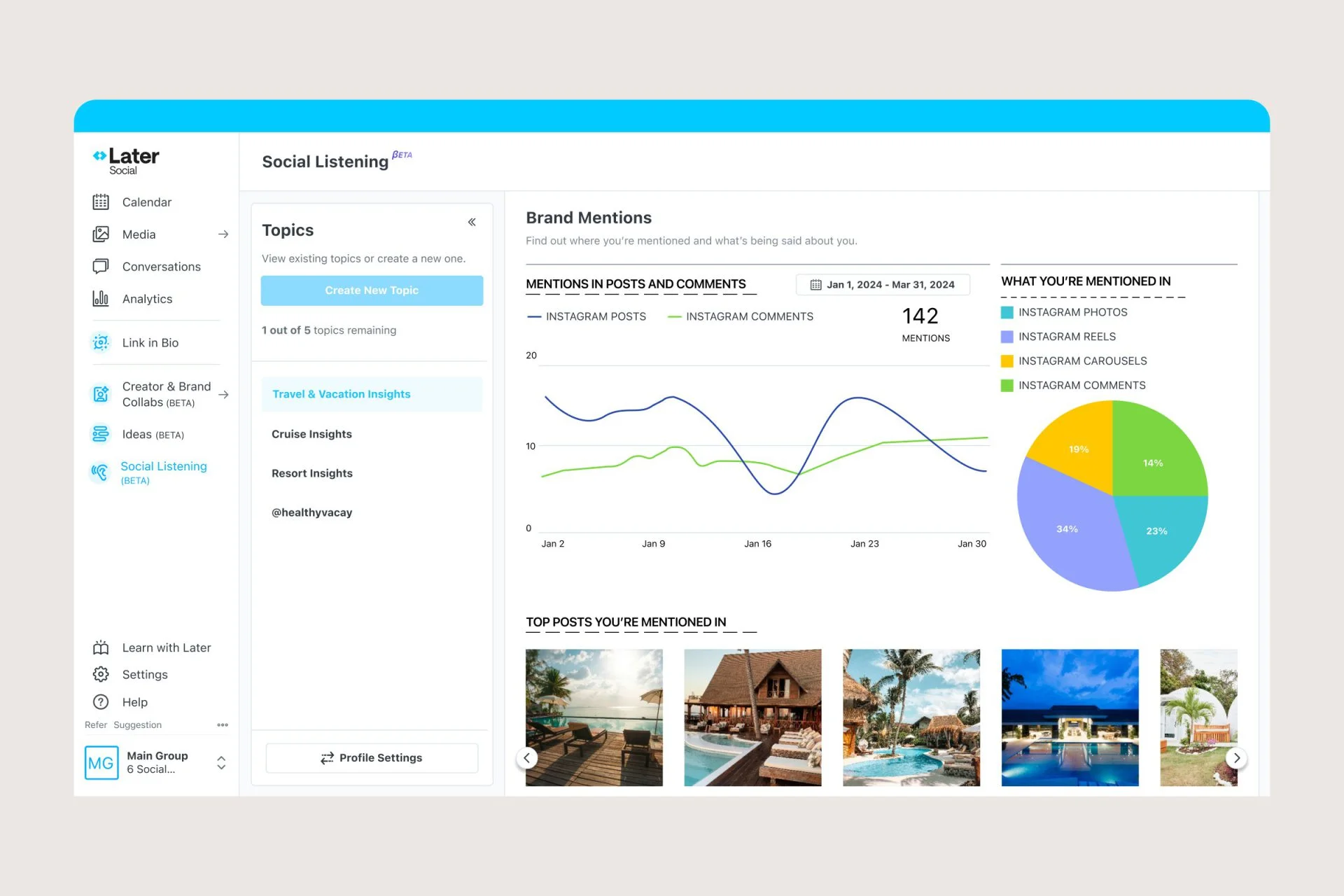
Later gives you a dedicated link-in-bio tool called, Linkin.bio, on its cheapest plan, with click tracking and a Linktree import tool included. While, Sprout also has its own link-in-bio tool, SproutLink, it doesn’t import an existing Linktree page directly. Also, Sprout’s site doesn’t publicly state which tier SproutLink requires.
Caraterísticas principais
- A drag-and-drop content calendar built around visual planning
- Linkin.bio with click tracking and a Linktree import tool
- Best Time to Post recommendations
- AI-powered captions, credit-metered by tier
- Tiered analytics, from 3 months of history up to 2 years, plus competitive benchmarking
Pricing, Tier by Tier
| Nível | Mensal | Annual | What You Get |
| Arranque | $25/mo | $18.75/mo | 30 posts/profile/mo, core calendar, Linkin.bio |
| Crescimento | $50/mo | $37.50/mo | 180 posts/profile/mo, unified inbox unlocks |
| Escala | $110/mo | $82.50/mo | Unlimited posting, approval workflow, deeper analytics |
For more details, check this guide on Later’s pricing and see what features you unlock at each level.
A Caveat Worth Stating Plainly
Later limits how many posts you can schedule per profile on its cheapest plan, something Sprout doesn’t do at any tier. Starter caps posting at 30 times a month per profile, Growth raises that to 180, and Scale has no limit. If you post Reels or Stories often across several accounts, check this cap before signing up.
Visual Planning, Where Later Beats a Listening-First Tool
Sprout is built around inbox and listening depth, not visual feed planning. Later’s grid planner shows what an Instagram feed will look like before anything goes live, catching mismatched photos early, a specific workflow strength that neither Sprout nor most of the other tools on this list replicate.
Who Should Actually Use This
Later works best for brands and creators who care most about how their page looks, especially on Instagram and Pinterest: online stores, fashion and lifestyle brands, and solo creators who want a fast link-in-bio setup more than a busy inbox or deep listening. If your team gets a lot of comments and messages, or needs sentiment-level monitoring, you might need to explore other Alternativas Later to find the tool that best meets your requirements.
A Realistic Scenario
An online store posts new product photos on Instagram every day and sends people to its website through one link-in-bio page. Linkin.bio lets each photo link to the exact product with click tracking built in, and the visual grid planner shows what the feed will look like before anything goes live. Sprout has no equivalent link-in-bio tool at any tier, so a team would need a separate third-party product to replicate this.
Prós
- Link-in-bio with real click tracking comes with the cheapest plan, something Sprout doesn’t offer at any tier
- The visual grid planner is the fastest way to plan an Instagram feed of any tool on this list
- Best Time to Post suggestions were accurate in our own tests
Fiona M.
Later is so easy to use and the visual grid is excellent, it’s also super easy to manage multiple profiles.
Contras
- The cheapest plan caps you at 30 posts per profile a month
- No shared inbox or approval steps unless you’re on the Growth plan or higher
Maddison L.
At what point you were able to leave comments, this feature going away felt like a loss.
10. SocialHose
$149 per month (Starter tier)
Classificação
Capterra 4.8/5, no G2 listing found.
Aplicações
Web platform. No dedicated mobile app confirmed at the time of testing.
Platforms Monitored
X, Facebook, Instagram, LinkedIn, TikTok, Reddit, and Snapchat.
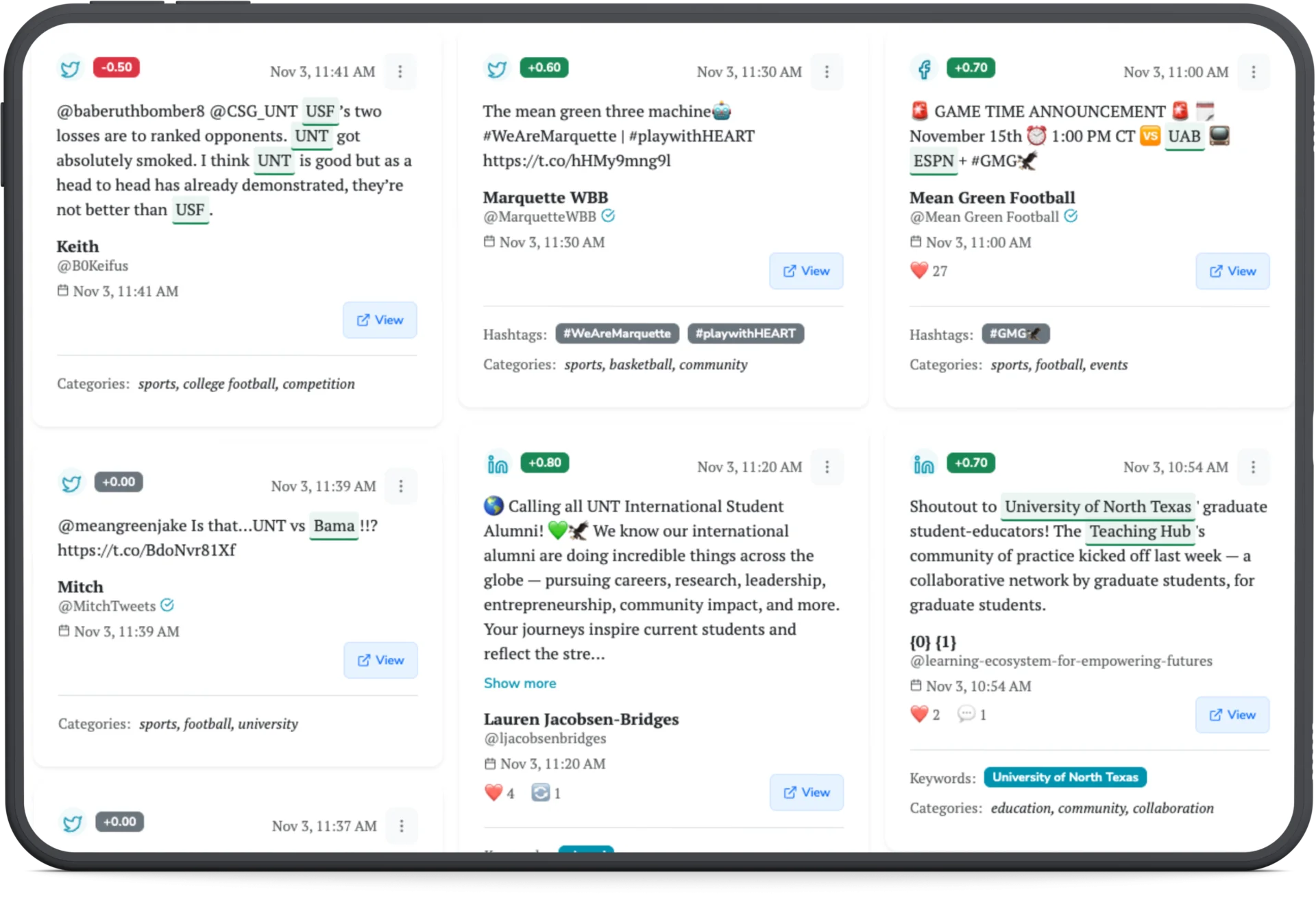
SocialHose is not a scheduling and publishing suite the way the other 9 tools on this list are. It’s a social listening and intelligence platform, positioned as “professional social intelligence without the enterprise overhead.” It overlaps with Sprout Social specifically on listening, not the rest of what Sprout does, which is exactly why it’s scoped differently here than every other entry.
Caraterísticas principais
- Cross-platform mention monitoring across 7 networks, including Reddit and Snapchat
- AI-enriched sentiment analysis on tracked mentions
- Raw mention exports for legal, communications, or analyst teams
- High-frequency live search on Pro and Agency tiers for crisis-level monitoring
- Influencer research tooling built on the same mention database
Pricing, Tier by Tier
| Nível | Mensal | What You Get |
| Arranque | $149/mo | 5,000 mentions/mo, 1 campaign (50 keywords), 1 seat |
| Profissional | $399/mo | 25,000 mentions/mo, 3 campaigns, 2 seats |
| Agência | $999/mo | 100,000 mentions/mo, 10 campaigns, 3 seats |
Annual billing is available at roughly a 20% discount.
Scope, Listening Only, Not a Full Suite
If your team needs scheduling, an inbox, and approval workflows, SocialHose is the wrong comparison entirely, look at SocialPilot, Agorapulse, or Statusbrew instead. If your actual complaint about Sprout is that meaningful listening depth costs $199 a seat and up, SocialHose is built to answer that one question specifically: watch mentions, sentiment, and crisis signals across 7 platforms, without paying for scheduling tools you won’t use.
Pricing, Mention-Volume Based Not Seat-Based
SocialHose prices by mention volume and campaign complexity rather than by seat. Compare that to Sprout, where listening depth is tied to a $199-per-seat plan regardless of how many mentions you’re actually tracking, and the pricing logic is structurally different, you pay for volume monitored, not headcount.
Who Should Actually Use This
SocialHose is the right fit only for a team whose actual need is deep, cross-platform monitoring, brand crisis detection, sentiment tracking, influencer research, not day-to-day scheduling or publishing. It’s the wrong fit for anyone who also needs to post content, since it doesn’t do that at all.
A Realistic Scenario
A consumer brand needs to watch for a potential PR issue across X, Reddit, and TikTok in real time, with raw mention exports for the legal and communications teams to review. SocialHose’s Pro tier covers 25,000 mentions a month across those platforms with high-frequency live search, at $399 a month, versus needing a Sprout Advanced seat at $399 per month per person just to get sentiment tracking, with scheduling tools that team may never use.
Prós
- Purpose-built for listening depth at a fraction of what Sprout charges for the same capability
- Covers Reddit and Snapchat, two platforms Sprout Social’s own listening module doesn’t monitor
- Pricing scales with mention volume, not seat count, which better matches how listening tools actually get used
Hisham
We are able to get a clearer idea and develop actionable insights from the comprehensive monitoring this platform provides.
Contras
- Not a scheduling or publishing tool at all, a real limitation if you need both listening and posting in one platform
- Review base is extremely thin, 4 total reviews on Capterra and no G2 listing found, so third-party validation is limited compared to every other tool on this list
- No confirmed mobile app, a gap for teams that need to monitor crisis-level mentions on the go.
Which Sprout Social Alternative Should You Choose?
Start with SocialPilot if you’re not sure. It’s the only tool on this list combining a unified inbox, an approval workflow, and white label client tools in one flat-priced plan on its Premium plan at $85 a month, which covers most of what actually drives people off Sprout Social in the first place. The cases below are where a different tool genuinely wins instead.
- Price is the only thing that matters, features aside? Buffer, Metricool or Zoho Social, the three genuine free tiers among the tools we tested.
- Inbox and engagement volume is the actual bottleneck? Agorapulse’s inbox beats every tool here, SocialPilot included.
- Analytics and reporting depth is why you’re leaving Sprout? Metricool goes deeper on analytics for a fraction of the cost.
- Deep social listening is the only reason you’re shopping, not scheduling? SocialHose is purpose-built for exactly that, at a fraction of Sprout’s per-seat listening cost.
- Managing many locations or client brands, with real compliance documentation? Statusbrew’s flat per-client pricing and SOC 2/GDPR paperwork are built for exactly that.
- White-label workspaces for an agency managing several distinct client brands? Sendible’s unlimited-users, per-workspace model is worth a look.
- CRM-connected small teams who want social tied directly into their existing sales pipeline? Zoho Social is worth a look.
- Solo creator, Instagram-first? Later’s link-in-bio and visual calendar fit that specifically.
- Enterprise governance and the broadest integration ecosystem? Hootsuite, though it keeps Sprout’s same per-seat pricing.
Whichever one you land on, the tools on this list are all broadly similar to Sprout Social in what they cover: scheduling, some form of analytics, and usually an inbox of some kind. The differences that actually matter show up in pricing structure and in which specific feature each one decided to lead with, which is exactly why matching the tool to your actual situation works better than picking whichever name shows up first on somebody else’s list.
Making the Switch from Sprout Social
Sprout built its reputation on genuinely strong listening and reporting, and for the mid-market and enterprise teams that use most of what it offers; that reputation is earned. But for everyone else, per-seat pricing, tier-gated reporting, and a handful of missing native-platform features are real, specific reasons to look elsewhere.
Agencies and budget-conscious teams feel the per-seat math the most directly. Every dollar spent on a seat a person barely uses is a dollar not spent on client work or growth, and that tradeoff gets harder to defend every time a new hire means another full seat.
You don’t have to guess which tool fits your situation. Compare SocialPilot’s plans and pricing against what you’re paying Sprout today, and start a free trial to see the difference firsthand.
Perguntas mais frequentes
What is the investment value of Sprout Social?
Sprout is strongest for teams that treat social media as business-critical: deep reporting, structured workflows, and listening ranked #1 in G2's Winter 2026 Grid Report. That depth starts at $79 per seat and climbs to $399, so it pays off mainly for teams that use most of it.
Is Sprout Social worth the price?
For enterprise teams reporting social ROI to leadership, yes. For smaller teams focused on scheduling and light engagement, the per-seat pricing usually buys more than they'll use, and several alternatives above cover the same core workflow for less.
What are the best Sprout Social competitors?
SocialPilot, Agorapulse, and Statusbrew for an inbox, approvals, and white label tools without per-seat pricing. Metricool and SocialHose for analytics or listening depth specifically. Hootsuite for Sprout-level breadth with more governance tooling.
O Sprout Social tem um plano gratuito?
No, only a time-limited trial. Buffer, Zoho Social, and Metricool each offer a genuine free tier that doesn't expire.
What integrations does Sprout Social support?
CRM, helpdesk, and reporting integrations, with Salesforce and Zendesk-style connections added at Advanced. Its influencer marketing tool, Tagger, is sold separately, not bundled into core plans.
Is SocialHose a real alternative to Sprout Social?
Only for listening. SocialHose doesn't schedule or publish posts, so it's not a full Sprout replacement. If your only complaint about Sprout is the cost of listening depth, it's worth evaluating, with the caveat that its review base is still thin.
Sobre o autor