

You’ve built the plan. You know which platforms matter, what the content calendar looks like, and what it will cost to run. Then you send the number up the chain, and it goes quiet. Or it comes back with one line: let’s revisit this next quarter.
Building a social media budget isn’t the hard part. Getting someone else to say yes to it is.
This guide gives you a simple, repeatable way to pitch that number so it holds up, whether you’re asking your boss, your CFO, or a client deciding whether to renew you. It’s built for social media managers and marketing managers pitching internally, and for agency account leads pitching a client, since both conversations follow the same pattern.
Before you fix the pitch, it helps to know why the last one didn’t land. Three problems come up again and again, and they apply just as much to an internal ask as they do to a client renewal conversation.
The Trust Gap Between Practitioners and Leadership
According to a 2026 Gartner survey of 426 senior marketing leaders, more than 50% of C-suite executives want their CMO to clarify the relationship between brand and business strategy, and 43% want a clear, simple story connecting brand health to business performance. So, your leadership isn’t ignoring social media on purpose. They’re waiting to see the connection to something they already care about, and most requests never spell that out.
This shows up the same way whether you’re talking to a founder, a CFO, or a client reviewing your retainer. Nobody doubts your content instincts. They doubt a number that isn’t tied to something they recognize.
You can point to likes, clicks, and leads. Connecting those numbers cleanly to revenue is harder, especially if you don’t have expensive tracking tools. This is exactly why a lot of requests get shelved. It’s not that the work isn’t working. It’s that nobody agreed in advance on what would count as proof.
When budgets get tight, social media is often the first thing cut, not because it performs worse than other channels, but because it feels optional. Gartner’s 2025 CMO Spend Survey found that marketing budgets stayed flat at 7.7% of company revenue for the second year in a row, and 59% of CMOs said their budget still wasn’t enough to do their job. In a year like that, anything without a clear link to a business result becomes an easy place to trim.
That’s the pattern the rest of this guide helps you break.
Before you can pitch a number, you need one worth defending. Here’s how real companies, big and small, arrive at one. The below sections talk about the four steps to build a social media budget:
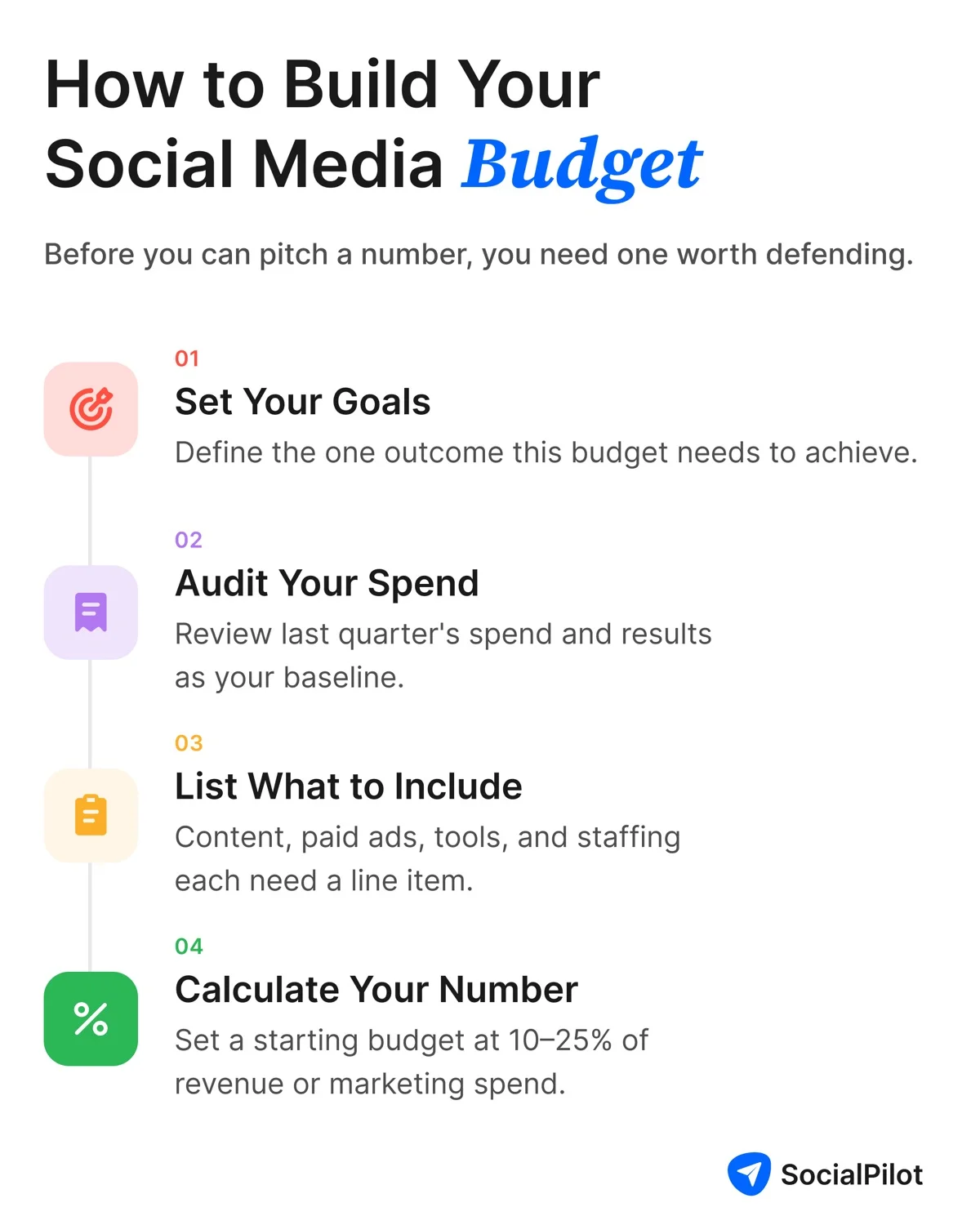
1. Set Your Goals and Scope
Start with what the budget needs to do, not with a dollar figure. A budget meant to build awareness on a brand new platform looks nothing like one meant to support a channel that’s already working.
Take Duolingo. When the language-learning app decided to invest in TikTok, the goal wasn’t to sell more subscriptions directly. It was to build awareness and an emotional connection with a Gen Z audience it couldn’t reach as cheaply through traditional ads.
You can see that strategy play out in the below clip. The below video was posted when Gen Z users on TikTok were already making memes by mixing up “Dua Lipa” and “Duolingo”. By leaning into their memes, the brand signaled it was in on the joke rather than talking at Gen Z from the outside.
That one specific goal shaped everything that came after:
- The content style,
- The platform choice, and
- How much the team was willing to spend to get there.
Before you write down a number, write down the one thing you want that money to do.
2. Audit Your Current Spend and Performance
Look at what you spent last quarter and what it produced. If you’ve never done this formally, gather what you have: ad receipts, tool subscriptions, contractor invoices, and whatever performance numbers your platforms give you.
Wendy’s is a useful example here, not because of a financial audit, but because of what an honest look at its own strategy led the brand to do.
In 2017, Wendy’s realized its cautious, heavily-reviewed approach to Twitter wasn’t building the loyal following it wanted, so it cut the layers of internal approval that were slowing its team down and let its social team respond to fans and competitors in real time (Source: Rival IQ).
This exchange from March 2017 shows exactly what that shift looked like in practice. When McDonald’s announced it would switch to fresh beef in most of its restaurants, Wendy’s replied within hours, pointing out the gap between “MOST” and “ALL.” A reply that sharp and that fast doesn’t survive a multi-step approval process.

The lesson carries over directly: an audit isn’t only about the dollars you spent. It’s about whether your process is actually letting that spend work.
3. What to Include: Content, Paid Ads, Tools, Staffing and Contractors
A social media budget breakdown usually covers four categories.
| Category | What It Covers |
| Content production | Writing, design, video, photography |
| Paid amplification | Boosted posts, ads, sponsored content |
| Software and tools | Scheduling, analytics, reporting platforms |
| Staffing and contractors | In-house time, freelancers, agency fees |
Most companies don’t publish the exact split between these categories, since it depends heavily on team size and goals. What they do agree on is that missing one entirely comes back to bite you. Skip staffing and you’ll be short-handed for the calendar you promised. Skip tools and you’ll be reporting results by hand every week.
Missing a category is the fastest way to ask for more money mid-quarter, and that hurts your credibility more than the original number falling a little short.
4. Calculate Your Starting Number
A common starting point is to set your budget as a percentage of revenue or of your total marketing budget, usually somewhere between 10% and 25% depending on your industry and stage.
Unilever took a stronger version of this idea and applied it company-wide. Instead of starting each year’s marketing budget from what was spent the year before, it moved to zero-based budgeting: every dollar had to be justified fresh, based on planned activity and expected return.
In its first pilot market, that approach cut marketing spend by two percentage points as a share of sales, and the company aimed for close to €1 billion in savings once it rolled the approach out globally. You don’t need Unilever’s size to borrow the logic. Build your starting number from what you plan to do this cycle, not from what you spent last cycle.
Treat any percentage as a rough starting point, not a final answer. The next section shows you how to turn that number into something leadership will actually sign off on.
The Anchor-Allocate-Prove Framework: The Approach to Get Your Budget Approved
Building the number is the easy half. Getting it approved, whether by a boss, a CFO, or a client deciding whether to renew, comes down to three moves: anchor the ask, split it into pieces leadership can actually evaluate, and prove upfront how you’ll report back.
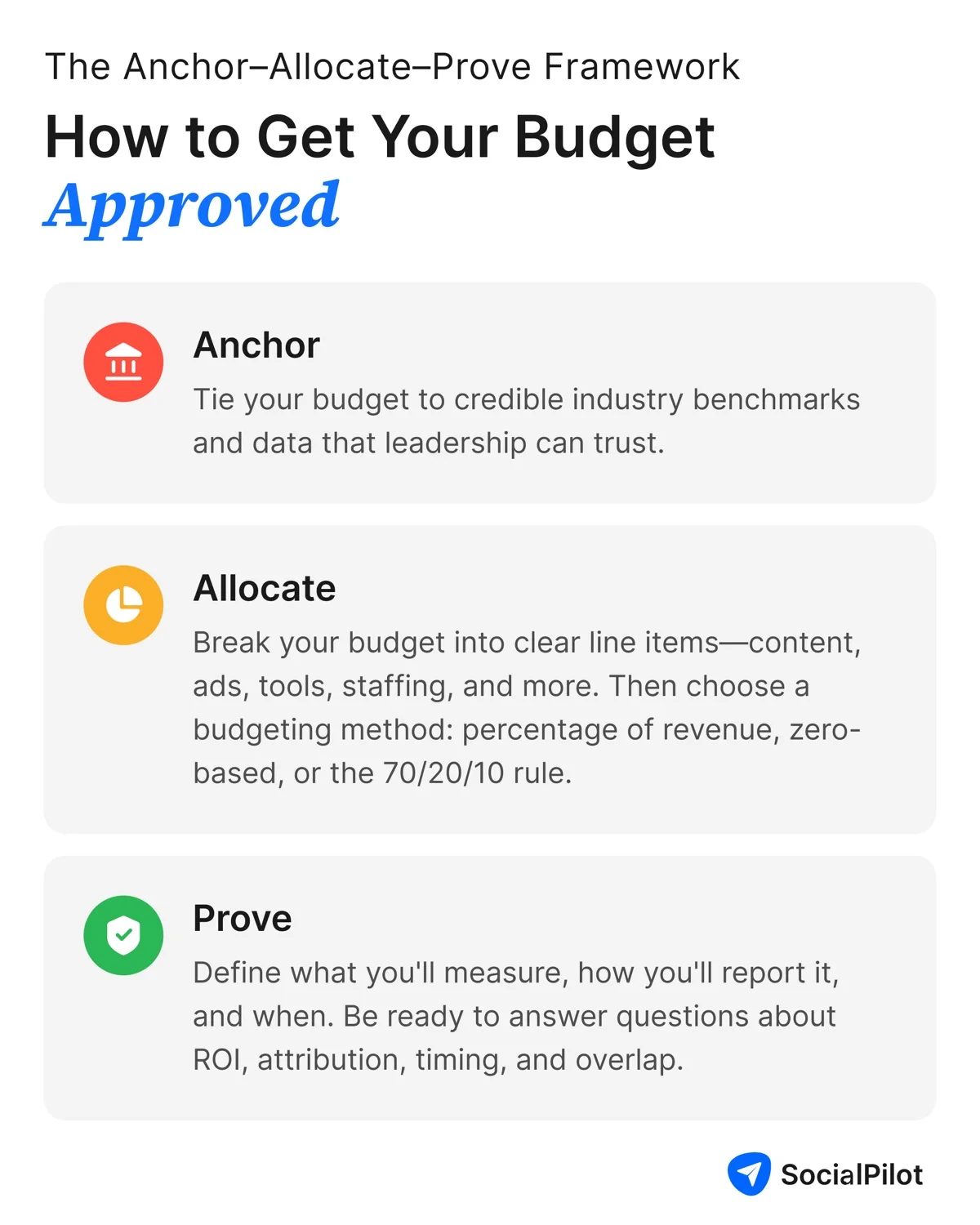
Anchor: Pitch That Number Against Industry Data
A number with nothing to compare it to is easy to talk down. A number tied to a named, dated study is much harder to argue with.
The CMO Survey, run by Duke University’s Fuqua School of Business with Deloitte and the American Association, found that marketing budgets were at 9.4% of company revenue in 2025, up from 7.7% a year before. Look specifically at where that money is going, and the IAB’s 2025 Internet Advertising Revenue Report found social media to be the single largest digital ad channel, pulling approximately 40% of the total digital ad revenue.
Use these numbers as a check, not a formula. If your ask sits well outside these ranges, say why. A new product launch, a new platform, or a competitor’s move are all good reasons to ask for more than the benchmark. Just explain it upfront instead of hoping nobody notices.
Allocate: Break the Total into Defensible Line Items
A single lump-sum number invites a single lump-sum no. Split your ask into the categories from earlier, with a real dollar figure next to each one. Not sure what’s reasonable for each category? Get a sense of typical social media management costs before you lock in the split.
| Line Item | Example Share | Why It’s There |
| Content production | 35 to 45% | Drives organic reach and campaign assets |
| Paid amplification | 25 to 35% | Extends reach beyond your existing audience |
| Software and tools | 10 to 15% | Scheduling, analytics, reporting |
| Staffing and contractors | 15 to 25% | Execution capacity |
This kind of social media budget breakdown gives whoever’s reviewing it something specific to approve, question, or trim, instead of one number they can only say yes or no to. Once the line items are set, map out your social media workflow and spend so the budget matches an actual posting schedule.
Which Allocation Method Fits Your Situation
The table above shows where the money goes. This one helps you pick the method for deciding how much goes where.
| Method | What It Is | Best For | Watch Out For |
| Percentage of revenue | Sets the budget as a fixed share of company revenue | A simple number leadership can check against industry norms | Doesn’t flex for a growth stage or a new platform launch that needs more money upfront |
| Zero-based budgeting | Builds the budget from zero each cycle, based on planned activity, instead of last year’s number | Situations where leadership doubts “that’s what we spent last year” thinking | Takes longer to build and needs real activity-level cost estimates |
| 70/20/10 rule | Splits the total into 70% proven tactics, 20% promising newer ones, 10% experiments | Showing leadership the approved number will be spent responsibly | Only works once a total number already exists. It’s a spending rule, not a way to size the budget |
This approach, sometimes called zero-based budgeting, is the same logic Unilever used when it rebuilt its marketing budget from scratch. It’s especially useful when you’re being asked to justify the same or a bigger number than last cycle, since it forces every dollar to earn its place again.
Prove: Commit to Reporting Before You Ask
The strongest part of any pitch is the part most people skip: telling leadership exactly how and when you’ll show them it worked, before they even ask.
Executives don’t ask marketing teams for perfection; they often ask for a plan. Commit to a few specific numbers, whether that’s assisted conversions, lead handoffs, or a clear test period, and set a review date up front, like 90 days out.
That one date builds more trust than a stack of past results, because it tells leadership exactly when they’ll get an answer instead of leaving them to wonder.
If you’re pitching a client instead of a boss, the same idea applies. A renewal conversation with a performance-based retainer at a social media agency goes very differently when you’ve already told the client what “working” looks like and when they’ll see results, instead of promising to keep optimizing forever. If the client still pushes back after that, know how to present ROI to a skeptical client before the renewal call, not during it.
SocialPilot’s custom analytics reports help agencies pull engagement, reach, and conversion numbers into one document, so that they don’t have to start from scratch every time someone wants an update.
What to Say When They Push Back
| Objection | What They’re Really Asking | What You Say |
| Attribution accuracy | How do we know this spend caused the result? | Name the specific numbers you’ll track before the money moves, like assisted conversions or a clear test period, instead of promising full revenue attribution. |
| Time lag | Why approve this now if results take months? | Set a clear review date in the ask itself, like a 90-day check-in, so nobody’s left guessing when to expect an answer. |
| Channel overlap | Isn’t this the same money we’re already spending elsewhere? | Point to the specific line item that’s new or shifted, not a total number that could be hiding spend already counted somewhere else. |
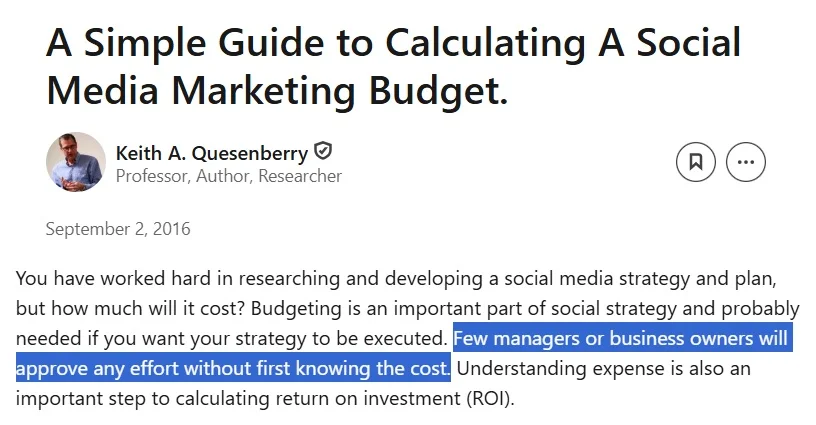
Keep this table close by. As Keith A. Quesenberry, a marketing professor puts it, “few managers or business owners will approve any effort without first knowing the cost” (Source: LinkedIn).
These three objections show up whether you’re across the table from a founder, a CFO, or a client’s finance lead.
Building Your Budget Ask: The Step-by-Step Process
Here’s the entire sequence in order, from first draft to final pitch.
- Set your goal and scope for the budget period.
- Look at last quarter’s spend and results as your baseline.
- List every cost category: content, paid ads, tools, staffing.
- Set a starting number using a percentage of revenue or marketing budget.
- Anchor that number against current benchmark data.
- Split the total into line items and pick an allocation method.
- Decide what you’ll report, and by when, before you present the ask.
- Get ready with answers to the three objections you’re most likely to hear.
The Copy-Paste Budget Ask Template
Here’s a real, ready-to-use social media budget template you can copy and adapt as your own social media budget proposal. Swap in your own numbers and send it as is.
Subject: Social Media Budget Request, [Quarter/Year]
Hi [Name],
I’d like to request $[total amount] for social media for [time period].
Goal: This budget supports [specific business outcome, e.g. “launching our brand on TikTok to reach a younger audience”].
Why this number: Industry data from [source] shows companies typically spend [X]% of [revenue/marketing budget] on social media. Our ask sits at [your %], which [matches this range / is higher because of a specific reason].
How it breaks down:
– Content production: $[amount]
– Paid ads: $[amount]
– Tools and software: $[amount]
– Staffing/contractors: $[amount]
What I’ll report back: By [specific date], I’ll share [specific metrics, e.g. “engagement rate, lead handoffs, and cost per conversion”] measured against our current baseline.
Happy to walk through any of this in more detail.
[Your name]
This is short enough to send as an email or a Slack message, and specific enough that whoever reads it can approve, question, or trim a single line instead of the whole ask.
Is This a Cut Year or a Reallocation Year?
Not every budget conversation happens in the same climate. HubSpot’s 2026 State of Marketing Report found that 73% of marketers say their budget gets more scrutiny than it used to, yet close to 80% still expect at least a small increase this year. Knowing which side of that split you’re actually on changes what you should lead with.
Framing the Ask When Budgets Are Being Cut
If the wider marketing budget is shrinking, lean harder on the Anchor step. Show exactly where your ask sits next to the 7.7% revenue benchmark, and be upfront about the tradeoff if it gets cut below that: name the specific goal that gets dropped, not just the dollar amount. A specific tradeoff is much harder to wave away than a vague warning that results will suffer.
If money is shifting toward social media from another channel, your job changes. You’re not defending the number anymore. You’re explaining why social deserves this money more than the alternative. Lean on the Allocate step here.
Show the exact line items that will absorb the new spend and what each one is expected to produce, so the shift reads as a considered decision, not a default.
Make the Next Budget Conversation Easier Than This One
Every part of this framework points to the same idea: the Prove step you commit to today is what makes next quarter’s Anchor easier. A budget request backed by a report from last cycle isn’t really a new request anymore. It’s a renewal, and renewals get approved far more often than a first ask ever does.
Whether you’re taking this into a meeting with your boss, a CFO, or a client, the sequence stays the same. Anchor the number, split it into pieces someone can actually evaluate, and prove upfront how you’ll show it worked.
None of this works without a simple way to actually pull the numbers together. SocialPilot helps you track performance across every platform and generate the kind of report that makes your next Anchor step effortless. If you’re ready to start proving your budget is working instead of just hoping it is, see SocialPilot’s plans and start your 14-day free trial.





 Join 55,000+ social media managers


