
The fastest way to make a client doubt your agency isn’t a missed deadline. It’s pitching an idea they already posted three weeks ago, proof nobody checked before sending the brief.
Fixing that takes more than a better prompt. It takes giving Claude a way to check what’s already out there, on the web and in the client’s own content history, before it hands you anything.
MCP (Model Context Protocol) is the system that makes that possible: it lets Claude connect to outside tools, like search engines and social platforms, without requiring custom code.
This article walks you through the exact tool setup behind that fix, how to configure it once per client, and what happens to an idea from the moment Claude finds it to the moment it’s sitting on a scheduled calendar.
Why Content Ideation Breaks Down Across Multiple Clients
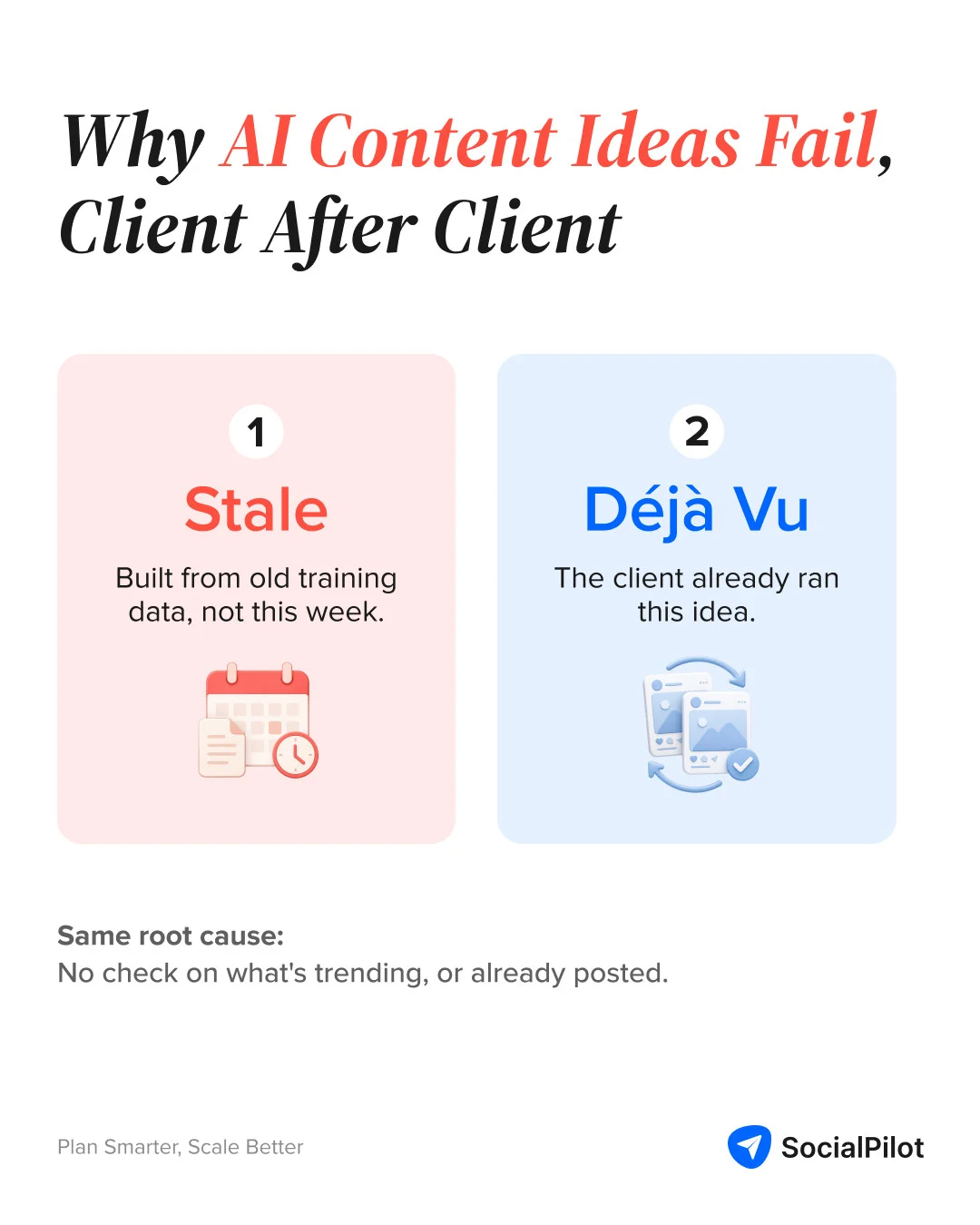
Content ideation fails one of two ways at agency scale. Either the ideas are too generic to act on, or they’re ideas the client already covered. Both come from the same root cause: nothing connects Claude’s idea generation to a record of what’s already been published. Whatever tool an agency schedules content through holds that record, and in most setups, the AI doing the ideation never gets to see it.
The Two Failure Modes: Ideas That Are Too Generic and Ideas the Client Already Posted
Ask Claude for “content ideas for a fitness brand” with no other input, and you get a list drawn from training data, not current demand. It reads fine. Nobody can tell you why any single idea would perform this week specifically, because nothing in the prompt told Claude what “this week” looks like.
The second failure is worse because it’s embarrassing, not just bland. Daily AI use at work grew 233% between November 2024 and April 2025, and 40% of desk workers have already used an AI agent to do part of their job. Adoption is outpacing the guardrails. Almost none of those setups check the client’s own content calendar before an idea goes out the door.
Why the Scheduling Tool Has to Be Part of the Research Step (Combined)
When idea generation and publishing history live in separate places, the connection between “what should we post” and “what have we posted” only exists in a human’s memory. That works for one client. It falls apart at ten, because no account manager remembers thirty days of history across every account they run.
The fix isn’t a smarter prompt. It’s giving Claude direct, structured access to both the research sources and a record of what’s already published. That means the scheduling tool has to be reachable by Claude, not just used after Claude is finished. This workflow is built around SocialPilot because its MCP connection covers both halves: it reads publishing history and places the finished post, using the same account connection.
The Five Tools in This Workflow and What Each One Does
Five MCP connections make up this pipeline. Four are required, one is optional. Each one gives Claude access to a different kind of information it can’t get from its own training data or a single web search.
| MCP Tool | What It Does Here | Required? |
| Brave Search MCP | Searches the web for industry trends | Required |
| Reddit MCP | Reads high-engagement subreddit posts | Required |
| Firecrawl MCP | Reads named industry publications | Optional |
| SocialPilot MCP | Reads the client’s last 30 days of posts | Required |
| Slack MCP | Posts the idea digest to Slack | Required |
Brave Search MCP: Live Web Results Without Manual Googling
Brave Sea rch MCP lets Claude search the web for industry news and trends on demand, using Brave’s search index instead of Claude’s training data. It’s the closest thing in this stack to “what you’d Google manually,” except Claude runs the searches, reads the results, and summarizes them, instead of you opening ten tabs.
Setup takes an API key from Brave’s search API (a free tier covers most agency use), added to Claude’s MCP configuration once. Brave publishes its own Claude setup guide if you want to follow along step by step. After that, Claude can search on request without you touching a browser.
Reddit MCP: What Real People in the Industry Are Actually Discussing
Reddit MCP lets Claude pull recent, high-engagement posts and comments from subreddits you specify, surfacing what real communities are asking and debating rather than what publications are covering. This is a community-built connector, not something Reddit publishes officially. Several open-source versions exist, and the simplest ones need only a Reddit API key with no special permissions to read public posts.
This matters because brand monitoring and Google Alerts track mentions and headlines. Neither one tells you what a subreddit full of your client’s actual customers is arguing about this week. That gap is exactly what Reddit MCP closes.
Firecrawl MCP: Reading Specific Publications Without Leaving Claude
Firecrawl MCP lets Claude read and extract clean content from specific web pages you name (a trade publication, a competitor’s blog, an industry newsletter archive) without you copy-pasting the article in manually. It’s labeled optional here because Brave Search and Reddit already cover general trend discovery; Firecrawl earns its place only when a client’s niche has two or three publications that consistently break news first and are worth reading directly, every run. Firecrawl’s own MCP setup docs cover the install in under five minutes.
If your client’s industry doesn’t have a small, known set of must-read sources, skip this one. Adding tools you don’t need just adds setup time for no extra signal.
Before generating content ideas, Claude reads the client’s last 30 days of published posts via SocialPilot MCP and removes any topic it finds there. The result is a shortlist of genuinely fresh opportunities, not a list that includes three things the client posted last week.
This is the step every other Claude-plus-scheduling-tool workflow skips, because they treat the scheduler as the last step, not an input to research. SocialPilot’s MCP tools return the actual delivered post history for an account (filterable by date range and platform), which is precisely the data needed to check for overlap before an idea ever reaches a human. SocialPilot’s own MCP server is what this whole workflow leans on.
Build a broader competitor analysis process around this same principle. Checking what already exists before you commit to a new angle isn’t unique to your own content; it works the same way against competitors.
Slack MCP: Delivering the Digest Without Switching Tabs
Slack MCP lets Claude post messages directly into a specific channel. In this workflow, that’s a dedicated channel per client, not a shared general one. Slack publishes an official connector for this, authenticated once through OAuth, after which Claude can post without anyone copying and pasting a summary from a chat window into Slack by hand.
This is the delivery mechanism, not an afterthought. A general channel buries the digest under everything else that gets posted there within a day. A dedicated, low-noise channel per client is what keeps five fresh ideas from turning into five ideas nobody scrolls back far enough to see.
Before You Start: What Setup Actually Involves
None of this requires writing code, but it does require a short, one-time setup per tool and per client. Budget an afternoon for the first client; every client after that is faster because the tool connections are already made.
What MCP Setup Requires: API Keys and What’s Actually Hard
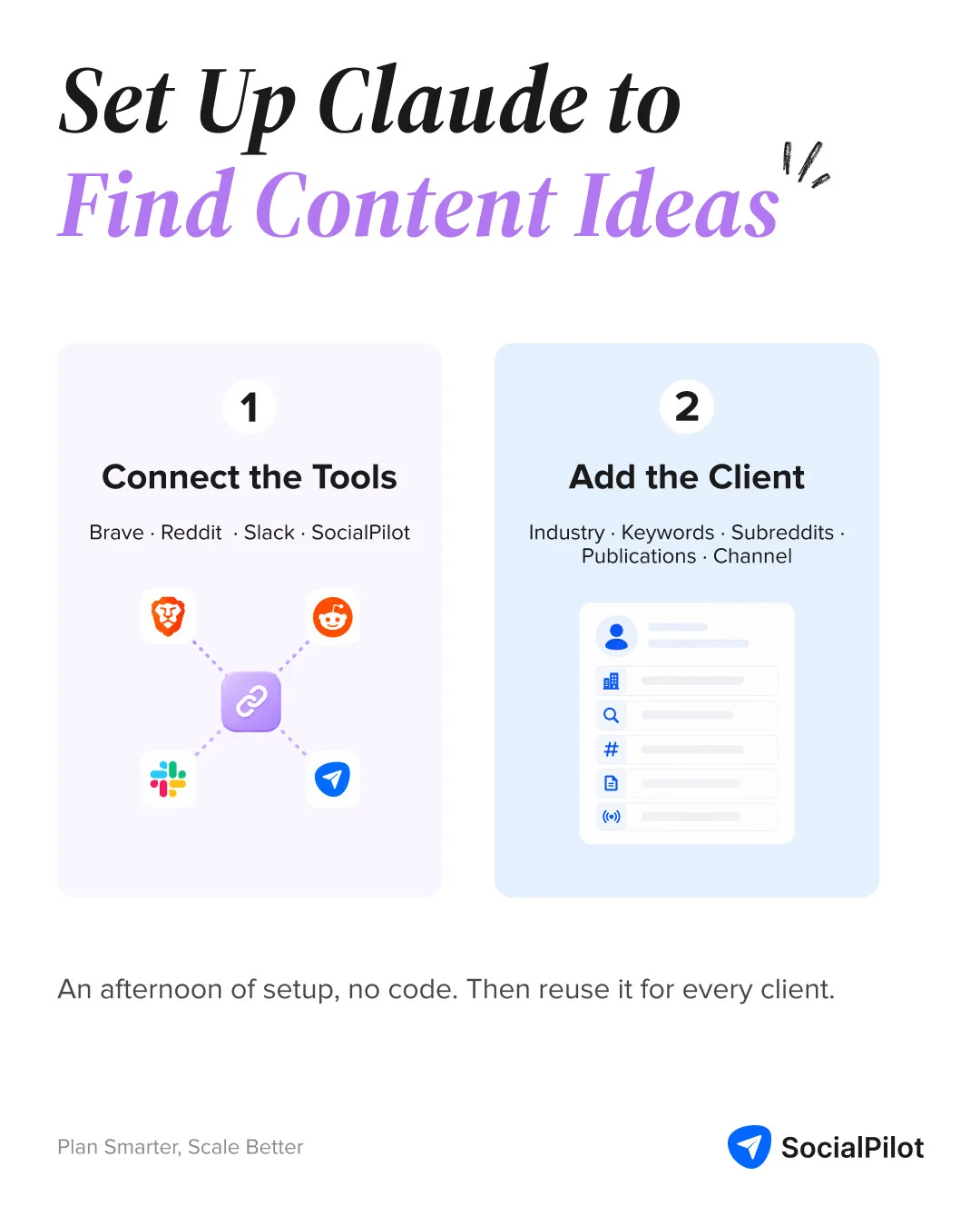
Brave, Reddit, and Slack each need an API key from that service, and a free or low-cost tier is sufficient for this use case. You add each key once, into Claude’s MCP settings, following that service’s own setup guide. SocialPilot connects through your account instead of a separate key; if you’re not on SocialPilot yet, that’s the one piece of this stack that means signing up first, not just pasting in a key. Either way, none of this resembles writing code; it’s closer to filling out a form.
The part that actually takes thought isn’t the API keys: it’s deciding what to tell Claude to look for, which is the next step.
What to Define Once Per Client: Industry, Keywords, Subreddits, and Key Publications
The per-client configuration is the only step that requires human input. Once the agency defines the industry, keywords, subreddits, and publications for a client, the research and synthesis steps run without manual intervention each time.
A working example for one client:
Client: Northline Fitness
Industry: boutique fitness studios
Keywords: HIIT trends, studio retention, group fitness pricing
Subreddits: r/Fitness, r/personaltraining, r/fitnessbusiness
Publications (optional, for Firecrawl): Athletech News, Club Industry
Slack channel: #northline-fitness-ideas
Swap in your own client’s details and this block becomes the only thing that changes between accounts. Everything downstream (the searches, the Reddit pull, the SocialPilot check, the digest format) stays identical. Add a second client and you’re writing one more block, not repeating the API setup; that’s what lets this scale past a single account.
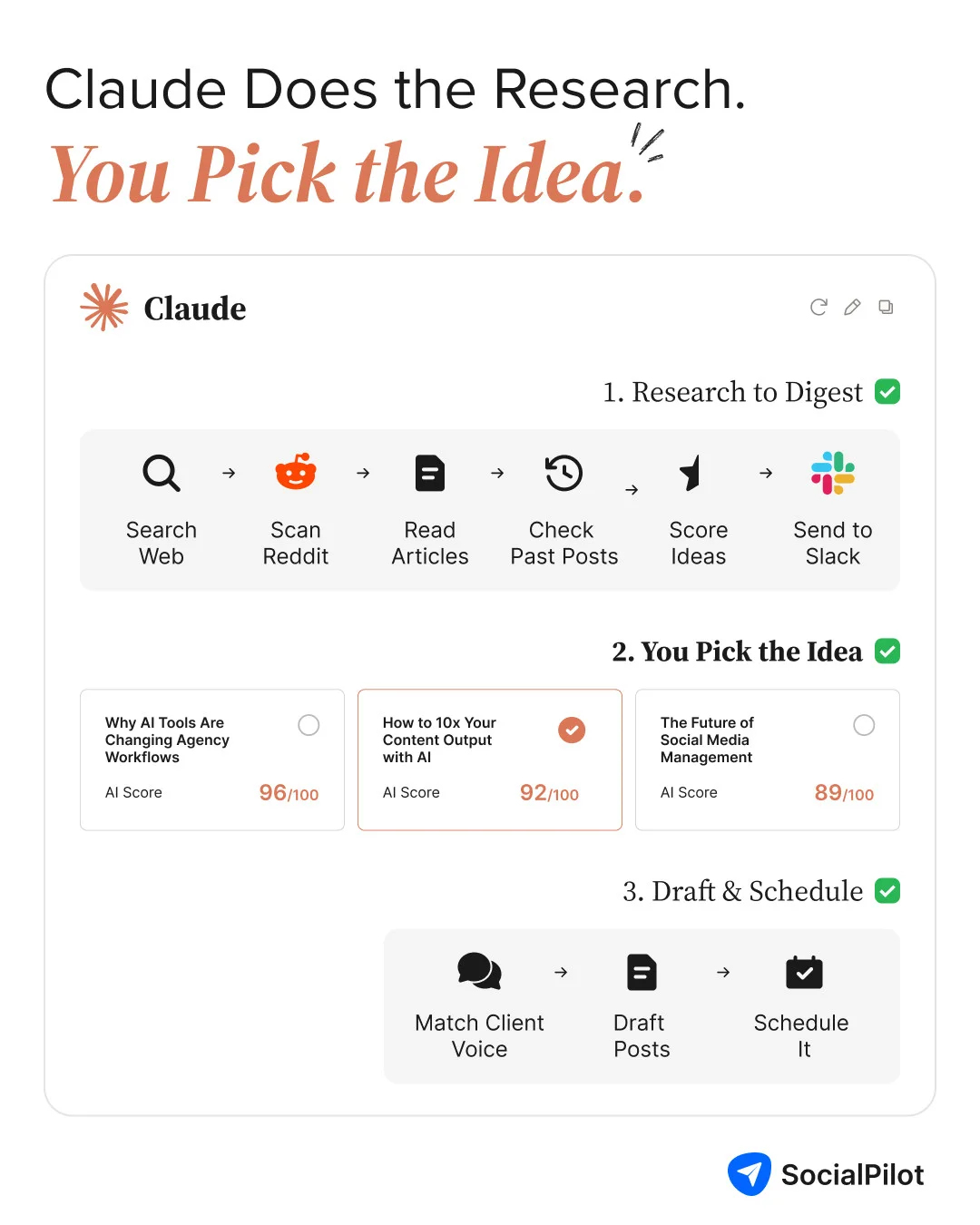
From here, the workflow runs in two phases. Phase 1 turns raw research into a shortlist of ideas sitting in Slack. Phase 2 turns one approved idea into a scheduled post. Nothing crosses from one phase into the other without a human saying yes in between.
Phase 1: From Trend Sources to a Slack Idea Digest
This is the research half. Raw sources go in, a shortlist comes out. Nothing gets published or scheduled yet. It runs as six steps, in order.
Step 1: Claude Runs Brave Search
Claude searches the web for the client’s keywords and pulls this week’s relevant news and trend mentions. The prompt that starts this step:
Search the web for what’s trending in boutique fitness studios this week. Focus on these keywords: HIIT trends, studio retention, group fitness pricing. Give me the top 6-8 results, each with the source, headline, and publish date.
Response — Northline Fitness, this article’s example client:
| Source | Headline | Key data point |
| Zenoti | Fitness Studio Memberships: Pricing, Packaging, Retention | Average class price up 6% YoY to $21.32; boutique memberships average $90-$200/month |
| Trainerize | Fitness Studio Trends in 2026 | Shift toward retention, community, and smarter growth |
| StudioPulse | Boutique Fitness Studio Retention Rate Benchmarks | Churn risk jumps sharply at 21 days and 45 days without a visit |
| Mariana Tek | 8 Trendsetting Boutique Fitness Studios to Watch in 2026 | HIIT, bootcamp, and cycling formats show higher turnover than lower-intensity classes |
Step 2: Claude Runs Reddit MCP
Claude pulls recent, high-engagement posts from the client’s defined subreddits. The prompt:
Using the Reddit MCP connection, pull the highest-engagement posts from the last 7 days in r/Fitness, r/personaltraining, and r/fitnessbusiness that touch on HIIT trends, studio retention, or group fitness pricing. Include the post title, subreddit, upvotes, comment count, and permalink for each.
Step 3: Claude Runs Firecrawl, If Configured
Claude reads named publications directly, for clients that have any configured. Skipped entirely if not. When it is:
Use Firecrawl to read the most recent articles from Athletech News and Club Industry. Summarize anything published in the last 7 days that touches HIIT trends, studio retention, or group fitness pricing.
Response:
| Publication | Headline | Summary |
| Athletech News | “ATN Insights: Barre’s Next Growth Challenge Isn’t Retention, It’s Replenishment” | Top barre studios bring back 57% of first-time clients, versus a 26% industry average |
Club Industry blocked this fetch attempt — a real limit worth knowing. Firecrawl only reads pages that let it in.
Claude pulls the client’s last 30 days of delivered posts first, before it writes anything. Check first, then generate — in that order. That way, no idea gets built around a topic that’s about to be thrown out for being a repeat.
Using the SocialPilot MCP connection, pull Northline Fitness’s delivered posts from the last 30 days across every connected platform. List the topic of each post, most recent first.
Response:
| Date | Platform | Topic |
| Jun 5, 2026 | “The job chose you as much as you chose it” — engagement/culture post | |
| Jun 4, 2026 | Twitter/X | May 2026 social media platform updates roundup |
| Jun 4, 2026 | Same roundup, posted as a document | |
| Jun 4, 2026 | Same roundup, image carousel | |
| Jun 4, 2026 | Same roundup, image carousel |
That list becomes the exclusion filter for Step 5.
Step 5: Claude Synthesizes 5 to 7 Fresh Ideas With Source and Angle
Claude weighs the Brave, Reddit, and Firecrawl signals against each other, then checks them against the SocialPilot exclusion list. Anything already covered gets dropped. So does anything backed by just one weak source. An idea backed by a search result, a Reddit thread, and a trade article in the same week is real signal. An idea from one lonely search result is a guess dressed up as a finding.
Using the Brave Search results, Reddit threads, and Firecrawl summaries from this run, cross-reference against Northline Fitness’s last 30 days of delivered posts. Drop anything already covered. Give me 5 to 7 fresh ideas. For each: the topic, which source(s) surfaced it, and a one-line suggested angle.
Step 6: What the Slack Digest Actually Contains
Each idea in the digest has three parts: the topic, the source that surfaced it, and a one-line angle. The agency doesn’t get a list of topics. It gets a list of ready-to-brief opportunities.
Not this: “Trending topics this week: 1) group fitness pricing, 2) HIIT class formats, 3) studio retention strategies…”
This:
💡 Idea: Studio owners are questioning flat-rate group fitness pricing
📍 Source: Reddit (r/fitnessbusiness), high-comment thread this week
🎯 Angle: “Why flat-rate pricing might be capping your studio’s revenue”
The first version needs interpreting. The second is a decision someone can act on the moment they read it. If an entry needs a follow-up question before someone can act on it, it isn’t finished.
The prompt that turns the shortlist into a live digest:
Format each of these ideas as a separate Slack message using the layout above, then post them one at a time to #northline-fitness-ideas via the Slack MCP connection.
Phase 2: From Digest to Scheduled Post
This is the second half. An approved idea from the digest becomes a published post, without leaving the conversation with Claude. It runs as four steps, in order.
Step 7: The Agency Picks One or Two Ideas
Someone on the team picks from the digest, replying in the Slack thread or flagging the idea directly to Claude.
Step 8: Claude Writes With the Client’s Brand Voice Already Loaded
Before drafting a word, Claude pulls the account’s brand voice from its own post history via SocialPilot MCP. Skip this and the draft defaults to generic phrasing that doesn’t sound like the client at all. A fresh idea written in the wrong voice is still a miss.
Using the SocialPilot MCP connection, pull Northline Fitness’s last 15 published posts. Describe the account’s voice: sentence length, tone, emoji use, and any phrases that show up more than once.
Step 9: The Prompt Template That Makes the Post Usable
A working template for this step:
Write a post for [platform] based on this idea: [idea from the digest].
Format:
Length: [target word or character count]
CTA: [what you want the reader to do next]
Four fields, filled in once per post. That’s what turns “write something about this trend” into a draft someone can publish with minor edits, not a first draft that still needs a rewrite. Filled in for the pricing idea from Step 6:
Write a post for Instagram based on this idea: “Why flat-rate pricing might be capping your studio’s revenue.”
Format: 5-slide carousel copy
Length: 40-60 words per slide
CTA: Comment “PRICING” for our free calculator
Match the voice profile pulled from Northline Fitness’s last 15 posts.
Once the draft is approved, Claude places it into the client’s SocialPilot queue, at a set time or the next open slot. It’s the same action as opening SocialPilot and building the post by hand. The idea started as a Reddit thread and ends as a scheduled post, with no copy-pasting between tools.
Schedule this approved carousel to Northline Fitness’s Instagram account via SocialPilot MCP, using the next open slot in the queue.
From here, the post sits on the calendar with everything else. See how to plan a content calendar once ideas like this one are flowing in regularly instead of arriving in occasional bursts.
Turning This Into a Skill You Run Per Client
Once the five MCP connections exist and you have a working configuration block for one client, the entire pipeline above can be packaged into a single reusable command called a Skill. Instead of re-explaining the workflow every time, you invoke it once and Claude runs all six research steps in sequence.
What the Skill Contains: The Full Pipeline in One Command
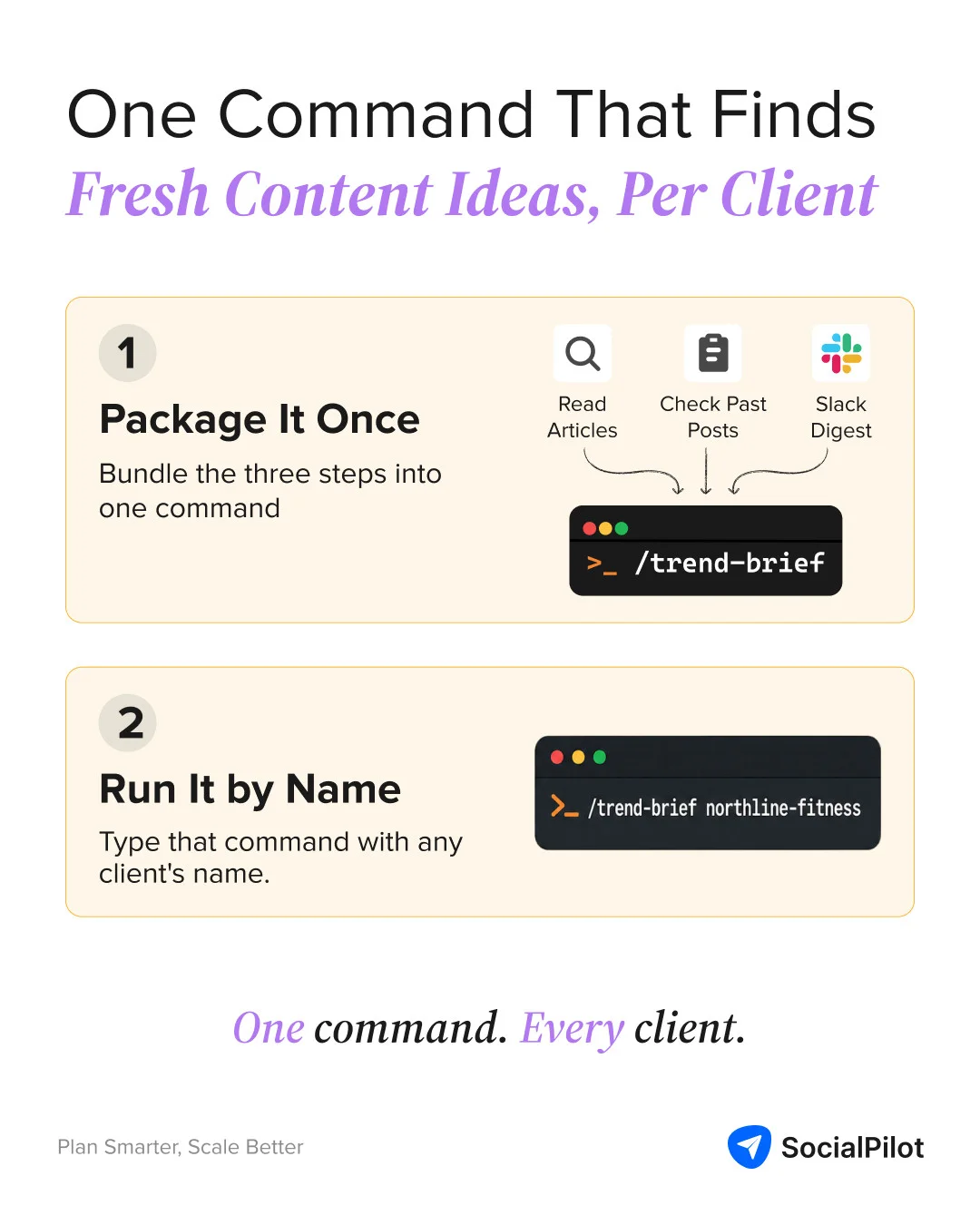
The skill holds three things: the per-client configuration format, the sequence of MCP calls in order (Brave Search, Reddit, Firecrawl if configured, SocialPilot history, synthesis, Slack post), and the exact digest format from Step 6. Building it once means every future run (for this client or any other) follows the identical structure, with the same quality bar every time.
Running /trend-brief [client-name] Across Your Whole Client Roster
With the skill built, running the workflow for a new client is one command, something like /trend-brief northline-fitness, that pulls that client’s configuration block and runs the full pipeline automatically. This is what social media for agencies looks like as one repeatable process, applied consistently, instead of a bespoke research routine invented fresh for every account.
A research run that used to take 45-90 minutes per client, done by hand, becomes a few minutes of Claude working through the pipeline and a few minutes of a human approving ideas in Slack. Multiply that across fifteen or twenty clients and the difference isn’t incremental: it’s the difference between research happening consistently and research happening only when someone has a spare hour.
The last step, always, is scheduling and publishing, because an approved idea that never makes it onto a calendar was never really an idea. It was just a good thought that stayed in Slack.
The Client Was Never Going to Forget. You Were.
No agency loses a client over a bland idea. They lose clients over a repeated one, the kind that makes a client start wondering what else got missed. That was never a creativity problem. It’s a memory problem, and memory is exactly what software is for.
The five tools in this workflow don’t make Claude more creative. They make it accountable to a record a human used to have to hold in their own head. Once that record is automatic, the only thing left worth arguing about is which idea to run with, not whether anyone bothered to check first.
Fifteen clients from now, the agencies still running this by memory will still be running it by memory. The ones who aren’t will have stopped thinking about it at all, which was the entire point.




 Join 55,000+ social media managers


