If you don’t want to wait months for SEO to deliver results, paid advertising remains one of the fastest and most effective options, and Facebook ads continue to play a major role.
Today, Facebook advertising runs through Meta Ads Manager, offering businesses access to multiple ad formats, advanced targeting options, and conversion-focused objectives across Facebook, Instagram, Messenger, and Reels.
With over 3 billion monthly active users, there’s a strong chance that a large portion of your target audience is already active on Facebook.
So why miss the opportunity to grow your reach, generate leads, and drive sales on such a massive platform?
To get the best results, however, you need a clear understanding of how Facebook ads work today and how to run campaigns effectively.
This guide covers everything you need to know to get started and succeed, even if you’re a beginner.
What Are Facebook Ads?
Facebook Ads are paid promotions that allow businesses to show their content, products, or services to specific audiences across Facebook, Instagram, Messenger, and the Meta Audience Network. Instead of relying only on organic reach, businesses use Facebook Ads to place their messages directly in front of people who are most likely to be interested.
What makes Facebook Ads powerful is their ability to combine massive reach with precise targeting. Businesses can choose who sees their ads based on factors such as location, age, interests, behavior, and past interactions with their brand. This makes Facebook Ads suitable for a wide range of goals, including brand awareness, lead generation, website traffic, and sales.
Facebook Ads work for businesses of all sizes. Small businesses can start with modest budgets to test campaigns, while larger brands can scale ads to reach millions of users. With multiple ad formats, flexible budgets, and detailed performance tracking, Facebook Ads give businesses full control over how they advertise and how results are measured.
How Facebook Ads Work (Via Meta Ads Manager)
Facebook Ads are created, managed, and optimized through Meta Ads Manager, Meta’s central platform for advertising across Facebook and Instagram. This tool allows businesses to control targeting, budgets, ad placements, and performance tracking in one place.
Meta Ads follow a three-level campaign structure:
- Campaign: This is where you choose your main objective, such as awareness, traffic, leads, or sales.
- Ad Set: At this level, you define your target audience, placements, budget, schedule, and bidding strategy.
- Ad: This is the creative layer, including images or videos, ad copy, and call-to-action buttons shown to users.
When an ad is launched, it enters Meta’s ad auction system. Ads are shown based on a combination of:
- Bid amount (how much the advertiser is willing to pay)
- Estimated action rate (likelihood of user engagement or conversion)
- Ad quality and relevance
This approach helps ensure users see relevant ads while businesses get better value for their spending.
Meta Ads Manager also provides detailed performance data, including reach, impressions, clicks, conversions, and return on ad spend. Businesses can use these insights to test creatives, refine audiences, adjust budgets, and scale successful campaigns.
Understanding how Facebook Ads work in Meta Ads Manager helps businesses build data-driven, efficient, and scalable campaigns across platforms.
Different Types of Facebook Ads
Facebook offers a wide range of ad formats designed to support different business goals, from building brand awareness to generating leads and driving sales. These ads can appear across placements such as Feeds, Stories, Reels, Messenger, and the Audience Network, allowing brands to reach users in multiple ways.
Types of Core Facebook Ad Formats
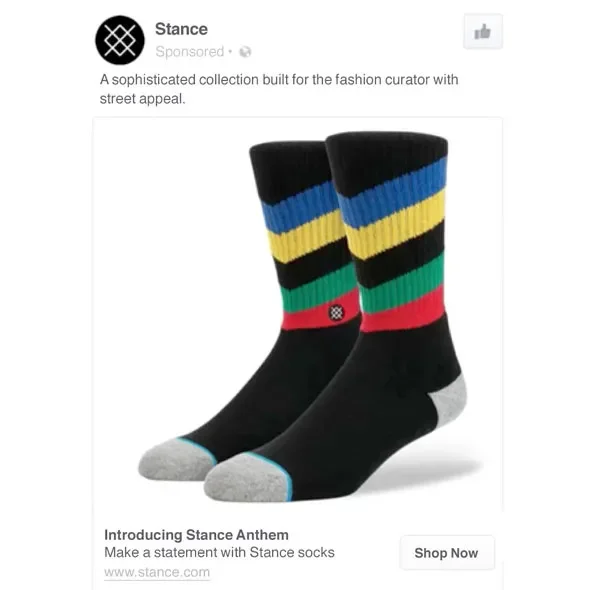
Image Ads: Image ads use a single visual to deliver a clear message. They work well for simple promotions, announcements, and brand awareness campaigns.
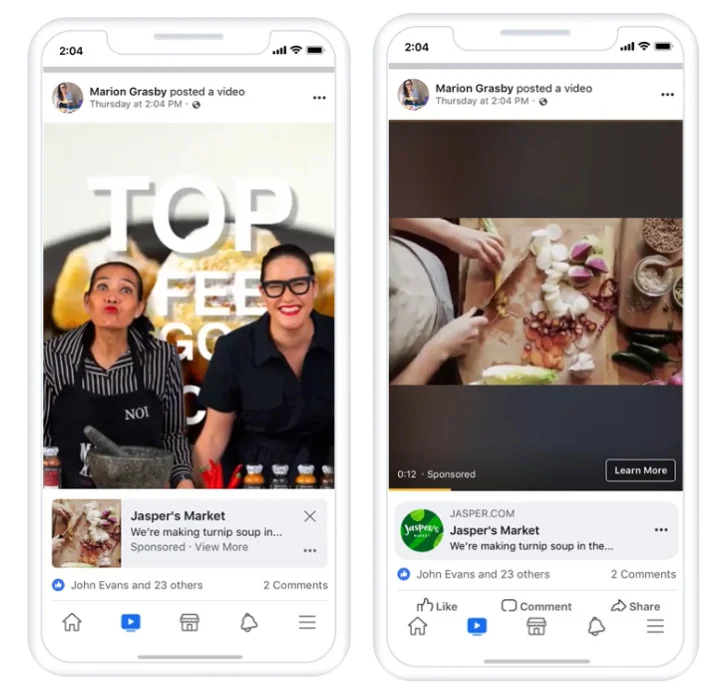
Video Ads: Video ads use motion and sound to capture attention and are commonly used to showcase products, explain services, or tell brand stories. Facebook video ads appear in-stream videos, in the feed, and on Stories.
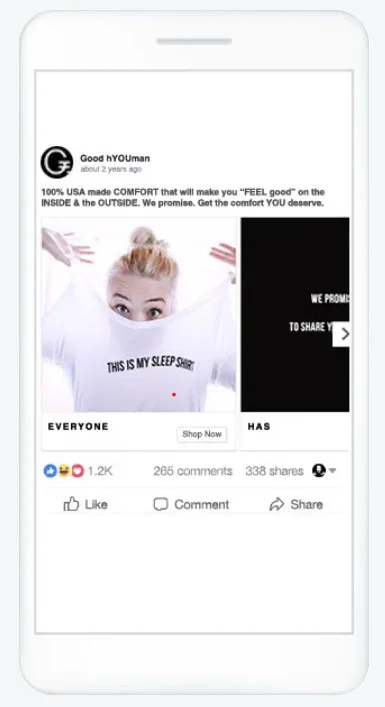
Carousel Ads: Facebook Carousel ads allow brands to display 2-10 images or videos in a single ad. Each card can highlight a different product, feature, or benefit with its own links, making this format ideal for ecommerce and product-focused campaigns.
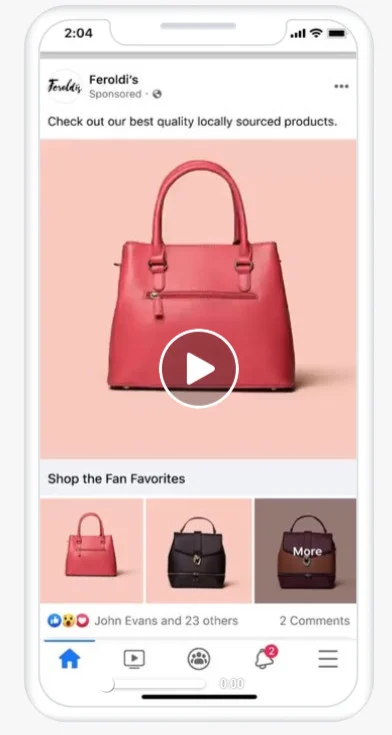
Collection Ads: Facebook collection ads are built for mobile users and combine a main image or video with a product grid. Tapping the ad opens a fast-loading, full-screen shopping experience, making it effective for product discovery and sales.
Specialized and Interactive Facebook Ad Formats
Lead Ads: Lead ads allow businesses to collect contact details such as email addresses or phone numbers directly within the platform. They are commonly used for sign-ups, demos, and inquiries.
Dynamic Ads: Dynamic ads automatically show relevant products to users based on their behavior, such as viewing products or abandoning a cart. This makes them especially effective for retargeting.
Instant Experience Ads: Instant Experience ads open into a full-screen, mobile-optimized experience. Brands use them to tell immersive stories, showcase products, or guide users toward conversions.
Stories and Reels Ads: These full-screen, vertical ads are designed for Stories and Reels placements. They work best for short, visually engaging content built for mobile viewing.

Source – Facebook Story Ad
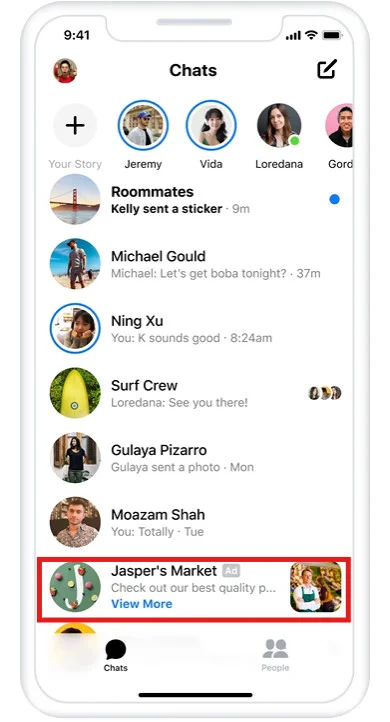
Messenger Ads: Messenger ads help brands start conversations with users or guide them toward support, lead generation, or product discovery within Messenger.
Slideshow Ads: Facebook Slideshow ads create video-like ads using static images. They load quickly and are well-suited for regions with slower internet connections.
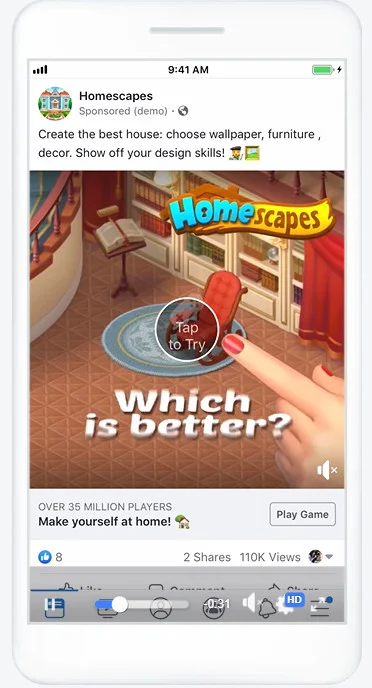
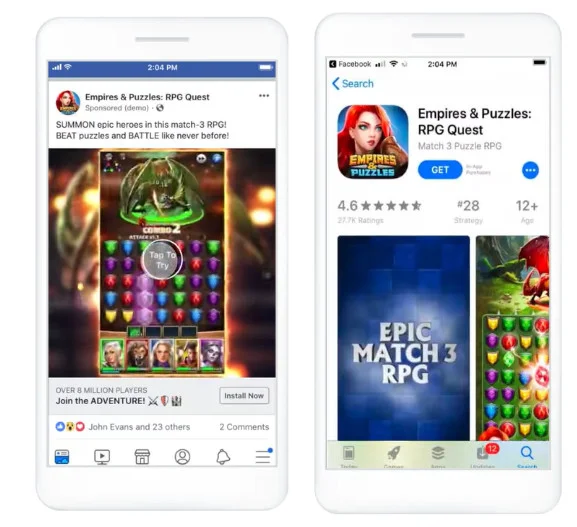
Playable Ads: Playable ads offer interactive previews, mainly used by app-based businesses to let users experience an app before downloading.
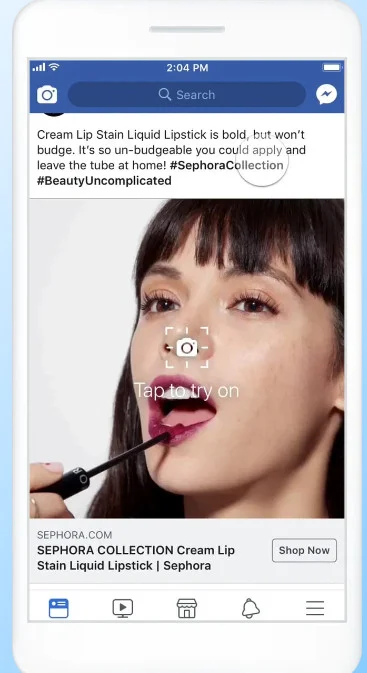
Augmented Reality (AR) Ads: AR ads let users interact with products through virtual try-ons or filters, creating more engaging and memorable ad experiences.
How to Choose the Right Facebook Ad Type?
Choosing the right ad format depends on your campaign goals:
- Use Image or Video Ads for reach and awareness
- Use Carousel or Collection Ads for ecommerce and product promotion
- Use Lead Ads to collect subscribers or inquiries
- Use Dynamic Ads for retargeting and conversions
Matching the ad format to your objective improves performance and makes better use of your advertising budget.
How to Create Facebook Ads (Step-by-Step)
Creating Facebook Ads involves setting up a campaign, defining the right audience, choosing placements, and building ad creatives that align with your business goals. Below is a complete, practical walkthrough to help businesses launch their first Facebook ad campaign confidently.
Step 1: Set Up Meta Business Manager
Before running ads, you need a Meta Business Manager account. This serves as your central hub for managing ad accounts, Facebook Pages, payment methods, tracking tools like the Meta Pixel, and team access.
Once set up, head to Ads Manager and click Create under the Campaigns tab to start a new campaign.

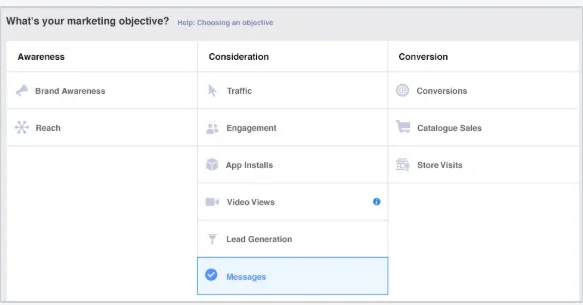
Step 2: Choose Your Campaign Objective
You’ll be prompted to select an ad campaign objective based on your goal. Common objectives include:
- Brand awareness or video views
- Traffic
- Engagement
- App installs
- Lead generation or messages
- Sales, conversions, or catalog sales
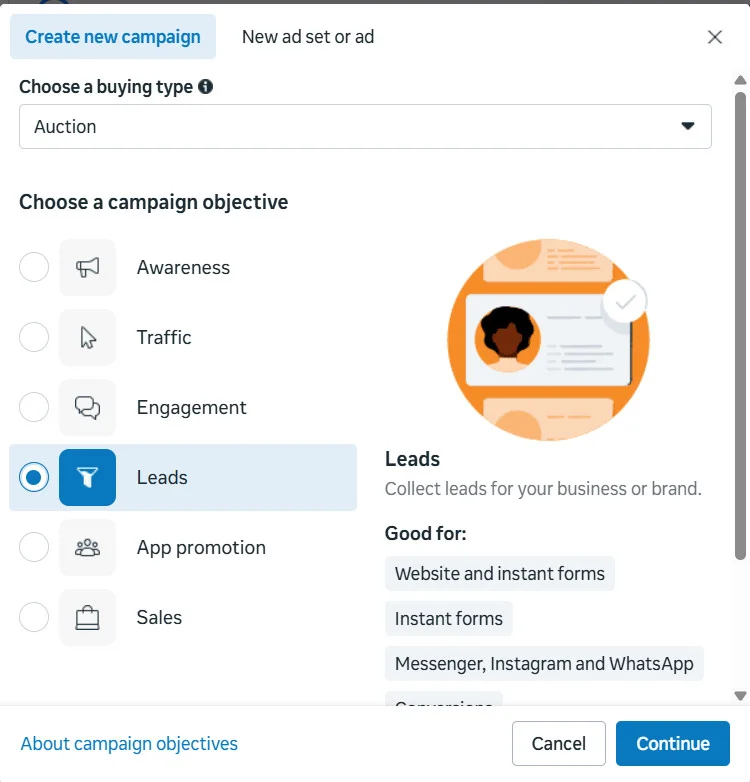
Your objective determines how Facebook delivers your ads and which users are most likely to see them, so choose one that closely matches your desired outcome.
Step 3: Name Your Campaign and Set A/B Testing
After selecting an objective, name your campaign to make tracking easier. At this stage, you can also enable A/B testing to compare different versions of your campaign, such as audiences, creatives, or placements, and identify what performs best.
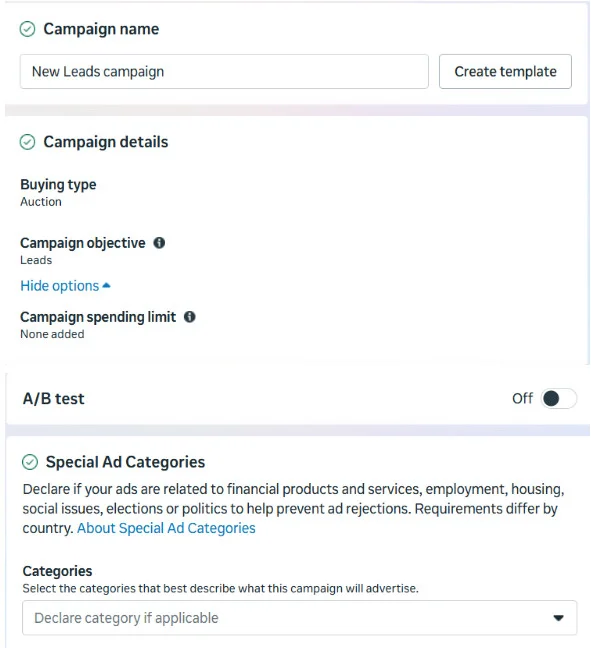
Step 4: Define Your Audience
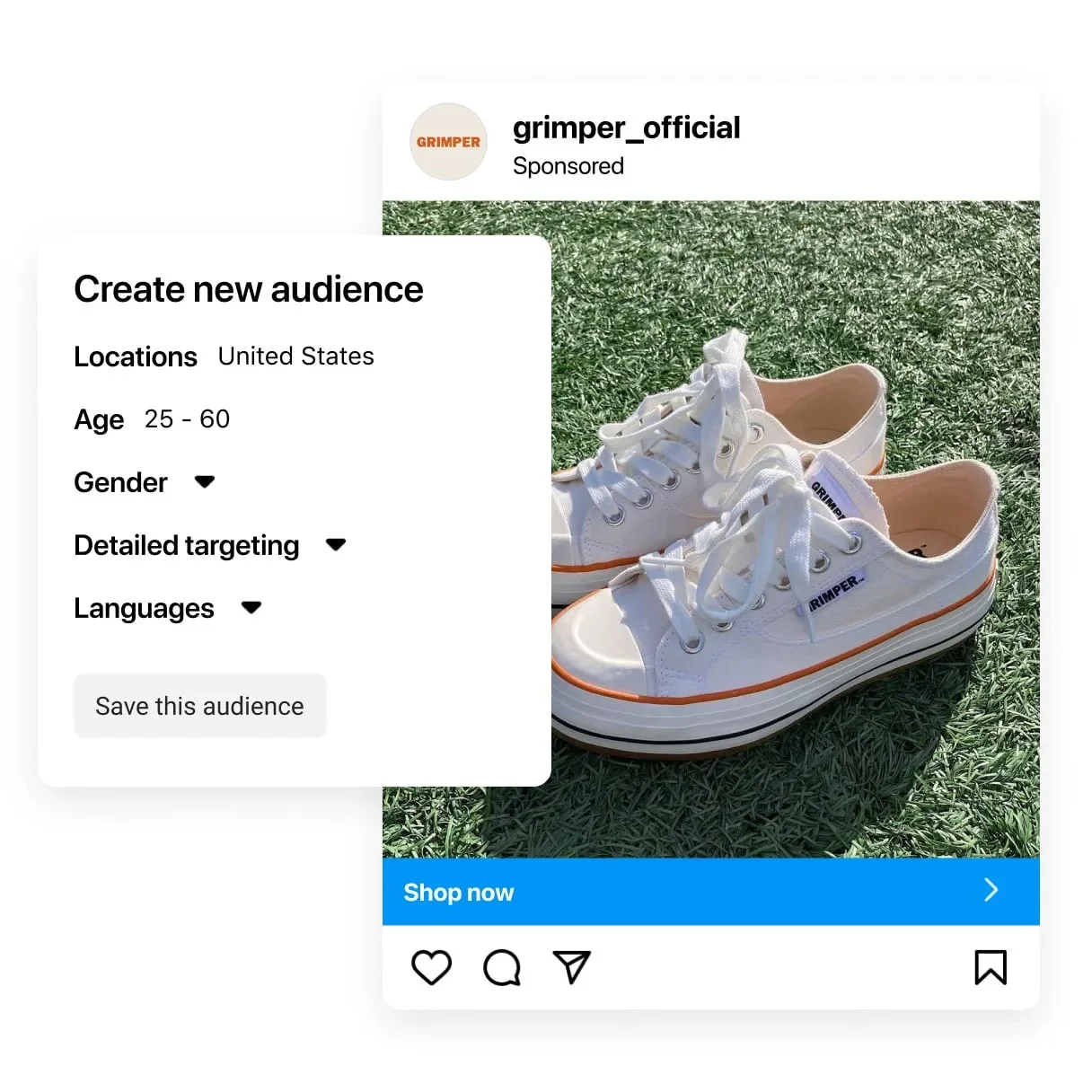
At the ad set level, choose who will see your ads. You can target an ad audience based on:
- Custom audience source (Among your sources or Meta sources)
- Location, age, gender, and language
- Interests and behaviors
- Custom audiences (website visitors, customer lists, app users)
- Lookalike audiences based on existing customers
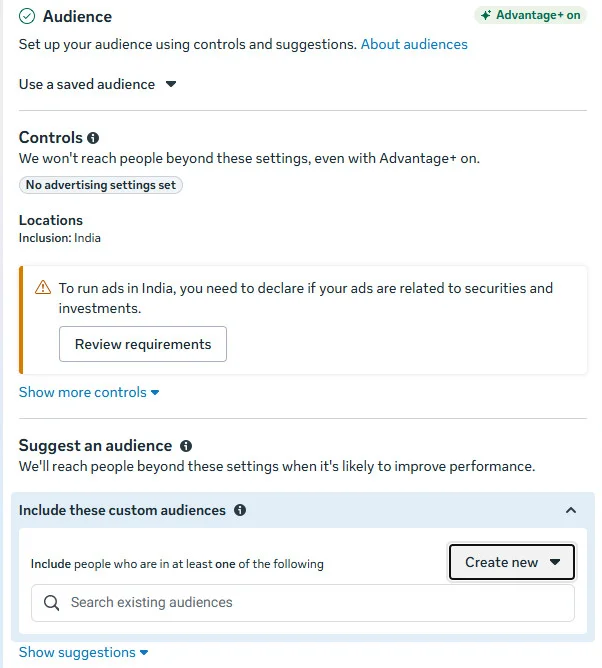
Use the Audience Size Indicator to estimate reach and adjust targeting to avoid audiences that are too broad or too narrow.
Step 5: Set Ad Budget and Schedule
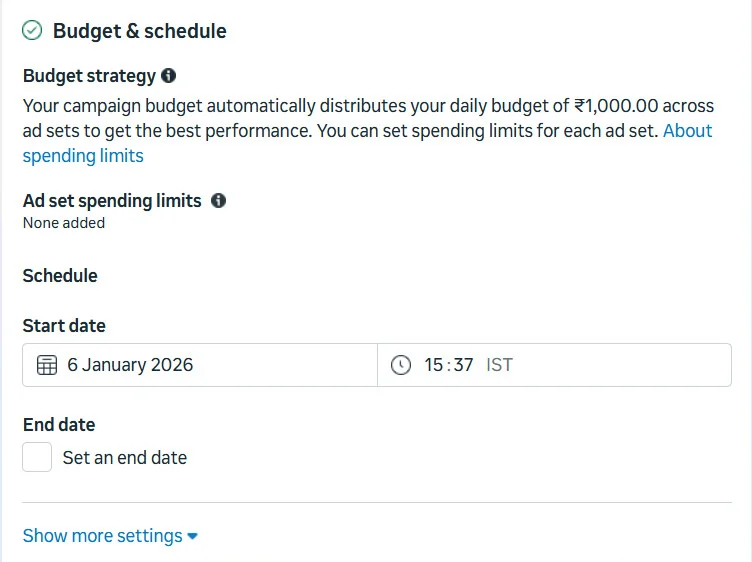
Decide how much you want to spend and how long your campaign will run. You can choose:
- Daily ad budgets or pricing for ongoing campaigns
- Lifetime budgets for fixed-duration campaigns
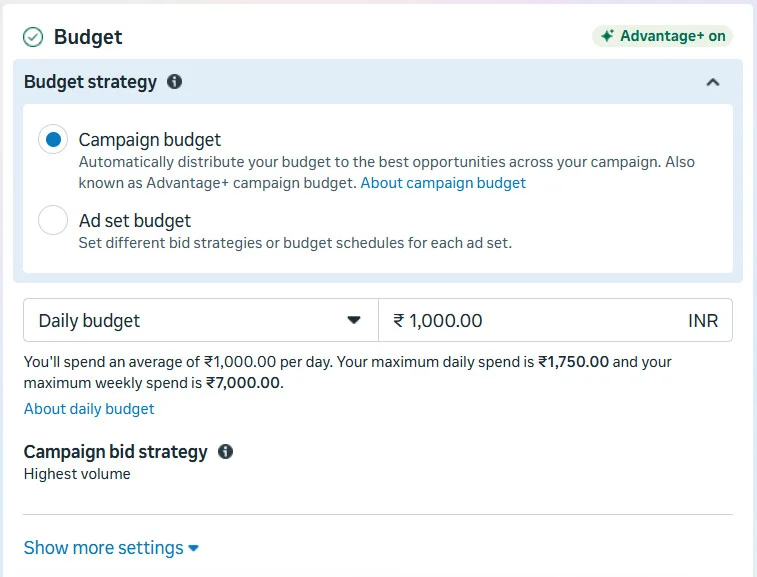
Scheduling ads to run on specific days or at specific times can help control costs and improve performance.
Step 6: Choose Ad Placements
You can allow Facebook to automatically place your ads across platforms like Facebook, Instagram, Messenger, and the audience network, or manually choose placements based on your strategy.
For beginners, automatic placements are the best option, as they help maximize results across available inventory.
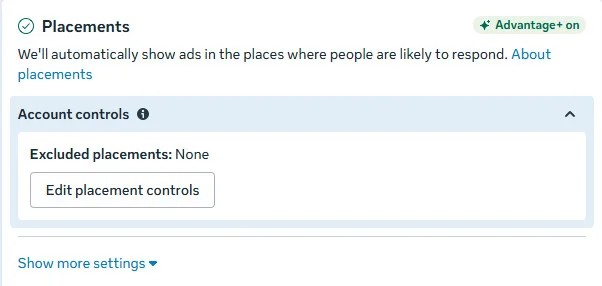
After you have gained experience, you can choose the ad placement on Meta Manager from the following options yourself:
- Device type
- Platform
- Placements (stories, feed, in-stream, search)
- Specific mobile devices and operating systems
Step 7: Create Your Ad and Choose Format
Now it’s time to build your ad creative. You can:
- Create a new ad from scratch
- Use an existing post
- Test multiple ads within the same ad set
Upload your image or video, write clear ad copy, add a headline, and choose a call-to-action. Make sure your ad format and creative match your campaign objective and audience intent.
For setting up your ad, you can choose an existing post, create a new one, or use a Creative Hub mockup. If you’re looking for inspiration, explore Facebook ad library to speed up the process.
Step 8: Review Brand Safety and Publish
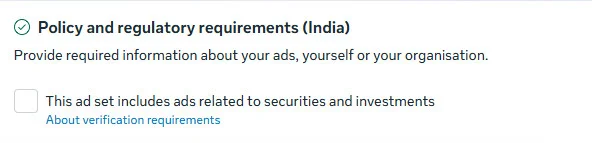
Before publishing, review brand safety settings and exclude any content categories that don’t align with your brand. Once everything looks good, publish your ad and submit it for approval. Once you submit your ad, it enters the Meta ad auction, which helps it reach your audience.
Step 9: Monitor and Optimize Performance
After your ad goes live, track performance metrics on Meta ad analytics such as reach, clicks, leads, and conversions. Use this data to refine targeting, adjust budgets, test creatives, and improve results over time.
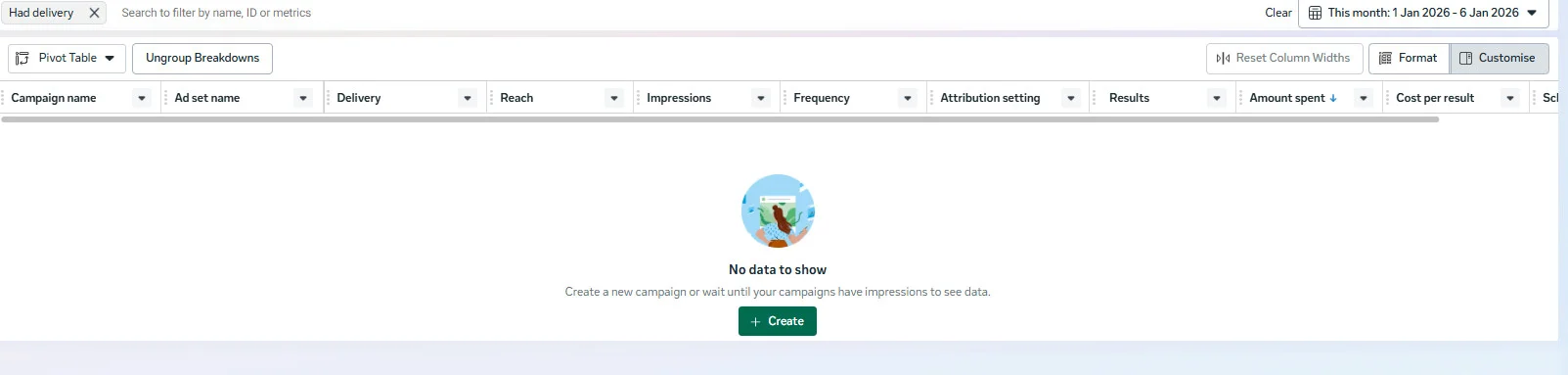
Following this structured process helps businesses launch effective Facebook ad campaigns, reduce wasted spend, and scale performance as they learn what works best.
Want inspiration from top-performing campaigns? Explore our list of best Facebook ads to see what works across industries.
How to Create Facebook Lead Ads
Facebook Lead Ads help businesses collect customer information directly within the platform, reducing friction and increasing form completion rates. Below is a simplified and effective process to set up lead ads, along with best practices to improve lead quality.
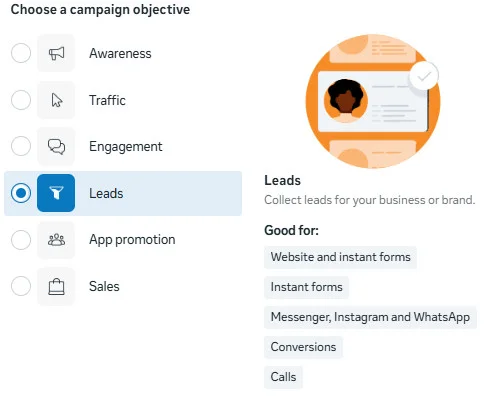
Step 1: Start a Lead Generation Campaign
Open Ads Manager and click Create to start a new campaign. Choose Lead Generation as your campaign objective and name your campaign clearly so it’s easy to track performance later.
Step 2: Select Your Page and Set Up the Ad Set
Choose the Facebook Page connected to your business. At the ad set level, define:
- Your target audience (demographics, interests, or custom audiences)
- Budget and schedule
- Placements (automatic placements are recommended for most campaigns)
Step 3: Choose an Ad Format
Lead Ads support multiple ad formats, including:
- Image ads
- Video ads
- Carousel ads
- Slideshow ads
Video ads often perform better for lead generation, especially when they clearly explain the value users will get after submitting the form. Before going live, check the Facebook image size guide to choose the correct media size that fits the final ad placement.
Step 4: Create the Lead Form
The lead form is the most important part of your campaign. When building it, focus on clarity and intent. Choose the form type that best matches your sales process.
- More Volume: Optimized for higher submissions with fewer steps
- Higher Intent: Includes a review step to reduce low-quality leads
- Intro Section: Use this space to explain what users will receive and why they should submit their information. Keep it short and benefit-focused.
- Questions: Ask only for the information you truly need. Short forms convert better, but adding one or two qualifying questions can improve lead quality. Facebook allows up to 21 questions, but fewer questions usually perform better.
- Privacy Policy: You must include a link to your company’s privacy policy to comply with data protection requirements.
- Thank You Screen: After form submission, show a thank-you message and guide users to the next step, such as visiting your website, booking a call, or checking their email.
Step 5: Review Settings and Publish
Before publishing, review form settings, language options, and tracking. Once a lead form is published, it cannot be edited, so double-check all details before confirming.
Step 6: Manage and Follow Up on Leads
Leads can be accessed directly in Ads Manager or automatically sent to your CRM through integrations. Fast follow-up is critical, as contacting leads quickly improves conversion rates and reduces drop-off.
How to Create Facebook Remarketing Ads
Facebook remarketing ads allow businesses to re-engage people who have already interacted with their brand, such as website visitors, past customers, app users, or people who engaged with their content. These ads are powerful because they target users who are already familiar with your business and closer to conversion.
Below is a streamlined, modern approach to setting up Facebook remarketing ads effectively.
Step 1: Set Up Your Remarketing Audience
Before creating the ad, you need to set up a remarketing audience. This is done inside Meta Ads Manager → Audiences.
You can build custom audiences based on:
- Website visitors (using Meta Pixel)
- People who viewed products or added items to the cart
- Past customers or email subscribers
- Users who engaged with your Facebook or Instagram posts, videos, or ads
- App users or people who opened a lead form
Once created, these audiences can be reused across multiple campaigns.
Step 2: Create a New Campaign
In Ads Manager:
- Click Create
- Choose an objective aligned with remarketing goals, such as:
- Sales (for conversions or purchases)
- Leads (for form fills or callbacks)
- Traffic (for bringing visitors back to your site)
Name your campaign clearly so you can track performance later.
Step 3: Select Your Remarketing Audience
At the ad set level:
- Choose the custom audience you created earlier
- Narrow or expand the audience using age, location, or exclusions (for example, excluding recent buyers)
- Keep remarketing audiences relatively small and focused for better relevance
You can also layer lookalike audiences once your remarketing campaigns start converting well.
Step 4: Set Budget, Schedule, and Placements
- Choose a daily or lifetime budget based on how long you want to run the campaign
- Remarketing ads usually perform better with smaller, controlled budgets
- Use automatic placements initially to let Meta optimize delivery across Facebook, Instagram, Messenger, and Reels
This ensures maximum exposure without overcomplicating setup.
Step 5: Create Personalized Ad Creatives
Remarketing ads work best when they feel relevant and familiar.
Best practices for remarketing creatives:
- Highlight products users already viewed or interacted with
- Use urgency-driven messaging (limited-time offers, reminders, or restocks)
- Add social proof like reviews or testimonials
- Match visuals closely to what users saw earlier
You can use:
- Single image or video ads for reminders
- Carousel ads to showcase multiple products
- Collection ads for mobile shopping experiences
Step 6: Choose the Right Call-to-Action
Your CTA should reflect the user’s position in the funnel:
- “Complete Your Purchase”
- “Return to Your Cart”
- “Book Now”
- “Get the Offer”
- “Learn More”
Clear CTAs help move users from interest to action faster.
Step 7: Track, Analyze, and Optimize
Once campaign reviews and went live:
- Monitor conversions, click-through rate, and cost per result
- Use ad relevance diagnostics to identify creative or audience issues
- Rotate creatives frequently to avoid ad fatigue
- Adjust budgets toward high-performing remarketing segments
Remarketing campaigns tend to deliver higher ROI than cold ads, but only when they’re actively optimized.
How to Create High-Converting Facebook Ads That Boost Sales
A successful Facebook ad isn’t just visually appealing; it combines strong creative, persuasive messaging, precise targeting, and ongoing optimization. Here’s how brands can build sales-focused ads that actually convert.
1. Design Scroll-Stopping Visuals That Match Your Brand
Your ad creative is the first thing users notice. If it doesn’t grab attention in seconds, the rest doesn’t matter.
What works best:
- Use high-quality images or short videos that clearly show the product or benefit
- Keep text minimal and easy to read (Meta no longer enforces the 20% text rule, but cleaner visuals still perform better)
- Stick to consistent brand colors, fonts, and style
- Follow recommended image and video sizes to avoid cropping
Design tools like Canva make it easy to create professional creatives quickly, even without a design team.
Best ad formats for sales according to Meta AI:
- Single Image or Video Ads: Ideal for promoting one product or a specific offer
- Carousel Ads: Showcase multiple products, features, or steps—especially effective for eCommerce
- Collection Ads: Perfect for mobile shopping experiences, allowing users to browse products instantly
Choose the format based on how many products you want to highlight and how complex your offer is.
2. Write Ad Copy That Hooks and Holds Attention
Most users scroll fast. Your copy needs to stop them and keep them reading. Instead of generic statements, focus on:
- A strong hook in the first line
- Curiosity-driven messaging that makes users want to learn more
- Conversational, benefit-focused language
Proven copy techniques:
- Cliffhangers: Spark curiosity without giving everything away
- Bucket brigades: Short phrases like “Here’s why,” “But that’s not all,” or “The best part?” to keep momentum
The goal isn’t to explain everything; it’s to create enough interest to earn the click.
3. Use Persuasive CTAs That Drive Action
A strong call-to-action can significantly improve click-through and conversion rates. Drawing from Dr. Robert Cialdini’s persuasion principles, high-performing ads often use:
- Reciprocity: “Get a free guide” or “Download at no cost”
- Social Proof: “Trusted by 10,000+ customers”
- Authority: “Designed by industry experts”
- Scarcity: “Limited stock available”
- Commitment: “30-day money-back guarantee”

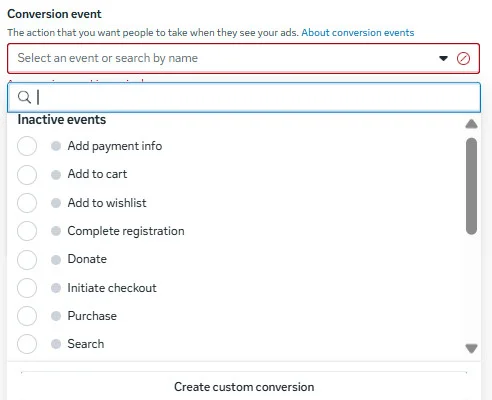
Match your CTA to your funnel stage: soft CTAs for awareness, stronger CTAs for conversion.
4. Target the Right Audience and Test Aggressively
Even the best ad won’t sell if it reaches the wrong people. Start with:
- Interest-based and behavior-based targeting
- Custom audiences from website visitors, email lists, or past customers
- Lookalike audiences to scale winning campaigns
Instead of guessing, create multiple ad sets with different audience combinations and test them. Small-budget tests can reveal which audience segments drive the most sales before you scale.
5. Optimize Using Ad Relevance Diagnostics and Tracking
Sales-driven ads require constant optimization. Meta’s Ad Relevance Diagnostics help you understand how your ads are performing across three key areas:
- Quality ranking
- Engagement rate ranking
- Conversion rate ranking
These insights show why an ad isn’t performing, not just that it isn’t. Pair this with proper conversion tracking (such as Meta Pixel) to understand:
- Which ads drive actual purchases
- Where users drop off in the funnel
- How different creatives impact conversion rates
Best Practices for Running Successful Facebook Ad Campaigns
Running profitable Facebook ad campaigns isn’t just about launching ads, it’s about consistent optimization, smart targeting, and creative testing. These best practices help businesses improve performance, control costs, and scale results over time.
1. Use Meta Pixel and Conversion Tracking Correctly
The Meta Pixel is essential for tracking actions like purchases, sign-ups, and page views on your website. Once installed, it helps you:
- Measure real conversions, not just clicks
- Retarget users who didn’t convert
- Optimize campaigns for high-intent actions
- Build lookalike audiences based on converters
Without proper tracking, scaling your campaigns becomes guesswork.
2. Keep Ad Frequency Under Control
Showing the same ad too often leads to ad fatigue and rising costs. While repeated exposure helps brand recall, too much repetition can hurt performance.
Best practice:
- Monitor frequency closely
- Refresh creatives if frequency rises and engagement drops
- Increase audience size or rotate ads to maintain balance
A healthy frequency keeps your ads visible without annoying your audience.
3. Test Creatives, Audiences, and Messaging Continuously
Testing is the fastest way to improve Facebook ad results. Even small changes can significantly impact performance.
Test variations of:
- Headlines and primary text
- Visuals (images vs videos)
- CTAs
- Audience segments
- Ad formats and placements
Let performance data guide decisions instead of assumptions.
4. Focus on High-Quality Creatives
Strong visuals often matter more than targeting. Ads that feel native, authentic, and mobile-first tend to perform better.
Creative tips:
- Use vertical videos for Stories and Reels
- Show products in real-life use
- Highlight benefits early in the ad
- Keep messaging simple and scannable
High-quality creatives improve engagement, relevance, and conversion rates.
5. Match Campaign Objective With Funnel Stage
Choosing the right objective ensures Meta delivers your ads to the most relevant users.
- Use Awareness for brand visibility
- Use Traffic or Engagement for discovery
- Use Leads or Sales for conversions
- Use Remarketing for warm audiences
A mismatch between the objective and the goal often leads to poor results.
6. Leverage Custom and Lookalike Audiences
Custom audiences allow you to target people who already know your brand, while lookalike audiences help you find similar users.
Best-performing campaigns often combine:
- Website visitors
- Past customers
- Engaged social media users
- Lookalikes based on converters
These audiences typically deliver higher ROI than broad targeting.
7. Optimize Budget and Bidding Gradually
Avoid making drastic changes too quickly. Sudden budget jumps can reset learning phases and impact performance.
Smart budgeting tips:
- Scale budgets slowly
- Shift spend toward winning ad sets
- Pause underperforming ads instead of editing them repeatedly
8. Monitor Performance Metrics That Matter
Don’t focus only on vanity metrics like likes or impressions.
Track:
- Cost per result
- Click-through rate (CTR)
- Conversion rate
- Return on ad spend (ROAS)
- Quality and engagement rankings
These metrics provide real insight into campaign effectiveness.
9. Refresh Ads Regularly
Even top-performing ads lose effectiveness over time. Rotate creatives and test new angles every few weeks to maintain performance.
Refreshing ads help:
- Reduce ad fatigue
- Improve engagement
- Lower costs over time
To make sure you don’t miss any critical steps while setting up and optimizing your campaigns, use this Meta Ads checklist to plan, launch, and review your Facebook ad campaigns more effectively.
Turn Facebook Ads Into Real Business Growth
Facebook ads remain one of the most effective ways for businesses to reach the right audience, generate demand, and drive measurable growth. With advanced targeting, flexible ad formats, and performance-driven optimization, the platform continues to deliver strong returns for brands of all sizes.
Success, however, comes from more than just launching ads. It requires thoughtful planning, consistent testing, accurate tracking, and ongoing optimization to turn ad spend into real business results.
Explore SocialPilot’s plans and start your 14-day free trial to simplify Facebook management and maximize the impact of your Facebook marketing efforts.