
That’s why many marketers look beyond Facebook’s built-in analytics. We explored 12 Facebook analytics tools for 2026, from complete social media suites with strong Facebook analytics to specialized tools built for benchmarking and social listening. Each one is categorized by what it does best, so you can quickly find the tool that fits your needs.
Quick Comparison: The Top Facebook Analytics Tools at a Glance
Before the deep dives, here’s where each tool sits and what it costs to get started. Categories matter more than rank here: a benchmarking specialist and an all-in-one platform aren’t really competing for the same buyer, even though both call themselves Analyse de Facebook des outils.
Each tool profile below also shows a coverage snapshot across six areas: Analytics, Benchmarking, Reporting, Listening, Multi-account, and Publishing.
| Outil | Idéal pour | Prix de départ | Free Tier | Analyse | Rapports | Publication |
| SocialPilot | Agencies and SMBs wanting scheduling plus analytics | $25.50/mo | No (14-day trial) |  |
|
|
| Sprout Social | Enterprises needing analytics, listening, and support in one suite | $79/seat/mo | No (30-day trial) | |
|
|
| Buffer | Solo operators and lean teams on a tight budget | $5/channel/mo | Oui | |
|
|
| NapoleonCat | Teams that live in their Facebook inbox as much as their analytics | $67/mo | No (14-day trial) |  |
|
|
| Hootsuite | Larger teams needing broad platform governance | $99/mo | No (14-day trial) | |
|
|
| Rival IQ | Marketers who need to track named competitors | $239/mo | Non | |
|
 |
| Iconosquare | Agencies wanting visual planning plus benchmarking | $33/mo | Oui | |
|
|
| Socialinsider | Data-driven teams comparing content pillars across brands | $83/mo | No (14-day trial) | |
|
|
| Brand24 | Brands tracking sentiment and mentions in real time | $199/mois | No (14-day trial) | |
|
|
| Brandwatch | Large enterprises needing AI-driven listening at scale | Sur mesure | Non | |
|
|
| Quintly (Facelift Data Studio) | Agencies needing fully custom KPI dashboards | Sur mesure | Non | |
|
|
| Keyhole | Teams measuring a specific campaign or hashtag | Quote-based | No (14-day trial) | |
|
|
Covered
a real, native feature the tool does well.
Partiel
present but limited, an add-on, or a higher-tier unlock.
Not covered
you would need a second tool for this job.
All-in-One Social Media Management with Built-In Facebook Analytics
These five platforms all do more than analytics. Scheduling, publishing, and usually an inbox come bundled in, and Facebook reporting is one part of a bigger toolkit rather than the whole product. If you’d rather manage your Page and read the numbers from the same login, and want Facebook reporting tools built into the same dashboard you already use, start here.
1. SocialPilot
The scheduling-first platform that bundles Facebook analytics into the same dashboard you publish from.
Coverage
- Analyse
- Analyse comparative
- Rapports
- Listening
- Multi-account
- Publication
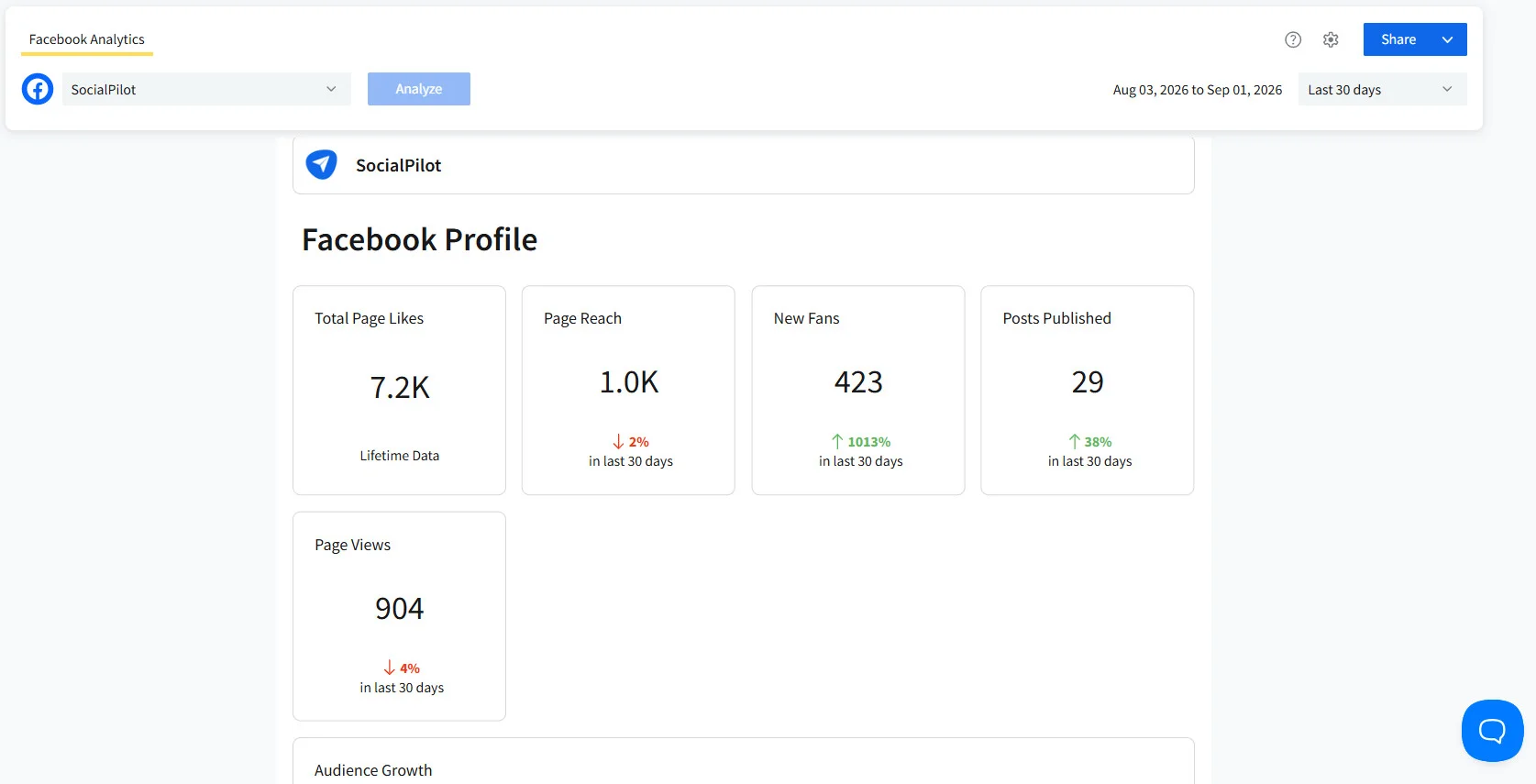
What it actually looks like: As a Facebook page analytics tool, SocialPilot pulls reach, engagement, and audience data into the same dashboard you already schedule posts from, instead of forcing you to check a separate analytics login. Reach, post performance, and audience demographics show up in a format that doesn’t need a training session to read.
Felice C., a G2 reviewer put it directly: “I like that it handles creating, scheduling, and managing posts. It has greatly helped us increase social engagement and marketing. I also like that it comes with flawless analytics features.”
SocialPilot’s advanced Facebook page analytics add a few things most entry-level dashboards skip. Custom social dashboards let you organize metrics by platform so you’re not scrolling past data that doesn’t matter to your Facebook reporting specifically, and the platform holds up to 2 years of historical data per account, enough to compare this year’s growth against last year’s instead of just the last 30 days.
For agencies, the advanced report builder combines metrics from multiple accounts into one PDF or CSV, complete with titles, descriptions, and images to explain what a client is actually looking at, and a finished report can be saved as a template and reused across similar accounts instead of rebuilt from scratch every month.
Reports can also be scheduled to send automatically or shared as a live link, and it’s white-label branding allow agencies to add their logos to every client report. However, it is worth noting that advanced analytics and white-label solutions are available in Premium and Ultimate plans, not included on Essentials and Standard.
Le site de SocialPilot MCP server takes this further by letting an AI assistant pull and generate these reports directly from a conversation instead of logging into the dashboard to build one by hand.
The Essentials plan of SocialPilot starts at $25.50 a month billed annually, covering 7 accounts on a flat plan rather than a per-seat one. Other pricing tiers are as follows:
| Ultimate | Premium | Standard | Essentials |
$170.00/mois$200
Facturation annuelle (Économisez 15 %)
|
$85.00/mois$100
Facturation annuelle (Économisez 15 %)
|
$42.50/mois$50
Facturation annuelle (Économisez 15 %)
|
$25.50/mois$30
Facturation annuelle (Économisez 15 %)
|
|
Simplifiez la gestion des réseaux sociaux
|
|||
Vérifier SocialPilot’s current pricing and plans for the full breakdown of what unlocks at each tier
What running SocialPilot standalone requires: Very little on the publishing side, it schedules, reports, and manages client Pages in one place. Competitor benchmarking is built in through its Competitor Reports, though it’s naturally lighter than a few other benchmarking specialist tools on this list. The real gap is sentiment listening, SocialPilot doesn’t track brand mentions or sentiment, so a team that needs that specifically will still want a second tool alongside it.
2. Sprout Social
The enterprise all-in-one built for teams that need organic, paid, and listening data in one report.
Coverage
- Analyse
- Analyse comparative
- Rapports
- Listening
- Multi-account
- Publication
What it actually looks like: Sprout Social blends organic and paid Facebook performance into the same view, with competitor benchmarking and listening layered in alongside reach, impressions, and engagement. It’s built for a team reporting results up to leadership, not just checking how one post did.
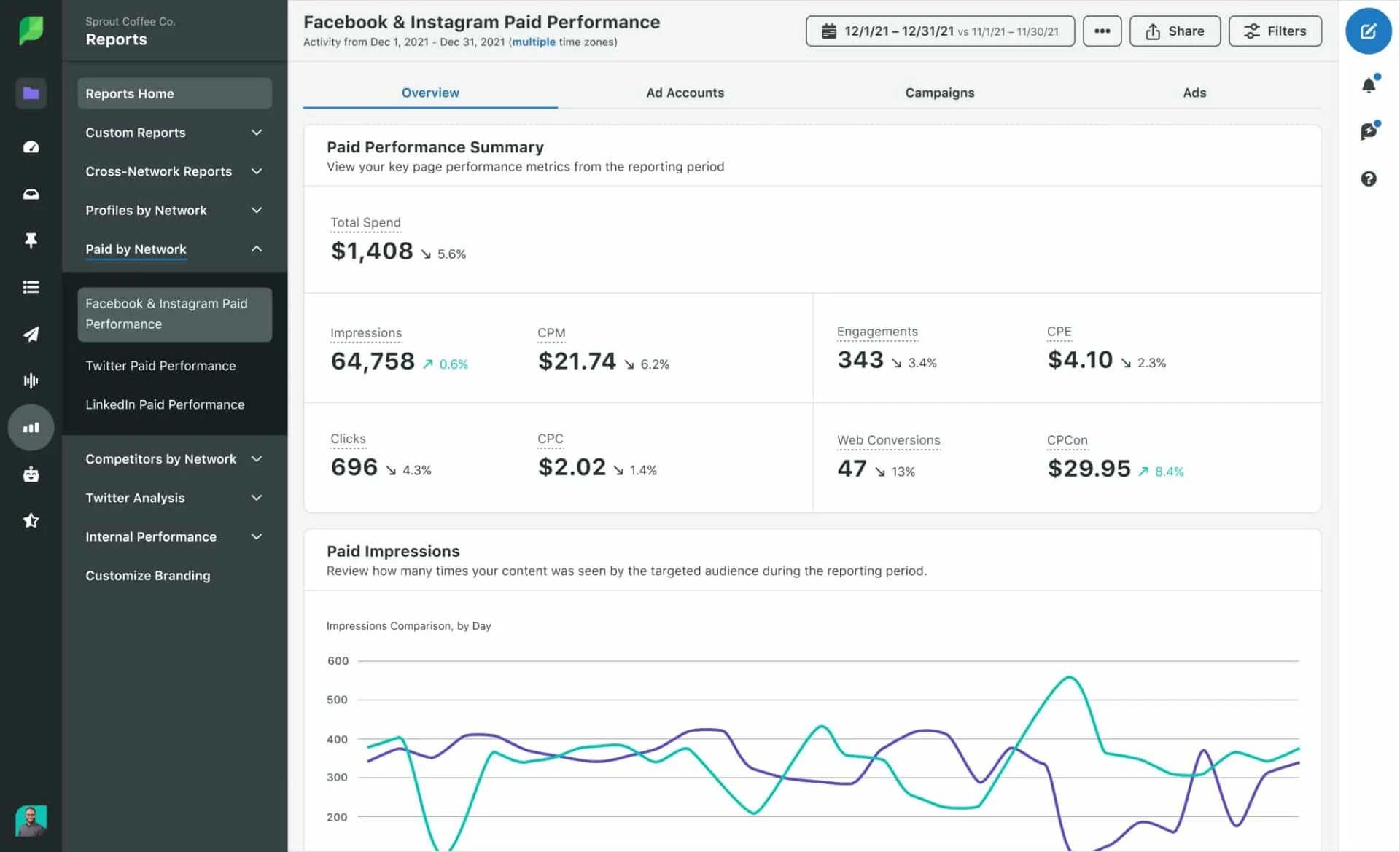
A G2 reviewer, Hannah R. noted: “I love how easy and seamless it is to navigate Sprout Social, and the customer service is very responsive whenever I have any questions. It’s pretty straightforward to set up.”
Sprout Social’s Essentials tier starts at $79 per seat a month billed annually, and pricing climbs by seat through Standard at $199, Professional at $299, and Advanced at $399, with a custom Enterprise tier above that. Read Sprout Social’s pricing breakdown before deciding which tier gets you the reporting features you need.
What running Sprout Social standalone requires: Little beyond a separate design tool for creative assets. It publishes, listens, benchmarks, and reports without needing a second platform, the tradeoff is that seat-based pricing means a five-person team pays for five full seats even if only two people touch the analytics regularly.
3. Buffer
The lean scheduler that keeps core Facebook reporting free instead of behind a paywall.
Coverage
- Analyse
- Analyse comparative
- Rapports
- Listening
- Multi-account
- Publication
What it actually looks like: Among the free Facebook analytics tools on this list, Buffer is the one that doesn’t gate its core reach and engagement dashboard behind a paid tier at all. Reach, clicks, engagement, and audience demographics show up clean and simple, without the depth of a dedicated agency tool.
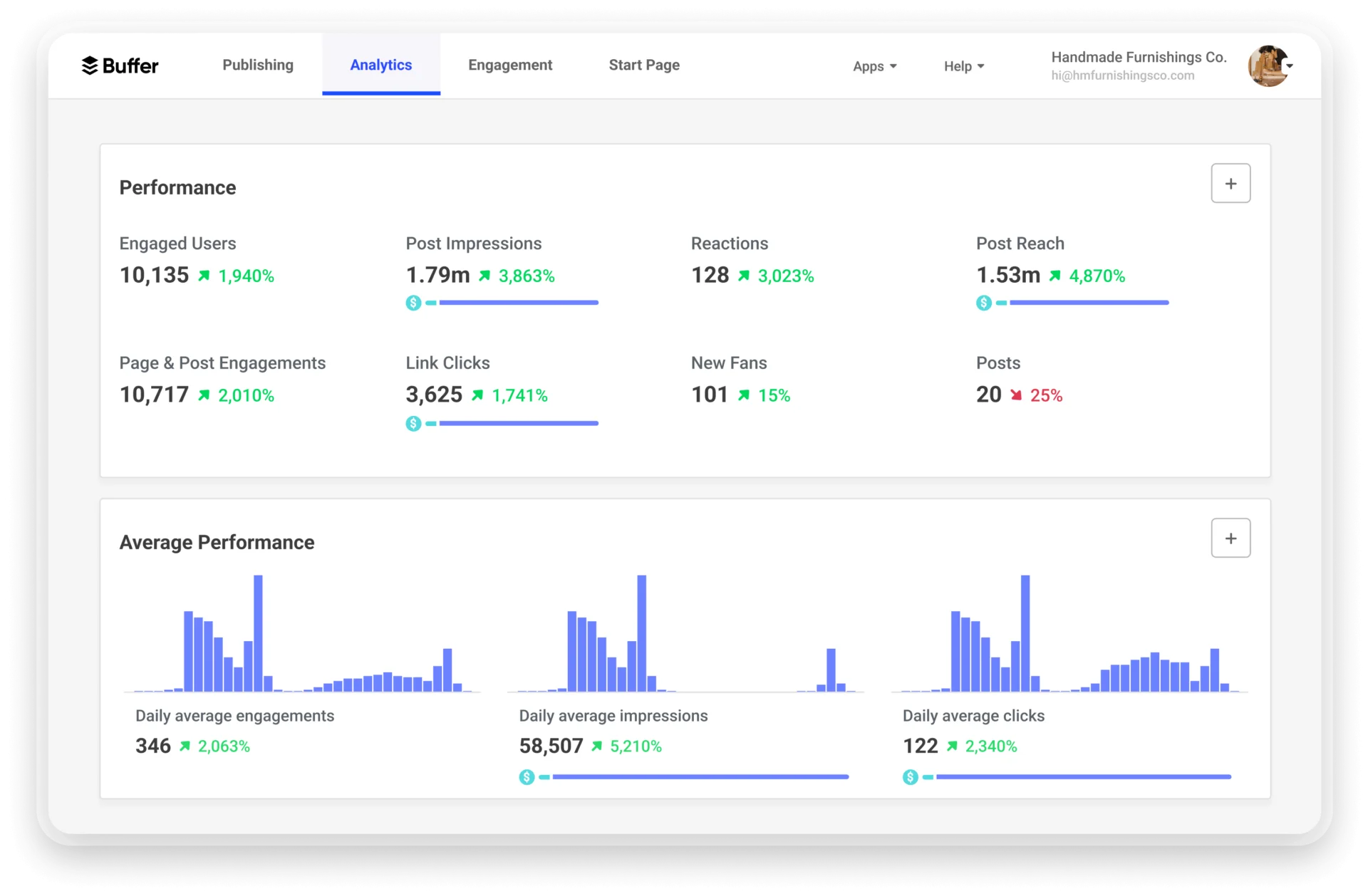
A G2 reviewer, Visal K. wrote: “Its easiness to connect with the most of the social media channels including Facebook, X, LinkedIn, Instagram, BSky. Also the free plan provides access to connect 3 channels.”
Buffer’s also has a free AI Assistant that sits right next to the analytics for drafting or repurposing a caption once you’ve spotted which post format is working. On the engagement side, Buffer Community pulls comments and mentions into one place with a Comment Score that flags which conversations need a reply first, so reading the numbers and acting on them don’t require switching tools.
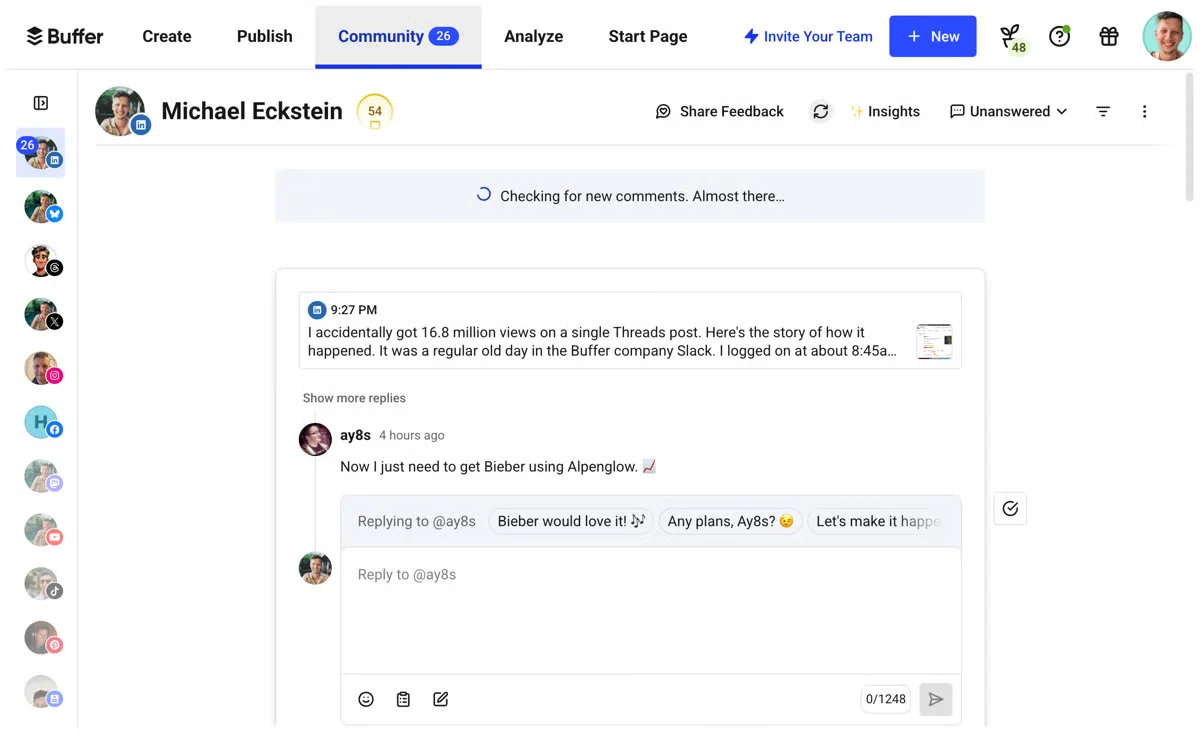
And since Buffer publishes to 11 networks including Bluesky and Mastodon, the same reporting habit you build for Facebook carries over instead of needing a separate analytics routine per platform.
Buffer’s Free plan covers 3 channels with core scheduling and basic analytics. The Essentials tier runs $5/channel/month annually, and the Team tier is $10/channel/month, with unlimited team members included even at that price. See Buffer’s full pricing plans for how the per-channel model compares once you connect more than a couple of Pages, and check our Buffer alternatives guide if the per-channel cost stops making sense past a certain account count.
What running Buffer standalone requires: A separate tool the moment competitor benchmarking or sentiment listening becomes a priority, Buffer doesn’t do either. Multi-client agency features like shared client access are also thinner than on dedicated agency tools.
4. NapoleonCat
The inbox-first platform built for Pages that live or die by comment response time.
Coverage
- Analyse
- Analyse comparative
- Rapports
- Listening
- Multi-account
- Publication
What it actually looks like: NapoleonCat centers on a combined social inbox: every Facebook comment, message, and mention in one place, with auto-moderation filtering out spam automatically. Its analytics, covering reach, engagement, and audience growth, ride alongside that inbox rather than being the main event.
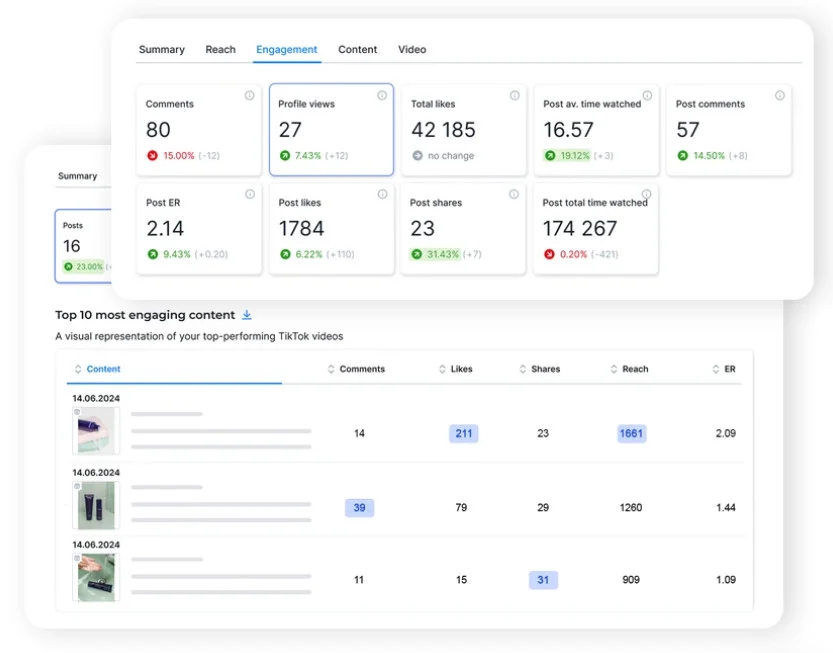
A G2 reviewer, Riya Srivastav said: ” We’ve been using NapoleonCat for automating Facebook and Instagram comments and DMs, and it’s been a useful addition to our workflow. It has helped us respond to customer interactions faster and manage social engagement more efficiently.”
The tool also comes with an auto-moderation feature that goes beyond just hiding spam: you can set rules to filter or auto-respond to repetitive questions, which matters on a Facebook Page running paid promotions where the same three questions show up under every ad.
For 2 users and 5 social profiles, NapoleonCat’s Standard plan costs $67 a month, Pro runs $82 a month, and Expert reaches $105 a month, when billed annually. It’s Enterprise pricing starts from $465 a month.
What running NapoleonCat standalone requires: A dedicated benchmarking or listening tool alongside it if either becomes a priority, NapoleonCat’s own analytics stay basic by design. To be direct about it, the platform’s real strength is moderation and inbox management, not reporting depth.
5. Hootsuite
The long-running all-in-one tool built for breadth across every network you manage, not just Facebook.
Coverage
- Analyse
- Analyse comparative
- Rapports
- Listening
- Multi-account
- Publication
What it actually looks like: As a Facebook analytics tool, Hootsuite tries to be a home base for every connected platform at once, covering engagement, reach, follower growth, and competitive benchmarking, with social listening layered in as you move up the pricing tiers.
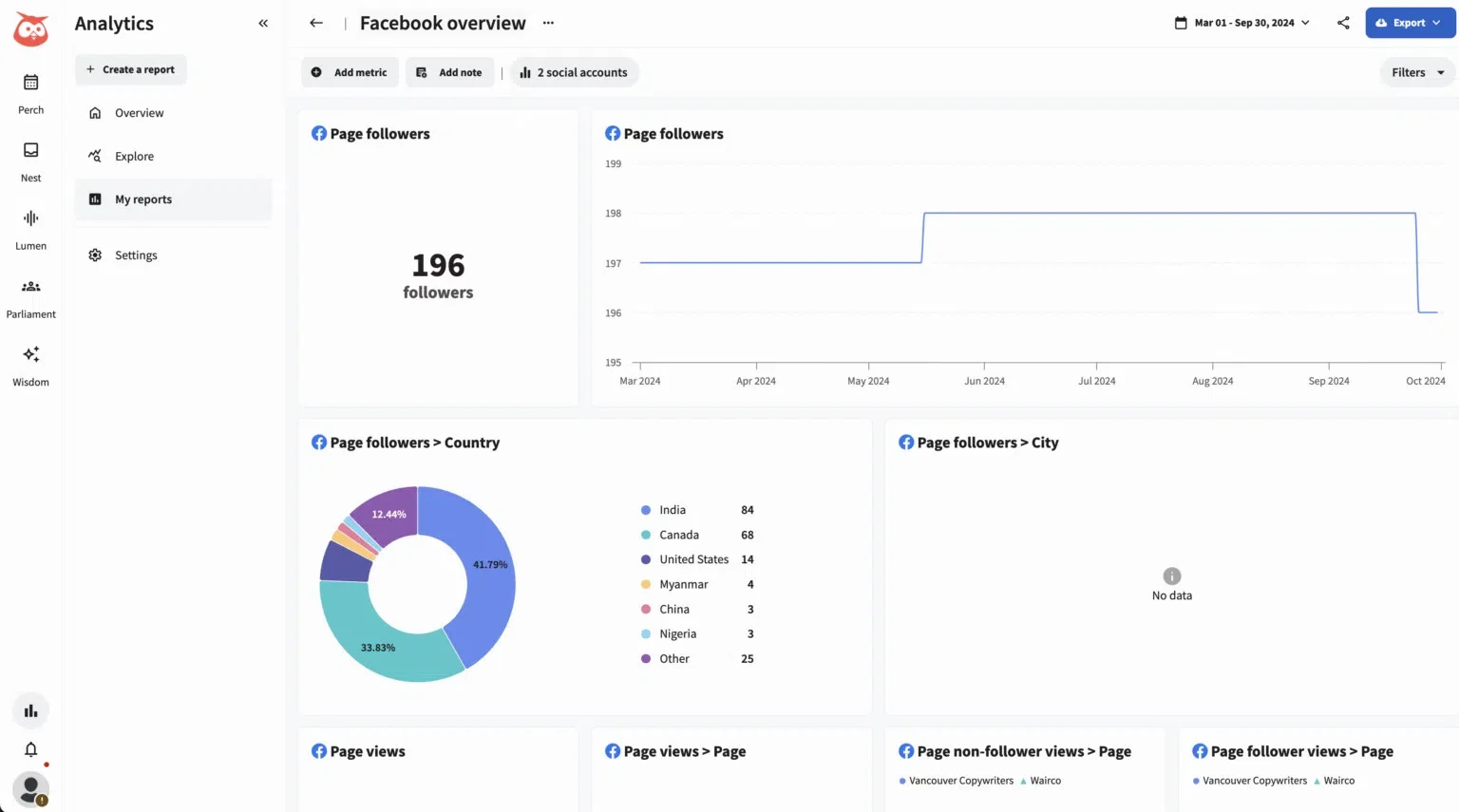
Nathan I., a G2 reviewer shared: “I like that Hootsuite’s interface is simple to use and doesn’t require a tech background to understand. It’s very intuitive and easy to navigate, allowing us to quickly gather information about our posts and anything we’re tracking.”
OwlyWriter AI sits inside the platform for drafting captions or repurposing an older post that performed well, which speeds up the loop between spotting a winning post in analytics and publishing something similar.
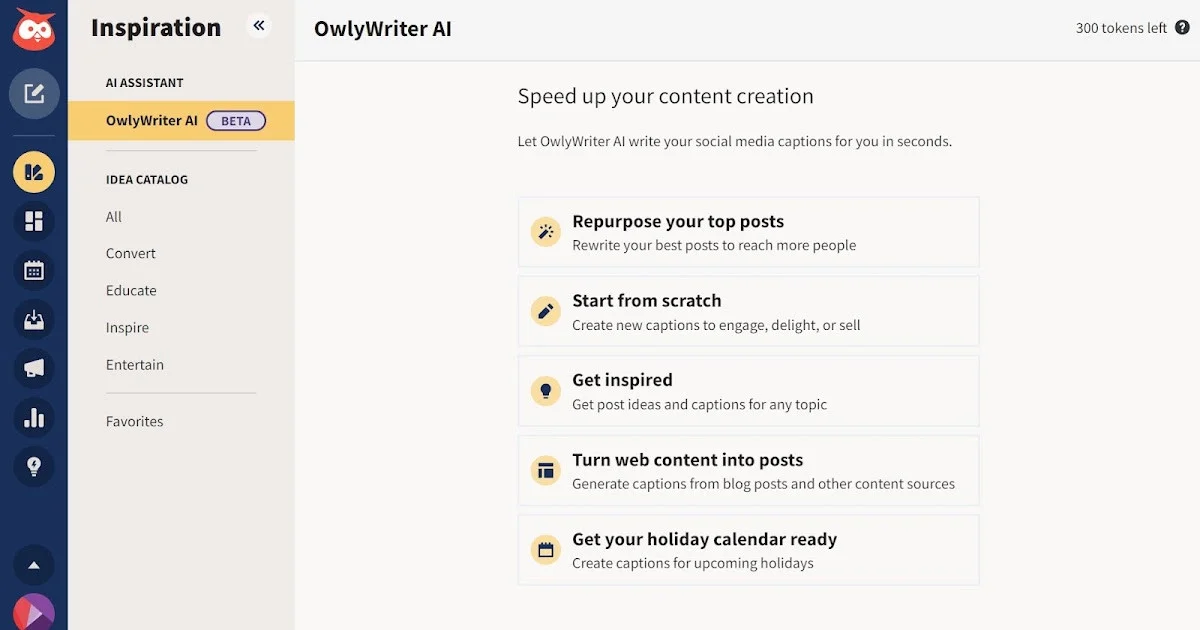
Hootsuite also partners with Upfluence for influencer marketing, so a brand tracking which creators are actually moving the needle on a campaign doesn’t need a fully separate tool for that piece.
Hootsuite’s paid plans start at $99/seat/mo for Standard tier, $199/seat/mo for Professional tier and $399/seat/mo for Advanced plan, with Enterprise priced on request. Our Ventilation des prix de Hootsuite walks through what each tier actually unlocks before you commit.
What running Hootsuite standalone requires: If you want Hootsuite’s best mention-tracking tool (Talkwalker), you must upgrade to the Enterprise plan which hides behind a custom quote. Also, Hootsuite tries to show data for every app you connect, not just Facebook, so the Facebook part can feel a little cluttered and harder to read.
Competitive Benchmarking and Analytics-First Tools
These three tools do one specific job that all-in-one platforms don’t do well: they compare your Facebook Page directly against your competitors’ Pages, not just your own numbers. If you’re tired of only seeing your own reach and engagement with no idea how that stacks up against the competition, this is the category for you.
6. Rival IQ
The benchmarking specialist built to answer one question: how do you compare.
Coverage
- Analyse
- Analyse comparative
- Rapports
- Listening
- Multi-account
- Publication
What it actually looks like: Rival IQ tracks your Page against named rivals rather than just watching your own numbers in isolation, surfacing which of a competitor’s posts are working, what hashtags they lean on, and how your engagement stacks up over time. It also gives Best Time to Post guidance, but built from aggregated audience data across your tracked group of Pages.
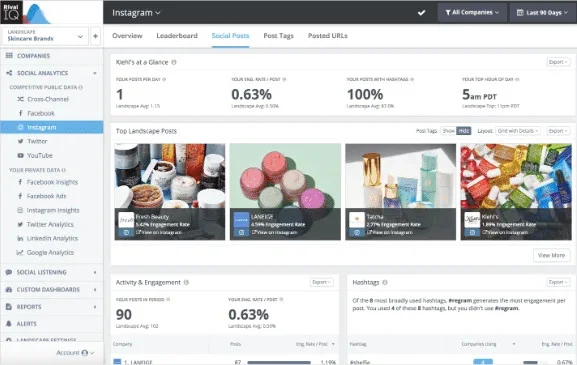
Rival IQ isn’t Facebook-only either, it covers Instagram, X, TikTok, LinkedIn, and YouTube too, so the same competitor list you set up for Facebook carries over when you want to check how a rival is doing on another platform.
That’s also the basis of social media audit with Rival IQ: one report that lines up your Page and a handful of named competitors side by side on the same metrics. Barika P., a G2 reviewer called it: “my go-to tool whenever I need to perform a social media audit.”
Rival IQ’s Drive plan starts at $239 a month for 10 tracked companies and 6 months of history. Engage moves to $349 a month for 20 companies and a year of history, and Engage Pro reaches $559 a month for 40 companies with 24 months of data.
What running Rival IQ standalone requires: A separate scheduler entirely, Rival IQ doesn’t publish or manage your Page, it only measures it against named rivals. Historical data availability has also felt stagnant to some long-term users.
7. Iconosquare
The visual-planning tool that pairs a content calendar with real competitor benchmarking.
Coverage
- Analyse
- Analyse comparative
- Rapports
- Listening
- Multi-account
- Publication
What it actually looks like: Iconosquare pairs Facebook profile analytics with visual content planning, so engagement, reach, follower growth, and competitor benchmarking all live in the same dashboard as your content calendar.

A G2 reviewer, Karli W., said that benchmarking here: “made monthly reporting a breeze at our agency.”
It also has a calendar view showing exactly how a scheduled Facebook post will look before it goes live, which catches a mismatched image or an awkward caption before it’s public rather than after.
Iconosquare also isn’t Facebook-only, the same analytics and calendar cover Instagram and TikTok too. It also has built-in AI content suggestions for when you’re stuck on what to post next, and a unified conversations inbox pulls comments and messages into the same place you’re already checking analytics.

Iconosquare’s Free plan covers 2 profiles and 1 user with limited posting. Paid plans start at the Launch tier for $33 a month for 5 profiles, Scale runs $69 a month, and Excel reaches $116 a month for larger teams.
What running Iconosquare standalone requires: Little beyond a dedicated listening tool if sentiment tracking becomes a priority, otherwise it covers planning, analytics, and benchmarking together. Pricing does climb quickly once you need more than a handful of profiles.
8. Socialinsider
The data-heavy specialist built to isolate which content pillar is actually driving results.
Coverage
- Analyse
- Analyse comparative
- Rapports
- Listening
- Multi-account
- Publication
What it actually looks like: Socialinsider lets you filter performance by content pillar, isolating exactly which type of post is driving results, then compares that against named competitors instead of reporting your numbers in isolation.
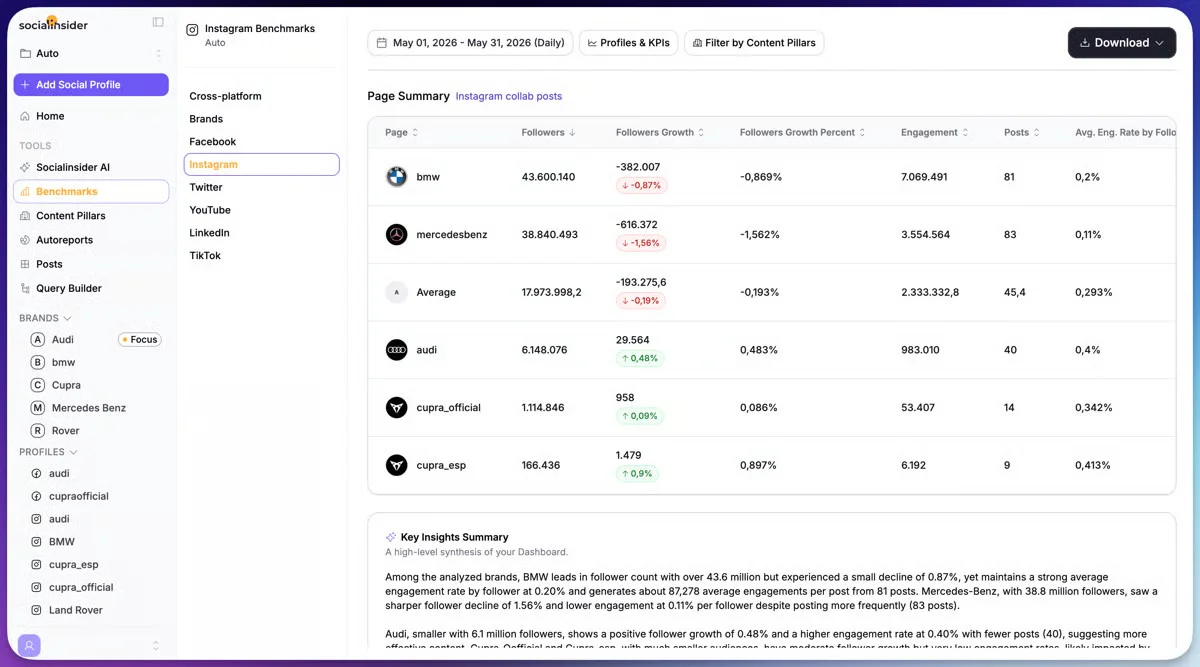
It’s pillar system lets you tag posts by category, like product launches, educational content, or user-generated content, so you can see which type of Facebook post actually earns engagement. Audience analytics sit alongside that, breaking down who’s actually engaging by demographics so you’re not just optimizing for reach, but for the right audience.
A Capterra reviewer, Cosmin F., noted that benchmarking here “works great after the initial setup,” though setup itself “took a while” for larger projects.
Socialinsider’s Adapt plan starts at $83 a month billed annually for up to 20 social accounts and 3 months of history. Optimize runs $124 a month with 6 months of history, and Predict reaches $199 a month with a full year of data, with a custom Enterprise tier above that.
What running Socialinsider standalone requires: A separate publishing tool entirely, Socialinsider measures performance but doesn’t schedule posts. The depth of options can also feel complex to someone new to the platform.
Social Listening and Brand Monitoring Tools
Neither of these two tools schedules posts as it’s main job. Instead, these tools help you understand what people are actually saying about your brand on Facebook and everywhere else, and is that sentiment shifting in a direction you need to react to.
9. Marque24
The listening tool built to catch a sentiment shift before it becomes a reputation problem.
Coverage
- Analyse
- Analyse comparative
- Rapports
- Listening
- Multi-account
- Publication
What it actually looks like: If your real need is a Facebook sentiment analysis tool rather than a scheduling platform with basic monitoring bolted on, Brand24 treats Facebook as one channel among many it watches for brand mentions and sentiment shifts in real time.

Reflex S., a G2 reviewer says that: “This tool makes it simple to track the progress of our brand’s online visibility, monitor relevant mentions, and keep an eye on our competitors and their performance.”
Every mention here gets tagged by source (Facebook, Instagram, X, TikTok, news sites, podcasts, blogs, and general web) so you can see at a glance whether a spike in conversation is actually happening on your Facebook Page or bleeding in from somewhere else entirely.
Brand24’s Individual plan runs $199 a month billed annually (or $249 billed monthly) for 3 keywords and 2,000 mentions a month. Team steps up to $299 a month, Pro to $399, and Business to $599, with Enterprise starting near $1,499 a month for larger monitoring needs.
What running Brand24 standalone requires: A separate scheduler and a separate benchmarking tool, Brand24 tracks mentions and sentiment but doesn’t publish content or compare named competitor Pages directly. Monitoring inside private Facebook groups is also limited.
10. Brandwatch
The enterprise listening platform built to watch everything said about your brand at scale.
Coverage
- Analyse
- Analyse comparative
- Rapports
- Listening
- Multi-account
- Publication
What it actually looks like: Brandwatch combines AI-driven sentiment analysis with publishing and workflow tools, built for organizations that need to monitor conversation volume and brand health at a scale most of the other tools on this list aren’t designed for.
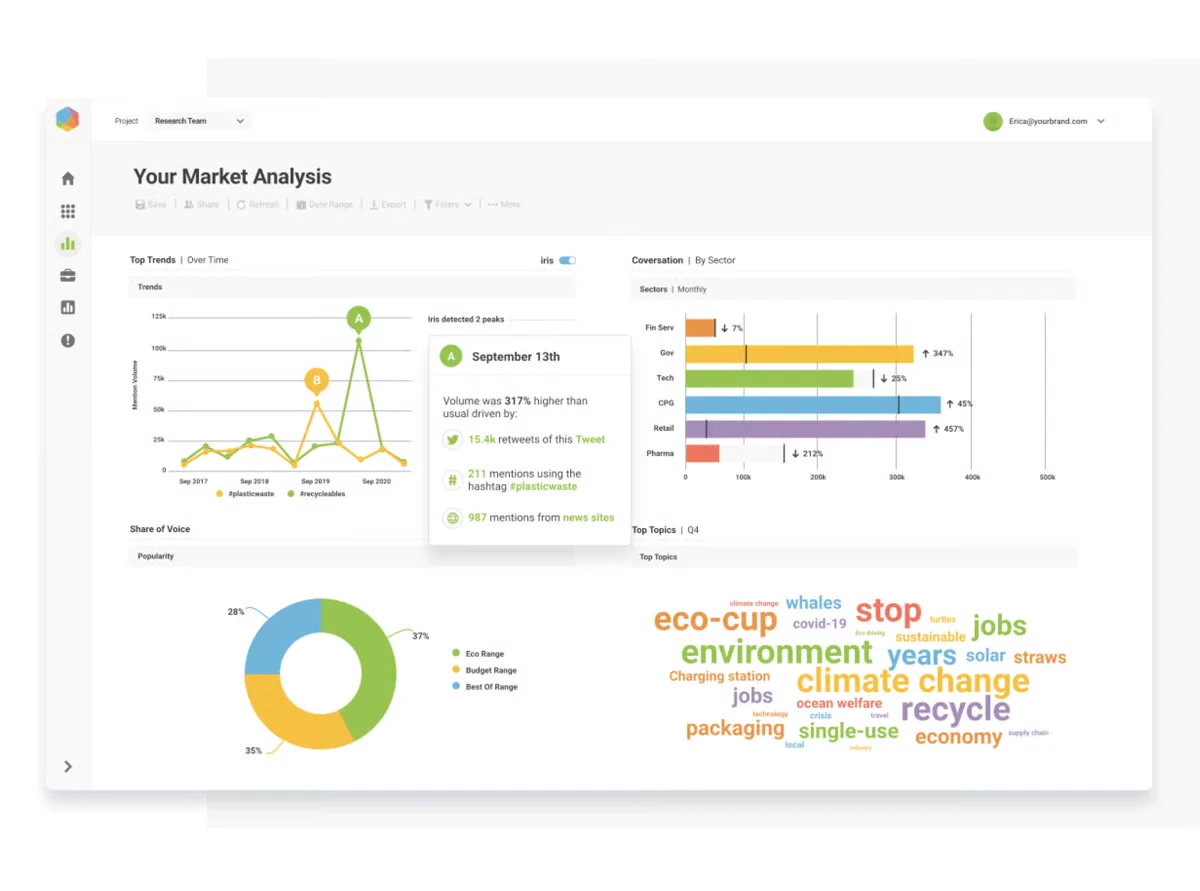
Its Iris AI assistant lets you ask questions about your data in plain English, which cuts down the time a research team spends digging through raw mentions. Visual listening adds image and logo recognition on top of text, so a photo of your product or a screenshot with your logo in it gets picked up even if the caption never mentions your brand by name.
A G2 reviewer, Connor M., shared: “We use it every day to better understand consumer sentiment about our brand and how people are responding to it.”
Brandwatch doesn’t publish self-serve pricing. Every plan is quote-based through a sales conversation, and it’s positioned squarely at the enterprise end of the market.
What running Brandwatch standalone requires: A real budget and a longer onboarding runway, there’s no self-serve entry plan, and getting full value out of a platform this deep takes real setup time. Teams outgrowing a smaller listening tool can check our Brandwatch alternatives guide for options that scale up more gradually.
Deep Custom Reporting and BI-Style Analytics
If your team needs to build a fully custom dashboard rather than work inside someone else’s template, this category serves a different purpose than everything above it. It trades ease of setup for full control over what gets measured and how.
11. Quintly (Facelift Data Studio)
The BI-style platform built for teams that define their own KPIs instead of accepting a template.
Coverage
- Analyse
- Analyse comparative
- Rapports
- Listening
- Multi-account
- Publication
What it actually looks like: Facelift Data Studio, formerly known as Quintly before its acquisition, lets agencies and larger teams define their own KPIs rather than accept a vendor’s default dashboard, pulling Facebook data into fully custom, side-by-side comparisons alongside other networks.
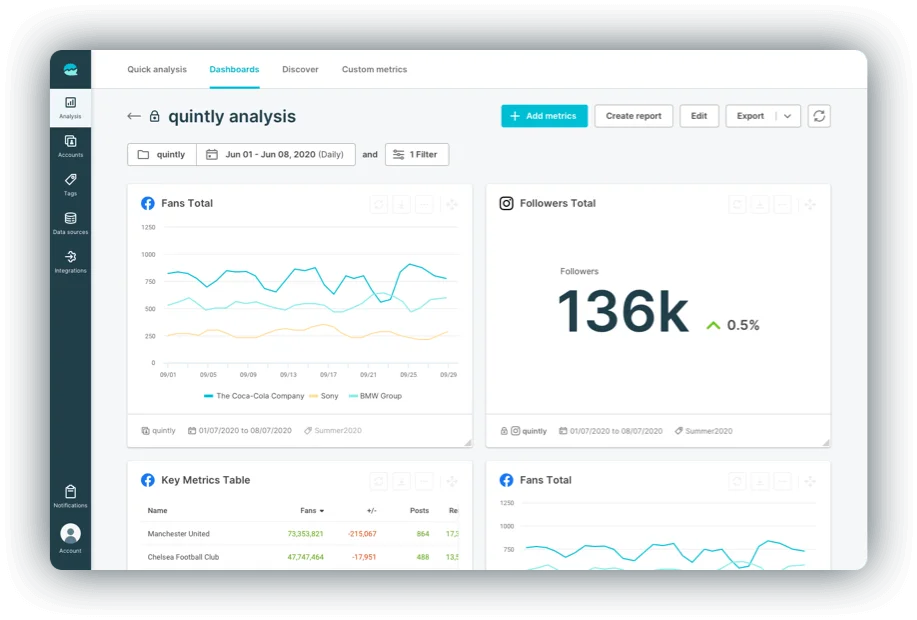
Its metric library runs into the hundreds, so instead of picking from a fixed set of pre-built charts, you combine individual data points into formulas that match how your organization actually defines success. Raw data can be pulled out through an API or exported directly. Also, for agencies managing several client accounts, white-label PDF and PowerPoint reports can be branded and scheduled to go out automatically.
Sakshi F., a G2 reviewer wrote: “Quintly is an excellent social media analytics tool that helps businesses track and optimize their online presence.”
Facelift Data Studio doesn’t list self-serve pricing and requires a custom quote. Third-party pricing trackers, including G2’s listing for the product, cite a starting point near €1,199 a month for its Professional tier.
What running Facelift Data Studio standalone requires: A separate scheduler and a separate listening tool, it measures and compares but doesn’t publish content or track sentiment. The learning curve is also steep for a team new to KPI-based dashboard building, and there’s no native mobile app.
Campaign and Hashtag Performance Tracking
This last category answers a narrower question than everything above it: how is one specific campaign or hashtag actually performing, right now, across the accounts and creators involved in it.
12. Keyhole
Keyhole which is now a part of “Muck Rack” is a real-time tracker built to measure one campaign or hashtag as it happens.
Coverage
- Analyse
- Analyse comparative
- Rapports
- Listening
- Multi-account
- Publication
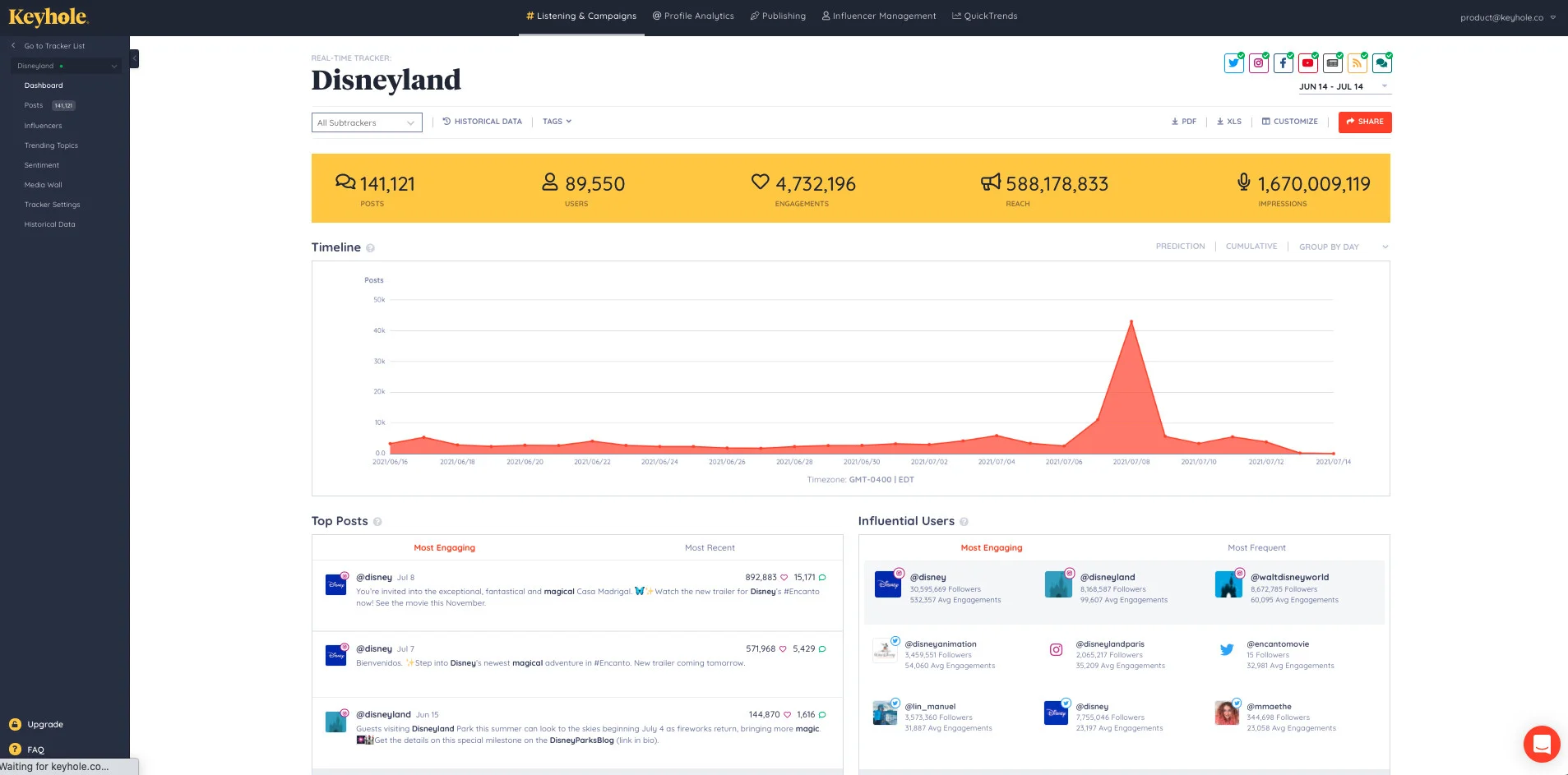
What it actually looks like: If you’re running a defined campaign and need to see engagement and reach on a specific hashtag as it happens, Keyhole is built around real-time campaign and hashtag tracking rather than ongoing Page management.
A G2 reviewer, Annelise L., said: “I’ve been using Keyhole almost since the beginning and what I love best is the flexibility.”
Keyhole’s share-of-voice metric shows how your campaign’s hashtag volume stacks up against a competitor’s or an industry benchmark, which matters when a client wants to know if a launch actually moved the needle.
Keyhole doesn’t publish exact pricing on its site. Plans are quote-based and scale with the number of trackers and historical data access you need.
What running Keyhole standalone requires: A separate scheduler entirely, Keyhole tracks a campaign’s performance but doesn’t publish the content driving it. Some users have also raised questions about data accuracy in side-by-side comparisons.
Where Facebook’s Own Native Tools Already Have You Covered
Before you pay for any of the 12 tools above, it’s worth knowing exactly what Meta already gives you for free, and why so many people end up looking past it anyway.
Facebook Page Insights and Meta Business Suite
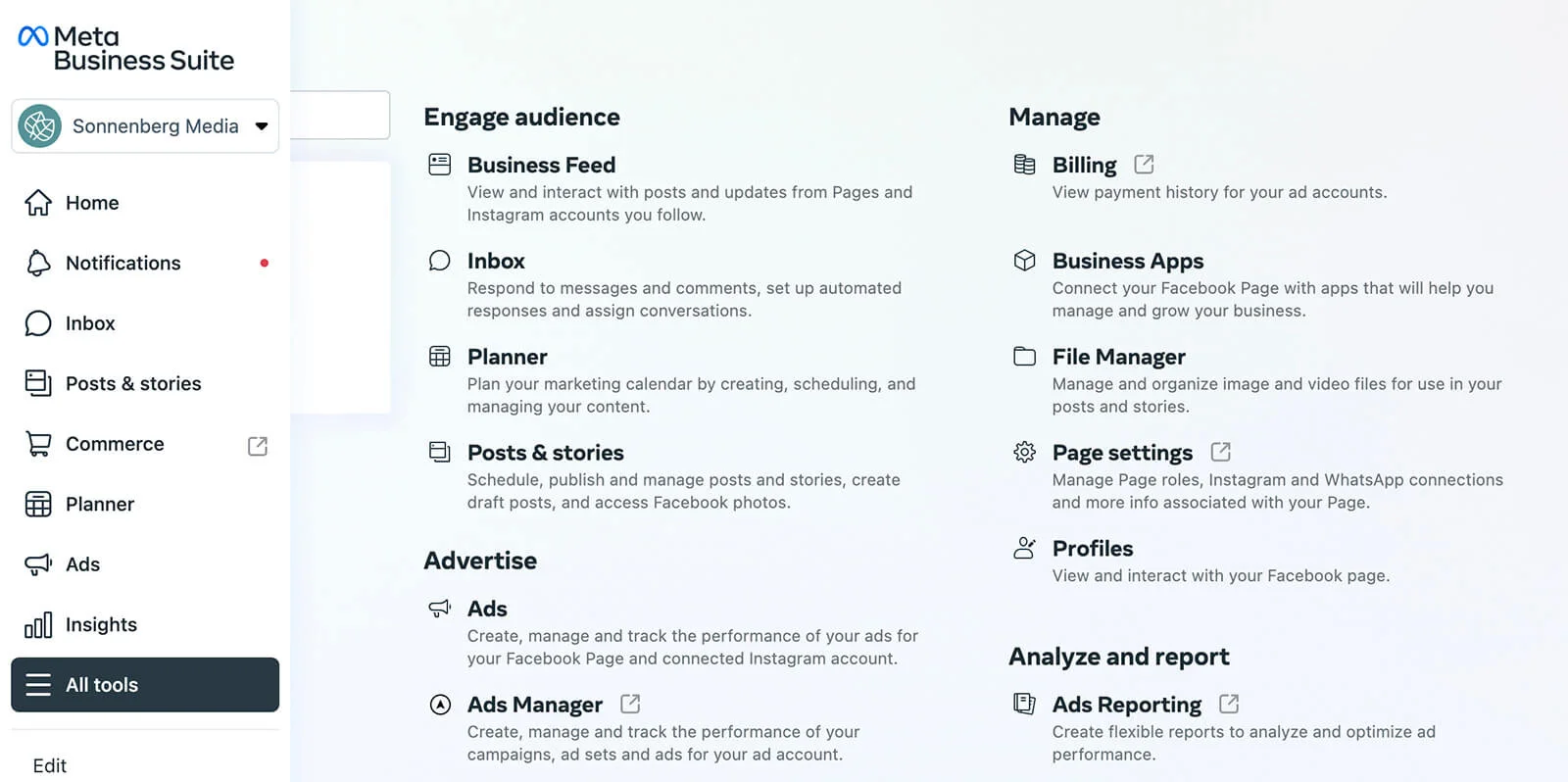
Meta Business Suite is the current home for native Facebook page analytics, covering reach, engagement, follower growth, and basic ad performance for both Facebook and Instagram from one dashboard. It’s free, it comes with every Page by default, and for a single business posting occasionally, it covers the basics.
What it doesn’t do is track a competitor’s Page, benchmark your performance, or hold more than a limited window of historical data, since Meta built it to manage your own presence, not compare it against the field.
Why Meta Deprecated Facebook Analytics
Meta shut down its original Facebook Analytics product in 2021 and folded reporting into Meta Business Suite, Ads Manager, and Events Manager instead. That split is a real reason people end up hunting for a Facebook insights tool that consolidates things back into one place.
It’s also worth knowing native reporting has had real accuracy problems before: Facebook once confirmed a bug in its mobile apps stripped out impression-tracking markers. That history is exactly why a lot of teams stop trusting native numbers as the only source of truth.
When a Third-Party Tool Is Still Worth It
If you manage just one Page and never need to compare your numbers against anyone else’s, Meta Business Suite alone might genuinely be enough. The moment you need competitor benchmarking, sentiment tracking, multi-client white label social media reporting, or more than a few months of history to spot a real trend, that’s when a tool above starts earning its price instead of duplicating something already free.
How to Choose the Right Facebook Analytics Tool
Start with the job, not the feature list. Match your actual use case to a category below, then check the practical details before you commit.
- Managing your own Page or a handful of client accounts, want scheduling bundled with reporting: Start with the All-in-One category. SocialPilot, Buffer, and NapoleonCat all cover this need at a lower cost than the bigger suites.
- Competitor comparison is the main reason you’re shopping: Skip the all-in-one platforms and go straight to Rival IQ, Iconosquare, or Socialinsider. None of the general suites benchmark as deeply.
- Sentiment and brand-wide mention tracking matter more than scheduling: Brand24 or Brandwatch will do more for you than any built-in listening tab.
- Your team has outgrown template reporting: Look at Facelift Data Studio for custom KPI building instead.
- You’re tracking one campaign or hashtag rather than managing a Page on an ongoing basis: Keyhole is the more precise choice.
Before committing to any tool: Verify the free tier or trial actually covers your account count, and check that the historical data window matches how far back you’ll realistically need to look.
How We Tested and Curated This List
Transparency matters more here than a confident-sounding ranking, so here’s exactly what went into this list and where the limits of that research sit.
What We Actually Did
- Cross-checked every price above against each vendor’s own current pricing page.
- Pulled every review quote from an attributed, verified reviewer on G2 or Capterra.
- Scored each tool’s coverage across analytics, benchmarking, reporting, listening, multi-account, and publishing based on its own current product pages.
- Grouped all 12 tools by the actual job they’re built to do, rather than by company size, since most serve businesses of very different sizes on the same pricing page
What We Couldn’t Verify
- Pricing on quote-only tools like Brandwatch, Keyhole and Facelift Data Studio isn’t public, so figures for those two tools couldn’t be verified.
- We also didn’t independently test uptime or long-term data accuracy across months of daily use, since that needs a longer testing window.
- Where a claim is vendor-stated rather than independently confirmed, that’s noted in the section it appears in.
Where This Leaves You on Facebook Analytics Tools
The honest answer to “which Facebook analytics tool is best” depends entirely on which of the five jobs above actually matches your week: managing a Page day-to-day, proving you’re beating a competitor, catching a sentiment shift early, building a fully custom dashboard, or tracking one campaign in real time. Pick the category first, and the right tool on this list gets a lot easier to spot.
If your situation is scheduling and reporting together without an enterprise price tag, SocialPilot’s plans are worth a look, and you can try the analytics firsthand with a 14-day free trial before deciding if it fits how your team actually works.
Questions fréquemment posées
Qu'est-ce que l'analyse de Facebook peut vraiment vous apprendre ?
Facebook analytics reveal engagement patterns, follower growth, reach, and click-through rates, along with which posts and Reels are actually performing. They also show peak audience activity times and, on more advanced tools, how paid and organic traffic each contribute to real conversions rather than just views.
How do you use Facebook analytics to grow your Page?
Start by reviewing which posts drove the most engagement relative to reach, then schedule future content around your audience's most active hours. Use demographic data to sharpen who you're targeting, and check ad performance alongside organic results so paid spend and content strategy reinforce each other.
Quel est le meilleur outil d'analyse de Facebook en 2026 ?
The answer changes based on the job. Sprout Social and Hootsuite suit teams wanting one broad all-in-one platform, Socialinsider and Rival IQ lead on competitive benchmarking, Brand24 and Brandwatch cover sentiment and listening, and SocialPilot is a strong fit if you want scheduling and solid analytics together without enterprise pricing.
What's the best free Facebook analytics tool for small businesses?
Meta Business Suite is free and covers the basics. Buffer also offers genuinely free core reporting on its 3-channel plan, and Iconosquare's free tier covers 2 profiles, both useful once you want reporting slightly deeper than Meta's own dashboard.
Can you download Facebook analytics reports?
Yes. Meta Business Suite supports basic report downloads directly from its dashboard. Third-party tools like SocialPilot, Sprout Social, and Brandwatch go further, offering customizable PDF and CSV exports.
How do I see my Facebook analytics?
Open Meta Business Suite, select your Page, and go to the Insights tab to see reach, engagement, and follower data. For deeper reporting, connect your Page to a third-party Facebook analytics tool like the ones covered above.
What are the top 10 analytics tools?
Among the tools covered here, SocialPilot, Sprout Social, Buffer, Hootsuite, and NapoleonCat lead the all-in-one category, while Rival IQ, Iconosquare, Socialinsider, Brand24, and Keyhole round out the top 10 for benchmarking, listening, and campaign-specific tracking, depending on which job you need done.
What is the best free social media analytics tool?
Buffer offers the most complete free analytics across multiple platforms, not just Facebook, on its 3-channel plan. Meta Business Suite is the strongest option if you only need Facebook and Instagram data specifically, and Iconosquare's free tier is worth a look if visual planning matters as much as reporting.
A propos de l'auteur