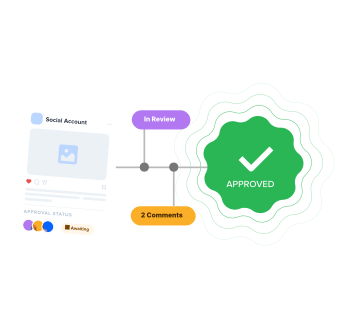

Managing social media content sounds simple until multiple people are involved. Teams, clients, designers, and managers all need to review and approve content before it goes live. Without a clear system, things quickly get messy.
Feedback gets scattered across emails and messages, revisions get missed, and approvals become unclear. In fact, Sprout Social’s research shows 63% of social media managers say managing approvals and feedback is one of their biggest workflow challenges, especially when multiple clients and stakeholders are involved.
This is where social media approval software makes a real difference. It brings everything content, feedback, and approvals, into one place so teams can work faster and avoid mistakes.
In this guide, we’ll break down the 7 best social media approval tools, including their features, pricing, and which one fits your workflow or team size the best.
What to Look for in Social Media Approval Software
Before picking a tool, it helps to know what actually matters for approval workflows. Not every feature carries the same weight. Here’s what separates a solid social media approval tool from one that just checks a box.
1. No-Login Client Approval
Your clients don’t want another login. The best social media approval tools let clients review and approve content through a shareable link, no account creation, no passwords, no training. If the tool requires your client to sign up before they can say “looks good,” expect delays.
Real-world example: A social media manager shared they’re constantly chasing CEO approvals in a 7-person team. “I don’t always hear back from him promptly,” they posted on Reddit. With notification alerts and no-login access, busy executives can comment or approve in seconds from the elevator or parking lot in seconds, eliminating endless follow-ups.

2. Multi-Step and Role-Based Workflows
A two-person team might only need a simple approve/reject toggle. But if your content passes through a copywriter, designer, account manager, and then the client, you need multi-step workflow approval with role-based permissions. Look for tools that let you define who approves what, and in what order.
This is one of the most common frustrations agency owners share in online communities, content bottlenecks caused by unclear approval chains.

3. In-Context Feedback and Comments
Approvals without context create more work. Your tool should let reviewers leave comments directly on the post, ideally with platform-specific previews so everyone can see exactly how the content will look on Instagram, LinkedIn, or Facebook before it goes live.
4. Audit Trail and Activity Logs
When something goes wrong (and eventually, it will), you need a clear record of who approved what, when, and what changes were made. Activity logs protect both your team and your client relationships.
5. Publishing Integration
A social media team approval tool that doesn’t connect with your scheduling and publishing workflow only adds extra steps. The best social media approval software lets you move seamlessly from “approved” to “scheduled,” eliminating the need to copy and paste content between platforms. Because many businesses and agencies still rely on email or messaging apps for approvals, like the example shared by a social media manager in a Reddit community, and through those platforms they can’t publish or schedule posts directly.

6. Real-Time Notifications and Escalations
Social media content approvals are often delayed simply because someone forgot to respond or review. A good tool should send automated reminders for pending approvals and allow escalation rules (e.g., notify a manager if a post isn’t approved within 24 hours). This keeps campaigns moving and prevents missed publishing windows.
7. Seamless Integration with Your Existing Stack
Your approval software shouldn’t operate in isolation. Look for tools that integrate with platforms like Slack, Image editing tools, or AI writing tools, along with native connections to social platforms such as Instagram and LinkedIn. This reduces context switching and keeps your workflow centralized.
8. Flexible Pricing Model
Most tools pricing structures vary based on per user, per workspace, or fixed price. A tool that seems affordable for a small team can quickly become expensive as you scale. Choose a pricing model that aligns with your current size and future growth.
Quick Comparison: Best Social Media Approval Software at a Glance
To make your decision easier, here’s a quick comparison of the top social media approval tools. This table highlights key differences in pricing, approval workflows, and collaboration features. Use it as a starting point before exploring each software in detail.
 SocialPilot |
 Planable |
 Loomly |
|
|---|---|---|---|
| Best For | Ideal for agencies & teams | Visual collaboration and approval for teams | Budget-friendly approval tool |
| Starting Price | $50/month | $39/workspace/month | $65/month |
| Approval Workflow |  (Premium) (Premium) |
|
(all plans) |
| Multi-Level Approval | |
|
Limited |
 -Login Client Approval -Login Client Approval |
|
|
|
| Visual Post Previews | |
|
|
| Bulk Scheduling | |
|
|
| AI Assistance | |
Limited | Limited |
| Social Inbox | |
Limited | Limited |
| Supported Platforms | 10+ | 8+ | 8+ |
| White-Label Reporting | |
|
|
| Customer Support | 4.5/5 (Capterra) | 4.5/5 (Capterra) | 4.7/5 (Capterra) |
| Overall Rating | 4.5/5 (G2) | 4.6/5 (G2) | 4.6/5 (G2) |
7 Best Social Media Approval Software in 2026
Before choosing a tool, it helps to understand how each platform handles approvals and collaboration. A social media approval workflow is typically a structured process where content moves through drafting, review, and final sign-off before publishing.
Here are some of the best social media approval tools, along with their features, pros, cons, and other key details you need to know:
Rating: 4.5/5 (G2) | 4.4/5 (Capterra)
Pricing for Approval Workflow: Standard at $50/month
Social Media Platforms Supported: Facebook, Instagram, TikTok, X (Twitter), LinkedIn, Pinterest, YouTube, Google Business Profile, Threads, Bluesky
About SocialPilot:
SocialPilot is designed for agencies and teams that need a simple way to manage content approvals across multiple clients and platforms. It combines approval workflows with scheduling, collaboration, analytics, and reporting in one place, so you don’t have to switch between tools.
One of its standout capabilities is approvals on-the-go, which allows clients or managers to review posts using a personalized shareable link. They can view platform-specific previews, leave comments, and approve content without creating an account. For internal teams, role-based permissions ensure that drafts are reviewed before publishing, while activity logs maintain a clear record of edits and approvals.
Beyond approvals, SocialPilot is a full social media management platform. You get bulk scheduling, an AI Pilot for content creation, a unified social inbox, white-label reports, and a visual content calendar with drag-and-drop planning.
Key Features of SocialPilot
- Approvals On-The-Go: Social media manager and clients receive a personalized shareable link to review all pending content without needing to log in. The approval interface works across smartphones, tablets, and desktops, allowing reviews from any device.
- Client Approval Workflow: You can enable the “Need Client Approval” toggle for each client. Once activated, selected clients become approvers, and posts must be approved before they can be published.
- Team Approval: Team members can be included in the approval workflow using role-based access such as Manager, Admin, and Content Creator, ensuring proper review before publishing.
- In-Context Feedback: Clients can approve posts or send them back with comments directly within the approval interface, keeping feedback organized and tied to the content.
- Content Calendar View: Team members can view the full content calendar and filter posts by account or platform for easier review and planning.
- Email & In-App Notifications: Real-time alerts notify team members and clients when posts are ready for review or require action.
- Activity Logs: Every action, including approvals, edits, and comments, is tracked to provide a complete audit trail.
- All-in-One Platform: Approval workflows are integrated with scheduling, analytics, social inbox, content library, and AI features, allowing teams to manage everything in one place.
Pros
- Strong balance of approvals, scheduling, and analytics in one tool
- No-login client approval reduces friction
- Broad platform support including newer networks
- Bulk scheduling saves time for high-volume posting
- White-label reports included in higher-tier plans
Cons
- Approval workflows available only on Premium plan
- No permanent free plan (trial only)
- Multi-level approvals less advanced than some specialized tools
SocialPilot Pricing:
- Essential: $30/month — 7 social accounts, 1 user, no approval workflow
- Standard: $50/month — 15 social accounts, 3 users, including approval workflow
- Premium: $100/month — 25 social accounts, 6 users, approval workflow included
- Enterprise: Custom pricing — 50+ accounts, unlimited users, all advanced feature with unlimited use
All plans come with a 14-day free trial, no credit card required.
Best For:
Marketing agencies managing multiple clients, growing social media teams needing approval workflows, and freelancers scaling their operations without adding separate tools.

Rating: 4.6/5 (G2) | 4.5/5 (Capterra)
Starting Price: $39/workspace/month
Supported Platforms: Facebook, Instagram, TikTok, X (Twitter), LinkedIn, Pinterest, YouTube, Google Business Profile
About Planable:
Planable focuses on making content approvals more visual and collaborative. Instead of reviewing posts in a list or spreadsheet-style interface, teams and clients can see content exactly as it will appear on each platform. This makes it easier to give clear feedback on creative elements like captions, images, and layout.
It supports multi-level approval workflows, allowing agencies to set sequential sign-offs such as internal team review, account manager approval, and client confirmation. Once content is approved, posts can be locked to prevent last-minute changes, helping maintain control over final versions.
Key Features
- Three approval modes: None, Optional, Required
- Multi-level sequential approval workflows
- Auto-lock after approval to prevent edits
- Pixel-perfect previews for social platforms
- In-context annotations and threaded comments
- Collaboration for social posts, blogs, newsletters, and ads
- Unlimited collaborators on paid plans
- Multiple content views (grid, calendar, feed, list)
Pros
- Strong visual collaboration and feedback tools
- Multi-level approvals suited for structured workflows
- Free plan available for testing
- Unlimited users on paid plans
- Supports multiple content formats beyond social media
Cons
- Per-workspace pricing can become expensive for agencies
- Limited analytics compared to full social media suites
- No social inbox for managing engagement
- No bulk scheduling for high-volume posting
- Publishing features are relatively basic
Planable Pricing:
- Basic: $39/workspace/month — unlimited posts, full approvals
- Pro: $59/workspace/month — multi-level approvals
- Enterprise: Custom pricing — advanced controls
Best For:
Creative teams and agencies that rely heavily on visual collaboration and need structured, multi-level approval workflows for client and internal reviews.

Rating: 4.6/5 (G2) | 4.7/5 (Capterra)
Approval Workflow Pricing: Starter at $65/month
Supported Platforms: Facebook, Instagram, TikTok, X (Twitter), LinkedIn, Pinterest, YouTube, Snapchat, Google Business Profile
About Loomly:
Loomly offers structured approval workflows starting from its lowest-priced plan, making it a practical option for smaller teams. Each post follows a defined progression—draft, approval, scheduling, and publishing—so teams can easily track content status. This clear workflow helps reduce confusion and keeps approvals organized.
The platform also provides post previews that show how content will appear across social networks, making it easier for stakeholders to review before publishing. Additional features like content suggestions and hashtag recommendations help streamline planning and execution.
Key Features
- Approval workflows available on all plans
- Post status tracking from draft to published
- Preset workflows with custom workflow builder (higher plans)
- Platform-specific post previews
- Collaborator assignments for approval stages
- Content inspiration and idea suggestions
- Hashtag recommendations and UTM builder
- Interaction tracking with reply capabilities
Pros
- Approval workflows included from entry-level plan
- Simple and clear content status tracking
- Helpful post previews for approvals
- Built-in content idea suggestions
- Free trial available on all plans
Cons
- Limited users on lower-tier plans
- Custom workflows require higher-tier pricing
- No white-label reporting
- No unified social inbox
- No bulk scheduling for large content volumes
Pricing:
- Starter: $65/month — 3 users, 12 accounts, preset workflows
- Beyond: $332/month — unlimited users, 60 accounts, custom workflows
- Enterprise: Custom pricing — unlimited users, 60+ accounts, custom workflows
Best For:
Small to mid-sized teams that want structured approval workflows at a lower cost, especially those prioritizing clear content status tracking and platform previews.

Rating: 4.6/5 (G2) | 4.7/5 (Capterra)
Starting Price: $29/month
Supported Platforms: Facebook, Instagram, TikTok, X (Twitter), LinkedIn, Pinterest, YouTube, Google Business Profile, WordPress, Medium, Tumblr
About ContentStudio:
ContentStudio combines content discovery, creation, approval, and publishing in a single workflow. Instead of treating approvals as a separate step, it integrates them into the entire content lifecycle. Teams can find trending content, create posts, send them for approval, and publish without switching tools.
The platform supports role-based approvals, allowing teams to assign reviewers and control publishing permissions. It also provides client access for reviewing pending content. Its content discovery engine helps teams identify trending topics and curate shareable content, which can then move directly into the approval pipeline.
Key Features
- Post-level approval with custom user roles
- Client approval access with limited permissions
- Content discovery engine for trending topics
- AI writing assistant for captions and articles
- Automation recipes for content workflows
- Workspace-based organization for multi-client teams
- Blog publishing integrations (WordPress, Medium, Tumblr)
- Evergreen content recycling
Pros
- Combines content discovery with approval workflows
- AI writing assistant speeds up content creation
- Strong value on higher-tier plan with unlimited users
- Supports blog publishing alongside social media
- Automation features reduce manual work
Cons
- No approval workflows on Starter plan
- Analytics are relatively basic
- No white-label reporting
- Fewer integrations compared to larger platforms
- Limited multi-level approval flexibility
Pricing:
- Starter: $29/month — 1 user, 5 social accounts, no approvals
- Advanced: $69/month — 2 users, 10 accounts, approvals included
- Agency Unlimited: $139/month — unlimited users, 25 accounts, approvals included
Best For:
Teams that want content discovery and creation built into their approval workflow, especially agencies managing both social media and blog publishing with AI-assisted content generation.

Rating: 4.5/5 (G2) | 4.6/5 (Capterra)
Approval Workflow Pricing: $99/user/month
Supported Platforms: Facebook, Instagram, TikTok, X (Twitter), LinkedIn, YouTube, Google Business Profile
About Agorapulse:
Agorapulse combines content approval workflows with strong community management features. It allows teams and clients to review scheduled posts through a shared calendar, approve content, and provide feedback before publishing. This makes it easier to manage both pre-publish reviews and post-publish engagement in one place.
After content is approved and published, the platform’s unified social inbox helps teams manage comments, mentions, messages, and reviews across multiple profiles. This connection between approvals and engagement makes it particularly useful for teams that handle ongoing audience interaction.
Key Features
- Shared content calendar with approval workflow
- Client review access via shareable link, but need login for document access
- Platform-specific post previews
- Campaign tagging for content organization
- Unified social inbox for comments, DMs, and mentions
- Team assignment and internal notes for conversations
- ROI tracking for social media performance
- Automated inbox rules and saved replies
Pros
- Strong social inbox for engagement management
- Combines approvals with post-publish workflow
- ROI tracking for measuring impact
- Clean and easy-to-use interface
- Automation rules help reduce manual work
Cons
- Client approvals require account login, no true no-login shareable link
- Per-user pricing can get expensive for larger teams
- Advanced approval features require higher-tier plans
- Multi-step approvals available only on custom plans
- Limited platform support compared to some competitors
- White-label reporting restricted on lower plans
Pricing:
- Standard: $99/user/month — 10 social profiles, basic approvals
- Professional: $149/user/month — 15 profiles, custom approvals
- Advanced: $199/user/month — 20 profiles, advanced features
- Custom: Pricing on request — multi-step approvals and unlimited scale
Best For:
Mid-sized marketing teams that need both approval workflows and a centralized social inbox for managing post-publish engagement.

Rating: 4.2/5 (G2) | 4.4/5 (Capterra)
Approval Workflow Pricing: $499/month/user
Supported Platforms: Facebook, Instagram, TikTok, X (Twitter), LinkedIn, Pinterest, YouTube, Google Business Profile, Threads
About Hootsuite:
Hootsuite is built for organizations that require structured approval workflows with strong governance controls. It supports multi-step approvals, role-based permissions, and audit tracking, making it suitable for teams with strict compliance requirements. Content can move through predefined approval stages, ensuring each reviewer signs off before publishing.
The platform also includes broader social media management capabilities such as analytics, a social inbox, and integrations. These features make it a comprehensive solution for large teams that need both operational control and scalability.
Key Features
- Multi-step approval workflows with ordered sequences
- Granular role-based access control
- Detailed audit logs and activity tracking
- Backup approver assignment
- Content archiving for compliance
- Shared team calendar with approval status
- Social inbox and analytics tools
- 350+ integrations via app marketplace
Pros
- Strong governance and compliance features
- Multi-step approvals with structured workflows
- Detailed audit trail for accountability
- Large integration ecosystem
- Suitable for complex organizational structures
Cons
- Approval workflows available only on higher-tier plans
- Higher pricing compared to most alternatives
- Steeper learning curve for new users
- Per-user pricing increases costs for large teams
- Interface can feel complex for smaller teams
Pricing:
- Standard: $249/month — 1 user, 10 social accounts, no approvals
- Advanced: $499/user/month — unlimited accounts, limited approval
- Enterprise: Custom pricing — unlimited accounts, with all advanced features including approval workflow
Best For:
Enterprise teams and organizations that require strict approval workflows, governance controls, and detailed audit trails for compliance-driven social media management.

Rating: 4.5/5 (G2) | 4.5/5 (Capterra)
Approval Workflow Pricing: Traction plan with $89/month/4 users
Supported Platforms: Facebook, Instagram, TikTok, X (Twitter), LinkedIn, Pinterest, YouTube, Google Business Profile
About Sendible:
Sendible is designed for agencies that want to offer clients a branded experience, including during the approval process. It provides structured approval workflows along with client-facing features that can be customized with agency branding. This makes it easier for agencies to manage approvals while maintaining a professional, consistent client experience.
Higher-tier plans include custom approval steps and controls that restrict publishing until content is reviewed. The platform also offers a client dashboard, content library, and unified inbox to help agencies manage multiple accounts efficiently.
Key Features
- Automated approval workflows with publishing restrictions
- Custom approval steps (Scale plan and above)
- White-label client dashboard with custom branding
- Role-based publishing permissions
- Content library with reusable assets
- Priority inbox for managing social messages
- Content suggestions and RSS auto-posting
- Customizable white-label reporting
Pros
- White-label client dashboard for branded experience
- Approval workflows help control publishing permissions
- Useful content library for reusable assets
- Priority inbox supports multi-client management
- Strong option for agency-focused workflows
Cons
- Approval workflows only available on higher-tier plans
- White-label dashboard requires separate plan
- Pricing increases quickly for growing teams
- Limited bulk scheduling features
- Analytics less advanced than some competitors
Pricing:
- Traction: $89/month — 4 users with 24 profiles, approval included
- Scale: $199/month — 7 users, 49 profiles, approval workflows included
- Advanced: $299/month — 20 users, 100 profiles, approvals + white-label dashboard
- Enterprise: $750/month — 80 users, 400 profiles with access to all features
Best For:
Agencies that want a branded client experience and need white-label dashboards combined with approval workflows for managing multiple client accounts.
How to Choose the Right Social Media Approval Tool
There’s no universal “best” social media workflow approval tool; the right choice depends on your team size, client volume, and what role approval process play in your overall social media workflow.
1. Solo Freelancer or Small Team (1–3 People)
Recommended: Loomly Base ($32/mo) or ContentStudio Advanced ($49/mo)
For solo freelancers or small teams, a simple approve/reject workflow is usually enough. Loomly includes approval features in its entry-level plan, making it easy to manage reviews without added complexity. ContentStudio offers similar approval capabilities along with content discovery, helping you find and approve ideas faster. Both tools keep costs low while helping you build a structured review process.
2. Growing Agency (5–15 Clients)
Recommended: SocialPilot Premium ($85/mo on yearly plan)
For growing agencies managing multiple clients, flexibility and cost-efficiency become essential. You need approval workflows for different clients without significantly increasing your software spend. SocialPilot’s no-login client approvals, white-label reports, and support for up to 30 social accounts make it easier to scale operations while keeping workflows organized. The pricing remains manageable as your client list grows, making it a practical choice for expanding teams.
3. Mid-Size Marketing Team (10–25 People)
Recommended: SocialPilot Enterprise or Agorapulse Professional
For mid-size marketing teams, approval workflows need to align with collaboration and engagement management. Both tools offer a unified social inbox where teams can engage with comments, mentions, and tags directly from one place. Agorapulse stands out if engagement monitoring is central to your workflow, while SocialPilot’s Enterprise plan provides a more scalable, all-in-one solution with approvals, publishing, analytics, and social inbox capabilities for larger teams.
4. Enterprise or Regulated Industry
Recommended: Hootsuite Team
For enterprise organizations or teams in regulated industries, compliance and governance are often mandatory. Hootsuite provides structured approval workflows, detailed audit logs, and content archiving to help meet these requirements. While the pricing is higher, the built-in compliance controls make it a practical choice for organizations that need strict oversight and accountability.
How to Set Up an Effective Approval Workflow
Choosing the right tool is half the equation. Here’s how to make your social media approval process work once the software is in place:
1. Define clear roles
Every person in the workflow should know their responsibility are they creating, reviewing, or giving final approval? Ambiguity creates bottlenecks.
2. Set approval deadlines
Content that sits in a review queue for days defeats the purpose. Establish SLAs — for example, reviewers must respond within 24 hours of submission.
3. Keep approval steps minimal
Every additional approval layer adds time. Most teams work best with 2–3 steps: creator → internal reviewer → client (if applicable). Only add more stages if compliance requires it.
4. Use platform previews
Clients reviewing raw text and an attached image will always have more questions than clients reviewing a mockup that shows exactly how the post will look on Instagram or LinkedIn.
5. Create approval guidelines
Give reviewers a clear framework, what specifically should they check? Brand voice, accuracy, hashtags, visual quality? Without guidelines, “approved” means something different to everyone.
6. Batch approvals weekly
Instead of sending one post at a time, batch a week’s worth of content for review. Tools like SocialPilot let clients see all pending posts in one view, making batch approval fast and efficient.
The Right Tool for Your Approval Workflow
A broken approval process doesn’t just slow your team down, it also puts client relationships at risk every time an unapproved post goes live.
Each tool in this list approaches the problem differently:
- Planable focuses on visual collaboration
- Loomly stands out for entry-level affordability
- Agorapulse connects approvals with engagement
- Hootsuite supports enterprise compliance
- ContentStudio adds content discovery
- Sendible offers white-label branding for agencies
If you’re looking for approval workflows that fit into a complete social media management platform including scheduling, analytics, inbox, and reporting, SocialPilot offers one of the strongest combinations of features and value.
Ready to fix your approval workflow? Start your free 14-day SocialPilot trial, no credit card required.
Frequently Asked Questions
What is a social media approval workflow?
A social media approval workflow is a structured process where content moves through defined review stages before publishing. Typically, a creator drafts a post, an internal reviewer checks it for quality and brand alignment, and a final approver gives the green light. Approval tools automate this flow so nothing goes live without proper sign-off.
Can clients approve social media posts without logging in?
Yes. Some approval tools offer no-login approval, allowing clients to review content through a shareable link. Others require account access. If reducing friction is important, no-login approval should be a key deciding factor.
What features should I look for in social media approval software?
Focus on five essentials: no-login client approval, role-based permissions, in-context feedback, platform previews, and publishing integration. Audit trails and multi-level approvals become important for larger teams.
How many approval steps should a social media workflow have?
For most teams, 2–3 steps work best: creation → internal review → final approval. More stages increase thoroughness but slow turnaround. Regulated industries may require 4–5 steps, but that’s usually the exception.
How do agencies manage social media approvals for multiple clients?
Agencies typically use workspace-based or client-based organization. Each client gets a dedicated approval flow, review queue, and calendar view. This keeps approvals organized, secure, and easy to manage at scale.
About the Author