

Gap spent $100 million on a new logo and reversed it in six days. Twitter became X and lost over $4 billion in brand value within a year. Instagram changed its icon, watched 70% of early reviews turn negative, and built one of the most recognized visual identities on any platform.
Three rebrands. Three completely different outcomes.
The design budget was not the variable. The timeline was not the variable. Whether a rebrand lands or collapses comes down to one thing: whether the execution matched the intention.
That is true whether you are managing your own rebrand or running point for a client.
Here is how to get the execution right.
Before you update a single profile, you need a complete picture of every place the old brand lives and a plan for who updates what, when, and in what order. Skipping this step is the primary reason rebrands produce inconsistent rollouts that undermine brand credibility on launch day.
1. The Full Touchpoint Inventory: What Most Teams Discover Too Late
Start by running a social media audit before the rebrand begins. That audit should produce a complete inventory of every branded asset on every active platform: profile photos, display names, handles, bios, cover images, pinned posts, Story highlights, link-in-bio pages, YouTube channel art, and platform-specific fields like LinkedIn’s tagline or Pinterest’s profile category.
The assets most teams miss: YouTube channel description, Instagram highlight covers, Facebook’s “About” section, old pinned posts referencing the previous brand name, and content saved to Story archives.
Run the inventory as a spreadsheet. Each row is a platform. Each column is an asset type. Mark each cell as ready to update, asset needed, or approval required. This becomes your launch day checklist.
2. Platform Access Audit: Who Actually Has the Keys
You cannot update what you cannot access. Before the rebrand gets anywhere near a launch date, verify admin access on every platform, including platforms that have not been actively posted to in months.
For agencies managing a client rebrand: this is the conversation to have in week one. Clients frequently do not know who holds admin access to every platform, or those credentials are tied to a former employee’s email. Discovering a locked-out YouTube channel on launch day is not an edge case. It is common enough to warrant its own checklist item.
3. Asset Preparation and the Approval Lock
Every asset needed for launch day must be fully approved before you touch a single live profile: profile photos, cover images, bio copy, post templates, hashtag sets, and the announcement post itself.
Set an asset lock date, a hard deadline after which no new changes are accepted. For agencies, this means written client sign-off on every asset before the lock date. Changes requested after it push to the next launch window. This is not rigidity for its own sake. It is the only way to prevent the rollout from fragmenting because someone requested a last-minute revision the night before launch.
4. Setting a Realistic Launch Window — and Why Same-Day Is a Myth
A simultaneous cross-platform launch requires every asset approved, every team member briefed, and every platform access issue resolved before launch day. Any of those three still in progress means the launch is not ready.
For a brand active on 4 to 6 platforms, a realistic preparation window is 4 to 6 weeks. Agencies coordinating a client rebrand with external stakeholder approval cycles should add 2 weeks minimum. Any timeline built around “we’ll figure it out as we go” will produce a partial rollout.
5. Briefing Your Internal Team Before Anything Goes Public
Customer support, sales, and leadership need to know the launch date, the announcement narrative, and the talking points before the rebrand goes live. The moment it launches, questions arrive from customers, partners, and press. If the person answering a support ticket does not know what changed and why, the rebrand looks disorganized from the inside.
Write a one-page internal brief: what is changing, what is staying the same, why it is happening, and what to say when asked. Distribute it at least 48 hours before launch.
6. Agency Client Approval Stages: How to Gate Assets Before Anything Goes Live
For agencies, the approval workflow is where rebrands stall or fail. Build a three-stage gate:
Stage 1: Strategy approval. Client signs off on the “why” narrative, the new voice direction, and the platform rollout sequence before any assets are created.
Stage 2: Asset approval. Client reviews and approves every individual asset, profile images, bio copy, post templates, announcement copy, before the lock date.
Stage 3: Pre-launch review. A final walkthrough 24 to 48 hours before launch: all assets confirmed in the scheduler, all platform access verified, all team members briefed. No launch without Stage 3 signed off.
No asset goes live without written sign-off on Stage 2. Every rebrand timeline that skipped Stage 3 became a crisis at Stage 4.
7. Scheduling Coordination Across Platforms for Client Rebrands
Pre-scheduled content is the most common execution failure in a social media rebrand. A post scheduled three weeks before the rebrand launch can surface the old logo, the old brand name, and the old voice on the day after launch. It happens consistently because content queues are rarely included in the pre-launch audit.
Before launch day, audit every scheduled post in the queue across every platform and every client account. Flag anything that references the old brand identity, old visuals, or the previous handle. Update or delete it.
SocialPilot’s content calendar and bulk editing tools let agency teams review and update scheduled content across multiple client accounts from a single dashboard, rather than checking each platform individually. For agencies managing multiple accounts, this is where preparation time pays off the most.
8. Employee Advocacy: Turning Your Team Into the First Amplifiers
The rebrand announcement reaches further when employees share it from their personal accounts on launch day. Brief the team on the announcement narrative, give them shareable assets, and make it easy to post. For brands where employees have active professional social presences, coordinated launch-day sharing is the easiest earned amplification available.
The rollout has a specific sequencing. Handle changes come before profile visual updates. Profile updates come before the announcement post. The announcement post goes live simultaneously across platforms. Here is the order and why it matters.

Steps 1 and 2: Handle and Username Changes First
Change every handle and username before updating any other profile element. This confirms the new handle is live before the announcement post goes out. If a handle change fails, is delayed, or hits a platform restriction (covered in the next section), you need to know before the announcement is published, not after.
Once the handle is changed, immediately register a placeholder account under the old handle if the platform allows it. On Instagram and X, vacated usernames become available to other accounts within minutes. A brand that vacates without a placeholder can find a squatter posting under the old name before the announcement post goes live.
To change your X (Twitter) handle without losing followers: update the handle in Settings, then immediately update the display name, bio, and pinned post before the algorithm surfaces your account to new visitors under the old identity.
Steps 3 to 5: Profile Photo, Cover Image, Bio, and Pinned Post
Update these simultaneously after the handle change is confirmed. The profile photo and cover image are the first visual signals the audience sees. They need to match before the announcement post goes live.
The pinned post should be queued and ready before the rollout begins. The moment profile updates are complete, pin the announcement post. On X, Instagram, and Facebook, the pinned post is the first thing a new visitor sees on the profile. Use it.
Optimise your profiles after the rebrand goes live by also updating platform-specific fields that are easy to miss: LinkedIn’s tagline and “About” section, Facebook’s categories and services, YouTube’s channel description and links, and the link-in-bio on Instagram.
Step 6: The Scheduled Content Queue Audit
Before going live, do a final pass on the content queue. Check every scheduled post across every platform for the next 30 days. Replace any graphics that include the old logo. Update any copy that references the old brand name or handle. Remove any posts where the old brand voice conflicts sharply with the new identity.
For agencies managing multiple client accounts, this is where a centralized scheduling tool, rather than platform-by-platform manual checks, saves hours and reduces the risk of old-brand content surfacing after launch.
Step 7: Go-Live Sequencing and the Verification Pass
Set a launch time and assign one person to each platform. Everyone hits publish simultaneously. Immediately after, one person runs a verification pass: visiting each profile from an incognito or logged-out browser to confirm the new brand identity is visible as a non-follower would see it.
The verification pass catches the profile changes that did not save, the cover image that reverted to the old version, and the bio copy that still shows the draft text.
Step 8: The Algorithm Reset — What Happens to Reach During and After the Rebrand
Changing a handle triggers a temporary recalibration on most platforms. Organic reach typically dips in the first 7 to 14 days as the platform re-indexes the new username and re-maps existing follower relationships.
This is expected and it resolves. Do not read a week-1 reach drop as evidence that the rebrand is failing. Set your pre-rebrand engagement baseline before touching anything, then track brand performance after a social rebrand at week 2, week 4, and week 6. Week-1 numbers after a handle change tell you almost nothing about whether the rebrand is working.
The Platform Restrictions That Will Catch You Off Guard
Every platform has specific mechanics around name changes, handle changes, and profile updates. These are not edge cases. They are the hard walls that block rebrand execution on launch day if you have not mapped them in advance.
| Platform | What You Can Self-Serve | Restriction / Waiting Period |
| Handle, display name, bio, profile photo | Old handle available to others immediately upon release. Register a placeholder account before vacating. | |
| Page name and username (under 200 likes) | Pages with 200+ likes must submit a name change request to Meta. Review: 3 to 7 business days. 60-day lock before the next name change. | |
| Company page name | Admin submits change; LinkedIn processes it. Allow up to 3 business days. | |
| X (Twitter) | Handle, display name, bio | Old handle available to others immediately. No grace period. |
| TikTok | Handle, display name | One handle change permitted per 30 days. 30-day lock after each change. |
| YouTube | Channel name, custom URL | Custom URL limited to 3 changes per year. URL propagation in search can take up to 90 days. |
| Username | 14-day hold after a username change before the old username releases. |
The 14-day Instagram username hold is a myth. When you change your Instagram handle, the old one becomes available immediately. There is no grace period.
Anyone can register the vacated handle within minutes of your change. If your old handle carries brand equity, historical mentions, or external links, losing it to a squatter creates an ongoing credibility problem. Any post that ever tagged your old handle now points to whoever registered it after you. The fix takes two minutes: create a secondary account under the old handle before you vacate it.
Facebook: The 200-Likes Ceiling
Facebook blocks self-service page name changes once a page has accumulated more than 200 likes. This limit exists specifically to prevent page-selling, where a high-follower page changes its name and sells the audience to an unrelated brand.
If your client’s page already has an audience, you cannot simply rename it. You need to submit a name change request to Meta for review, which can take 3 to 7 business days.
If the client’s page is over 200 likes, which is nearly every business page that has been active for more than a few months, submit the Meta name change request at least a week before the planned launch date.
LinkedIn: Company Page Name Changes and Admin Approval Delays
LinkedIn company page name changes do not take effect immediately. They are processed by LinkedIn after submission by a page admin. Allow up to 3 business days for the change to propagate.
For a coordinated multi-platform launch, submit the LinkedIn name change 3 to 5 days before the public launch date so it is live when the announcement goes out. This is the one platform where you cannot wait until launch day.
Pinterest: The 14-Day Username Hold and SEO Reset Risk
Pinterest does hold vacated usernames for 14 days after a username change. The more significant issue is SEO: Pinterest boards are indexed by Google, and a username change resets the URL structure of every board on the account. Rankings tied to the old Pinterest URL structure can take weeks to recover. If Pinterest is a meaningful traffic source, factor this into the timing of the rebrand.
X/Twitter, TikTok, and YouTube: The Propagation Lags
On X, handle changes take effect immediately in the interface but can take 24 to 72 hours to update fully in search indexes, third-party tools, and cached pages.
On TikTok, you are limited to one handle change per 30 days. If the client’s account had a recent change by a previous team member, you may not have the ability to change it before the rebrand launch window.
On YouTube, custom URL changes are limited to 3 per year. URL changes can take up to 90 days to propagate in search results, meaning historical SEO value tied to the old URL takes time to transfer to the new one. Do not announce a YouTube URL change as part of the rebrand launch if the old URL will still surface in search for the next several weeks.
Communicating the Rebrand to Your Audience
The announcement is not the rebrand. It is the start of a 30-day communication arc. Each phase has a different job, and treating them all the same is one of the most common reasons rebrands lose momentum after launch day.
Teaser (1 to 2 weeks before launch): Optional but useful for brands with engaged communities. “Something is coming” content. Behind-the-scenes hints. Not a reveal, just enough to build anticipation and ensure the announcement reaches people who would otherwise scroll past it.
Reveal (launch day): The announcement post. One piece of content, consistent across platforms, leading with the “why.” Not the “what.” The audience can see what changed. What they need from you is the reason.
Reinforcement (weeks 1 and 2): Daily content in the new brand identity. Not repeating the announcement, but demonstrating the new brand in every post. This is what makes the rebrand feel real rather than cosmetic.
Sustain (weeks 3 to 6): Redefine your content pillars to reflect the new brand and publish consistently from the new identity. By week 6, the new identity should feel familiar to your audience without requiring explanation.
Build a content calendar for the post-rebrand rollout before launch day, covering at least 30 days of planned content. If the calendar is not planned before the announcement goes out, the reinforcement phase becomes reactive, and reactive content rarely holds a consistent brand identity across 4 to 6 platforms.
What to Say: The Rebrand Narrative Framework
The announcement post has one job: tell the audience why the brand changed, in plain language, before they have to ask.
Write the announcement in this order:
- The reason. Not “we’re excited to announce a new chapter.” The actual business reason: what the brand grew into, or what it is leaving behind.
- What specifically changed. Name, handle, visual identity, or all three.
- What stayed the same. This is the reassurance signal for long-term followers.
- What it means for them. Is anything changing about the content, the products, or the community?
Keep it to one post. A single clear paragraph outperforms a five-tweet explanation that most followers will not read past the first item.
Understand your audience before rebranding to segment your communication: loyal long-term followers need a reassurance-led message (we are still us, here is what changed), while new target audience segments need a positioning-led message (here is who we are now and why that matters to you). These are different messages for different posts, not the same announcement copy applied everywhere.
Go-Live Day Execution: The Coordinated Cross-Platform Push
The announcement post goes live simultaneously across all platforms. SocialPilot’s bulk scheduler lets you queue the announcement post for every platform to publish at the same moment, so no platform is announcing while another is still showing the old identity.
Assign one person to monitor each major platform for the first 4 hours: answering questions, acknowledging comments, and flagging anything that needs a response from leadership. This is a simple presence signal. It tells the audience that real people are behind the new brand.
When the Rebrand Gets Backlash: A Defensive Content Protocol
Negative response to a rebrand announcement is expected. It does not mean the rebrand is wrong.
- 70% of app store reviews immediately after Instagram’s 2016 icon redesign were negative. The Instagram logo is now one of the most recognized app icons on any platform. (NYTimes, 2016)
- Gap reversed a $100M rebrand after 6 days of backlash in October 2010 and is still managing the reputational cost of that reversal. (The Branding Journal, 2021)
The problem was not the backlash itself. The problem was no narrative, no explanation, and no sustained communication before or after the switch.
The protocol when backlash arrives:
First 24 hours: Do not reverse, do not apologize for the decision, and do not go silent. Acknowledge the response directly. A pinned comment or follow-up post that says “we know this is a change, here is why we made it” addresses the emotional response without walking back the strategy.
Days 2 to 7: Continue posting in the new brand identity. Every piece of content that successfully embodies the new identity is a proof point. The audience needs to see the new brand working, not just hear that it exists.
Week 2 and beyond: Monitor sentiment trend, not reaction volume. Angry reactions on day 1 are not the signal. The signal is whether sentiment is moving toward neutral or positive by week 2.
What kills a rebrand is a reversal triggered by day-1 volume. What saves a rebrand is a clear “why,” consistent execution, and the discipline to hold position while the audience adjusts.
The Phantom Brand Problem: Legacy Content and Old Identity Artifacts
Three years of posts referencing the old brand name, the old handle, and the old logo do not disappear when the rebrand launches. They are still indexed in search, still visible on the profile, and still being shared by followers who missed the announcement.
The default position: leave historical content in place. It is social proof, engagement history, and community context. Deleting it removes years of that trust in a single action.
The exception: posts that actively contradict the new positioning. Archive those specifically rather than deleting them. On Instagram, archiving removes a post from the public profile while preserving its engagement history.
For old @mentions pointing to the vacated handle: if you registered a placeholder account, those mentions now point to your placeholder. Pin a brief note to the placeholder directing followers to the new handle. This preserves the redirect and reduces confusion from historical mentions.
Case Studies: What Three Real Rebrands Actually Teach
These three cases are not decorative. Each one is the proof layer for a specific lesson, and the lesson is stated before the case.
Twitter to X: What a Compressed Timeline Teaches About Rollout Risk
When Elon Musk rebranded Twitter to X in July 2023, Brand Finance documented a collapse in brand value from $5.7 billion to $673 million over the following year, one of the most significant brand value destructions in social media history.
The rebrand itself was not the problem. Platforms rebrand. What destroyed value was the execution: a compressed timeline with no strategic communication, an identity change announced with no “why” the audience could act on, and a logo swap that happened before anyone explained what X was positioning itself to be.
The audience’s negative response was not just about the name. It was about a platform that had been a core part of global conversation for 17 years changing identity without telling the people who had built that community what it meant for them. Elon Musk later acknowledged the rebrand rollout was “probably rushed.” (Time, 2023)
The operational failure compounded the communication failure. App listings, cached search results, and third-party integrations took weeks to update. The partial rollout period, where “Twitter” and “X” coexisted across different touchpoints, extended the audience confusion that the announcement had already created.
Takeaway: A rebrand without a narrative does not give the audience a reason to follow it forward.
Dunkin’ Donuts to Dunkin’: A Phased Execution Done Right
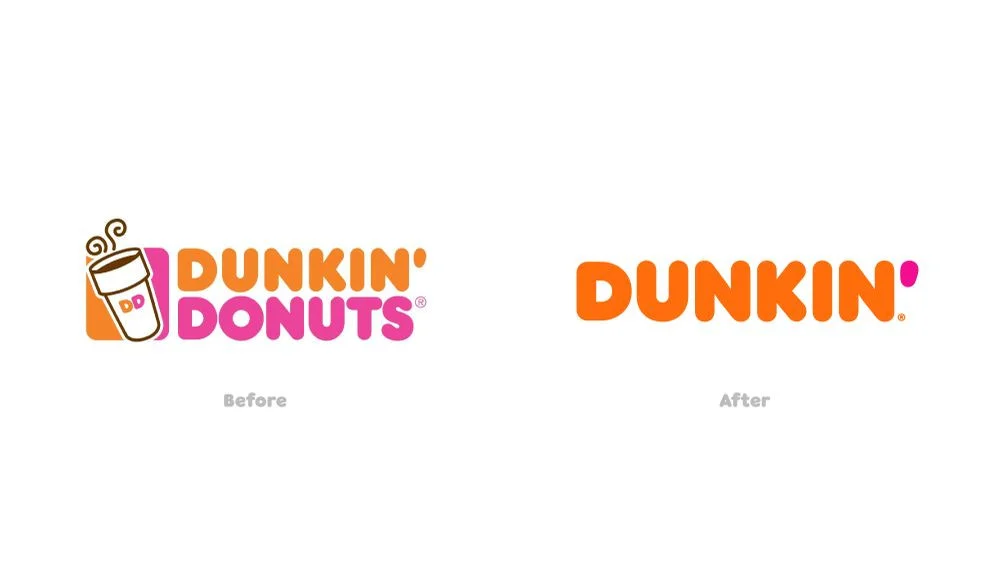
Dunkin’ officially announced a $100 million investment in dropping the word “Donuts” from its name in September 2018. The rebrand went live in January 2019.
The 4-month gap between announcement and launch was deliberate. It gave the audience time to understand what was changing and why before the new identity appeared in the feed. The announcement led with the business reason: beverages, not donuts, had become the core of what Dunkin’ sold, and the name needed to reflect where the business was going, not where it had been.
When the rebrand launched, Dunkin’ did not apply the new logo to the same content patterns that had existed under the old name. They shifted hard toward TikTok and creator-driven content simultaneously with the visual rebrand, so the new identity had a new format to live in from day one.
The Charli D’Amelio partnership that followed in September 2020, making “The Charli” an official menu item, extended the new identity rather than decorating the old one. On launch day, Dunkin’ saw a 57% spike in app downloads compared to its previous 90-day average. Cold brew sales jumped 20% the following day and 45% the day after that. (Tubefilter, 2020)
The collaboration worked because it felt like it belonged to the new Dunkin’, not like a sponsorship deal applied to an old brand. That alignment was the product of a clear strategy built before the rebrand went public, not after.
Takeaway: The new identity and the new social strategy should launch together, not one after the other.
Olipop: When Repositioning Does the Work a Budget Cannot
Olipop grew from approximately $31 million in revenue in 2021 to $200 million in 2023, not by outspending competitors, but by changing one line.
The original tagline was “A Sparkling Tonic.” The new tagline was “A New Kind of Soda.”
That single change did something the old tagline could not: it put Olipop directly into the mental category where the purchase decision was already happening. “Sparkling tonic” asks the consumer to understand a new category. “A new kind of soda” works inside the category the consumer already shops.
The social execution built around the repositioning relied on organic creator partnerships rather than traditional paid advertising. TikTok creators in food, wellness, and lifestyle spaces posted content that treated Olipop as a soda they genuinely preferred, not a sponsored product they were required to mention. The #olipoppartner hashtag has since generated over 1.6 billion total views on TikTok. (CNBC, 2023)
The brand grew to a reported $1.85 billion valuation. (Yahoo Finance, 2025)
For agencies and SMB brands, Olipop is the most directly applicable case in this guide. The lesson is that a clear repositioning, expressed consistently through the right content and the right creators, compounds over time in a way that a logo change or a handle update alone never will.
Takeaway: A rebrand does not require a large budget. It requires a clear repositioning and consistent execution.
After the Launch: Team Onboarding and Preventing Brand Drift
A rebrand that launches cleanly can still drift back toward the old identity over the following weeks if the team does not have the tools to execute the new brand consistently.
The Operational Brand Guide vs. the Brand Book
A brand book documents the visual and verbal identity. An operational brand guide translates it into social-specific instructions: what the bio should say on each platform, which hashtags are in use, what the voice sounds like in a reply versus a caption, and what to do when a post underperforms in the first 24 hours.
Create a social media style guide for the new brand within the first two weeks post-launch. This is the document a new team member or a client’s internal team uses to maintain the new identity without needing to ask for guidance on every post. Without it, team members approximate the brand voice from context, and approximations layer on top of each other until the identity drifts.
Onboarding New Team Members Without the Info Dump
Every new team member or new agency contact added after the rebrand needs access to the operational brand guide before posting anything. Set a rule: no new posting access without brand guide review. Make the guide short enough to read in 20 minutes.
The risk is not bad intentions. It is that a new person posting without the guide will approximate the brand voice from context, which is close but not the same, and close-but-not-the-same becomes visible at scale.
The 30-60-90 Day Post-Rebrand Audit
Set three audit checkpoints:
30 days: Has the new identity been applied consistently across every post and every platform? Are there any old-brand assets still visible anywhere? Is the content calendar executing as planned?
60 days: Is engagement rate trending toward or above the pre-rebrand baseline? Have any content formats emerged as particularly strong for the new identity?
Is engagement rate trending toward or above the pre-rebrand baseline? Have any content formats emerged as particularly strong for the new identity? SocialPilot’s analytics surfaces engagement rate, reach, and top-performing content by platform, so you can see exactly where the new identity is landing and where it still needs work.
90 days: Define your brand voice for the new positioning based on what the data from the first 90 days actually shows. Which voice choices are resonating? Which are falling flat? The 90-day mark is when you refine, not before.
Agency Account Transitions and Client Handoffs
When an agency hands off a rebranded account to an in-house team, or transitions the account to a new agency, the rebrand documentation is the most important deliverable.
Include: the complete asset library, the operational brand guide, platform login credentials, the approved content calendar, and a notes document capturing every platform-specific decision made during the rollout: what you did on Facebook because of the name change restriction, what placeholder accounts were registered and why, what content was archived and the reasoning.
Without this documentation, the next team inherits a rebranded account with no institutional memory of why specific decisions were made. The brand drifts not because the team is careless but because they are operating without context.
The Brands That Survive a Rebrand All Do One Thing the Same
Dunkin’, Olipop, Instagram: all three published the “why” before the audience had time to invent their own explanation. They held position when the backlash came. And they kept showing up in the new identity long after the announcement post was forgotten.
That is the entire playbook in three sentences.
The brands that fail at rebrands are not short on ideas. They are short on systems: the audit, the approval stages, the scheduled content review, the 30-day content calendar ready before launch day. Every failure in this guide traces back to execution, not concept.
Build the systems. Then go launch something worth rebranding.
SocialPilot gives you the infrastructure to do exactly that: a content calendar to plan the post-rebrand rollout, a bulk scheduler to push the announcement across every platform at once, and multi-account tools to keep a client rebrand coordinated from audit to handoff. Start your 14-day free trial and have everything in place before the next rebrand begins.




 Join 55,000+ social media managers


