Have you ever posted a reel that went viral, only to see your next one flop with no explanation? Well, you know you’re not alone. One post gets thousands of views, and the next barely breaks double digits. The inconsistency is maddening, and the worst part? You’re left guessing what worked and why.
This is where Instagram Reels Analytics comes in. Not just to tell you what happened but to help you figure out why it happened, and what to do next.
Whether you’re a marketer, a creator, or an agency managing multiple accounts, analyzing the performance of your reels can show you exactly:
- What type of content does your audience actually care about,
- When your Reels perform best, and
- Which posts drive real engagement (not just vanity views)
In this blog post, we’ll break down the metrics that matter, how to use them to improve your content strategy, and how tools like SocialPilot can help you track, plan, and grow without guessing.
Let’s decode the data and turn your next Reel into one that performs with purpose.
Instagram Reels Analytics, in a Nutshell
What are Instagram Reels Analytics?
Instagram Reels analytics show you how your Reels are actually performing after you post them. They help you understand how many people watched your Reel, how long they stayed, how they interacted with it, and whether it led to profile visits or new followers.
In short, they tell you if your Reels are just being seen… or actually making an impact.
Instagram gives you access to a range of metrics, including:
- Views (aka plays)
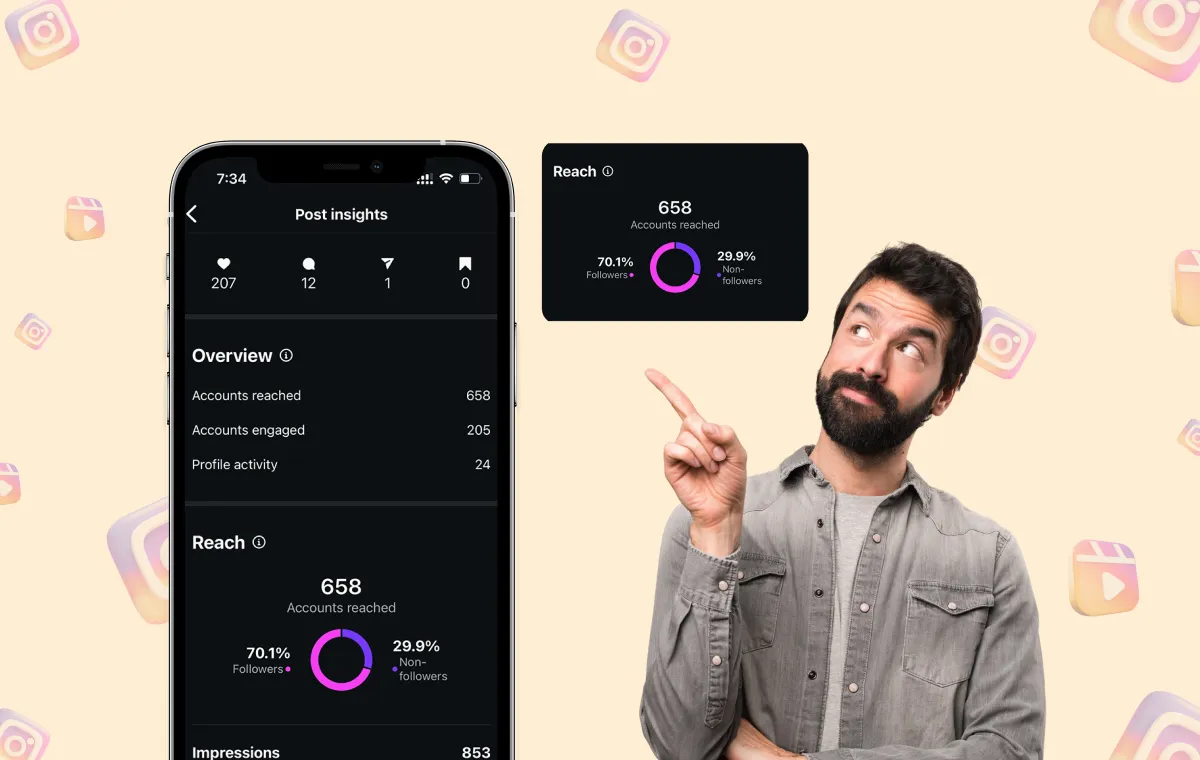
- Reach (how many unique accounts saw it)
- Watch time
- Engagement (likes, comments, saves, and shares )
- Profile visits and follows from Reels
Thus, when understood correctly, they can help you identify the type of content your audience truly connects with. However, many marketers fail to use this data to enhance their content strategy fully. Let’s understand why this happens.
Why Most Marketers Look at Reels Insights But Don’t Fully Use Them
Most creators and marketers check their stats right after they post Instagram Reels. They look at views, likes, or comments for a quick sense of performance, and then they move on.
If you only check the numbers once, you’re missing the bigger picture. You look at total views or likes in isolation and assume that’s the whole story. But those numbers alone won’t tell you:
- Why didn’t a post reach beyond your followers
- Whether viewers actually watched past the first few seconds
- Which Reels are converting into new followers
- What’s repeatable, and what was just a one-off win
The solution? Don’t treat analytics as a one-time check. Revisit your Instagram analytics regularly to spot trends and improve your content over time.
If you’re just getting started with data tracking or want a broader view of all your content performance, check out our Instagram analytics overview for full insight into your posts, Stories, and Reels.
Next, let’s break down exactly where to find these metrics and how to access Instagram Reels insights, step by step.
How to Access Instagram Reels Insights (Step-by-Step)
For Creator and Business Accounts
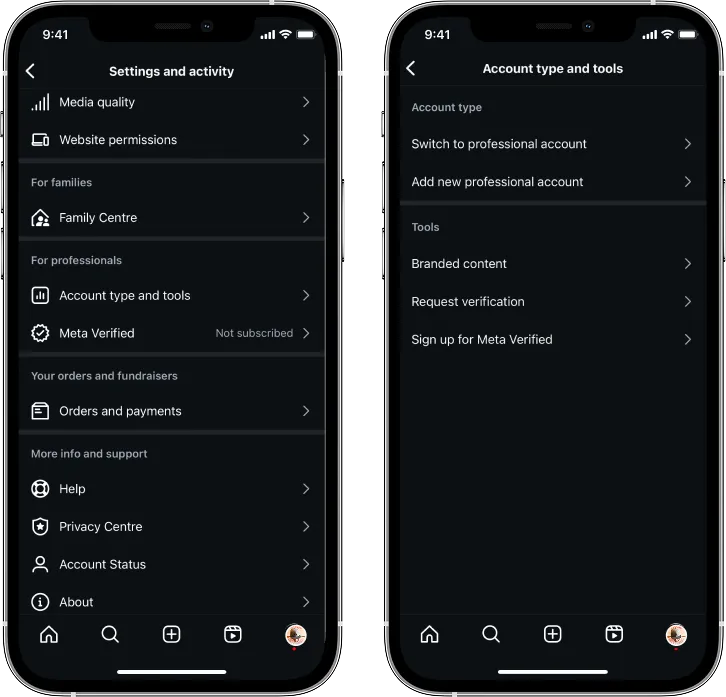
To access Instagram Reels analytics, you must switch to a Creator or Business account. Personal accounts don’t show insights for Reels.
To Switch:
- Go to your Instagram profile
- Tap the three-line menu in the top right
- Go to Settings & privacy > Account type and tools
- Tap Switch to professional account
- Choose either Creator or Business, depending on your needs

Where to Find Reels Insights In-app
Once you’ve posted a Reel, you can view its insights in two places:
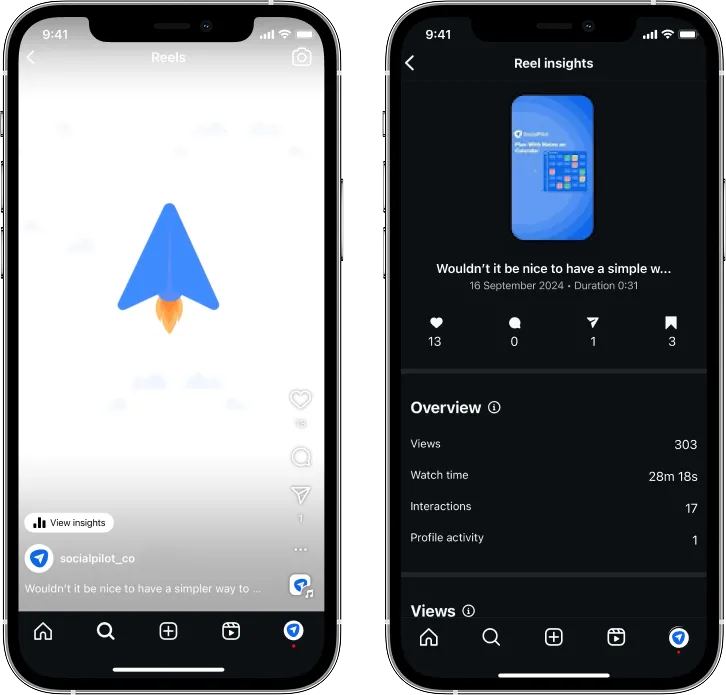
Option 1: From Your Profile
- Go to your profile
- Tap the Reels tab (the play icon)
- Select the Reel you want to review
- Tap the three-dot menu (•••)
- Choose View Insights
Option 2: From Your Professional Dashboard
- Go to your profile
- Tap the Professional dashboard at the top
- Tap Account insights
- Scroll to the Reels section for an overview

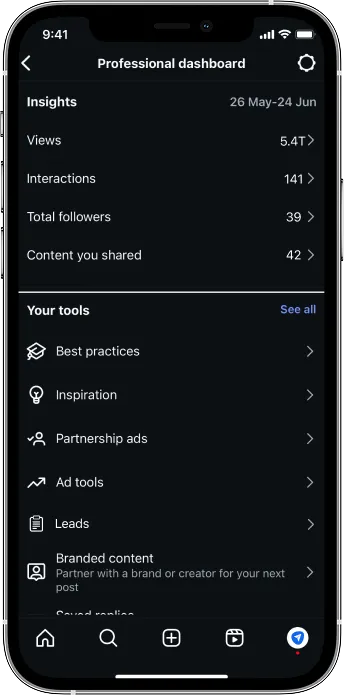
Here, you’ll see metrics like reach, views (plays), likes, comments, shares, saves, and profile visits from each Reel.
Why You Can’t Access Instagram Reels Analytics on Desktop (And What to Do Instead)
Instagram’s native insights are mobile-only, meaning you’ll hit a dead end if you try to access Reels analytics on a desktop.
While most people access social media on mobile, many marketers prefer desktop dashboards for reporting and strategy. This mismatch creates unnecessary friction in workflows. To bridge the gap, SocialPilot offers desktop dashboards that include:
- Reels-specific analytics
- Month-over-month trend reports
- Follower vs. non‑follower reach
- Easy PDF exports for client or stakeholder updates
Now that you are aware of where to find the Instagram insights, let’s move to what Instagram Reels Metrics comprise and how you can use them to your best interest.
Instagram Reels Metrics Explained (And What They Actually Tell You)
Here, let’s break down each key metric and explore what it reveals about your content’s performance.

1. Views (Plays)
- What it means: The total number of times your Reel was played, including repeat views.
- What it tells you: High view counts look impressive, but they don’t say much on their own. Instagram counts a view after just 3 seconds. So, high views don’t always mean people watched your content. A Reel with 50K views might’ve only reached 5K unique people who rewatched it, or been swiped away after 2 seconds.
- Use it to: Identify hooks or intros that pull viewers in. Pair this with Watch Time to understand real engagement.
2. Reach (Followers vs Non-Followers)
- What it means: The number of unique people who saw your Reel, including both your followers and people who don’t follow you yet.
- What it tells you: This metric is pure gold if you’re aiming for discoverability. Reels are now shown to users based on “likelihood of watch time,” meaning your best content has a higher chance of going viral. A high non-follower reach means Instagram pushed your content to new audiences via the Explore or Reels tabs.
Once you understand reach, applying smart strategies for more Instagram views can help you turn that reach into actual plays and watch time.
- Use it to: Track how well your content is expanding your audience. Reels with a strong reach-to-engagement ratio are worth replicating. Here, you must also check the posting times of Reels getting the most reach to track a pattern that unveils your optimal time to post Reels on Instagram.
3. Watch Time & Average Watch Duration
- What it means:
- Watch Time = Total time viewers spent watching your Reel
- Average Watch Duration = Average time each viewer spent on it
- What it tells you: These metrics reveal content stickiness. If your average watch duration is low, people are swiping away early.
- Use it to: Test different video lengths, transitions, and pacing. The algorithm favors reels with higher average watch times.
- What it means: These are your core interaction stats:
- Likes = passive approval
- Comments = conversation starters
- Shares = strong content value
- Saves = deep interest or intent to revisit
- What it tells you: The more saves and shares, the more your Reel is likely to be boosted in the algorithm. On average, Instagram Reels are saved 27 times per post, while single-image posts are only saved around 11 times. Likes are easy; saves are intentional.
- Use it to: Identify your most valuable content. If a Reel gets a lot of saves but fewer likes, it usually means people find it useful or worth coming back to. This is a strong signal to create more content like it.
5. Follows from Reels
- What it means: The number of new followers who found you because of that Reel.
- What it tells you: This is the ultimate conversion signal, proof that your content was strong enough to make someone hit “Follow.” To build on this, check out our guide on how to get more Instagram followers for tactics you can apply outside of Reels, too.
- Use it to: Track which Reels are performing and converting. Analyze format, style, CTA, and even caption strategy. Remember, Instagram Reels achieve an average reach rate of 30.81%, more than double that of other content formats.
6. Profile Visits
- What it means: How many people tapped into your profile after seeing your Reel.
- What it tells you: You piqued interest. If your profile isn’t converting visitors into followers, your bio or highlights may need a tweak.
- Use it to: Pair this with “Follows from Reels.” High-profile visits with low followers? Something’s off; test new bios, grid aesthetics, or pinned posts.
7. Completion Rate
- What it means: The percentage of viewers who watched your Reel from start to finish.
- What it tells you: A high completion rate indicates that your content is engaging and holds viewers’ attention. Conversely, a low completion rate suggests that viewers are losing interest before the end, which could affect your content’s performance in the algorithm.
- Use it to: Optimize your content by testing different formats, pacing, and calls to action. Instagram’s reels algorithm is more likely to promote reels with higher completion rates, increasing their reach and visibility.
Next, let’s see how SocialPilot simplifies Instagram Reels analytics and performance tracking.
While Instagram offers fundamental insights, SocialPilot’s Instagram Reels Analytics goes further, offering you deeper and more actionable data.
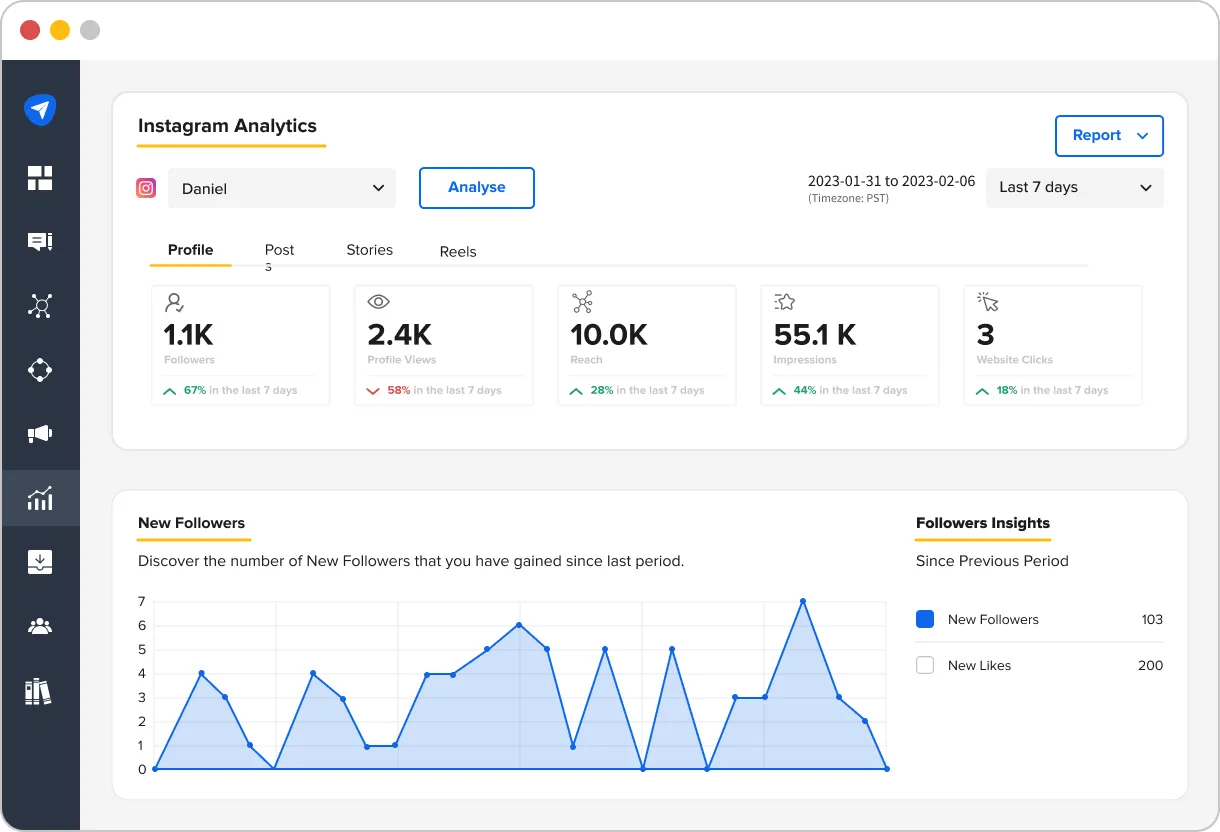
Here’s how SocialPilot makes it easier to manage and grow your Instagram Reels performance:
Track Individual Reels Performance
Dive into the specifics of each Reel, from views to saves to profile visits. With SocialPilot, you can track exactly how each piece of content is performing. This will help you optimize future posts confidently.
Measure Follower Growth from Reels
See exactly how many new followers each Reel brings in. This feature helps you understand which content is converting casual viewers into loyal followers and which needs updating.
Access Month-on-Month Comparisons
Spot long-term reel trends and changes in your Reels performance. Compare metrics like engagement and reach month over month. This will help you consistently outperform previous months with your content strategy.
Non-Follower vs. Follower Reach
See how much of your audience is from outside your current follower base. This gives you a clear picture of how well your Reels are reaching new people and expanding your brand presence.
Custom Reports for Better Insights
Want to showcase results to clients or stakeholders? SocialPilot lets you export custom reports that highlight the metrics you care about, making reporting a breeze.
By combining Instagram’s native analytics with SocialPilot’s enhanced reporting tools, you can access advanced features like month-over-month performance comparisons, follower vs. non-follower reach breakdowns, and customizable PDF reports.
With these additional insights, you’ll have everything you need to track, refine, and grow your Instagram Reels strategy like a pro.
Next, let’s explore how you can use Reels analytics to optimize your content strategy and create more engaging content.
Let Instagram Reels Analytics Guide Your Next Viral Post
In the world of Instagram, Reels are your gateway to growth, but only when you track and act on the ‘right’ data. Analytics provide the roadmap to help you understand what works, what doesn’t, and, most importantly, why.
By understanding the metrics behind each post, you can strategically optimize your content to bring higher engagement, more followers, and increased reach. With the right insights, data becomes your ally in making informed decisions. This, in turn, fuels your Reels success.
The key is not just to track but to act on what the data tells you. So, stop guessing, start analyzing. And let your data guide the way to your next viral Reel!
Do you also feel like your Instagram Reels could do more? Let’s make it happen then.
Start your SocialPilot 14-day free trial today and get access to deeper insights, month-over-month comparisons, and customizable reports. With this, you’ll have everything you need to track, refine, and grow your Reels performance confidently!