
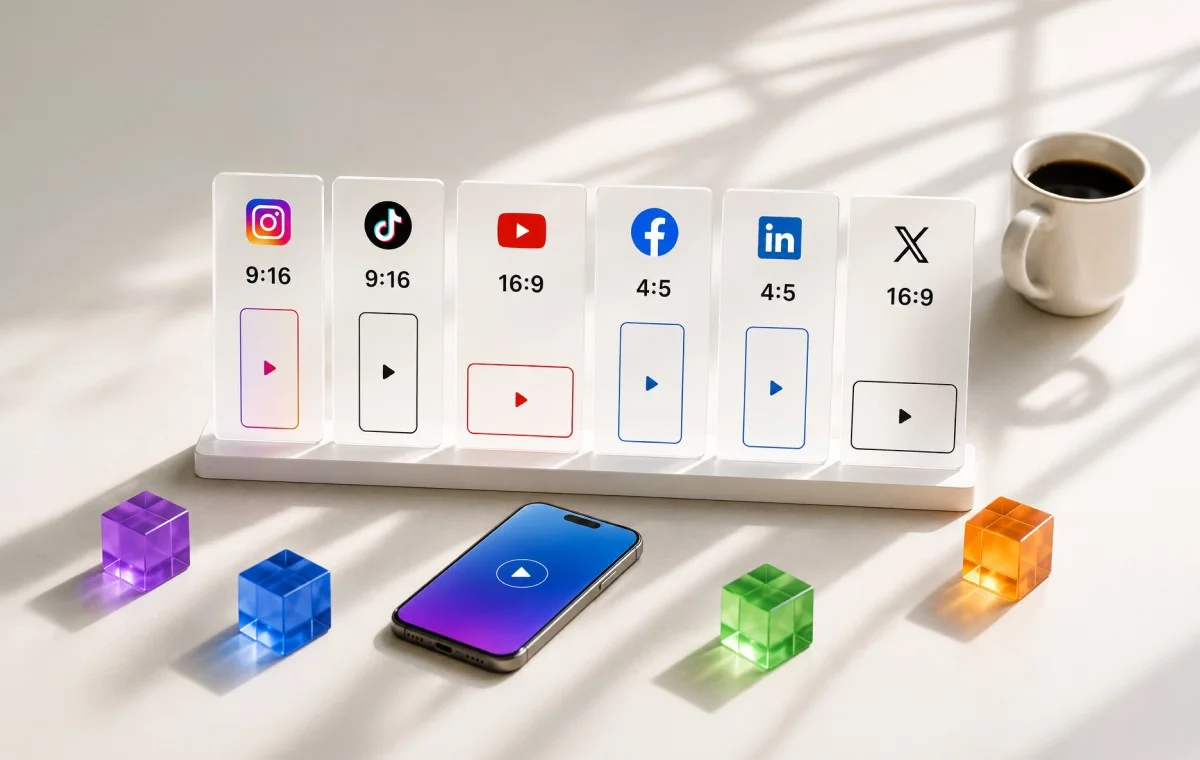
You shot the video. You picked what felt like the right size. You uploaded it to Instagram, then TikTok, then YouTube. And somehow it still came out cropped on one platform, rejected as an ad on another, and blurry on the third.
If you’re a digital marketer, a content creator, or a social media manager juggling video across a handful of platforms every week, this is not bad luck. It’s a spec problem, and specs are fixable.
This guide gives you the exact social media video specs and sizes for every major platform. It also explains the one thing almost no other guide explains clearly: why the same platform can show three different “correct” durations, depending on whether you’re recording in the app, uploading a finished file, or running a paid ad.
Get this right once, and you stop guessing every time you post.
The Real Cost of Getting Video Specs Wrong
Getting a video spec wrong feels small in the moment. It rarely stays small. A rejected ad, a reshoot, or a video that looks worse than it should all trace back to the same root cause: the wrong number, used at the wrong step.
Before you get to the platform-by-platform tables, it helps to see exactly what that costs you, and the one distinction that explains most of it.
What Getting This Wrong Actually Costs (Wasted Spend, Rejected Ads, Lost Reach)
A wrong video spec is not just an ugly crop. It’s real money and real time. Here’s what that looks like in practice:
- You shoot a vertical video, but the platform expects a square one for that specific ad placement. The ad gets rejected, and you lose the time it took to shoot and edit.
- You upload a file that’s too long for an ad slot, even though the same length works fine for an organic post. Now you’re re-cutting the video the night before a campaign launch.
- You use a video codec your phone doesn’t flag as a problem, but the ad platform does. The upload sits in review longer than it should, and your campaign starts late.
None of this happens because you didn’t try. It happens because most spec guides give you a single number for each platform, when the real answer depends on where that video is going.
While we have specifically talked about videos in the above points, using the right image dimensions is equally important. To sort out the image sizes for the same campaign, keep the companion image sizes cheat sheet open in another tab.
Record Limit vs. Upload Limit vs. Ad Limit, and What Each One Means for Your Campaign
Almost every confusing “but I read it was X seconds” moment comes down to one thing: people compare three different limits as if they were one.
| Limit type | What it actually controls | When it applies |
| Recording limit | How long a clip can be filmed live, using the platform’s own in-app camera | Only when you’re filming directly inside the app |
| Upload limit | The maximum length or size the platform accepts for a file you already made and are uploading | Applies to a finished video you prepared in advance |
| Ad limit | What a paid placement will accept, no matter what the organic upload limit allows | Only applies when you’re running the video as a paid ad |
TikTok is the cleanest example of this. The filming limit using TikTok’s own camera is 10 minutes, while the uploading limit is 60 minutes. Also, when you run the same video as a standard (non-Spark) paid ad, the limit is 10 minutes but for Spark Ads (which boost an existing organic post) there is no set duration limit at all.
Three different numbers, all correct, all about the same platform. The trick is knowing which one applies to what you’re actually doing.
The Universal Video Setup for Cross-Platform Campaigns
Not every video needs a custom export for every platform. Most short-form platforms actually agree on the basics, which means one well-built file can cover a lot of ground before you need to make any adjustments at all.
The Recommended Universal Spec Profile
If you only remember one setup from this entire guide, use this one. It’s the safest starting point for almost any platform:
- Aspect ratio: 9:16 (vertical) for Reels, Stories, Shorts, and TikTok. 16:9 (horizontal) for YouTube’s main feed and most LinkedIn desktop viewing. Getting your social media video dimensions right at this stage saves you from reshooting later.
- Resolution: 1080 x 1920 pixels for vertical video. 1920 x 1080 pixels for horizontal video.
- Format: MP4 file, using the H.264 video codec and AAC audio.
- Frame rate: 30 frames per second.
- File size: Keep it under 500MB whenever you can. Most platforms accept far more, but a smaller file uploads faster and processes with fewer problems.
This single setup will play cleanly on Instagram Reels, Facebook Reels and Stories, TikTok, YouTube Shorts, Threads, and Bluesky without any changes.
Where a Single Universal File Still Falls Short (and What to Adjust)
A universal setup is a starting point, but there are a few places where you’ll still need to make a separate version:
- Instagram and Facebook main feed posts often look and perform better in a 4:5 (1080 x 1350) shape instead of full 9:16, since that’s what the feed itself is built around.
- YouTube’s standard, long-form videos still expect 16:9 landscape. A vertical video will play, but it won’t fill the screen the way a widescreen video does.
- Paid ads on any platform may have a shorter length cap than the same platform’s organic upload limit, so double-check the ad-specific row in the tables below before you submit anything to a campaign.
- X (Twitter), LinkedIn, and Pinterest all support wider ranges of aspect ratios than short-form platforms, so a single vertical file will work, but it may not be the best-performing shape for those specific feeds.
Instagram Video Specs
Getting your Instagram video size right matters more here than on most platforms, since a single account can post to four different formats, each with its own shape and length. Grab your audience’s attention with captivating videos while they scroll down their Instagram feeds.
| Format | Aspect ratio | Resolution | Max length | Max file size |
| Feed and Carousel | 1:1 or 4:5 | 1080 x 1080 or 1080 x 1350 | Up to 60 minutes | 4 GB |
| Reels | 9:16 | 1080 x 1920 | 3 minutes if recorded in-app, longer if uploaded | 4 GB |
| Stories | 9:16 | 1080 x 1920 | 60 seconds per story card | 4 GB |
| Live | 9:16 | 1080 x 1920 | Up to 4 hours | Streamed, not uploaded |
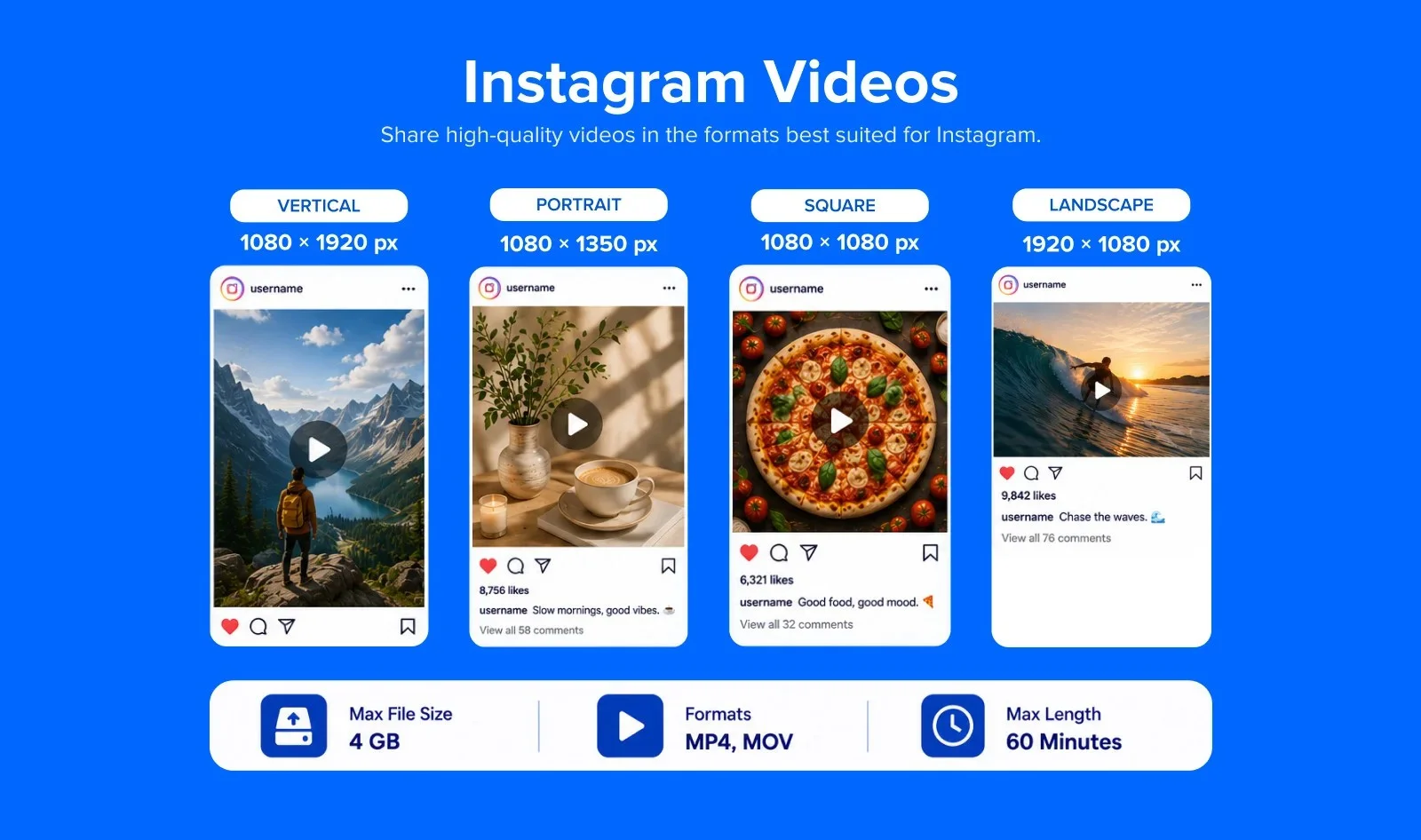
Note: In 2021, Instagram merged IGTV and regular feed video into a unified Video format. IGTV as a standalone product is fully discontinued.
Carousel Video Ads
Carousel posts signify the presence of multiple content elements. The small dots below the post indicate more than one image, creating a step-by-step tutorial detailing the product features and usage.
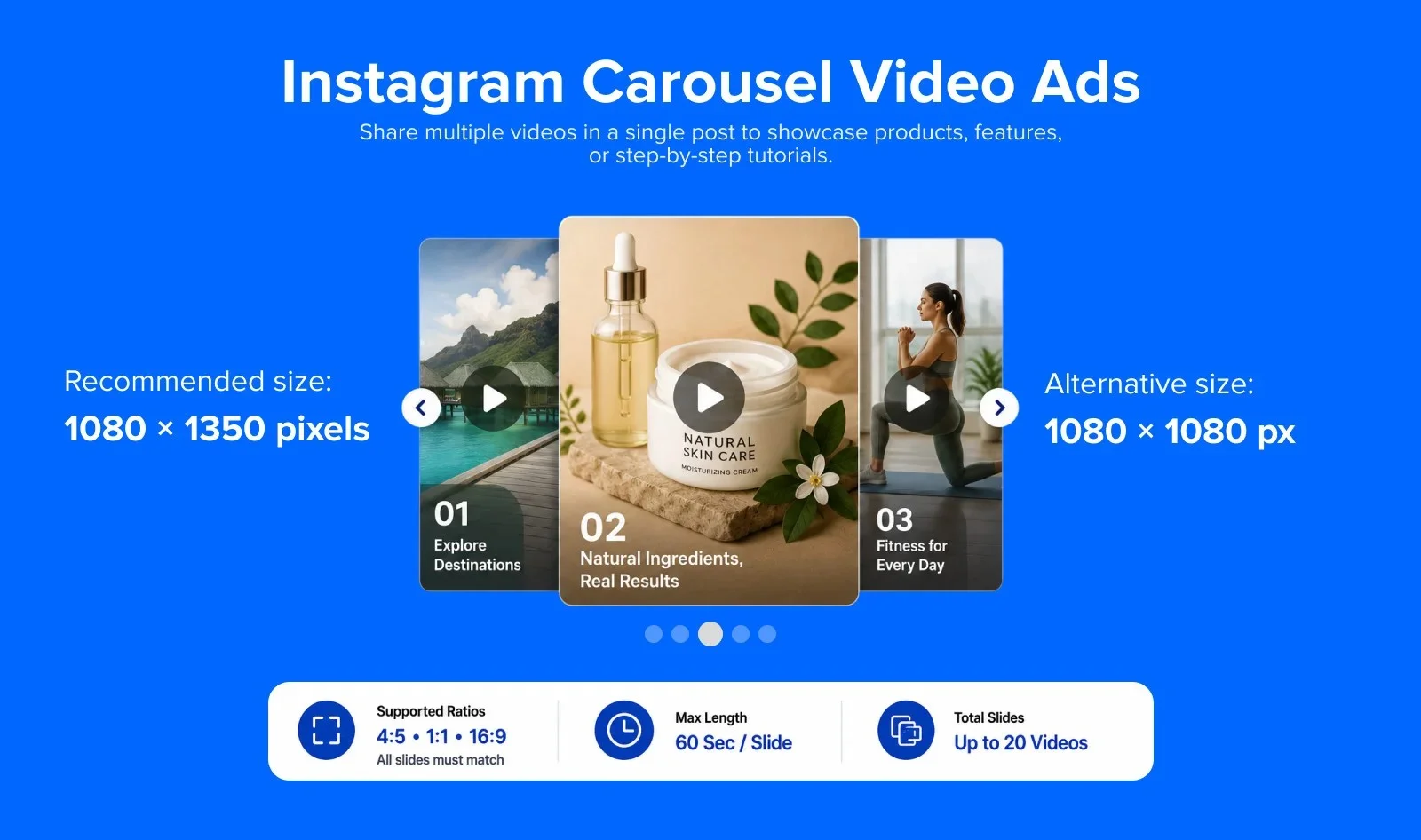
Video Specifications
- Video Dimensions: 1080 x 1080 (max)
- Aspect Ratio: 1:1
- Video Length: 60 seconds (max)
- File Type: .MP4 & .MOV
- File Size: 4 GB (max)
- Number of Cards: 2 to 10 (max)
Instagram Stories Ads
Engage your audience with compelling storytelling using the Instagram stories feature. Instagram stories contain up to 10 images, and they disappear after 24 hours from your Instagram feed. You can share the same story on your Facebook handle as well.
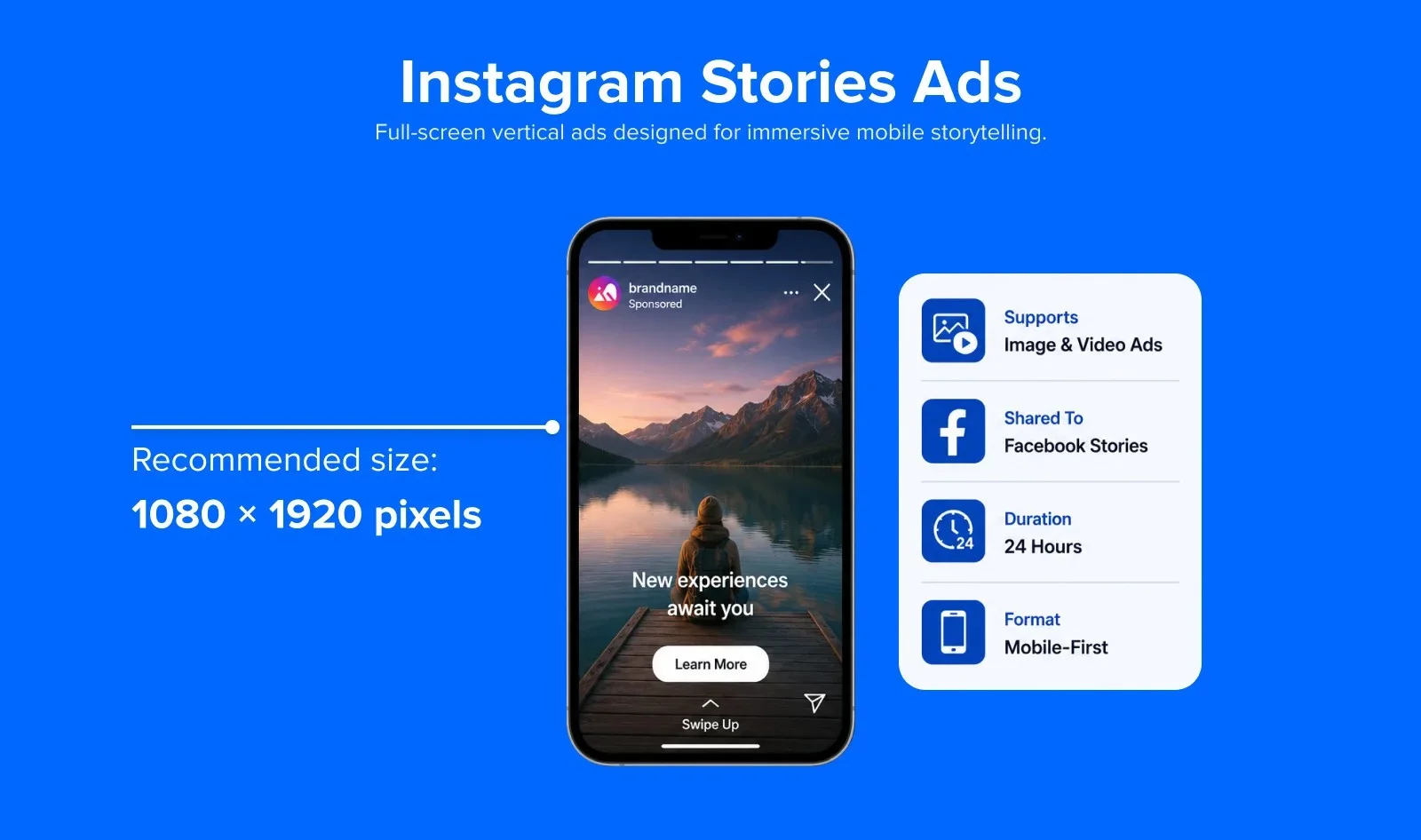
Video specification
- Recommended resolution: 1080 x 1920 pixels
- Aspect ratio: 9:16 (full-screen vertical)
- Max file size: 4 GB
- Max story video length per clip: 60 seconds (no automatic splitting into 15s segments anymore; it remains one 60s video).
- Recommended formats: MP4, MOV
- Safe zones: Leave 250 pixels (14%) at the top and 340 pixels (20%) at the bottom free from text, logos, and CTAs to avoid overlap with profile icons and UI buttons.
For more details, check out the Instagram stories ad guide by Meta.
Instagram Reels Videos
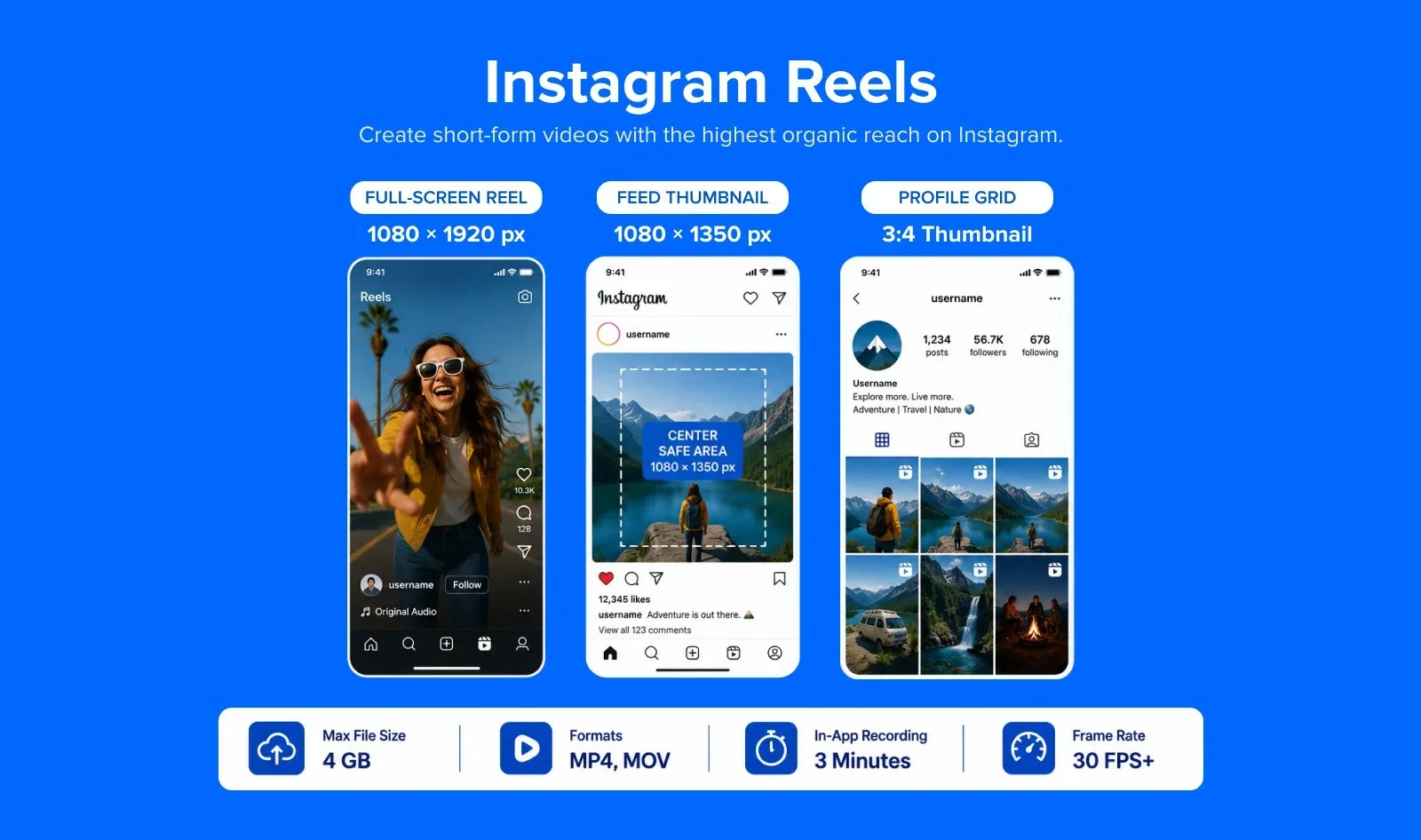
Instagram reels are the trending video content format on Instagram. This TikTok rival has an amazing organic reach and allows users to take part in the latest trends for higher engagement. Here are the reel sizes and aspect ratios for Instagram:
Video specification
- Recommended resolution: 1080 x 1920 pixels
- Full-screen aspect ratio: 9:16
- Feed thumbnail aspect ratio: 4:5 (cropped in the feed – keep critical content in center)
- Profile grid thumbnail: 3:4 (as of the 2025 grid update)
- Max file size: 4 GB
- Max video length (in-app recording): 3 minutes (180 seconds) – extended from 90 seconds in January 2025
- Max video length (upload from device): 15 minutes
- Recommended formats: MP4, MOV
- Codec: H.264 with AAC audio
- Recommended bitrate: 3,500–5,000 Kbps
- Minimum frame rate: 30 fps
Instagram extended the maximum Reels length from 90 seconds to 3 minutes in January 2025. Videos uploaded from your device can be up to 15 minutes long. Design for the first 3 seconds, that is the critical hook window before viewers scroll away.
Instagram Live Video
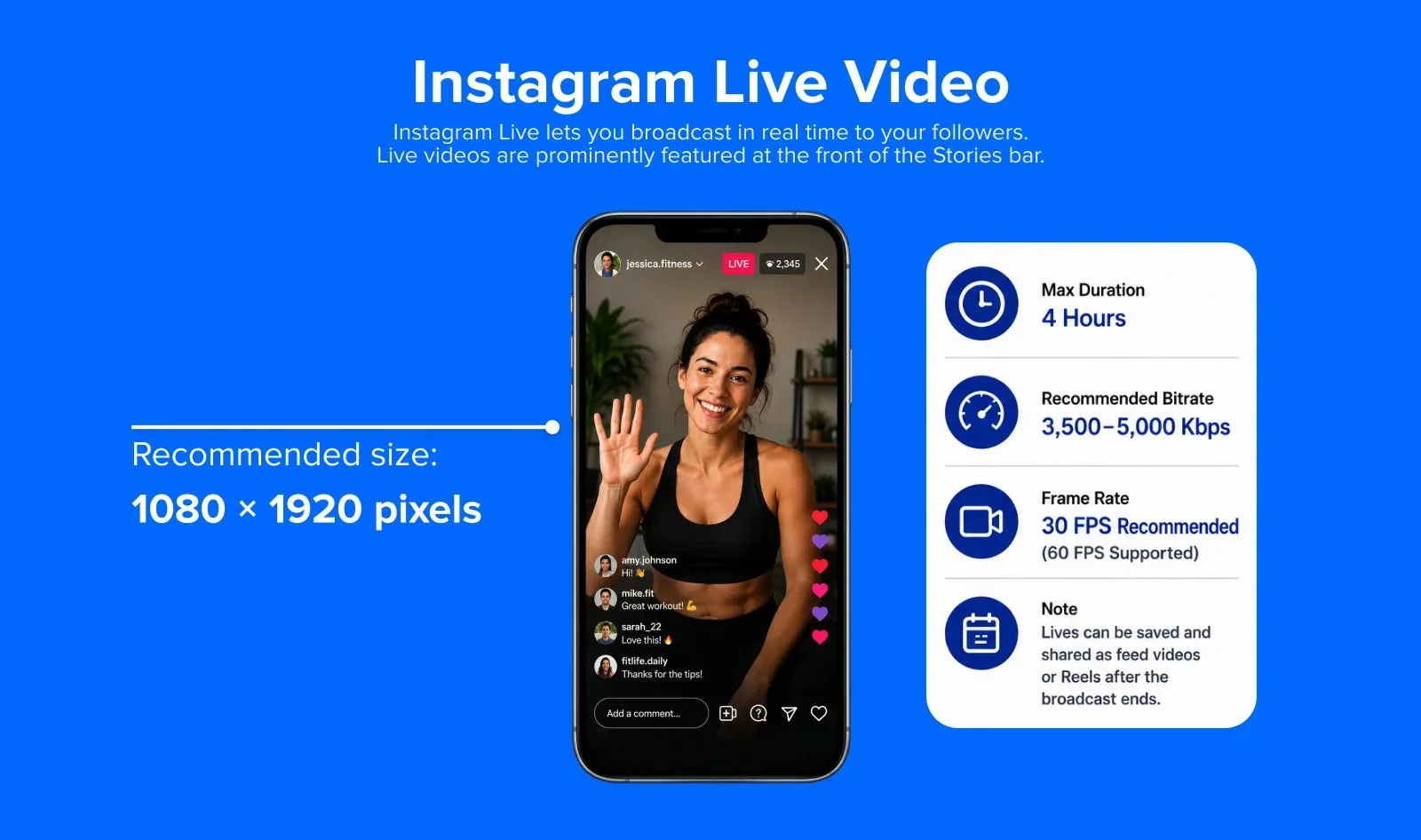
Instagram Live lets you broadcast in real time to your followers. Live videos are prominently featured at the front of the Stories bar.
Video specification
- Recommended resolution: 1080 x 1920 pixels (9:16 vertical)
- Minimum resolution: 720 x 1280 pixels
- Recommended bitrate: 3,500–5,000 Kbps
- Frame rate: 30 fps recommended (60 fps supported)
- Max duration: 4 hours
- Codec: H.264 video, AAC audio
Note: Lives can be saved and shared as feed videos or Reels after the broadcast ends.
For the full breakdown of every Instagram video format, including covers and safe zones, see the full Instagram video spec guide.
Facebook Video Specs
Facebook video size rules cover more ground than most platforms, since one account can post organic feed video, Reels, Stories, and four separate paid ad formats.
| Format | Aspect ratio | Resolution | Max length | Max file size |
| Feed and Shared Video | 16:9 to 9:16 | 1280 x 720 or 1080 x 1080 | Up to 240 minutes | Sources place this between 4 GB and 10 GB depending on upload method |
| Reels and Stories | 9:16 | 1080 x 1920 | No maximum length restriction for Reels; Stories 60 seconds per card | 4 GB |
| Video Ads | 4:5 recommended | 1080 x 1080 minimum | Up to 240 minutes | 4 GB |
| Live | 16:9 or 9:16 | 720p or higher | No fixed cap widely enforced | Streamed, not uploaded |
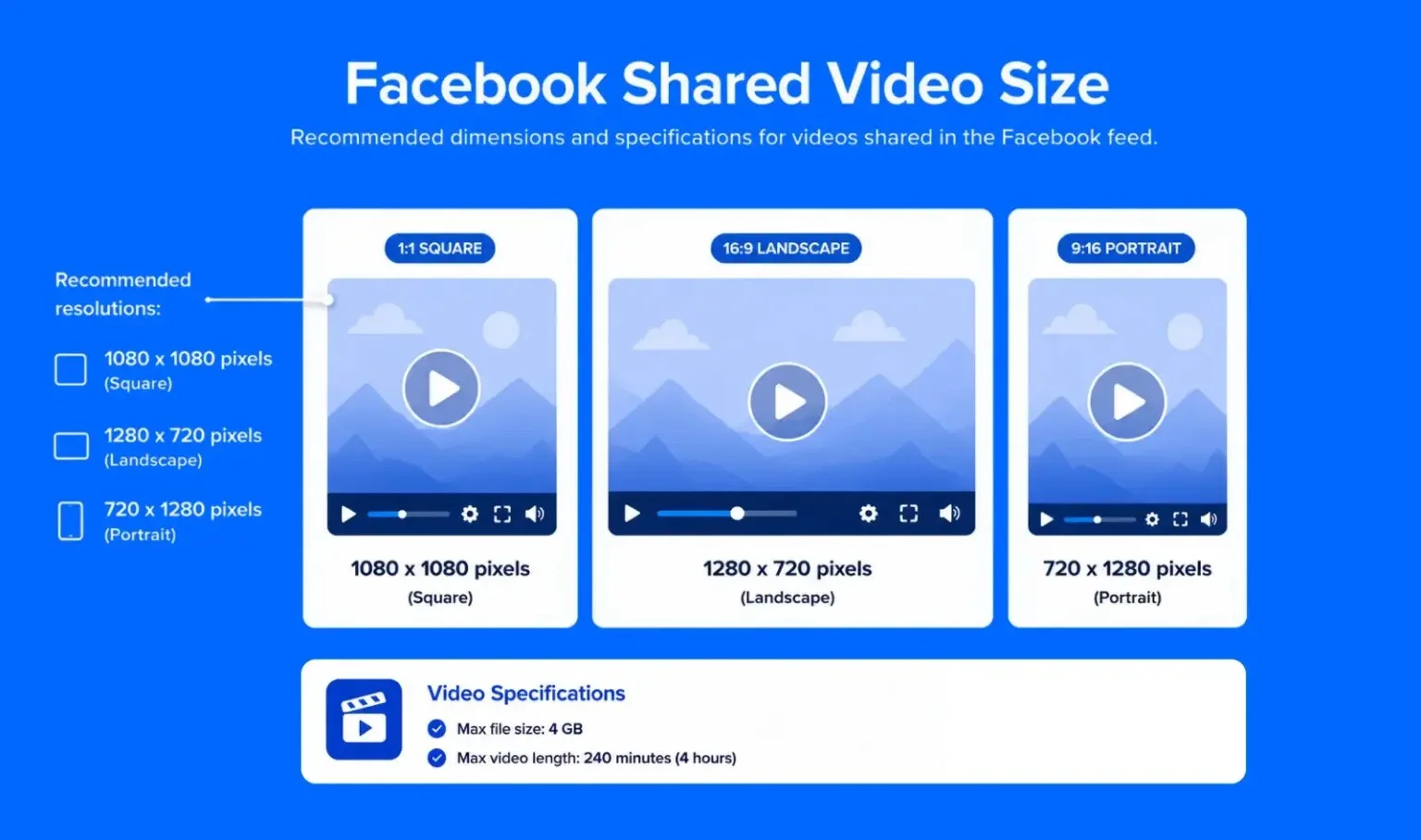
Shared videos ‘autoplay’ in your News Feed. It is one of the most common forms of videos on Facebook. These are the videos shared by your friends and brands.
Shared videos have an orientation of either landscape or portrait.
Facebook Shared Video Specifications
- Recommended resolution: 1080 x 1080 pixels (square) or 1280 x 720 pixels (landscape)
- Portrait: 720 x 1280 pixels
- Supported aspect ratios: 16:9 (landscape), 9:16 (portrait), 1:1 (square), 4:5 (portrait)
- Max file size: 4 GB
- Max video length: 240 minutes (4 hours)
- Recommended formats: MP4, MOV
- Codec: H.264 with AAC audio
- Recommended bitrate: 2–5 Mbps
Square (1:1) videos take up more space in the mobile feed and consistently outperform landscape formats for engagement. Use 1080 x 1080 px as your default unless you have a specific reason to go widescreen.
360° Videos
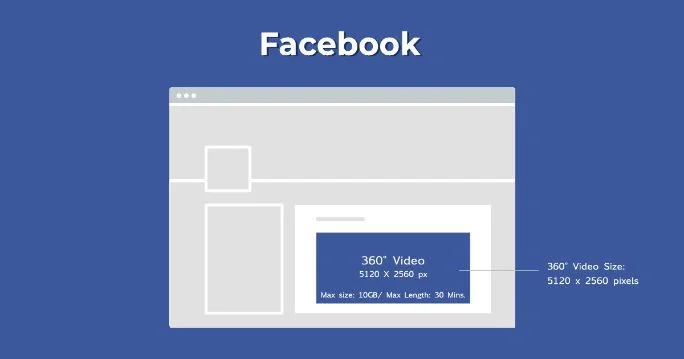
Facebook also prioritizes 360° videos as they appear organically in the Facebook Feeds. Click the Advanced tab, set your default point of view, and click the 360 Controls tab to record any video in this format.
Users can get an elaborate 360° view of your videos by scrolling the cursor with a touch on their device.
Facebook 360° Videos Specifications
- Video dimension for Monoscopic videos: 5120 x 2560 maximum, aspect ratio 2:1
- Video dimension for Stereoscopic videos: 5120 x 5120 maximum, aspect ratio 1:1
- Maximum Length: ½ hour
- Maximum File Size: 10 GB
- Video with 360 metadata embedded
- File Type: MP4 container
Facebook Video Ads
According to SocialAppsHQ, Facebook ads have an average CPC of approximately $0.97.
Advertisers are using videos in a big way on Facebook to market their products and brands. There are different types of Facebook ads, and marketers have to be careful about getting the right specs of each one.
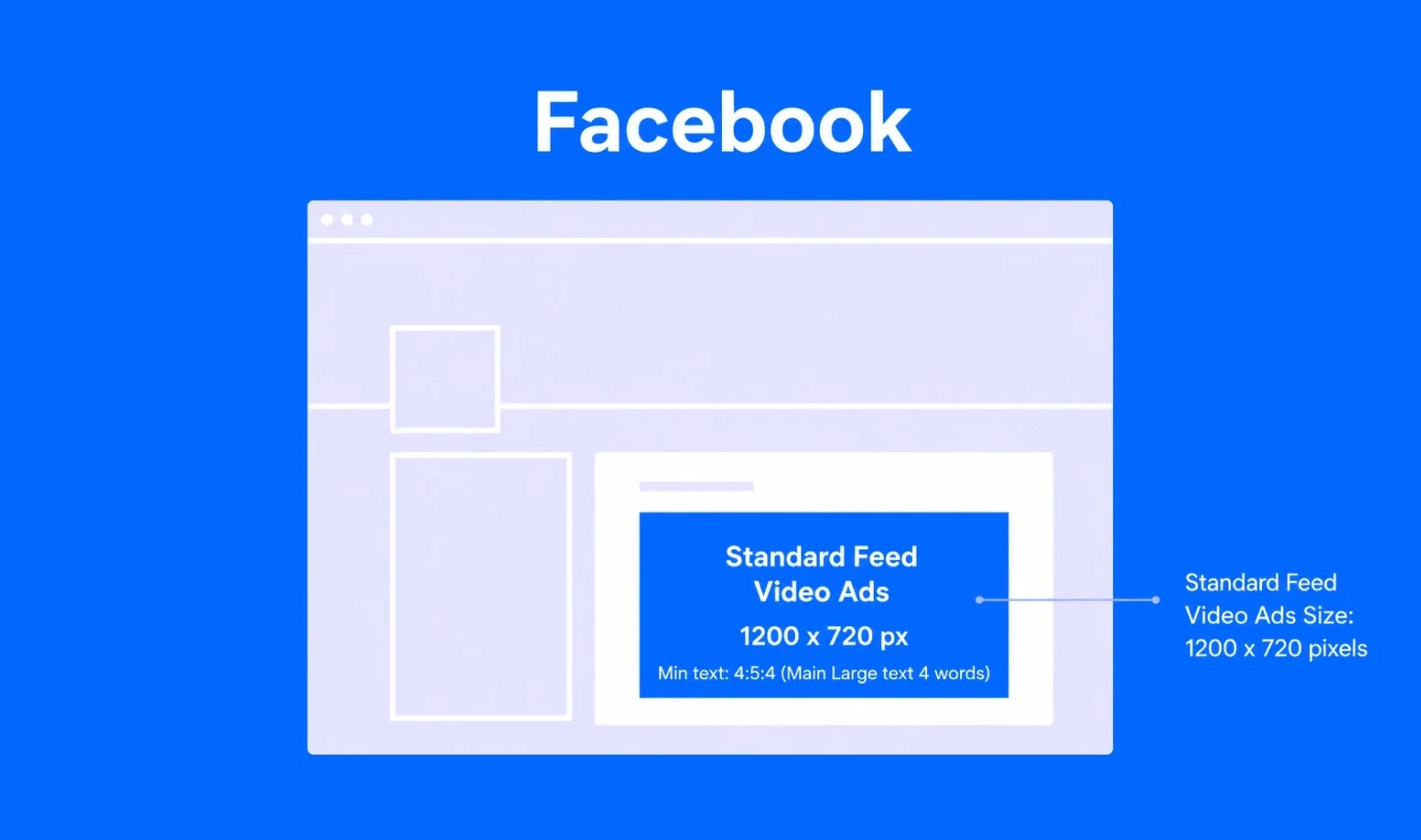
Standard Feed Video Ads
This is the everyday video ad that shows up in someone’s main Feed. Both Square and Landscape dimensions work here.
Video Specifications
- Video Dimension: 1280 x 720 pixels
- Format: .MOV or. MP4 file
- Landscape Aspect Ratio: 16:9 (landscape)
- Square Aspect Ratio: 1:1 (square)
- Duration: 4 hours (max)
- Video Size: 4 GB (max)
Carousel Video Ads
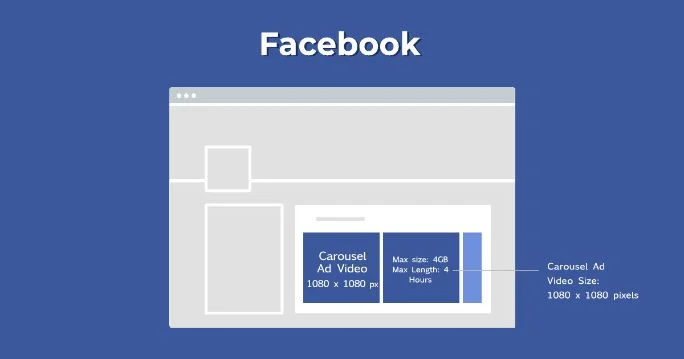
Carousel ads are 10 times more likely to get clicked compared to the static ads on Facebook.
With carousel ads, brands can show multiple images before clicking a link. They are definitely a fun way of promotion that allows users to have more in-depth interaction with your service or product.
Video specification
- Recommended resolution: 1080 x 1350 pixels (4:5 portrait) or 1080 x 1080 pixels (1:1 square)
- Supported aspect ratios: 4:5 (portrait), 1:1 (square), 16:9 (landscape) — all slides must match
- Max video length per slide: 60 seconds
- Total slides: Up to 10 videos per carousel
- Max file size: 4 GB per video
- Formats: MP4
- Codec: H.264 with AAC audio
- Frame rate: 30 fps minimum
Collection Video Ads (for mobile)
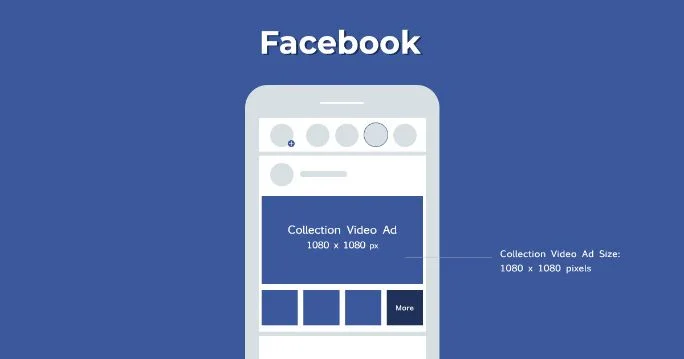
The Collections ads are ideal for marketing products that come in different colors, like clothes and retail products. This video ad is followed by 3 product images, giving viewers an immersive experience.
Video Specifications
- Video Dimensions: 1080 x 1080 (Square)
- Landscape Aspect Ratio: 16:9 (Landscape)
- Square Aspect Ratio: 1:1
- File Size: 4 GB (max)
- Video Length: 2 hours (max)
Instant Experience Ads (Previously Canvas Video Ads)
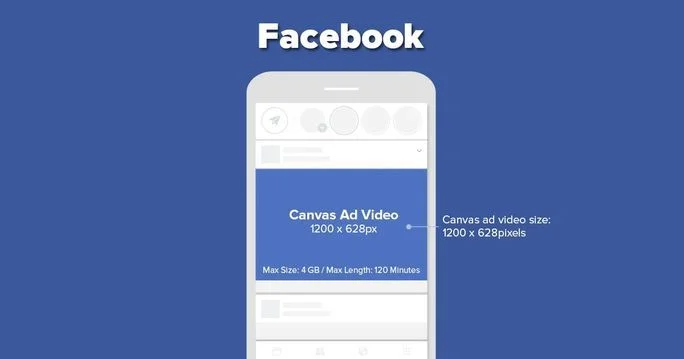
This form of paid content gives users a great deal of information on swiping and scrolling on their mobile devices. These ads don’t have any character and text limit.
Video Specifications
- Video Dimensions:1200 x 628 (Landscape)
- Landscape Aspect Ratio: 16:9
- Square Aspect Ratio: 1:1
- File Size: 4 GB (max)
- Video Length: 2 hours (max)
Slideshow Video Ads
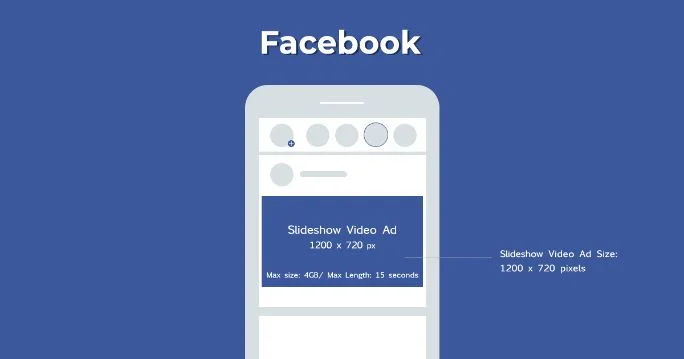
Slideshow ads are now created directly within Meta Ads Manager and are integrated into tools like Advantage+ catalog ads and video creation features. They offer a lightweight, video-like format that uses motion, sound, and text to showcase multiple images – ideal when full video assets aren’t available. As a cost-effective alternative to video, they support up to 10 images with transitions and text overlays.
Video Specifications
- Video Dimensions:1200 x 720 (Landscape)
- Landscape Aspect Ratio: 16:9
- Square Aspect Ratio: 1:1
- Video Duration: 15 seconds (max)
Stories Video
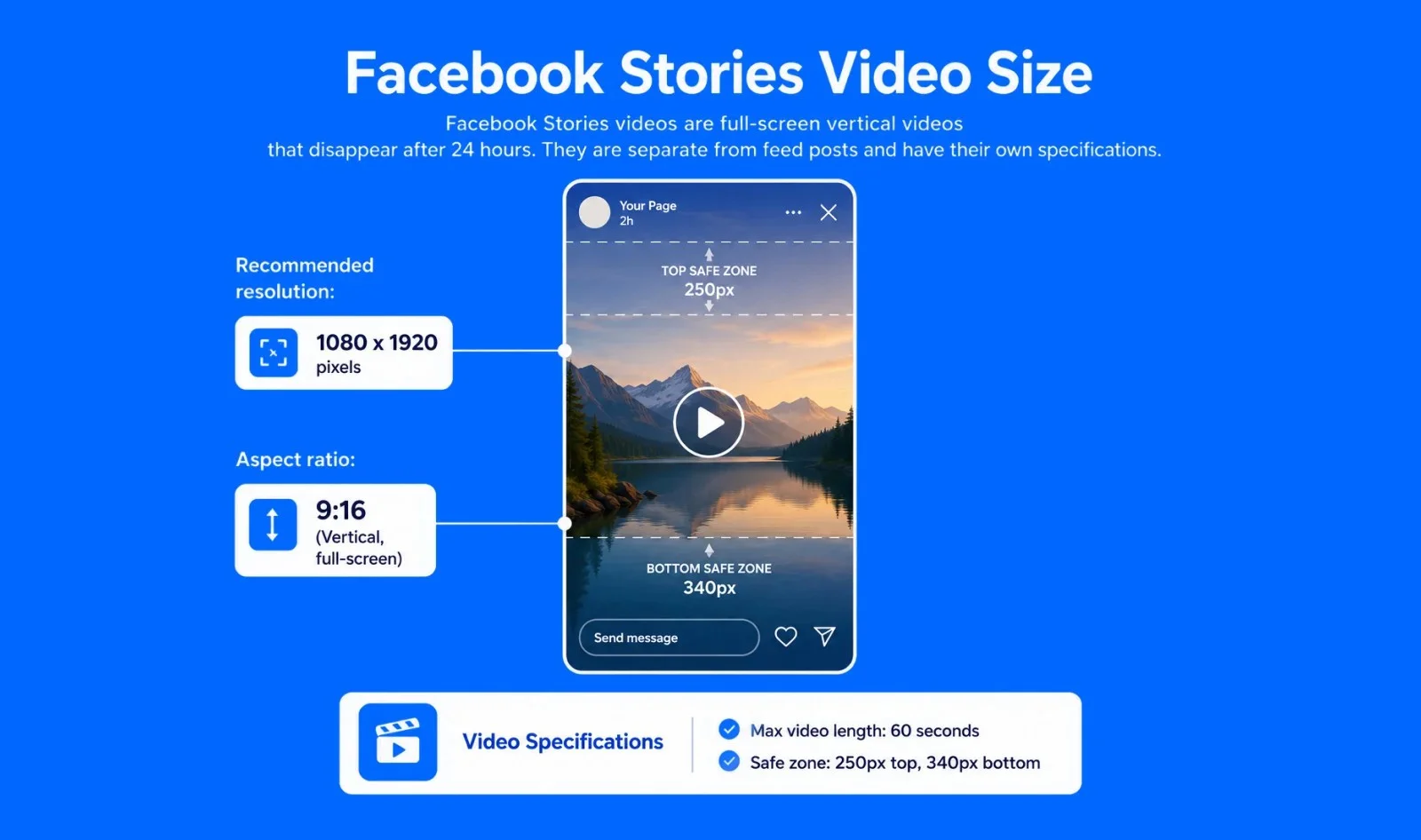
Facebook Stories videos are full-screen vertical videos that disappear after 24 hours. They are separate from feed posts and have their own specifications.
Video specification
- Recommended resolution: 1080 x 1920 pixels
- Aspect ratio: 9:16 (vertical, full-screen)
- Max file size: 4 GB
- Max video length: 60 seconds (Facebook automatically splits longer clips into 15-second cards)
- Recommended formats: MP4, MOV
- Safe zone: Leave 250 pixels at the top and 340 pixels at the bottom free of critical content to avoid UI overlap
Facebook Reels
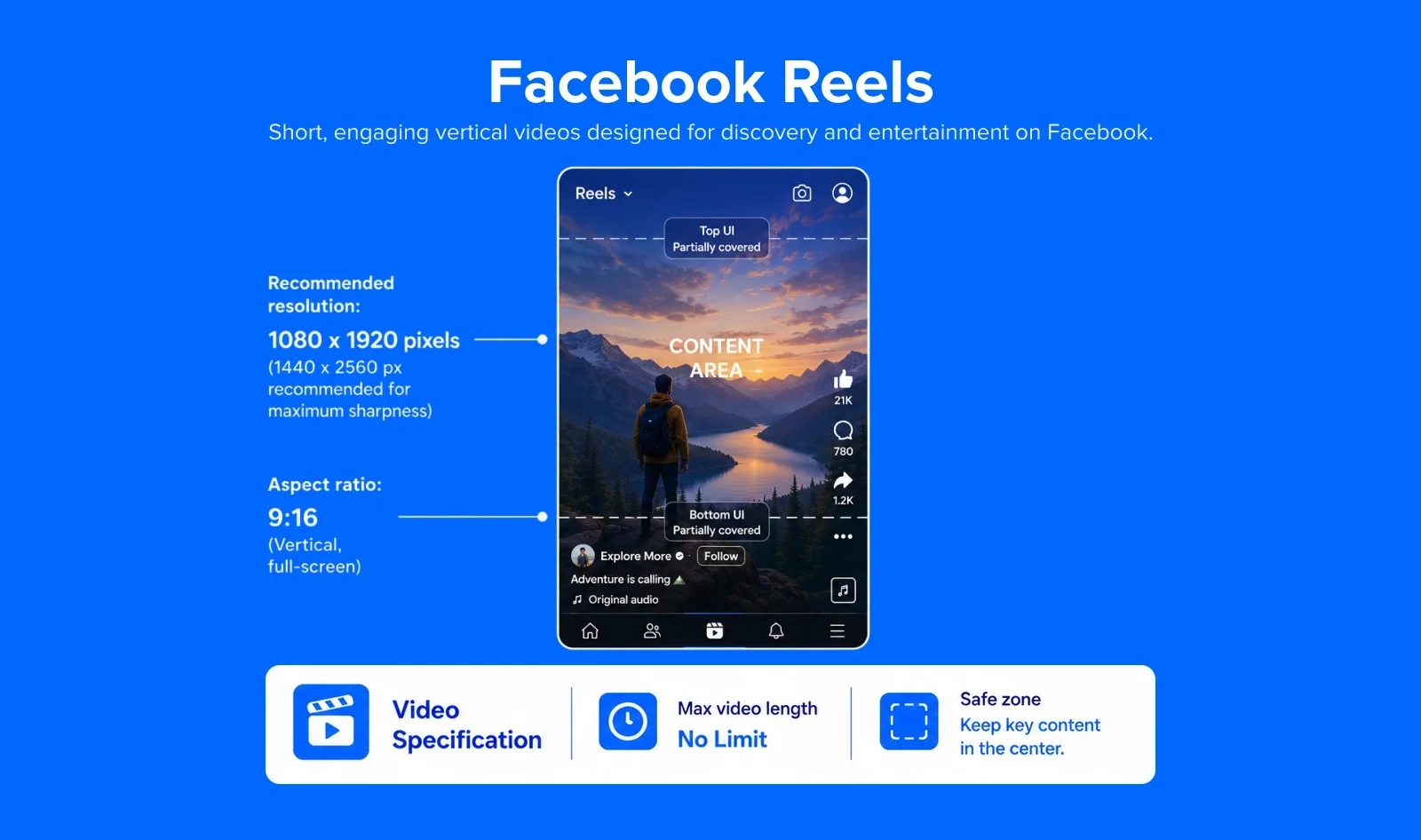
Facebook Reels is Facebook’s short-form vertical video format, directly competing with TikTok and Instagram Reels. Reels appear in the dedicated Reels tab, the main feed, and on profiles.
Video specification:
- Recommended resolution: 1080 x 1920 pixels (1440 x 2560 px recommended for maximum sharpness)
- Aspect ratio: 9:16 (vertical, full-screen)
- Max file size: 4 GB
- Max video length: No maximum length restriction for Reels. (Meta, June 2025 Update)
- Recommended formats: MP4, MOV
- Safe zone: Keep key visuals and text within the central area, the top and bottom are partially covered by UI controls
Reels are currently the highest-reach format on Facebook. Repurposing Instagram Reels or TikTok content directly to Facebook Reels is a common and efficient strategy, just ensure there are no visible third-party watermarks.
Facebook Live
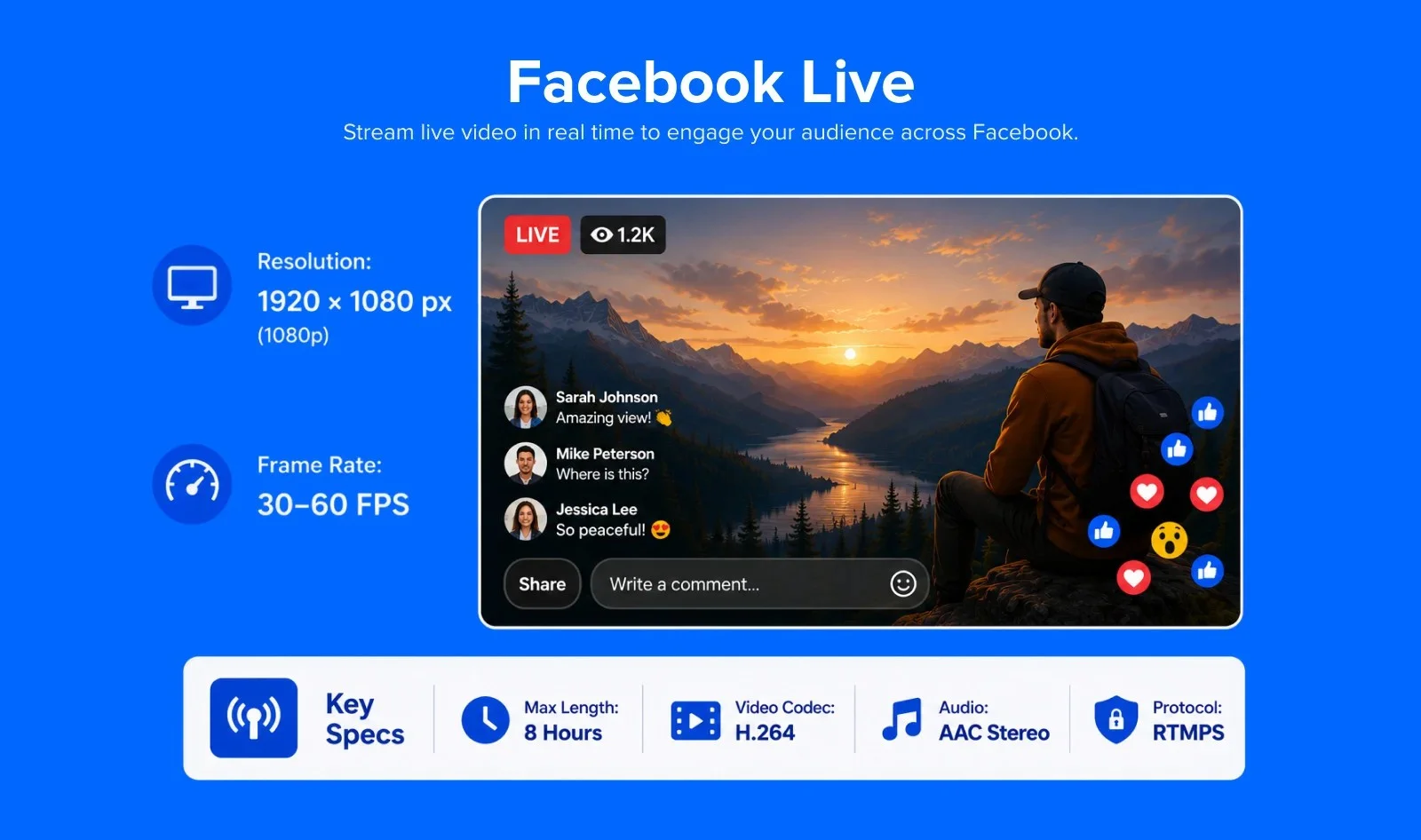
Facebook Live allows you to broadcast in real-time to your followers, Page audience, or Groups. Live videos get significantly higher organic reach than recorded uploads.
Video specification
- Recommended resolution: 1920 x 1080 pixels (1080p at 30 fps)
- Supported quality levels:
- 1080p @ 60 fps: 4,500–9,000 Kbps
- 1080p @ 30 fps: 3,000–6,000 Kbps
- 720p @ 30 fps: 1,500–4,000 Kbps
- 480p @ 30 fps: 600–2,000 Kbps
- Max broadcast length: 8 hours
- Protocol: RTMPS (recommended for security)
- Video codec: H.264 (Level 4.1 for 1080p/30 fps, Level 4.2 for 1080p/60 fps)
- Audio: AAC stereo, 44.1 kHz or 48 kHz
In-Stream Video Ads
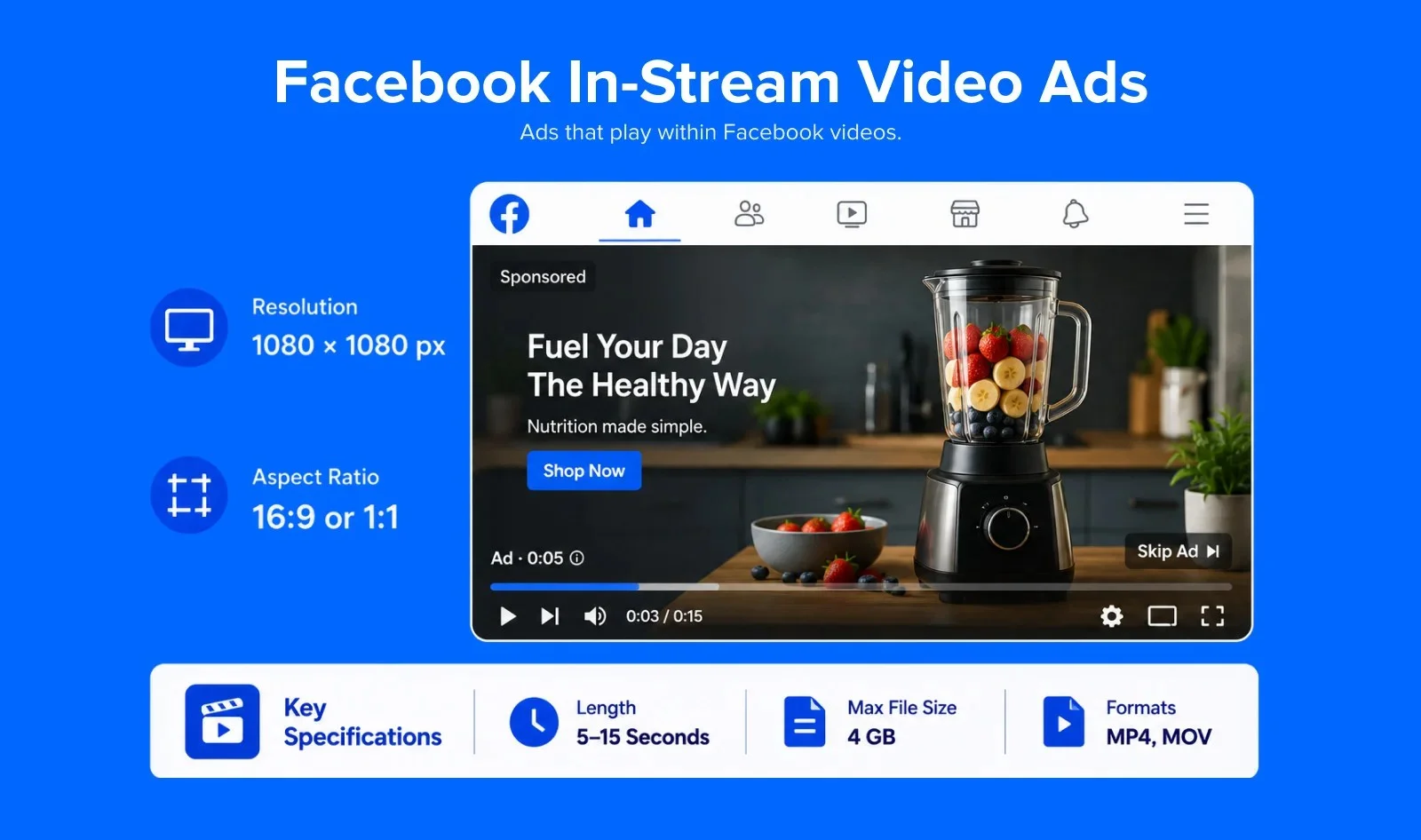
In-Stream Video Ads appear mid-roll inside other people’s Facebook videos, similar to YouTube pre-roll ads. They play automatically when a viewer is watching a video and cannot be skipped until a set interval.
Video specification
- Recommended resolution: 1080 x 1080 pixels
- Aspect ratio: 16:9 (landscape) or 1:1 (square)
- Video length: 5–15 seconds (strict limit for skippable; up to 60 seconds for non-skippable)
- Max file size: 4 GB
- Formats: MP4, MOV
In-Stream Ads require viewer attention from the first second. Lead with your brand or hook, there is no build-up time.
Read Facebook’s detailed video spec guide for every ad format, including carousel and collection video ads.
TikTok Video Specs
TikTok brought a revolution in the video marketing aspects, showcasing the true potential of short videos. You can participate in challenges and give your brand a personalized touch.
However, you need to abide by TikTok video specifications to elevate the experience of your viewers.
| Format | Aspect ratio | Resolution | Max length | Max file size |
| Organic (recorded in-app) | 9:16 | 1080 x 1920 | Up to 10 minutes | Varies by device |
| Organic (uploaded file) | 9:16 | 1080 x 1920 | Up to 60 minutes | Up to 4 GB on web upload |
| Non-Spark Ads | 9:16 (also supports 1:1, 16:9) | 1080 x 1920 minimum 540 x 960 | Up to 60 seconds | Under 500 MB |
| Spark Ads | Same as organic post | Same as organic post | No official restriction | Same as organic post |
Organic Videos
These are the usual TikTok videos that viewers might come across in their feeds if they are following you. Brands use them for duet challenges and daily posting.
Video Specifications
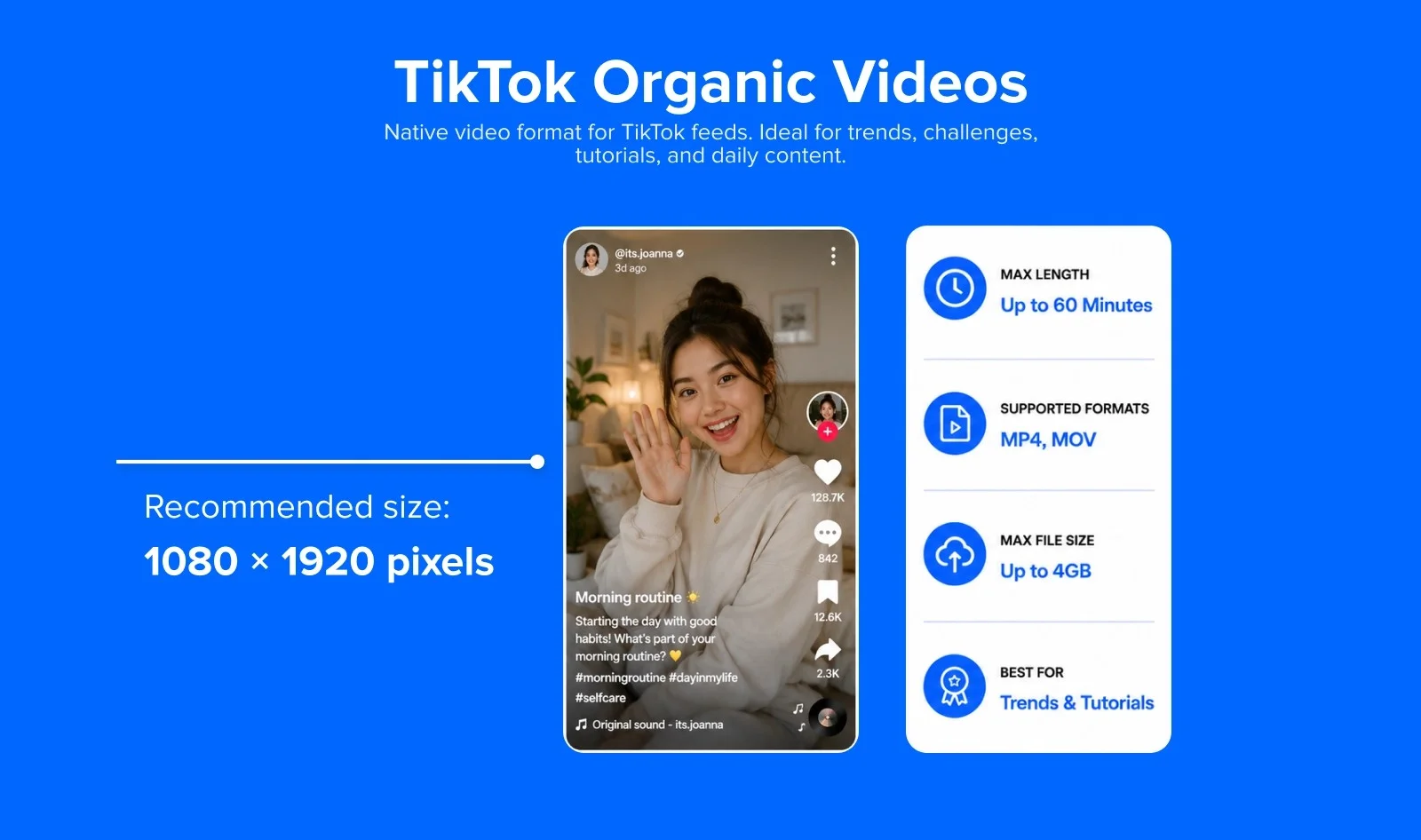
- Recommended resolution: 1080 x 1920 pixels
- Aspect ratio: 9:16 (full-screen vertical)
- Max file size: iOS app: up to 287.6 MB, Android app: up to 72 MB and TikTok web/desktop upload: up to 4 GB
- Max video length: While in-app recording is capped at 10 minutes, users can now upload pre-recorded videos up to 60 minutes long via the app or web.
- Select accounts: Up to 30 minutes
- Recommended formats: MP4, MOV
- Codec: H.264 with AAC audio
- Recommended bitrate: 6–8 Mbps at 1080p/30fps
- Frame rate: 30 fps (optimal); 30–60 fps supported
In 2026: TikTok’s video length limits depend on how you make the video. In-app video recording still caps at 10 minutes. Uploading a pre-made file organically can run up to 60 minutes for most accounts (third-party corroborated, no single official page found). Standard, non-Spark paid ads are capped at 10 minutes, while the Spark Ads have no separate limit.
Feed Ads
If you have found your niche audience on TikTok, utilize feed ads and resort to paid ads. They will boost your reach to a wider range of audiences and increase your engagement metrics considerably.
Video Specifications
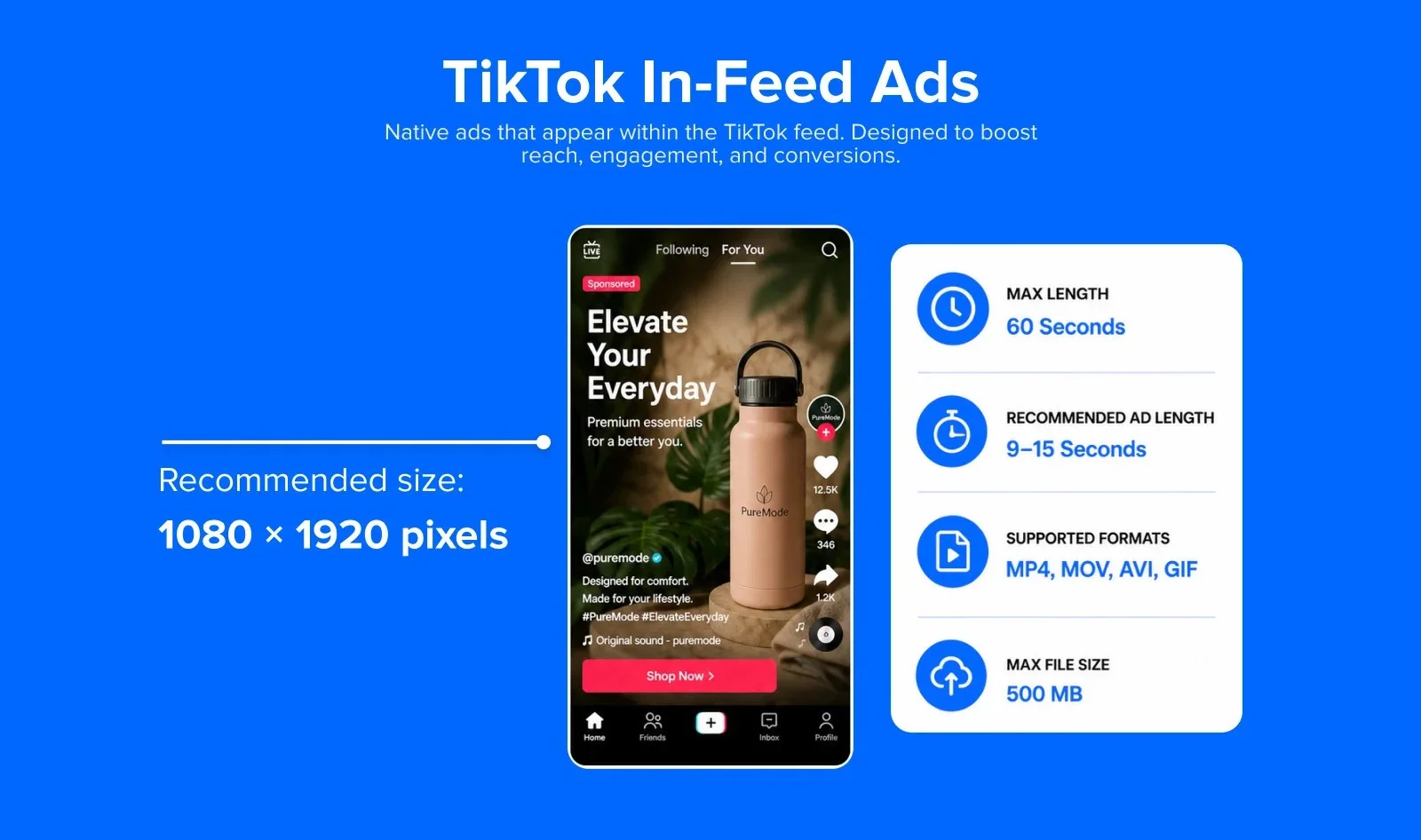
- Recommended resolution: 1080 x 1920 pixels
- Aspect ratio: 9:16 (full-screen vertical) – preferred; also supports 1:1 and 16:9
- Max file size: 500 MB
- Max video length: 60 seconds (ad format limit, even though organic can be longer)
- Recommended ad length: 9–15 seconds for best performance
- Recommended formats: MP4, MOV, AVI, GIF
- Codec: H.264 with AAC audio
TikTok Live
TikTok Live allows creators to broadcast in real time. Access to Live requires at least 1,000 followers and a minimum age of 18.
Video Specifications
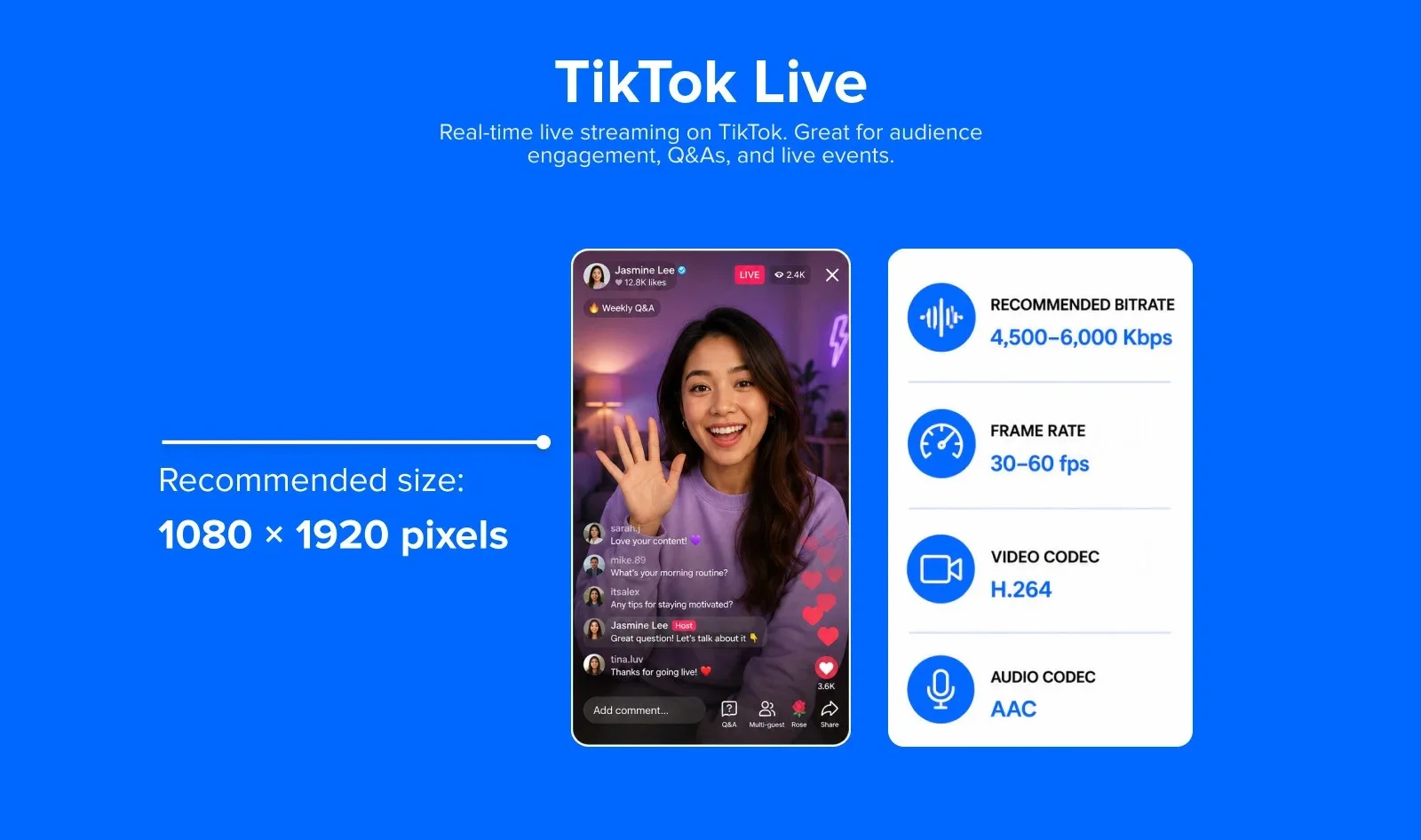
- Recommended resolution: 1080 x 1920 pixels (9:16 vertical)
- Recommended bitrate: 4,500–6,000 Kbps
- Frame rate: 30–60 fps
- Keyframe interval: 2 seconds
- Video codec: H.264
- Audio codec: AAC
YouTube Video Specs
More than 500 hours of video are uploaded to YouTube every minute.
YouTube is a great channel for marketers to promote their brands through interesting videos. YouTube video size rules split cleanly into two paths: long-form and Shorts. Here are their basic specs:
| Format | Aspect ratio | Resolution | Max length | Max file size |
| Standard Video | 16:9 | Up to 4K (2160p), higher resolutions supported | Up to 12 hours for verified accounts, 15 minutes if unverified | Up to 256 GB |
| Shorts | 9:16 | 1080 x 1920 | 3 minutes | Same as standard upload |
| Live | 16:9 | 720p or higher recommended | Depends on account type | Streamed, not uploaded |
Standard YouTube Video
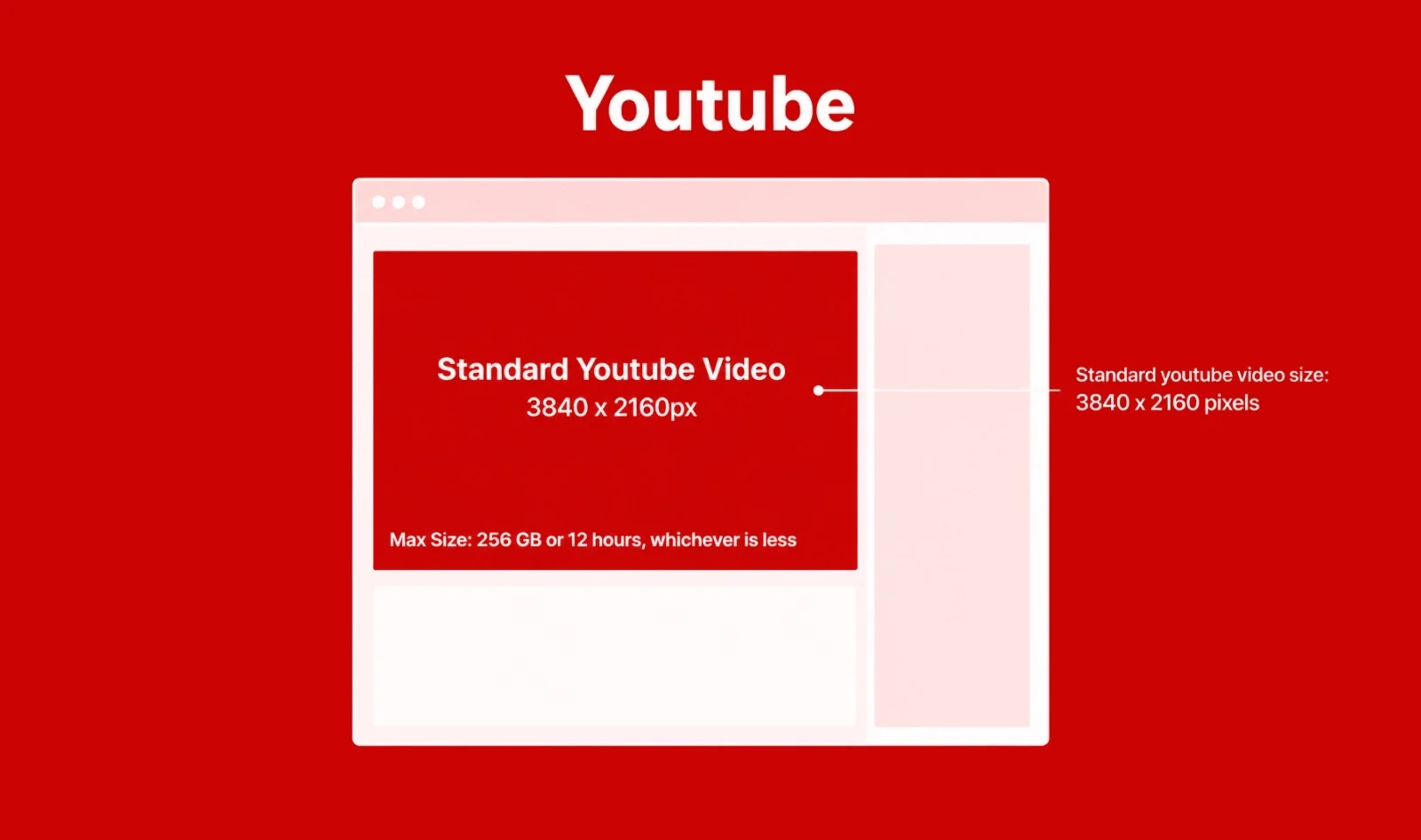
The best format which gives high-quality videos for uploading on YouTube is the MP4 format with H.264 codec and AAC codec, though numerous other formats are supported.
Video specifications
- Video Dimensions: 3840 x 2160 (max)
- Aspect Ratio: 16:9 or 4:3
- Video Length: 12 hours (max)
- File Type: .MOV, .MPEG4, MP4, .AVI, .WMV, .MPEGPS, .FLV, 3GPP, and WebM
- File Size: 256 GB or 12 hours, whichever is less.
Note: All YouTube video ads have the same basic specifications. The only difference is the length of the specific videos.
Length of various YouTube video ads
- Skippable video ads: Max length is 12 hours (can be skipped after 5 seconds)
- Non-skippable video ads: Max length is 15-20 seconds (30 seconds in some areas)
- Mid-roll video ads: Minimum length is 30 seconds
- Bumper video ads: Max length is 6 seconds
Display Ads
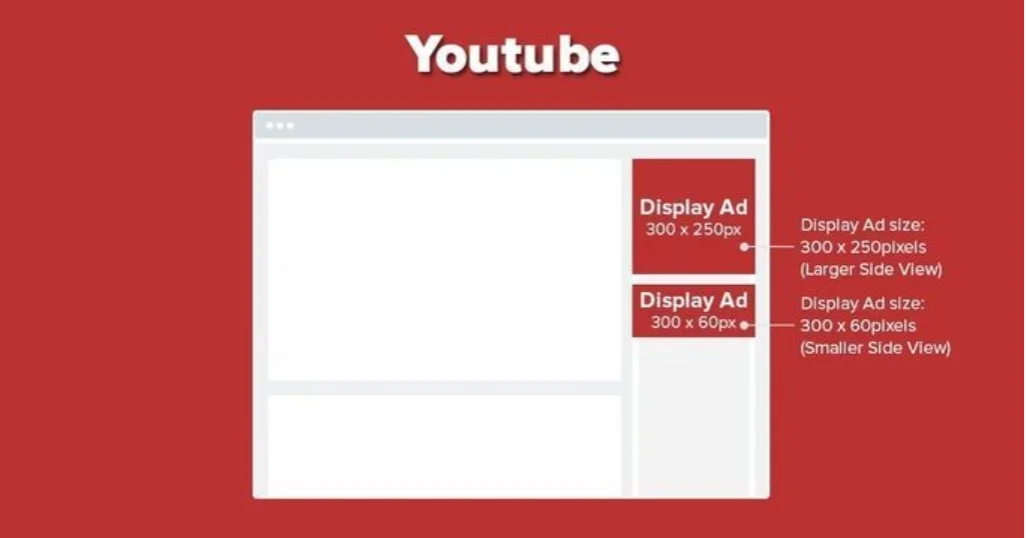
Display ads appear in the search results or in the right column when watching a YouTube video.
Video specifications
- Video Dimensions: 1920 x 1080 px (16:9 recommended)
- Companion Banner (optional add-on, desktop only): 300 x 250 px
- Aspect Ratio: 16:9 or 4:3
- Video Length: 12 hours (max)
- File Type: .MOV, .MPEG4, MP4, .AVI, .WMV, .MPEGPS, .FLV, 3GPP, and WebM
- File Size: 256 GB or 12 hours, whichever is less.
YouTube Shorts
YouTube shorts are similar to Facebook and Instagram stories. Most brands use this format to make a more dynamic presence on YouTube. They also serve as a quick reminder to check a new video upload.
Video Specification:
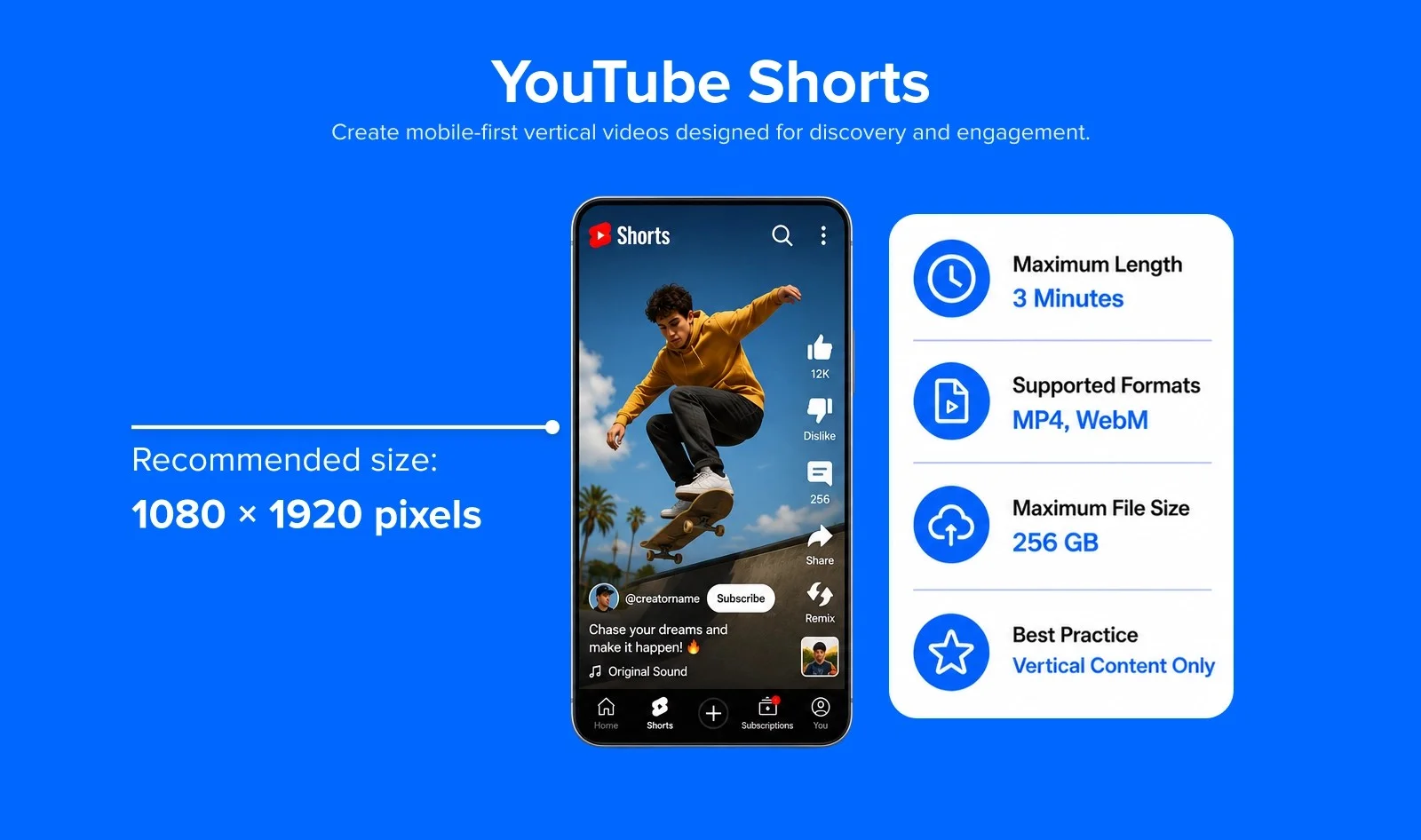
- Recommended resolution: 1080 x 1920 pixels
- Aspect ratio: 9:16 (strict vertical requirement — horizontal videos are not promoted as Shorts)
- Max video length: 3 minutes (180 seconds) — extended from 60 seconds in late 2024
- Max file size: 256 GB
- Recommended formats: MP4, WebM
- Codec: H.264 with AAC audio
- Frame rate: 30–60 fps
YouTube Live Streaming
YouTube Live allows creators and brands to stream in real time directly to their channel.
Video Specifications:
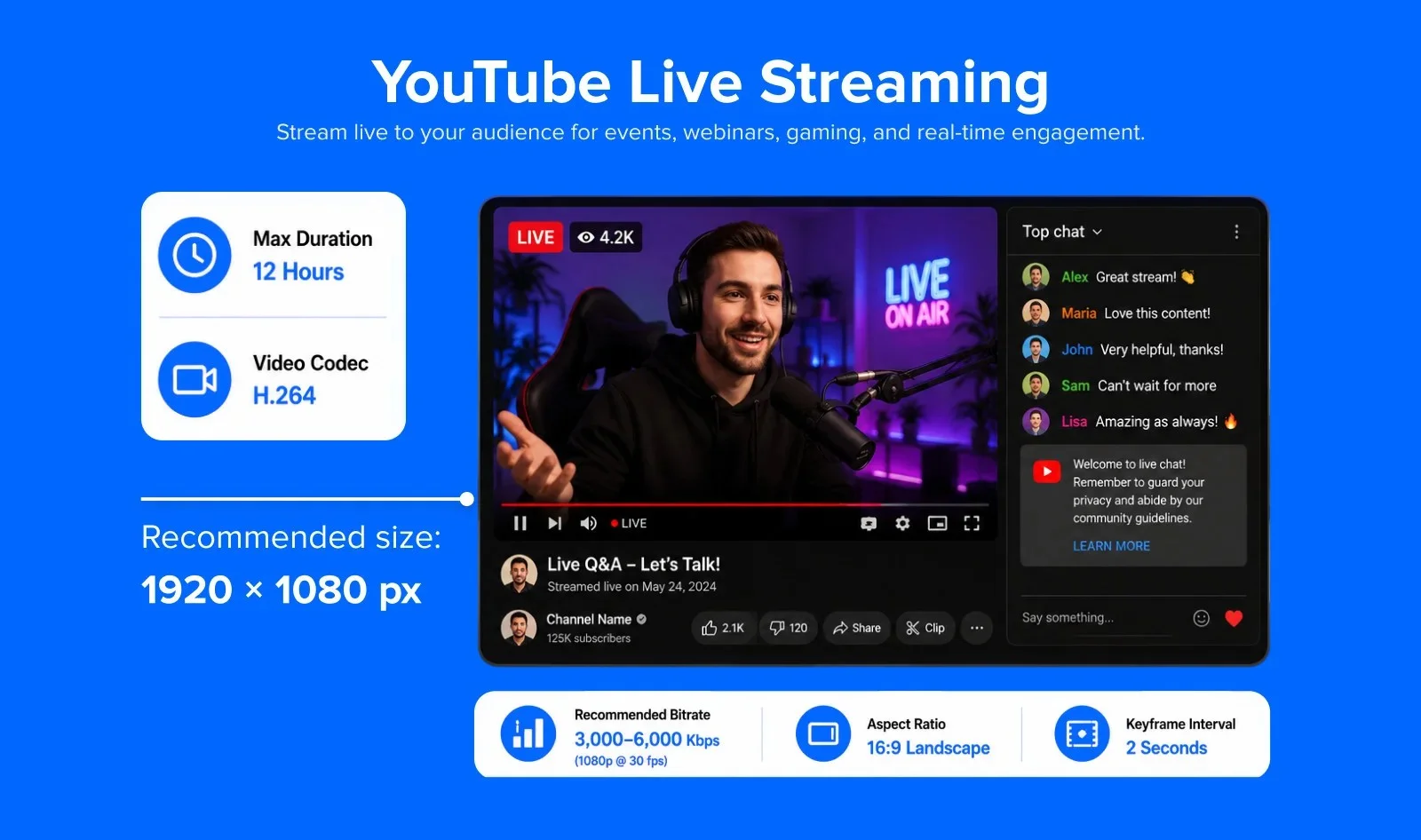
- Recommended resolution: 1920 x 1080 pixels (1080p at 30 fps)
- Bitrate recommendations:
- 4K (2160p) @ 60 fps: 20,000–51,000 Kbps
- 1080p @ 60 fps: 4,500–9,000 Kbps
- 1080p @ 30 fps: 3,000–6,000 Kbps
- 720p @ 60 fps: 2,250–6,000 Kbps
- 720p @ 30 fps: 1,500–4,000 Kbps
- 480p @ 30 fps: 600–2,000 Kbps
- Video codec: H.264
- Audio: AAC stereo, 44.1 kHz or 48 kHz
- Keyframe interval: 2 seconds
- Frame rate: 30 fps (default recommended) or 60 fps
- Max stream duration: 12 hours
LinkedIn Video Specs
While LinkedIn has still not introduced many features for its video content campaigns, the number of executives who watch videos is growing rapidly. LinkedIn has confirmed video watch time on the platform grew 36% year-over-year, with video content creation growing twice as fast as every other post format combined.
Let us now take a look at LinkedIn video specs.
| Format | Aspect ratio | Resolution | Max length | Max file size |
| Organic Video | 1:2.4 to 2.4:1 | Up to 4096 x 2304 | Up to 15 minutes on desktop, 10 minutes on mobile | Up to 5 GB |
| Video Ads | 16:9, 1:1, 4:5, or 9:16 | 1920 x 1080 recommended for 16:9 | 3 seconds to 30 minutes | 75 KB to 500 MB |
Along with uploading the video, LinkedIn gives you the option to share YouTube links in shared posts and LinkedIn Pulse articles. You can run video ads to increase your chances of lead generation and branding.
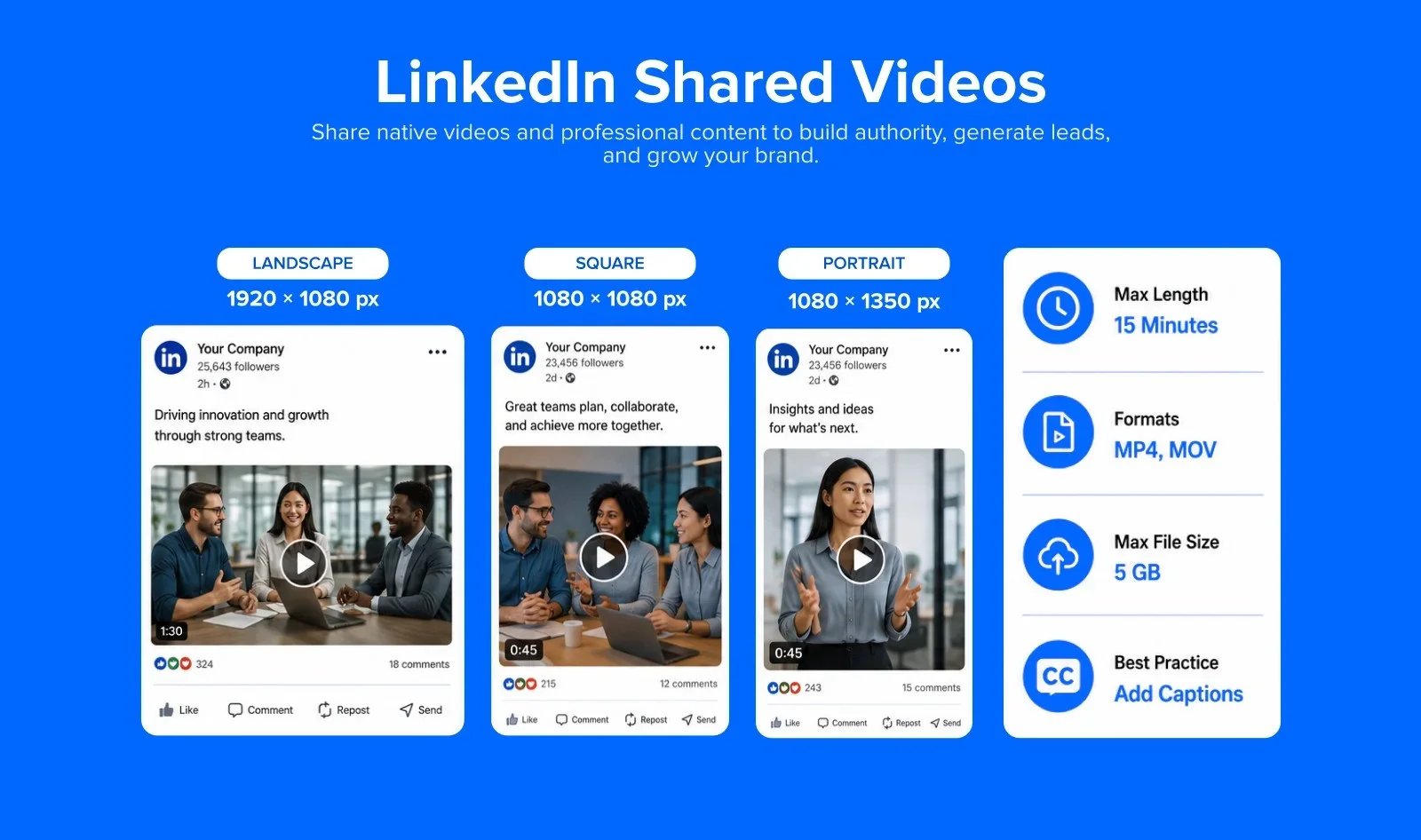
Video specifications:
- Recommended resolution: 1920 x 1080 pixels (16:9 landscape)
- Portrait: 1080 x 1920 pixels (9:16)
- Square: 1080 x 1080 pixels (1:1)
- Maximum resolution: 4096 x 2304 pixels (4K)
- Supported aspect ratios: 16:9 (landscape), 4:5 (portrait), 1:1 (square), 9:16 (vertical)
- Max video length: 15 minutes (desktop); 10 minutes (mobile upload)
- Max file size: 5 GB
- Supported formats: MP4, MOV, ASF, AVI, FLV, MPEG-1, MPEG-4, MKV, WebM
- Recommended codec: H.264 with AAC audio
- Recommended bitrate: 8–12 Mbps at 1080p
- Frame rate: 24–30 fps recommended (10–60 fps supported)
LinkedIn’s algorithm tends to favor native video uploads over posts. Also, shorter videos perform better here, and under 60 seconds is the sweet spot for completion rates. Captioning your videos still matters too, because 21% of mobile viewers keep their sound permanently off, and only 37% typically watch with sound on at all.
LinkedIn Live Video
LinkedIn Live allows Pages and individuals (with approval) to broadcast live to their network. It is particularly effective for product launches, thought leadership sessions, and virtual events.
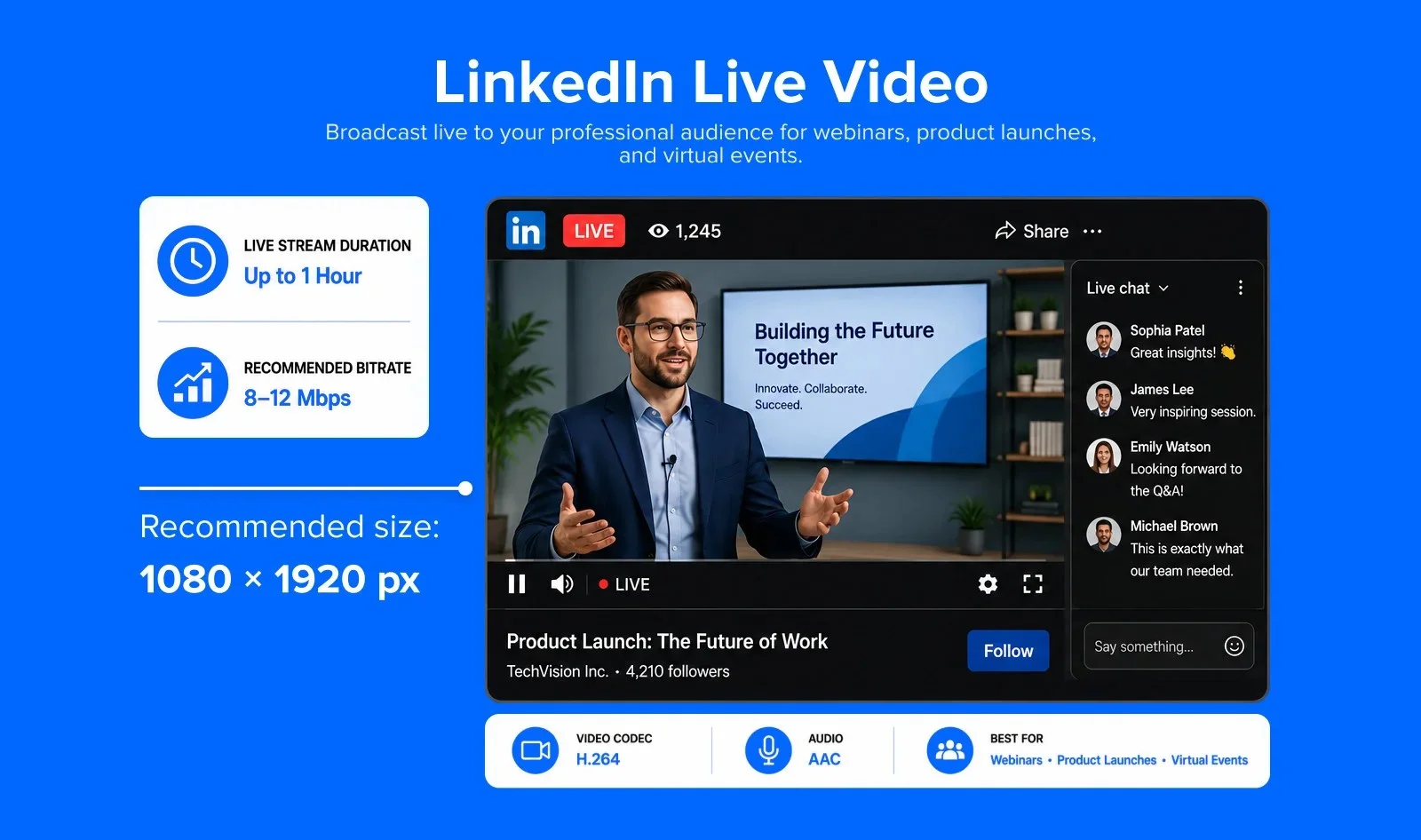
Video specification
- Recommended resolution: 1920 x 1080 pixels (16:9) or 1080 x 1080 pixels (1:1)
- Minimum resolution: 256 x 144 pixels
- Maximum resolution: 4096 x 2304 pixels
- Recommended bitrate: 8–12 Mbps at 1080p (range: 192 Kbps to 30 Mbps)
- Frame rate: 24–30 fps recommended (10–60 fps supported)
- Video codec: H.264
- Audio: AAC (Advanced Audio Coding)
- Max live duration: Typically up to 1 hour (varies by encoding partner)
- Requirement: LinkedIn Live access must be requested and approved via LinkedIn’s application process.
LinkedIn Video Ads
LinkedIn Sponsored Video Ads appear in the LinkedIn feed and are targeted based on professional demographics – making them highly effective for B2B campaigns.
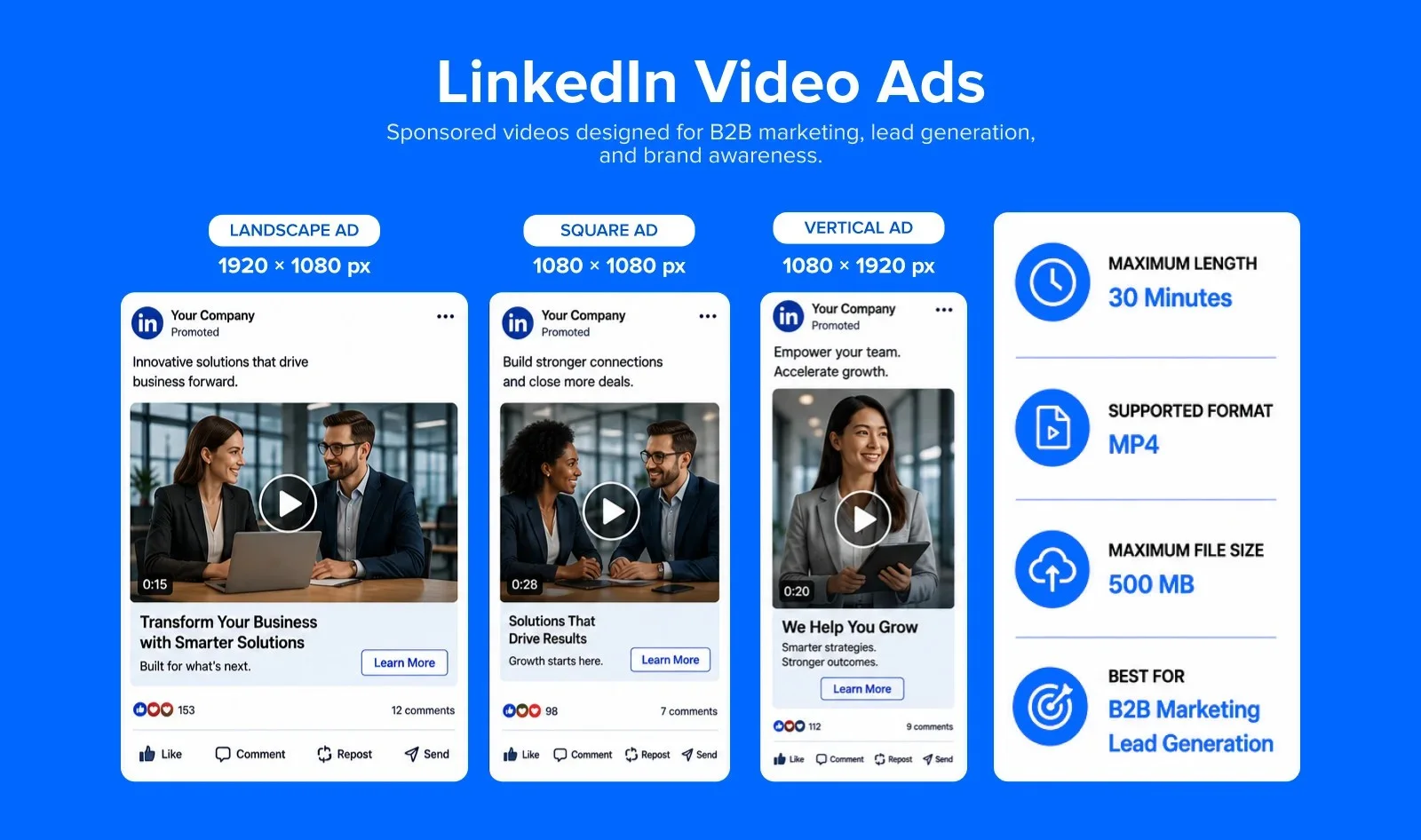
Video specification
- Recommended resolution: 1920 x 1080 pixels (16:9)
- Supported aspect ratios: 16:9 (landscape), 1:1 (square), 9:16 (vertical)
- Max video length: 30 minutes
- Max file size: 500 MB
- Formats: MP4
- Recommended length for ads: 15 seconds or less for awareness campaigns; up to 90 seconds for consideration
Check LinkedIn’s full post sizing guide for image specs and additional placement details.
X (Twitter) Video Specs
X’s CEO, Linda Yaccarino, said in 2023 that the platform sees roughly 500 million posts every day. The sports and the entertainment sector make extensive use of this platform for marketing their brand stories. Let’s check out their video specifications.
| Account type | Aspect ratio | Resolution | Max length | Max file size |
| Standard (free) account | 16:9, 1:1, or 9:16 | 1280 x 720 | 2 minutes 20 seconds | 512 MB |
| X Premium | Same ratios | Same resolution | Up to 4 hours | Reported as either 8 GB or 16 GB, depending on the source |
| Video ads | 16:9, 1:1, or 9:16 | 1280 x 720 | Around 60 seconds performs best | 500 MB |
Twitter In-Feed Video
You can upload the in-feed video content in the landscape and portrait formats directly on Twitter. While these specific formats cannot be shared through YouTube and Vimeo links, Twitter provides easy ways of sharing organic content. For paid content videos ads too, you can use the same specs as follows.
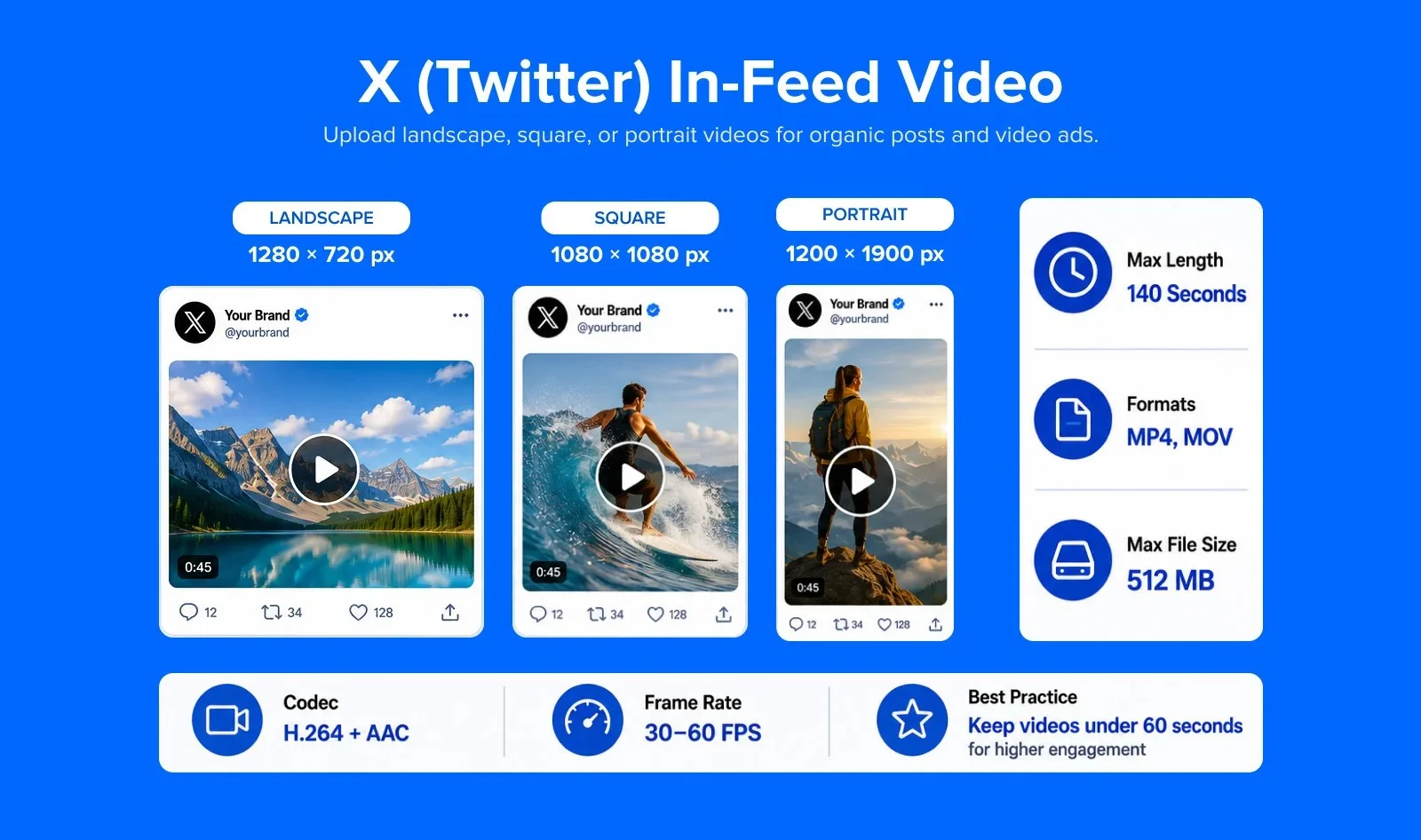
Video Specification:
- Recommended resolution: 1920 x 1200 pixels (landscape) or 1200 x 1900 pixels (portrait); minimum 32 x 32 pixels
- Recommended for feed: 1280 x 720 pixels (landscape)
- Supported aspect ratios: 16:9 (landscape), 9:16 (portrait), 1:1 (square)
- Max video length (standard): 140 seconds (2 min 20 sec)
- Max video length (X Premium – web/iOS): 4 hours (240 minutes)
- Max video length (X Premium – Android): 10 minutes
- Max file size (standard): 512 MB
- Max file size (X Premium): 16 GB
- Recommended formats: MP4, MOV
- Codec: H.264 with AAC audio
- Recommended bitrate: 2–5 Mbps (5 Mbps at 1080p, 2.5 Mbps at 720p)
- Frame rate: 30 fps or 60 fps
Note: X (Twitter) introduced 4-hour video uploads for Premium subscribers on web and iOS. Standard (non-Premium) accounts remain limited to 140 seconds. For most brand content, keeping videos under 60 seconds delivers the best completion rates.
X (Twitter) Video Ads
X ads run on a different rulebook than organic posts, with their own length and file limits that don’t always match what you’d expect from the platform’s regular upload rules. Getting these specs right before launch will ensure a smooth campaign.
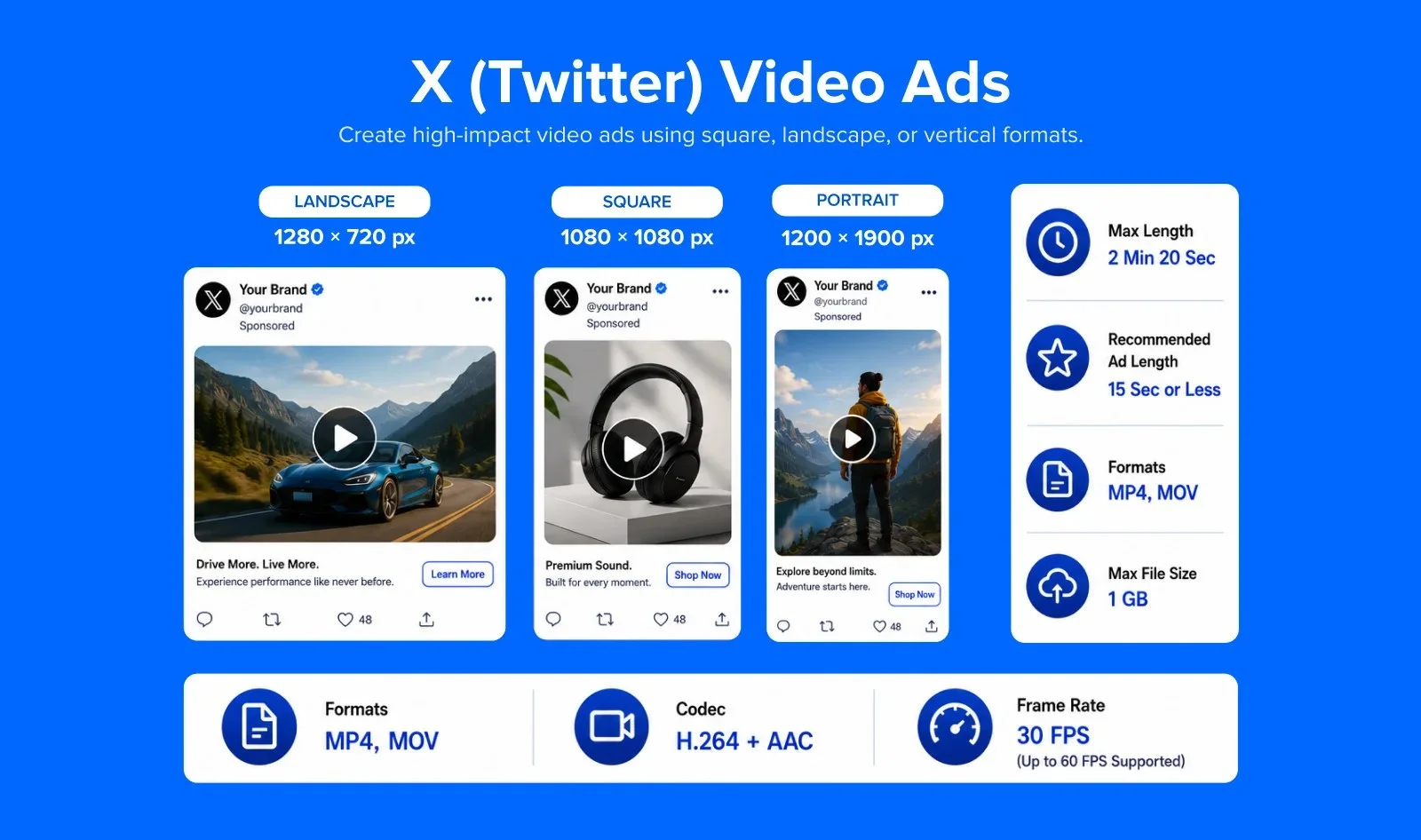
Video Specifications:
- Recommended resolution: 1200 x 1200 pixels (1:1) or 1920 x 1080 pixels (16:9)
- Minimum resolution: 600 x 600 pixels (1:1) or 640 x 360 pixels (other ratios)
- Supported aspect ratios: 9:16, 16:9, 1:1
- Max video length: 2 minutes 20 seconds (same as organic); recommended 15 seconds or less for ads
- Max file size: 1 GB
- Recommended formats: MP4, MOV
- Codec: H.264/AVC with AAC-LC audio (128 Kbps max)
- Frame rate: 29.97 fps or 30 fps (up to 60 fps supported)
To maximize the impact of your Twitter videos and boost sales and engagement, explore our detailed guide on video marketing strategies.
Pinterest Video Specs
Pinterest does support native video uploads, allowing users to create and publish video Pins directly on the platform. You can upload videos in formats like MP4, MOV, or M4V, with durations ranging from 4 seconds up to 15 minutes.
In addition to native video Pins, Pinterest also supports video ads and idea pins, which autoplay in users’ feeds and are designed for higher engagement.
| Format | Aspect ratio | Resolution | Max length | Max file size |
| Video Pins (organic) | 9:16 recommended; also supports 1:1, 2:3, 3:4, 4:5, 1:2 | 1080 x 1920 for full-screen | 4 seconds to 15 minutes | 20 MB on web, up to 2 GB recommended on mobile |
| Video Ads | Same ratio options as organic | Same as organic | Similar range, check current ad specs before submitting | Similar range, check current ad specs before submitting |
Pinterest Video Pin (Organic)
Pinterest Video Pins are native videos that appear in the feed and search results. They play silently by default, so visual storytelling and on-screen text are essential.
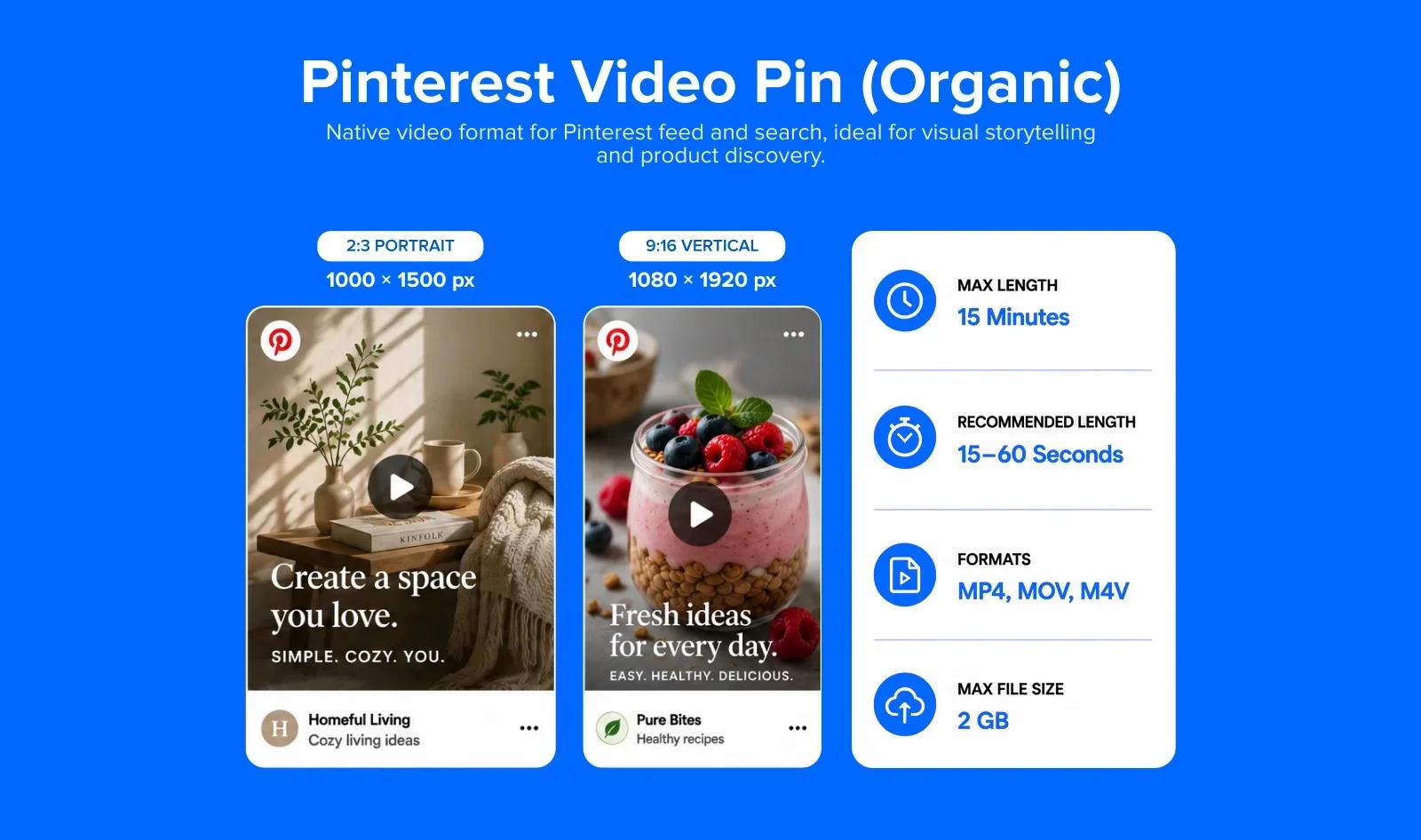
Video specification
- Recommended resolution: 1080 x 1920 pixels (9:16) or 1000 x 1500 pixels (2:3)
- Supported aspect ratios: 9:16 (vertical), 2:3 (portrait) – vertical formats perform best
- Max file size: 2 GB
- Max video length: 15 minutes
- Recommended length: 15–60 seconds for best engagement
- Recommended formats: MP4, MOV, M4V
- Audio: Auto-muted in feed – always include captions or on-screen text
Pinterest Long-Form Video Ads
The two formats for Pinterest Promoted videos are: square and vertical. While they are almost the same, they have some unique dimensions.
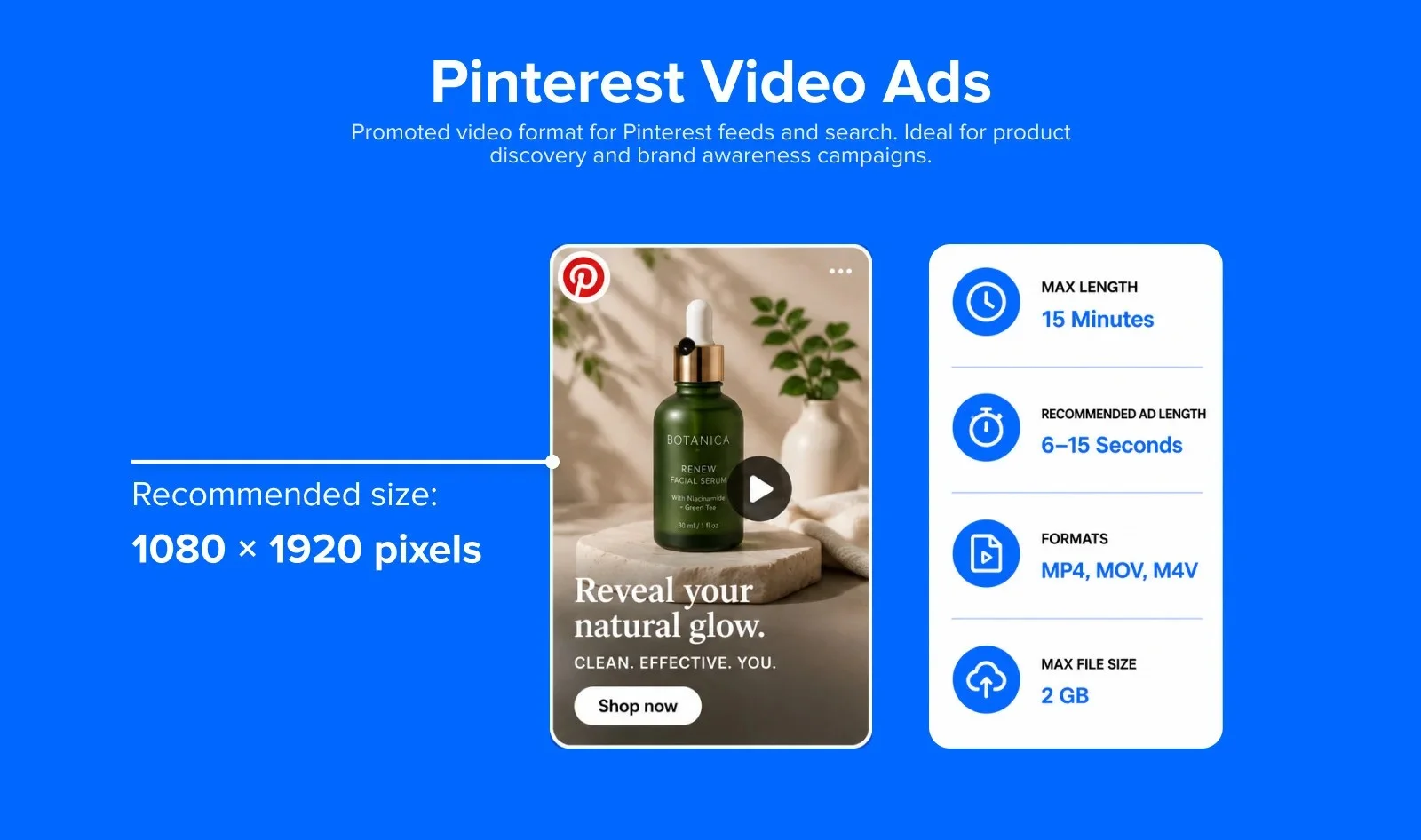
Video specifications
Pinterest Promoted Video Ads (also called Standard Width Video Ads) appear in feeds and search results. They are available in multiple aspect ratios.
- Recommended resolution: 1080 x 1920 pixels (9:16 vertical)
- Square option: 1000 x 1000 pixels (1:1)
- Portrait option: 1000 x 1500 pixels (2:3)
- Supported aspect ratios: 9:16, 2:3, 1:1
- Max file size: 2 GB
- Max video length: 15 minutes (recommended 6–15 seconds for ads)
- Recommended formats: MP4, MOV, M4V
Note: Pinterest also offers Max Width Video Ads that span the full width of the feed. These use the same specs but require a minimum 600 x 600 px resolution and 1:1 or 16:9 aspect ratio. Max Width Ads are only available as paid placements.
Multi-Page Pins (formerly Idea Pins)
Pinterest retired Idea Pins as a separate format in August 2023. The multi-page, music, and sticker features that made Idea Pins distinct are now just part of the standard Create Pin flow, so there’s no separate format to choose anymore, just one Pin option that can hold images, video, or both.
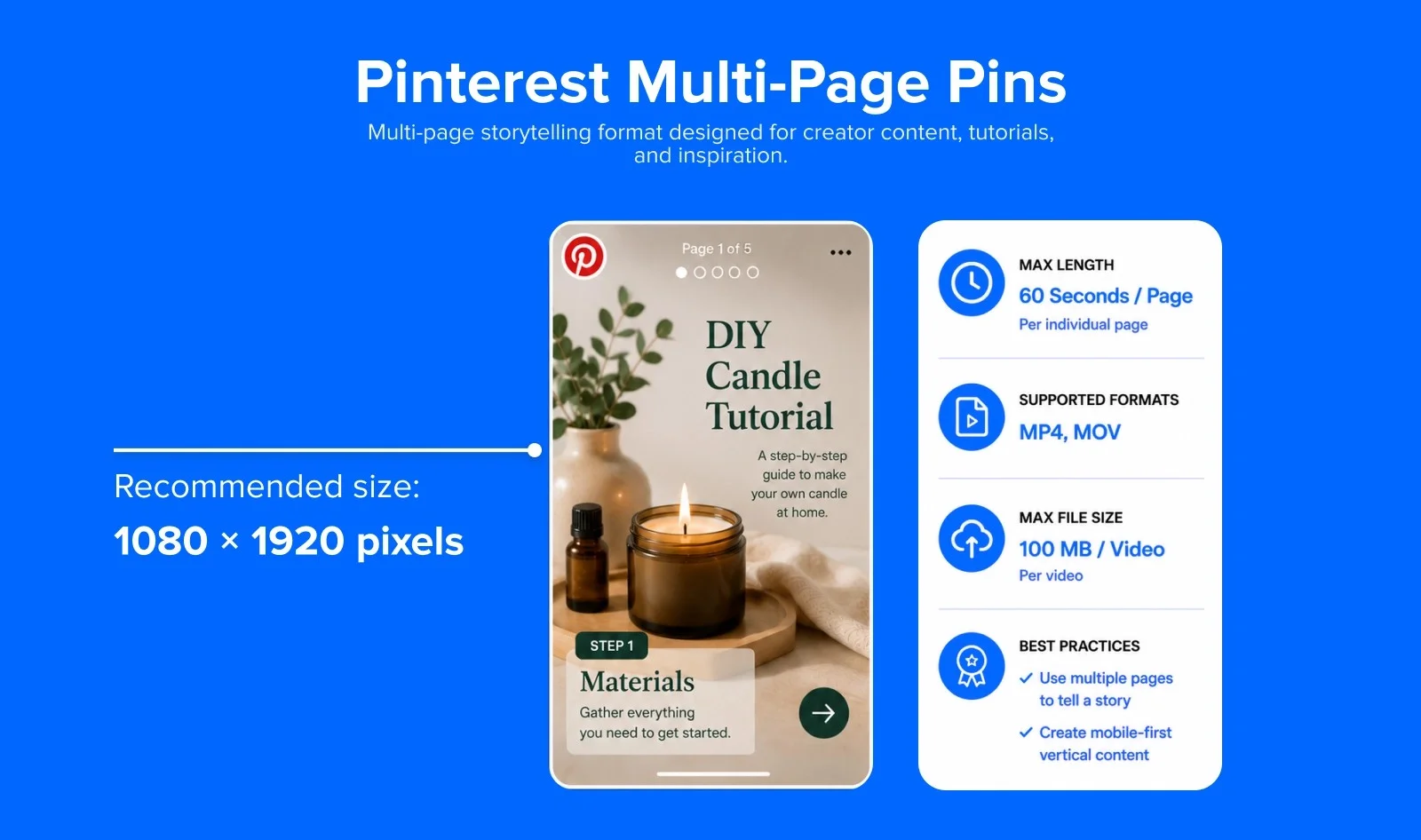
Video Specifications
- Recommended resolution: 1080 x 1920 pixels
- Aspect ratio: 9:16 (full-screen vertical)
- Max file size: 100 MB per video
- Max video length per page: 60 seconds
- Recommended formats: MP4, MOV
Other Platforms: Snapchat, Threads, Bluesky, and Google Business Profile
These four platforms get less attention than Instagram or TikTok, but they still show up in most cross-platform campaigns, especially for local businesses and community-first brands. Let’s check the video specs for each of these:
Snapchat
Are you one of the billion viewers seeing videos on Snapchat?
Snapchat has grown bigger than Twitter and Pinterest, a favorite among the younger generation, though it is a much younger platform.
So if you want to leverage the power of Snapchat for your video marketing campaigns, you should also be aware of the video specifications.
Single Video
This video format is the basic way in which users communicate on the platform. Yet, as a marketer, you can post videos to showcase products and latest events in your business. To complement your video production, don’t miss our video marketing strategy guide to craft engaging content that drives results.
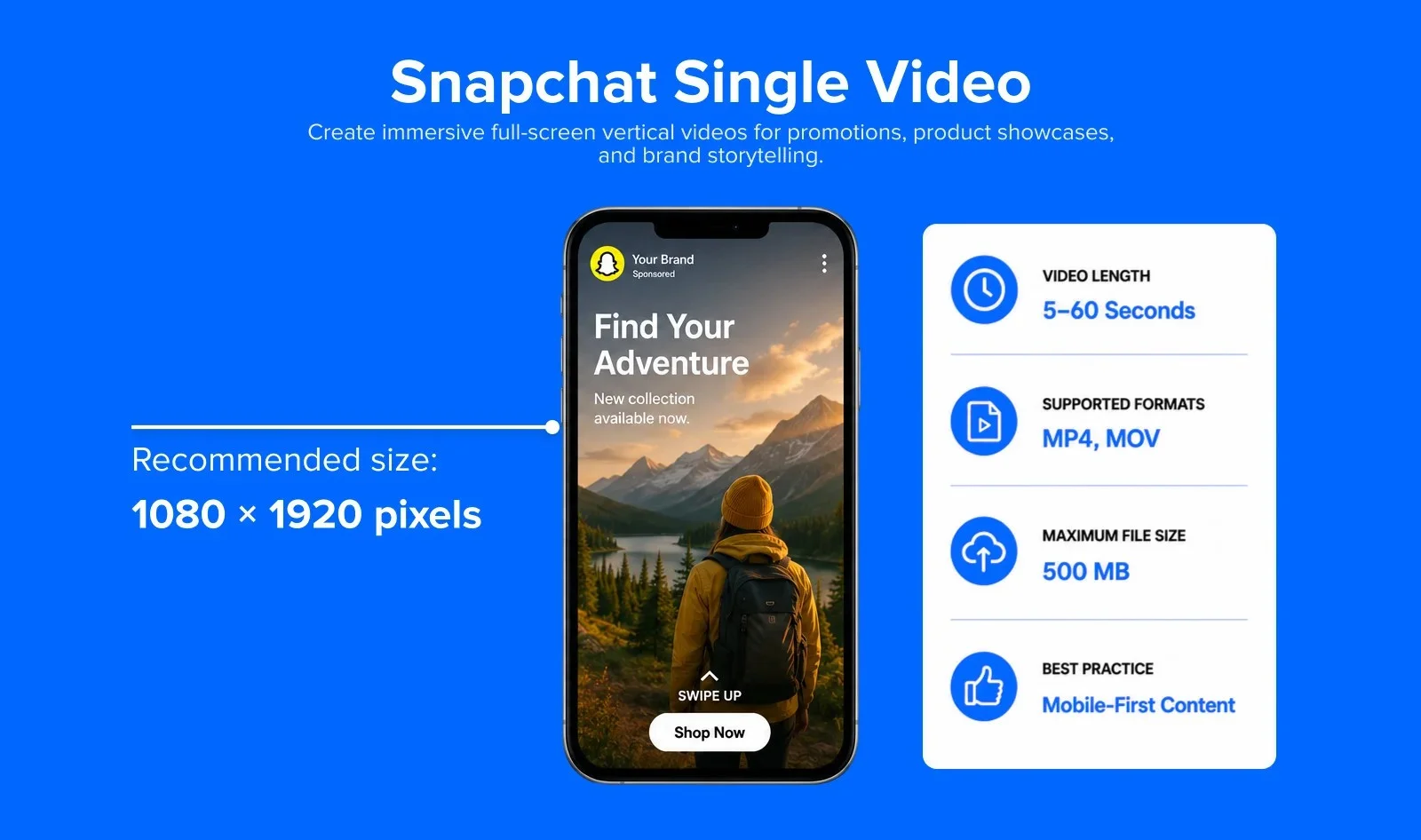
Video specifications
- Recommended resolution: 1080 x 1920 pixels
- Aspect ratio: 9:16 (full-screen vertical)
- Max file size: 500 MB
- Max video length: 5–60 seconds
- Recommended formats: MP4, MOV
- Minimum resolution: 640px wide with a minimum 3:4 aspect ratio
Snapchat Spotlight
Snapchat Spotlight is Snapchat’s algorithmically-driven short video feed – similar to TikTok’s For You Page. Videos can reach far beyond your follower base based on engagement.
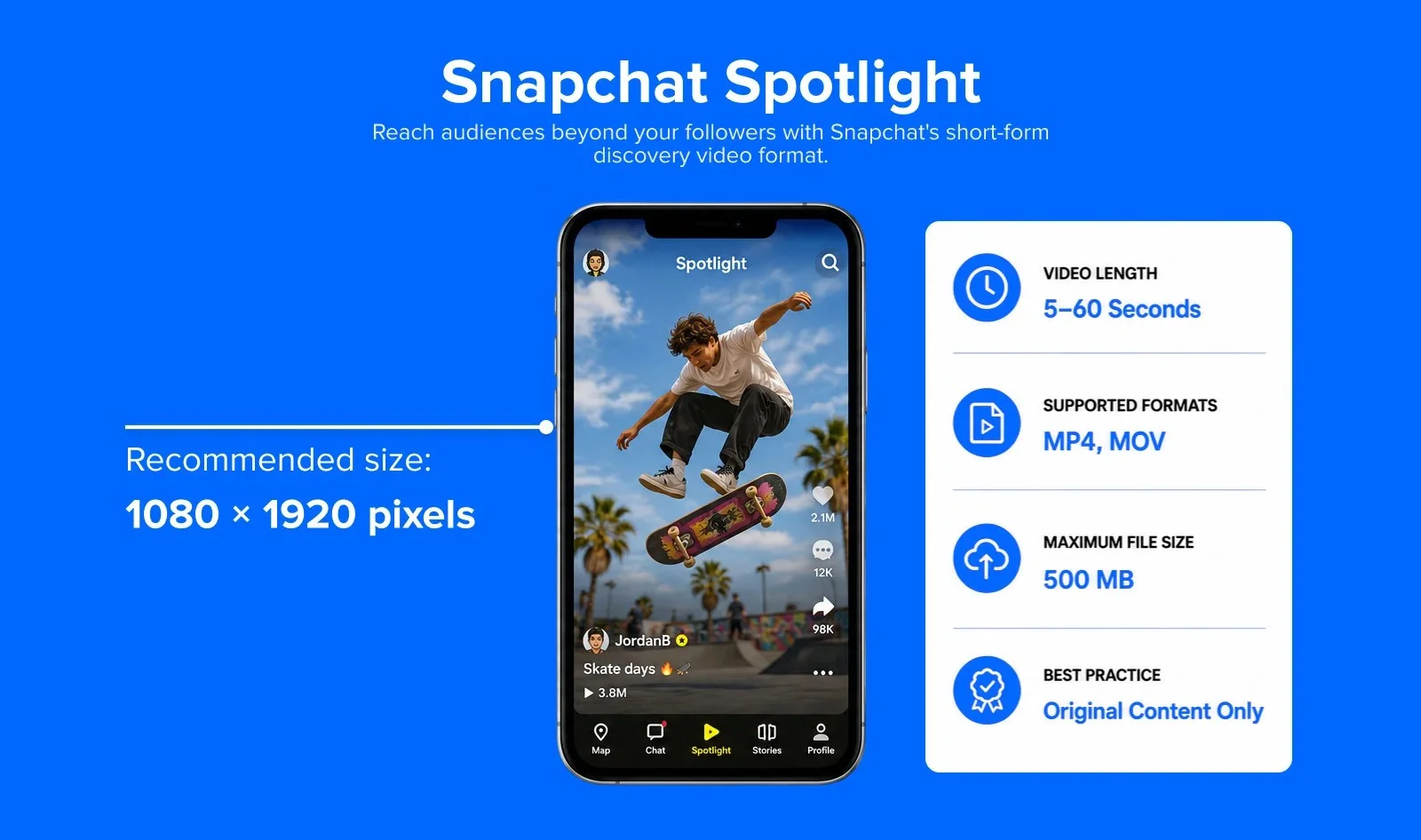
Video Specifications:
- Recommended resolution: 1080 x 1920 pixels
- Aspect ratio: 9:16 (full-screen vertical)
- Max file size: 500 MB
- Max video length: 5–60 seconds
- Recommended formats: MP4, MOV
- Content requirements: Must be original content; no watermarks from other platforms, no still images, no text-only content, no low-resolution uploads
Spotlight videos are eligible for Snapchat’s creator payment program, making it the platform’s primary monetization pathway for creators. Videos that feel native (not repurposed from TikTok or Reels with visible watermarks) perform significantly better.
Snapchat Long-Form Video Ads
Long-form videos are the only format that Snapchat offers for paid ad formats. But, there are opportunities galore to add a video to Snapchat’s discovery option. You have to explore this social media network to ascertain how it can be best suited for your video ad campaigns.
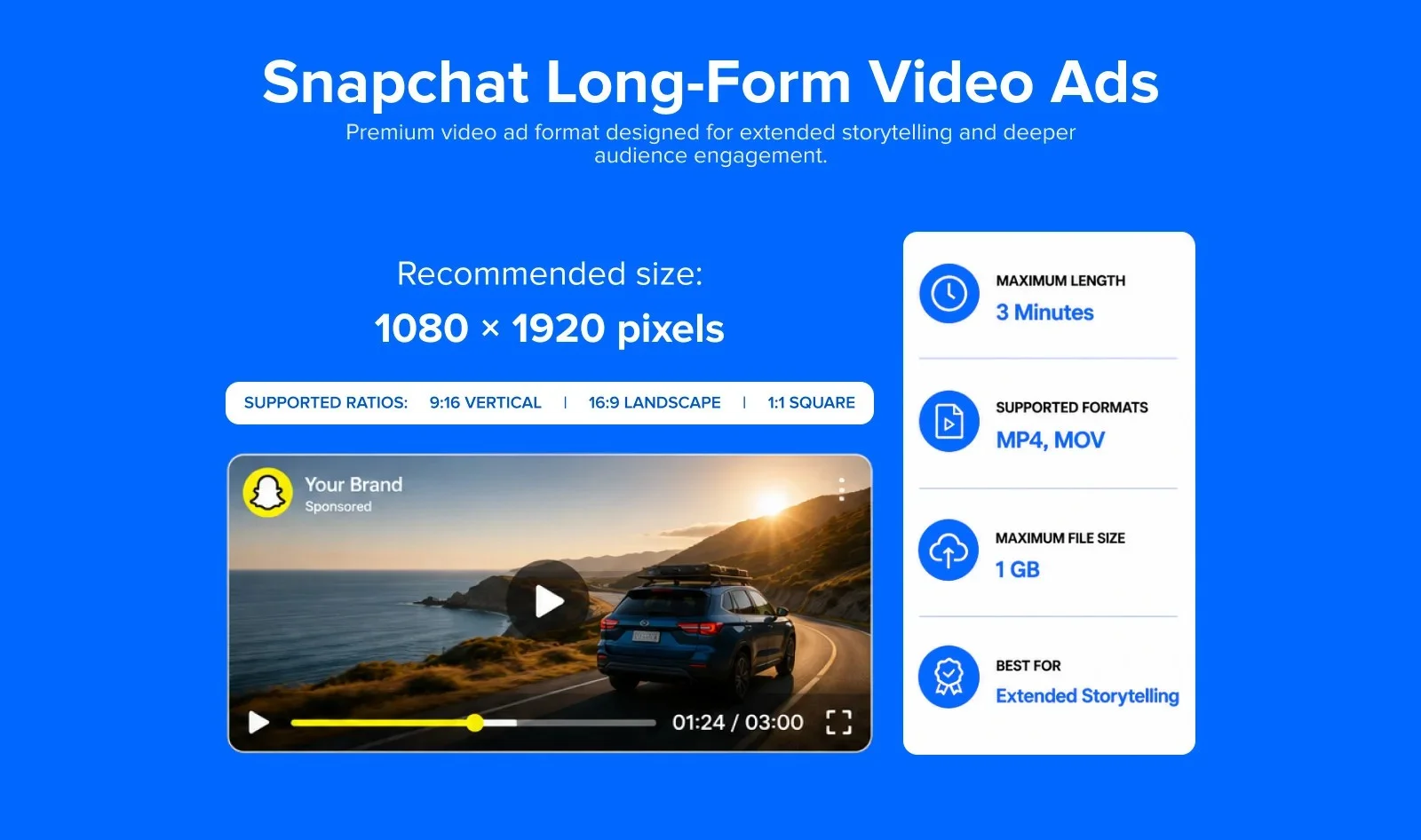
Video specifications
- Recommended resolution: 1080 x 1920 pixels
- Supported aspect ratios: 9:16 (vertical, primary), 16:9 (landscape), 1:1 (square)
- Max file size: 1 GB
- Max video length: 180 seconds (3 minutes)
- Recommended formats: MP4, MOV
- Recommended length: 15 seconds or less for non-skippable; up to 3 minutes for unskippable long-form
Threads
Threads (by Meta) added native video support in 2024. As a text-first platform built on Instagram’s infrastructure, Threads supports a range of video formats and is increasingly used for short-form video content.
Threads Feed Video Specifications
Threads does not have a dedicated video feed like Reels, videos appear inline in the Threads conversation feed. Content repurposed from Instagram Reels or TikTok works well here, given the shared audience. Videos under 90 seconds see the strongest completion rates.
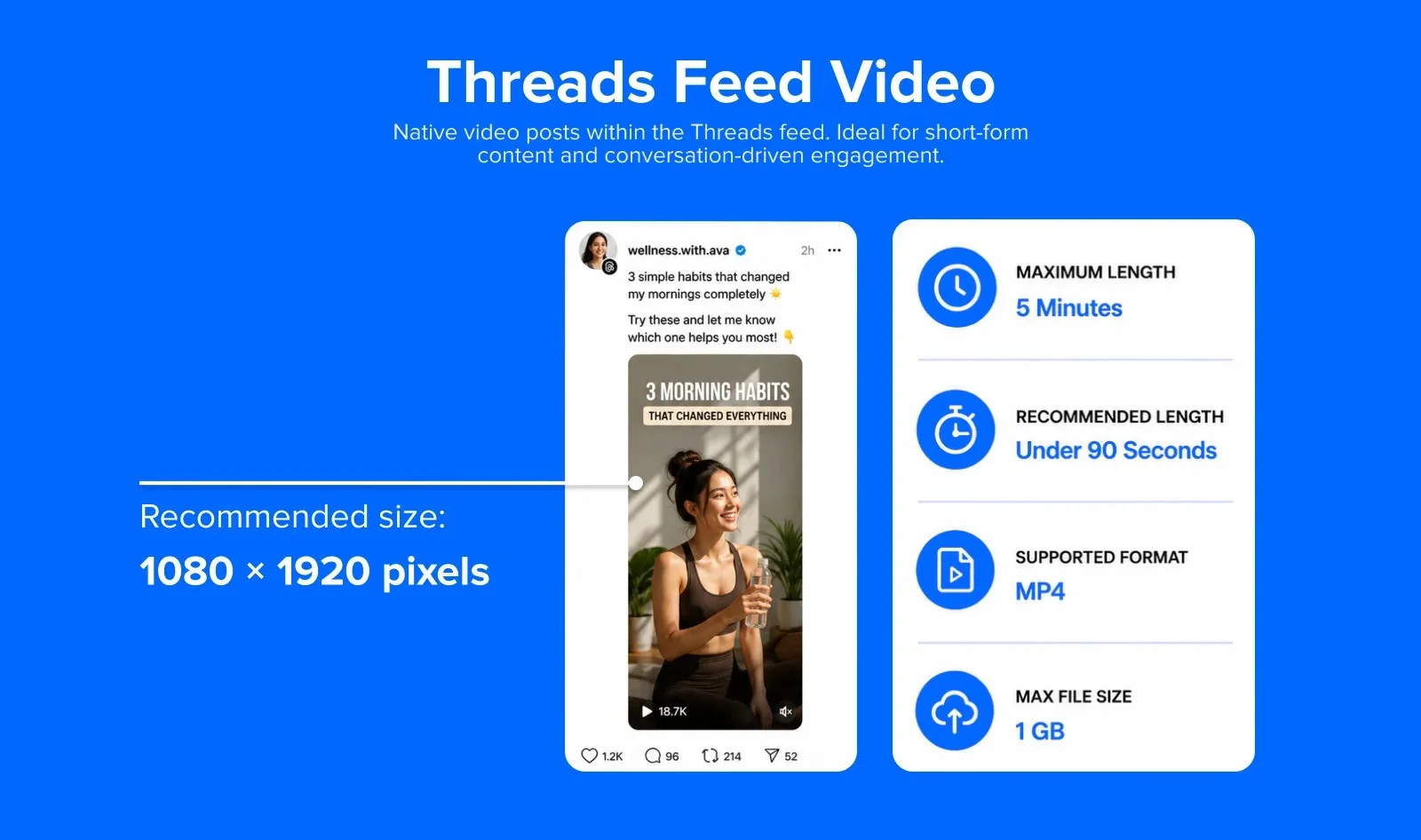
- Recommended resolution: 1080 x 1920 pixels (9:16 vertical)
- Supported aspect ratios: 9:16 (vertical), 3:4 (portrait), 1:1 (square), 16:9 (landscape) – flexible, no strict requirement
- Max file size: 1 GB
- Max video length: 5 minutes
- Recommended formats: MP4 (H.264 codec preferred)
- Optimal length for engagement: Under 90 seconds
Bluesky
Bluesky added video upload support in September 2024 and expanded it significantly in March 2025. As a decentralized alternative to X (Twitter), Bluesky’s video capabilities are growing rapidly.
Bluesky Feed Video Specification
Bluesky extended video uploads from 60 seconds to 3 minutes in March 2025. The platform also runs a dedicated vertical video feed, launched back in January 2025 under its Search tab, so videos aren’t limited to the text-based timeline anymore.
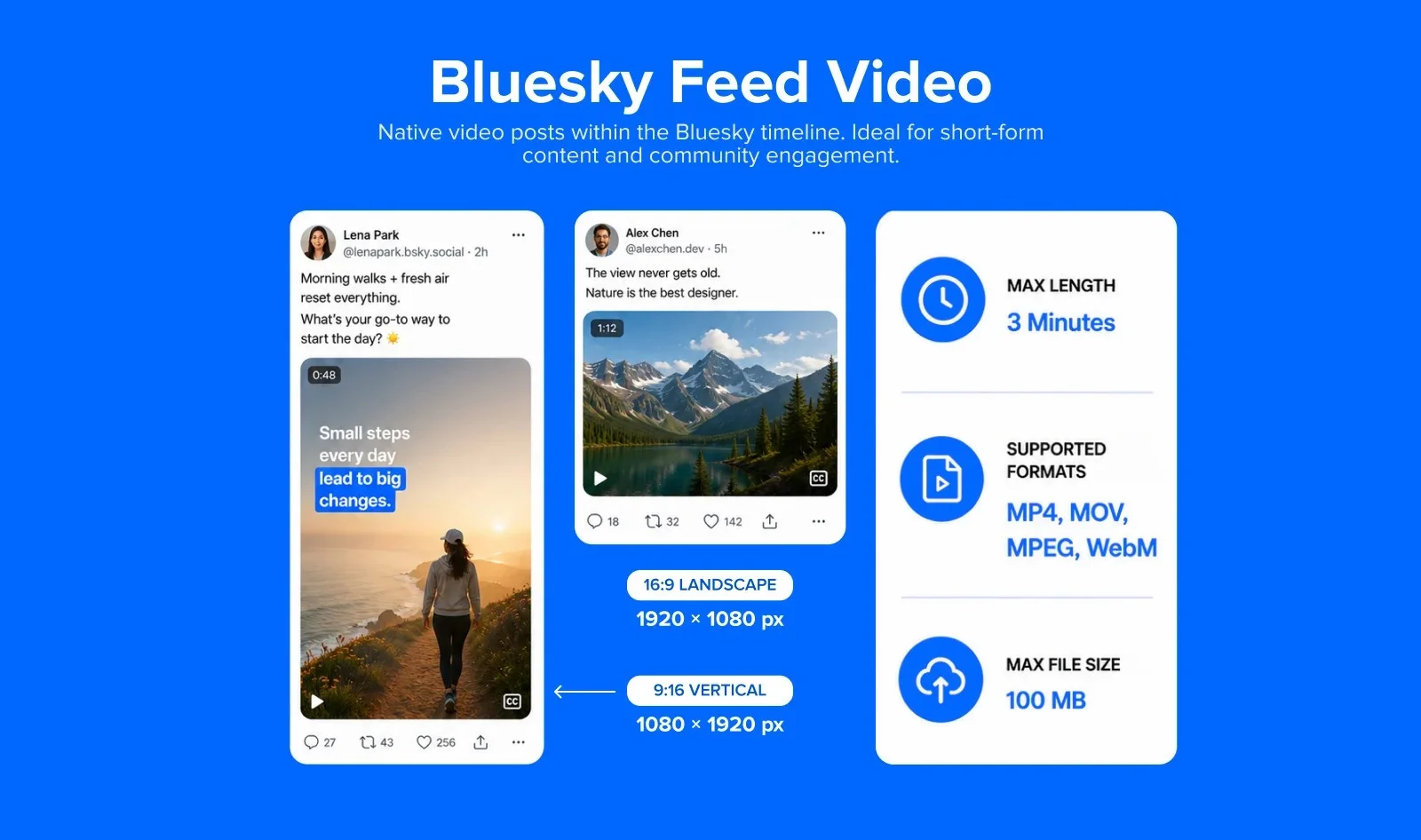
- Recommended resolution: 1080p (1920 x 1080 pixels or 1080 x 1920 pixels)
- Max file size: 100 MB
- Max video length: 3 minutes (180 seconds) – extended from 60 seconds in March 2025
- Supported formats: MP4, MOV, MPEG, WebM
- Recommended codec: H.264
- Upload limits: 25 videos per day; 10 GB total per day
- Account requirement: Verified email required to upload video
- Audio: Auto-muted on some clients – use captions or on-screen text
Google Business Profile
Videos on your Google Business Profile help make your listing more engaging on Google Search and Maps. To ensure the best quality and visibility, follow the recommended video specifications below.
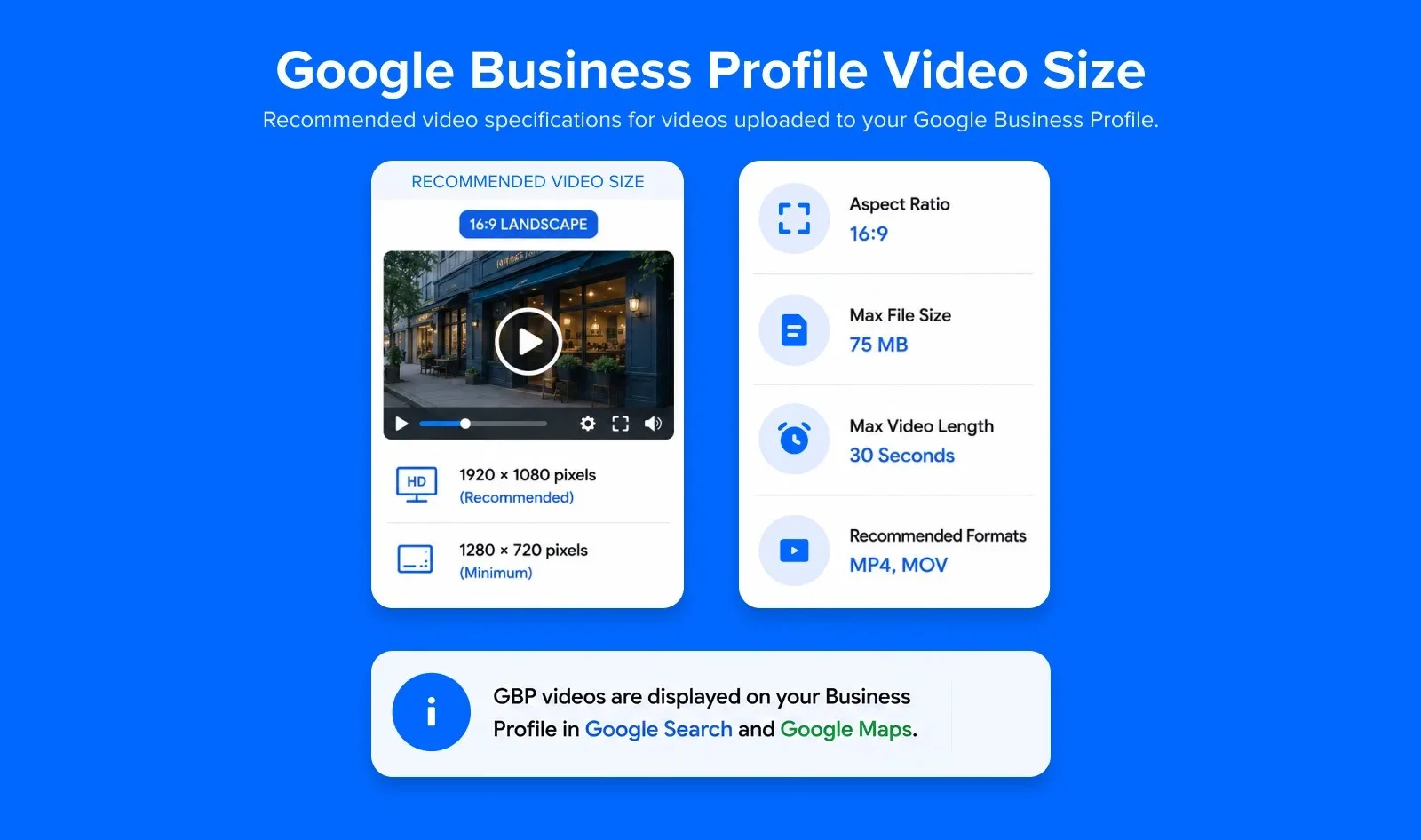
Google Business Profile Video Post
- Recommended resolution: 1920 x 1080 pixels (1080p)
- Minimum resolution: 1280 x 720 pixels
- Aspect ratio: 16:9
- Max file size: 75 MB
- Max video length: 30 seconds
- Recommended formats: MP4, MOV
Note: GBP videos are displayed on your Business Profile in Google Search and Google Maps.
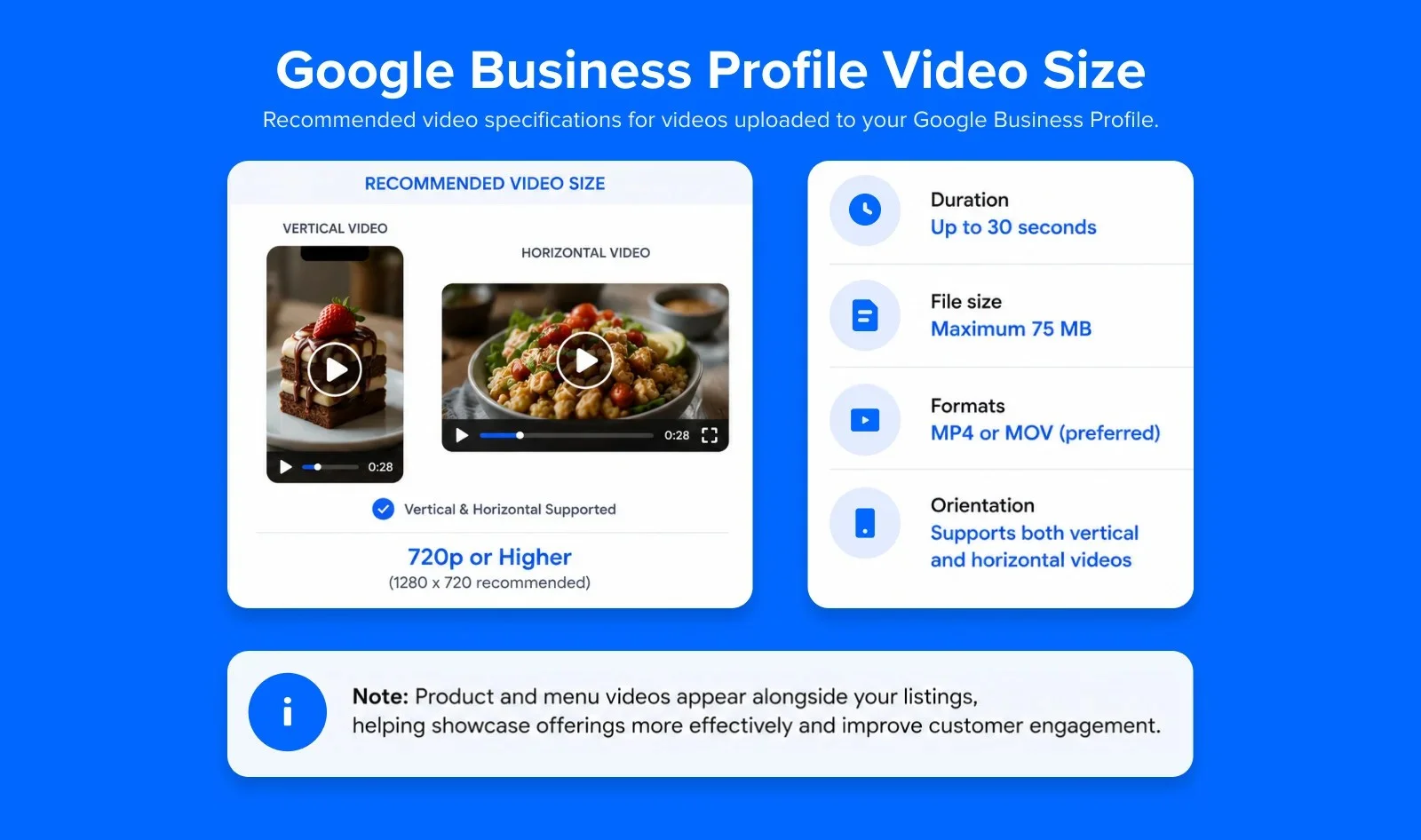
Google Business Profile Product/Menu Video
- Duration: Up to 30 seconds
- File size: Maximum 75 MB
- Resolution: 720p or higher (1280 x 720 recommended)
- Formats: MP4 or MOV (preferred)
- Orientation: Supports both vertical and horizontal videos
Note: Product and menu videos appear alongside your listings, helping showcase offerings more effectively and improve customer engagement.
Common Video Marketing Mistakes That Cost Reach and Spend
Good video marketing depends on more than a talented editor. It depends on matching the file to the platform, and to the placement inside that platform. Mixing up social media video formats between platforms is where most of these mistakes start.
The four mistakes mentioned below show up again and again, across teams of every size.
Shooting in the Wrong Aspect Ratio and Losing Reach
A horizontal video shot for YouTube gets awkwardly cropped when it’s dropped into an Instagram Reel. Decide your primary shape before you shoot, not after, so you’re not fighting the crop later.
Confusing a Recording Limit With an Upload Limit
As covered earlier in this guide, these are genuinely different numbers on platforms like TikTok. Always check which one applies before you promise a client or your team a specific run time.
Ignoring Platform-Specific Compression
Every platform compresses video after upload to some degree. Starting with a clean, correctly-sized file gives the platform’s compression less damage to do. Starting with a stretched, mismatched, or overly compressed file already makes the problem worse before the platform even touches it.
Using Ad Specs for Organic Posts, or Vice Versa
LinkedIn’s video ads are capped at 500 MB, well under its organic upload limit of 5 GB. Facebook’s ad length caps can differ from its organic caps too. Always double check the row of the table that matches what you’re actually doing, ad or organic, before you hit publish.
It’s clear that video is king on social media. In fact, Meta says that 60% of time spent across Facebook and Instagram is spent watching video content.
Marketers know that videos are the most engaging piece of content these days and therefore it’s important for them to create and execute these videos as much as possible in order for their brand to grow.
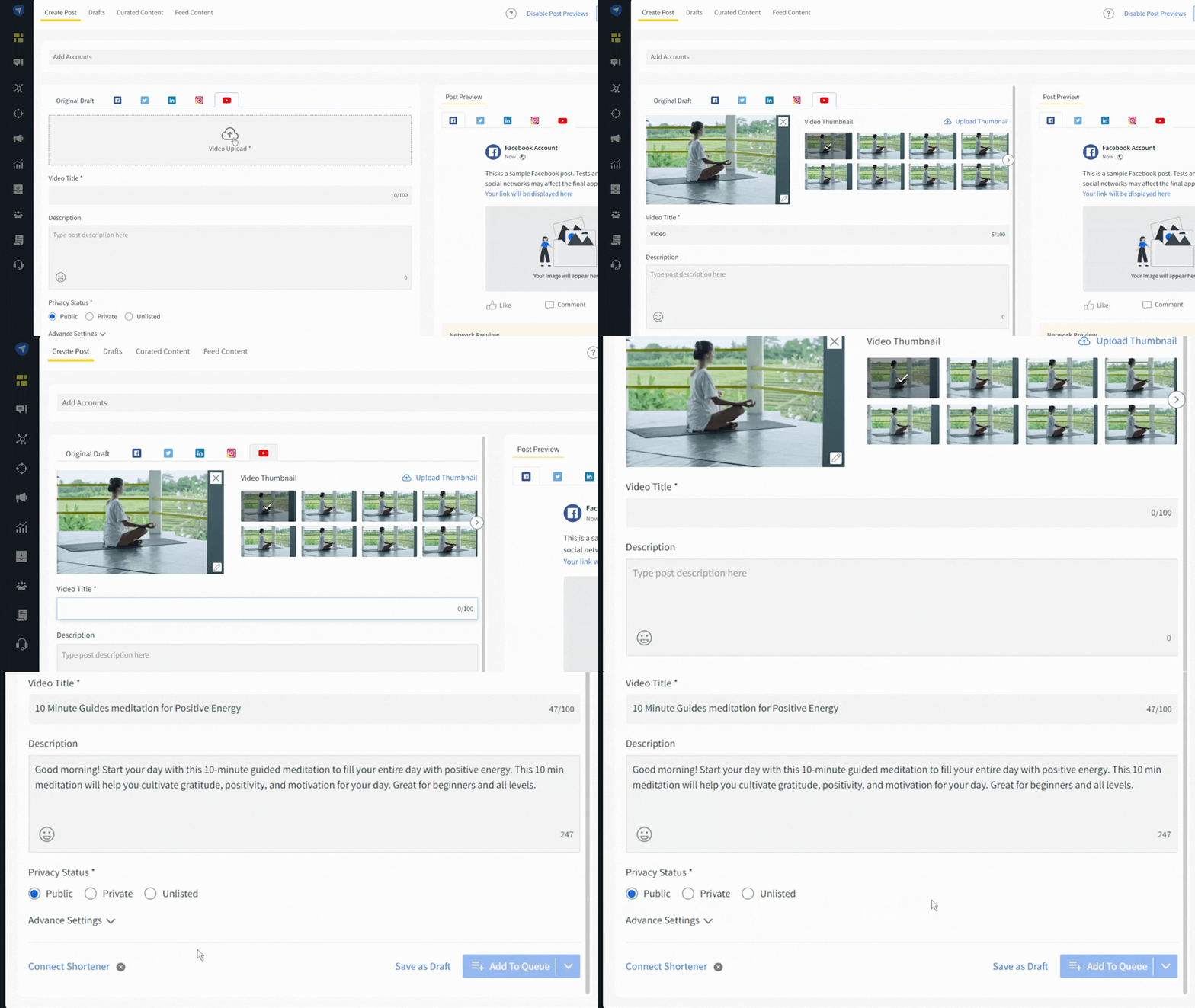
But video strategy and content creation is no simple task, it requires an idea, content, time, and workforce. This is why it pays to get all the help you can get, especially from a tool like SocialPilot that can help create an automated posting calendar, automate your scheduling, sync with your drives for easy access, and edit your thumbnails, etc. on the dashboard and more.
With SocialPilot, you can create and schedule native videos on YouTube, Facebook, Instagram, Linkedin, Twitter, and more from a single dashboard. Not only does this help create optimized content, but you can also use it to keep your video schedule consistent.
Keep This Guide Bookmarked
Your video content specifications cheat sheet is ready. Start designing your video content campaigns using the best video tools to leverage the power of social media network marketing.
Use SocialPilot, a powerful social media management platform, to schedule these videos and share them at the best time for maximum engagement. Keep track of your overall social media analytics and learn more about your audience and their preferences. Take SocialPilot’s free trial today and make an impactful presence across multiple social media platforms.




 Join 55,000+ social media managers


