
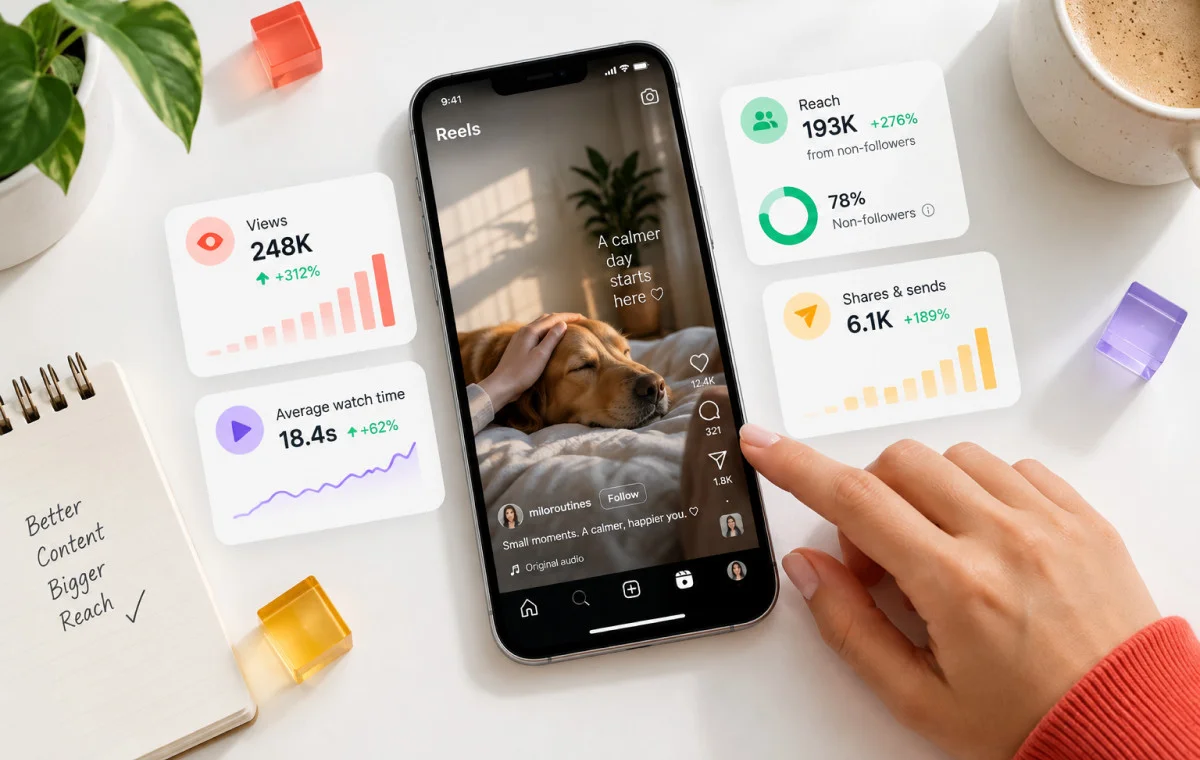
You spent an evening on a Reel. You picked the music, trimmed the clips and wrote a caption you liked. Then it stopped at 180 views.
If that sounds familiar, you’re not alone, and you’re not doing anything wrong. The good news about how to get more views on Instagram is that it starts with one simple idea.
Instagram doesn’t show a new post to everyone at once. It shows it to a small group first, then watches what they do. If they keep watching, send it to a friend or save it, Instagram shows it to more people. If they scroll past, the post stops there.
So, getting more views really means passing that first test. You do it by hooking people in the first few seconds and giving them a reason to share. Keeping your content original and posting on a schedule you can stick to help too.
Plenty of people feel stuck at this stage, and it usually has nothing to do with luck. This guide explains why posts stall, then walks you through 16 ways to increase views on Instagram in 2026.
Key Takeaways:
- Instagram shows every new post to a small group first, and their watch time, likes and sends decide whether it reaches more people.
- Reels are your best way to reach people who don’t follow you yet, so open with a strong hook in the first three seconds and keep them short enough to finish.
- Give viewers a reason to share or save, reply to comments soon after you post, and keep your content original.
- Use up to five specific hashtags as topic labels, and post when your audience is online.
- Free view tools don’t work for real growth, because bot views don’t watch, share or save.
How the Instagram Algorithm Ranks Views in 2026
If a post stalls, you might think Instagram is hiding it, but it’s testing it.
The algorithm is the system that picks which posts each person sees. It shows your post to a small group, then decides how far to push it. A view counts each time your post plays or appears onscreen. For a deeper look, here’s how the Instagram algorithm works.
In the video below, Adam Mosseri, the head of Instagram, says the three signals that matter most for ranking are watch time, likes and sends.
Watch Time and Completion Rate
Watch time is how long people keep watching. Completion rate is the share of people who watch to the end. When both are high, Instagram reads your post as worth showing to more people.
Instagram also added a Retention chart to Reels Insights, the free stats screen for professional accounts. It shows how many viewers are still watching at each moment of your Reel. Next to it is Skip Rate, the share of views from people who skipped your Reel in the first three seconds. The lower your Skip Rate, the better your opening is holding strangers.
In this Build Your Tribe episode on Instagram’s new algorithm, host Brock Johnson explains views as a funnel: skip, stay, then share.
If you run several accounts, using Instagram analytics tools will make watch time easier to compare.
Likes and sends do different jobs. As Mosseri says in the above video, likes count slightly more with followers, while sends count slightly more with non-followers.
A send is when someone shares your post with a friend in a direct message (DM). That makes sends your best signal for reaching new people. It happens at huge scale: Meta says Reels are reshared over 4.5 billion times a day.
A save is when someone bookmarks your post for later. Carousels, posts with several swipeable slides, suit saves well. SocialPilot’s Instagram Trends Report 2025 studied 4.4 million posts and found carousels earn a higher engagement rate than image and video posts.
Reels vs. Feed vs. Stories: Different Distribution Rules
Reels are your main route to people who don’t follow you yet.
| Format | Who mostly sees it | Best for |
| Reels | Followers and non-followers, via the Reels tab and Explore | Reaching new people |
| Feed posts and carousels | Mostly followers, plus some recommendations | Saves and detail |
| Stories (gone after 24 hours) | Mostly followers | Staying top of mind |
Since April 30, 2026, Instagram no longer recommends accounts that mainly post unoriginal photos, carousels or Reels. Their followers still see them, so nothing looks wrong, but strangers don’t.
Stories keep followers warm between posts. If daily Stories feel like a chore, you can schedule Instagram Stories in advance to maintain a consistent posting schedule.
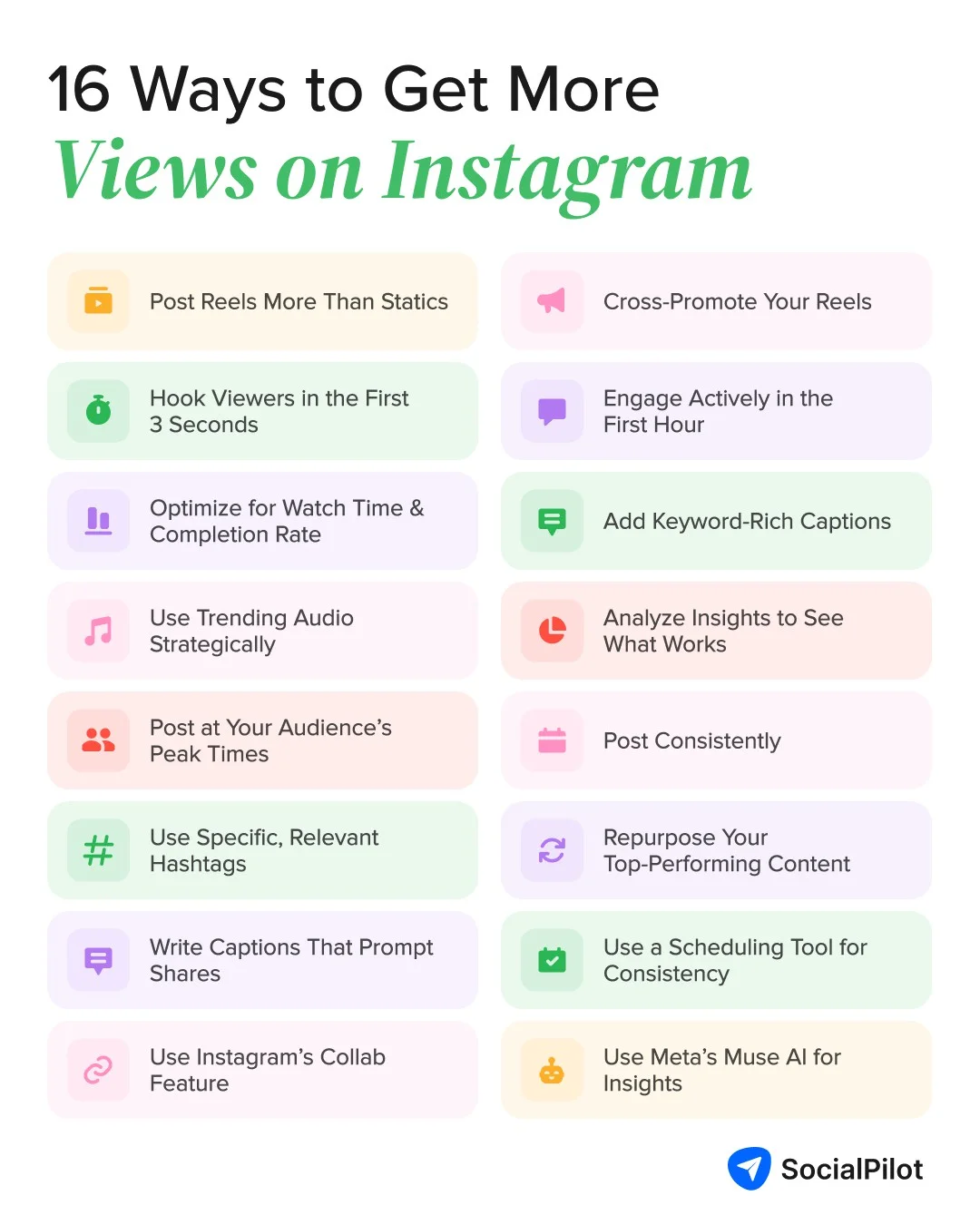
16 Ways to Get More Views on Instagram
Each way moves a real signal: watch time, sends, saves or discovery.
1. Post Reels First, Not Just Static Feed Content
Static feed content means single photos and other posts that don’t move. These mostly reach people who already follow you. Reels, on the contrary, can also appear in the Reels tab and on Explore, where people go to find new accounts.
That makes Reels your best tool for getting seen by strangers. To learn the basics of making one, see our complete Instagram Reels guide.
How to do it: Take your next photo idea and turn it into a short Reel instead. Show the product in use, a before-and-after or a quick look behind the scenes. Tap +, then Reel.
mainelove, a small water brand from Maine, saved its biggest news for a Reel. In March 2025, it used one to announce its sponsorship of the Portland Hearts of Pine. A young account chose a Reel, not a photo, to reach people beyond its followers.
2. Hook Viewers in the First 3 Seconds
Most people decide whether to keep watching almost as soon as a Reel starts. Instagram even measures this with Skip Rate, so a lower number means your hook is working.
A good hook answers one question fast: why should a stranger keep watching? Creator coach heyDominik suggests writing the hook for a stranger, someone who has never seen your account. If your opening only makes sense to followers, new viewers swipe away.
For openers to adapt, see these Instagram Reel hook examples.
How to do it: Start with the most interesting moment, not the setup. Open on the finished result, a bold line of on-screen text or a direct question. Skip logo intros and slow greetings.
Dictionary.com announced its 2025 Word of the Year with a Reel that gives the answer away in the first second. A big “6 7” pops up on screen with “Word of the Year” above it. Meanwhile the creator says, “6-7 is your word of the year. Can you believe it?” Then he asks what it means and where it came from, which gives viewers a reason to keep watching for the explanation.
3. Optimize for Watch Time and Completion Rate
For more views on Instagram Reels, make them easy to finish. Shorter Reels finish more often, and a Reel that loops invites a second watch.
How to do it: Cut every pause. Add on-screen captions, since many people scroll with the sound off. In the Reel editor, look for Captions or Text.
HEYTEA, the tea chain, announced two new drinks in May 2026 with one short Reel. It shows a single idea, summed up in the caption “Dip, sip, repeat.” A clip that simple is easy to finish and easy to watch twice.
4. Use Trending Audio Strategically
Trending audio means a sound many people are using right now, and it only helps when it fits your niche. A trend outside it brings the wrong viewers, who swipe away fast and drag down watch time.
How to do it: In the Reels audio library, look for a small upward arrow next to a sound. Save a few that suit your brand. For this week’s picks, check our list of latest Instagram reel trends.
LANEIGE Canada set its holiday gift sets to the trending “All I Want for Christmas” sound in November 2025. The caption plays on the lyric: “all I want for Christmas is for you to buy our holiday sets!” The trend fits a skincare brand in its busiest shopping week.
5. Post at Your Audience's Peak Times
Your first test group is easier to reach when your followers are online.
How to do it: Check your most active times in Insights, then post just before your biggest peak. Don’t have enough data yet? Start with the windows from our guide on the best posting times on Instagram, then adjust once your own numbers come in.
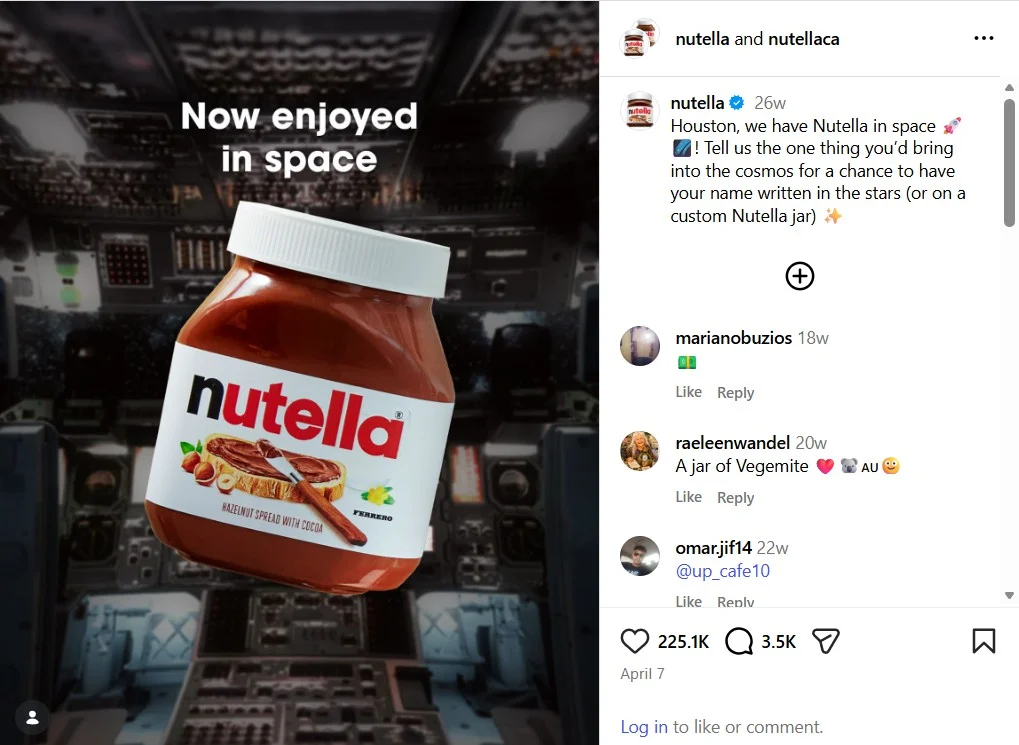
In April 2026, a jar of Nutella floated through NASA’s Artemis II livestream. The brand posted “Houston, we have Nutella in space” while people were still talking about it. Timing it to the moment put the post in front of an audience that was already looking.
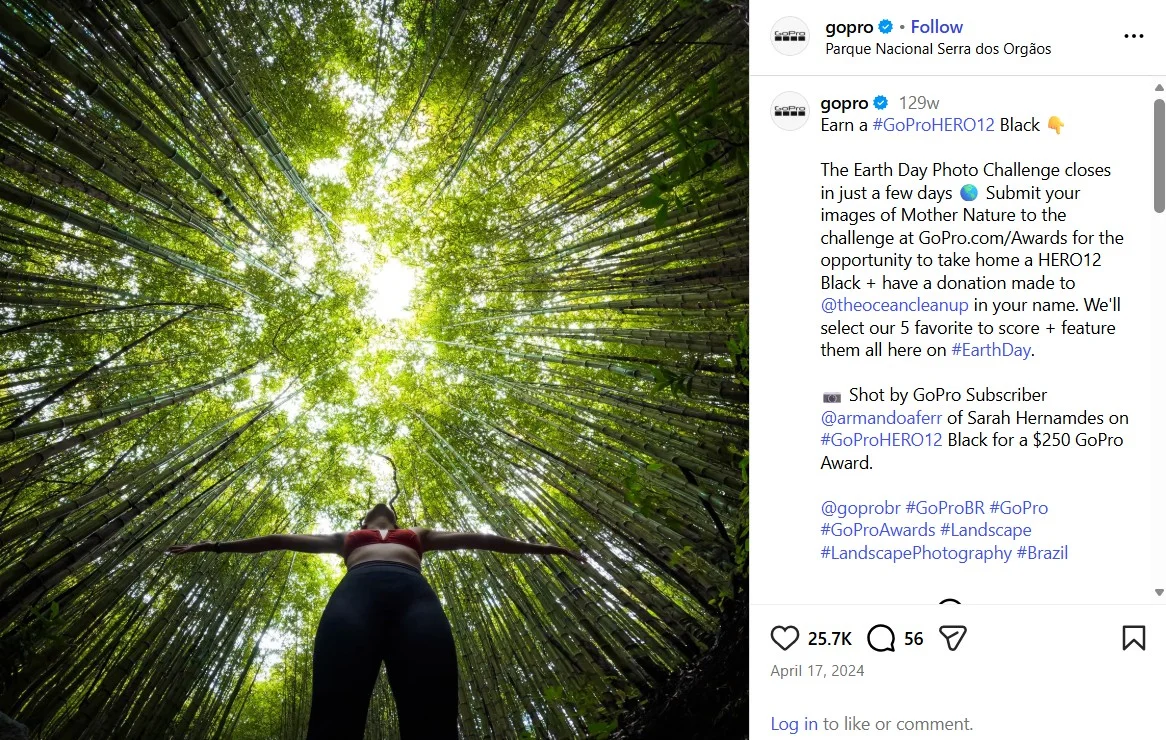
Hashtags, the clickable tags that start with #, work as labels. They tell Instagram what your post is about, but they won’t push it further.
Since December 2025, Instagram limits each post or Reel to five hashtags. It says a few targeted tags work better than many generic ones. Mosseri has also said that that hashtags don’t raise the reach, but they help people understand what a post is about.
How to do it: Use three to five tags that describe your topic, place or audience. Skip giant tags like #love.
GoPro builds photo challenges around its own tags. This April 2024 Earth Day post pairs branded tags like #GoProHERO12 with niche ones like #LandscapePhotography. Branded tags collect entries, and niche tags tell Instagram the topic. With today’s five-tag limit, pick your best five.
Give people a specific reason to send and save, not just “like and share”.
How to do it: For sends, name the person: “Send this to the friend who always picks the restaurant.” For saves, offer a checklist worth keeping.
MCoBeauty turned a holiday makeup look into a checklist caption: “Your Sugar Plum Glam checklist is here!” It lists every product used in the Reel. That gives viewers a reason to save it for their next shopping trip.
8. Use Instagram's Collab Feature
A Collab post appears on two accounts at once, so one post reaches two audiences. Your partner’s followers are strangers to you, but they already trust your partner. Instagram also points creators to its collab tools for crediting everyone on shared content.
How to do it: When posting, tap “Tag people”, then look for Invite collaborator. Your partner must accept.
LA Metro teamed up with musician @nathanialpov for a concert inside Union Station’s East Portal. They shared the Reel as a Collab, so it appears on both accounts. Transit fans and music fans saw the same post.
9. Cross-Promote Reels to Stories and Other Platforms
Sharing a new Reel to your Story sends followers straight to it. That adds early views and watch time.
How to do it: Under the Reel, tap the paper plane icon, then “Add to story”. Add a poll sticker so people tap through. Here’s a step-by-step guide on how to share a Reel to your Story.
On other platforms, post the clean original file. Instagram’s originality update cited above, also says a watermark, border, subtitles or caption credit doesn’t make a re-upload original. Other creators’ clips count as unoriginal too.
Katelyn Grace Hair, a Cleveland hair stylist, brought her own TikTok hit to Instagram in August 2026. Her caption says: “This is doing so well on TikTok I had to bring it here.” Cross-posting your own proven video works, as long as you upload the clean original file.
10. Engage Actively in the First Hour After Posting
Replies turn a post into a conversation, which gives new viewers a reason to stop.
How to do it: Block 30 minutes after you post. Reply to every real comment, answer DMs, and pin your best comment.
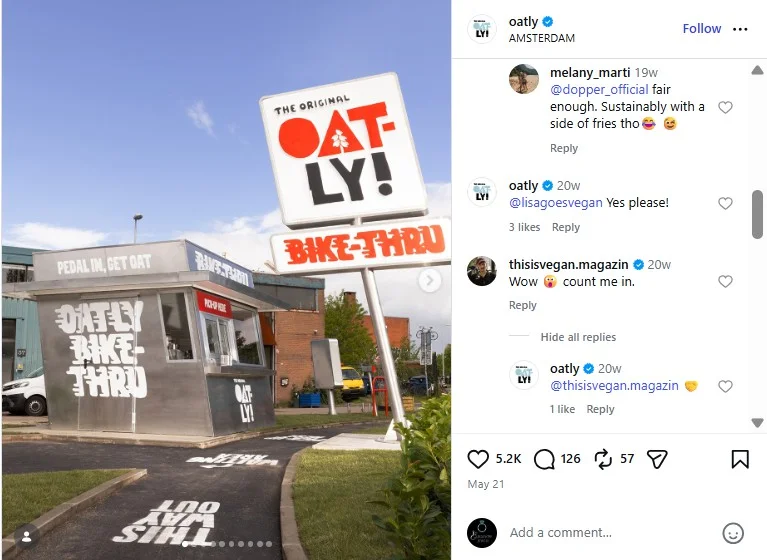
When Oatly shared photos of its “Bike-Thru” coffee stand in May 2026, it didn’t just post and leave. It replied right in the comments. Their small replies showed their followers that there’s a real person behind the account.
11. Add Keyword-Rich Captions and Alt Text
Your caption’s words help Instagram match your post to searches. Alt text, a short image description for screen-reader users, adds more context.
How to do it: Put your main keyword in the caption’s first line. For alt text, tap “Advanced settings” while posting, then look for “Write alt text”.
Tarte Cosmetics names its product the way shoppers search for it. The caption puts “tubing mascara” in plain words, then repeats it as #tubingmascara. Anyone searching that phrase has a better chance of finding the Reel.
12. Analyze Insights to Double Down on What Works
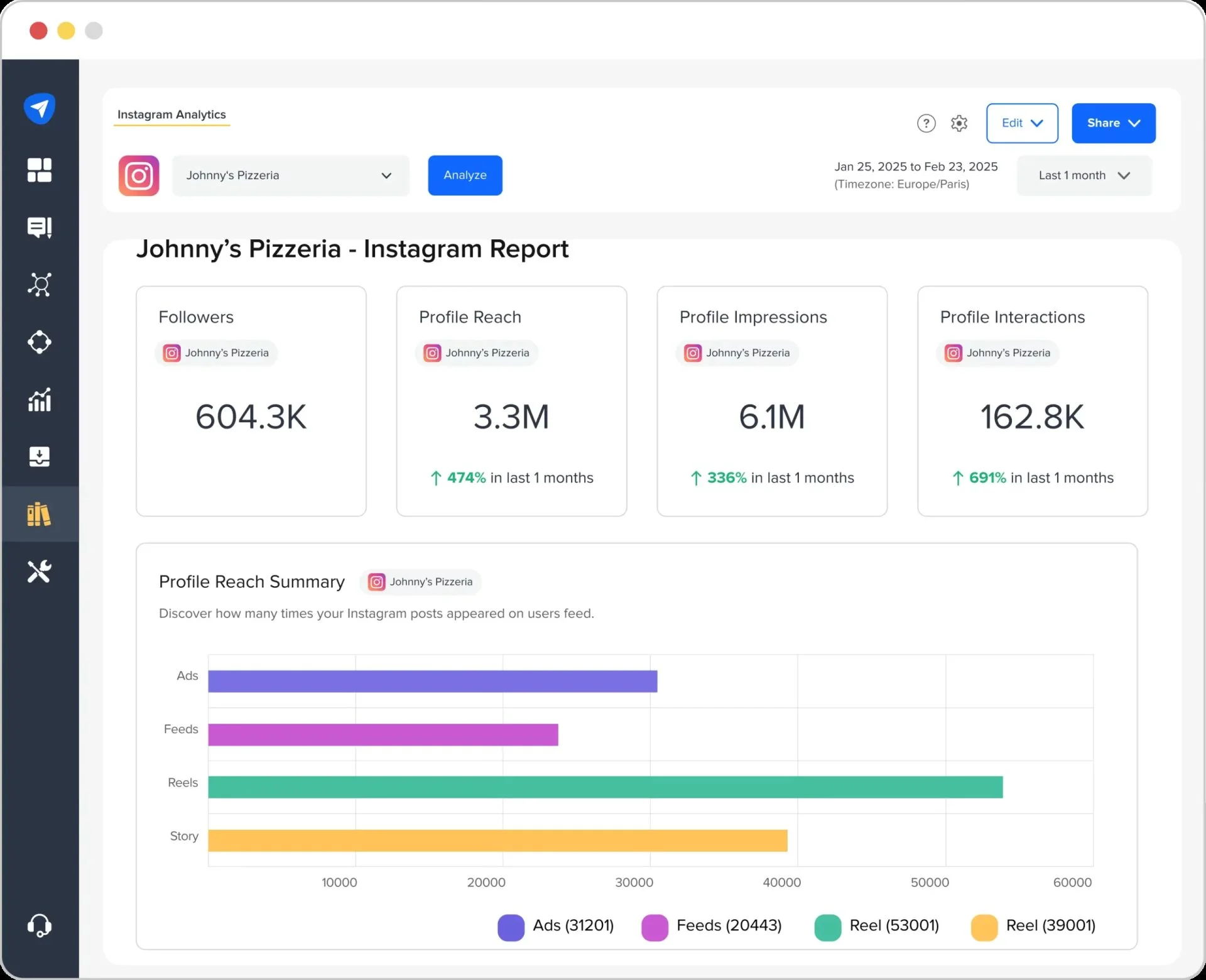
Every tip here is a guess until your numbers back it up. Mosseri suggests checking average watch time, likes per reach and sends per reach. “Per reach” means per person who saw the post.
How to do it: Go to Profile → Professional dashboard → Insights. Sort your last 20 posts by views. Note what the top five share, and how many views came from non-followers.
Pulling these numbers by hand for a monthly report gets slow. A tool like SocialPilot’s social media analytics can line up post-level analytics for you.
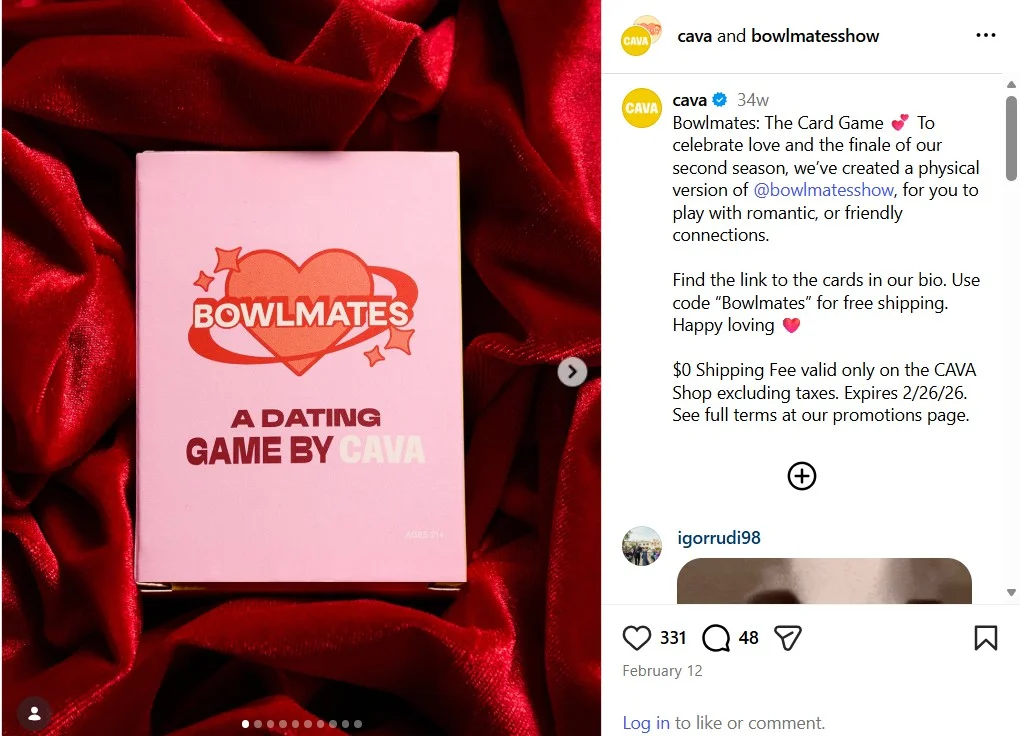
CAVA, the Mediterranean restaurant chain, tested a dating series called Bowlmates on Instagram. Marketing Brew reports that CAVA made Season 2 because of the engagement in comments and DMs. This February 2026 post marked that second season’s finale.
13. Post Consistently to Signal an Active Account
A steady pace you can keep beats a burst followed by silence. It keeps followers used to seeing you and gives you more posts to learn from.
How to do it: Pick a pace you can hold, then block one hour each week to plan. A recurring series makes this easier, since you always know what the next post is. Here’s how to build an episodic content series.
Brooklyn Coffee Shop runs a scripted comedy series with the same cast. This March 2026 Reel is “Episode 71.” Followers know another episode is coming, so they keep checking back.
14. Repurpose Your Top-Performing Content
Winning posts have already proved that people care about their topic. Reusing your own work is fine. Re-uploading someone else’s work isn’t, and it can cost you recommendations under the 2026 originality rule.
How to do it: Give a winning Reel a new hook or turn it into a carousel. For more ideas, see our guide to repurposing content for social media.
You can also test a new angle as a Trial Reel, which is shown to non-followers first. Look for the Trial toggle on the share screen, if you see the option. Results arrive after about 24 hours.
Gap’s “Better in Denim” dance ad with KATSEYE took off in August 2025, and it racked up 19.9 million views within days. Three days after the launch, Gap reworked that hit into a new format: a “Learn the moves” tutorial series, with the ad’s choreographer. The winning idea stayed the same, but the new format gave fans a fresh reason to watch.
15. Use a Scheduling Tool to Maintain Consistency
Most posting gaps start with one hectic week that turns into three without a post.
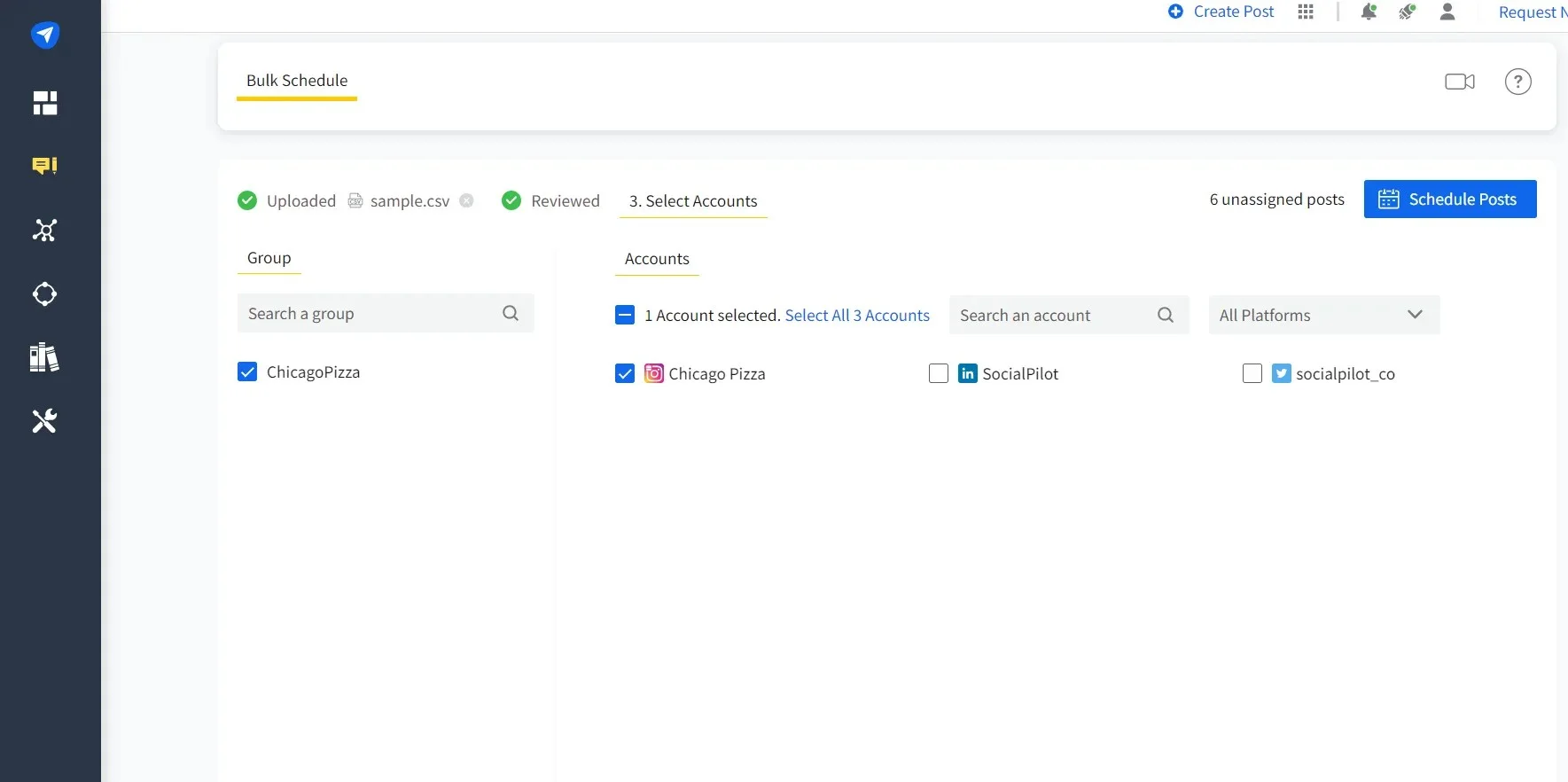
How to do it: Batch a month of content in one sitting. Most Instagram scheduling tools let you plan posts on a calendar and publish them for you.
With SocialPilot’s Instagram scheduler, you can bulk schedule Reels, Stories and feed posts on one content calendar with your other platforms. Its analytics then show which posts earned views.
16. Use Meta’s Muse AI to Study What Gets Views
Muse is Meta’s new personal AI agent, and it now shows up in Instagram’s share menu. Instead of pasting a link into another app, you send a Reel or post to Muse the same way you’d send it to a friend. Then you ask your question.
That makes it a quick research helper. You can ask why a competitor’s Reel took off, or what hook and offer an ad uses. You can also send it your best Reel and ask for carousel copy and caption ideas to reuse.
How to do it: Tap the paper plane icon on any post and look for the Muse icon in the share menu. If you don’t see it, update your app. Meta is rolling Muse out in phases, starting in the US.
Our own Reel walks through three ways social media managers can use Muse.
Best Time to Post on Instagram for Views
Your own followers’ scrolling habits sets the best time for your Instagram page. However, if you do not have enough data, follow the best posting time provided in the table below. SocialPilot’s data team studied 7 million Instagram posts from about 50,000 accounts and here is what we found.
| What SocialPilot found | Result |
| Best overall time | 7 a.m. to 9 a.m. |
| Best days | Tuesday and Wednesday, with Thursday close behind |
| Best time for Reels | 8 a.m. to 12 p.m., Monday to Thursday |
| Weakest slots | Saturday at 5 a.m. and Friday at 9 p.m. |
Treat these as a first test, not a rule. The same study also found that apparel, beauty and restaurant brands got better engagement on weekends.
How to Find Your Exact Best Time Using Instagram Insights
Here’s how to find your own best time on your phone:
- Switch to a professional account (Creator or Business) if you haven’t.
- Tap Profile → Professional dashboard → Insights, then look for Total followers.
- Scroll to Most active times and switch between Hours and Days.
- Post in your top two windows for two weeks, then compare views and reach.
If you don’t see Most active times yet, your account may need more followers first.
Why Are Your Instagram Views Low? Common Mistakes
Watching post after post stall is discouraging. Low views have a cause you can check, and it’s rarely a ban. Judge patterns across several posts, as Mosseri advises in this video from 2025. He also advises not to overreact to a single post.
Posting Inconsistently or at the Wrong Time
Busy months happen to everyone. Bursts after long gaps make your posts compete for the same followers. Posting while your audience sleeps means fewer early viewers.
The fix is a steady pace (Way 13), timed to your Most active times (Way 5).
Ignoring Reels in Favor of Static Posts
Photos are quicker to make, but a feed of mostly single photos leans on a shrinking format (see Way 1). Swap one photo a week for a short Reel and compare your non-follower views.
A New Account or Low Engagement History
A new or quiet account starts with a small test group, so early numbers stay small. That’s normal, not a punishment. Even accounts that do the basics right can hit a ceiling. If your views keep stopping at the same number, the hook probably isn’t the problem.
Hooks get you in the door, but sends from strangers take you further. Trial Reels (Way 14) help you test ideas on non-followers.
Content Flagged as Sensitive or Given Reduced Reach
Account Status is a settings screen that shows whether Instagram can recommend your content to non-followers. To check, tap Profile → ☰ → Settings and activity → Account Status.
Two common causes show up there:
- Content outside the Instagram’s Recommendations Guidelines, such as violence or sexually suggestive images. It can still reach your followers, just not strangers.
- Unoriginal content. Under the April 2026 rule, eligibility returns once most of your posts in a 30-day period are original.
You can remove flagged posts or appeal from Account Status. People call this a “shadowban”, but Account Status is the official place to check.
Instagram Views vs. Impressions vs. Reach: What's the Difference
Old reports say impressions, and new ones say views. Here’s what each of the three numbers means.
- Views: How many times your content played or appeared on screen. In 2025, Instagram made Views the main number in Insights, replacing impressions and plays. Reels count every play and replay, photos and carousels count each time they appear, and Stories count each play. Read this guide to learn more about these Instagram view metric changes.
- Impressions: The older count of every time a post was shown, repeats included. Meta stopped reporting impressions in its API for media created after July 2, 2024.
- Reach: How many different accounts saw your content. Each person counts once, however often they see it.
Instagram doesn’t wait three seconds to count a view. The three-second mark belongs to Skip Rate, a separate metric that tracks how many viewers swipe away early.
| Metric | What it counts | Use it to |
| Views | Every play or appearance, repeats included | See the total attention a post got |
| Impressions (retired) | Every time a post was shown, repeats included | Read old reports only |
| Reach | Unique accounts, each counted once | See how many people, and strangers, you reached |
Because the counting changed, you can’t compare old impression reports like for like with today’s views.
Which Metric Actually Matters for Growth
Views include replays, so one fan watching ten times looks like ten views. For growth, watch three numbers:
- Reach from non-followers: are strangers finding you?
- Sends per reach: do people share it?
- Average watch time: do they stay?
For example, 40 sends from 2,000 accounts reached is 2 sends per 100 people. Track that rate month to month.
Do Free Instagram Views Tools Actually Work?
No, not for real growth. There are a few websites that claim that they sell, and sometimes give away Instagram views, likes and followers. Using sites like these can raise the number under your post, but they can’t make real people watch, send or save it.
Why Bot Views Don't Move Real Engagement Signals
Instagram ranks posts on what people do after they see them. Bought or “free” views come from accounts with no interest in your content. They don’t watch to the end, send your post or follow you.
That can leave you worse off. If views jump while sends and watch time stay flat, your per-reach rates fall. Those are the rates Mosseri tells creators to watch.
The Real Account Risk
In a 2018 announcement, Instagram said third-party apps that generate inauthentic engagement “violate our Community Guidelines and Terms of Use.”
Its plan was to start “removing inauthentic likes, follows and comments from accounts”. It also warned that accounts that keep using these apps “may see their Instagram experience impacted.”
The same post flags a security risk too. Instagram noted that people who use these apps “share their username and password.” So never give your Instagram password to any growth site, free or paid.
Start Growing Your Instagram Views the Right Way
Low views feel personal, but they usually point to a signal you can fix. Instagram rewards posts that strangers watch, send and save, and it now rewards original work too. Pick the three ways that match your weakest number and run them for 30 days.
Start today by sorting your last 20 posts in Insights. If planning keeps slipping, try SocialPilot free for 14 days and plan a month of posts in one sitting.




 Join 55,000+ social media managers


