

The MCP server connecting your AI assistant to social media accounts plays a key role in how smoothly that workflow runs. For client work, choosing the right one means looking beyond the number of platforms it supports.
There are plenty of social media MCP servers available, but most are built with developers in mind. That leaves marketers with practical questions before connecting client accounts: Can you review posts before they go live? Can you keep each client’s profiles separate? Does setup require a simple sign-in, an API key, or a Docker container?
This guide compares 10 social media MCP servers, explains what each one features, pricing and highlights where they fit best.
What Is a Social Media MCP Server?
A social media MCP server is the connector that lets an AI assistant post, schedule and report on your social accounts from a chat window. You type the request in Claude or ChatGPT chat, and the server turns it into real actions on real accounts.
MCP stands for Model Context Protocol, an open standard Anthropic released in November 2024 that lets AI assistants call external tools. A social media MCP server exposes actions like create post, schedule, upload media and fetch analytics as tools the assistant can pick from.
Here is what happens when you ask for a post:
- You write the prompt, for example “schedule Friday’s launch post for LinkedIn and Instagram.”
- Your AI assistant (the MCP client) picks the right tool and fills in the details.
- The MCP server receives that call and uses the access you granted it when you connected.
- The server hands the job to the platform APIs, or to a management platform that holds your accounts.
- A confirmation comes back in the chat, such as the scheduled time or a link to the post.
The main difference is how the server connects to your social accounts. Some connect directly to social network APIs, while others work through a social media management platform.
- Servers that call platform APIs directly usually have no approval step, so a post goes out when the assistant sends it. You set up a developer app and token for each network yourself, and The analytics available depend on what the developer has built into the server. The community LinkedIn, Instagram and Facebook servers in this list work this way, or skip the API and drive your logged-in session, which is riskier.
- Servers that sit on top of a scheduling platform can send drafts into that platform’s review step, use its client groups and roles, and draw on its reporting, though most can also publish immediately. SocialPilot, Buffer, Hootsuite, Agorapulse and Metricool work this way, though Buffer’s connection covers your whole account with no per-organization limit.
For marketers, the appeal is fewer dashboard logins, since one chat can queue a week of posts across several clients. The catch is that the assistant now acts on live client accounts, so a misread prompt reaches a real audience instead of a drafts folder. Our guide to the MCP connector for social scheduling covers the setup side in more depth.
The Best Social Media MCP Servers at a Glance
Here are all 10 servers side by side, so you can see who each one suits, what it costs each month, and how to try it before you pay. Use it to narrow your shortlist to two or three, then read those entries below for the details.
| Tool | Best for | Entry price (annual billing) |
Free option | Rating | Billing model |
| SocialPilot | Agencies and small to mid-sized businesses | $25.50/mo | Free trial, no card | 4.5/5 on G2 | Flat per plan, MCP on every plan |
| Buffer | Solo entrepreneurs and creators | $5 /channel/mo |
Free plan (3 channels) | 4.3/5 on G2 | Per channel |
| Hootsuite | Enterprises and multi-location brands | $99/user/mo | 14-day trial | 4.3/5 on G2 | Per user |
| Agorapulse | Teams that want inbox and listening in chat | $79/user/mo | 30-day trial, no card | 4.5/5 on G2 | Per user |
| Blotato | Solo creators publishing to 11 networks | $29/mo | 7-day trial, but no MCP until you pay | 4.8/5 on Trustpilot | Flat per plan |
| Ayrshare | Developers building posting into their own app | $129/mo | 28-day trial (Launch plan) | 4.1/5 on G2 | Per social profile |
| Postiz | Posting to community and developer channels | $23/mo | Free to self-host, or 7-day trial | 4.8/5 on G2 | Flat per plan |
| OpenTweet | X-first publishing and threads | $15.83/mo | 7-day trial, card required | 5/5 on G2 | Flat per plan |
| Metricool | Freelancers scheduling across several small brands | $20/mo | Free plan (1 brand) | 4.4/5 on G2 | By number of brands |
| Community servers | Developers testing one platform for free | Free | Free and open source | Up to 4.3k GitHub stars | Free; official-API servers need a developer app, others use your login |
Hosted MCP Servers for Marketers, Teams and Agencies
These six MCP servers connect AI assistants to social media management tools. You just need to sign in or add an API key. Their main difference is whether they let AI create, schedule, or publish posts, and what approval steps they require.
SocialPilot’s MCP server lets you manage existing client groups directly through Claude, making it easier to create, schedule, and publish posts across multiple client accounts without selecting each account individually.
Platforms Supported: Facebook, X (Twitter), LinkedIn, Instagram, Pinterest, Threads, and Bluesky
Key Features:
- Create text, image, link and LinkedIn PDF posts on one account or many, then add them to the queue, share next, schedule them or publish now
- Save drafts instead, so a person reviews them in SocialPilot first
- Check what’s queued, delivered, failed or unscheduled, filtered by client, group or team member
- Pull page analytics and post engagement (likes, comments, shares, views, reach and impressions) into the chat
- Find empty days in your calendar, upcoming holidays and your brand’s voice from past posts
- Works in the Claude app, Claude Code, ChatGPT (paid plan with connectors), Cursor, Windsurf and Zapier, via sign-in or API key
What it looks like: You ask Claude to create a launch post for your client’s LinkedIn, Instagram, and Facebook accounts. It adapts the copy for each platform and saves three drafts in SocialPilot. Your team can review and approve them in SocialPilot before they go live. Later, you can ask Claude which posts failed and how your content performed.
Stephanie Pickup, a Trustpilot reviewer, wrote: “Intuitive and easy to use, it has been a fantastic tool for our social media marketing team and interns.”
On G2, SocialPilot is rated 4.5 out of 5 across about 846 reviews.
What it does well: Claude gets only what your SocialPilot role allows, so a junior reaches the same clients in chat as in the app.
Pricing is flat per plan, with MCP on every plan: Essentials $25.50 a month billed annually or $30 monthly (7 accounts, 1 user), Standard $42.50 or $50 (15 accounts, 3 users), Premium $85 or $100 (25 accounts, 6 users), Ultimate $170 or $200 (50 accounts), and Enterprise at custom pricing, quote only.
What running SocialPilot standalone requires: You’ll still answer comments and messages inside SocialPilot. Editing, deleting and video posts also stay in the app. There’s no approve action, so drafts wait for a human, and client approvals on the go need Premium. There’s no free plan.
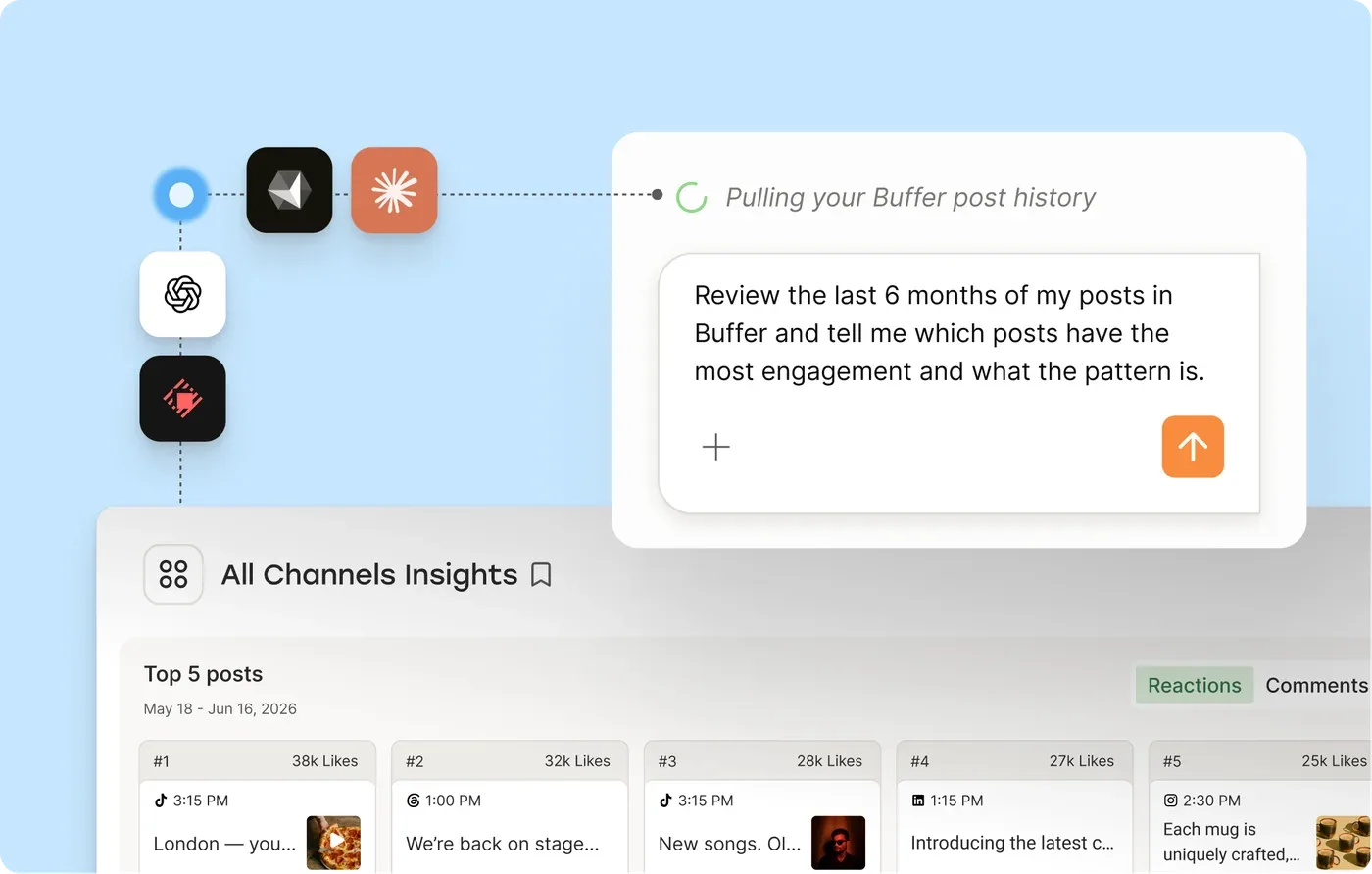
Before you pay anyone, Buffer lets you watch an agent post to three real channels, because it puts MCP on its Free plan.
Platforms Supported: Instagram, Facebook, X (Twitter), LinkedIn, Pinterest, YouTube, Google Business, Mastodon, TikTok, Threads, Bluesky, Substack and Start Page.
Key Features:
- Queue, schedule, share next or publish now from the chat
- Edit and delete posts (deletes can’t be undone)
- Pull aggregated or per-post metrics (on Free, the range must start within the last 31 days)
- List posts by status, including drafts and posts needing approval
- OAuth or a personal API key across Claude, ChatGPT, Cursor, Perplexity, Notion, Zapier, n8n and more
What it looks like: You open Integrations in Buffer and find Claude, ChatGPT and a general MCP card side by side. You pick Claude and sign in. If you belong to more than one organization, the assistant asks which one you mean before it touches a post.
Nicky, a Trustpilot reviewer, wrote: “Super application easy to use and especially if you’re able to connect it to an AI”
On G2, Buffer is rated 4.3 out of 5 across more than 1,000 reviews.
What it does well: Buffer makes MCP accessible even on its Free plan, letting creators test AI-powered publishing before committing to a paid subscription. Its connector also supports 13 publishing destinations, including Mastodon, Substack, and Bluesky.
Buffer bills per channel: Free is $0 for 3 channels and 10 scheduled posts each, Essentials $6 per channel a month or $5 billed yearly, and Team $12 or $10 with approvals and access levels. MCP is on every plan and paid plans get a 14-day trial. Our Buffer pricing breakdown covers larger channel counts.
What running Buffer standalone requires: Buffer’s MCP can access your entire account and may publish posts immediately. Keep your AI assistant’s confirmation prompts enabled and review posts before they go live. For inbox management, you’ll need a separate tool. For inbox tools, which Buffer’s MCP lacks, look at other Buffer alternatives.
Hootsuite offers four MCP servers for different tasks: Perch for content, Nest for the inbox, Lumen for social listening, and Parliament for employee advocacy
Platforms Supported: Instagram, Facebook, TikTok, YouTube, X, LinkedIn, Threads, Pinterest, WhatsApp and Bluesky
Key Features:
- Perch reads the planner, saves and updates drafts, reports follower growth, engagement and best times, and its sample prompts schedule posts
- Nest assigns, tags, resolves and replies with saved responses
- Lumen searches mentions, trends and sentiment (Enterprise only)
- Parliament saves, edits or deletes advocacy posts
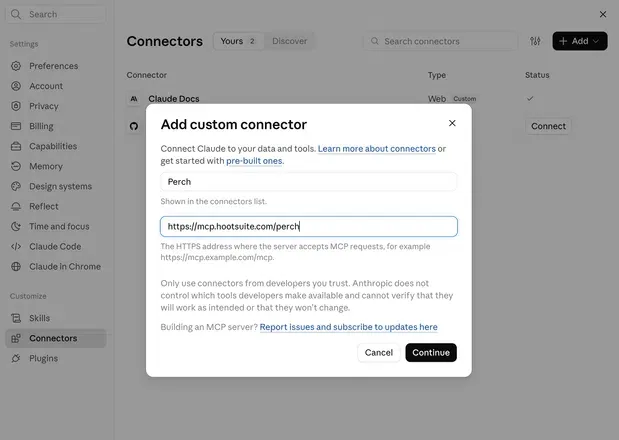
- Claude and ChatGPT connect without IT help (in Claude you add it as a custom connector with the server URL and sign in), while Gemini and Microsoft Copilot need an IT admin
What it looks like: You add the Perch connector in Claude and sign in to your Hootsuite workspace once. Then you ask how last month went, and Claude answers with metrics pulled from Perch.
Elly Mixsell, a Trustpilot reviewer, wrote: “Poor support. Period. Pricey, but leaves customers stranded.”
On G2, Hootsuite is rated 4.3 out of 5 across about 7,500 reviews.
What it does well: Hootsuite brings content planning, inbox management, social listening, and employee advocacy into AI-assisted workflows. Each MCP server gives users access only to the features and data allowed by their Hootsuite permissions.
Prices are per user per month, billed annually: Standard $99 (up to 10 accounts), Professional $199, Advanced $399, and Enterprise at custom pricing, quote only. Every paid plan gets the Perch and Nest connectors, Lumen and Parliament come only with Enterprise, and the 14-day trial caps posting at 10 to 20 posts a day. Our Hootsuite pricing breakdown covers the rest.
What running Hootsuite standalone requires: Claude can publish through Hootsuite’s MCP to X and Instagram at the same time, and posts follow your existing approval workflows. Those workflows start on the Advanced plan, so on Standard or Professional only your AI client’s confirm prompt stands between Claude and an instant post. Inbox replies are limited to saved responses. If $99 a user is more than your team can carry, start with Hootsuite alternatives for smaller teams.
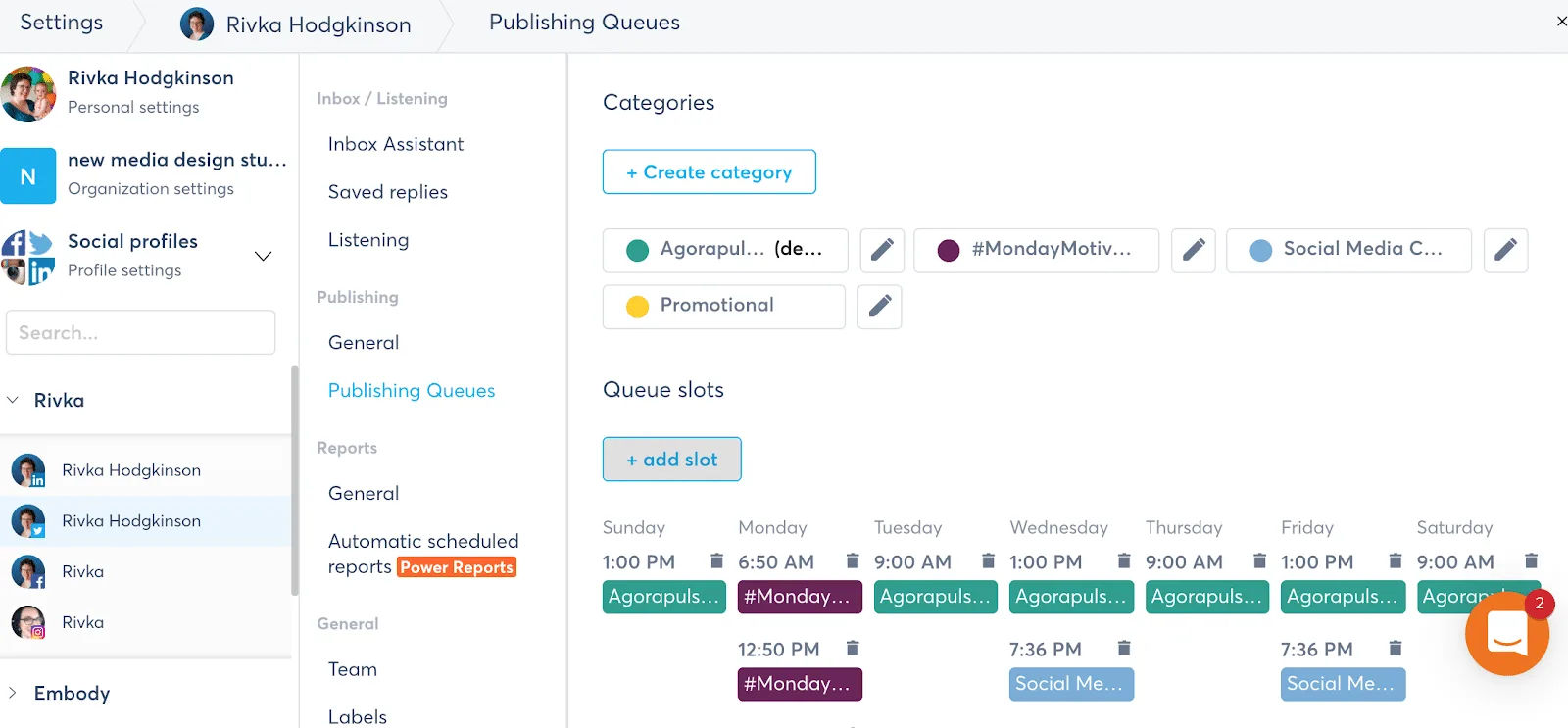
Claude can draft or schedule posts in Agorapulse, but it can’t publish on the spot, because the company left out a “publish now” action on purpose. It asks you to confirm every scheduled post, and if your role needs approval, it can only save drafts.
Platforms Supported: Facebook, Instagram, LinkedIn, Pinterest, TikTok, YouTube, Google Business, X, Threads and Bluesky.
Key Features:
- Draft or schedule posts one profile at a time (three networks means three posts), with each scheduled post confirmed by you
- Edit or delete unpublished posts it created
- Read comments, DMs, mentions and reviews, then reply, with each reply confirmed by you
- Build any report available in Agorapulse Reports
- Listening volume, sentiment and word clouds (last 7 days by default)
- Browse workspaces and profile groups by client, each teammate under their own login
- Media as public URLs, 1,000 requests every 30 minutes
What it looks like: You find Agorapulse in Claude’s connector directory, and an “Authorize access” screen asks to let Claude into your account. You approve with your own login, no API key, and from then on Claude sees exactly what your user sees.
Quentin Guivier, a Trustpilot reviewer, wrote: “The interface is clean, the platform is reliable, and support is responsive when needed.”
On G2, Agorapulse is rated 4.5 out of 5 across more than 970 reviews.
What it does well: Replies sent through the MCP follow your existing inbox permissions and approval process. This helps teams review responses before they reach customers.
Pricing is per user per month with 10 profiles: Standard $79 billed annually or $99 monthly, Professional $119 or $149, Advanced $149 or $199, and Custom at custom pricing, quote only. The MCP covers every non-Legacy plan but needs Claude Pro, ChatGPT Go or Copilot Studio on the AI side. The trial runs 30 days, and our Agorapulse pricing breakdown runs the per-user math.
What running Agorapulse standalone requires: You still publish urgent posts inside Agorapulse, because the Agorapulse MCP can schedule posts and also publish immediately. If your role needs approval, scheduling is refused and the agent can only save drafts. If you need an agent that posts the moment you ask, compare Agorapulse alternatives for instant publishing.
Blotato gives AI agents access to publishing, scheduling, analytics, and audience engagement through one MCP connection.
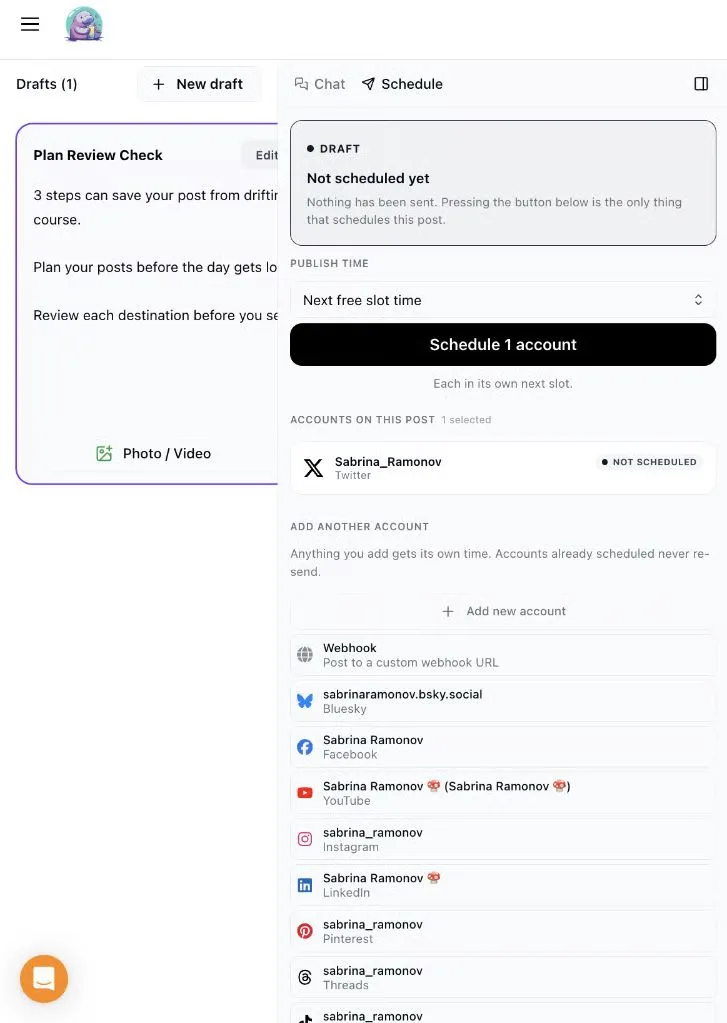
Platforms Supported: X, LinkedIn, Facebook, Instagram, TikTok, YouTube, Threads, Bluesky and Pinterest.
Key Features:
- Publish now or schedule on all 11 networks, then update or delete schedules
- Analytics on eight of the 11, every one except LinkedIn, Slack and Discord
- Read and send comments and DMs on Instagram and Facebook, and set up DM automations
- OAuth for Claude and ChatGPT, and an API-key header for Cursor, Codex, Antigravity and Replit
What it looks like: You go to Settings, then API, and Blotato asks where you’ll use it before it shows the MCP server URL. Generating the API key ends your free trial on the spot, so you generate it once you’re ready to pay.
David Michael Williams, a Trustpilot reviewer, wrote: “I connected claude and Blotato and am really enjoying it!”
On Trustpilot, Blotato is rated 4.8 out of 5 across 383 reviews.
What it does well: Blotato combines publishing, scheduling, analytics, and audience engagement in one MCP connection. Its flat-rate pricing also avoids per-post or per-seat charges, making it easier for solo creators to manage multiple social accounts under one subscription.
Plans are flat and monthly: Starter $29 (20 accounts, 1,250 AI credits), Creator $97 (40 accounts, 5,000 credits) and Agency $499 (28,000 credits). Yearly billing saves about 17% and is switched on in the billing portal. MCP comes with every paid plan, not the 7-day card-required trial.
What running Blotato standalone requires: You build the review step yourself. Blotato’s MCP has no draft or approval step, so a post goes out when the agent sends it, and a team sharing one key shares one set of hands.
Ayrshare’s Action MCP connects AI assistants to its social media API using an API key, letting developers add publishing and account management features to their own apps.
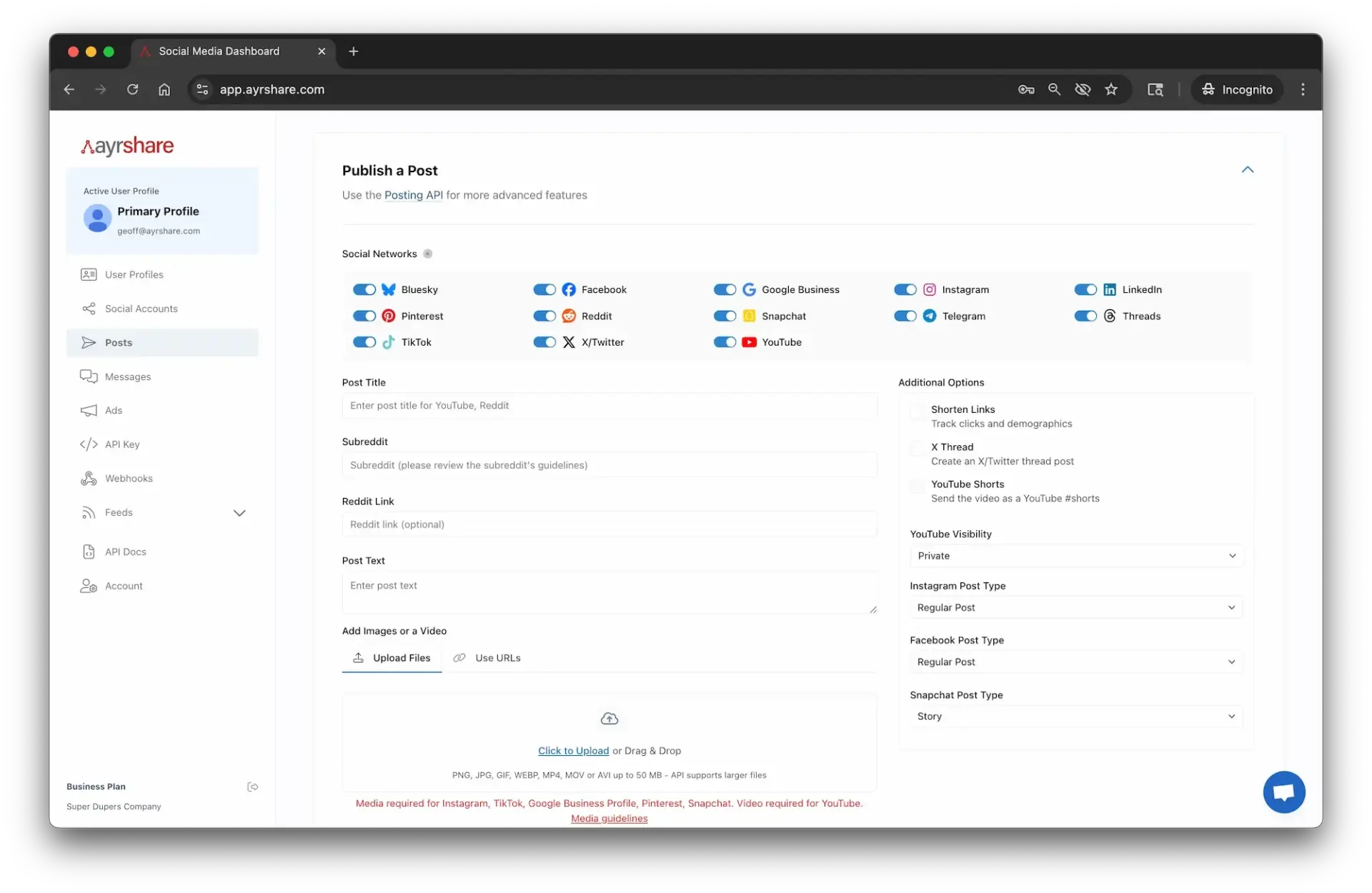
Platforms Supported: Facebook, Instagram, X, LinkedIn, TikTok, YouTube, Pinterest, Reddit, Telegram, Snapchat, Threads, Bluesky, and Google Business Profile.
Key Features:
- Publish or schedule, update scheduled or awaiting-approval posts, retry failed ones
- Post and account analytics, demographics included
- Read and reply to comments and DMs, and set auto-responses
- One profile or sub-profile per client, addressed by Profile-Key (Business or Enterprise plan)
- Ads tools such as boost_post spend real money (Premium, Business and Enterprise)
- The Claude Code plugin asks before 12 side-effect tools run and validates posts before publishing
What it actually looks like: You install Ayrshare’s Claude Code plugin and add your API key to authenticate the connection. Once connected, you can ask Claude Code to list your available profiles, view their associated social accounts, and manage publishing tasks through natural-language prompts.
Bruno Brito, a Trustpilot reviewer, wrote: “my AI agent schedules and updates posts through the Ayrshare MCP server.”
On G2, Ayrshare is rated 4.1 out of 5 across 7 reviews.
What it does well: Ayrshare’s multi-profile architecture makes it easier to build social publishing into a SaaS product. Each customer gets a separate profile, and your application can pass the corresponding Profile-Key with API calls to publish and retrieve analytics for the right customer’s accounts.
Pricing is per social profile (one customer or brand): Premium $149 a month or $129 billed annually (1 profile), Launch $299 or $249 (up to 10), Business from $599 or from $499 (30 included, up to 300), and Enterprise at custom pricing, quote only. Only Launch has a free trial (28 days).
What running Ayrshare standalone requires: Per-user access is your code’s job, and approval is an opt-in API flag that nothing forces the agent to set. Personal Claude connectors can’t sign in, a Team or Enterprise org shares one key with no per-user attribution, and X calls need your own X Developer App credentials. Outside the plugin, nothing prompts you before a post goes live, though a post sent with that approval flag waits until someone approves it.
Free Plan and Open-Source MCP Servers
These four cost little or nothing to start, and in return more of the setup, checking and upkeep lands on you. Postiz, OpenTweet and Metricool are companies with open-source or free-plan routes in, while the last entry is a set of GitHub projects with no company behind them.
Reddit, Discord, Telegram and Nostr sit in the same Postiz channel list as Instagram and LinkedIn, and one server URL reaches them all. Postiz uses the same MCP server connection for all users and clients, rather than providing a separate server for each client.
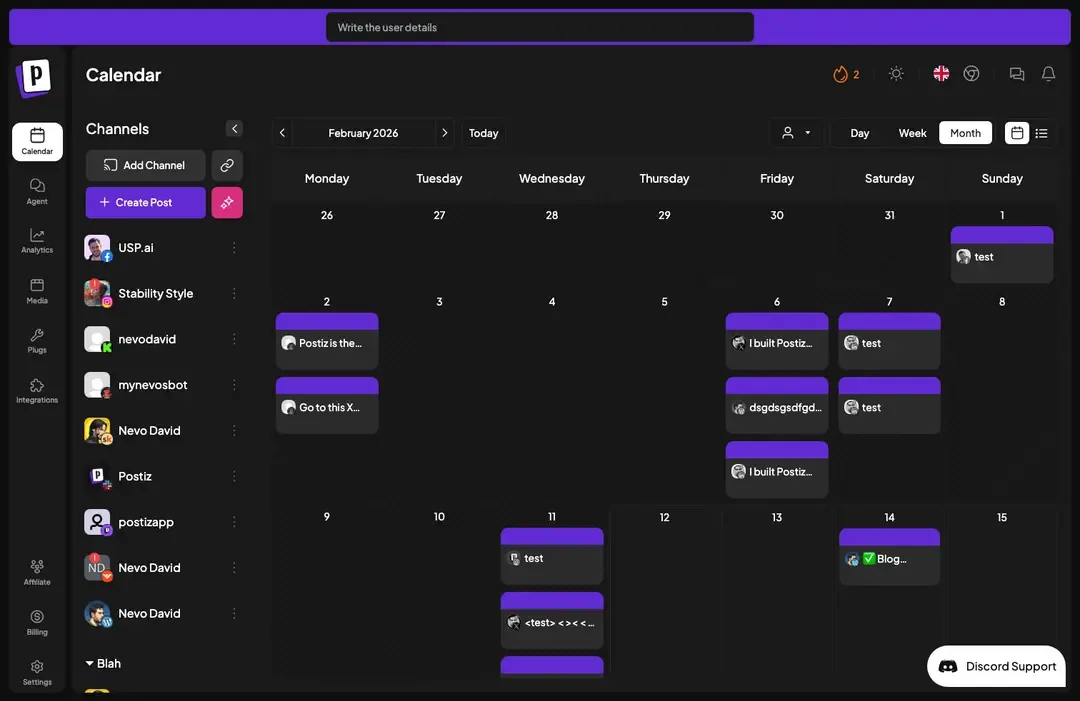
Platforms Supported: X, LinkedIn, Instagram, Facebook, Threads, YouTube, TikTok, Pinterest, Bluesky, Google Business, Reddit, Discord, Telegram, Mastodon, WordPress, Medium, Dev.to, Nostr and Lemmy.
Key Features:
- Schedule or publish a post, then list and manage what’s scheduled
- Analytics for a whole channel or a single post
- OAuth sign-in by default, or an API key sent as a header or in the URL for clients that can’t do OAuth
- Works in Claude.ai, Claude Code, ChatGPT, Cursor, Codex, Gemini CLI and “any other MCP client”
- Image and video generation and clipping on the custom link and the ChatGPT connector, not in Claude’s directory version
What it actually looks like: You connect Postiz to your AI assistant and ask it to schedule a post. You can then open Postiz’s weekly calendar to review the scheduled post and check that everything is set for the right date and time.
Gilad Resisi, a Trustpilot reviewer, wrote: “The best I’ve seen for automating my social presence with the agents I already work with day-to-day.”
On G2, Postiz is rated 4.8 out of 5 across 51 reviews.
What it does well: Postiz brings traditional social networks and community platforms into one MCP connection. Support for Dev.to, Lemmy, WordPress, Reddit, and Discord makes it particularly useful for creators and businesses publishing across both social media and developer communities.
Postiz sells four flat plans: Standard $29 a month or $23 billed yearly (5 channels, no team support), Team $39 or $31 (10 channels, unlimited members), Pro $49 or $39 (30 channels) and Ultimate $99 or $79 (100 channels). Every plan includes the hosted MCP, with a 7-day trial and no hosted free plan. The app is open source and self-hostable, and the MCP server runs on a self-hosted install too, though you register each network’s developer app yourself.
What running Postiz standalone requires: Every safeguard sits with you. The agent can save drafts through the Postiz MCP, but Postiz has no approval state that blocks publishing, so the human check is up to you.
Threads of up to 25 tweets, X Articles and evergreen queues give away the X roots of OpenTweet’s MCP server, while Bluesky and a personal LinkedIn profile ride along through one platforms parameter.
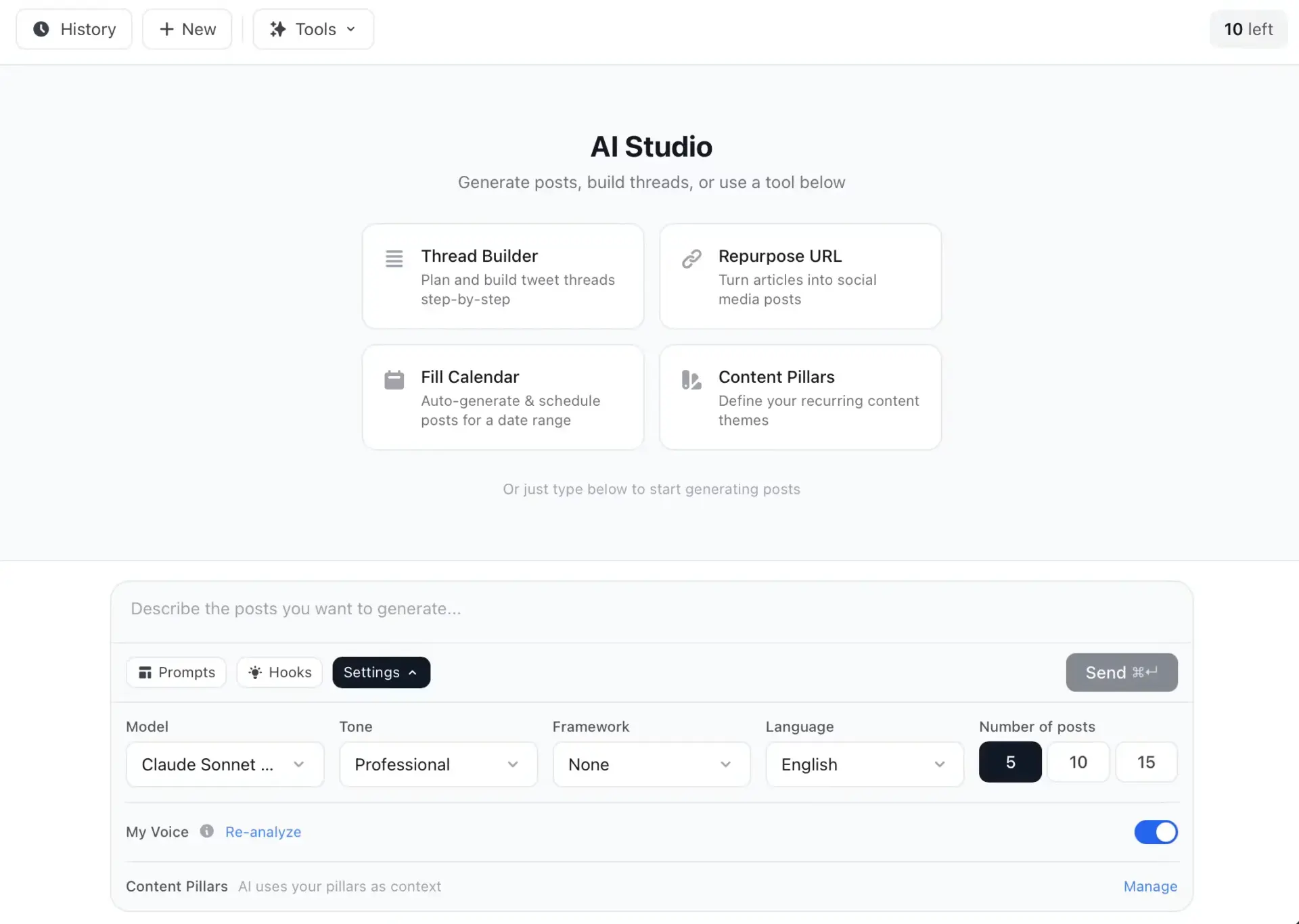
Platforms Supported: X, Bluesky and a connected LinkedIn personal profile (no company pages).
Key Features:
- 44 tools, the same on the hosted server and the local npx package
- Create a post as a draft, scheduled or published now, batch-schedule up to 50, or import a CSV
- Update or delete posts, optionally removing them from X too
- Analytics on engagement, growth, best times and content gaps
- API-key auth only (an ot_ key), with no X developer account needed
What it actually looks like: You ask Claude Code for five tweets, and each opentweet_create_tweet call comes back “Saved as draft” before a summary table lists all five. Then you tell Claude to schedule post #1 for 9 AM tomorrow, and it shows up scheduled in OpenTweet’s calendar.
Xavier R., a founder and Capterra reviewer, wrote: “The standout is the API access: it let me build my whole automation system on top of it”
What it does well: OpenTweet gives users control over the entire publishing process, from saving drafts and reviewing threads to scheduling or publishing individual posts. Its bulk scheduling, CSV imports, evergreen queues, and detailed X analytics make it particularly useful for creators managing a consistent, X-focused content strategy.
OpenTweet charges per plan, not per user: Pro $19.99 a month or $190 a year (1 X account), Advanced $29 or $290 (up to 3) and Agency $49 or $490 (up to 10). The MCP package is free and open source, but the key it needs comes with a subscription. The 7-day trial takes a card, leaves out Evergreen, X Articles and the best-time and content-gap analysis, and caps link posts at 5.
What running OpenTweet standalone requires: Watch the platforms parameter. If you leave it out while auto cross-posting is on, the post goes to every connected network, not just X. Forget one argument and your X joke lands on LinkedIn too. There’s no approve step either.
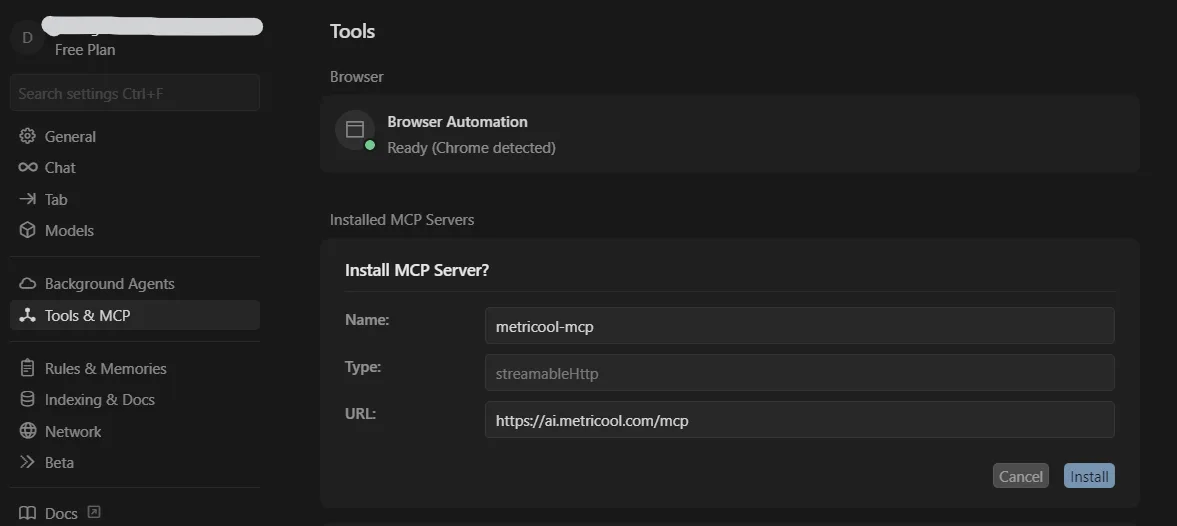
Nothing on Metricool’s Free plan blocks Claude, because the MCP runs on “any plan, including Free”, though that plan leaves out LinkedIn and X.
Platforms Supported: Instagram, Facebook, TikTok, LinkedIn, X, YouTube, Pinterest, Threads, Bluesky and Twitch
Key Features:
- Schedule posts at a set time or the best time, or publish right away, then edit them
- Create posts for review, or send them for review
- Pull metrics per brand, connected ad accounts included
- OAuth from Claude’s Connectors Directory, or an API-key header for n8n, which needs the Advanced plan
- Claude Free uses it’s one connector slot, Claude Code needs Pro or Max, and ChatGPT, Cursor and Zapier also connect
What it actually looks like: You click Connect on the Metricool card in Claude’s connectors and grant access with your Metricool login. You ask for a post at the best time, and the reply carries a link to it in Metricool’s planner, where you can tweak it before it publishes.
Alexander Cruz, a Trustpilot reviewer, wrote: “Metricool is just way too expensive now for 1 brand.”
On G2, Metricool is rated 4.4 out of 5 across 102 reviews.
What it does well: Metricool brings organic social media performance and paid advertising metrics together, letting freelancers compare post results with ad performance across Meta, Google, and TikTok without switching between reporting dashboards. Its brand-level reporting also makes it easier to track multiple clients from one place.
Metricool prices by brand count: Free is $0 for 1 brand (20 scheduled posts a month, 30 days of analytics, no LinkedIn or X), Starter from $20 a month billed annually or $25 monthly (5 brands, $36 or $45 for 10), Advanced from $53 or $67 (15 brands, up to $159 or $210 for 50), and Custom at custom pricing, quote only. Prices exclude VAT and every plan includes the MCP. Our Metricool pricing breakdown covers the tiers in between.
What running Metricool standalone requires: Comments and DMs still need another tool, because Metricool’s MCP doesn’t cover inbox messages or post comments yet, and ads campaign management is out too. If you answer customers all day, weigh other Metricool alternatives.
Ask who makes the official LinkedIn MCP server and the answer is nobody, while Meta’s MCP hub lists official servers for Ads, developer tools and WhatsApp but none for organic Facebook or Instagram posting.
Platforms Supported: LinkedIn, Instagram or Facebook, one platform per server. Meta’s docs carry an “Instagram Business MCP” page, without a live server behind it.
Key Features:
- LinkedIn: stickerdaniel’s server, the most starred, reads profiles, jobs, the feed and your inbox but can’t create a post
- LinkedIn posting: fredericbarthelet’s server (41 stars) posts through LinkedIn’s official Community Management API
- Instagram: the most-starred Instagram MCP that posts, jlbadano’s ig-mcp (209 stars), publishes images and videos through the official Graph API, while trypeggy’s server (191 stars) handles DMs only
- Facebook: the leading Facebook MCP, HagaiHen’s server (239 stars), posts, schedules and edits Page posts, moderates comments and reads insights for one Page
What it actually looks like: You open stickerdaniel’s repo on GitHub, where the header shows 4.3k stars and an Apache-2.0 licence, and install it with uvx, a Claude Desktop .mcpb file or Docker. On first run it reuses the LinkedIn session from your signed-in browser or opens a login window.
On GitHub, stickerdaniel/linkedin-mcp-server has 4,262 stars.
What it does well: The Facebook server uses Meta’s official Graph API to manage a Page. It can schedule posts, reply to comments, and retrieve Page insights using an access token instead of asking you to share your Facebook password.
Every server here is free and open source, and neither Meta nor LinkedIn states an API fee, but access is gated. Posting to your own LinkedIn profile needs the self-serve Share on LinkedIn product, while company pages need the Community Management API, a vetted product whose Standard tier asks for a screencast of each use case. Instagram serves professional accounts only, and accounts you don’t own need Advanced Access, which Meta’s Instagram Platform docs tie to App Review and Business Verification. Facebook Page permissions need App Review before an app goes live.
What running a community server standalone requires: You are responsible for managing the security, permissions, and maintenance yourself. The stickerdaniel README warns that “accounts using automated tools can be restricted or banned”. The Instagram DM server logs in with your username and password, and none of these servers puts an approval step in front of a post.
Additional Costs to Consider Before Choosing an MCP Server
The price on a vendor’s plan page is rarely the whole bill. Four costs sit outside it, and most of them only show up once a second person or a second client joins.
- Your AI plan. Agorapulse’s connector needs Claude Pro or ChatGPT Go and above. Connecting SocialPilot to ChatGPT needs a paid ChatGPT plan with MCP connectors. Claude’s free plan allows one custom connector, and Metricool’s server in Claude Code needs Claude Pro or Max.
- Seats. Hootsuite ($99) and Agorapulse ($79) charge per user a month on annual billing, so a five-person team pays five times the entry price. SocialPilot, Postiz and OpenTweet price per plan, not per person.
- Free-plan caps. Buffer’s Free plan holds 10 scheduled posts per channel across 3 channels, and Metricool’s Free plan allows 20 posts a month with no LinkedIn or X. Blotato’s MCP doesn’t work during its trial at all.
- Platform approval. A community server needs your app to pass Meta’s App Review before it posts for anyone else’s Facebook Page or Instagram account. Posting to a LinkedIn company page needs LinkedIn’s Community Management API, which LinkedIn vets.
Where SocialPilot Fits
SocialPilot’s MCP server connects Claude or ChatGPT to your SocialPilot account, so you can plan and post for every client without leaving the chat. It’s made for people who handle several brands or clients from one place.
From your chat, you can ask it to:
- Write posts with text, images, links or a LinkedIn PDF, then schedule them or publish them right away
- Save posts as drafts so someone can check them first
- Show what’s scheduled, what went out, and what failed or missed its time
- Pull analytics and engagement data, like likes, comments, shares, views, reach and impressions for each post, plus page-level analytics for each account
- Spot empty days in your calendar and upcoming holidays worth posting about
- Post to a whole client group at once, like “post this to my Retail group”
It only sees the accounts your SocialPilot role lets you see, so it posts only to clients you already have access to.
How to Schedule Posts on Three Social Platforms Using Claude
Let’s say you’re launching a new product and want to promote it on LinkedIn, Instagram, and Facebook. Instead of creating each post separately, you can ask Claude to prepare platform-specific versions through SocialPilot.
Here’s how to connect your account, review the drafts, and get all three posts ready for publishing.
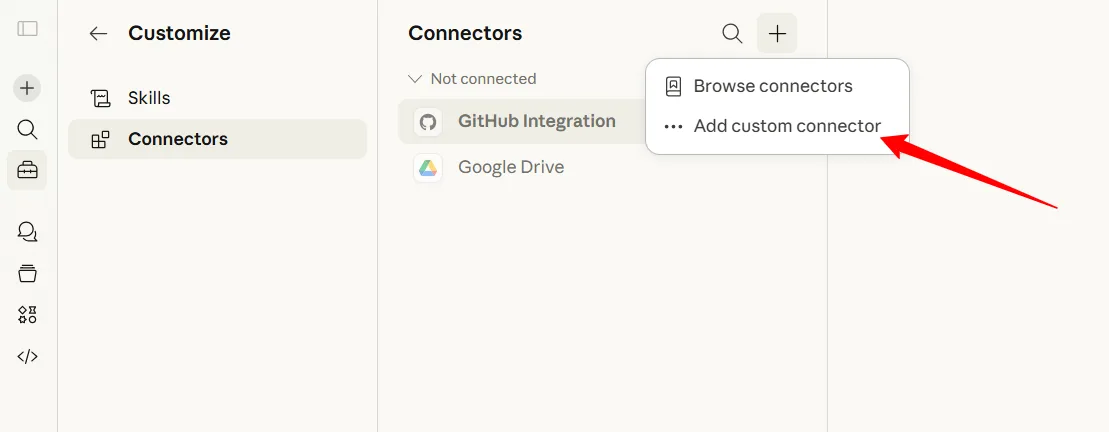
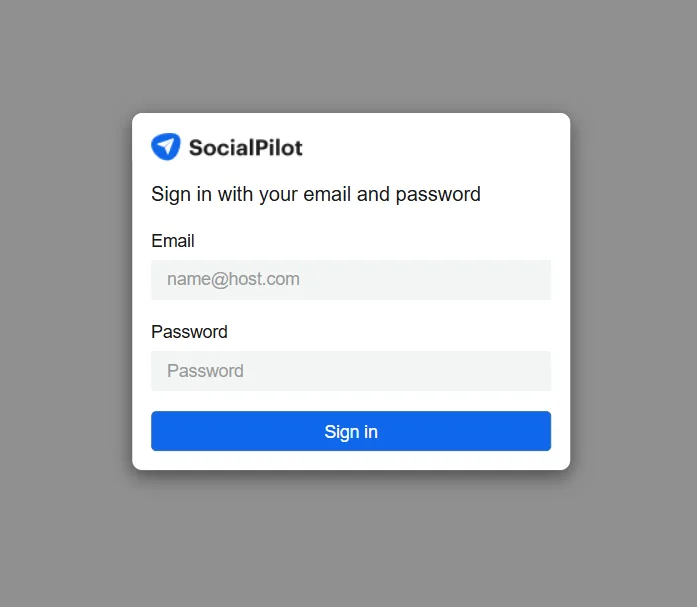
1. Connect SocialPilot to Claude. Add SocialPilot as a custom connector in Claude using “https://mcp.socialpilot.co/mcp” and sign in to your SocialPilot account.
2. Check your connected accounts. Ask Claude which social accounts and client groups it can access. It should show only the accounts available under your SocialPilot role.
3. Ask Claude to prepare your posts. Give it a prompt such as: “Prepare posts for my product launch on LinkedIn, Instagram, and Facebook for my Retail group. Adapt the copy for each platform and save all three as drafts.”
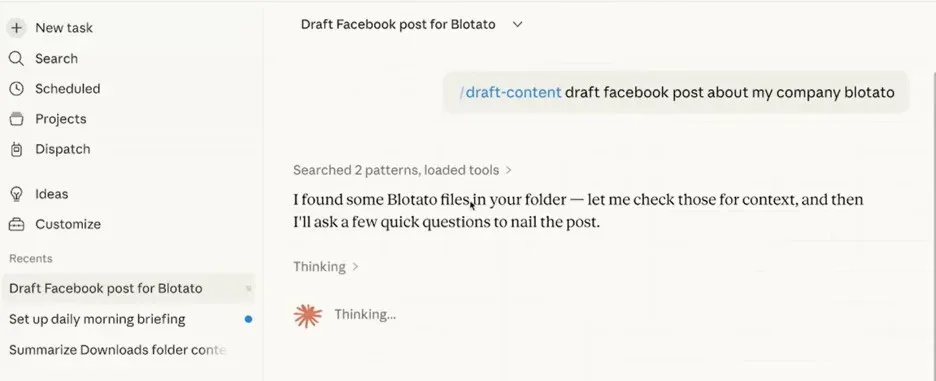
4. Review the drafts in SocialPilot. Claude creates three platform-specific drafts. Open them in SocialPilot to check the copy, make edits, and get approval before publishing. Client sign-off requires the Premium plan.
5. Check your scheduled posts. Once approved and scheduled in SocialPilot, ask Claude to show the queued posts. You can also ask it to check whether any posts failed to publish.
To run this on your own client accounts, try SocialPilot free and connect it to Claude.
How to Choose the Right Social Media MCP Server
Pick a server by two things: how many brands you post for, and whether a person has to approve before anything goes live. Match your situation below, then run the first-week tests in the next section before you trust it with a client.
- Agency or team posting for several clients: SocialPilot, which works inside your client groups and your role and saves drafts for approval.
- Team that wants the agent kept away from publishing: Agorapulse, where scheduled posts always require confirmation before publishing, while drafts are available for approval-based workflows or “publish-now” directly. The agent also brings inbox and social listening into chat and supports scheduling one profile at a time.
- Enterprise team already on Hootsuite: Hootsuite, for inbox triage and listening in chat, with listening on Enterprise only.
- One brand, several networks, small budget: Buffer or Metricool, which both run their MCP on a free plan within that plan’s caps.
- Creator posting across nine networks: Blotato, which reaches nine networks through official platform APIs from $29 a month.
- One X-first account: OpenTweet, built around X threads with Bluesky and LinkedIn optional.
- Self-hosting with no licence fee: Postiz, MCP server starts automatically as part of the standard Postiz backend when you deploy it. Instead of pointing your AI client (like Claude, Cursor, or ChatGPT) to Postiz’s cloud URL, you point it to your own domain
- Building posting into your own product: Ayrshare, with a sub-profile for each customer brand, though you build the approval step.
- Testing one platform for free: a community server, where the code is free but the API approval, the ban risk and the safety checks are yours.
If you’re the only person posting, a hosted connector takes minutes to add yourself. If you manage multiple social media accounts for clients, have one person set the roles in your tool before anyone connects an AI. Then write those rules into your social media agency SOPs so every new hire follows them.
What to Test in Your First Week
Before letting an AI assistant manage client accounts, run these five checks. They help catch publishing mistakes, access issues, and approval problems before they affect live posts.
1. Check account selection. Ask the assistant to list your connected accounts first. Make sure it identifies the correct accounts before creating or scheduling posts.
2. Start with drafts. Ask the assistant to create drafts instead of publishing. Repeat this until it selects the correct accounts and produces the right content three times in a row.
3. Test what counts as approval. Say “looks good” and check whether the assistant treats it as permission to publish. Set a clear go-ahead phrase, such as “Approved. Schedule this post,” to avoid confusion.
4. Check team permissions. Log in as a junior teammate and connect the AI assistant. Make sure it can access only the accounts and clients that person is allowed to manage.
5. Test disconnection. Find out how to remove the MCP connection and what happens to scheduled posts afterward. In SocialPilot, disconnecting the MCP server doesn’t cancel posts already in the queue, so check scheduled posts separately. Learn how to automate social media management with ChatGPT.
How We Picked and Checked These Servers
We compared servers on what an agency or marketing team needs before an AI posts for them: an approval step, client separation, platform coverage, sign-in method and price. Capabilities came from each vendor’s own MCP pages and docs, prices from their pricing pages in November 2026, and ratings from G2, Trustpilot and Capterra.
What we couldn’t independently verify:
- Live posting results. We didn’t run timed posting tests on every server, so this guide doesn’t rank speed or failure rates.
- Pages that disagree with themselves. Buffer’s MCP page says nothing publishes without you seeing it, while its developer docs say a post can publish immediately. Hootsuite’s sample prompts publish at once, while its FAQ describes human sign-off. Where a vendor contradicts itself, our table says so.
- Moving numbers. Prices, tool counts and review counts change often, so confirm them on the vendor’s page before you buy.
Which Social Media MCP Server Should You Start With?
The right server is the one that matches how many accounts you run and who has to sign off before a post goes live. Count your clients, decide where the human checkpoint sits, and the table above narrows the list to one or two.
Solo marketers can test for free on Buffer or Metricool. Creators posting everywhere get the most reach per dollar from Blotato. Agencies and teams posting for clients need client separation and a draft step first, which is what SocialPilot’s MCP is built around.
The quickest way to know if one fits is to use it on real accounts with drafts only. Start your free SocialPilot trial, connect it to Claude, and plan next week’s posts from the chat.
Frequently Asked Questions
Which social media tools have MCP integration for AI agents?
Popular social media tools with MCP integration include SocialPilot, Buffer, Hootsuite, Agorapulse, Blotato, Ayrshare, Postiz, OpenTweet, and Metricool. Community-built MCP servers are also available for LinkedIn, Instagram, and Facebook. Features vary across tools, particularly in publishing, approval workflows, and multi-account management.
Which external AI tools can connect to Hootsuite via MCP?
Hootsuite supports ChatGPT, Claude, Microsoft Copilot, and Gemini through four MCP servers: Perch (content), Nest (inbox), Lumen (listening), and Parliament (employee advocacy). ChatGPT and Claude have pre-built connectors, while Gemini and Copilot require administrator setup.
Can I manage my Hootsuite inbox from an external AI tool via MCP?
Yes. Hootsuite's Nest server lets AI tools read conversations, assign and tag messages, resolve them, and reply using saved responses. Sending custom free-text replies directly from chat isn't among its documented capabilities.
What social media management platform has the best API and MCP support?
Ayrshare suits developers building social publishing into their own apps, while SocialPilot is a better fit for agencies managing multiple client accounts through client groups, role-based access, and draft approvals.
How do I connect Claude to my social media accounts with MCP?
Open Claude's connector settings, add your tool's MCP server, and authenticate through OAuth or its supported method. Test with a draft-only prompt before enabling publishing. See our Claude setup guide for agencies for a walkthrough.
Which is better for social media: an MCP server or a scheduling tool?
Both work best together. A scheduling platform with MCP lets AI agents create and schedule posts while retaining queues, approvals, client management, and analytics. Standalone community servers often require you to build these safeguards yourself.
Is it safe to give an AI agent access to my social media accounts?
Yes, if you use a trusted server with OAuth, role-based permissions, draft approvals, and revocable access. Check what actions the agent can perform and avoid servers that request your social media password or reuse browser sessions.
Are social media MCP servers free to use?
Some are. Buffer and Metricool include MCP access on their Free plans, with platform limitations. Community-built servers are often free to install but may require platform API approval. Most hosted solutions require a paid subscription.
About the Author