
That’s where Metricool alternatives come in. We tested eight competing platforms to see how they compare on pricing, features, analytics, collaboration, reporting, and overall usability.
If you’re considering moving away from Metricool or simply want to see how other platforms compare, here are the eight alternatives worth considering in 2026.
Why Look Beyond Metricool
Metricool earns its fans by being an analytics tool first. You connect an account, you get clean charts, competitor benchmarking, and reports that look good in a client deck. The trouble starts when one brand turns into many, and it usually shows up in four places: the per-brand bill, the missing X support, the short data history, and the thin collaboration layer.
Start with the bill. Metricool prices by brand, so the number is not fixed, it is your brand count times a rate. One business feels almost free. Add a second location, a client, a separate product line, and the same plan climbs, tier by tier, as your brand count grows (the full figures are in the pricing comparison further down).
Then there is X. It is not in the base plans, it is a paid add-on, so an agency running client Twitter accounts pays extra just to schedule them. One reviewer flagged how quickly the collaboration limits bite:
Rufus N.
What stands out as frustrating for our Berlin-based L&D team is the limited collaboration permission setup. When multiple coaches work on our training-program social campaigns, we cannot lock down view-edit access granularly.
And the reporting depth. The dashboards look polished, but agencies hit the ceiling on custom report building and on how far the history goes. Another reviewer put it plainly:
Celeste B.
Advanced custom report building feels limited… live-chat support moves slowly on complex agency-level issues.
None of this makes Metricool a mistake. It makes Metricool a strong starting tool that stalls the moment you scale past one brand or need real teamwork.
The alternatives below exist because teams outgrow the per-brand bill, the X add-on, the short data window, or the light approval layer, sometimes all four in the same quarter.
How We Tested These Metricool Alternatives
We tested these tools based on what actually matters when switching from Metricool, not just feature lists or pricing pages.
Our Testing Protocol
We focused on four core workflows:
- Scheduling and calendar: Creating, scheduling, and managing posts.
- Analytics & reporting: Reviewing performance data and building reports.
- Inbox & engagement: Managing comments, messages, and audience interactions.
- Team & client workflows: Collaboration, approvals, and client management.
Where hands-on access was available, we tested the product ourselves. For features locked behind an enterprise plan or sales demo, we used the vendor’s official product pages and documentation instead of making assumptions.
How We Fact-Checked Comparisons
- Pricing: Checked against each vendor’s official pricing page on September 7, 2026.
- Features: Verified against official product pages and documentation where possible.
- Reviews: Linked directly to the review sources so you can check the full context.
- Third-party claims: We avoided stat-aggregator blogs and roundups when a primary source was available.
- Unverified claims: If we could not trace a claim to a reliable source, we left it out.
What We Didn’t Test
Some things could not be meaningfully tested hands-on:
- Enterprise-only features: Features available only after a sales call were evaluated using official documentation rather than a demo.
- Region-specific pricing: Some vendors display different currencies or prices based on location. Where exact pricing could not be verified, we linked to the vendor’s pricing page instead of converting or estimating it.
For example, Iconosquare’s pricing can vary by region, so we point readers to its plans page for the most accurate current price rather than publishing a potentially incorrect conversion.
Top Metricool Alternatives at a Glance
All eight tools, side by side, with Metricool itself in the top row as the baseline so you can compare even if you are new to it. Ratings are the aggregate score, and total review count we pulled, prices are the entry paid tier read on each vendor’s page on September 2026.
| Tool | Best for | G2 rating | Starting price | Free plan / trial | Standout capability |
| Metricool (the tool you are comparing) | Analytics-first scheduling and reporting | 4.4/5 | Free plan; Starter from $20 monthly | Free plan; no free trial | Deep native analytics with best-time-to-post |
| SocialPilot | Agencies and multi-client teams | 4.5/5 | $30 monthly ($25.50 annual), flat | None; 14-day trial | Flat pricing with white-label client reports |
| Later | Visual, Instagram-first brands | 4.5/5 | $25 monthly ($18.75 annual) | None; 14-day trial | Visual Instagram grid planner and Link in Bio |
| Buffer | Simple, standalone scheduling | 4.3/5 | $6 per channel monthly | Free up to 3 channels; 14-day trial | Clean, minimal scheduling with a free plan |
| Agorapulse | Unified inbox and engagement | 4.5/5 | $99 monthly per user ($79 annual) | None; 30-day trial | Shared social inbox with social ROI reporting |
| Hootsuite | Established enterprise features | 4.3/5 | $99 monthly per user | None; free trial | Streams monitoring across 30+ networks |
| Sendible | Agency white-labeling | 4.5/5 | $35 monthly ($30 annual) | None; 14-day trial | White-label dashboard, unlimited users |
| Loomly | Content approval workflows | 4.6/5 | $65 monthly for 3 users ($49 annual) | None; free trial | Structured post approval and version history |
| Planable | Multi-level content collaboration | 4.6/5 | $39 monthly ($33 annual) | Free plan (50 posts); free trial | Feed-style multi-level content approvals |
The 8 Best Metricool Alternatives, Reviewed in Depth
Eight tools, the same deep template for each: ratings, platforms, a real comparison against Metricool, honest pros and cons, and who each one is for. Full pricing sits in its own comparison section lower down. Entry order follows the “best for” fit, not a popularity contest.
Flat-price scheduling built for agencies.
Rating
4.5 on G2 and 4.4/5 on Capterra
Apps
Android, iOS Mobile App, and Web Version.
Social Media Platforms Supported
Facebook, Instagram, TikTok, X, LinkedIn, Threads, Bluesky, YouTube, Pinterest, and Google Business Profile.
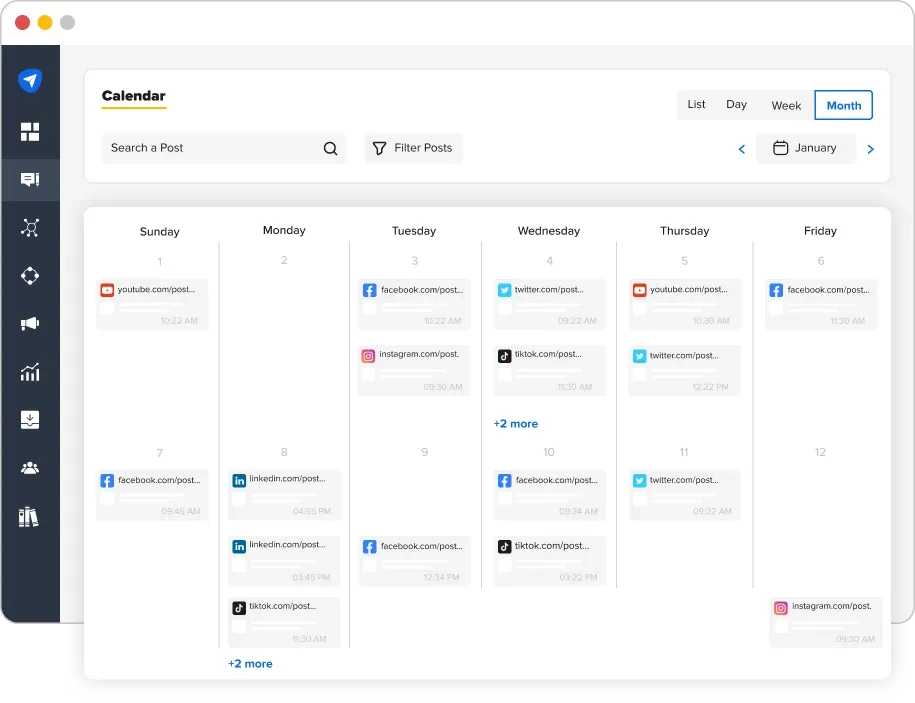
Metricool bills you for every brand and charges extra for X; SocialPilot bundles accounts into a flat plan and includes X in the base networks. Where Metricool caps history at roughly two months and keeps collaboration thin, you get Custom Social Dashboards, Competitor Reports, and White Label Reports with up to two years of history, plus client workspaces and approval flows.
You can hand a client a review link without sharing a password, which Metricool’s permission setup makes hard.
Key Features:
- Bulk scheduling of up to 500 posts from a CSV upload
- Separate client workspaces with approval workflows and role-based access
- White-label PDF reports with your agency’s logo
- Audience, post, hashtag, and competitor analytics
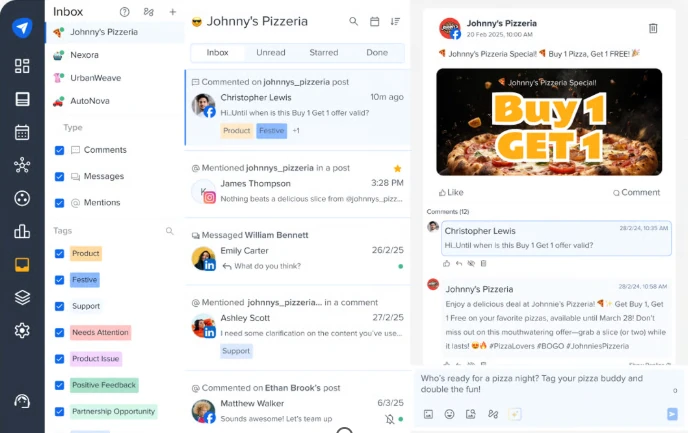
- Unified social inbox for comments, messages, and mentions
- AI Pilot for captions and hashtags, plus a Canva integration
- MCP for Social media automation with AI tool like ChatGPT
Pricing Comparison: SocialPilot vs. Metricool
- SocialPilot’s Essentials plan costs $30/month ($25.50/month annually) for 7 social accounts, with X included. Metricool’s Starter costs $25/month ($20/month annually) for up to 10 brands but charges an additional $10/month for each connected X account.
- SocialPilot’s higher plans focus more on agency needs, with Premium at $100/month ($85/month annually), including 25 social accounts, 6 users, and white-label reports. Metricool’s Advanced plan costs $67/month ($53/month annually) for up to 50 brands, making it cheaper for multi-brand management but less focused on agency-specific workflows.
- Metricool has the edge on entry-level pricing with a free plan and cheaper Starter tier. However, SocialPilot offers stronger value for agencies and teams that need client management, collaboration, white-label reporting, and X included without separate connection costs.
Where SocialPilot Takes the Lead Over Metricool
Metricool leaves X and Twitter out of its base plans as a paid add-on, and its analytics history runs short. Here X is included in the base networks, and you get white-label client reports with up to two years of history, plus client workspaces and approval flows. For an agency juggling several brands and client X profiles, that mix is the draw.
Client Reporting, Included Where Metricool Caps It
Metricool’s exported report templates are rigid and its history is short. This platform adds white-label reports, competitor benchmarking, and up to two years of history on SocialPilot’s own analytics at the Premium tier, which is the layer agencies actually need for client meetings.
Who Should Actually Use This
The strong fit is an agency or multi-client team running 7 to 50-plus accounts that wants client reporting and approvals without Metricool’s per-brand limits. The weak fit is a solo user who mainly wants deep analytics for one brand and likes a permanent free plan, which Metricool offers and this tool does not. The mobile app is also thinner than the desktop app, so heavy calendar work still happens on a laptop.
Pros
- X/Twitter included in the base networks
- Agency features like white-label reports, approvals, and workspaces
- Strong reporting with competitor benchmarking and historical data
- Robust multi-account and bulk scheduling
- MCP Server for AI-powered social media workflow automation
Ishan S.
What I like best about SocialPilot is that it makes social media posting simple and organized for my daily work.
Cons
- The mobile app is thinner than the desktop app
- No permanent free plan, where Metricool has one
- No deep native DM automation, so complex chatbot flows need a paired tool
Gene A.
The mobile app has limited options. I’d like to see it updated and made more similar to the desktop version.
Company Snapshot: A social media management platform serving 15,000-plus customers worldwide (vendor-stated), built with agency workflows at its core.
What Sets It Apart: White-label client reporting with up to two years of history, plus X included in the base networks, where Metricool caps history short and sells X as a paid add-on. For a closer look at the differences, see the SocialPilot vs. Metricool comparison.
Built for planning and publishing standout visual content.
Rating
4.5 on G2
Apps
Android, iOS Mobile App, and Web Version.
Social Media Platforms Supported
Instagram, TikTok, Facebook, LinkedIn, Pinterest, YouTube, and Threads.

Metricool is analytics first; Later is image first. You plan in a drag-and-drop Schedule view, preview your Instagram grid before anything posts, and drive traffic with a built-in Link in Bio page. Where Metricool shows you charts about the feed, Later helps you design how the feed looks in the first place, which is exactly what a visual brand cares about.
Key Features:
- Visual drag-and-drop content calendar
- Instagram grid preview to plan your feed’s look
- Link in Bio landing page for Instagram and TikTok
- Media library with user-generated content tools
- Best-time-to-post suggestions
- Overview and Audience analytics tabs
Pricing Comparison: Later vs. Metricool
- Later’s Starter plan costs $25/month ($18.75/month annually) for one social set, while Metricool’s Starter costs $25/month ($20/month annually) per brand. Later’s higher Scale plan costs $110/month for six social sets, giving teams more room to manage multiple social profiles from one subscription.
- Later stands out for visual-first social media management, with features built around content planning and publishing for social teams. Metricool offers broader platform coverage, including X scheduling, while Later does not currently support X scheduling.
- Metricool has the advantage of a free plan and lower annual Starter pricing, but Later can be a better fit for brands and teams that prioritize visual content planning, social publishing, and a workflow built around managing content across multiple platforms.
Where Later Takes the Lead Over Metricool
Metricool schedules and measures, but it does not help you design the grid. Later lets you plan the whole Instagram feed visually before publishing and manage user-generated content, which visual brands care about more than another chart.
Network Coverage, an Honest Comparison
Later is not the analytics powerhouse Metricool is, and X scheduling is gone entirely, so it is not a broad multi-network hub. If deep cross-channel reporting or X posting is the reason you are shopping, Metricool or a general tool fits better.
Who Should Actually Use This
The strong fit is a creator or visual brand whose growth lives on Instagram and TikTok and who fits inside one or two social sets. The weak fit is a data-led team that leans on Metricool’s analytics or needs X in the mix.
Pros
- The clearest visual planner for Instagram feeds
- Link in Bio is built in, not a bolt-on
- Simple enough for a solo creator to run
Cons
- X scheduling is gone, so it is not a full hub
- Photo uploads can be fiddlier than video
- Lighter analytics than Metricool and the enterprise tools here
Larkin S.
I wish that the drafting process was a little more flexible. For example, it will reduce the size of videos but it really struggles with photos.
Company Snapshot: A visual-first platform that grew up around Instagram scheduling.
What Sets It Apart: A visual grid planner and Link in Bio page that Metricool does not offer.
For more options, see our Later alternatives guide and the SocialPilot vs Later comparison.
Clean, minimal scheduling for small teams.
Rating
4.3 on G2 and 4.5/5 on Capterra
Apps
Android, iOS Mobile App, and Web Version.
Social Media Platforms Supported
Facebook, Instagram, TikTok, X, LinkedIn, Threads, Bluesky, Mastodon, YouTube, Pinterest, and Google Business Profile.

Metricool leads with analytics; Buffer leads with a clean queue. You connect a channel, drop posts into a simple calendar, and move on. There is no per-brand model and no X add-on, X is just another channel, and there is a real free plan for up to three channels, which Metricool matches only on its own free tier. If you find Metricool’s dashboards heavier than your day needs, Buffer is the lighter tool.
Key Features:
- Clean publishing queue and calendar
- Free plan for up to three channels
- Browser extension for quick sharing while you browse
- Basic analytics for the main networks
- A light engagement inbox on paid plans
- AI Assistant for caption ideas and a Start Page link-in-bio
Pricing Comparison: Buffer vs. Metricool
- Buffer offers a free plan for up to 3 channels, similar to Metricool’s free tier. Its Essentials plan starts at $6/month per channel, while Team costs $12/month per channel, making Buffer particularly accessible for users managing a small number of channels.
- Buffer includes X as a standard channel, while Metricool charges an additional $10/month for each connected X account. Buffer’s per-channel pricing can become more expensive as teams add more channels, but it gives users flexibility to pay only for the channels they need.
- Metricool offers more brands on its paid plans, while Buffer can be a better fit for users who want a low-cost entry point, flexible channel-based pricing, and X included without an additional fee.
Where Buffer Takes the Lead Over Metricool
Metricool’s strength is data, which can feel like a lot when all you want is to queue posts. Buffer’s whole design is the opposite, a simple channel and a simple queue, plus a free plan and X with no add-on. For a solo user or small brand, that simplicity is the draw.
Depth, an Honest Comparison
Buffer’s analytics are basic next to Metricool’s, with no real competitor benchmarking, and no white-label or client-approval tooling. If reporting depth is why you are leaving Metricool, Buffer is a step down, not up.
Who Should Actually Use This
The strong fit is a solo creator or small team that wants clean scheduling and a free plan without a data dashboard. The weak fit is an agency or analyst who leans on Metricool’s reporting, since Buffer’s numbers are thinner.
Pros
- One of the cleanest, simplest schedulers around
- A genuine free plan for up to three channels
- X is a standard channel, not a paid add-on
Cons
- Analytics are basic next to Metricool’s
- No white-label or client-approval tooling
- A learning curve on small details like tagging
Company Snapshot: One of the original social schedulers, known for a minimal, friendly interface.
What Sets It Apart: A clean queue and a real free plan with X included, where Metricool leads with data and charges extra for X.
For more options, see our Buffer alternatives guide and the SocialPilot vs Buffer comparison.
Engagement-first tool with a strong inbox.
Rating
4.5 on G2 and 4.6/5 on Capterra
Apps
Android, iOS Mobile App, and Web Version.
Social Media Platforms Supported
Facebook, Instagram, X, LinkedIn, Pinterest, TikTok, YouTube, Threads, Bluesky, and Google Business Profile.

Metricool has an inbox, but engagement is not its center of gravity, analytics is. Agorapulse is built around one. The Social Media Inbox queues every comment and message with assignment and moderation, and the Social Media ROI report ties posts back to revenue, which Metricool does not attempt. For a team whose main job is replying at volume, that inbox is the reason to switch.
Key Features:
- Shared social inbox with assignment and moderation
- Social Media ROI reporting tied to revenue
- Shared publishing calendars for teams
- Listening for brand mentions and keywords
- Saved replies and moderation rules
- PulseLink in Bio landing page
Pricing Comparison: Agorapulse vs. Metricool
- Agorapulse’s Standard plan costs $99/month per user ($79/month annually), significantly more than Metricool’s $25/month ($20/month annually) Starter plan. However, Agorapulse is positioned more toward teams needing dedicated social media management and collaboration tools rather than basic publishing.
- Agorapulse’s Advanced plan costs $199/month per user and adds capabilities such as social listening and approval workflows. Metricool offers a lower-cost alternative for users managing multiple brands, while Agorapulse provides deeper team-focused functionality at a premium.
- Metricool has the clear advantage on affordability and offers a free plan, while Agorapulse has no permanent free tier. However, Agorapulse can be worth the higher investment for teams that specifically need social listening, structured approvals, and advanced collaboration workflows.
Where Agorapulse Takes the Lead Over Metricool
Metricool’s inbox handles the basics, but it is not a team engagement hub. Agorapulse is designed around a shared inbox with assignments, moderation, and ROI reporting on top. If replying at volume and proving engagement value is your main job, it wins clearly.
Scope, an Honest Comparison
Agorapulse is built for engagement, not analytics, and its automated inbox rules and deeper team tools sit on the higher Professional and Advanced plans. If you do not need the shared inbox or ROI reporting, it is more tool than an analytics-led team needs next to Metricool.
Who Should Actually Use This
The strong fit is a team whose main job is replying at volume and proving engagement ROI, sized so per-user pricing stays reasonable. The weak fit is a solo scheduler or analyst who barely touches the inbox and would rather keep Metricool’s analytics.
Pros
- One of the best shared inboxes for team engagement
- ROI reporting connects social to business results
- Clean calendar and moderation tools
Alamgir H.
Agorapulse has become the place where we manage pretty much everything related to social media.
Cons
- Per-user pricing adds up for bigger teams
- More than a pure scheduler or analyst needs
- Session snags with multiple simultaneous logins
Shellsea H.
Everytime another account user logged in you were bumped off the screen and no previous work was saved.
Company Snapshot: A France-founded engagement platform used by teams worldwide.
What Sets It Apart: A shared inbox with social ROI reporting that ties posts to revenue, which Metricool does not attempt.
For more options, see our Agorapulse alternatives guide and the SocialPilot vs Agorapulse comparison.
Established all-in-one enterprise suite.
Rating
4.3 on G2
Apps
Android, iOS Mobile App, and Web Version.
Social Media Platforms Supported
30-plus networks including Facebook, Instagram, TikTok, X, LinkedIn, YouTube, Pinterest, and Threads.
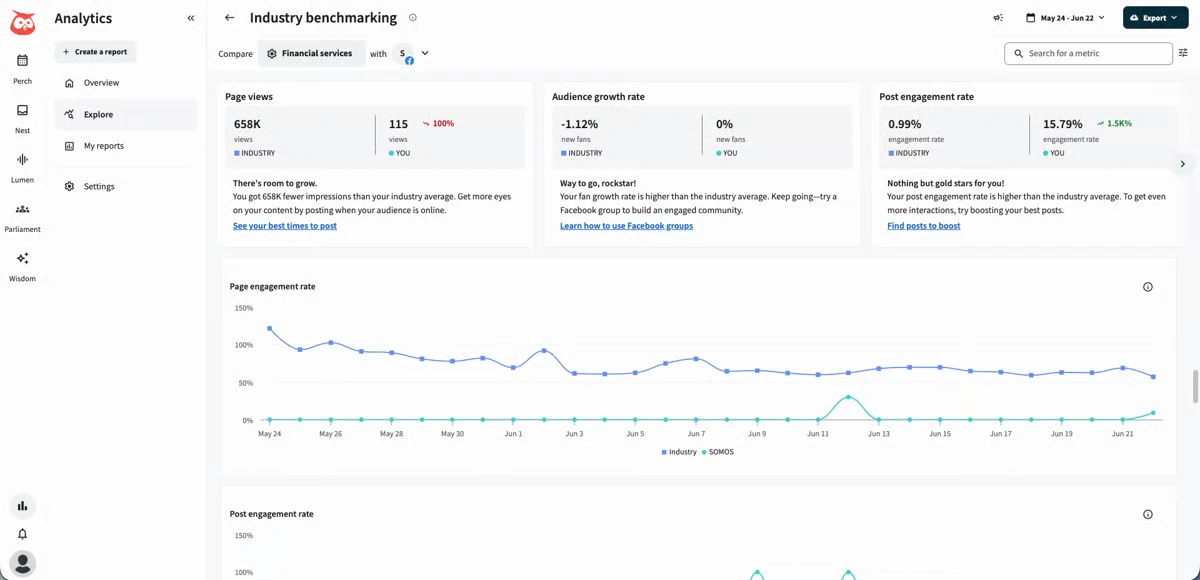
Where Metricool keeps things lean, Hootsuite gives you a control room. Its signature is Streams, a board of live columns for mentions, comments, and scheduled posts, so you watch several networks at once. You draft in the composer, schedule in the Planner, and OwlyWriter AI drafts captions. Metricool has no live monitoring view like it, and X is a standard network here, not an add-on.
Key Features:
- Streams board for real-time monitoring across networks
- Planner and composer for scheduling and drafting
- Unified Inbox for messages and comments
- OwlyWriter AI for caption and post ideas
- Analytics and social listening dashboards
- Approval workflows and team roles
Pricing Comparison: Hootsuite vs. Metricool
- Hootsuite’s Standard plan costs $99/month per user, significantly more than Metricool’s $25/month ($20/month annually) Starter plan. The higher price reflects Hootsuite’s broader set of tools for teams and larger organizations managing social media at scale.
- Hootsuite’s Advanced plan costs $399/month/user and adds capabilities such as automation and social listening. Metricool offers a much more affordable way to manage multiple brands, while Hootsuite can be a better fit for teams that need more advanced workflows and monitoring.
- Metricool has the advantage on affordability and offers a free plan, while Hootsuite has no permanent free tier. However, Hootsuite’s higher-tier capabilities make it worth considering for larger teams that need automation, social listening, and more sophisticated social media management workflows.
Where Hootsuite Takes the Lead Over Metricool
Metricool measures what happened; Hootsuite watches it happen. The Streams board puts mentions, comments, and posts on one live view across 30-plus networks, and listening runs deeper than Metricool’s. For big teams that need to monitor in real time, that is the reason to switch.
Complexity, an Honest Comparison
Hootsuite does not beat Metricool on simplicity. It is built for large teams, with automation and listening gated to the pricier Advanced plan, so it is heavier than an analytics-led brand needs. If you only want clean analytics and scheduling, Metricool is the lighter tool.
Who Should Actually Use This
The strong fit is an established team or enterprise that needs wide network coverage and live monitoring and can absorb per-user pricing. The weak fit is a solo user or small brand, for whom it is heavy and complex next to Metricool.
Pros
- Streams is still one of the best live monitoring views
- Very wide network coverage in one place
- Mature approval, listening, and analytics tooling
Jomo A.
It’s a media management tool that brings scheduling, content creation, analytics, and social listening all to one place.
Cons
- Automation and listening are gated to the pricier Advanced plan
- More tool than a small brand needs
- Interface is dense for newcomers
Company Snapshot: One of the longest-running social tools, covering 30-plus networks (vendor-stated).
What Sets It Apart: The Streams monitoring board, a live multi-network view Metricool has no answer to.
For more options, see our Hootsuite alternatives guide and the SocialPilot vs Hootsuite comparison.
White-label management for agencies.
Rating
4.5 on G2 and 4.6/5 on Capterra
Apps
Android, iOS Mobile App, and Web Version.
Social Media Platforms Supported
Instagram, Facebook, LinkedIn, TikTok, Threads, Google Business Profile, X, YouTube, and Pinterest.

Metricool offers white-label reports, but it cannot hand a client a fully branded dashboard on your own domain. Sendible can. The Priority Inbox centralizes replies, Smart Queues recycle evergreen posts, and every plan includes unlimited users, which is unusual and agency-friendly next to Metricool’s per-brand model. For a reseller, the branded experience is the whole point.
Key Features:
- White-label dashboard on your own brand and domain
- Unlimited users on every plan
- Priority Inbox for replies across channels
- Smart Queues for evergreen recycling
- Workspaces to separate clients or brands
- Automated, scheduled client reports
Pricing Comparison: Sendible vs. Metricool
- Sendible’s Core plan costs $35/month per workspace ($30/month annually) and includes unlimited users, putting it close to Metricool’s $25/month ($20/month annually) Starter plan. Sendible’s unlimited-user setup can make it more attractive for small teams that need to collaborate without paying per seat.
- Sendible scales up to its Elite plan at $299/month/workspaces, where full white-label capabilities unlock. Metricool offers a much lower-cost option for managing multiple brands, while Sendible provides more room for teams that need dedicated collaboration and client-facing workflows.
- Metricool has the advantage on entry-level cost and offers a free plan, while Sendible has no permanent free tier. However, Sendible can be a stronger alternative for teams that prioritize unlimited users, collaboration, and advanced white-label capabilities.
Where Sendible Takes the Lead Over Metricool
Metricool removes its branding from reports, but the app itself still looks like Metricool. Sendible lets an agency present the whole platform as its own product on its own domain, with unlimited seats. For agencies that resell social management, that branded dashboard is the core reason to choose it.
White-Label Gating, an Honest Comparison
Full white labeling sits on Sendible’s higher tiers, not the entry Creator plan, so plan for that if branding is the goal. And Metricool’s analytics run deeper if reporting matters more to you than a branded dashboard.
Who Should Actually Use This
The strong fit is an agency that resells social management and wants a branded client experience with unlimited seats. The weak fit is a solo user who does not need white labeling and would rather keep Metricool’s analytics.
Pros
- White-label branding built for reselling to clients
- Unlimited users removes per-seat cost worries
- Solid inbox and reporting for agencies
Ishan S.
It helps me manage social media posting and health education content in more organized way during daily work.
Cons
- Full white labeling only unlocks on pricier tiers
- Occasional posts fail and need a manual retry
- Interface can feel busy at first
Rick C.
Once in awhile the post won’t go through and I have to go back and troubleshoot.
Company Snapshot: A UK-based platform built for agencies, with unlimited users on every plan.
What Sets It Apart: A full white-label dashboard on your own domain, which Metricool cannot do.
For more options, see our Sendible alternatives guide and the SocialPilot vs Sendible comparison.
Content calendar with post approval flows.
Rating
4.6 on G2 and 4.6/5 on Capterra
Apps
Android, iOS Mobile App, and Web Version.
Social Media Platforms Supported
Facebook, Instagram, LinkedIn, TikTok, YouTube, Pinterest, Google Business Profile, and Threads, plus custom channels.
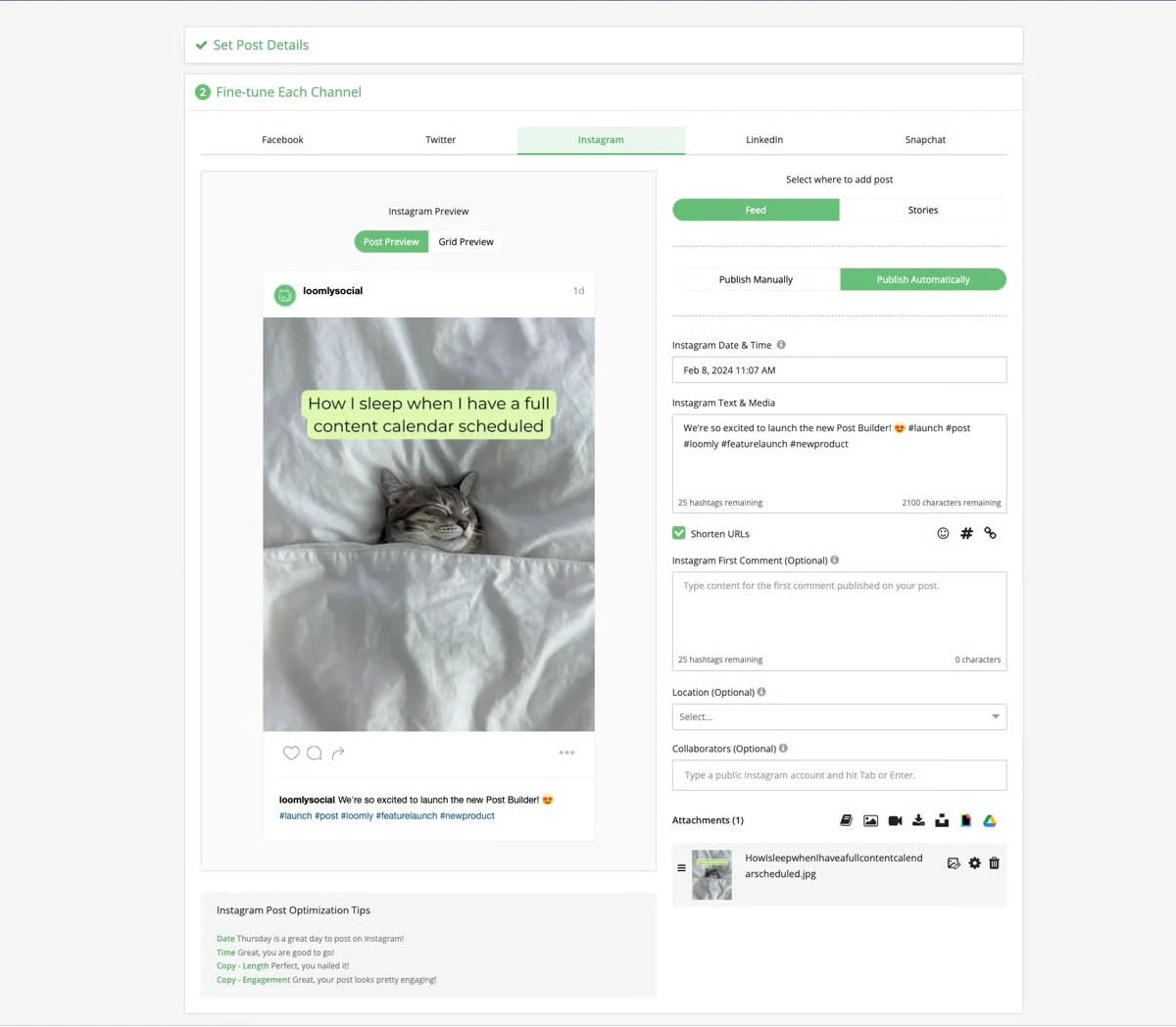
Metricool’s collaboration is thin, one of its own reviewers’ main complaints. Loomly is built around the review step. You draft in the Post Builder, route each post through a custom Approval workflow with version history, and switch between Calendar View and List View. For a team that lives or dies by client sign-off, that structure is the draw Metricool cannot match.
Key Features:
- Custom approval workflows with role-based access
- Post version history and real-time commenting
- Post Builder with per-network previews and tips
- Post Ideas and a Hashtag Manager for planning
- Unified inbox for comments, mentions, and messages
- Advanced analytics with PDF and CSV export
Pricing Comparison: Loomly vs. Metricool
- Loomly’s Starter plan costs $65/month ($49/month annually), considerably more than Metricool’s $25/month ($20/month annually) Starter plan. The higher price reflects Loomly’s focus on structured content planning, collaboration, and approval workflows for teams.
- Loomly’s higher plans reach $332/month ($249/month annually), creating a significant price gap with Metricool. However, Loomly can make sense for teams that need a more dedicated content calendar and collaboration workflow rather than primarily looking for low-cost multi-brand management.
- Metricool has the advantage on affordability and offers a free plan, while Loomly has no permanent free tier. Still, Loomly is worth considering for teams that prioritize content planning, collaboration, and approval-focused workflows.
Where Loomly Takes the Lead Over Metricool
Metricool cannot lock down granular view-and-edit access, and its approvals are basic. Loomly turns approval into a real workflow with versions, comments, and roles, which is what agencies with picky clients need. This is where it clearly beats Metricool.
Depth and Tiers, an Honest Comparison
Loomly is built for approvals, not analytics, so its reporting is lighter than Metricool’s and reviewers call the editor dated. Its plans also jump from the entry Starter tier straight to a much larger one with nothing in between, so mid-size teams pay for accounts they do not use.
Who Should Actually Use This
The strong fit is a small agency or in-house team whose bottleneck is client sign-off, not analytics, and who fits inside the entry Starter plan. The weak fit is a team of medium size that outgrows Starter but cannot justify the next tier, or one that just wants Metricool’s analytics.
Pros
- One of the clearest approval flows in this category
- Version history makes client rounds easy to track
- Post Ideas helps when the calendar runs dry
Haris K.
It takes so much of the pain out of the content planning process for our team.
Cons
- No native competitor benchmarking like Metricool’s
- Some long-time users find the editor and analytics dated
- Analytics are lighter than Metricool’s dashboards
Matt P.
The editor is clunky, the media manager doesn’t manage, templates make no sense, its tough to manage content, approval flow is outdated, and the analytics made no sense.
Company Snapshot: A San Francisco-based platform focused on content collaboration and brand success.
What Sets It Apart: A structured, multi-step approval workflow with version history that Metricool cannot match.
For more options, see our Loomly alternatives guide and the SocialPilot vs Loomly comparison.
Feed-style collaboration and approvals.
Rating
4.6 on G2
Apps
Android, iOS Mobile App, and Web Version.
Social Media Platforms Supported
Facebook, Instagram, LinkedIn, X, TikTok, YouTube, Pinterest, Google Business Profile, and Threads.

Metricool shows you a calendar and charts; Planable shows you a post the way it will look live, with everyone commenting right on it. Content sits in a feed, list, calendar, or grid view, teammates and clients leave feedback in context, and multi-level approvals stack so a post clears every layer before it publishes. That collaboration depth is well past what Metricool offers.
Key Features:
- Feed, calendar, grid, and list views of every post
- Multi-level approval layers for teams and clients
- In-context comments and internal notes on each post
- Pixel-perfect previews per network
- Content assignment and scheduling
- Version history on drafts
Pricing Comparison: Planable vs. Metricool
- Planable offers a free plan with 50 posts, similar to Metricool’s free tier. Its Basic plan costs $39/month ($33/month annually) per workspace, while Pro costs $59/month, making it more focused on collaborative content planning than broad social media management.
- Planable stands out for team-based content workflows, with collaboration and approval features built into its core experience. Metricool includes analytics and social inbox capabilities in its platform, while Planable charges separately for analytics and inbox access.
- Metricool has the advantage for users seeking more features at a lower cost, while Planable can be a stronger alternative for teams and agencies that prioritize content collaboration, feedback, and approval workflows.
Where Planable Takes the Lead Over Metricool
Metricool’s collaboration is basic, and it cannot stack approval layers. Planable is built around exactly that, in-context feedback and multi-level sign-off before anything goes live. For teams with several approvers, that is the reason to switch.
Analytics and Add-Ons, an Honest Comparison
Planable is a collaboration tool first, so analytics and the inbox cost extra per workspace, and its reporting is lighter than Metricool’s built-in dashboards. If data is your priority, Metricool gives you more out of the box.
Who Should Actually Use This
The strong fit is a team or agency where several people approve content before it publishes and context-rich feedback matters. The weak fit is a solo user or data-led team that mainly wants Metricool’s analytics without paying add-ons for reporting.
Pros
- Feed-style previews that show posts as they will publish
- Multi-level approvals built for several sign-off layers
- Unlimited users on every paid plan
Beau.
Planable is a very user-friendly program for planning social media posts for several different companies. The program is well organized and intuitive to use.
Cons
- Analytics and inbox cost extra per workspace
- Post caps per workspace can feel tight
- Billing model frustrates some client setups
Markus S.
No payable function, this means if the customer decides to go payable i have to leave your app.
Company Snapshot: A collaboration-first platform built around approving content before it goes live.
What Sets It Apart: Feed-style, multi-level content approvals that go far past Metricool’s basic collaboration.
More Metricool Alternatives Worth a Look
Two more tools that did not make the main eight but earn a spot for specific buyers.
Instagram-first auto-posting and planning.
Rating
4.3 on G2 and 4.4/5 on Capterra
Apps
Android, iOS Mobile App, and Web Version.
Social Media Platforms Supported
Instagram, Facebook, TikTok, LinkedIn, Pinterest, YouTube, Threads, Google Business Profile, and X.
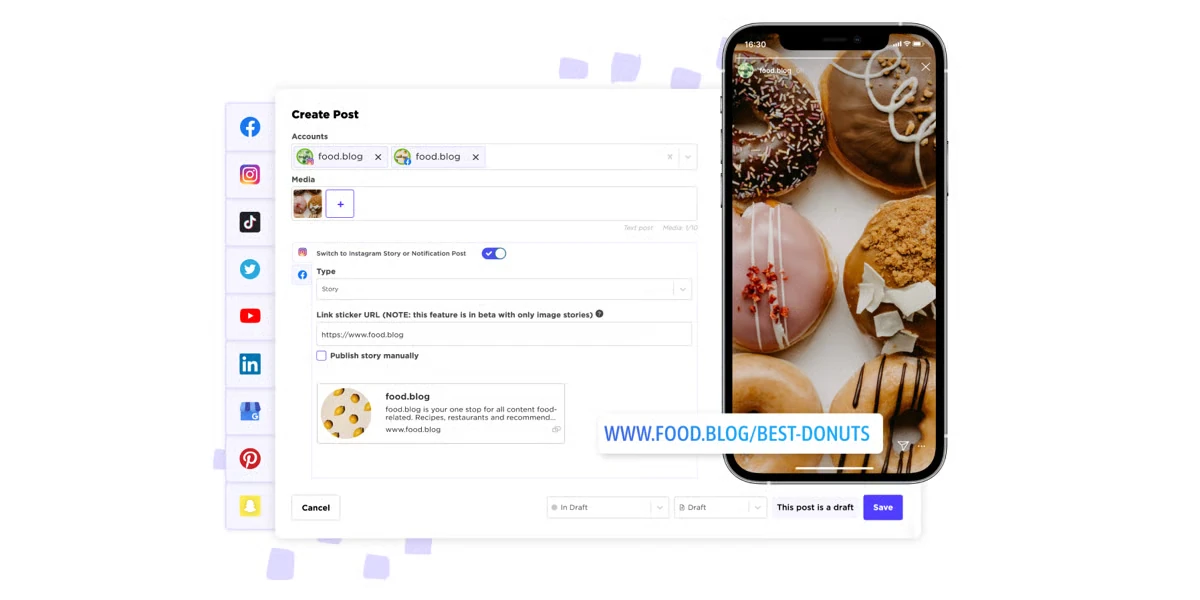
Metricool leans on analytics; SkedSocial leans on visual Instagram publishing. You plan in a visual grid, auto-post Stories and carousels, and manage user-generated content, which is why it targets Metricool switchers with its own comparison landing page. For an Instagram-heavy brand, the auto-posting is the draw.
Key Features:
- Visual Instagram planner with grid preview
- Auto-posting for Stories, carousels, and Reels
- Hashtag and first-comment tools
- Media library with UGC collection
- Reporting on post and account performance
- Multi-profile scheduling
Pricing Comparison: SkedSocial vs. Metricool
- SkedSocial’s Basic plan costs $29/month, putting it close to Metricool’s $25/month Starter plan. SkedSocial’s pricing is based on users and profiles, while Metricool’s Starter is structured around brands, which can make the cost difference more significant as accounts grow.
- SkedSocial scales from Grow at $69/month to Accelerate at $199/month, offering higher tiers for teams managing more users and profiles. Metricool provides a lower-cost way to manage multiple brands, making it more appealing for users focused on maximizing the number of brands per subscription.
- Metricool has the advantage of a free plan, while SkedSocial has no permanent free tier. However, SkedSocial can be a stronger alternative for teams that need a profile-focused social media workflow and are willing to pay for higher-tier management capabilities.
Where SkedSocial Takes the Lead Over Metricool
Metricool schedules Instagram but does not center on it. SkedSocial does, with grid planning and true auto-posting for Stories and carousels. For a brand judged on its Instagram feed, that visual publishing beats another dashboard.
Depth, an Honest Comparison
SkedSocial is narrower than Metricool on cross-channel analytics, so a multi-channel team gets more from Metricool’s reporting. If broad analytics is the goal, Metricool fits better.
Who Should Actually Use This
The strong fit is an Instagram-first brand or creator that wants visual planning and auto-posting. The weak fit is a multi-channel team that leans on Metricool’s analytics.
Pros
- Strong visual Instagram planning and auto-posting
- Handles Stories, carousels, and Reels well
- Good UGC and hashtag tools
Jessica A.
I really like the different features that Sked Social offers, especially posting stories and multi-image posts to Instagram.
Cons
- Leans heavily on Instagram, lighter elsewhere
- Narrower cross-channel analytics
- Occasional posts miss their scheduled time
- Most useful only if Instagram is your main channel
Verified user on G2 in Travel
The analytics section could be better and more integrated in terms of audience demographics.
Company Snapshot: An Instagram-first scheduling platform that markets directly to Metricool switchers.
What Sets It Apart: Visual Instagram auto-posting for Stories and carousels, which Metricool does not specialize in.
Deep analytics for data-led brands.
Rating
4.4 on G2
Apps
Android, iOS Mobile App, and Web Version.
Social Media Platforms Supported
Instagram, Facebook, TikTok, LinkedIn, X, YouTube, Bluesky, Threads, and Google Business Profile.

Iconosquare competes with Metricool on its own turf, analytics, and often goes deeper. You get customizable dashboards, longer history, competitor and industry benchmarks, and scheduled reports. For a data-led brand that finds Metricool’s report building limited, Iconosquare is the closest head-to-head swap.
Key Features:
- Customizable analytics dashboards
- Competitor and industry benchmarking
- Scheduled, exportable reports
- Post scheduling with best-time suggestions
- Community management inbox
- Listening for tagged mentions
Pricing Comparison: Iconosquare vs. Metricool
- Iconosquare offers a free plan for 2 profiles, matching Metricool’s free tier. Its paid plans start with pricing $13/month/user and Launch plan at $46/month/user, built around its stronger focus on social media analytics and reporting.
- Iconosquare stands out for deeper analytics and reporting, making it a stronger option for brands and agencies that need more detailed performance insights. Metricool takes a broader approach, combining analytics with more extensive publishing and management capabilities.
- Both offer a free entry point, but the better choice depends on the priority: Iconosquare for deeper social analytics and reporting, or Metricool for a broader all-in-one social media management workflow.
Where Iconosquare Takes the Lead Over Metricool
Metricool’s custom report building draws complaints from its own users. Iconosquare’s dashboards are more customizable, its history runs longer, and its benchmarking is deeper. If analytics is the exact reason you are leaving Metricool, this is the closest upgrade.
Reach and Support: an Honest Comparison
Iconosquare is analytics-led, so publishing and engagement are lighter than a full suite, and support draws real criticism. On network breadth, Metricool holds its ground.
Who Should Actually Use This
The strong fit is a data-led brand or agency that wants deeper, more customizable analytics than Metricool. The weak fit is a team that needs strong publishing, engagement, or fast support.
Pros
- Deeper, more customizable analytics than Metricool
- Strong competitor and industry benchmarking
- Clean, visual dashboards
Covadonga S.
Their dashboard is so intuitive, able to be tailored to our specific needs and very visual.
Cons
- Some networks like LinkedIn and X are limited in reports
- Support is slow to respond, per reviewers
- Lighter publishing and engagement than a full suite
Jamie O.
Support is not very responsive. Email support responds once daily at 2-4AM my time.
Company Snapshot: A France-based analytics platform focused on data-led social teams.
What Sets It Apart: Deeper, more customizable analytics and longer history than Metricool, on Metricool’s own home turf.
Which Metricool Alternative Should You Choose?
Start from the reason you are leaving Metricool, not from a feature list. Match your reason on the left to the pick on the right.
| Why you are leaving Metricool | The pick, or the stack |
| Per-brand pricing climbed as you added accounts | SocialPilot or Buffer, both priced so brand count does not drive the bill |
| You need X without a paid add-on | SocialPilot, Buffer, or Hootsuite, where X is a standard network |
| You need client reports and approvals | SocialPilot for white-label reports, Loomly if the approval workflow is the priority |
| You resell social under your own brand | Sendible for a full white-label dashboard, SocialPilot for white-label reports at lower cost |
| Your brand lives on Instagram and visuals | Later for the grid preview, SkedSocial for auto-posting Stories and carousels |
| You reply to messages at high volume | Agorapulse for the shared inbox and ROI reporting |
| You need live monitoring across many networks | Hootsuite for the Streams board and listening |
| Several people must approve every post | Planable for multi-level, in-context approvals |
| You want deeper analytics than Metricool | Iconosquare for customizable dashboards and longer history |
Most teams do not need to replace Metricool with one giant tool. A common setup is one affordable multi-account scheduler like SocialPilot for publishing and client reports, plus a specialist only where you have a real gap, such as Agorapulse for a busy inbox or Planable for layered approvals.
Find the Right Metricool Alternative
There is no single best Metricool alternative, only the one that fixes the reason you started looking. If Metricool’s per-brand bill is the problem, a flat-plan tool like SocialPilot or a simple per-channel tool like Buffer keeps the cost sane as you add accounts.
If it is the X add-on, SocialPilot, Buffer, and Hootsuite all treat X as a standard network. If it is thin collaboration, Loomly and Planable are built around approvals. If it is analytics depth, Iconosquare goes deeper on Metricool’s own turf.
Match the tool to the gap, not to the longest feature list. Start every shortlist with the free trial or free plan, connect the accounts you actually manage, and run one real week of posting through it before you commit. That single week tells you more than any comparison table, this one included.
Most teams leaving Metricool want three things Metricool makes hard: pricing that does not climb with every brand, X without a surcharge, and real client reports and approvals. For an agency or multi-client team, that mix is where SocialPilot fits, and you can see how SocialPilot compares against the tools above before you decide.
Frequently Asked Questions
Which is better, Metricool, Buffer, or SocialPilot?
It depends on your job. Metricool is best if you mainly want cheap, strong analytics for one brand. Buffer is best for simple, standalone scheduling with a free plan. For agencies and multi-client teams, SocialPilot is best, since its flat pricing does not climb per brand, X is included, and you get white-label reports and client approvals Metricool and Buffer both keep light.
Are there free alternatives to Metricool?
Yes. Buffer has a real free plan for up to three channels, and Planable has a free plan capped at 50 posts total. Both let you start without a card. Metricool also has a free plan, so if a free tier is what you want, compare the caps: Buffer limits channels, Planable limits total posts, and Metricool limits brands and posts and leaves X out.
Is there anything better than Metricool?
For pure analytics on one brand, Metricool is hard to beat on price. But if you manage several brands, SocialPilot is better on flat pricing and client tools, Agorapulse is better for a shared inbox, Hootsuite is better for live monitoring, and Iconosquare is better for deeper, customizable analytics. "Better" depends on the gap you are trying to close.
Is Metricool better than Planable?
For analytics and low-cost scheduling, yes, Metricool is stronger and cheaper. For collaboration, no. Planable is built around feed-style previews and multi-level approvals, so several people can sign off on a post before it publishes. If your bottleneck is client and team approval, Planable wins; if it is reporting, Metricool does.
Which is better, Metricool or Buffer?
They solve different problems. Metricool is an analytics-led tool with per-brand pricing and X as a paid add-on. Buffer is a clean scheduler with a free plan, per-channel pricing, and X as a standard channel. Pick Metricool for reporting depth on one brand, and Buffer for simple scheduling you can start free.
Is Hootsuite better than Metricool?
For live monitoring and wide network coverage, yes. Hootsuite's Streams board watches mentions and comments across 30-plus networks in real time, and its listening runs deeper. But it starts at $99 per user, where Metricool starts near $20 per brand, so Hootsuite is only better if you need that monitoring and can absorb per-user pricing.
About the Author